The 10 Best CPU Coolers for Ryzen
Keeping a Ryzen CPU cool is key to sustained performance and quiet operation. Our research-backed picks span budget to premium, covering Thermalright, Noctua, and Cooler Master.
 By Liam Banks
Updated July 26, 2026
By Liam Banks
Updated July 26, 2026
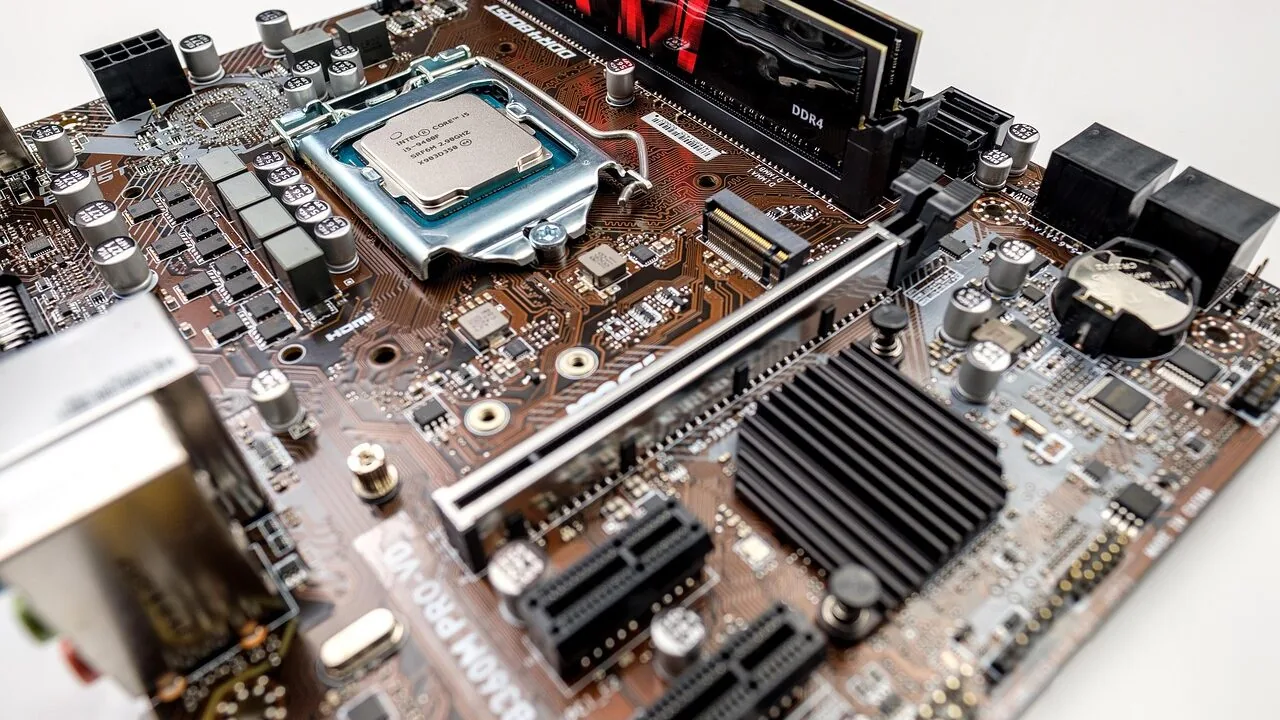
Picking the right CPU cooler for a Ryzen build is one of the most consequential decisions you’ll make for long-term system health.
AMD’s Ryzen lineup, from budget-friendly Ryzen 5 chips to the power-hungry Ryzen 9 X3D series, can generate substantial heat under sustained workloads, and a cooler that’s merely adequate will leave performance and longevity on the table.
Whether you’re assembling a compact workstation or a full-tower gaming rig, the cooler you choose shapes everything from boost clock sustainability to acoustic comfort during late-night sessions.
This guide cuts through the noise by drawing on verified buyer feedback, published thermal benchmarks, and expert review consensus to surface the coolers that genuinely deliver for Ryzen owners.
Our research covers air coolers spanning budget to premium tiers, from Thermalright and Noctua to Cooler Master, so you can match a cooler to your TDP, case, and budget without guesswork.
Read on for our top picks, and pair this guide with a look at our broader CPU coolers roundup if you want a cross-platform perspective.
| Award | Product | REMOVU Score About REMOVU ScoreThe REMOVU Score is our own rating from 0 to 10, based on performance, design and build, ease of use, and value. It reflects independent research and is never influenced by manufacturers, retailers, or affiliate commissions. Learn more › | Price | |
|---|---|---|---|---|
 Thermalright Peerless Assassin 120 SE CPU Cooler
|
8.3/10 | Buy | ||
| Best Overall |
 Thermalright Peerless Assassin 120 SE V2 Dual Tower Cooler
|
8.7/10 | Buy | |
 Thermalright Assassin X120 Refined SE CPU Cooler
|
6.9/10 | Buy | ||
| Best Budget |
 Thermalright Peerless Assassin 120 V3 Dual-Tower CPU Cooler
|
8.5/10 | Buy | |
| Best Premium |
 Noctua NH-D15 chromax.Black 140mm Dual-Tower Cooler
|
8.3/10 | Buy | |
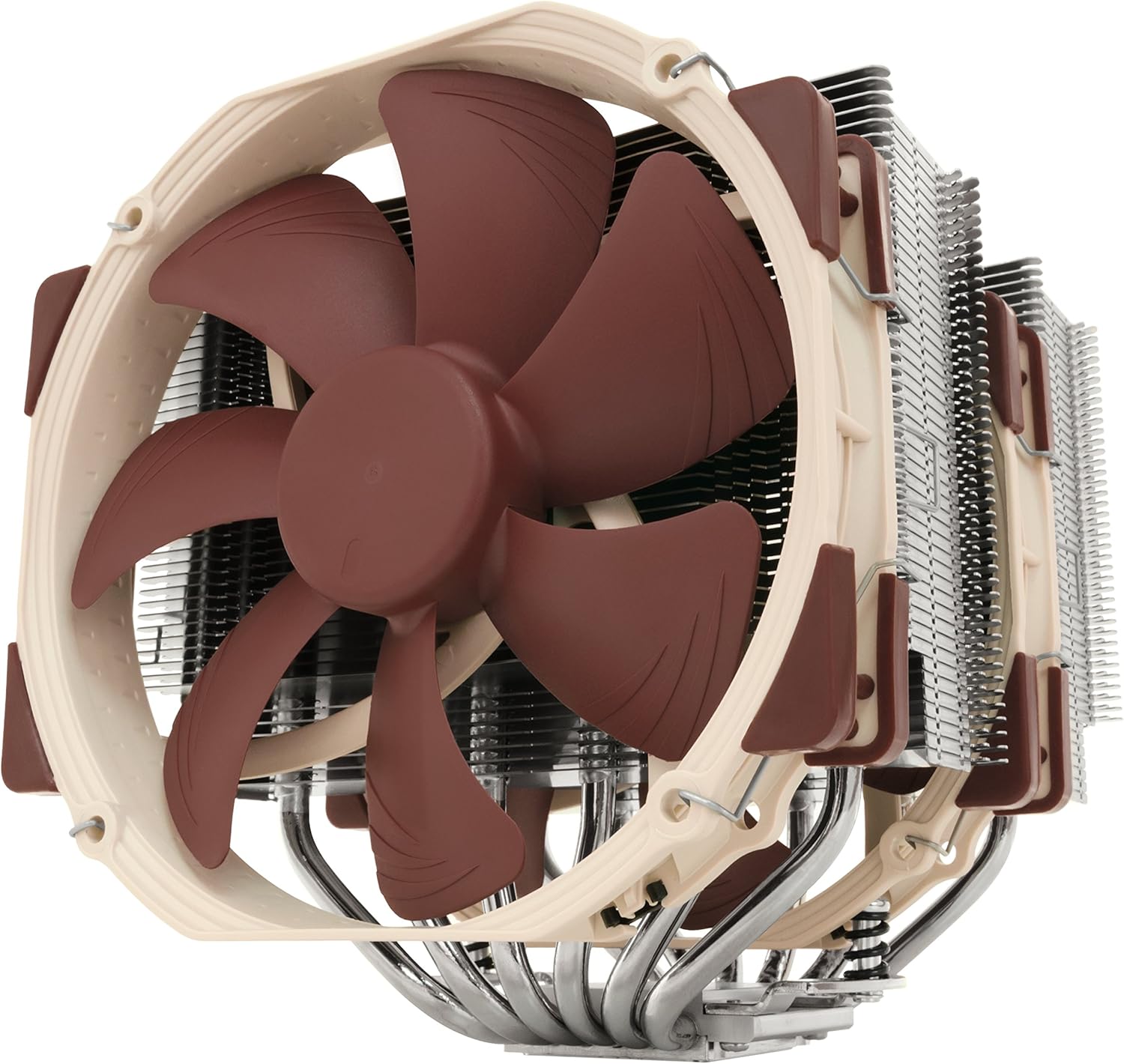 Noctua NH-D15 SE-AM4 Dual-Tower CPU Cooler
|
8.2/10 | Buy | ||
 Noctua NH-U12A chromax.Black 120mm CPU Cooler
|
7.8/10 | Buy | ||
| Best Value |
 Cooler Master Hyper 620S Dual Tower Air Cooler
|
7.2/10 | Buy | |
 Cooler Master Hyper 212 Black 4-Pipe CPU Cooler
|
6.8/10 | Buy | ||
 AMD Wraith Prism RGB CPU Cooler for Ryzen
|
6.2/10 | Buy |
Thermalright Peerless Assassin 120 SE CPU Cooler
A dual-tower air cooler featuring six AGHP heat pipes that perform consistently regardless of case orientation, paired with two balanced TL-C12C PWM fans. The included premium thermal paste and redesigned mounting system simplify installation, making it a practical choice for builders seeking reliable mid-range CPU cooling across Intel and AMD platforms.
Pros
- AGHP heat pipe technology eliminates orientation-dependent performance loss, useful for varied case layouts
- Dual 120mm TL-C12C fans balance cooling output with quiet operation at 1550 RPM, staying at or below 25.6 dB(A)
- Includes premium TF-7 thermal paste and improved SS2 mounting system for straightforward installation
- Broad socket compatibility covering Intel LGA 1150/1151/1200/1700 and AMD AM4/AM5
- Strong customer rating of 4.7 stars across 3,227 reviews indicates consistent real-world reliability
Cons
- Tall heatsink dimensions (155mm height) may conflict with RAM slots or case clearance on compact builds
- AMD installation requires the motherboard's original backplate, which is not included in the package
- Incremental performance gains over single-tower alternatives may not justify the added bulk for light workloads
Thermalright Peerless Assassin 120 SE V2 Dual Tower Cooler
A dual-tower air cooler built for mainstream AM4/AM5 and Intel 1700/1851 platforms, combining six heat pipes with dual 120mm PWM fans for efficient heat dissipation. The 1850RPM fan speed delivers 88.89 CFM airflow while staying quiet at 29.5 dBA, making it suitable for gaming and sustained workloads without excessive noise. Backed by a 4.7-star rating from over 500 verified buyers, it represents solid mid-range cooling for users stepping up from stock solutions.
Pros
- Dual-tower design improves thermal performance compared to basic single-tower or stock coolers
- Wide platform compatibility covers AMD AM4/AM5 and Intel LGA1700/1851 in one purchase
- Six 6mm heat pipes maximize heat transfer from the copper base to the heatsink
- PWM fan control allows custom cooling curves to balance temperature and noise levels
- Quiet operation at 29.5 dBA rated noise level despite high airflow output
Cons
- Relatively tall at 155mm, which may conflict with RAM or case clearance on some builds
- Dual-tower footprint (125x110mm) larger than single-tower alternatives, limiting motherboard socket proximity
- Performance gains over competitively priced single-tower coolers may be modest for non-overclocked systems
Thermalright Assassin X120 Refined SE CPU Cooler
A mid-range tower cooler built around Thermalright's gravity-independent AGHP heat pipes, designed to perform consistently regardless of case orientation. The TL-C12C PWM fan keeps noise under 25.6dB while delivering 66.17 CFM of airflow, making it a balanced choice for users seeking quiet cooling without premium pricing. Broad socket compatibility across Intel and AMD platforms adds practical value.
Pros
- AGHP heat pipes eliminate orientation-dependent performance loss, ensuring reliable cooling in any case layout
- Quiet operation at 25.6dB or lower pairs well with decent 66.17 CFM airflow for balanced performance-to-noise ratio
- Includes premium TF-4 thermal paste and redesigned SS2 mounting system for straightforward installation
- Supports wide range of sockets: Intel LGA 1150/1151/1155/1200/1700/1851 and AMD AM4/AM5
- S-FDB bearing design rated for up to 20,000 hours of industrial service life
Cons
- Limited cooling capacity at 148mm height may underperform on high-end CPUs compared to larger tower or liquid solutions
- No reviews yet on this specific model variant, making real-world performance validation difficult
- Four 6mm heat pipes is modest compared to competitors offering six or more pipes at similar price points
Thermalright Peerless Assassin 120 V3 Dual-Tower CPU Cooler
A dual-tower air cooler built with 6 AGHP heat pipes and dual 120mm PWM fans designed to handle modern CPUs across Intel and AMD platforms. The asymmetrical tower design sidesteps RAM and GPU clearance issues, while the S-FDB bearing and silicone dampeners aim to minimize vibration and noise during operation.
Pros
- 6 fully plated heat pipes with AGHP technology for improved heat transfer in multiple orientations
- Memory-aware design with cut-corner processing reduces installation conflicts with tall RAM modules
- S-FDB bearing and shock-absorbing pads target reduced vibration and operating noise
- Wide socket compatibility spans Intel LGA 1851/1700/1150/1151/1200 and AMD AM4/AM5
- Asymmetrical dual-tower layout minimizes interference with PCIe graphics cards and motherboard heatsinks
Cons
- No verified buyer reviews yet to confirm real-world cooling performance claims
- AMD installation requires using the original motherboard backplate, adding setup complexity
- High 2000RPM fan speed may introduce noise trade-offs despite bearing improvements
Noctua NH-D15 chromax.Black 140mm Dual-Tower Cooler
Noctua's flagship air cooler in an all-black finish, engineered to rival liquid cooling performance while staying whisper-quiet. The dual-tower design with six heatpipes and dual 140mm fans delivers elite cooling for high-end CPUs and overclockers who value both silence and aesthetics in a stealth-black package.
Pros
- Dual-tower, six-heatpipe design rivals many all-in-one liquid coolers in thermal performance
- Dual NF-A15 140mm fans with Low-Noise Adaptors deliver full cooling power under load with minimal noise at idle
- Excellent RAM compatibility in single-fan mode (64mm clearance) accommodates most high-end memory modules
- Comprehensive bundle includes NT-H1 thermal paste, SecuFirm2 mounting system, and accessories for multiple socket types
- All-black aesthetic with customizable heatsink covers and anti-vibration pads for flexible build integration
- 6-year manufacturer warranty and proven track record with 300+ awards from international tech publications
Cons
- Premium pricing reflects the elite positioning but costs more than many competing air coolers
- Dual-fan mode requires standard-height RAM (up to 32mm); taller modules need single-fan setup or chassis with 165mm+ clearance
- Large footprint (165mm height with fans) demands adequate case clearance and may conflict with tall RAM or motherboard heatsinks in compact builds
Noctua NH-D15 SE-AM4 Dual-Tower CPU Cooler
Noctua's flagship dual-tower cooler purpose-built for AMD Ryzen systems, delivering premium cooling performance with minimal noise. Includes two NF-A15 140mm fans and quality thermal compound, making it a complete solution for overclockers and silent-PC enthusiasts seeking maximum AM4/AM5 thermal capacity.
Pros
- Six-heatpipe dual-tower design provides superior heat distribution and cooling capacity for demanding workloads
- Two high-quality NF-A15 PWM fans with proven reputation for quiet operation across the market
- Excellent RAM compatibility in single-fan mode with 64mm clearance for tall memory heatsinks
- Complete package includes NT-H1 thermal compound, mounting hardware, and accessories, no additional purchases needed
- Award-winning design with 4.8-star rating across 799+ verified reviews and 6-year warranty
Cons
- Tall cooler at 165mm with fan may require adequate case clearance; dual-fan setup limited to standard-height RAM modules
- AM4/AM5 exclusive mounting, not compatible with Intel LGA or high-end Threadripper sockets
- Premium positioning means higher cost than single-tower alternatives with similar performance for non-overclocking use
Noctua NH-U12A chromax.Black 120mm CPU Cooler
Noctua's all-black 120mm tower cooler delivers premium cooling performance that rivals larger 140mm units while maintaining excellent RAM and PCIe compatibility. The dual NF-A12x25 fans and asymmetrical design make it equally effective under load and nearly silent at idle, backed by a 6-year warranty and included NT-H1 thermal paste.
Pros
- Exceptional cooling performance in a compact 120mm form factor with proven track record (100+ awards)
- Excellent compatibility: 158mm height fits most cases without blocking RAM slots or PCIe slots on ATX/Micro-ATX boards
- Dual state-of-the-art NF-A12x25 fans with Low-Noise Adaptors deliver full performance under load while staying whisper-quiet at idle
- Includes premium NT-H1 thermal paste and SecuFirm2 mounting system supporting Intel LGA1851, LGA1700, LGA1200, LGA115x and AMD AM5, AM4
- Sleek all-black aesthetic integrates well with modern builds
Cons
- Single-tower design limits cooling capacity compared to dual-tower or 140mm coolers for extreme overclocking
- Premium positioning means higher cost than budget 120mm alternatives
- Asymmetrical design requires careful motherboard layout planning for optimal performance with offset mounting
Cooler Master Hyper 620S Dual Tower Air Cooler
A mid-range air cooler built around six heat pipes and a dual-tower design that handles modern high-end CPUs effectively. The 120mm ARGB fan runs quietly across its 650-1,750 RPM range, while the compact 154.9mm height fits most standard cases. Best suited for AMD Ryzen and Intel Core builds where you want solid cooling without liquid complexity.
Pros
- Six copper heat pipes with dual-tower heatsink deliver efficient heat dissipation for R9 and i7 processors
- Adjustable PWM fan speeds (650-1,750 RPM) balance cooling performance and noise levels
- Compact 154.9mm height ensures broad chassis compatibility without sacrificing cooling surface area
- ARGB Auto Detection provides out-of-box lighting with full motherboard customization support
- Redesigned brackets simplify installation on AM5, AM4, and Intel LGA platforms
- High user rating of 4.7/5 from 154 verified reviews indicates reliable real-world performance
Cons
- Single 120mm fan may struggle under sustained heavy workloads compared to larger dual-fan competitors
- ARGB lighting depends on motherboard header compatibility for full customization
- No bundled thermal paste mentioned in specifications, requiring separate application
Cooler Master Hyper 212 Black 4-Pipe CPU Cooler
A budget-friendly air cooler that delivers solid thermal performance for mid-range processors. The revamped design pairs a four-pipe copper base with Cooler Master's SickleFlow 120 Edge fan, offering quiet operation across a wide RPM range. Best suited for users building mainstream systems on Intel or AMD platforms who want reliable cooling without premium pricing.
Pros
- Four copper heat pipes and solid base plate handle R7/i7 workloads effectively
- SickleFlow 120 Edge fan runs quiet with dynamic PWM control (690-2,500 RPM)
- Simplified mounting brackets ease installation on newer AM5 and LGA 1851/1700 sockets
- Includes CryoFuze thermal paste for immediate use out of box
- Compact 152mm height fits most standard chassis configurations
- Broad socket compatibility across Intel and AMD platforms
Cons
- Single 120mm fan limits cooling headroom compared to dual-fan competitors
- No RGB lighting, which some users may view as missed aesthetic appeal
- Performance gains over stock coolers are modest for light workloads or lower-power CPUs
AMD Wraith Prism RGB CPU Cooler for Ryzen
AMD's flagship stock cooler combines robust cooling performance for processors up to 105W with customizable RGB illumination and near-silent operation. The transparent fan blades and per-LED control deliver visual appeal without compromising thermal efficiency, making it a solid choice for Ryzen builds that value both cooling and aesthetics.
Pros
- Powerful cooling capacity handles AMD Ryzen processors up to 105W with minimal noise
- Per-RGB LED control allows detailed color customization and rainbow effect options
- Transparent fan blades enhance visual appeal while showing airflow movement
- Direct socket AM4 compatibility with advanced motherboards
- Strong user satisfaction with 4.7-star rating across 271 verified reviews
Cons
- Stock cooler design may not appeal to users prioritizing maximum RGB lighting effects or premium aesthetics
- Limited to AM4 socket compatibility, not compatible with older or newer AMD platforms
- RGB control requires motherboard software integration, adding setup complexity for some users
CPU Coolers for Ryzen Buying Guide
Ryzen processors have some specific characteristics that shape cooler selection. Most AMD AM4 and AM5 chips run hot at stock settings, and many enthusiasts run them with Precision Boost or PBO enabled, pushing package power well beyond the rated TDP.
A cooler that looks adequate on paper may throttle under real-world gaming or rendering loads. The sections below walk through every major criterion you should weigh before committing to a purchase.
Thermal Headroom and TDP Rating
TDP ratings on cooler packaging are marketing-friendly summaries, not precise thermal ceilings. A cooler rated for 150 W may handle a stock Ryzen 5 with ease but struggle when the same chip boosts aggressively under a sustained Cinebench workload.
When evaluating thermal headroom, look for independent benchmark data showing sustained all-core performance rather than single-run peak numbers.
For most mainstream Ryzen 5 and Ryzen 7 chips, a well-built single-tower cooler with a 120 mm fan is sufficient. Ryzen 9 processors and anything running with PBO unlocked benefit meaningfully from a dual-tower design with paired fans.
If you’re building inside a small form-factor case, thermal headroom trades against physical height limits, so check both clearance specs and heatsink dimensions before ordering.
It’s also worth thinking ahead: if you plan to upgrade your CPU within the same socket generation (AM5 is confirmed to have a long lifespan), buying a cooler with more headroom than you currently need is often the smarter long-term investment.
Air Cooling vs. Liquid Cooling

All-in-one liquid coolers attract buyers with their clean aesthetics and strong marketing, but high-quality air coolers consistently match or outperform mid-range AIOs at similar price points according to published thermal reviews.
Air coolers have fewer failure points, no pump to wear out, and no risk of coolant leaks near expensive AM5 motherboards.
Dual-tower air coolers like the Thermalright Peerless Assassin line and the Noctua NH-D15 family have become the consensus recommendation across enthusiast communities precisely because they deliver excellent sustained thermal performance with low noise and high reliability.
An AIO makes more sense when case airflow is constrained or when you prioritize a specific aesthetic.
Fan Noise and Acoustic Performance
Noise is subjective, but it’s also measurable. Fan noise scales with RPM, and RPM scales with thermal load.
A cooler that keeps temperatures low at moderate fan speeds will always be quieter under the same workload than a smaller cooler spinning at maximum RPM. This is why heatsink surface area matters as much as fan quality.
PWM fan control is essentially mandatory for a quiet Ryzen build. With PWM, the motherboard can ramp fans only as high as temperatures demand, keeping the system nearly silent during web browsing or light gaming.
Look for fans rated at low noise levels (ideally below 25 dBA at typical loads) and check whether replacement fans are readily available if you want to customize your acoustic profile later.
Noctua has long set the standard for quiet operation, and Thermalright has closed the gap considerably with its latest fan designs. Both brands use anti-vibration pads and carefully tuned blade profiles that keep noise down without sacrificing airflow.
Socket Compatibility and Mounting
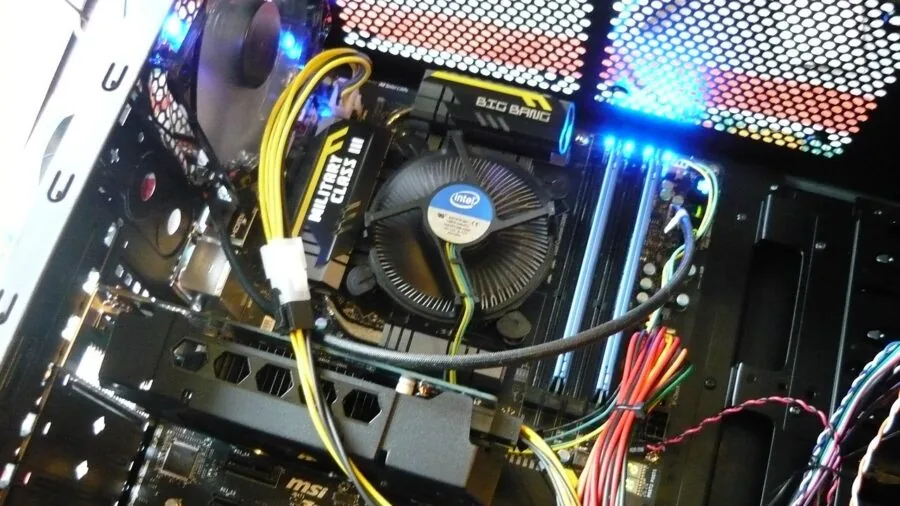
AMD has used two primary sockets in the modern Ryzen era: AM4 (Ryzen 1000 through 5000 series) and AM5 (Ryzen 7000 series and beyond). Many coolers now ship with brackets for both, but always verify compatibility before purchasing.
Some older coolers require a bracket upgrade kit, which reputable brands like Noctua supply free of charge for registered customers.
Mounting pressure matters for thermal performance. Inadequate contact between the cooler’s cold plate and the IHS leaves thermal paste unable to fill microscopic gaps efficiently. Dual-screw tension systems generally provide more consistent pressure than push-pin designs.
Read installation reports from verified buyers, as mounting difficulty is one of the most common complaints in user reviews and often signals a cooler that will underperform in real builds.
Clearance: RAM, Case, and Motherboard Compatibility
Tall dual-tower coolers can block the first one or two RAM slots on many AM4 and AM5 boards, forcing you to install memory before the cooler or to use low-profile DIMMs.
Always cross-reference the cooler’s stated RAM clearance against your motherboard’s DIMM slot layout. Manufacturers typically publish this as a millimeter height figure; anything above roughly 32 mm may cause interference with a full-height dual tower.
Case clearance is the other constraint. Measure your case’s maximum CPU cooler height before shortlisting options. Mid-tower cases with 155 mm to 165 mm of clearance accommodate most dual-tower designs.
Compact and micro-ATX cases often cap out lower, making slimmer single-tower coolers or low-profile options the only viable choices. If you’re also planning a small-form-factor chassis, our guide to mini-ITX PC cases covers which enclosures pair best with taller coolers.
Value: Performance per Dollar

The CPU cooler market is unusually competitive at the budget and mid-range tiers. Thermalright has disrupted the segment by delivering dual-tower performance at a fraction of what premium brands charge.
The result is that spending more does not always mean getting meaningfully better thermals; diminishing returns kick in quickly above the mid-range price band.
That said, premium options from Noctua justify their cost with superior long-term build quality, quieter fans, and exceptional aftermarket support.
If you plan to carry a cooler across multiple CPU generations, the durability and cross-socket upgrade support of a premium pick can make the higher upfront cost worthwhile.
Budget-conscious builders upgrading from a stock cooler will find that even an affordable single-tower delivers a dramatic improvement in thermals and noise.
A well-cooled CPU also allows for more confident overclocking, which ties directly into the performance of your broader system including the processor itself and paired RAM kits.
Why You Should Trust Us
REMOVU is an independent review platform with no manufacturer affiliations. Every product in this guide is evaluated and scored using our REMOVU Score system, a consistent 0-to-10 scale applied across the full category.
Each score is built from a structured research process: we analyze published technical specifications, weigh expert review consensus from credible sources, examine verified buyer feedback to surface real-world reliability patterns, and cross-reference published thermal and acoustic data.
We do not conduct our own product trials; our evaluations are grounded in research, published data, expert review consensus, and verified buyer feedback.
We are transparent about our business model: REMOVU may earn a commission if you purchase through a link in this guide. That affiliate relationship has zero influence on rankings, scores, or which products are included.
Products are ranked solely on the merits of our evaluation criteria.
Our goal is to give you a clear, honest picture so you can make the decision that’s right for your build, not to steer you toward any particular price point or brand.
Final Thoughts
The coolers in this guide cover the full range of Ryzen builds, from entry-level machines getting their first aftermarket upgrade to high-end workstations running power-hungry Ryzen 9 chips around the clock. Here are our standout recommendations with the REMOVU Score to back them up:
- Best Overall: Thermalright Peerless Assassin 120 SE V2 earns the top spot with the highest REMOVU Score in our evaluation. Its updated fan design, refined dual-tower heatsink, and broad socket support make it the most complete package for mainstream and enthusiast Ryzen builds alike.
- Best Value Dual Tower: Thermalright Peerless Assassin 120 Black V3 delivers exceptional thermal performance at an accessible price, making it the obvious pick for builders who want dual-tower cooling without the premium outlay. Its REMOVU Score reflects consistently strong performance across independent reviews.
- Best Premium Air Cooler: Noctua NH-D15 chromax.Black is the benchmark for quiet, long-lasting air cooling. Its all-black aesthetic, class-leading acoustics, and decades of Noctua build quality earn it the highest REMOVU Score among premium-tier picks.
- Best Budget Pick: Thermalright Assassin X120 Refined SE is the most affordable option in our lineup and still outperforms most stock coolers by a wide margin. It’s the right call for anyone on a tight build budget who simply wants better thermals than the included cooler provides.
- Best for Compact Builds: Noctua NH-U12A chromax.Black fits where dual towers cannot while still delivering thermal performance that rivals many larger designs. Its slimmer footprint makes it the go-to for mid-tower and smaller cases with tight clearance.
For builders assembling a complete system, the cooler is just one piece of the puzzle. A capable graphics card, well-chosen SSDs, and a reliable modular power supply all contribute to a system that performs well and stays stable long-term.
A well-ventilated PC case also dramatically improves how any of these coolers perform in practice.
Frequently Asked Questions
Do I Need an Aftermarket Cooler for Ryzen Processors?
Most Ryzen processors ship with a stock cooler, and for light workloads at stock settings, the included cooler is technically functional.
However, it typically runs loud under any sustained CPU load, and it leaves little headroom for boost clocks to run at their full potential.
An aftermarket cooler is strongly recommended for gaming, content creation, or any workload that stresses the CPU for more than a few seconds at a time.
Even a budget single-tower cooler represents a meaningful upgrade in both thermals and noise.
The AMD Wraith Prism that ships with select higher-end Ryzen chips is an exception and is genuinely capable for moderate use, but it still falls short of purpose-built aftermarket designs under heavy loads.
Will a Cooler Designed for AM4 Work on AM5?
Many coolers designed for AM4 are compatible with AM5 using an updated mounting bracket. Noctua, Thermalright, and Cooler Master all supply AM5 mounting hardware, either included in the box or available separately.
Always check the manufacturer’s compatibility page before assuming cross-socket support, as cold plate geometry and mounting hole spacing differ slightly between AM4 and AM5.
AMD designed AM5 to be a long-lived platform, so investing in a high-quality cooler now with confirmed AM5 support is a sensible way to protect your purchase across future CPU upgrades.
This also connects to how you plan the rest of your PC components for longevity.
How Important Is Thermal Paste for Cooler Performance?
Thermal paste fills microscopic imperfections between the CPU’s integrated heat spreader and the cooler’s cold plate, and its quality has a measurable effect on temperatures. Most aftermarket coolers ship with decent included paste, but premium compounds can shave a few degrees off peak thermals.
The application method matters as much as the compound itself. Over-application can actually reduce performance by creating air pockets. A small pea-sized amount centered on the IHS is the widely accepted best practice for most Ryzen chips.
Re-application is worth considering if you notice temperatures creeping up after a year or more of heavy use.
Is a Dual-Tower Cooler Worth It Over a Single-Tower?
For mainstream Ryzen 5 and Ryzen 7 processors, a high-quality single-tower cooler is more than sufficient and leaves more room in the budget for other components.
For Ryzen 9 chips or any build where PBO is enabled and the CPU is expected to run near its power limits for extended periods, a dual-tower design provides meaningfully better sustained thermal performance and lower fan noise under load.
The price gap between single and dual-tower options in the Thermalright lineup is narrow enough that most builders doing anything more demanding than everyday tasks will find the dual-tower version worthwhile.
The key constraint is physical: dual towers are taller, wider, and may block RAM slots depending on your motherboard layout. Measure your case and check RAM clearance before committing.
Does Case Airflow Affect CPU Cooler Performance?
Yes, significantly. An air cooler dissipates heat into the air immediately surrounding it, so if that surrounding air is already hot due to poor case ventilation, the cooler has less thermal headroom to work with.
A dual-tower cooler in a case with strong front-to-back airflow can outperform an AIO in a poorly ventilated enclosure.
Prioritize at least one intake fan at the front and one exhaust fan at the rear as a baseline.
If you’re running a high-TDP Ryzen chip with a power-hungry GPU, additional case fans or a case with better airflow design will compound the benefit of any cooler upgrade.
Checking out guides for desktop computer builds and gaming PCs for streaming can also give you a sense of how thermals fit into a full system design.
About the author
Liam covers gaming laptops for REMOVU, judging GPU power, display quality, cooling, and value. He helps players find a portable machine that delivers real frame rates without cooking itself.