The 12 Best Gaming PCs for Streaming
Streaming while gaming demands CPU headroom, fast encoding, and stable connectivity. These picks from Alienware, Skytech, ZOTAC, and others cover every budget and streaming tier.
 By Frederick Medina
Updated July 26, 2026
By Frederick Medina
Updated July 26, 2026
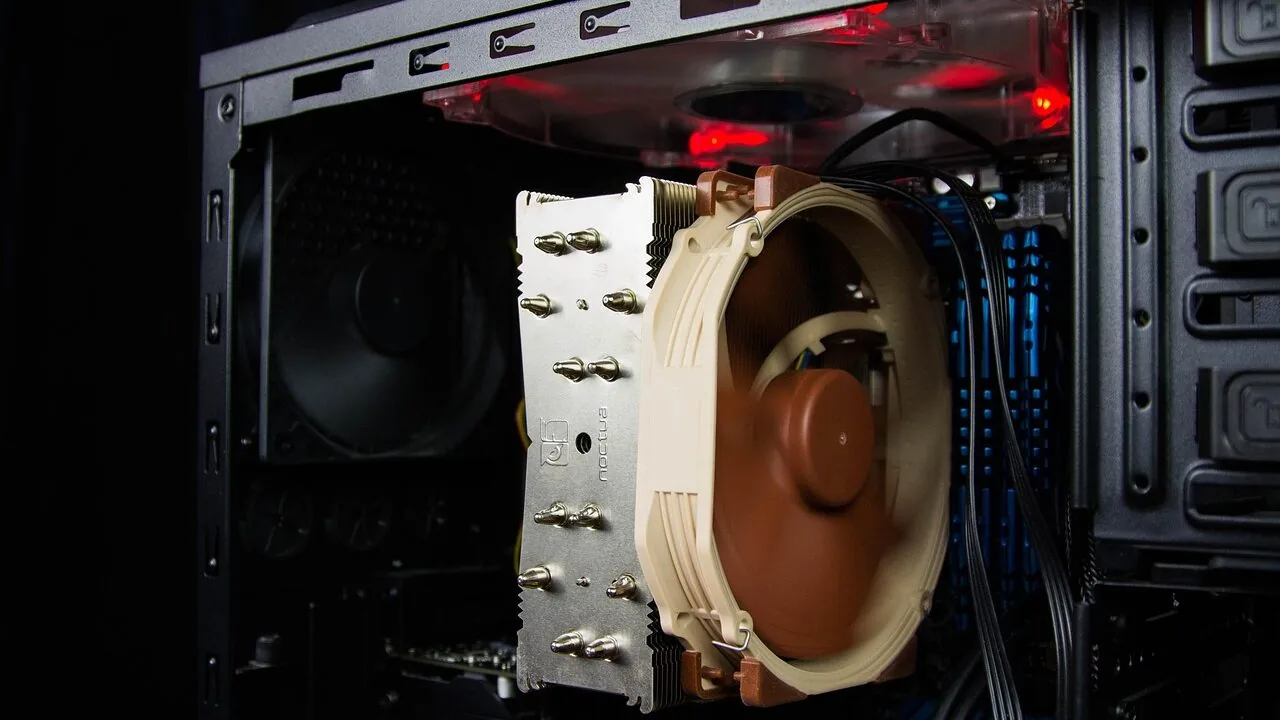
Streaming while gaming puts your PC under serious pressure.
You need enough CPU headroom to encode video in real time, a GPU powerful enough to keep frame rates high, and enough RAM to juggle a game, OBS or Streamlabs, a browser, and Discord without stuttering.
The good news is that the current generation of prebuilt gaming PCs, powered by Intel Core Ultra and AMD Ryzen 7000 series processors paired with NVIDIA’s RTX 50-series GPUs, makes 1080p and 1440p streaming more accessible than ever, even at mid-range prices.
Whether you are a newcomer setting up your first stream or an established creator upgrading to handle 4K gameplay capture, choosing the right machine matters more now than it did just a couple of years ago.
This guide covers the best gaming PCs for streaming available right now, selected through REMOVU’s research-driven evaluation process. Our team analyzed published specifications, expert review consensus, and verified buyer feedback to rank each machine on a consistent basis.
You will find options from Alienware, Skytech, ZOTAC, iBUYPOWER, KOTIN, STORMCRAFT, CyberpowerPC, and others, spanning budget-friendly entry points all the way to high-end rigs built for demanding 4K streaming and content creation.
If you are also building out the rest of your setup, pairing your new PC with quality gaming headsets for streaming and a reliable microphone will make a real difference to your broadcast quality.
Scroll down to see our top picks, ranked and ready to compare.

Alienware Aurora RTX 5070 Gaming Desktop
A premium gaming tower built around NVIDIA's latest Blackwell RTX 5070 GPU and Intel Core Ultra 7 265F processor, designed for sustained high-performance gaming and content creation. The customizable AlienFX lighting and Alienware Command Center software give enthusiasts granular control over aesthetics and performance profiles. Best suited for gamers and creators who prioritize raw performance and want a pre-built system with professional support.
Pros
- RTX 5070 delivers current-generation gaming and creation capabilities with Blackwell architecture
- 32GB DDR5 memory and 1TB SSD provide solid baseline specs for multitasking and large game libraries
- Customizable AlienFX lighting zones with dedicated software for ecosystem-wide control
- Includes 1-year onsite Dell service for hardware support at your location
- Wi-Fi 7, Killer 2.5Gb Ethernet, and Bluetooth for modern connectivity options
Cons
- 4.2-star rating with 157 reviews suggests mixed reliability or customer satisfaction compared to flagship competitors
- Alienware Command Center adds software layer that requires learning curve for optimization
- Premium positioning limits appeal to budget-conscious buyers seeking similar performance

STORMCRAFT Falcon RTX 5070 Gaming Desktop
A California-built gaming tower pairing the AMD Ryzen 7 7800X3D with RTX 5070 12GB for competitive 1440p performance and content creation. Comes fully assembled with 32GB DDR5, 360mm liquid cooling, and Wi-Fi 6E, plus includes keyboard and mouse. Best suited for esports enthusiasts and streamers who want a high-performance system ready to use out of the box.
Pros
- Strong CPU-GPU pairing delivers 200+ FPS at 1440p on competitive titles per manufacturer claims
- Comprehensive warranty coverage: 3-year labor, 2-year parts, lifetime technical support
- Hand-built and stress-reviewed in California with U.S.-based customer support
- Includes peripherals (keyboard and mouse) plus Wi-Fi 6E and Bluetooth 5.2
- Adequate power headroom with 850W Gold PSU for future upgrades
Cons
- 1TB SSD storage is modest for modern game libraries and content creation workflows
- Limited USB connectivity on motherboard (only 1 USB-A and 1 USB-C) compared to competitors in the lineup
- Premium pricing tier with only 5 verified reviews available for independent assessment
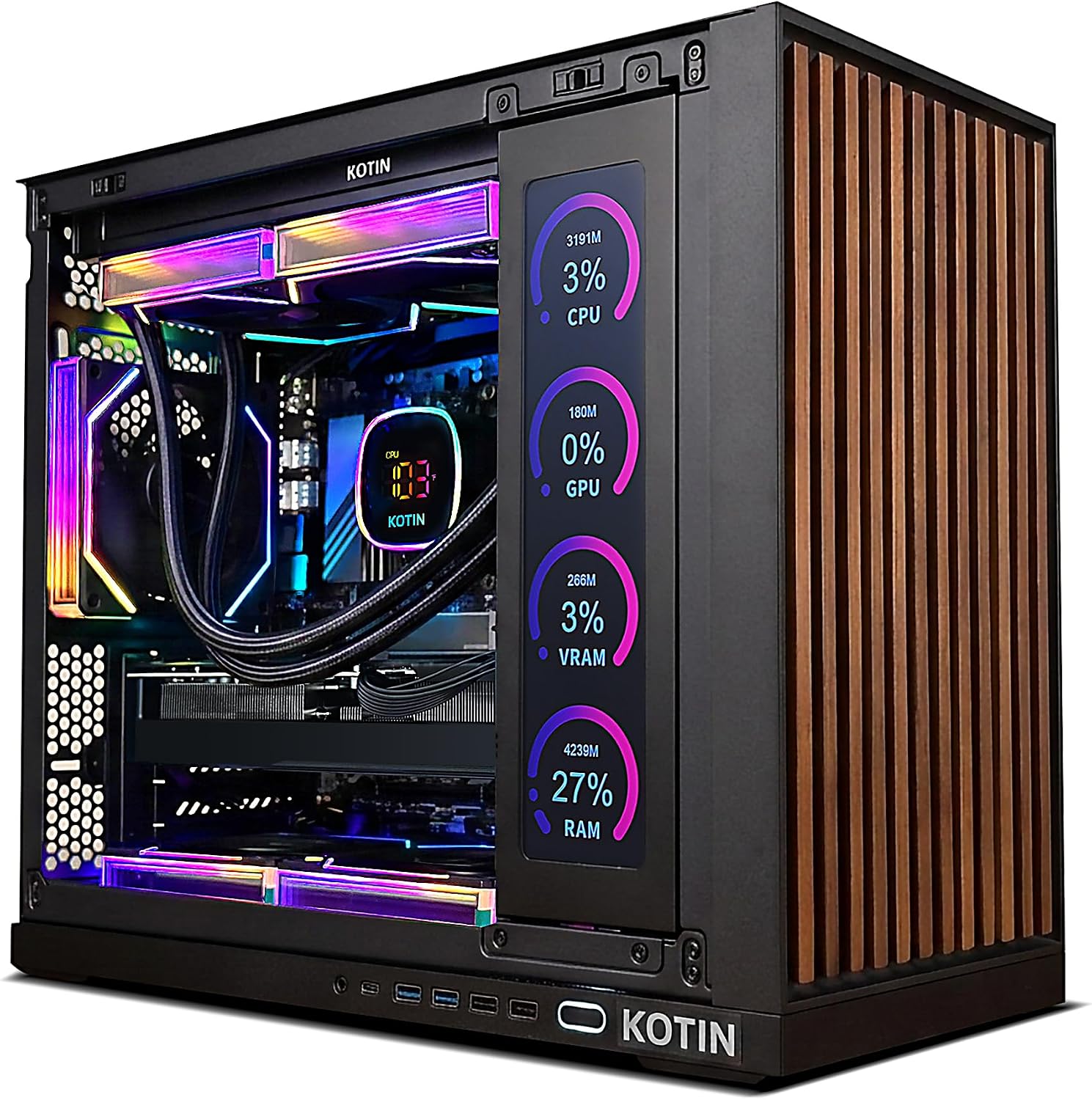
KOTIN RTX 5070 Gaming PC with Built-in Display
This prebuilt desktop pairs an RTX 5070 and Ryzen 7 9700X to handle 1440p and 4K gaming without assembly hassle. The standout feature is an integrated 11.3-inch smart display that monitors system temps and performance in real-time, making it visually distinctive. Best for gamers and creators who want a plug-and-play rig with premium cooling and WiFi 7 connectivity.
Pros
- Strong GPU and CPU combo delivers solid 1440p and 4K gaming performance
- Integrated smart display adds functional aesthetics and live system monitoring
- 360mm liquid cooling and 850W Gold PSU support sustained performance and future upgrades
- Fully assembled, reviewed, and ships with Windows 11 pre-installed
- Lifetime free technical support and one-year warranty included
Cons
- 1TB SSD may require expansion for large game libraries and content creation projects
- Smart display is a niche feature that adds cost and may not appeal to all buyers
- No detailed information on case design, noise levels, or thermals under sustained loads

Skytech Gaming O11 Vision Ryzen 7 7800X3D RTX 5060 Ti
A mid-to-high-end gaming desktop pairing AMD's 7800X3D processor with NVIDIA's RTX 5060 Ti, designed for 1080p gaming at ultra settings. The system includes 32GB DDR5 RAM, fast NVMe storage, and liquid cooling in a tempered glass case. Best suited for gamers seeking solid 1080p performance without stepping into flagship pricing.
Pros
- Strong CPU-GPU pairing for 1080p ultra gaming at 60+ FPS across modern AAA and competitive titles
- 360mm AIO liquid cooler with ARGB fans prevents thermal throttling during sustained gaming
- 32GB DDR5 RAM and 1TB Gen4 NVMe SSD provide fast load times and multitasking headroom
- Assembled and supported in the USA with 1-year warranty and free technical support
- Fully upgradeable design using standard ATX components, not proprietary parts
Cons
- RTX 5060 Ti limits performance at 1440p and higher resolutions, capping this build to 1080p gaming
- 650W PSU leaves minimal headroom for future GPU upgrades beyond the RTX 50-series tier
- Component brands vary by market availability, so exact part models may differ from marketing materials

iBUYPOWER Element Ryzen 9 7900X RTX 5070 Gaming PC
A prebuilt gaming tower built around AMD's Ryzen 9 7900X and NVIDIA's RTX 5070, paired with 32GB DDR5 RAM and a 1TB NVMe drive. The 240mm liquid cooler and tempered glass RGB case keep thermals in check while delivering the horsepower needed for gaming, streaming, and content creation. Arrives with Windows 11 Home and bundled peripherals, making it ready to use out of the box.
Pros
- High-end CPU and GPU pairing handles gaming and creative workloads simultaneously
- 32GB DDR5 RAM and 1TB NVMe SSD provide solid multitasking and load time performance
- 2024 iBUYPOWER AW4 240mm liquid cooling system keeps the processor cool under load
- Includes gaming keyboard and mouse, plus Windows 11 Home pre-installed
- Wi-Fi ready with 802.11AC connectivity and no bloatware
Cons
- No independent reviews available yet to verify real-world performance and reliability
- 1TB storage may feel tight for gamers with large libraries, requiring external drives
- Tempered glass case requires regular cleaning to maintain visibility of RGB components

ZOTAC MEK Gaming PC with RTX 5060 Ti 16GB
A fully assembled gaming desktop built around NVIDIA's latest Blackwell GPU and AMD's Ryzen 7 9700X processor, offering solid 1080p and 1440p performance out of the box. Ships with Windows 11 Home pre-installed and includes a 360mm AIO liquid cooler, making it a practical choice for gamers who want to skip the build process. The 32GB DDR5 RAM and 1TB NVMe SSD handle both gaming and multitasking without compromise.
Pros
- Pre-built and ready to use with Windows 11 Home already installed; no assembly or OS setup required
- Solid specs for the price: RTX 5060 Ti 16GB, Ryzen 7 9700X, 32GB DDR5, 1TB NVMe SSD, and 850W 80+ Gold PSU
- Advanced cooling with 360mm AIO liquid cooler and smart RGB fans plus built-in digital display for system monitoring
- Strong warranty coverage: 1-year complete system warranty and 3-year GPU warranty with no registration needed
- Multiple display outputs (HDMI 2.1b, DisplayPort 2.1b) and WiFi 6E connectivity for modern gaming setups
Cons
- RTX 5060 Ti is an entry-level current-gen GPU; demanding games at high settings may require DLSS to maintain smooth frame rates at 1440p
- Warranty return shipping only available for U.S. addresses, limiting support options for international buyers
- 1TB storage may feel tight for users with large game libraries, requiring early SSD upgrades
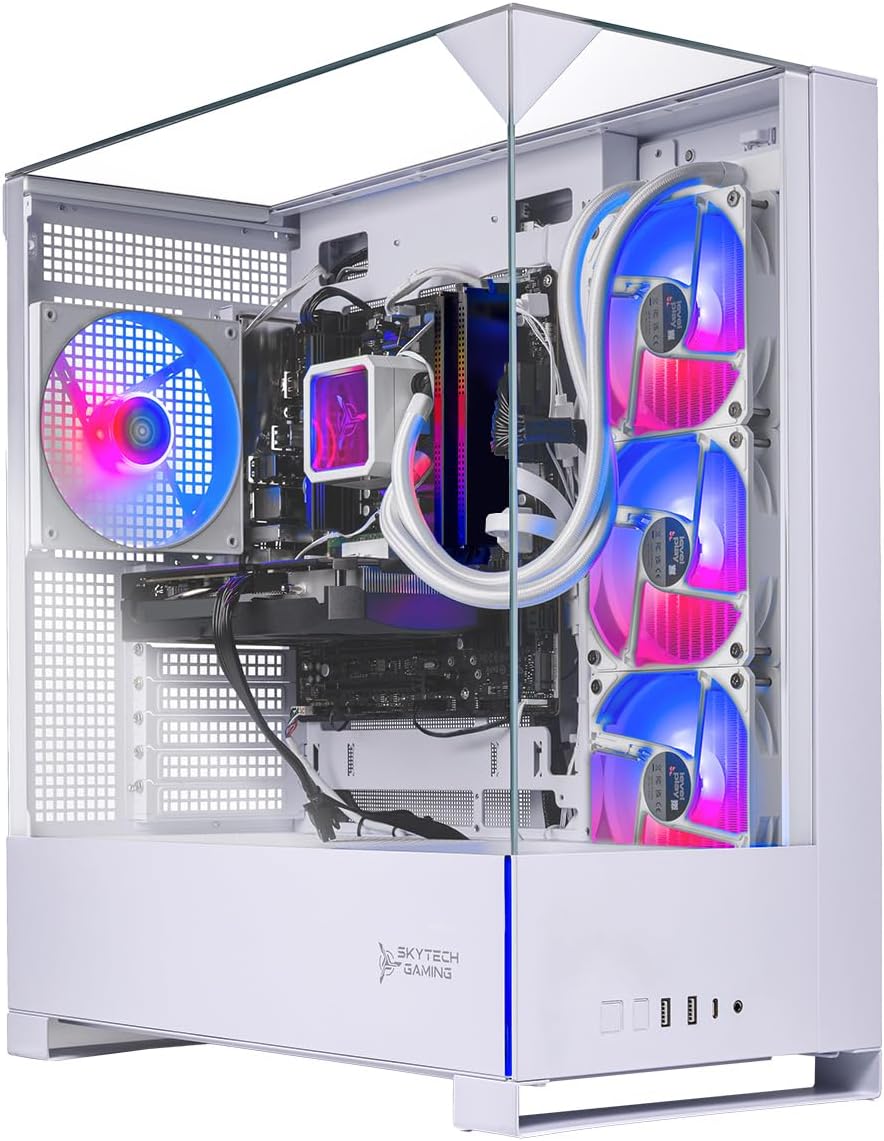
Skytech Archangel 5 Ryzen 7 7700X RTX 5070 Gaming PC
A pre-built gaming desktop pairing AMD's Ryzen 7 7700X with NVIDIA's RTX 5070, 32GB DDR5 RAM, and a 360mm AIO cooler for sustained 1440p gaming at high frame rates. Built in the USA with brand-name components and includes a one-year warranty, making it a straightforward choice for gamers seeking plug-and-play performance without assembly hassle.
Pros
- Strong CPU-GPU combo handles demanding titles like Black Myth Wukong and Baldur's Gate 3 at 1440p Ultra settings with 60+ FPS
- 360mm AIO liquid cooling with ARGB fans prevents thermal throttling under load
- 32GB DDR5 6000MHz RAM and 1TB Gen4 NVMe SSD provide responsive gaming and fast load times
- Assembled and supported in the USA with one-year parts and labor warranty
- Fully upgrade-ready design using standard ATX components, not proprietary parts
- Arrives pre-configured with Windows 11 and drivers, no setup complexity required
Cons
- GPU brand may vary, limiting buyer control over specific manufacturer choice
- 1TB SSD storage is modest for modern game libraries and may require expansion
- Component specifications can vary based on market availability, despite listed specs
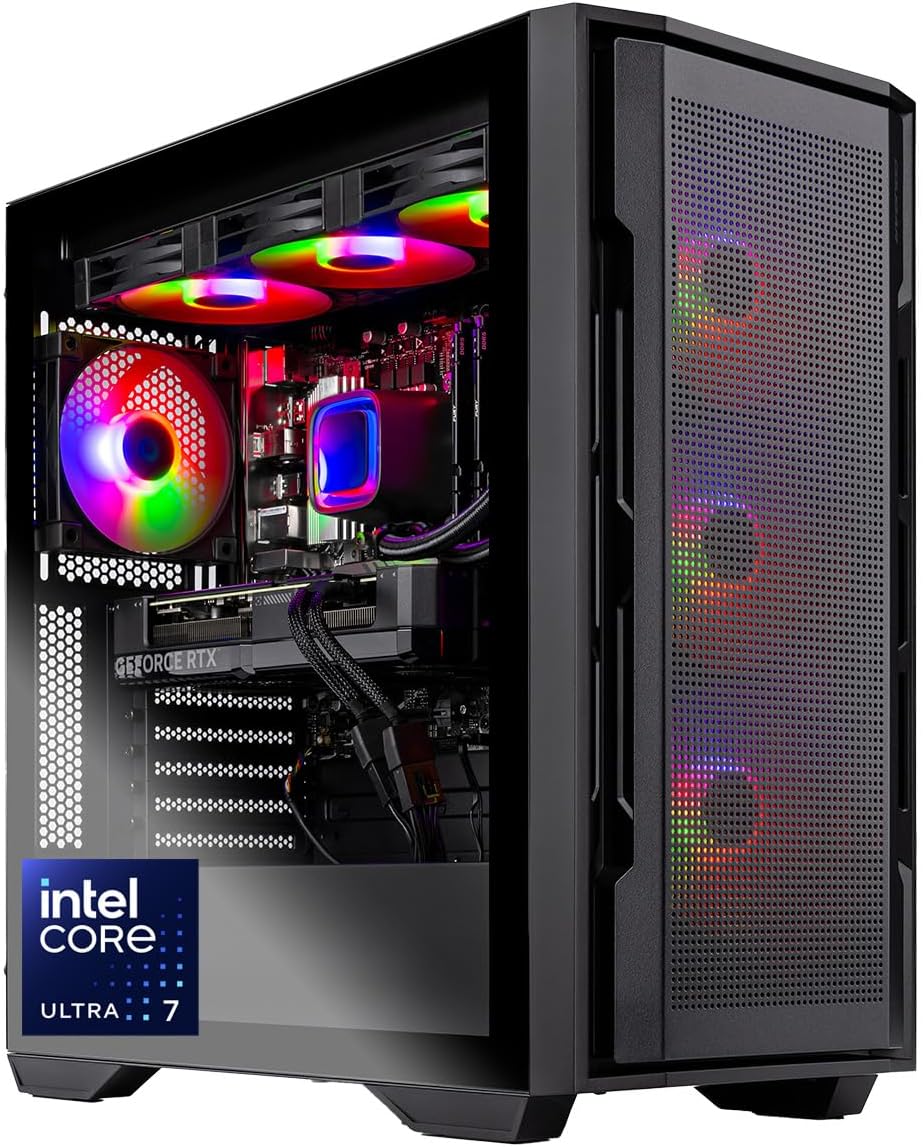
Skytech Rampage Intel Ultra 7 RTX 5060 Ti Gaming PC
A mid-range gaming desktop built around Intel's latest Ultra 7 265F processor and RTX 5060 Ti graphics, assembled in the USA with brand-name components. The 360mm AIO liquid cooler and 32GB DDR5 RAM provide solid performance for 1080p gaming at high settings, while the plug-and-play setup and US-based support appeal to buyers who want a hassle-free experience without proprietary lock-in.
Pros
- 360mm AIO liquid cooling with ARGB fans prevents thermal throttling during extended gaming sessions
- Fast 1TB Gen4 NVMe SSD and 32GB DDR5 RAM 6000 handle modern AAA titles smoothly at 1080p Ultra settings with 60+ FPS
- Fully assembled with Windows 11 pre-installed and drivers reviewed; arrives ready to use out of the box
- Standard ATX case and components allow straightforward future upgrades without proprietary restrictions
- 1-year parts and labor warranty plus free lifetime technical support from US-based team, no outsourced support
Cons
- RTX 5060 Ti is entry-level for high-refresh gaming or demanding 1440p/4K workloads; performance limited to 1080p for Ultra settings
- Component brands may vary (GPU manufacturer not guaranteed); specific models can differ from product images
- 4.3-star rating from only 15 reviews suggests limited long-term reliability data in the field

CyberPowerPC Gamer Xtreme i7-14700F RTX 5060 Ti
A mid-range gaming desktop built around Intel's 14th-gen Core i7 and RTX 5060 Ti, designed for 1440p gaming and content creation without breaking the bank. The 16GB DDR5 RAM and fast NVMe storage keep performance snappy, while built-in WiFi 6 and Bluetooth eliminate cable clutter. Best suited for gamers who want solid frame rates at high settings without premium pricing.
Pros
- Intel Core i7-14700F delivers strong multi-threaded performance for gaming and streaming simultaneously
- RTX 5060 Ti handles 1440p gaming at high-to-ultra settings with good frame consistency
- 16GB DDR5 RAM and 1TB PCIe 4.0 SSD provide responsive everyday performance
- WiFi 6 and Bluetooth 5.3 built-in, eliminating need for separate adapters
- Includes keyboard, mouse, and lifetime tech support; 1-year parts and labor warranty
Cons
- RTX 5060 Ti is entry-level for 4K gaming and demanding AAA titles at maximum settings
- 16GB RAM is adequate but some content creators may want 32GB for heavy multitasking
- Limited upgrade documentation in base specs, potential for proprietary power supply constraints
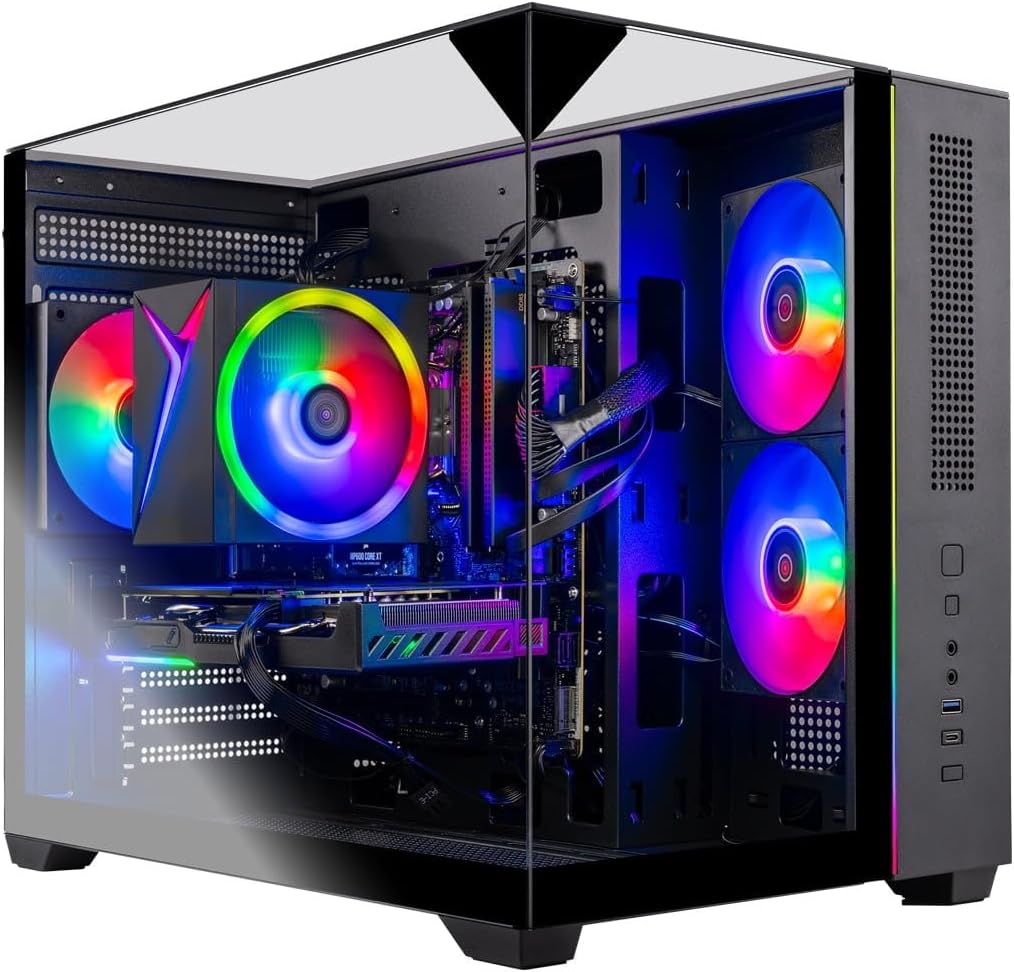
Skytech Crystal Gaming PC with Ryzen 7 5700 and RTX 5060
A mid-range gaming desktop built with brand-name components and assembled in the USA. The Ryzen 7 5700 CPU paired with RTX 5060 GPU handles popular titles at 1080p ultra settings with 60+ FPS. Includes 32GB RAM, 1TB NVMe SSD, and a stylish tempered glass case, making it a solid all-in-one option for gamers who want plug-and-play convenience without assembly hassle.
Pros
- Strong 1080p gaming performance at ultra settings across major titles (Call of Duty, Fortnite, Baldur's Gate 3, etc.)
- Fully assembled and pre-installed with Windows 11 and drivers, ready to use out of the box
- Generous 32GB DDR4 RAM and 1TB NVMe SSD for gaming and multitasking
- Uses standard ATX components from recognized brands (AMD, NVIDIA, ASUS, MSI, Gigabyte), allowing future upgrades
- US-based support with 1-year parts and labor warranty plus free lifetime technical support
- Includes free gaming keyboard and mouse
Cons
- RTX 5060 is entry-level for the GPU tier, limiting performance at higher resolutions or maximum settings in demanding games
- Component brands and specific models may vary during manufacturing, reducing consistency between units
- No dedicated high-end cooling solution mentioned beyond standard air cooler, which may limit overclocking potential
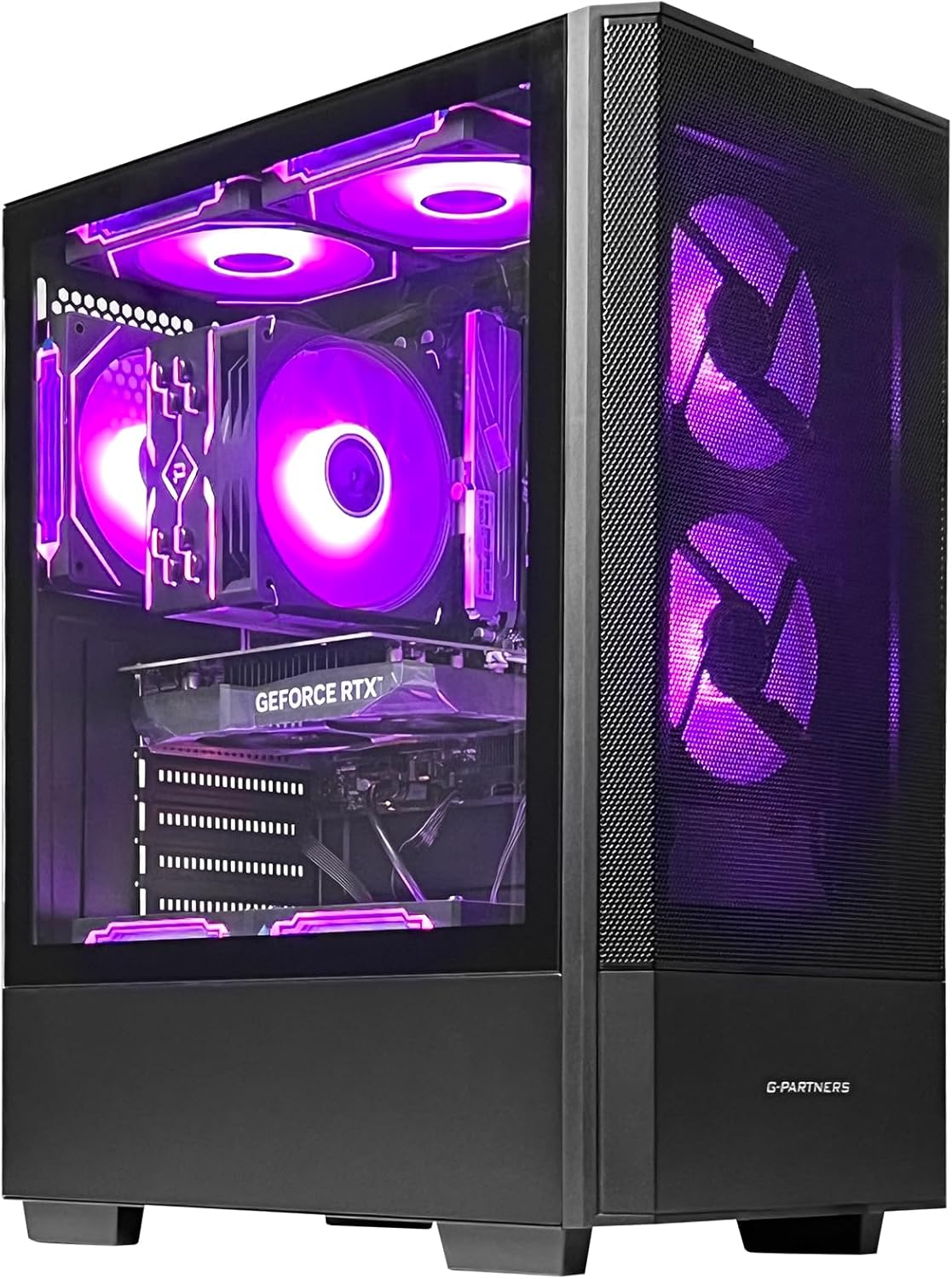
ZYNEEX Ryzen 5 5500 RTX 3050 Gaming Tower
A budget-friendly gaming desktop built around a solid 6-core Ryzen 5 5500 and GTX 3050 6GB, designed for 1080p gaming and light content creation. The 16GB DDR4 RAM and 1TB NVMe SSD provide enough breathing room for multitasking, while the ARGB cooling setup keeps thermals in check during extended sessions. Best suited for entry-level gamers and streamers on a tight budget.
Pros
- Ryzen 5 5500 delivers stable multithreaded performance for gaming and streaming without bottlenecking the RTX 3050
- RTX 3050 handles 1080p gaming at solid frame rates and supports creative workflows like light video editing
- Fast NVMe SSD and 16GB RAM combo eliminates traditional HDD slowness and supports smooth multitasking
- Built-in Wi-Fi and multiple ports (HDMI, DisplayPort, DVI, USB) offer flexible connectivity options
- Customizable ARGB lighting and efficient quad-copper-pipe cooler provide both aesthetics and thermal stability
Cons
- RTX 3050 is entry-level and won't handle high refresh rate or max-detail 1440p gaming without compromise
- No reviews listed yet, so real-world reliability and customer experience remain unverified
- 550W 80+ Bronze PSU leaves minimal headroom for future GPU or CPU upgrades

LXZ Gaming PC Ryzen 5 4500 RTX 3050
A mid-range gaming tower built for 1080p performance and everyday productivity. The Ryzen 5 4500 and RTX 3050 combo handles popular titles smoothly while the 16GB RAM and 512GB NVMe SSD keep multitasking and content creation lag-free. WiFi 6 connectivity and pre-installed OS make it ready to use out of the box, suited for students, remote workers, and casual gamers.
Pros
- Solid 1080p gaming performance with ray tracing and DLSS support on mainstream titles
- Fast system responsiveness with 16GB DDR4 RAM, 512GB NVMe SSD, and quick boot times
- WiFi 6 built-in reduces network bottlenecks for gaming and streaming
- Versatile for work, study, and creative tasks beyond gaming (Photoshop, video editing, coding)
- Quiet cooling design with smart fan control for stable long-term operation
Cons
- RTX 3050 6GB VRAM limits performance in demanding AAA titles at higher resolutions or settings
- 512GB storage fills quickly with modern games and software, requiring additional SSD or HDD upgrades
- No information on warranty, customer support, or build quality consistency from brand
Gaming PCs for Streaming Buying Guide
Picking a streaming-capable gaming PC is different from buying a pure gaming machine.
A game alone can often get by with a mid-range CPU, but the moment you add a live encode on top of that, you need cores, threads, clock speed, and fast memory working together.
The sections below walk through every major factor you should weigh before buying, in order of importance for streaming workloads specifically.
CPU: the Heart of Every Stream

The processor is the single most important component in a streaming PC, and it is the area where prebuilts vary most dramatically.
Software encoding in OBS using x264 or NVENC demands real CPU overhead on top of whatever the game needs.
For smooth 1080p60 streaming with a demanding title running simultaneously, you generally want at least an eight-core CPU with strong single-core performance.
For 1440p or 4K output, more cores and a higher thread count make a noticeable difference in encode quality at a given bitrate.
The machines in our list range from AMD Ryzen 5 and Ryzen 7 chips to the Intel Core Ultra 7 265F and AMD Ryzen 9 7900X.
Budget picks with six-core processors are fine for 1080p streaming with lighter titles, but if you regularly play CPU-heavy games like open-world RPGs or city builders while streaming, investing in a model with a Ryzen 7 7800X3D or a Ryzen 7 9700X will pay dividends in stream stability.
The AMD 3D V-Cache CPUs in particular are popular among streamers because they reduce the gaming CPU load, freeing capacity for encoding.
It is also worth checking whether the CPU supports hardware-accelerated encoding natively, as NVIDIA’s NVENC encoder offloads most of the streaming encode work to the GPU, dramatically reducing the CPU burden.
This means even a mid-tier CPU paired with an RTX 50-series GPU can produce a competitive stream, provided you configure OBS to use NVENC rather than x264 software encoding.
GPU: Gaming Performance and Encode Quality

Every PC in this roundup ships with an NVIDIA GeForce RTX GPU, and that matters for streaming specifically because NVENC has become the dominant hardware encoder in the streaming community.
RTX 50-series cards introduce an updated NVENC engine with improved AV1 encode support, which allows you to stream at lower bitrates without sacrificing visual quality, a meaningful advantage on platforms that cap upload bitrate.
For 1080p gaming and streaming simultaneously, an RTX 5060 Ti is a capable baseline. For 1440p gameplay with simultaneous streaming at high quality settings, the RTX 5070 becomes the more comfortable choice, especially when paired with a fast CPU.
VRAM capacity also matters: 16 GB of GDDR7 on the RTX 5060 Ti variants in this list gives more headroom for high-resolution textures than an 8 GB card, reducing the chance of VRAM-induced stutters during a live broadcast.
DLSS 4 with Multi Frame Generation, available on RTX 50-series cards, can boost rendered frame rates significantly in supported titles. For streamers, this means the GPU can maintain smooth gameplay even when streaming overhead or recording software is consuming additional resources.
However, note that Multi Frame Generation introduces minor latency, so competitive multiplayer streamers should evaluate whether they prefer raw frame rates or pure input responsiveness.
RAM: Capacity and Speed for Multi-Task Workloads
Streaming is a genuinely multi-task workload.
At any given moment your PC may be running a game, OBS or Streamlabs, a chat client, a web browser with your stream dashboard open, and potentially a music app or voice chat tool.
For comfortable 1080p streaming, 16 GB of DDR5 is a workable minimum, but 32 GB is the far safer choice and is standard across most of the machines in this list.
RAM speed also plays a measurable role when paired with AMD Ryzen processors, since Ryzen CPUs use the memory bus to feed the CPU cache.
DDR5 at 5600 MHz or 6000 MHz, which you will find across the higher-rated picks here, provides better memory bandwidth than slower DDR4 kits.
For Intel Core Ultra systems, DDR5 support likewise improves throughput for multi-threaded tasks like video encoding.
Storage: Speed and Capacity for Recordings

Every PC in this guide ships with an NVMe SSD as the primary drive, and that is the right baseline for streaming setups.
Fast read and write speeds reduce game load times, but for streamers who also record locally, write speed and overall capacity are the more important metrics.
A local recording in OBS at high bitrate can consume storage quickly, so 1 TB is a comfortable starting point, though you may want to plan for an additional drive if you record every session.
PCIe 4.0 NVMe drives, which are standard on the Gen4 SSD models in this list, offer write speeds adequate for uncompressed or near-lossless local recording.
If you produce VOD content, edit your own streams, or keep large game libraries, consider how easily the case and motherboard allow you to add a secondary drive later.
Most mid-tower cases in this range accommodate at least one additional M.2 slot, and several of these prebuilts ship with a spare slot already unpopulated.
Cooling and Power Supply: Stability Under Load
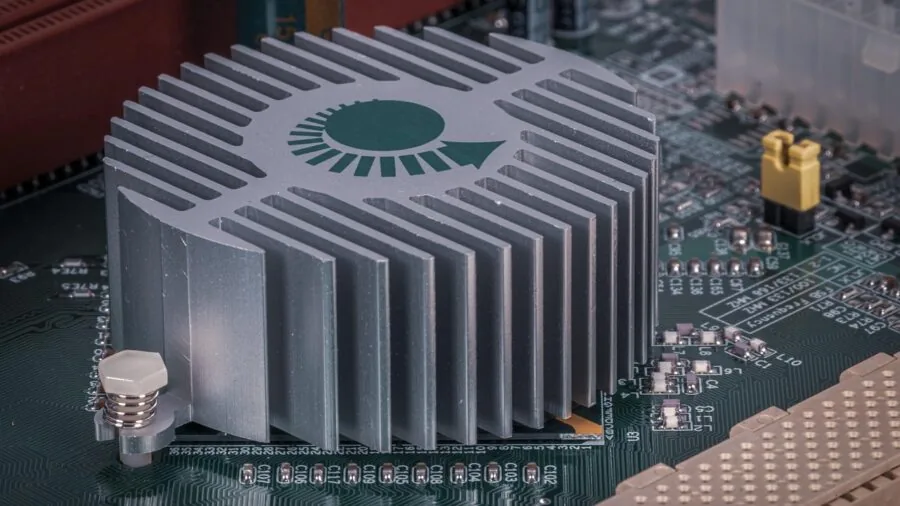
Streaming holds your PC at sustained high load for hours at a time, not just the brief spikes of a quick gaming session.
A robust cooling solution matters more here than in pure gaming contexts. Several machines in this list ship with 360 mm AIO liquid coolers, which provide ample thermal headroom to maintain clock speeds without thermal throttling over a multi-hour stream.
Air-cooled budget builds can still perform well if the case has good airflow, but verify that the stock cooler is rated for the CPU’s TDP before buying.
Power supply quality is equally important. An 80 Plus Gold certified PSU is the standard you should expect in this category, and it is present across the better-rated machines here.
RTX 50-series GPUs, particularly the RTX 5070, have higher peak power draw than the previous generation, so a PSU rated at 750 W or higher provides comfortable headroom.
A higher-efficiency PSU also runs cooler and quieter, which matters if your microphone picks up case fan noise during a stream.
Speaking of audio, if fan noise is a concern, combining a quiet PSU with a quality dedicated microphone and a directional polar pattern can help isolate your voice from background hum.
You may also want to review our picks for gaming headsets if you prefer an all-in-one audio solution.
Connectivity: Networking and Peripheral Ports
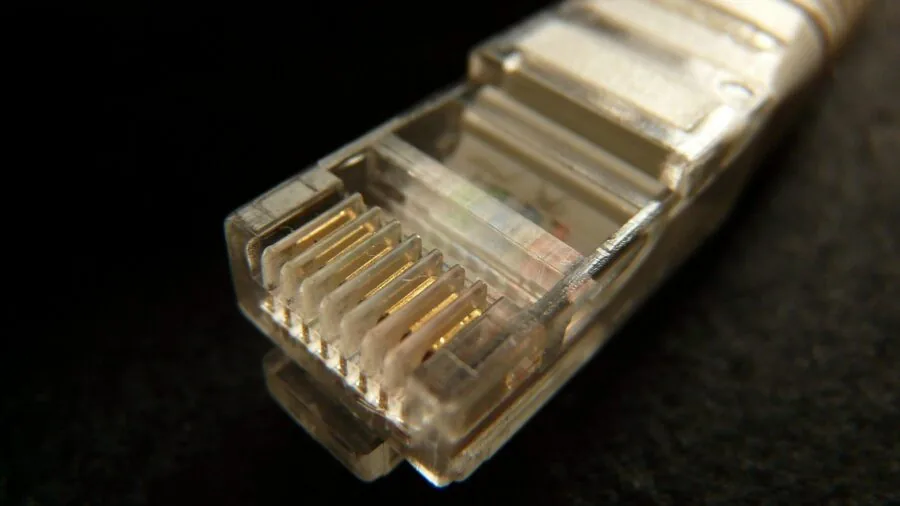
A stable, low-latency internet connection is non-negotiable for live streaming, and wired Ethernet remains the most reliable option for broadcast stability.
Several top picks in this list ship with 2.5 Gb Ethernet or Killer Ethernet controllers, which offer better throughput than standard Gigabit and can prioritize streaming traffic.
Wi-Fi 6E and Wi-Fi 7 options are present across multiple models for those who cannot run a cable, and modern Wi-Fi 7 routers can deliver the consistent bandwidth a stream demands if your environment is reasonably free of interference.
Front-panel USB ports for quickly connecting a capture card, external drive, or headset adapter are worth checking.
Many streamers run a ring light or additional peripherals, and adequate USB-A and USB-C ports on the front of the case save you from reaching around the back constantly.
Check rear I/O for HDMI or DisplayPort outputs as well if you plan to run a multi-monitor streaming setup.
Why You Should Trust Us
REMOVU is an independent review platform.
Every product in this guide was evaluated using our structured research methodology: we analyze published specifications, weigh expert review consensus from multiple industry sources, and factor in verified buyer feedback to arrive at a consistent REMOVU Score on a scale of 0 to 10.
We do not conduct our own product trials; our evaluations are grounded in research, published data, expert review consensus, and verified buyer feedback.
This approach lets us compare products across a standardized set of criteria without the inconsistencies that can affect single-reviewer assessments.
Scores reflect a combination of performance relative to price, build quality, software and support reputation, and the specific demands of streaming workloads.
We weight CPU and GPU capability heavily for this category, since they directly determine stream quality and in-game performance simultaneously.
We also consider PSU quality, cooling solutions, and upgrade headroom, because streaming PCs run under sustained load in ways that pure gaming machines may not.
REMOVU may earn a commission when you purchase through a link on this page. That affiliate relationship has no influence on product selection, ranking order, or REMOVU Score. No brand pays to be included or ranked higher.
Our only interest is helping you find the right machine for your needs.
For a broader look at the desktop PC market beyond gaming and streaming, or to explore gaming laptops as a portable streaming alternative, those category pages are a good starting point.
Final Thoughts
After evaluating every machine in this list against consistent streaming-specific criteria, a few standout picks are worth highlighting. Here are our recommended choices by use case, each linked to its product listing and ranked by REMOVU Score.
- Best Overall: Alienware Aurora Gaming Desktop with RTX 5070 and Intel Core Ultra 7 265F earns the top REMOVU Score in this roundup by combining Alienware’s premium build quality, Wi-Fi 7, Killer 2.5 Gb Ethernet, and a high-end RTX 5070 into a package that handles demanding 1440p gaming and simultaneous high-bitrate streaming with confidence.
- Best for 1440p and 4K Streaming on a Budget: KOTIN Prebuilt Gaming PC with RTX 5070 and Ryzen 7 9700X stands out for pairing an RTX 5070 and Wi-Fi 7 with a built-in 11.3-inch smart display, giving streamers a secondary screen for chat monitoring without needing an extra monitor, all at a price well below the flagship Alienware.
- Best for High-Refresh Gaming with Streaming Headroom: Skytech Gaming O11 Vision with Ryzen 7 7800X3D and RTX 5060 Ti 16GB leverages AMD’s 3D V-Cache architecture to keep gaming CPU overhead low, freeing significant resources for encode tasks, and ships with 16 GB of GDDR7 VRAM for future-proofed texture performance.
- Best Mid-Range Pick: ZOTAC MEK Gaming PC with RTX 5060 Ti 16GB and Ryzen 7 9700X offers a well-balanced build with an 850 W 80 Plus Gold PSU, Wi-Fi 6E, and 32 GB DDR5 in a compact form factor that suits streamers who want reliability without paying flagship prices.
- Best Budget Entry for New Streamers: CyberpowerPC Gamer Xtreme with Intel Core i7-14700F and RTX 5060 Ti gives first-time streamers a strong CPU core count for encoding tasks alongside an RTX 5060 Ti, representing solid value for anyone stepping into live streaming for the first time without a large budget.
If you are still assembling the rest of your streaming setup, consider pairing your new PC with quality audio and visual peripherals.
A good ring light dramatically improves webcam image quality, while a proper microphone separates professional-sounding streams from the rest. You might also explore all computer categories if a desktop tower is not the right form factor for your space.
Frequently Asked Questions
How Much RAM Do I Need to Stream While Gaming?
For most streamers, 32 GB of DDR5 RAM is the comfortable standard in 2026. Running a game, OBS, a browser, and a chat client simultaneously can push 16 GB systems close to their limits, especially in memory-hungry titles.
All the highest-rated picks in this list ship with 32 GB, and that is the configuration we would recommend as a baseline for anyone who streams regularly rather than occasionally.
RAM speed matters too. DDR5 at 5600 MHz or 6000 MHz, standard on the Ryzen-based machines here, offers better memory bandwidth than older DDR4 kits, which improves multi-threaded encode performance.
If you are on a tighter budget and considering a DDR4 system, ensure you at least have dual-channel configuration, as single-channel DDR4 can create noticeable bottlenecks in streaming workloads.
Is an RTX 5060 Ti Good Enough for Streaming at 1440p?
Yes, provided the rest of the system is well balanced. The RTX 5060 Ti variants in this list ship with either 8 GB or 16 GB of GDDR7 VRAM.
For 1440p gaming and simultaneous streaming, the 16 GB version is the more future-proof choice, particularly as newer titles push VRAM requirements higher.
Pair it with a capable CPU, use NVENC for hardware encoding in OBS, and a 1440p stream at competitive quality settings is well within reach.
The RTX 5070 does give you more comfortable headroom for 4K gaming while streaming at 1440p, and its more powerful NVENC engine handles higher bitrate encodes more gracefully.
If 4K content creation is part of your roadmap, the RTX 5070-based systems in this roundup are worth the premium.
Should I Use Wi-Fi or Ethernet for Streaming?
Wired Ethernet is still the gold standard for live streaming because it eliminates the packet loss and latency spikes that Wi-Fi can introduce during a broadcast. If your setup allows it, run a cable.
Several machines in this roundup ship with 2.5 Gb Ethernet, which provides more than enough upload throughput for even high-bitrate 4K streams.
If running a cable is not practical, Wi-Fi 6E and Wi-Fi 7 adapters, present in multiple picks here, deliver meaningfully more stable wireless performance than older Wi-Fi 5 or Wi-Fi 6 cards.
Wi-Fi 7’s multi-link operation can maintain a stable connection even in congested environments, making it a realistic option for streamers who cannot wire their setup.
That said, if you notice dropped frames or stream instability, the first troubleshooting step is always to evaluation a wired connection.
Can I Upgrade a Prebuilt Streaming PC Later?
Most mid-tower prebuilts in this category are reasonably upgradeable.
Adding a second NVMe SSD, upgrading to more RAM, or swapping the GPU down the line are all realistic options on the machines listed here, provided the PSU has headroom for a more powerful GPU.
Check the motherboard chipset and available PCIe slots before assuming full upgrade freedom; some budget prebuilts use stripped-down motherboards with fewer expansion options.
The higher-rated systems with 850 W 80 Plus Gold PSUs give the most upgrade flexibility. If you plan to swap the GPU in a year or two, that headroom is valuable.
For a longer view of the broader computer landscape, our desktop PCs category covers additional options, and if portability is ever a consideration, gaming laptops or compact mini PCs may be worth exploring alongside a full tower.
What Software Do Most Streamers Use with These PCs?
OBS Studio is the most widely used free streaming and recording application, and it works on any Windows 11 system, which all the machines in this list ship with.
Streamlabs and StreamElements OBS are popular alternatives that layer on alert overlays and chat integration. All three support NVENC hardware encoding, which is the recommended encode path on any NVIDIA GPU system to minimize CPU overhead.
For streamers who also record and edit their VOD content, DaVinci Resolve and Adobe Premiere Pro run well on the higher-end systems here, particularly those with the Ryzen 9 7900X or Intel Core Ultra 7 265F.
GPU-accelerated rendering in those editors benefits directly from the RTX 50-series cards.
If you broadcast to multiple platforms simultaneously or manage a growing audience, tools like Restream or Castr add negligible CPU overhead on any of the machines in this list.
Pairing a quality streaming headset with your chosen software setup will round out your broadcast environment.
About the author
Frederick covers docking stations for REMOVU, judging port selection, display support, and stable performance over a single cable. He helps laptop users turn any desk into a full workstation.