The 9 Best Aio Coolers
Radiator size, pump quality, and socket compatibility all shape how well an AIO cooler handles your CPU. We researched nine options to find the strongest performers across every price tier.
 By Teresa Price
Updated July 26, 2026
By Teresa Price
Updated July 26, 2026
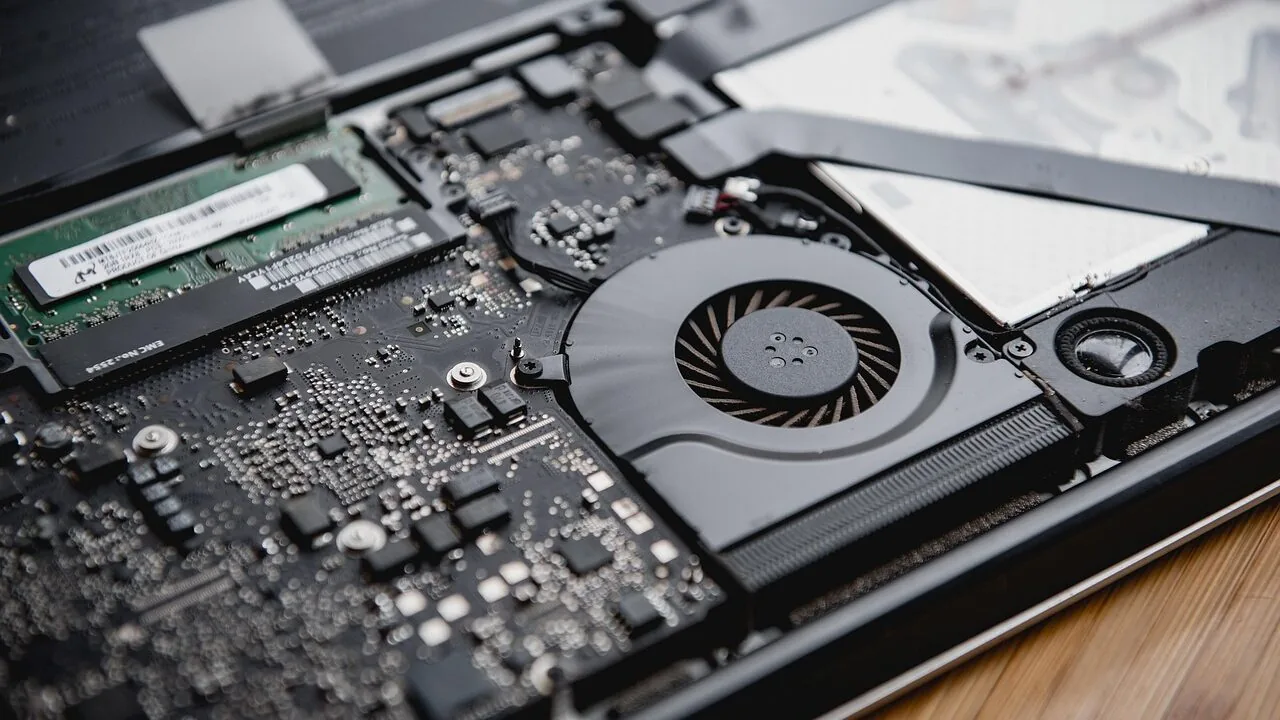
Keeping a modern CPU cool is no longer optional, especially as processors from Intel and AMD push thermal envelopes higher with every generation.
All-in-one liquid coolers, commonly called AIO coolers, have become the go-to solution for enthusiasts and everyday builders alike because they offer superior heat dissipation compared to most air coolers, without the complexity of a custom loop.
Whether you’re running a power-hungry Core Ultra or a Ryzen 9, pairing your chip with a capable AIO makes a measurable difference in sustained performance and noise levels.
For context on how AIO coolers fit into a full build, our overview of processors and CPUs explains why thermal headroom matters so much for modern silicon.
We researched and evaluated nine AIO coolers spanning budget to premium price points, drawing on manufacturer specifications, expert review consensus, and verified buyer feedback to find the options that consistently deliver on cooling performance, installation ease, and long-term reliability.
Our picks cover 240mm and 360mm radiator sizes, a range of pump technologies, and varying levels of RGB and LCD customization, so there is a strong match for nearly every case and budget.
Read on for our ranked top picks just below.
| Award | Product | REMOVU Score About REMOVU ScoreThe REMOVU Score is our own rating from 0 to 10, based on performance, design and build, ease of use, and value. It reflects independent research and is never influenced by manufacturers, retailers, or affiliate commissions. Learn more › | Price | |
|---|---|---|---|---|
| Best Overall |
 Thermalright Aqua Elite 240 V3 AIO Cooler
|
8.9/10 | Buy | |
| Best Budget |
 ARCTIC Liquid Freezer III Pro 240 AIO CPU Cooler
|
8.8/10 | Buy | |
| Best Premium |
 Corsair Titan 360 RX LCD AIO Cooler
|
8.6/10 | Buy | |
 Corsair iCUE Link Titan 240 RX RGB AIO Cooler
|
7.8/10 | Buy | ||
| Best Value |
 Thermalright Peerless Vision 360 ARGB LCD Cooler
|
7.6/10 | Buy | |
 Corsair Nautilus 360 RS Liquid CPU Cooler
|
7.5/10 | Buy | ||
 Cooler Master ML240L RGB V2 240mm AIO
|
7.2/10 | Buy | ||
 Cooler Master Atmos Stealth 360 AIO Liquid Cooler
|
7.1/10 | Buy | ||
 ASUS ROG Strix LC III 360 ARGB LCD Cooler
|
6.4/10 | Buy |
Thermalright Aqua Elite 240 V3 AIO Cooler
A 240mm all-in-one liquid cooler built around Thermalright's fourth-generation pump head and dual 120mm ARGB fans, designed for broad socket compatibility across AMD and Intel platforms. The octagonal pump head and synchronized lighting appeal to builders seeking both thermal performance and RGB aesthetics, while the PWM-controlled pump and fan system automatically adjust to CPU temperature.
Pros
- 40,000-hour pump lifespan with up to 2,800 RPM rotation ensures long-term reliability
- Dual 120mm ARGB fans with PWM control run quiet (≤25.6 dB) while maintaining 66.17 CFM airflow
- Motherboard ARGB sync via 5V 3-pin connector simplifies lighting integration
- Supports both AMD (AM4/AM5) and Intel (LGA1150/1151/1200/1700) sockets with included mounting hardware
- 4.7-star rating from 466 verified reviews indicates consistent real-world performance
Cons
- 240mm size limits compatibility with smaller PC cases or cramped top-mounted radiator spaces
- ARGB lighting requires motherboard with 5V 3-pin header; non-RGB control option not mentioned
- Documentation and English descriptions contain translation inconsistencies, potentially complicating installation for new builders
ARCTIC Liquid Freezer III Pro 240 AIO CPU Cooler
ARCTIC's 240mm all-in-one cooler targets enthusiasts seeking efficient thermal management with intelligent design choices. The offset cold plate mounting and integrated VRM fan distinguish it from standard AIOs, while the P12 PRO fans deliver quiet operation at low speeds and aggressive cooling under load.
Pros
- Native offset mounting shifts cold plate toward CPU hotspot for more efficient heat transfer on both Intel and AMD platforms
- P12 PRO fans run quieter at low speeds than the standard P12 while maintaining higher maximum speed for sustained cooling performance
- Integrated VRM fan with PWM control actively cools voltage regulators for system stability
- Clean cable management with integrated PWM routing reduces visible clutter on the motherboard
- Optimized contact frame design improves pressure distribution for longer CPU lifespan
Cons
- 240mm radiator size limits cooling capacity compared to larger 280mm or 360mm units under extreme overclocking
- Compatibility limited to recent Intel LGA1851/LGA1700 and AMD platforms, excluding older CPU sockets
- No detailed noise level specifications provided in available data, making quiet operation claims difficult to verify independently
Corsair Titan 360 RX LCD AIO Cooler
A premium 360mm all-in-one CPU cooler that pairs serious cooling performance with a standout 2.1-inch LCD display for real-time monitoring and customization. The FlowDrive pump and RX RGB fans deliver low-noise operation, while iCUE LINK connectivity simplifies cable management. Best suited for enthusiasts building high-end systems who value both thermal efficiency and visual appeal.
Pros
- Exceptional cooling performance from three-phase pump and precision cold plate design
- Vibrant 2.1-inch IPS LCD display with 480x480 resolution and 600cd/m² brightness for customization
- iCUE LINK ecosystem reduces cable clutter with single-port connectivity to system hub
- Pre-mounted RX120 RGB fans with AirGuide technology and Magnetic Dome bearings for quiet operation
- Broad socket compatibility: Intel LGA 1851/1700 and AMD AM5/AM4
- 6-year pump warranty and pre-applied XTM70 thermal paste included
Cons
- Premium pricing reflects feature set, making it less accessible for budget builds
- LCD display adds complexity and potential maintenance considerations over traditional coolers
- iCUE LINK integration locks you into Corsair ecosystem for optimal functionality
Corsair iCUE Link Titan 240 RX RGB AIO Cooler
A 240mm all-in-one liquid cooler built around Corsair's iCUE Link ecosystem, featuring a three-phase FlowDrive pump and RX RGB fans optimized for low noise. The unified connector system simplifies cable management, while PWM control and Zero RPM mode let you tune the balance between cooling performance and silence. Best suited for builders who value both thermal efficiency and system aesthetics within the iCUE ecosystem.
Pros
- FlowDrive three-phase pump with 6-year warranty and precision cold plate for strong thermal contact
- iCUE Link universal connectors reduce cable clutter and simplify builds
- RX RGB fans deliver high airflow with Magnetic Dome bearings for quiet operation
- Zero RPM mode eliminates fan noise at low temperatures
- Supports latest Intel LGA 1851/1700 and AMD AM5/AM4 sockets
- 4.6-star rating across 1,392 verified reviews indicates solid real-world reliability
Cons
- Requires iCUE software integration for full RGB and PWM control, limiting appeal to non-Corsair ecosystems
- 240mm capacity may be limiting for high-end CPUs under sustained heavy loads compared to 280mm or 360mm variants
- Magnetic Dome bearings and RX fan design are Corsair-proprietary, restricting future fan upgrades to the iCUE Link lineup
Thermalright Peerless Vision 360 ARGB LCD Cooler
A 360mm AIO with a standout 3.95-inch IPS LCD display (480x480) on the pump head for real-time system monitoring and custom themes. Three PWM fans with S-FDB bearings and infinity mirror lighting handle cooling automatically via temperature control. Broad socket support across AMD and Intel platforms makes it adaptable for most builds, though the display and wireless fan setup appeal primarily to enthusiasts who value aesthetics alongside performance.
Pros
- Large, vibrant IPS LCD screen with customizable themes and system parameter display via TRCC software
- Magnetic pump head design enables quick installation and removal without tools
- Three TL-M12Q fans feature S-FDB bearings for reduced vibration, noise, and extended lifespan
- Automatic PWM temperature control adjusts fan speed without manual intervention
- Wide compatibility across AMD (AM4/AM5) and Intel (LGA1150-1851) platforms with included mounting hardware
Cons
- Requires motherboard ARGB header connection; lighting control depends on motherboard software compatibility
- AMD installations need original motherboard backplate, which is not included with the cooler
- Wireless fan connectivity and LCD features add complexity compared to traditional AIO coolers
Corsair Nautilus 360 RS Liquid CPU Cooler
A straightforward 360mm AIO that prioritizes simplicity and quiet operation, connecting directly to your motherboard without a controller. The pre-applied thermal paste and convex cold plate speed up installation, while the RS120 fans deliver solid cooling performance with minimal noise. Best suited for builders who want reliable all-in-one cooling without extra complexity.
Pros
- Direct motherboard connection eliminates the need for a separate controller, reducing cable clutter
- Whisper-quiet 20 dBA pump keeps noise levels low during operation
- Pre-applied thermal paste and convex cold plate design simplify installation and optimize thermal contact
- Daisy-chaining capability allows multiple fans to run from a single 4-pin PWM header
- Broad socket compatibility covers Intel LGA 1851, LGA 1700, and AMD AM5, AM4
Cons
- Advanced cooling control requires purchasing an optional iCUE controller separately
- Limited customization out of the box compared to models with included RGB or smart fan controllers
- No information provided on long-term pump reliability or warranty coverage
Cooler Master ML240L RGB V2 240mm AIO
A refreshed 240mm all-in-one liquid cooler built on Cooler Master's proven Lite series foundation. The upgraded 3rd Gen dual-chamber pump and enlarged radiator fin surface deliver solid thermal performance for mid-range gaming and productivity builds, while the new SickleFlow 120 RGB fans balance quiet operation with airflow. Broad socket compatibility across AMD and Intel platforms makes installation straightforward.
Pros
- 3rd Gen dual-chamber pump design improves cooling efficiency over previous generations
- Expanded radiator surface area for better heat dissipation under sustained loads
- New SickleFlow 120 RGB fans with Air Balance blade design quieter than prior versions
- Tool-free mounting brackets for quick installation on AM5, AM4, LGA1700, and LGA1200
- Customizable RGB lighting with 4-pin header and frosted blade light dispersion
- Strong user rating of 4.6 stars from nearly 12,000 reviews signals consistent reliability
Cons
- 240mm radiator limits cooling headroom compared to 280mm or 360mm variants for high-end CPUs
- Fan speed range maxes at 1,800 RPM, which may require manual tuning to balance noise and performance
- No information provided on warranty coverage or pump longevity claims beyond industrial-grade EPDM seal
Cooler Master Atmos Stealth 360 AIO Liquid Cooler
Cooler Master's Atmos Stealth brings dual-chamber pump technology and Mobius fans designed for quiet operation, targeting high-end CPU cooling for AMD Ryzen 9 and Intel Core i9 builds. The customizable pump top and eco-friendly design appeal to enthusiasts seeking both performance and sustainability. With a 4.7-star rating from 185 reviews, it's positioned as a premium all-in-one liquid cooler that balances cooling capacity with noise reduction.
Pros
- Patented dual-chamber pump design optimizes water pressure and flow directly to CPU hotspot for high-end processors
- Mobius fans deliver premium airflow with low-noise operation and adjustable PWM speeds from 0 to 2,400 RPM
- Ring blade design minimizes vibrations for stable, fluid airflow performance
- Customizable pump top allows 3D-printed personalization for case builds
- Eco-friendly construction throughout the cooler
Cons
- 360mm radiator size requires adequate case clearance and may not fit smaller form factor builds
- Customizable pump top adds complexity for users seeking plug-and-play simplicity
- Premium positioning may command higher price point compared to standard AIO alternatives
ASUS ROG Strix LC III 360 ARGB LCD Cooler
A premium 360mm all-in-one liquid cooler built around ASUS's customizable 2.1-inch LCD display and Asetek's latest Gen7 V2 pump. It balances serious cooling performance with personalization, rotating to show system stats, animations, or the time. Best suited for enthusiasts who want both thermal efficiency and a striking case aesthetic.
Pros
- 2.1-inch IPS LCD rotates 360 degrees and displays custom images, animations, real-time CPU temps, fan speeds, or time
- Asetek Gen7 V2 pump delivers up to 100W additional cooling capacity with 0.5°C lower temperatures versus prior gen
- 0dB fan technology drops fans to 0 RPM under low loads for silent operation during everyday tasks
- ROG ARGB fans integrate with Aura Sync for dynamic lighting that detects LED count on Gen 2 devices
- Broad socket support covers Intel LGA 1700, 1200, 115X and AMD AM5, AM4
- 6-year warranty and reinforced sleeved tubing for durability
Cons
- LCD display is a premium feature that adds cost; non-LCD variants exist for budget-conscious builders
- Requires Armoury Crate software for full customization, adding another system utility to manage
- 360mm radiator size demands adequate case space; not ideal for compact or ITX builds
AIO Coolers Buying Guide
Choosing the right AIO cooler requires balancing radiator size, pump quality, fan acoustics, software ecosystem, and case compatibility. The sections below walk through every major consideration so you can match a cooler to your specific build, CPU, and expectations.
Radiator Size and Case Compatibility
Radiator size is the single biggest driver of thermal capacity. A 240mm radiator houses two 120mm fans and suits most mid-range CPUs in well-ventilated cases.
A 360mm unit with three fans provides noticeably more surface area and is the better choice when you are pushing a high-TDP processor under sustained workloads like video encoding or 3D rendering.
Before purchasing, verify that your PC case lists support for the radiator length you want, accounting for clearance from the top panel or front intake mounts.
Tube length and routing flexibility also matter. Short tubes can create tension on the pump head and restrict where the radiator can mount.
Most mainstream AIOs ship with tubes in the 300mm to 400mm range, which is adequate for standard ATX and mid-tower cases.
If you are building in a compact or inverted layout, check the tube routing diagrams in the product manual before committing.
Pump Design and Cooling Efficiency
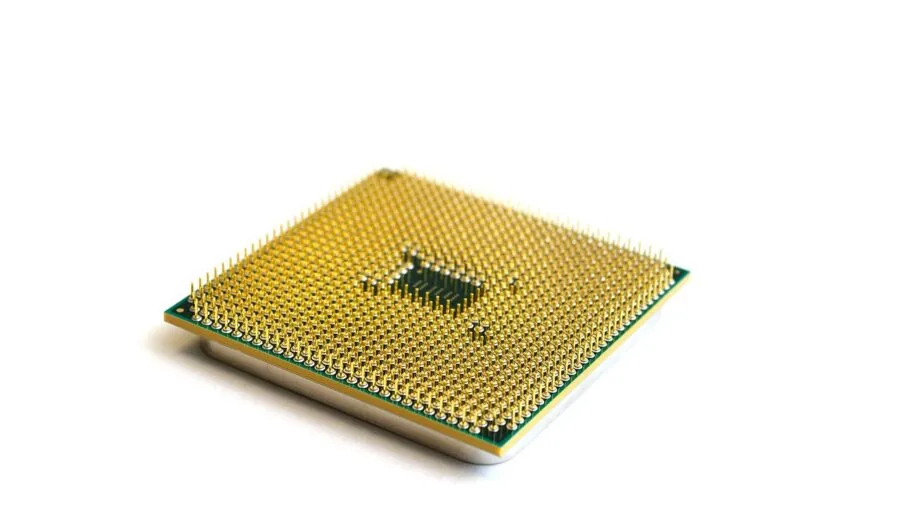
The pump moves coolant between the cold plate on your CPU and the radiator, so its design directly determines how efficiently heat is transferred.
Dual-chamber pump designs, like the one used in Cooler Master’s ML240L V2, separate the inlet and outlet paths to reduce turbulence and improve flow consistency.
More advanced implementations, such as the FlowDrive engine found in CORSAIR’s iCUE Link Titan series, integrate the motor closer to the cold plate to minimize thermal resistance at the source.
Pump noise is a legitimate concern on budget AIOs. At full speed, a poorly engineered pump can introduce a persistent whine that is more annoying than a loud fan.
Expert reviewers consistently flag pump acoustics as a differentiator between price tiers, and verified buyers on budget units often mention pump noise as the primary complaint after long-term use.
If your build lives in a quiet workspace, weighting pump quality higher in your decision is worthwhile.
Fan Performance and Acoustics
AIO fans have two jobs: moving enough air through the radiator fins to dissipate heat and doing so quietly enough to not intrude on the user experience.
PWM control is the baseline expectation at any price point, allowing the motherboard or cooler software to ramp fan speed in proportion to CPU temperature.
Look for fans with fluid dynamic bearings or the S-FDB (Shielded Fluid Dynamic Bearing) specification used by Thermalright, as these tend to operate more quietly and last longer than sleeve-bearing alternatives.
ARGB or RGB lighting is standard across nearly every option in this guide. While aesthetics are subjective, the LED implementation should not compromise airflow.
Daisy-chain connectors and proprietary ecosystem headers, like CORSAIR’s iCUE Link system, simplify cable management significantly in builds where tidiness matters. If you plan to pair your cooler with an ARGB motherboard header, verify header compatibility before purchasing.
Socket Compatibility and Installation
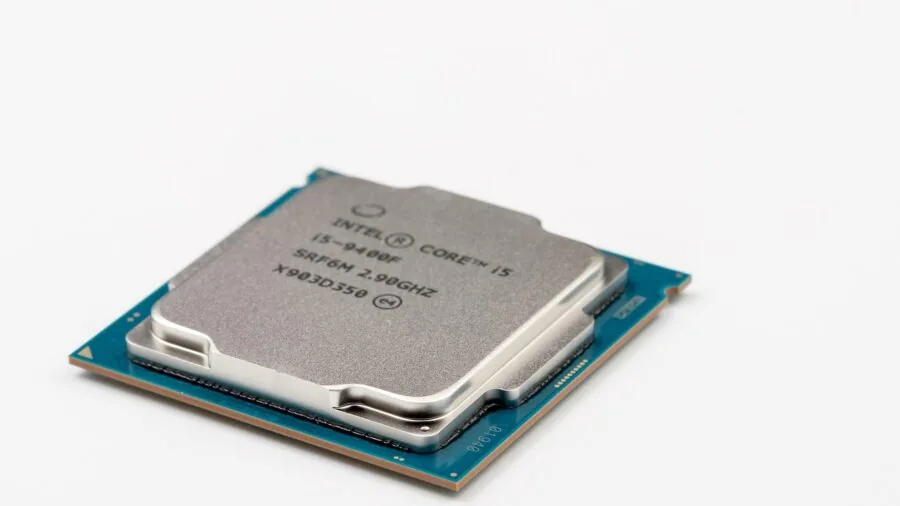
Modern AIO coolers broadly support Intel LGA 1700 and LGA 1851 alongside AMD AM4 and AM5. However, compatibility nuances exist. Some older units require a separate mounting kit for LGA 1851, and not all coolers ship with the necessary hardware in the box.
Always cross-reference the product compatibility list against your specific motherboard socket. Our motherboards category has more detail on socket generations if you are unsure which platform you are building on.
Installation quality varies considerably. Tool-free or tool-minimal mounting systems reduce the risk of uneven cold plate pressure, which can cause poor thermal contact.
ARCTIC’s Liquid Freezer III Pro series is frequently cited by builders for its straightforward mounting mechanism that keeps installation repeatable and secure.
Conversely, some premium AIOs with complex LCD pump heads can be fiddly to orient correctly, so checking community installation walk-throughs before your first build is a good habit.
Software Ecosystem and LCD Features

Software integration divides AIO buyers into two camps. If you want granular control over fan curves, lighting profiles, and real-time monitoring from a single application, CORSAIR’s iCUE platform and ASUS Armoury Crate provide the deepest feature sets.
The tradeoff is that these applications are resource-intensive and can conflict with other system utilities. If you prefer a set-and-forget approach, Thermalright and ARCTIC AIOs operate effectively from BIOS fan curve settings without any software dependency.
LCD displays embedded in the pump head are an increasingly common premium feature. The Thermalright Peerless Vision 360 and the CORSAIR iCUE Link Titan 240 RX LCD both offer IPS panels capable of displaying system metrics, custom images, or animated graphics.
Resolution and screen size vary, so if the display is a priority, compare panel specs carefully. Keep in mind that the display adds complexity and is one more component that can fail over the cooler’s lifespan.
Value and Long-Term Reliability

AIO coolers are sealed units, meaning the coolant cannot be replenished. Evaporation through micro-permeation of tubes is a slow process, but it is real, and most manufacturers warrant their products for three to six years.
ASUS ROG’s Strix LC III comes with a six-year warranty, which is among the most generous in the segment and reflects confidence in the Asetek Gen7 v2 pump at its core.
Warranty length is a useful proxy for manufacturer confidence in long-term reliability.
Budget picks like the Thermalright Aqua Elite 240 V3 demonstrate that high cooling performance does not require a premium price.
Verified buyers consistently report competitive thermal results relative to significantly more expensive options, making it an outstanding choice for builders who prioritize performance per dollar.
Pairing a cost-effective AIO with quality RAM and a fast SSD is often a smarter allocation of a fixed build budget than spending heavily on aesthetics.
Why You Should Trust Us
REMOVU is an independent review publication. We do not manufacture, sell, or distribute any of the products we evaluate.
Every AIO cooler in this guide was assessed using a consistent framework built around four data pillars: published manufacturer specifications, expert review consensus drawn from established hardware publications and community benchmarking, verified buyer feedback from confirmed purchasers, and publicly available thermal and acoustic data.
Each product receives a REMOVU Score on a 0 to 10 scale reflecting its overall merit within this framework. We do not conduct our own product trials; our evaluations are grounded in research, published data, expert review consensus, and verified buyer feedback.
Transparency on affiliate relationships: REMOVU may earn a commission if you purchase through links on this page. That relationship does not influence which products are included, how they are ranked, or what scores they receive.
Our rankings are determined solely by evaluation quality. We highlight both strengths and limitations of every product because our goal is to help you make a well-informed decision, not to maximize click-through revenue.
Final Thoughts
The AIO cooler market in 2026 spans a wide spectrum from genuinely exceptional value to feature-rich flagships, and our research confirms there is a strong pick at every point.
If you are building a performance-focused desktop alongside a capable graphics card, getting thermal management right from the start pays dividends in sustained clock speeds and system longevity. Below are the standout award picks from our lineup.
- Best Overall: Thermalright Aqua Elite 240 V3 earns the top position with the highest REMOVU Score in this guide, delivering exceptional cooling efficiency, quiet S-FDB bearing fans, and broad socket support at a budget-friendly price that consistently surprises expert reviewers.
- Best Value Mid-Range: ARCTIC Liquid Freezer III Pro 240 A-RGB follows closely with outstanding thermal performance per dollar, a clean ARGB implementation, and a reputation for low-noise operation that verified buyers regularly call out in long-term ownership reviews.
- Best Feature-Rich 240mm: CORSAIR iCUE Link Titan 240 RX LCD stands out for its integrated IPS LCD display, FlowDrive cooling engine, and deep iCUE software integration, making it the top pick for builders who want a premium aesthetic and monitoring experience in a 240mm form factor.
- Best Budget Pick: Cooler Master MasterLiquid ML240L RGB V2 remains a reliable entry point, offering Gen3 dual-chamber pump technology and ARGB SickleFlow fans at an accessible price for builders who need competent liquid cooling without overextending their budget.
- Best 360mm for Power Users: CORSAIR Nautilus 360 RS offers a no-frills, high-performance 360mm solution with direct motherboard connection, daisy-chain fan support, and broad platform compatibility, making it the practical choice for high-TDP CPUs where thermal headroom is the priority.
Whichever pick you land on, matching your AIO to your case clearance and CPU socket is the most important step.
Our broader guide to CPU coolers worth buying covers air cooling alternatives if a liquid solution does not suit your build constraints, and our PC components hub links out to every other component category you might need to complete your system.
Frequently Asked Questions
Is a 240mm or 360mm AIO better for gaming?
For most gaming CPUs operating at stock settings, a quality 240mm AIO provides sufficient cooling headroom. The performance gap between 240mm and 360mm narrows significantly once you step back from extreme overclocks or very high-TDP workloads.
A 360mm radiator becomes meaningfully beneficial when pairing with a flagship processor that sustains high power draw during long gaming sessions or simultaneous streaming and recording.
If your case accommodates a 360mm radiator comfortably, the larger option gives you more thermal margin and typically quieter fan operation at equivalent cooling loads.
Do AIO coolers need maintenance?
Sealed AIO coolers require no routine maintenance under normal use. The coolant loop is factory-filled and the system is designed to operate for the duration of its warranty period without intervention.
Dust accumulation on radiator fins and fans is the main practical maintenance task, and an occasional compressed-air clean every six to twelve months keeps airflow unrestricted.
Inspect tubes periodically for any visible kinking or discoloration, which can indicate degradation, though this is rare in quality units within their warranty window.
Can AIO coolers leak and damage my components?
Leaks from reputable AIO coolers are very uncommon, but the risk is not zero.
Most failures occur at the pump head connection or at tube fittings, and the probability increases if tubes are routed under excessive tension or the cooler is physically stressed during installation. Established brands use pressurized leak evaluation during manufacturing.
Verified buyer reports across thousands of units from brands like ARCTIC, Thermalright, and CORSAIR show leak incidents at very low rates. Careful installation following the included instructions remains the best prevention.
Pairing your cooler investment with quality power supply protection is also sensible overall system hygiene.
What is the lifespan of a typical AIO cooler?
Most AIO coolers are designed and warranted for three to six years of continuous operation. The pump is the component most likely to degrade first, as it runs constantly whenever the system is powered.
In practice, many units outlast their warranty periods by a significant margin when operated within rated conditions.
Choosing an AIO with a longer warranty, such as the ASUS ROG Strix LC III 360’s six-year coverage, reflects stronger manufacturer confidence in component longevity.
Planning a cooler replacement in line with a CPU platform upgrade every four to five years is a sensible approach for most builders.
Does an AIO cooler work with both Intel and AMD sockets?
Every AIO in this guide supports both Intel and AMD platforms, including LGA 1700, LGA 1851, AM4, and AM5. The mounting hardware differs between platforms, and most coolers include separate bracket sets in the box for each socket type.
Always verify that the specific socket variant you need is listed in the product compatibility table, particularly for newer socket releases like LGA 1851, as some older stock may require a separate adapter kit.
Our RAM for gaming guide also touches on platform-level compatibility considerations that are worth reviewing when assembling a new build from scratch.
Should I mount the AIO radiator at the top or front of my case?
Both positions are valid and the optimal choice depends on your case airflow design. Top-mounted radiators benefit from natural convection since heat rises, and they keep hot exhaust air from circulating back over other components.
Front-mounted radiators can draw cooler ambient air directly from outside the case, which is advantageous in cases where the top panel limits airflow due to tempered glass or narrow ventilation slots.
Expert consensus favors top exhaust mounting in most standard ATX mid-towers for the cleanest thermal separation between the CPU and GPU cooling zones.
Check your specific case manual for recommended radiator positions and fan orientation guidance before finalizing your mounting plan.
About the author
Teresa covers smart locks for REMOVU, prioritizing security, reliability, and value alongside keyless convenience. She helps readers upgrade their door without compromising safety.