The 9 Best CPU Coolers
Cooling your CPU properly affects performance, noise, and longevity. Our research covers air and liquid options from Noctua, Thermalright, Corsair, and Cooler Master to help you find the right fit.
 By Carmen Wilson
Updated July 26, 2026
By Carmen Wilson
Updated July 26, 2026
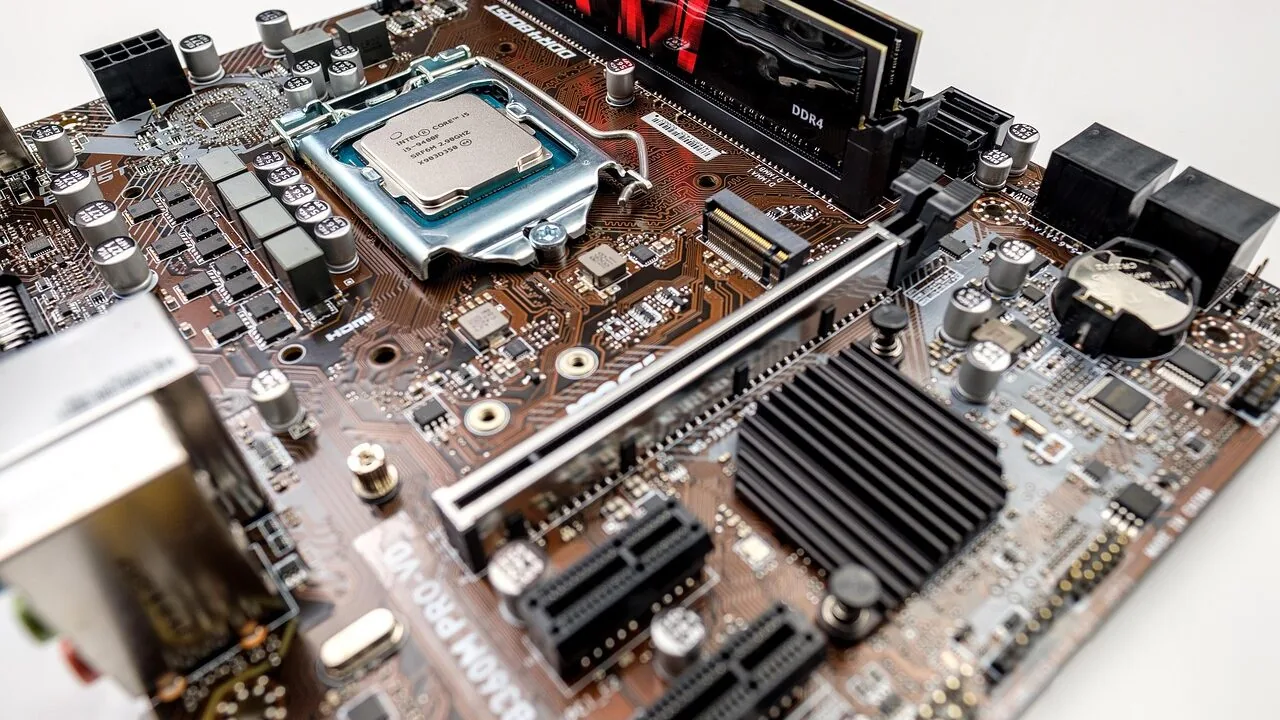
Keeping your CPU cool is one of the most consequential decisions you can make when building or upgrading a PC.
Whether you’re running a power-hungry workstation processor, a high-end gaming rig, or a compact home office build, thermal management directly affects performance, stability, and the long-term lifespan of your most expensive components.
A poorly cooled processor throttles under load, shortens its operational life, and can introduce frustrating instability that’s notoriously difficult to diagnose.
The market now spans everything from budget single-tower air coolers priced for first-time builders to flagship dual-tower heatsinks and 360mm all-in-one liquid coolers commanding premium prices, which makes picking the right one genuinely confusing without a clear framework.
Pairing your cooler correctly with your processor and PC case clearance constraints is just as important as the cooler’s raw thermal capacity.
To cut through the noise, REMOVU’s editorial team analyzed specifications, synthesized expert review consensus from across the enthusiast community, and weighed verified buyer feedback to identify the coolers that consistently deliver across real-world workloads.
Our evaluation covers air and liquid options from Noctua, Thermalright, Cooler Master, and Corsair, spanning a range of budgets and use cases. Scroll down to see our top picks ranked by REMOVU Score.
| Award | Product | REMOVU Score About REMOVU ScoreThe REMOVU Score is our own rating from 0 to 10, based on performance, design and build, ease of use, and value. It reflects independent research and is never influenced by manufacturers, retailers, or affiliate commissions. Learn more › | Price | |
|---|---|---|---|---|
| Best Overall |
 Noctua NH-D15 G2 Dual Tower CPU Cooler
|
8.9/10 | Buy | |
| Best Budget |
 Thermalright Peerless Assassin 120 SE CPU Cooler
|
8.3/10 | Buy | |
| Best Premium |
 Noctua NH-D15 chromax.Black 140mm Dual-Tower Cooler
|
8.3/10 | Buy | |
| Best Value |
 Noctua NH-D15 Dual-Tower CPU Cooler
|
8.2/10 | Buy | |
 Noctua NH-U12A chromax.Black 120mm CPU Cooler
|
7.8/10 | Buy | ||
 Cooler Master Hyper 212 Black 4-Pipe CPU Cooler
|
6.8/10 | Buy | ||
 Corsair Nautilus 360 RS ARGB Liquid CPU Cooler
|
7.3/10 | Buy | ||
 Noctua NH-U9S 92mm CPU Cooler
|
7.1/10 | Buy | ||
 Thermalright Assassin X120 Refined SE CPU Cooler
|
6.9/10 | Buy |
Noctua NH-D15 G2 Dual Tower CPU Cooler
The second-generation NH-D15 G2 chromax.black builds on a decade of cooling legacy with 20% more surface area, eight heatpipes, and redesigned NF-A14x25r G2 fans that balance performance with near-silent operation. It's engineered for high-end AMD Ryzen and Intel Core builds, with broad socket compatibility and thoughtful extras like premium thermal paste and a Torx screwdriver included.
Pros
- Superior cooling density: 8 heatpipes and 20% increased fin surface area handle demanding CPUs reliably
- Acoustic efficiency: State-of-the-art 140mm fans achieve new performance-to-noise benchmarks, with Low-Noise Adaptors and dual speed offsets for fine-tuning
- Broad compatibility: Supports current and legacy sockets (AM5, AM4, LGA1851, LGA1700, LGA1200, LGA115x) with SecuFirm2+ mounting and included screwdriver
- Complete package: Includes NT-H2 thermal paste, cleaning wipe, PWM splitter, and thermal paste guard for AM5
- Proven design: Award-winning heritage with 4.8-star rating across 225 reviews
Cons
- Tall profile: 168mm height requires compatible case clearance, and may conflict with RAM modules taller than 32mm
- Dual-fan footprint: Offset design offers only 32mm RAM clearance in dual-fan configuration, limiting some build flexibility
- Premium positioning: Priced at the high end of the air-cooler market with incremental 2-3°C gains over first-gen G1
Thermalright Peerless Assassin 120 SE CPU Cooler
A dual-tower air cooler featuring six AGHP heat pipes that perform consistently regardless of case orientation, paired with two balanced TL-C12C PWM fans. The included premium thermal paste and redesigned mounting system simplify installation, making it a practical choice for builders seeking reliable mid-range CPU cooling across Intel and AMD platforms.
Pros
- AGHP heat pipe technology eliminates orientation-dependent performance loss, useful for varied case layouts
- Dual 120mm TL-C12C fans balance cooling output with quiet operation at 1550 RPM, staying at or below 25.6 dB(A)
- Includes premium TF-7 thermal paste and improved SS2 mounting system for straightforward installation
- Broad socket compatibility covering Intel LGA 1150/1151/1200/1700 and AMD AM4/AM5
- Strong customer rating of 4.7 stars across 3,227 reviews indicates consistent real-world reliability
Cons
- Tall heatsink dimensions (155mm height) may conflict with RAM slots or case clearance on compact builds
- AMD installation requires the motherboard's original backplate, which is not included in the package
- Incremental performance gains over single-tower alternatives may not justify the added bulk for light workloads
Noctua NH-D15 chromax.Black 140mm Dual-Tower Cooler
Noctua's flagship air cooler in an all-black finish, engineered to rival liquid cooling performance while staying whisper-quiet. The dual-tower design with six heatpipes and dual 140mm fans delivers elite cooling for high-end CPUs and overclockers who value both silence and aesthetics in a stealth-black package.
Pros
- Dual-tower, six-heatpipe design rivals many all-in-one liquid coolers in thermal performance
- Dual NF-A15 140mm fans with Low-Noise Adaptors deliver full cooling power under load with minimal noise at idle
- Excellent RAM compatibility in single-fan mode (64mm clearance) accommodates most high-end memory modules
- Comprehensive bundle includes NT-H1 thermal paste, SecuFirm2 mounting system, and accessories for multiple socket types
- All-black aesthetic with customizable heatsink covers and anti-vibration pads for flexible build integration
- 6-year manufacturer warranty and proven track record with 300+ awards from international tech publications
Cons
- Premium pricing reflects the elite positioning but costs more than many competing air coolers
- Dual-fan mode requires standard-height RAM (up to 32mm); taller modules need single-fan setup or chassis with 165mm+ clearance
- Large footprint (165mm height with fans) demands adequate case clearance and may conflict with tall RAM or motherboard heatsinks in compact builds
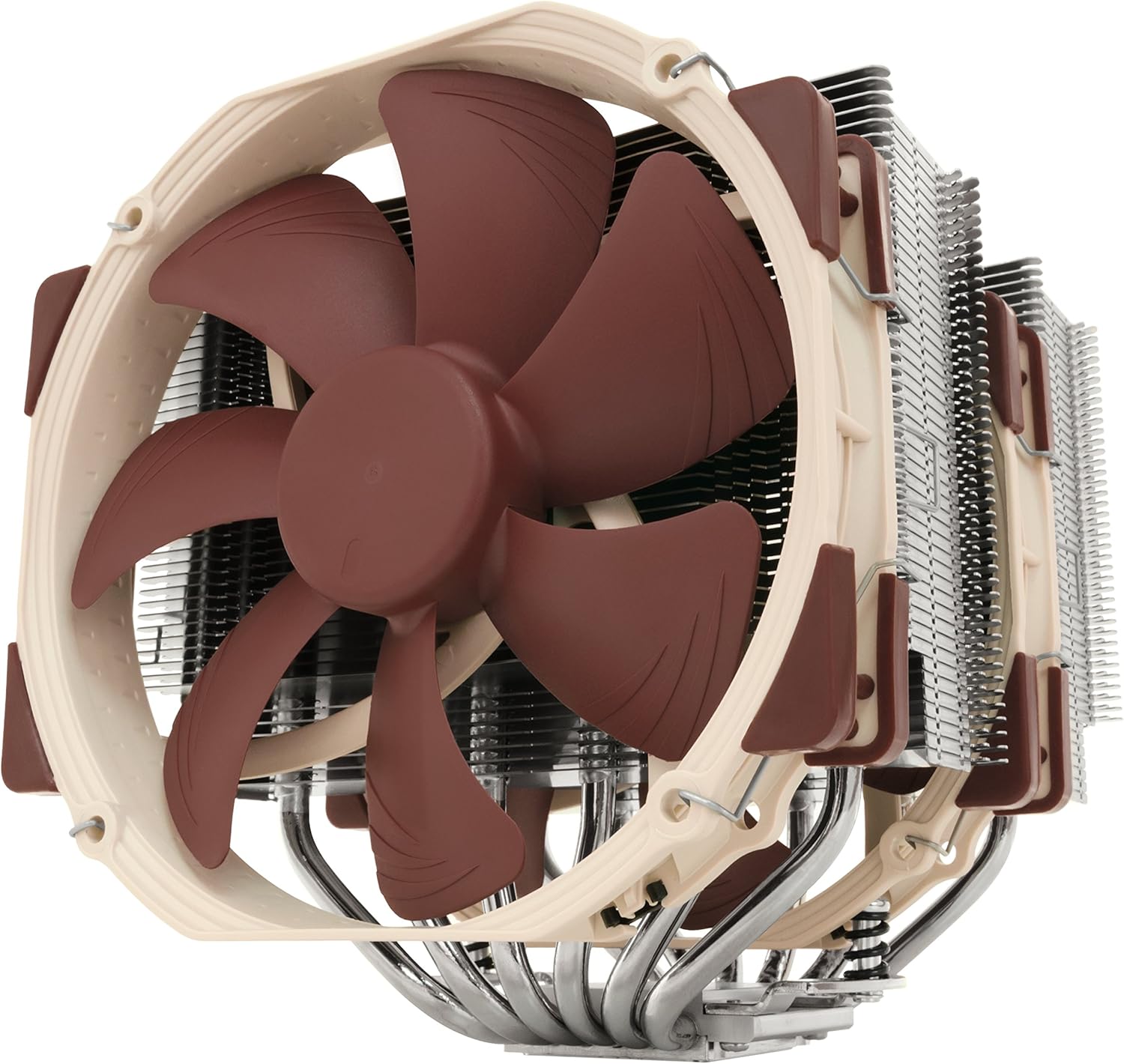
Noctua NH-D15 Dual-Tower CPU Cooler
Noctua's flagship air cooler pairs a widened dual-tower design with six heatpipes and two premium NF-A15 140mm fans for serious cooling performance. Built for enthusiasts seeking near-silent operation or stable overclocking, it arrives with quality thermal paste and a proven mounting system that covers most Intel and AMD platforms.
Pros
- Dual-tower design with expanded heatpipe layout delivers superior heat distribution and efficiency over its predecessor
- Two premium NF-A15 fans with PWM and Low-Noise Adaptors enable automatic speed control and ultra-quiet operation
- High RAM compatibility in single-fan mode (64mm clearance) accommodates tall memory heatsinks
- Complete package includes NT-H1 thermal compound, SecuFirm2 mounting system, and Y-cable for dual-fan setup
- Broad socket support for Intel LGA1851, LGA1700, LGA1200, LGA115x and AMD AM5, AM4 with 6-year warranty
Cons
- Tall profile (165mm with fans) requires adequate case clearance and limits compatibility with compact builds
- Dual-fan mode restricts RAM to standard height (up to 32mm) unless case allows moving the front fan upward
- Premium pricing reflects quality but positions it above budget-conscious cooling solutions
Noctua NH-U12A chromax.Black 120mm CPU Cooler
Noctua's all-black 120mm tower cooler delivers premium cooling performance that rivals larger 140mm units while maintaining excellent RAM and PCIe compatibility. The dual NF-A12x25 fans and asymmetrical design make it equally effective under load and nearly silent at idle, backed by a 6-year warranty and included NT-H1 thermal paste.
Pros
- Exceptional cooling performance in a compact 120mm form factor with proven track record (100+ awards)
- Excellent compatibility: 158mm height fits most cases without blocking RAM slots or PCIe slots on ATX/Micro-ATX boards
- Dual state-of-the-art NF-A12x25 fans with Low-Noise Adaptors deliver full performance under load while staying whisper-quiet at idle
- Includes premium NT-H1 thermal paste and SecuFirm2 mounting system supporting Intel LGA1851, LGA1700, LGA1200, LGA115x and AMD AM5, AM4
- Sleek all-black aesthetic integrates well with modern builds
Cons
- Single-tower design limits cooling capacity compared to dual-tower or 140mm coolers for extreme overclocking
- Premium positioning means higher cost than budget 120mm alternatives
- Asymmetrical design requires careful motherboard layout planning for optimal performance with offset mounting
Cooler Master Hyper 212 Black 4-Pipe CPU Cooler
A budget-friendly air cooler that delivers solid thermal performance for mid-range processors. The revamped design pairs a four-pipe copper base with Cooler Master's SickleFlow 120 Edge fan, offering quiet operation across a wide RPM range. Best suited for users building mainstream systems on Intel or AMD platforms who want reliable cooling without premium pricing.
Pros
- Four copper heat pipes and solid base plate handle R7/i7 workloads effectively
- SickleFlow 120 Edge fan runs quiet with dynamic PWM control (690-2,500 RPM)
- Simplified mounting brackets ease installation on newer AM5 and LGA 1851/1700 sockets
- Includes CryoFuze thermal paste for immediate use out of box
- Compact 152mm height fits most standard chassis configurations
- Broad socket compatibility across Intel and AMD platforms
Cons
- Single 120mm fan limits cooling headroom compared to dual-fan competitors
- No RGB lighting, which some users may view as missed aesthetic appeal
- Performance gains over stock coolers are modest for light workloads or lower-power CPUs
Corsair Nautilus 360 RS ARGB Liquid CPU Cooler
A 360mm AIO cooler that prioritizes simplicity with direct motherboard connection and no controller required. Its convex cold plate with pre-applied thermal paste speeds up installation, while RS120 ARGB fans deliver strong cooling at whisper-quiet 20 dBA operation. Best for builders seeking straightforward setup without sacrificing performance across Intel and AMD platforms.
Pros
- Plug-and-play design with daisy-chained fan connections reduces cable clutter
- Ultra-quiet 20 dBA pump operation maintains low noise under load
- Pre-applied thermal paste and convex cold plate optimize contact and installation speed
- Broad socket compatibility including newer Intel LGA 1851 and AMD AM5
- Strong 4.7-star rating from 2,151 verified reviews reflects real-world reliability
Cons
- RGB control requires compatible motherboard header; advanced customization needs optional iCUE controller sold separately
- No information on pump longevity or maintenance requirements in core specifications
- Limited to 360mm radiator size, which may restrict cooling headroom for extreme overclocking scenarios
Noctua NH-U9S 92mm CPU Cooler
A compact single-tower cooler designed for space-constrained builds without sacrificing cooling performance. The asymmetrical 95x95mm footprint clears RAM and PCIe slots on most Intel and AMD boards, making it ideal for ITX and small form factor systems. Includes Noctua's premium NF-A9 fan, NT-H1 thermal paste, and SecuFirm2 mounting system.
Pros
- Exceptional compatibility: 100% RAM clearance and PCIe slot access on mini-ITX boards thanks to 95x95mm footprint
- Compact 125mm height fits HTPC and small form factor cases where larger coolers won't fit
- Premium included accessories: NT-H1 thermal compound, SecuFirm2 multi-socket mounting, and Low-Noise Adaptor for quiet operation
- Supports dual-fan configuration with optional second NF-A9 for improved cooling if needed
- Wide socket support: Intel LGA1851, LGA1700, LGA1200, LGA115x and AMD AM5, AM4
Cons
- Single 92mm fan limits cooling capacity compared to larger tower coolers for high-end CPUs under sustained loads
- No reviews currently available on the product listing to verify real-world performance claims
- Dual-fan upgrade requires purchasing a second NF-A9 separately, adding to total cost
Thermalright Assassin X120 Refined SE CPU Cooler
A mid-range tower cooler built around Thermalright's gravity-independent AGHP heat pipes, designed to perform consistently regardless of case orientation. The TL-C12C PWM fan keeps noise under 25.6dB while delivering 66.17 CFM of airflow, making it a balanced choice for users seeking quiet cooling without premium pricing. Broad socket compatibility across Intel and AMD platforms adds practical value.
Pros
- AGHP heat pipes eliminate orientation-dependent performance loss, ensuring reliable cooling in any case layout
- Quiet operation at 25.6dB or lower pairs well with decent 66.17 CFM airflow for balanced performance-to-noise ratio
- Includes premium TF-4 thermal paste and redesigned SS2 mounting system for straightforward installation
- Supports wide range of sockets: Intel LGA 1150/1151/1155/1200/1700/1851 and AMD AM4/AM5
- S-FDB bearing design rated for up to 20,000 hours of industrial service life
Cons
- Limited cooling capacity at 148mm height may underperform on high-end CPUs compared to larger tower or liquid solutions
- No reviews yet on this specific model variant, making real-world performance validation difficult
- Four 6mm heat pipes is modest compared to competitors offering six or more pipes at similar price points
CPU Coolers Buying Guide
Choosing the right CPU cooler comes down to understanding your processor’s thermal design power, your case’s physical constraints, and how much noise you’re willing to tolerate at full load.
The guidance below breaks down the criteria that matter most, based on consistent factors we assess across every cooler in this category.
Cooler Type: Air vs. Liquid AIO

Air coolers use heatsink fins and direct-contact heat pipes to move heat away from the CPU and dissipate it via fans. They require no pumps, carry no leak risk, and tend to last for many years without maintenance.
High-end dual-tower designs, like those from Noctua, can rival or exceed the thermal performance of mid-range 240mm all-in-one liquid coolers, while remaining completely silent under light loads.
For most desktop builds, a quality air cooler remains the most reliable and cost-effective choice.
All-in-one liquid coolers, commonly called AIOs, house the pump, cold plate, and radiator in a sealed unit.
A 360mm AIO like the Corsair Nautilus 360 RS ARGB provides excellent sustained cooling for very high TDP processors and offers cleaner cable routing in glass-panel cases.
The trade-off is added complexity, a pump that generates some low-frequency noise, and a finite lifespan for the sealed coolant loop.
If aesthetics and sustained heavy workloads are priorities, a well-built AIO is worth the premium over a mid-range air cooler. For straightforward gaming and productivity builds, air cooling wins on simplicity and value.
Your motherboard socket compatibility is the first spec to confirm before purchasing either type. Most coolers in 2026 support Intel LGA 1700 and LGA 1851 as well as AMD AM4 and AM5, but always verify the cooler’s included bracket list against your specific platform before purchasing.
Thermal Performance and Heat Pipe Count

Heat pipes are the primary mechanism by which heat travels from the CPU contact plate to the heatsink fins.
More heat pipes generally mean faster heat transfer and better performance under sustained loads, though the quality of pipe contact with the fins and the base design matter just as much as raw count.
Budget coolers with four heat pipes and a well-engineered base, like the Thermalright Peerless Assassin 120 SE and the Cooler Master Hyper 212 Black, can outperform older designs that look more impressive on paper.
For processors with a TDP above 125W, such as unlocked enthusiast-class CPUs, you’ll want a dual-tower air cooler with six or more heat pipes, or a 360mm AIO.
The Noctua NH-D15 G2 chromax.Black represents the current pinnacle of air cooling engineering, with a redesigned contact frame and asymmetric heatsink layout that squeezes significantly better performance out of the dual-tower format compared to its predecessor.
If you’re building around a high-end processor and want the most capable air cooler available, this is the benchmark to beat.
Pairing an efficient cooler with capable RAM is also worth considering, since tall memory heatspreaders can conflict with wide dual-tower heatsinks on certain motherboard layouts. Check your cooler’s RAM clearance specification before committing.
Fan Size, Noise, and Airflow
Fan diameter directly affects the balance between airflow and noise. Larger fans move more air at lower RPM, which translates to quieter operation at any given cooling output.
The 140mm fans used on the Noctua NH-D15 and NH-D15 G2 chromax.Black are among the most respected in the industry for this reason; they deliver exceptional airflow while remaining near-silent at typical gaming or productivity workloads.
Dual 120mm fan configurations, as seen on the Thermalright Peerless Assassin 120 SE and the Noctua NH-U12A chromax.Black, strike a strong balance between size and performance, often fitting in cases where 140mm fans are impractical.
PWM (pulse-width modulation) fan control is essentially mandatory for a quality experience.
PWM fans allow the motherboard to vary speed dynamically based on temperature, so the cooler runs quietly at idle and ramps up only when the processor is under load. All of the coolers in our list include PWM fans.
Pay attention to minimum RPM as well as maximum; a fan that spins at 300 to 400 RPM at idle is functionally silent, while one that never drops below 800 RPM will be audible in a quiet room.
Physical Dimensions and Case Compatibility

CPU cooler height is one of the most commonly overlooked specs during a build, and an oversight here means returning a product.
Most mid-tower cases accommodate coolers up to 165mm tall without issue, but compact and slim cases may impose limits of 150mm or less.
The Noctua NH-D15 G2 chromax.Black stands over 168mm tall, which rules it out for many compact enclosures.
If your build is size-constrained, a slim single-tower like the Noctua NH-U9S or a compact option like the Thermalright Assassin X120 Refined SE may be a more practical fit, even if raw performance is somewhat lower.
AIO liquid coolers introduce their own clearance considerations: the radiator must mount in a compatible location on your case, and 360mm radiators require a full-size mid or full tower with a front or top panel that accommodates three 120mm fans.
Measure your available radiator space against the AIO’s dimensions and confirm mounting orientation before purchasing. Your case spec sheet is the most reliable reference here.
Value and Budget Segmentation

The CPU cooler market segments cleanly into three tiers. Entry-level coolers in the budget range cover the basics for mainstream processors and make a notable improvement over stock coolers.
The Thermalright Assassin X120 Refined SE and Cooler Master Hyper 212 Black both occupy this space, offering legitimate thermal improvements at prices that leave room in the budget for a better solid state drive or more RAM.
These are excellent picks for anyone building their first PC or upgrading an older system with a moderate processor.
Mid-range coolers, typified by the Thermalright Peerless Assassin 120 SE and Cooler Master Hyper 212 Black at its sweet spot of value per kelvin, deliver performance that satisfies most gaming and workstation workloads without requiring a premium investment.
At the top of the air cooling segment sit dual-tower flagships from Noctua and the 360mm Corsair AIO, which are justified for high-TDP processors or enthusiasts who prioritize near-silent operation at all times.
The right tier depends entirely on your processor’s thermal requirements and what you’re leaving in the budget for other core components like graphics cards and power supplies.
Build Quality, Mounting, and Long-Term Reliability
Mounting hardware quality varies significantly between brands and price points.
Noctua’s SecuFirm2+ system is widely regarded as one of the most installer-friendly and secure mounting solutions in the industry, applying even pressure across the CPU integrated heat spreader without risk of cracking fragile motherboard PCBs.
Thermalright’s mounting systems are similarly competent at their respective price points and have earned strong marks in verified buyer feedback for ease of installation, particularly on AM5 and LGA 1700 platforms.
Thermal interface material (TIM) included with a cooler matters more than most buyers realize. Premium coolers typically ship with high-quality compound that doesn’t require replacement for several years under normal conditions.
For AIO liquid coolers, the quality of the pump and tubing construction determines long-term reliability; reputable brands with long warranty periods are significantly safer bets than off-brand alternatives.
A well-chosen cooler is a one-time purchase that should outlast several CPU generations if your motherboard socket remains compatible through future upgrades.
Why You Should Trust Us
REMOVU is an independent review site focused on helping buyers make confident, well-informed decisions.
Every product in this roundup was evaluated using a consistent, structured research methodology: we analyze manufacturer specifications, synthesize expert review consensus from across the enthusiast and professional community, and weight verified buyer feedback to surface patterns that individual reviews often miss.
Each cooler receives a REMOVU Score on a 0 to 10 scale, reflecting its overall merit relative to its category peers across the criteria outlined in this buying guide.
We do not conduct our own product trials; our evaluations are grounded in research, published data, expert review consensus, and verified buyer feedback.
This approach allows us to assess a broader range of products with greater consistency than any single hands-on reviewer, while remaining transparent about the nature of our methodology.
REMOVU may earn an affiliate commission when you purchase through links on this page. That relationship has no bearing on our rankings, scores, or product selection. Every cooler here earned its place based on research merit alone.
We do not accept payment for placement, and we do not manufacture, sell, or service any product we cover. For questions about orders, returns, or warranty claims, please contact the retailer or manufacturer directly.
Final Thoughts
After evaluating the full field of air and liquid CPU coolers across thermal performance, noise levels, build quality, compatibility, and value, a few standouts emerged for different buyer needs. Here are our editorial picks with the REMOVU Score they earned:
- Best Overall: Noctua NH-D15 G2 chromax.Black earns the top REMOVU Score in this roundup by pushing dual-tower air cooling further than any previous Noctua design, with a redesigned contact frame and asymmetric heatsink layout that delivers class-leading thermal performance and near-silent operation for demanding processors.
- Best Value: Thermalright Peerless Assassin 120 SE is the most impressive budget-to-performance ratio in the group, earning a REMOVU Score that rivals coolers costing several times more and making it an easy recommendation for mainstream and mid-range builds.
- Best Premium Air Cooler: Noctua NH-D15 chromax.Black offers the proven dual-tower platform in an all-black aesthetic, earning a strong REMOVU Score and remaining an excellent choice for enthusiasts who want flagship air cooling without the complexity of a liquid system.
- Best AIO Liquid Cooler: Corsair Nautilus 360 RS ARGB is the pick for builders who prioritize sustained heavy-workload cooling and a clean aesthetic in a glass-panel case, with direct motherboard connection and daisy-chain fan support adding genuine convenience to a well-engineered 360mm package.
- Best for Compact Builds: Noctua NH-U9S fits where larger coolers cannot, making it the go-to recommendation for small form factor and slim cases where RAM clearance and CPU socket proximity to the case wall create hard height limits.
Whichever tier fits your build and budget, every cooler on this list outperforms the stock thermal solutions bundled with boxed processors in a meaningful way.
Thermal management is one area where a modest investment pays dividends in stability, longevity, and day-to-day noise levels, so it’s worth getting right before finalizing your component list.
For a broader look at everything that goes into a complete system, our PC components coverage is a useful starting point.
Frequently Asked Questions
How do I know if a CPU cooler will fit my case?
Check two numbers: the cooler’s maximum height (in millimeters) and your case’s listed CPU cooler clearance. Both figures appear in the respective product specifications.
Most standard mid-tower cases support coolers up to 165mm tall, but compact, slim, and ITX cases may restrict height to 150mm or less.
Always verify before purchasing, since returning a large heatsink is inconvenient and some smaller retailers charge restocking fees.
Is an air cooler or an AIO liquid cooler better for gaming?
For most gaming builds, a high-quality air cooler is sufficient and arguably preferable. Dual-tower air coolers like the Noctua NH-D15 series keep even power-hungry gaming processors well within safe temperature ranges, require no pump maintenance, and carry no leak risk.
A 360mm AIO becomes more advantageous when you’re running a very high TDP processor under sustained workloads like video rendering or content creation alongside gaming, or when you specifically want a clean aesthetic with RGB lighting inside a tempered glass case.
Does the cooler brand matter for thermal paste?
The thermal paste included with most premium coolers from Noctua and Thermalright is high quality and suitable for several years of normal use without reapplication.
Budget coolers sometimes include lower-grade compound; in those cases, applying a third-party thermal paste can close a small but measurable performance gap.
For the coolers in this roundup, the bundled paste is adequate for the vast majority of users, and aftermarket compound is an optional rather than necessary upgrade.
Will a better CPU cooler improve gaming performance?
A CPU cooler improves gaming performance only when the processor is thermally throttling, meaning it’s reducing its clock speed to avoid exceeding safe temperature limits.
If your current cooler keeps the CPU below its thermal throttle threshold, upgrading the cooler will not increase frame rates.
However, if you notice the CPU temperature reaching its maximum junction temperature during gaming sessions, a better cooler can recover lost performance.
Beyond throttling, superior cooling also enables more headroom for manual overclocking, which can yield modest additional gains from processors that support it.
A well-cooled system also pairs better with faster graphics hardware, since thermal headroom across the whole platform contributes to sustained frame rates over long sessions.
How long do AIO liquid coolers last?
Most reputable AIO liquid coolers are designed to last five to seven years under normal operating conditions, and many users report longer service lives. The sealed pump is the component most likely to degrade over time.
Buying from established brands with multi-year warranties and strong track records of customer support significantly reduces the risk of premature failure.
Air coolers, by contrast, have effectively unlimited lifespans as long as the fans remain operational, and replacement fans are inexpensive and widely available.
What socket types do these coolers support?
All coolers in this roundup support modern Intel and AMD sockets, including LGA 1700, LGA 1851, AM4, and AM5, though exact compatibility varies by model. Always cross-reference the cooler’s listed socket support against your specific processor platform before purchasing.
Some older coolers require a separate mounting bracket for the newest sockets; reputable brands like Noctua typically offer these upgrades at no cost or for a nominal fee, which is a meaningful long-term value advantage.
Related Guides
About the author
Carmen is REMOVU's lighting writer, comparing camera flashes and continuous lights on output, control, and value. She helps photographers shape better light from a single speedlight to a full studio panel.