The 12 Best 144Hz Monitors
Smooth motion, sharp images, and no tearing: the right 144Hz monitor transforms both gaming and daily work. Here are the top-rated panels across every screen size and price tier.
 By Jack Perkins
Updated July 26, 2026
By Jack Perkins
Updated July 26, 2026

A 144Hz monitor is one of the most impactful upgrades you can make to a desktop setup, whether you game competitively, work long hours at a desk, or simply want scrolling and cursor movement to feel noticeably smoother.
At 144 frames per second, motion clarity is dramatically better than a standard 60Hz panel, and the difference is immediately visible even during everyday tasks like browsing and typing.
With prices now spanning from budget-friendly to mid-range, there has never been a better time to find a high-refresh-rate display that fits both your use case and your budget.
To help you cut through the noise, the REMOVU team researched and assessed a wide field of 144Hz monitors by synthesizing manufacturer specifications, expert review consensus from across the industry, and verified buyer feedback.
We do not conduct our own product trials; our evaluations are grounded in research, published data, expert review consensus, and verified buyer feedback. Each model was scored on the REMOVU Score scale and ranked according to overall value.
Read on for our top picks across every need and budget, with a full buying guide below to help you choose with confidence.
| Award | Product | REMOVU Score About REMOVU ScoreThe REMOVU Score is our own rating from 0 to 10, based on performance, design and build, ease of use, and value. It reflects independent research and is never influenced by manufacturers, retailers, or affiliate commissions. Learn more › | Price | |
|---|---|---|---|---|
| Best Overall |
 LG 27GL83A-B 27-inch QHD 144Hz Gaming Monitor
|
8.8/10 | Buy | |
| Best Premium |
 Dell S2725DSM 27-inch QHD 144Hz Monitor
|
8.4/10 | Buy | |
 Acer Nitro EDA270U 27" 180Hz Curved Gaming Monitor
|
7.6/10 | Buy | ||
 Dell S2425HSM 24-inch 144Hz FHD Monitor
|
7.4/10 | Buy | ||
| Best Budget |
 MSI PRO MP243L E14 24-inch 144Hz Gaming Monitor
|
7.3/10 | Buy | |
| Best Value |
 ASUS TUF Gaming VG249QE5A 24-inch 146Hz Monitor
|
7.2/10 | Buy | |
 MSI PRO MP241 E14V 24-inch 144Hz Office Monitor
|
7.1/10 | Buy | ||
 Dell SE2426H 24-inch 144Hz IPS Monitor
|
6.7/10 | Buy | ||
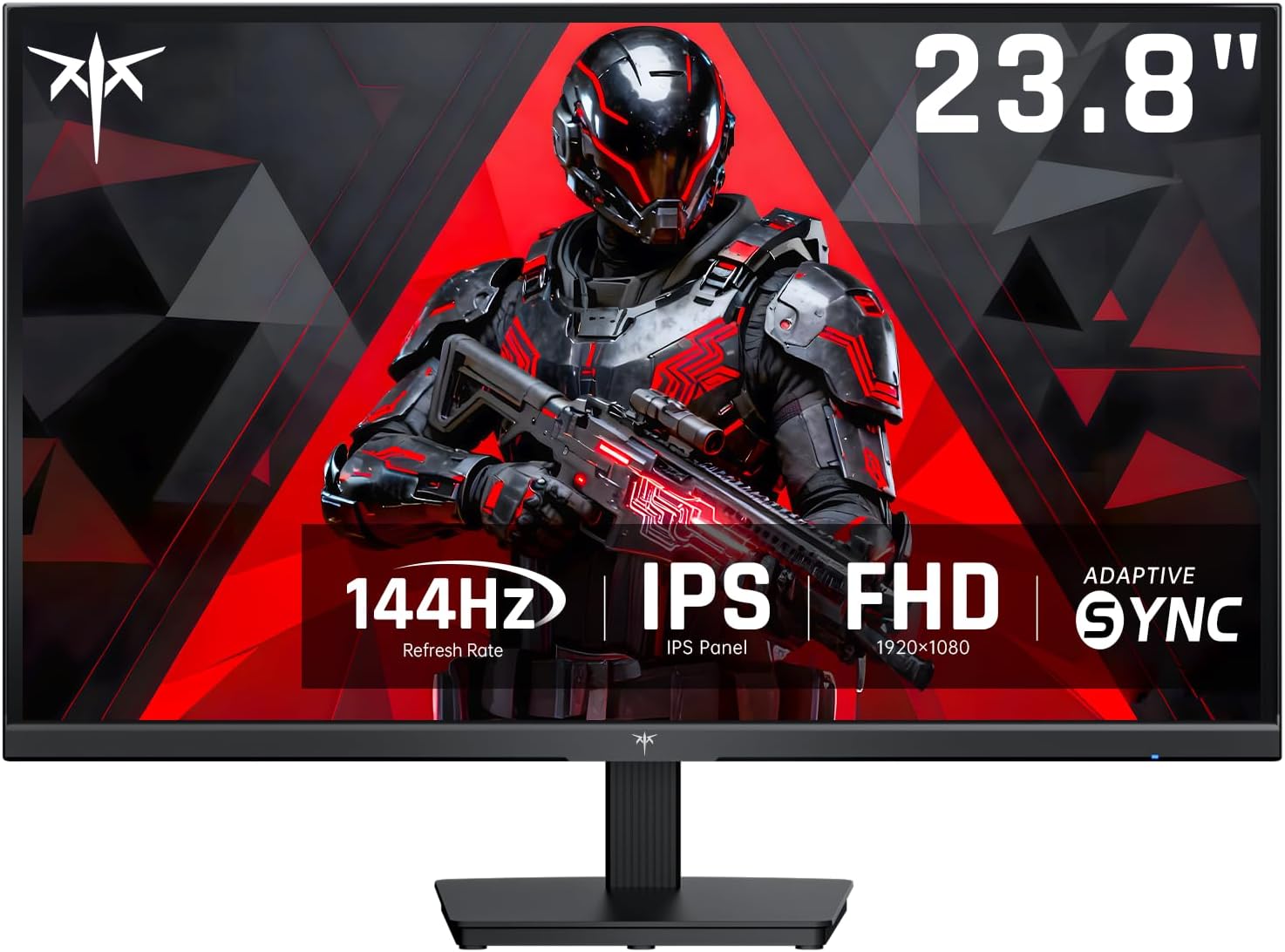 KTC H24B9S 24-Inch 144Hz IPS Monitor
|
6.5/10 | Buy | ||
 SANSUI 24-Inch 200Hz Gaming Monitor
|
6.3/10 | Buy | ||
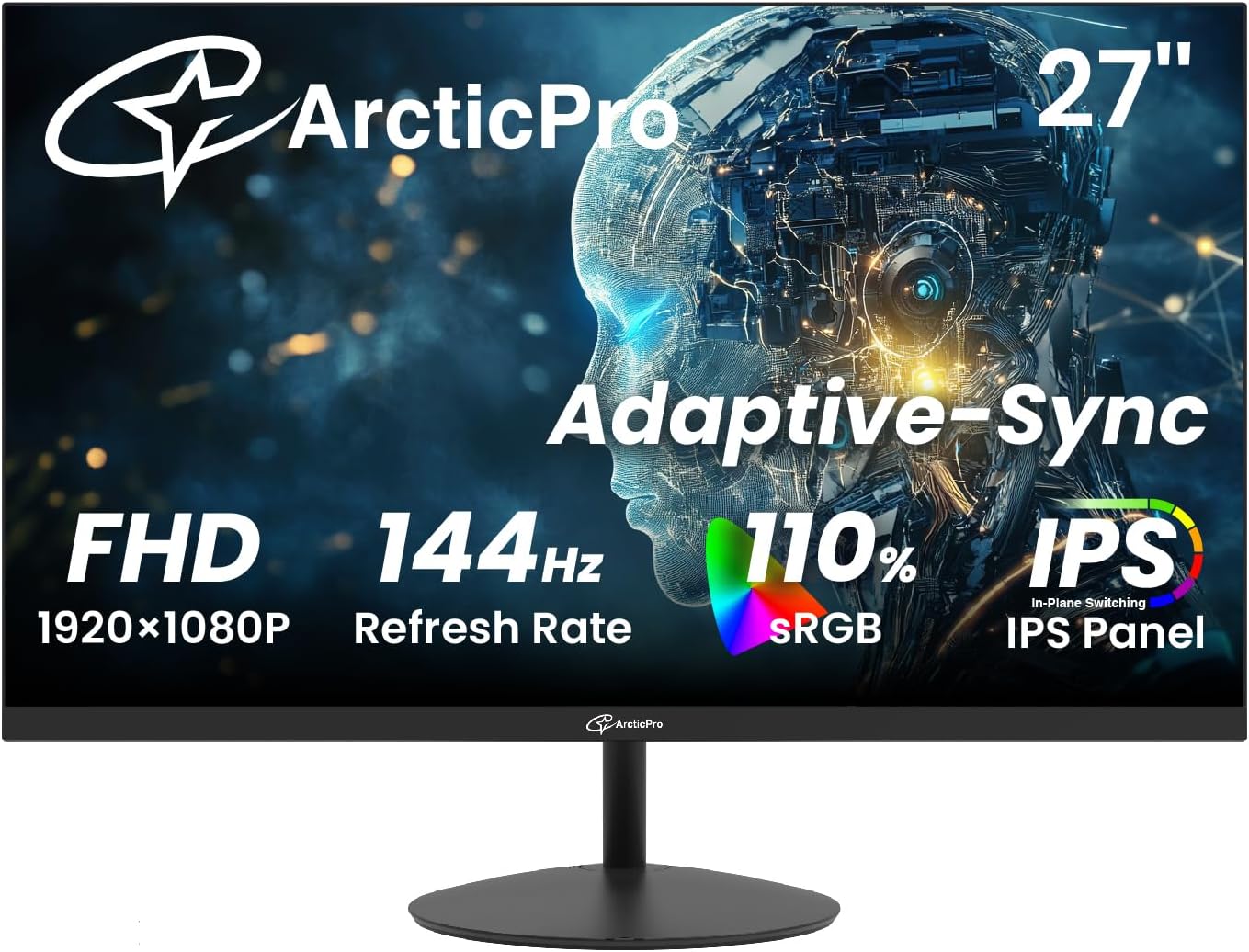 ArcticPro 27-Inch 144Hz Gaming Monitor
|
6.2/10 | Buy | ||
 Acer Nitro KG241Y 23.8" 165Hz Gaming Monitor
|
6.2/10 | Buy |
LG 27GL83A-B 27-inch QHD 144Hz Gaming Monitor
LG's UltraGear combines a sharp QHD IPS panel with 144Hz refresh and 1ms response time, making it a solid choice for gamers who prioritize color accuracy alongside smooth motion. G-Sync compatibility and FreeSync Premium support eliminate tearing across most gaming setups, while the fully adjustable stand ensures comfortable positioning during long sessions.
Pros
- IPS panel delivers 99% sRGB color accuracy with wider viewing angles than typical gaming monitors
- 1ms response time on IPS technology minimizes ghosting while maintaining color fidelity
- Dual adaptive sync support: NVIDIA G-Sync Compatible and AMD FreeSync Premium
- Fully adjustable stand with tilt, height, and pivot options for ergonomic flexibility
- 3-side virtually borderless design enhances immersion with minimal distractions
- Strong owner satisfaction with 4.6-star rating across 12,600 verified reviews
Cons
- 144Hz refresh rate is lower than competing 180Hz-240Hz monitors in similar price range
- IPS technology still adds slight input lag compared to TN panels despite 1ms rating
- No USB hub connectivity unlike some higher-tier UltraGear models
Dell S2725DSM 27-inch QHD 144Hz Monitor
This 27-inch Dell monitor delivers sharp QHD visuals paired with a 144Hz refresh rate and 1ms response time, making it suitable for both content consumption and gaming. Built-in dual speakers and extensive ergonomic adjustments add practical value, while TÜV 4-star certification addresses eye strain concerns for extended viewing sessions.
Pros
- 144Hz refresh rate with 1ms MPRT response time for smooth motion and reduced ghosting
- QHD resolution (2560x1440) with 1500:1 contrast ratio provides crisp details and vivid colors
- Comprehensive ergonomic adjustments: tilt, swivel, pivot, and 110mm height adjustment for personalized comfort
- Integrated dual 3W speakers with five preset sound profiles eliminate need for external audio
- TÜV 4-star certification with blue light reduction technology supports eye comfort during extended use
- AMD FreeSync support minimizes screen tearing for AMD graphics card users
- ENERGY STAR certified with sustainable materials (up to 95% recycled plastic in chassis)
Cons
- Dual 3W speakers are modest in power and not ideal for serious audio work or large rooms
- 1500:1 contrast ratio is standard for IPS panels, not exceptional compared to VA alternatives
- No USB-C or Thunderbolt connectivity, limiting modern docking capabilities
Acer Nitro EDA270U 27" 180Hz Curved Gaming Monitor
A mid-range curved gaming monitor built for competitive play and immersive visuals. The 180Hz refresh rate paired with 1ms response time delivers smooth action, while the 1500R curve and 2560 x 1440 resolution create depth without breaking the bank. Best for gamers seeking a balance between performance and visual quality.
Pros
- 180Hz refresh rate with 1ms response time for competitive gaming performance
- 1500R curved 27" panel enhances immersion and reduces eye strain
- 2560 x 1440 WQHD resolution provides sharp detail and wider color gamut than 1080p
- AMD FreeSync Premium eliminates screen tearing across supported graphics cards
- VESA mountable with ergonomic tilt adjustment for flexible setup
Cons
- Limited port selection (single DisplayPort 1.2, only two HDMI 2.0 ports) restricts multi-device connectivity
- No mention of USB hub or advanced connectivity features typical of higher-tier gaming monitors
- HDR10 support without dedicated local dimming may limit HDR impact in dark scenes
Dell S2425HSM 24-inch 144Hz FHD Monitor
This 24-inch Dell monitor pairs gaming-focused specs with everyday usability, delivering 144Hz refresh rates and 1ms response times for smooth motion alongside built-in dual speakers and ergonomic adjustability. The TÜV 4-star eye comfort certification and blue light reduction appeal to extended-use scenarios, while AMD FreeSync support rounds out the entertainment package without premium pricing.
Pros
- 144Hz refresh rate with 1ms MPRT response time provides tear-free performance for gaming and fast-motion content
- Integrated dual 3W speakers with five preset sound profiles eliminate need for external audio in casual viewing
- Comprehensive ergonomic adjustments (height, tilt, pivot, swivel) accommodate various desk setups and postures
- TÜV 4-star certified with blue light reduction maintains visual comfort during extended use
- ENERGY STAR certified with 100% recyclable packaging demonstrates sustainability commitment
Cons
- 1920x1080 FHD resolution may feel limiting for detailed creative work or larger screen sizes compared to 1440p alternatives
- Dual HDMI connectivity only, lacks DisplayPort which some users prefer for gaming or professional workflows
- Built-in speakers, while convenient, are unlikely to match standalone audio quality for serious music or movie enthusiasts
MSI PRO MP243L E14 24-inch 144Hz Gaming Monitor
A 24-inch Full HD IPS monitor built for gamers and productivity users who want smooth motion without breaking the bank. The 144Hz refresh rate and AMD FreeSync eliminate screen tearing, while certified flicker-free and low blue light tech reduce eye strain during long sessions. Best suited for casual competitive gaming and office work rather than professional color-critical tasks.
Pros
- 144Hz refresh rate delivers noticeably smoother motion than standard 60Hz monitors, ideal for fast-paced games
- AMD FreeSync syncs with compatible GPUs to eliminate screen tearing and stuttering
- TUV Rheinland certified flicker-free and low blue light tech minimizes eye fatigue
- IPS panel with 178-degree viewing angles and 1500:1 contrast ratio ensures accurate colors from any position
- Tilt-adjustable stand and VESA mount compatibility offer flexible desk setup options
Cons
- 1920x1080 resolution on a 24-inch screen may feel dated compared to newer 1440p gaming monitors at similar price points
- FreeSync only works with AMD GPUs; NVIDIA users won't benefit from the adaptive sync feature
- No USB hub or advanced connectivity beyond HDMI 2.0 and VGA ports
ASUS TUF Gaming VG249QE5A 24-inch 146Hz Monitor
A competitive 1080p gaming monitor built for fast-paced titles, featuring a 146Hz overclock capability and IPS panel that balances speed with color accuracy. ELMB Sync technology pairs motion blur reduction with adaptive refresh rates to minimize tearing, while Shadow Boost helps visibility in dark game scenes. Best suited for esports and FPS players who prioritize responsiveness over ultra-high resolution.
Pros
- 146Hz overclock refresh rate with 1ms response time delivers smooth motion for competitive gaming
- ELMB Sync eliminates ghosting and tearing simultaneously, a rare pairing at this spec level
- IPS panel provides wider viewing angles and 125% sRGB gamut for better color than typical TN gaming monitors
- Variable Overdrive adapts dynamically to frame rate changes for consistent image quality
- Ergonomic stand with tilt adjustment and VESA compatibility for flexible mounting
Cons
- 1080p resolution at 24 inches means pixel density is lower than 1440p alternatives, noticeable up close for non-gaming work
- ELMB Sync performs optimally only above 85Hz, limiting its effectiveness at lower frame rates
- Limited to HDMI 2.0 and DisplayPort 1.2, which may cap bandwidth for future high-refresh displays
MSI PRO MP241 E14V 24-inch 144Hz Office Monitor
A versatile 24-inch display built for productivity and casual gaming, the PRO MP241 E14V pairs a 144Hz refresh rate with office-friendly features like TÜV-certified eye care and adaptive sync. The EyesErgo tech, anti-flicker coating, and MSI Display Kit software make extended work sessions more comfortable, while the built-in mini-PC mount and accessory slot add practical convenience for desk setups.
Pros
- 144Hz refresh rate delivers smooth motion for both work and gaming without premium pricing
- TÜV-certified eye care with anti-flicker and reduced blue light minimizes fatigue during long sessions
- Built-in Mini-PC mount and MSI Power Link simplify cable management and device control
- Multiple connectivity options including HDMI and DisplayPort ensure compatibility across devices
- 4.5-star rating from 88 verified reviews indicates solid real-world reliability
Cons
- 1920x1080 FHD resolution is standard for 24-inch displays, limiting detail for design work compared to higher-resolution alternatives
- Limited information on color accuracy and HDR performance suggests it prioritizes productivity over creative professional workflows
- MSI software ecosystem (Display Kit, Eye-Q Check) requires additional setup and may not appeal to users preferring simpler plug-and-play monitors
Dell SE2426H 24-inch 144Hz IPS Monitor
This Dell 24-inch display pairs a 144Hz refresh rate with IPS color accuracy, making it a solid choice for both gaming and creative work. The 1ms response time and AMD FreeSync support deliver smooth motion, while TÜV Rheinland 3-star certification prioritizes eye comfort without sacrificing color quality.
Pros
- 144Hz refresh rate with 1ms MPRT response time for fluid, tear-free motion
- IPS panel ensures excellent color accuracy and 178-degree viewing angles
- TÜV Rheinland 3-star eye comfort certification reduces blue light exposure
- Ultra-thin bezels maximize screen real estate
- AMD FreeSync support eliminates screen tearing for AMD GPU users
Cons
- Limited to 1920x1080 resolution on a 24-inch screen, resulting in moderate pixel density
- No USB-C or DisplayPort connectivity mentioned, only HDMI inputs
- 144Hz performance optimized for gaming, less relevant for static work or office use
KTC H24B9S 24-Inch 144Hz IPS Monitor
A straightforward 1080p gaming monitor that pairs a 144Hz refresh rate with an IPS panel and accurate color reproduction. Built for players and content creators who value smooth gameplay without sacrificing image quality, though the FHD resolution caps detail on larger screens.
Pros
- 144Hz refresh rate with Adaptive-Sync for fluid gaming and reduced input lag
- IPS panel with 99% sRGB and color accuracy (ΔE<2) suitable for design work
- Low-blue light filter helps reduce eye strain during extended use
- Dual connectivity with HDMI 1.4 and DisplayPort 1.2
- Tilt adjustment for ergonomic positioning
Cons
- 1920x1080 resolution feels cramped on a 24-inch screen for detailed work
- No VESA mount support limits stand flexibility and space-saving options
- Limited port selection compared to newer models, older HDMI/DP standards
SANSUI 24-Inch 200Hz Gaming Monitor
A budget-friendly 1080p gaming monitor built for competitive play, featuring a 200Hz refresh rate and 1ms response time to minimize lag during fast-paced games. The 110% sRGB color gamut and HDR support deliver solid color accuracy for work and content creation, while FreeSync technology pairs well with AMD graphics cards. Best suited for esports players and streamers who prioritize smooth performance over high resolution.
Pros
- High 200Hz/160Hz refresh rate with 1ms MPRT response time for fluid, lag-free gameplay
- FreeSync support eliminates screen tearing on compatible AMD GPUs
- Good color coverage at 110% sRGB with HDR and 4000:1 contrast for content creation
- Game-specific crosshairs and overlays (timer, RTS, FPS, racing modes) built in
- Eye care features including anti-flicker and low blue light technology for extended sessions
- Dual connectivity with HDMI and DisplayPort ports, VESA mount compatible
Cons
- 1080p resolution on a 24-inch panel may feel less sharp compared to 1440p alternatives at similar price points
- No built-in speakers, requiring external audio solution
- Limited warranty details provided; 30-day money-back guarantee is standard but shorter than many competitors
ArcticPro 27-Inch 144Hz Gaming Monitor
A budget-friendly 27-inch gaming display that combines a 144Hz refresh rate with IPS color accuracy, making it suitable for both competitive gaming and creative work. The 1ms response time and adaptive sync technology deliver smooth visuals, while the wide color gamut (110% sRGB) appeals to designers seeking affordable color-accurate alternatives.
Pros
- 144Hz refresh rate with 1ms response time for smooth gaming performance
- IPS panel with 110% sRGB and wide viewing angles, useful for color-sensitive tasks
- Anti-blue light and eye care features reduce strain during extended sessions
- 3-sided frameless design maximizes screen real estate
- VESA wall mount compatible and includes HDMI and DisplayPort connectivity
Cons
- Full HD 1080p resolution on a 27-inch screen results in lower pixel density compared to 1440p alternatives
- No built-in speakers, requiring external audio solution
- Limited to 30W power consumption spec, which may indicate modest brightness capabilities
Acer Nitro KG241Y 23.8" 165Hz Gaming Monitor
A competitive gaming monitor built around speed and smoothness. The 165Hz refresh rate and 1ms response time deliver fluid motion for fast-paced titles, while AMD FreeSync Premium eliminates screen tearing. Full HD resolution keeps performance snappy, though the 23.8-inch size suits desk-focused gamers more than those seeking expansive immersion.
Pros
- 165Hz refresh rate with 1ms response time minimizes input lag and ghosting for responsive gameplay
- AMD FreeSync Premium syncs monitor refresh with GPU output, eliminating screen tearing
- VA panel with HDR10 support and multiple gaming modes for customizable color profiles
- Zero-frame design and compact footprint allow side-by-side multi-monitor setups
- Flicker-free, low-dimming ComfyView technology reduces eye strain during long sessions
Cons
- Full HD resolution at 23.8 inches leaves less screen real estate than 1440p alternatives at similar sizes
- VA panel may have narrower viewing angles compared to IPS panels, affecting off-axis visibility
- Limited to 72% NTSC color saturation, making it less ideal for content creation or color-critical work
144Hz Monitors Buying Guide
Shopping for a 144Hz monitor in 2026 means navigating a market filled with overlapping specs and marketing buzzwords. The six criteria below are the ones that actually matter when you sit down in front of the screen day after day.
Understanding each one will help you match a panel to your specific workflow or gaming setup rather than simply chasing the highest number on the spec sheet.
If you are also building or upgrading the rest of your rig, pairing a fast display with capable graphics cards is essential to actually reaching and sustaining those high frame rates.
Panel Type: IPS, VA, or TN?

Panel technology is the single biggest factor that shapes color accuracy, contrast, and viewing angle.
IPS panels deliver the widest viewing angles and the most accurate, vibrant colors out of the box, making them the most versatile choice for mixed gaming and productivity use.
Nearly every strong contender in our list, including picks from LG, Dell, MSI, and ASUS, uses IPS technology for exactly this reason.
VA panels trade some color accuracy for significantly deeper native contrast ratios, which makes blacks look genuinely black rather than grey. This is a meaningful advantage in dark game environments or when watching movies with the lights down.
The Acer Nitro curved options in our list use VA technology and benefit from that extra depth.
TN panels, once dominant in competitive gaming for their raw speed, have largely been displaced at this price tier by IPS panels that now match or exceed them in response time while looking far better.
Bottom line: choose IPS if color accuracy and wide viewing angles matter to you, choose VA if you watch a lot of dark content in a dim room, and avoid TN unless you are playing at the absolute highest competitive level and response time is your only metric.
Resolution: 1080p vs. 1440p
At 144Hz, you have a genuine choice between Full HD (1920×1080) and Quad HD (2560×1440), and the right answer depends almost entirely on your GPU.
A 1080p panel at 24 inches is sharp enough for most people and places the lightest possible load on your graphics hardware, meaning you are more likely to actually reach and sustain 144fps in demanding titles.
Several strong 1080p options in our list, including models from Dell, MSI, and ASUS, hit a price point that makes the overall build cost very manageable.
A 1440p panel at 27 inches offers a noticeably crisper image without crossing into 4K territory where GPU requirements become extreme.
The LG 27GL83A-B and the Dell S2725DSM both sit at 27-inch QHD and represent the sweet spot of resolution versus performance for mid-range gaming rigs.
If your GPU cannot consistently push above 100fps at 1440p in your most-played games, you will be leaving refresh-rate headroom on the table.
For anyone pairing a new monitor with a compact system, compact mini PCs have become capable enough to drive 1080p at 144Hz in many titles, making a Full HD panel a smart match for that category of hardware.
Adaptive Sync: AMD FreeSync vs. NVIDIA G-Sync
Adaptive sync technology eliminates screen tearing and reduces stutter by synchronizing the monitor’s refresh rate to the frame rate your GPU is actually outputting at any given moment.
Without it, you either experience tearing artifacts or must enable V-Sync, which introduces input lag.
Every monitor in our list includes either AMD FreeSync or NVIDIA G-Sync compatibility, so this is not a differentiator between picks so much as a baseline expectation you should hold for any 144Hz purchase.
AMD FreeSync Premium is the certification to look for over plain FreeSync; it guarantees a minimum 120Hz range and mandates low-framerate compensation (LFC) so the sync still works when frame rates dip below the panel’s VRR floor.
NVIDIA G-Sync Compatible monitors are FreeSync panels that NVIDIA has validated for use with its GPUs.
If you own or plan to buy an NVIDIA card, check whether the specific model you are considering has been validated, as unvalidated FreeSync panels can occasionally exhibit flickering at low frame rates with green team hardware.
Response Time and Motion Clarity

Response time is how quickly an individual pixel can transition from one color to another, expressed in milliseconds. Manufacturers typically advertise either GtG (grey-to-grey) or VRB (variable refresh rate boost) figures, and the two are not directly comparable.
A GtG figure of 1ms is achievable on fast IPS panels and represents genuine pixel-level speed.
A VRB figure of 1ms usually refers to the panel strobing the backlight to reduce perceived blur, which is a different technique entirely and comes at the cost of brightness.
For most gamers, a 1ms to 4ms GtG response time on a quality IPS panel will be indistinguishable in real use.
Overdrive settings in the OSD matter more than the headline spec: too little overdrive leaves ghosting behind fast-moving objects, too much creates inverse ghosting (coronas).
Look for models that offer adjustable overdrive levels so you can tune it to your content. Several picks in our list, including the ASUS TUF VG249QE5A with its Variable Overdrive feature, make this straightforward to manage.
Ergonomics and Build Quality

Ergonomic flexibility matters a great deal if you spend more than a few hours daily in front of a screen.
Height adjustment, tilt, pivot, and swivel give you the freedom to position the display at the correct eye level and angle for your body, which reduces neck and back strain over time.
Full ergonomic adjustment is a premium feature that separates some of the higher-scoring picks in our list from entry-level alternatives that offer tilt only.
The Dell S2425HSM and the LG 27GL83A-B both include full height, tilt, pivot, and swivel adjustment, which is meaningful value at their respective price tiers.
If you prefer a VESA-mounted solution using your own arm, confirm the stand-detach mechanism before buying since some budget monitors make removing the stand more difficult than it should be.
A well-chosen streaming and gaming desktop paired with a properly positioned monitor makes the whole experience dramatically more comfortable and consistent.
Connectivity and Port Selection
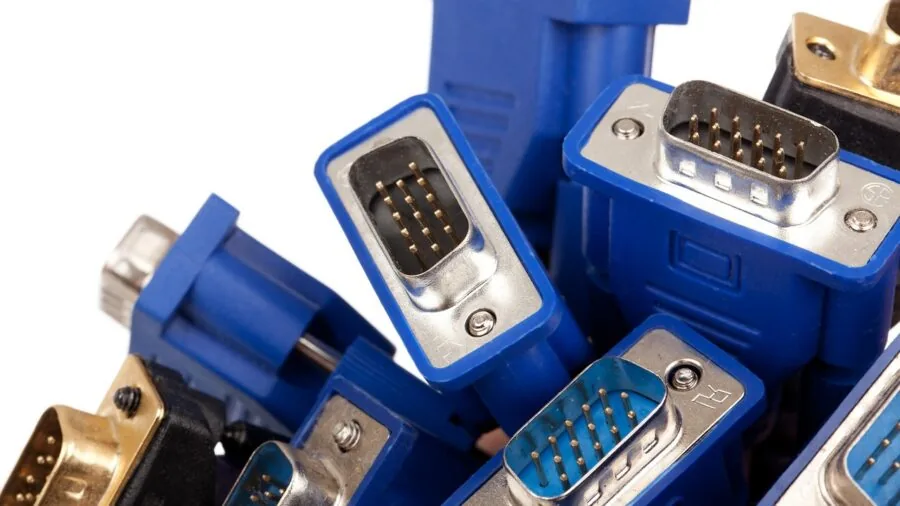
A 144Hz monitor needs the right cable standard to actually run at its rated refresh rate. DisplayPort 1.2 or higher can carry 1440p at 144Hz without issue.
HDMI 2.0 can handle 1080p at 144Hz and 1440p at up to 144Hz depending on the implementation, but HDMI 1.4 tops out at 1080p and 120Hz.
Always verify the physical port version on both your GPU and the monitor before assuming you will hit the rated spec.
Built-in speakers are present on a handful of picks in our list, including both Dell Plus models.
They will not replace a proper audio setup, but they are genuinely useful for video calls, background music, or a secondary desk setup where space is limited.
If audio quality matters to you, pairing the monitor with a gaming headset with a mic is a practical solution that keeps your desk clean.
Also consider how many sources you need to connect: two HDMI ports plus a DisplayPort is a common and convenient configuration for users who switch between a gaming PC and a console.
Why You Should Trust Us
REMOVU is an independent review platform with no manufacturer relationships, no paid placements, and no obligation to favor any brand.
Every monitor in this article was assessed against a consistent set of criteria covering panel quality, refresh-rate performance, adaptive sync implementation, ergonomics, connectivity, and overall value for money.
Each model received a REMOVU Score on a scale of 0 to 10, and rankings reflect those scores rather than price, brand recognition, or commercial arrangement.
We do not conduct our own product trials; our evaluations are grounded in research, published data, expert review consensus, and verified buyer feedback.
Our methodology pulls from publicly available specifications, aggregated expert review consensus across the industry, and verified buyer feedback from confirmed purchasers. Where specifications conflict between sources, we prioritize manufacturer data and corroborate against independent measurements when available.
Transparency on affiliate relationships: REMOVU may earn a commission if you purchase through a link in this article. That commercial relationship has no influence whatsoever on scores, rankings, or which products are included or excluded.
Our editorial decisions are made independently, and a product’s affiliate commission rate plays no role in whether it appears on this list or where it is ranked.
Final Thoughts
The 144Hz monitor market in 2026 is genuinely competitive at every price tier, from entry-level Full HD panels that punch above their weight to mid-range QHD displays that offer a near-premium experience.
Whether you are building a first gaming rig, upgrading a work-from-home setup, or putting together a dual-display arrangement, there is a well-scored option in this list that fits your situation.
Below are the standout picks by use case based on our REMOVU Score assessments.
- Best Overall: LG 27GL83A-B 27-Inch Ultragear QHD IPS Gaming Monitor earns the top position by delivering a compelling combination of QHD resolution, a fast IPS panel, full ergonomic adjustability, and strong adaptive sync support, earning the highest REMOVU Score in this field.
- Best QHD Runner-Up: Dell 27 Plus QHD Monitor S2725DSM is the right pick for buyers who want a refined 27-inch 1440p experience with built-in speakers, DisplayPort 1.4, and Dell’s trusted build quality at a mid-range price.
- Best Mid-Range Curved Option: Acer Nitro 27-Inch WQHD Curved Gaming Monitor EDA270U stands out for pairing a 1500R VA curved panel with a 180Hz refresh rate ceiling and HDR10 support, making it a strong value for immersive gaming on a moderate budget.
- Best 1080p Upgrade with Full Ergonomics: Dell 24 Plus Monitor S2425HSM is the smartest Full HD choice for anyone who needs height, tilt, pivot, and swivel adjustment in a compact footprint, with AMD FreeSync and built-in speakers rounding out the package.
- Best Budget 1080p Pick: MSI PRO MP241 E14V 24-Inch IPS Office Monitor delivers a clean 144Hz IPS experience with onboard speakers and a slim bezel at a price accessible to first-time builders or secondary-display buyers, making it the most approachable entry in our lineup.
If you are assembling or upgrading a full setup around one of these displays, it is worth thinking about the rest of the chain.
A strong gaming laptop can drive a 144Hz external monitor over DisplayPort, making these picks versatile for hybrid desk and portable workflows.
For dedicated desktops, a quality PC case with good airflow keeps GPU temperatures stable and sustains consistent high-frame-rate output under load.
And if you are pairing one of these panels with storage upgrades, fast SSDs eliminate load screen bottlenecks that can otherwise interrupt an otherwise smooth 144Hz experience.
Frequently Asked Questions
Is 144Hz actually worth it over 60Hz for everyday use?
Yes, and the difference is noticeable even if you do not game at all. At 144Hz, mouse cursor movement, window dragging, and web page scrolling all appear significantly smoother and more responsive than at 60Hz.
For gaming, the improvement in motion clarity and input feel is even more pronounced. Most people who switch from 60Hz to 144Hz find it very difficult to go back.
Do I need a powerful GPU to use a 144Hz monitor?
You do not need a high-end GPU to use a 144Hz monitor. The monitor simply sets the ceiling for how many frames it can display per second.
If your GPU only outputs 80fps in a given game, the monitor will display 80fps smoothly rather than 144fps. Adaptive sync technology like AMD FreeSync ensures that whatever frame rate your GPU produces is displayed without tearing.
That said, to consistently hit 144fps in demanding modern titles at 1440p, a mid-to-upper-tier dedicated GPU is genuinely helpful. Pairing one of these monitors with capable high-refresh-rate display setups is the most effective way to maximize the investment.
What cable do I need to run 144Hz?
For 1080p at 144Hz, HDMI 2.0 or DisplayPort 1.2 will both work reliably. For 1440p at 144Hz, DisplayPort 1.2 is the safest choice; HDMI 2.0 can handle it in some implementations but may cap at 120Hz depending on the monitor’s firmware.
Always check the specific port version listed in the monitor’s specification sheet and match it to the output on your GPU or laptop.
Using an older HDMI 1.4 cable will cap you at 1080p and 120Hz regardless of what the monitor is rated for.
Is 1080p or 1440p better for a 144Hz gaming monitor?
It depends on your GPU’s performance and your primary use case. At 1080p, it is easier to hit and sustain 144fps in demanding games, and monitors are generally more affordable.
At 1440p, the image is sharper and more detailed, which matters especially on a 27-inch screen viewed from typical desktop distances.
If your GPU can consistently deliver high frame rates at 1440p in your most-played titles, the resolution upgrade is worth it. If you are GPU-limited, a 1080p panel lets you maximize the refresh rate advantage you are paying for.
Can I use a 144Hz gaming monitor for productivity and creative work?
Absolutely. The IPS panels in the majority of our picks deliver accurate color reproduction and wide viewing angles that are well-suited to photo editing, video work, and document-heavy workflows.
The smoother motion at 144Hz also benefits productivity by making text scrolling and window management feel more fluid.
For photo and video work where color accuracy is critical, look for panels that cover a high percentage of the sRGB color space, which several picks in our list achieve.
If your setup also involves a secondary or portable screen, our roundup of portable monitors pairs naturally with one of these as a primary display.
How does a 144Hz monitor compare to a 165Hz or 180Hz panel?
The perceptible difference between 144Hz and 165Hz is minimal for most users. Between 144Hz and 180Hz there is a slightly larger gap, but it remains subtle unless you are playing at very high frame rates consistently.
What matters more than the exact refresh rate ceiling is the overall quality of the panel, the implementation of adaptive sync, and the accuracy of the overdrive settings.
Several monitors in our list, including the Acer Nitro EDA270U rated at 180Hz, offer the higher ceiling without a significant price premium, making them attractive if you want headroom for the future.
For the broader display ecosystem, you may also find it useful to review high-performance TVs if you want a large-format high-refresh display for a living room gaming setup.
About the author
Jack covers camera lenses for REMOVU, evaluating sharpness, build quality, and value across popular mounts. He helps photographers match the right prime or zoom to their camera and their subjects.