The 10 Best Gaming Monitors Under $300
High refresh rates and adaptive sync no longer require a premium budget. These picks deliver fast, immersive gaming performance across a range of panel types, screen sizes, and use cases.
 By Kenzi Wood
Updated July 26, 2026
By Kenzi Wood
Updated July 26, 2026

Shopping for a gaming monitor under $300 has never been more competitive. Manufacturers are packing high refresh rates, adaptive sync, and premium panel technologies into displays that cost a fraction of what enthusiasts paid just a few years ago.
Whether you are upgrading from an aging office screen or building your first dedicated gaming setup, the right monitor can dramatically change how responsive, immersive, and enjoyable your games feel.
Pairing a great display with capable graphics cards is one of the highest-impact investments you can make for your overall gaming experience.
REMOVU researched and assessed each option in this guide by synthesizing manufacturer specifications, expert review consensus across the monitor category, and verified buyer feedback from confirmed purchasers.
Our goal is to cut through the noise so you can spend your budget where it actually matters.
From budget-friendly budget picks to well-rounded all-rounders that punch well above their price, the picks below represent the strongest value in the under-$300 gaming monitor space right now. Scroll down to see our ranked recommendations.
| Award | Product | REMOVU Score About REMOVU ScoreThe REMOVU Score is our own rating from 0 to 10, based on performance, design and build, ease of use, and value. It reflects independent research and is never influenced by manufacturers, retailers, or affiliate commissions. Learn more › | Price | |
|---|---|---|---|---|
| Best Overall |
 MSI MAG 274CF X24 27-inch 240Hz Gaming Monitor
|
8.5/10 | Buy | |
| Best Premium |
 Samsung 27" Odyssey G3 (G30D) 180Hz Gaming Monitor
|
8.3/10 | Buy | |
 MSI PRO MP243L E14 24-inch 144Hz Gaming Monitor
|
7.3/10 | Buy | ||
| Best Budget |
 SANSUI ES-G24C1L 24-Inch 160Hz Curved Gaming Monitor
|
7.5/10 | Buy | |
 Sceptre E225W-FW144 22-Inch 144Hz Gaming Monitor
|
7.4/10 | Buy | ||
 ArcticPro 22-Inch 144Hz Gaming Monitor
|
7.3/10 | Buy | ||
| Best Value |
 Acer KB272 27-Inch 120Hz IPS Monitor
|
7.1/10 | Buy | |
 Samsung 27" S36GD Curved Monitor 100Hz
|
6.4/10 | Buy | ||
 Philips 241V8LB 24-inch FHD VA Monitor 100Hz
|
6.2/10 | Buy | ||
 Sceptre C248W 24-inch 1080p Curved Gaming Monitor
|
6.2/10 | Buy |
MSI MAG 274CF X24 27-inch 240Hz Gaming Monitor
A curved 27-inch FHD gaming monitor built for competitive play, delivering 240Hz refresh rates and 0.5ms response times to minimize motion blur. The 1500R curve and AMD FreeSync Premium support create smooth, tear-free gameplay across fast-paced titles. Best suited for players prioritizing frame rate over pixel density.
Pros
- Exceptional 240Hz refresh rate with 0.5ms response time for responsive competitive gaming
- 1500R curved VA panel enhances immersion and field of view
- AMD FreeSync Premium with LFC eliminates screen tearing
- AI Vision technology reveals detail in dark areas without oversaturation
- Anti-Flicker and reduced blue light minimize eye strain during extended sessions
Cons
- 1920x1080 FHD resolution may feel dated on a 27-inch panel, resulting in visible pixelation for some users
- VA panel characteristics can produce slower horizontal motion clarity compared to IPS alternatives
- Limited connectivity with only HDMI and VGA ports, no DisplayPort option
Samsung 27" Odyssey G3 (G30D) 180Hz Gaming Monitor
Samsung's 27-inch Odyssey G3 delivers smooth competitive gaming with a 180Hz refresh rate and 1ms response time, supported by AMD FreeSync to eliminate tearing. The monitor includes practical gaming features like Black Equalizer for shadow visibility and Virtual Aim Point for precision, plus an adjustable ergonomic stand for extended play sessions.
Pros
- 180Hz refresh rate with 1ms response time (MPRT) for fluid, low-blur gameplay
- AMD Radeon FreeSync syncs monitor and GPU refresh rates to reduce image tearing
- Black Equalizer and Virtual Aim Point enhance visibility and targeting accuracy
- Eye Saver Mode reduces blue light and flicker for comfortable extended gaming
- 3-sided borderless design and adjustable stand enable flexible multi-monitor setups
Cons
- FHD resolution (1920x1080) at 27 inches may appear less sharp than higher-res alternatives
- No built-in speakers or USB connectivity, limiting convenience for streamlined desk setups
- Some advanced features like Black Equalizer require specific monitor settings to perform optimally
MSI PRO MP243L E14 24-inch 144Hz Gaming Monitor
A 24-inch Full HD IPS monitor built for gamers and productivity users who want smooth motion without breaking the bank. The 144Hz refresh rate and AMD FreeSync eliminate screen tearing, while certified flicker-free and low blue light tech reduce eye strain during long sessions. Best suited for casual competitive gaming and office work rather than professional color-critical tasks.
Pros
- 144Hz refresh rate delivers noticeably smoother motion than standard 60Hz monitors, ideal for fast-paced games
- AMD FreeSync syncs with compatible GPUs to eliminate screen tearing and stuttering
- TUV Rheinland certified flicker-free and low blue light tech minimizes eye fatigue
- IPS panel with 178-degree viewing angles and 1500:1 contrast ratio ensures accurate colors from any position
- Tilt-adjustable stand and VESA mount compatibility offer flexible desk setup options
Cons
- 1920x1080 resolution on a 24-inch screen may feel dated compared to newer 1440p gaming monitors at similar price points
- FreeSync only works with AMD GPUs; NVIDIA users won't benefit from the adaptive sync feature
- No USB hub or advanced connectivity beyond HDMI 2.0 and VGA ports
SANSUI ES-G24C1L 24-Inch 160Hz Curved Gaming Monitor
This 24-inch curved VA display targets budget-conscious gamers seeking smooth motion and immersive visuals. The 160Hz refresh rate paired with 1ms response time and FreeSync support deliver responsive gameplay, while the 1500R curve and HDR capability enhance the viewing experience. Best suited for competitive FPS and RTS players on a tight budget.
Pros
- 160Hz refresh rate with 1ms MPRT response time for smooth, lag-free gaming
- 1500R curved panel creates immersive, wide field of view without premium pricing
- Dual high-bandwidth ports: HDMI 2.0 and DisplayPort 1.4 both support full 160Hz
- VA panel delivers strong 3000:1 contrast ratio and deep blacks
- Game-focused features including multiple game modes, crosshair overlay, and game timer
Cons
- FHD 1080p resolution may feel dated for non-gaming content on a 24-inch screen
- No built-in speakers despite audio jack, requiring external speaker purchase
- 110% sRGB gamut limits color accuracy for professional creative work
Sceptre E225W-FW144 22-Inch 144Hz Gaming Monitor
A compact 22-inch gaming monitor delivering 1080p visuals at up to 144Hz refresh rates, paired with integrated speakers and blue light reduction technology. The minimal bezel design makes it suitable for dual-monitor setups, while built-in audio eliminates the need for external speakers on smaller desks. Best suited for budget-conscious gamers and office workers prioritizing refresh rate and eye comfort.
Pros
- 144Hz refresh rate for smooth gaming performance at 1080p resolution
- Built-in speakers reduce desk clutter and provide baseline audio without external equipment
- Blue-Light Shift technology helps reduce eye strain during extended viewing sessions
- Minimal bezel design enables seamless multi-monitor configurations
- Solid 4.5-star rating from nearly 1,000 verified reviews indicates reliable user satisfaction
Cons
- 22-inch screen is relatively small for competitive gaming or detailed work, limiting immersion and workspace visibility
- 1080p resolution on a gaming monitor at this size may feel dated compared to 1440p alternatives in the same price range
- No specifications provided regarding brightness, contrast ratio, or response time, making it difficult to assess color accuracy and gaming responsiveness
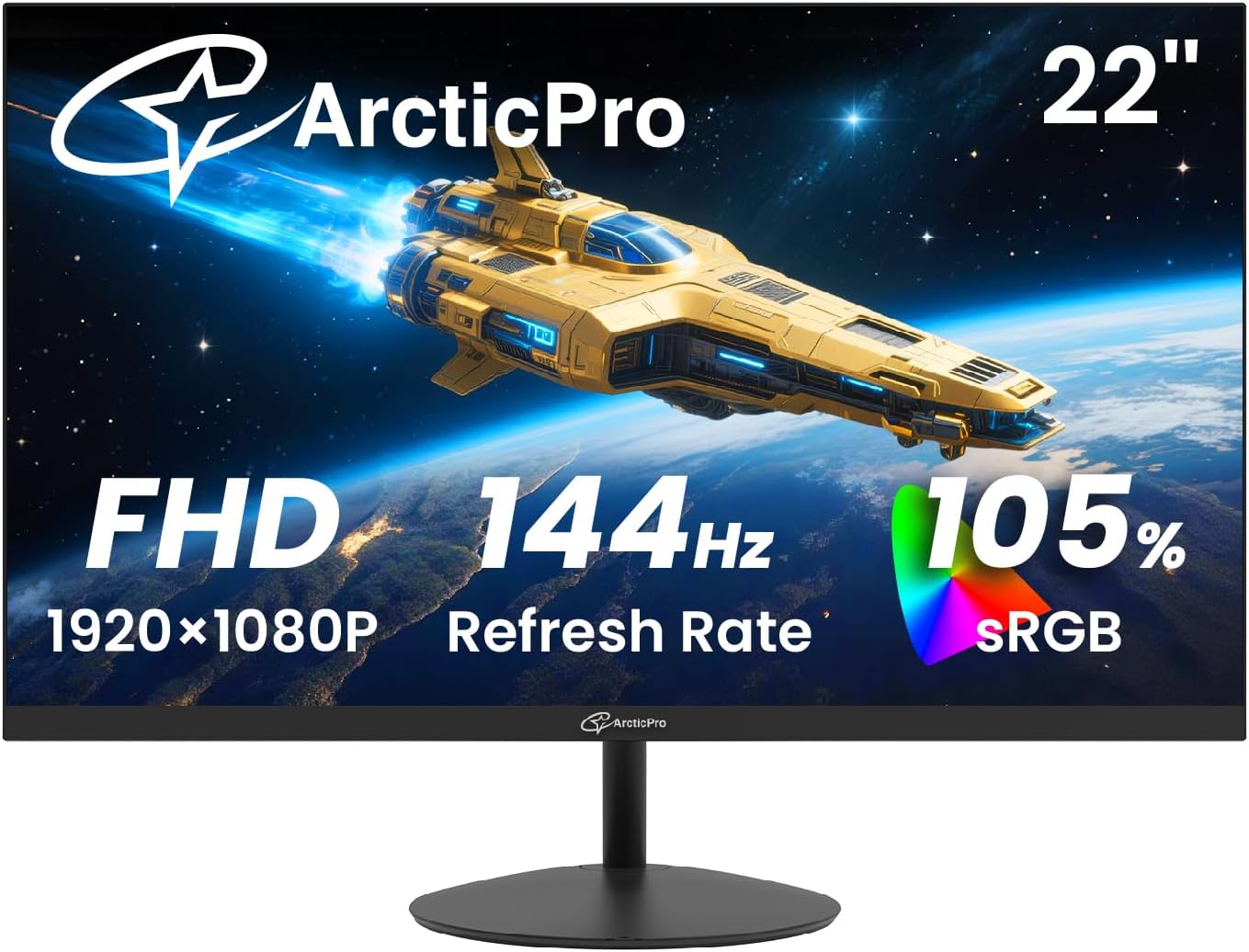
ArcticPro 22-Inch 144Hz Gaming Monitor
A budget-friendly 1080p gaming monitor built for smooth performance at 144Hz refresh rate. The 22-inch screen combines eye care technology with a 3-sided frameless design, making it practical for both competitive gaming and everyday productivity. Best suited for gamers prioritizing frame rate over screen real estate.
Pros
- High 144Hz refresh rate with rapid response time delivers smooth motion for gaming and reduces motion blur
- Full HD 1080p resolution with 105% sRGB and 4000:1 contrast ratio ensures vibrant, sharp visuals
- Anti-blue light and eye care features help minimize strain during extended use
- 178-degree wide viewing angles and adjustable tilt support comfortable viewing from multiple positions
- VESA 75x75mm wall mount compatible for flexible display setup
- Dual input options (HDMI 1.4, VGA) provide connection flexibility
Cons
- No built-in speakers or audio output port, requiring external audio solution
- 22-inch screen size is relatively compact for immersive gaming or detailed work
- Limited to HDMI 1.4 and VGA inputs on this model, lacking modern DisplayPort connectivity
Acer KB272 27-Inch 120Hz IPS Monitor
This 27-inch Acer monitor delivers solid performance for everyday computing and casual gaming with its 1920x1080 IPS display, 120Hz refresh rate, and FreeSync support. The 1ms response time and Adaptive-Sync eliminate tearing during video playback and gaming, while the 99% sRGB coverage ensures accurate color reproduction across viewing angles.
Pros
- 1ms response time and up to 120Hz refresh rate for smooth motion without ghosting or smearing
- Adaptive-Sync (FreeSync) support matches monitor refresh rate with graphics card for tear-free gameplay
- 99% sRGB color accuracy and IPS panel deliver consistent color performance from wide viewing angles
- Frameless bezel design and thin enclosure for modern aesthetics
- Eye protection technology reduces strain during extended viewing sessions
Cons
- 1920x1080 resolution on a 27-inch screen results in lower pixel density compared to 1440p or 4K alternatives
- 250 nits brightness may be insufficient for very bright rooms or outdoor viewing
- Limited to HDMI and VGA connectivity, lacking modern ports like DisplayPort or USB-C
Samsung 27" S36GD Curved Monitor 100Hz
This 27-inch curved display brings immersive gaming and everyday computing to a budget-friendly package. The 1800R curve and 100Hz refresh rate work together to reduce motion blur and enhance depth perception, while TÜV-certified eye comfort features help minimize strain during extended sessions. Best suited for casual gamers and office workers who value screen real estate without breaking the bank.
Pros
- 1800R curved panel enhances immersion and reduces peripheral distractions
- 100Hz refresh rate delivers smoother motion for gaming and video playback
- Advanced eye comfort technology with blue light reduction and flicker control certified by TÜV
- Game Mode optimizes color and contrast for better visibility in dark scenes
- Dual connectivity with HDMI and D-Sub for flexible device compatibility
Cons
- FHD resolution on a 27-inch screen results in lower pixel density compared to 1440p alternatives
- Default refresh rate set to 60Hz, requires manual adjustment in settings to unlock 100Hz capability
- VA panel technology may have narrower viewing angles than IPS alternatives in the comparison lineup
Philips 241V8LB 24-inch FHD VA Monitor 100Hz
A solid 24-inch office and light gaming monitor that balances work and entertainment. The VA panel delivers strong contrast and wide viewing angles, while 100Hz refresh rate with Adaptive Sync handles everyday tasks and casual gaming without breaking the bank. Eye-care features like flicker-free technology and low blue light make it suitable for extended screen time.
Pros
- VA panel with 178-degree viewing angles ensures consistent colors from any seat
- 100Hz refresh rate with Adaptive Sync for smooth motion in work and gaming scenarios
- Flicker-free technology and low blue light mode reduce eye strain during long sessions
- Nearly bezel-free three-side design enables seamless multi-monitor setups
- 4ms response time and 16.7 million colors provide crisp visuals for professional work
Cons
- 100Hz refresh rate is modest compared to modern gaming monitors, limiting competitive advantage
- Limited connectivity with only HDMI 1.4, lacking modern DisplayPort or USB-C options
- VA panel may show slower pixel transitions in fast-paced content despite 4ms rating
Sceptre C248W 24-inch 1080p Curved Gaming Monitor
This 24-inch curved display brings immersive gaming to a budget-friendly package with its 1800R curvature and 1080p resolution. The 75Hz refresh rate and dual HDMI inputs make it accessible for casual gamers and general productivity work, backed by strong user satisfaction ratings of 4.6 stars from over 22,000 reviews.
Pros
- 1800R curved screen creates an immersive, wrap-around visual experience
- 98% sRGB color accuracy delivers solid color reproduction for gaming and media
- Dual HDMI and VGA inputs provide flexible connectivity with multiple devices
- VESA wall mount ready for space-saving setups
- Built-in speakers eliminate need for external audio solution
- Durable metal design with smooth brush finish
Cons
- 75Hz refresh rate is entry-level, limiting smooth performance in fast-paced competitive games
- 1080p resolution on 24 inches shows visible pixels compared to 1440p alternatives at this size
- No USB hub or advanced ergonomic adjustment options mentioned in specifications
Gaming Monitors Under $300 Buying Guide
The market for affordable gaming monitors is crowded with models that look identical on paper but deliver very different experiences in practice.
Understanding what each specification actually means for your daily gaming sessions will help you pick the display that fits your habits, your GPU, and your space.
The sections below break down the criteria that matter most, in the order most buyers should consider them.
Panel Type: VA, IPS, or TN?

Panel technology is the single biggest factor shaping image quality. VA (vertical alignment) panels deliver the deepest contrast ratios in this price range, often exceeding 3000:1, which makes dark scenes in RPGs and shooters look dramatically richer.
The trade-off is that VA panels can exhibit some ghosting during fast lateral movement, though modern MPRT modes reduce this considerably. If deep blacks and punchy colours matter most to you, VA is a strong choice in the under-$300 bracket.
IPS panels offer wider viewing angles and more accurate colour reproduction out of the box, making them excellent for gamers who also use their monitor for creative work or streaming.
Grey-to-grey response times on modern IPS panels at this price point are competitive enough for most gaming genres.
TN panels are largely being phased out of mainstream lineups at this tier, and while they can achieve very fast pixel responses, their washed-out colours and poor vertical viewing angles make them hard to recommend unless raw speed is your only concern.
Curved screens, which use a 1500R or 1800R bend radius, are a subset found mostly among VA panels in this price range.
They can enhance immersion for simulation, RPG, and open-world titles, but they are less ideal for competitive shooters where a perfectly flat geometry helps with spatial awareness. Consider your primary game genres before prioritising curvature over panel type.
Refresh Rate: How High Is High Enough?
Refresh rate, measured in hertz (Hz), determines how many frames per second your monitor can display.
Moving from a 60 Hz panel to 144 Hz produces a transformation most gamers can perceive immediately: menus scroll smoothly, crosshairs track accurately, and animations look fluid rather than choppy.
In the under-$300 category, 144 Hz has become the practical baseline, with 160 Hz and 180 Hz options available at minimal extra cost.
Monitors reaching 240 Hz exist in this budget too, though they are typically paired with a 1080p resolution to keep GPU demands manageable.
The real-world benefit of pushing from 144 Hz to 240 Hz is noticeable primarily in competitive genres: first-person shooters, fighting games, and battle royale titles where every millisecond of visual clarity can influence your reaction.
For story-driven games, open-world exploration, or strategy titles, anything above 120 Hz will feel very comfortable. Match your refresh rate ambition to your GPU’s ability to actually sustain those frame rates in your preferred titles.
A gaming PC built for streaming will benefit especially from higher-Hz panels when running demanding games simultaneously.
Also check whether the monitor’s maximum refresh rate requires DisplayPort rather than HDMI. Some monitors in this category cap HDMI at 144 Hz while achieving their rated maximum only through DisplayPort.
If your GPU or console provides only HDMI, confirm you will actually reach the advertised refresh rate through that connection before purchasing.
Resolution: 1080p Versus 1440p at This Budget
The majority of gaming monitors under $300 ship at 1920 x 1080 (Full HD / 1080p).
At screen sizes of 24 to 27 inches, 1080p delivers a pixel density that most gamers find perfectly adequate for fast-paced titles, and it places the lowest possible demand on your GPU, allowing you to hit higher frame rates more easily.
If you are primarily a competitive gamer or your system runs a mid-range GPU, 1080p at 144 Hz or above is almost certainly the smarter choice than 1440p at lower frame rates.
That said, at 27 inches and above, 1080p pixel density begins to look noticeably soft if you sit close to the screen.
At that screen size, the step up to 1440p (2560 x 1440) brings crisper text, sharper textures, and a more detailed image in visually rich games.
Most monitors at this resolution in the under-$300 bracket are found toward the upper end of the price range, so weigh the visual upgrade against the GPU overhead it requires.
Checking our desktop computer guides can help you understand what hardware pairs well with each resolution target.
Adaptive Sync: AMD FreeSync and NVIDIA G-Sync Compatible

Adaptive sync technology synchronises your monitor’s refresh rate to your GPU’s output frame rate in real time, eliminating screen tearing without the input lag penalty of traditional V-Sync.
AMD FreeSync is the dominant standard in this price bracket and comes in several tiers: FreeSync, FreeSync Premium, and FreeSync Premium Pro.
FreeSync Premium requires a minimum 120 Hz refresh rate within the sync range and mandatory low-framerate compensation (LFC), which keeps the experience smooth even when your GPU dips below the monitor’s minimum sync threshold.
Most FreeSync monitors in this range are also NVIDIA G-Sync Compatible, meaning they have passed NVIDIA’s certification to work with GeForce GPUs.
If you own or plan to own an NVIDIA card, check the product listing for explicit G-Sync Compatible certification rather than assuming all FreeSync panels will behave identically.
The practical experience with a certified panel is very close to a native G-Sync module, at a fraction of the cost.
Connectivity and Ergonomics
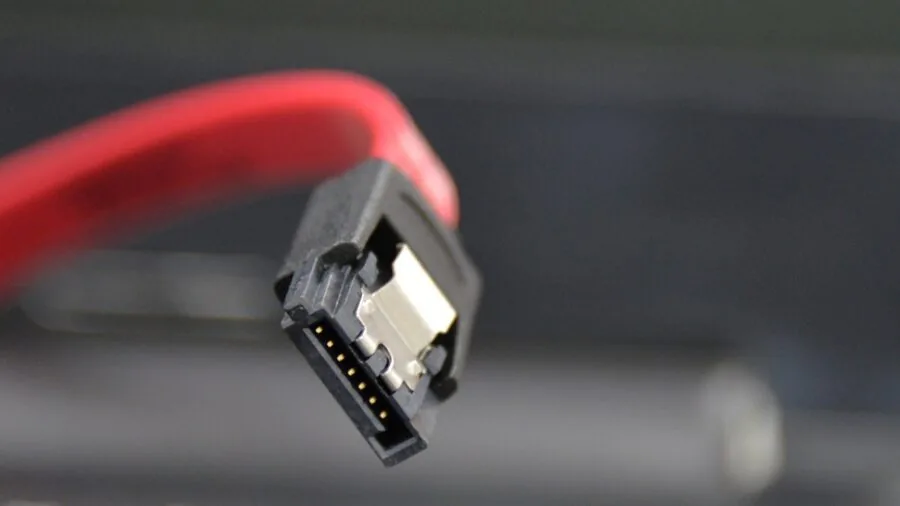
Connectivity matters more than many buyers anticipate. At minimum, look for at least one HDMI 2.0 port and one DisplayPort 1.4 port.
HDMI 2.0 supports 4K at 60 Hz or 1080p/1440p at up to 144 Hz; DisplayPort 1.4 can handle 1080p at 240 Hz or 1440p at 144 Hz without compression.
Monitors with only a single HDMI input alongside a VGA port are limiting choices if you want to connect both a PC and a console simultaneously.
Some monitors at this price add USB hubs or audio outputs, which can be genuinely useful if your desk space is limited.
Ergonomics are frequently overlooked at this price tier.
A monitor with only a tilt adjustment forces you into a fixed height that may not suit your seating position, while models with height adjustment and swivel offer far greater long-term comfort during extended gaming sessions.
VESA mounting compatibility (typically 75×75 mm or 100×100 mm at this size) gives you the option to wall-mount or use a third-party arm later.
Pairing an adjustable display with a well-considered monitors and peripherals setup turns a good workstation into a great one. Flicker-free backlights and low-blue-light modes are worth prioritising too, especially for gamers who play for multiple hours daily.
Colour Accuracy and HDR Support

Colour coverage is often expressed as a percentage of the sRGB colour gamut.
Most gaming monitors in this price range advertise 99 percent or higher sRGB coverage, which is sufficient for a vivid, saturated gaming image and accurate enough for casual content creation.
Monitors claiming DCI-P3 coverage at this price tier usually achieve it only partially; treat those figures with healthy scepticism unless backed by verified independent data.
HDR (High Dynamic Range) labelling at this price tier almost universally means HDR Ready or HDR 10 certification rather than true HDR performance.
Without a peak brightness of at least 400 nits and local dimming zones, the visible HDR improvement is modest at best.
Think of HDR support in this category as a nice-to-have rather than a buying priority, and focus instead on contrast ratio, colour coverage, and panel type for your perceived image quality.
Monitors with 3000:1 contrast ratios, like certain VA options in this list, will often look more dramatic than a mediocre HDR-badged panel with a modest contrast ratio.
Why You Should Trust Us
REMOVU is an independent review publication with no financial relationship with any monitor manufacturer featured in this guide.
Every product in this article was evaluated and scored using our structured REMOVU Score system, rated on a consistent scale of 0 to 10 across the same criteria applied to every monitor we assess: panel quality, motion performance, connectivity, ergonomics, colour accuracy, and value relative to price.
We do not conduct our own product trials; our evaluations are grounded in research, published data, expert review consensus, and verified buyer feedback.
Our research process draws on manufacturer-published specifications, consensus assessments from professional monitor reviewers, and aggregated feedback from verified buyers who have owned and used these displays.
When expert consensus and buyer experience diverge, we note the discrepancy in our scoring rather than simply averaging the two.
This approach lets us surface real-world concerns that spec sheets often obscure, such as response time overshoot, backlight bleed patterns, or OSD menu limitations.
REMOVU may earn a commission if you purchase through our affiliate links. This commercial relationship has no influence on which products appear in our rankings, what scores they receive, or how they are described.
Our recommendations are determined solely by the quality of our research and the merits of each product. We are not a retailer; we do not handle orders, returns, or warranty claims.
Final Thoughts
The gaming monitor market under $300 is remarkably strong right now.
Brands like MSI, Samsung, Sceptre, ArcticPro, Acer, Philips, and SANSUI are all competing aggressively for buyers who want high refresh rates, low response times, and solid colour performance without spending a fortune.
The monitors in this guide represent the best of what that competition has produced, scored consistently by our research team across a unified set of criteria.
Here are our top picks by category, each selected to match a specific buyer profile:
- Best Overall: MSI MAG 274CF X24 27-inch 240Hz Gaming Monitor earns our highest REMOVU Score in this group with its exceptional combination of 240 Hz refresh rate, AMD FreeSync Premium, 0.5ms response time, and a 27-inch FHD panel that handles everything from competitive shooters to immersive single-player titles. It represents the ceiling of what this price bracket can offer right now.
- Best for Competitive Gaming: Samsung 27-inch Odyssey G3 G30D 180Hz Monitor scores among the highest in our evaluation and delivers Samsung’s trusted Black Equalizer and Virtual Aim Point features alongside 180 Hz and AMD FreeSync Premium. It is a focused, polished option for players who prioritise in-game responsiveness over everything else.
- Best Budget Pick: ArcticPro 22-inch 144Hz Gaming Monitor offers an impressive feature set at an entry-level price, including a 105 percent sRGB coverage claim, 4000:1 contrast ratio, and a three-sided frameless design. Buyers on a tight budget who want genuine gaming performance will find it hard to beat for the spend.
- Best Curved Option: SANSUI 24-inch 1500R Curved 160Hz Monitor combines a fast VA panel, deep contrast, FreeSync, and both HDMI 2.0 and DisplayPort 1.4 connectivity in a curved form factor that suits immersive single-player gaming well. It is one of the more complete packages in the mid-range tier of this guide.
- Best for Everyday Versatility: MSI PRO MP243L E14 24-inch IPS 144Hz Monitor balances gaming specs with wide IPS viewing angles and 99 percent sRGB coverage, making it equally comfortable for gaming sessions, video streaming, and light creative work. Its four-sided slim bezel and VESA compatibility add long-term flexibility to its value proposition.
Whichever monitor you choose from this list, pairing it with the right system matters.
A capable gaming SSD reduces load times so your display’s high refresh rate is never wasted waiting for a level to load, and investing in quality gaming headsets rounds out the sensory experience your new monitor starts.
Browse our full monitor category for additional options across every size and budget range.
Frequently Asked Questions
Is 1080p still good enough for gaming in 2026?
Yes, absolutely. At 24 to 27 inches, 1080p delivers sufficient pixel density for fast-paced gaming, and it allows mid-range GPUs to reach the high frame rates needed to exploit 144 Hz or 240 Hz refresh rates.
For competitive gaming especially, the fluid motion of 1080p at very high frame rates is more valuable than the added sharpness of 1440p at lower frame rates. 1080p remains the dominant resolution in professional esports for exactly this reason.
Do I need AMD FreeSync if I have an NVIDIA GPU?
Most FreeSync monitors in this price range carry NVIDIA G-Sync Compatible certification, meaning they work with GeForce GPUs via the adaptive sync standard.
As long as the monitor is G-Sync Compatible certified, NVIDIA users will experience tear-free, low-latency gaming comparable to a dedicated G-Sync module. Check the monitor’s specifications page to confirm G-Sync Compatible status before purchasing if you run an NVIDIA card.
What is the practical difference between 144Hz and 240Hz for gaming?
At 144 Hz, motion already looks dramatically smoother than 60 Hz and covers most gaming genres very well. The step to 240 Hz is most noticeable in fast competitive titles where micro-stutters and motion blur during quick aim movements matter.
To benefit fully from 240 Hz, your GPU also needs to sustain those frame rates in your target games, which requires a capable system.
For story games, RPGs, and casual play, 144 Hz is more than sufficient and lets you put budget into other components.
Should I get a curved or flat gaming monitor?
Curved monitors (1500R or 1800R radius) can enhance immersion in widescreen gaming and single-player titles by wrapping the image closer to your field of view. They work best when viewed from a centred position, which suits solo desktop setups well.
For competitive shooters, many players prefer flat panels because the geometry remains consistent across the entire screen. If you frequently use your monitor for productivity tasks like spreadsheets or document editing, a flat panel is generally more practical.
Consider your dominant use case first.
How important is response time when choosing a gaming monitor?
Response time affects how clearly fast-moving objects render without ghosting or trailing. Manufacturers quote grey-to-grey (GtG) or MPRT figures; the two are measured differently and not directly comparable.
In practice, anything at or below 4ms GtG is very good for gaming. Sub-1ms MPRT figures, often achieved through backlight strobing, can introduce image brightness reduction as a side effect.
For competitive gaming, prioritise monitors with verified low response time and check whether the fast mode requires a specific refresh rate setting to activate. Portable monitors generally trade some response time for form factor, making them a separate consideration from desktop gaming panels.
Can I use a gaming monitor for console gaming?
Yes, and many of the monitors in this guide are excellent for console use. Current-generation consoles output at up to 4K or 1080p/1440p at up to 120 Hz via HDMI 2.1 or HDMI 2.0.
Confirm that the monitor you choose has an HDMI port that supports the refresh rate your console targets. Monitors with built-in speakers are particularly practical for console setups where a dedicated audio system may not be connected.
If you are building a full gaming and home entertainment corner, pairing your monitor with quality surround sound speakers creates a noticeably more immersive setup than monitor speakers alone.
About the author
Kenzi writes about external SSDs and portable hard drives for REMOVU, weighing speed, capacity, and price per terabyte. She helps readers keep files portable and safely backed up.