The 12 Best Graphics Cards for 1440P Gaming
Choosing a GPU for 1440p gaming means balancing VRAM, upscaling support, and raw frame rates. Here are the strongest options across every price tier.
 By Irene Hopkins
Updated July 26, 2026
By Irene Hopkins
Updated July 26, 2026
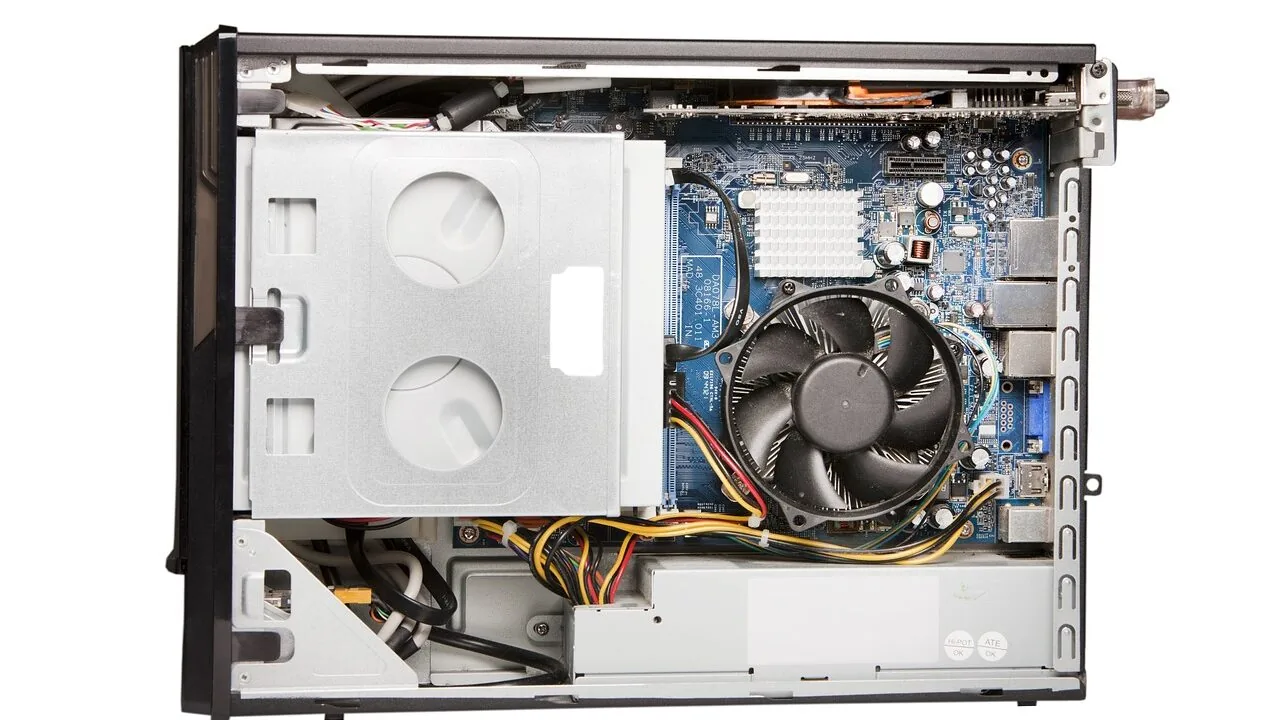
Upgrading to 1440p is one of the most impactful moves a PC gamer can make.
The resolution sits in a sweet spot between the accessibility of 1080p and the demanding nature of 4K, delivering noticeably sharper visuals, higher detail in textures and environments, and competitive frame rates on mid-to-high-end hardware.
Whether you are building a new rig or replacing an aging card, choosing the right GPU for 2560×1440 gaming requires balancing raw performance, memory bandwidth, feature sets like DLSS 4 or FSR 4, and long-term driver support.
Brands like ASUS, GIGABYTE, EVGA, MSI, ASRock, and XFX all compete at this tier, and the differences between models are not always obvious from spec sheets alone.
To help you cut through the noise, REMOVU’s editorial team compiled this guide using a research-driven approach grounded in verified specifications, expert review consensus across the GPU coverage community, and aggregated verified buyer feedback.
Every card below has been assessed and scored using our 0 to 10 REMOVU Score system so you can compare picks at a glance.
If you are pairing your new card with a monitor upgrade, our roundup of projectors for gaming is worth a look as well. Read on for our top picks, followed by an in-depth buying guide.
| Award | Product | REMOVU Score About REMOVU ScoreThe REMOVU Score is our own rating from 0 to 10, based on performance, design and build, ease of use, and value. It reflects independent research and is never influenced by manufacturers, retailers, or affiliate commissions. Learn more › | Price | |
|---|---|---|---|---|
 ASUS Prime RTX 5070 SFF-Ready Graphics Card
|
7.8/10 | Buy | ||
| Best Premium |
 GIGABYTE RTX 5070 Gaming OC 12GB
|
7.9/10 | Buy | |
| Best Overall |
 ASUS Prime Radeon RX 9070 XT 16GB
|
8.4/10 | Buy | |
 XFX Radeon RX 9060 XT 16GB GDDR6
|
7.5/10 | Buy | ||
 ASUS Dual Radeon RX 9060 XT 16GB
|
7.6/10 | Buy | ||
| Best Value |
 EVGA RTX 3070 XC3 Ultra 8GB
|
8.2/10 | Buy | |
 ASUS Dual RTX 5060 Ti 16GB GDDR7
|
7.2/10 | Buy | ||
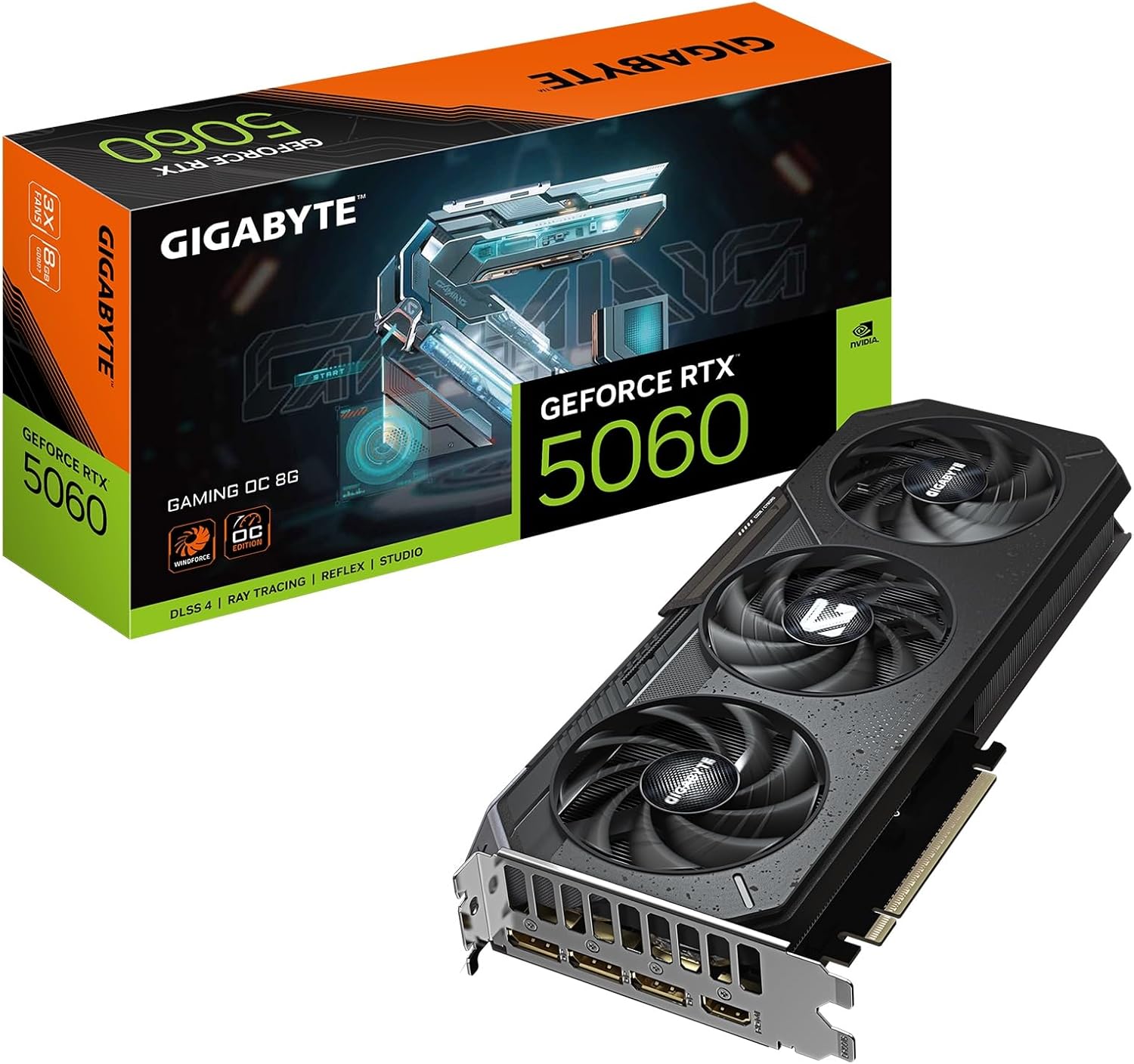 GIGABYTE RTX 5060 Gaming OC 8GB Graphics Card
|
6.2/10 | Buy | ||
| Best Budget |
 MSI GeForce RTX 3060 12GB GDDR6
|
7.3/10 | Buy | |
 GIGABYTE RTX 3060 Gaming OC 12GB
|
7.1/10 | Buy | ||
 ASRock Intel Arc A580 Challenger 8GB
|
6.2/10 | Buy | ||
 ASUS Dual RTX 3050 6GB OC Edition
|
7.1/10 | Buy |
ASUS Prime RTX 5070 SFF-Ready Graphics Card
ASUS brings compact efficiency to the RTX 5070 with a thoughtfully engineered 2.5-slot design that fits small-form-factor builds without sacrificing cooling performance. Three Axial-tech fans with longer blades and a phase-change thermal pad work together to maintain stable temperatures under load, while dual BIOS modes let you toggle between performance and quiet operation. Best suited for enthusiasts building high-end systems in tight spaces who want NVIDIA's latest architecture without the bulk.
Pros
- 2.5-slot form factor enables compatibility with small-form-factor and compact builds
- Advanced cooling stack: phase-change thermal pad, MaxContact design, and vented backplate reduce temperatures by up to 2°C
- Dual BIOS with 0dB fan technology balances performance and noise across different workloads
- Robust build quality with dual ball bearings, stainless steel bracket, and ASUS GPU Guard reinforcement
- Includes GPU Tweak III software for detailed monitoring and tuning, plus one month Adobe Creative Cloud access
Cons
- 2.5-slot design still occupies more space than traditional single-slot cards, limiting adjacent expansion slots
- Premium thermal features add cost compared to baseline RTX 5070 models
- No information provided on noise levels at full load to assess real-world quiet operation effectiveness
GIGABYTE RTX 5070 Gaming OC 12GB
GIGABYTE's RTX 5070 Gaming OC pairs NVIDIA's new Blackwell architecture with 12GB of GDDR7 memory and PCIe 5.0 support, delivering strong frame rates and AI acceleration for demanding games and creative work. The WINDFORCE cooling system keeps thermals in check, while DLSS 4 integration enhances performance further. Best suited for 1440p and high-refresh gaming, or creators working with AI-accelerated applications.
Pros
- 12GB GDDR7 memory with 192-bit interface handles high-resolution textures and large datasets
- PCIe 5.0 support provides future-proofing and bandwidth headroom
- WINDFORCE cooling system delivers effective thermal management
- DLSS 4 and Tensor Cores enable AI acceleration for games and creative apps
- Strong user ratings (4.7/5 from 143 reviews) indicate reliable real-world performance
Cons
- Premium positioning means higher entry cost compared to previous-gen cards
- Requires robust PSU and adequate case airflow for optimal cooling performance
- Blackwell architecture is relatively new, so driver maturity may improve over time
ASUS Prime Radeon RX 9070 XT 16GB
A mid-to-high-end graphics card built for sustained cooling and durability. The 2.5-slot design with three Axial-tech fans, MaxContact heatspreader, and phase-change thermal pad work together to keep temperatures in check, while dual-ball bearings and reinforced components suggest longevity. Best suited for gamers and creators who value thermal stability and quieter operation over raw performance bragging rights.
Pros
- Effective thermal design with MaxContact heatspreader, phase-change pad, and optimized fan layout that reduces temperatures by up to 2°C
- 0dB fan technology stops cooling below 55°C, enabling silent operation during light workloads
- Dual-ball fan bearings last twice as long as sleeve bearings, enhancing card lifespan
- Dual BIOS modes let you toggle between Performance and Quiet operation depending on your needs
- Protective features including ASUS GPU Guard, reinforced backplate, and stainless steel bracket reduce damage risk
Cons
- 2.5-slot footprint may limit compatibility in compact or tightly packed PC builds
- No specifications provided for clock speeds, power consumption, or memory bandwidth to assess raw performance claims
- Dual BIOS and thermal optimizations target stability over peak performance, which may not appeal to extreme overclockers
XFX Radeon RX 9060 XT 16GB GDDR6
XFX's Swift edition of the RX 9060 XT pairs AMD's RDNA 4 architecture with 16GB of GDDR6 memory and a dual-fan cooling system, targeting 1440p and entry-level 4K gaming. The 3320 MHz boost clock and dual-fan design balance performance with thermal management for mid-range desktop builds.
Pros
- 16GB GDDR6 memory supports modern gaming and content creation workloads
- XFX SWFT dual-fan cooling provides efficient heat dissipation
- 3320 MHz boost clock delivers solid mid-range gaming performance
- Dual HDMI and DisplayPort connectivity for multi-monitor setups
- Strong user satisfaction with 4.7-star rating across 360 reviews
Cons
- Limited to HDMI 2.0 and DisplayPort, lacking cutting-edge video standards
- Dual-fan design may require adequate case airflow for optimal cooling
- RDNA 4 is entry-level architecture, not suitable for high-end 4K or professional GPU compute tasks
ASUS Dual Radeon RX 9060 XT 16GB
A compact 2.5-slot graphics card built for gamers who need serious performance without sacrificing case compatibility. The dual Axial-tech fans and 0dB technology keep thermals in check while minimizing noise during lighter workloads, making it a practical choice for both gaming and productivity builds.
Pros
- Compact 2.5-slot design maximizes compatibility with smaller cases while maintaining thermal performance
- 0dB technology stops fans below 55°C, reducing noise during light gaming and everyday tasks
- Dual ball fan bearings offer longer lifespan, rated up to twice as long as traditional sleeve bearings
- Dual BIOS modes let you switch between Performance and Quiet profiles depending on your needs
- Vented backplate and reinforced PCB design enhance heat dissipation and structural durability
Cons
- Limited information on actual power consumption and thermal performance benchmarks in provided data
- Dual BIOS switching requires manual intervention rather than automatic optimization
- No detailed noise level specifications provided for comparison with competing models
EVGA RTX 3070 XC3 Ultra 8GB
A solid mid-to-high tier graphics card built on NVIDIA's Ampere architecture, delivering strong 1440p gaming performance with real-time ray tracing. The XC3 Ultra leverages triple HDB fans and iCX3 cooling technology to keep thermals in check while maintaining relatively quiet operation. Best suited for gamers seeking reliable performance without flagship pricing.
Pros
- Effective triple HDB fan cooling with iCX3 technology reduces noise while maintaining thermal performance
- 8GB GDDR6 memory and 1770 MHz boost clock handle demanding games smoothly at 1440p
- Real-time ray tracing and Tensor Cores enable cutting-edge graphics with modern game engines
- All-metal backplate with adjustable ARGB adds durability and customization
- Strong user rating of 4.7 stars across 481 reviews reflects consistent reliability
Cons
- 8GB VRAM may feel limiting for ultra-high resolution or heavily modded gaming setups
- No mention of premium features like dual BIOS or advanced overclocking tools beyond Precision X1
- Ampere architecture is now two generations old, which may impact longevity for future AAA titles
ASUS Dual RTX 5060 Ti 16GB GDDR7
ASUS brings its thermal expertise to the compact RTX 5060 Ti with a carefully engineered 2.5-slot design that doesn't compromise cooling performance. The dual Axial-tech fans and vented backplate keep temperatures in check, while 0dB technology keeps noise minimal during light workloads. Best suited for builders prioritizing space efficiency without sacrificing GPU power.
Pros
- Compact 2.5-slot form factor with flagship-level thermal design, ideal for SFF builds
- 0dB fan mode silences operation below 50°C, balancing performance and noise
- Dual ball-bearing fans rated for longer lifespan than standard sleeve bearings
- Dual BIOS with Performance and Quiet modes for user flexibility
- Protective backplate with stainless steel bracket and ASUS GPU Guard for durability
- 16GB GDDR7 memory with DLSS 4 and PCIe 5.0 support
Cons
- 2.5-slot depth may still challenge tight mini-ITX cases despite compact positioning
- No mention of factory overclocking headroom beyond OC mode specification
- Limited to entry-to-mid tier performance tier, not for high-end 4K gaming demands
GIGABYTE RTX 5060 Gaming OC 8GB Graphics Card
Built on NVIDIA's Blackwell architecture, this mid-range GPU delivers strong 1440p gaming performance with 8GB of fast GDDR7 memory and PCIe 5.0 support. The WINDFORCE cooling system keeps thermals in check, while DLSS 4 and enhanced RT Cores offer meaningful gains for ray-traced games and creative workloads. Best suited for 1440p gamers and content creators seeking reliable performance without flagship pricing.
Pros
- 8GB GDDR7 memory with 128-bit interface provides solid memory bandwidth for gaming and creative tasks
- PCIe 5.0 support ensures future-proofing and compatibility with next-gen systems
- WINDFORCE cooling system offers effective thermal management for sustained performance
- DLSS 4 and Tensor Cores enable AI-accelerated workflows for creators
- High user rating (4.8/5 from 97 reviews) indicates consistent reliability and satisfaction
Cons
- Entry-level RTX 5000 series positioning means it targets 1440p rather than high-end 4K gaming
- Limited specifications data provided makes detailed performance comparison difficult
- WINDFORCE cooling adds size, which may require adequate case clearance
MSI GeForce RTX 3060 12GB GDDR6
A mid-range Ampere GPU built for 1440p gaming with solid ray tracing performance. MSI's custom cooling design emphasizes thermal efficiency through dual TORX fans and thermal padding, making it a reliable choice for gamers seeking stable performance without excessive noise.
Pros
- 12GB GDDR6 memory provides ample VRAM for modern games and content creation
- Dual TORX 3.0 fans with Zero Frozr technology minimize noise during light workloads
- Custom PCB design with reinforced backplate adds durability and power delivery stability
- Ray tracing and Tensor cores enable real-time cinematic rendering in supported titles
- MSI Center software allows real-time monitoring and overclocking adjustments
Cons
- No independent reviews or verified user feedback available yet to validate real-world performance claims
- Limited to single HDMI 2.1 output despite three DisplayPort connections, which may constrain multi-monitor setups for some users
- Power efficiency and thermal performance under sustained load remain unverified without independent evaluation data
GIGABYTE RTX 3060 Gaming OC 12GB
A mid-range GPU built on NVIDIA's Ampere architecture with 12GB GDDR6 memory, designed for 1440p gaming and creative workloads. The WINDFORCE 3X cooling system keeps thermals in check, while the dual-gen RT and Tensor cores provide solid ray tracing and AI performance for the price tier. Best suited for gamers stepping up from older cards or creators balancing budget with capability.
Pros
- 12GB GDDR6 memory provides ample capacity for gaming and content creation tasks
- WINDFORCE 3X cooling with alternate-spinning fans maintains efficient thermal management
- 3rd generation Tensor Cores and 2nd generation RT Cores deliver respectable ray tracing and AI acceleration
- Dual HDMI 2.1 and dual DisplayPort 1.4 connectivity for multi-monitor setups
- 4.7 rating from 3,191 verified reviews indicates strong user satisfaction
Cons
- Limited Hash Rate version restricts cryptocurrency mining use, which may affect resale appeal to some buyers
- Mid-range performance ceiling means demanding AAA titles at high settings require compromises at 4K resolution
- Power efficiency and performance-per-watt lag behind newer generation cards
ASRock Intel Arc A580 Challenger 8GB
Intel's Arc A580 brings solid 1440p gaming performance in an overclocked package with effective dual-fan cooling and future-ready DisplayPort 2.0 connectivity. The 0dB silent mode and factory 2000 MHz clock make it a straightforward option for gamers wanting Arc architecture without manual tuning. Best suited for mid-range builds where 1440p is the target and power efficiency matters.
Pros
- Factory overclocked at 2000 MHz with 8GB GDDR6 delivers reliable 1440p performance out of box
- 0dB Silent Cooling stops fans at low loads, eliminating noise during light tasks
- Three DisplayPort 2.0 outputs future-proof display connectivity and enable high-resolution multi-monitor setups
- Dual-fan design with heatpipe and metal backplate provide solid thermal management and build quality
- XeSS AI upscaling and DirectX 12 Ultimate support align with current gaming standards
Cons
- Intel Arc ecosystem still maturing compared to Nvidia and AMD, with fewer optimized game drivers
- Requires dual 8-pin PCIe connectors and 650W PSU minimum, limiting compatibility with older systems
- 2.4-slot form factor may conflict with nearby RAM or components in compact builds
ASUS Dual RTX 3050 6GB OC Edition
A compact 2-slot graphics card built around NVIDIA's Ampere architecture, delivering solid 1080p and 1440p gaming performance with ray tracing support. The Axial-tech dual-fan design and IP5X dust resistance make it practical for smaller builds, while the stainless steel bracket and Auto-Extreme manufacturing add durability. Best suited for budget-conscious gamers upgrading from older hardware or building in space-constrained cases.
Pros
- Compact 2-slot form factor fits tight chassis without sacrificing cooling performance
- IP5X dust resistance reduces maintenance needs compared to standard designs
- Stainless steel bracket resists corrosion and improves build quality
- NVIDIA Ampere architecture with 2nd-gen RT cores and 3rd-gen Tensor cores for ray tracing and DLSS
- Strong 4.6-star rating from 1,089 verified buyers indicates reliable real-world performance
Cons
- 6GB VRAM is modest for demanding AAA titles at high settings, especially at 4K
- Entry-level tier within RTX 30 series limits performance ceiling for future-proofing
- Boost clock (1537 MHz OC mode) requires manual tuning via GPU Tweak II to achieve advertised specs
Best Graphics Cards for 1440p Gaming Buying Guide
With so many cards spanning a wide price range, from budget-friendly options to enthusiast-tier flagships, it pays to understand what actually matters at 1440p before spending.
The criteria below reflect the factors that most consistently differentiate strong performers from disappointing ones at this resolution. A well-chosen GPU pairs naturally with fast DDR5 RAM and a capable processor to eliminate bottlenecks.
Memory Capacity and Bandwidth

At 1440p, VRAM demand rises meaningfully compared to 1080p. Modern open-world titles, texture-heavy shooters, and games with ray tracing enabled regularly push past 8 GB of framebuffer usage.
Cards with 12 GB or 16 GB of GDDR6 or GDDR7 tend to have more headroom as games continue to increase asset quality.
The memory bus width also matters: a 256-bit bus moves data significantly faster than a 128-bit bus at the same clock speed, which affects minimum frame rates and 1% lows during complex scenes more than average frame rates alone.
GDDR7 memory, found on the newer RTX 50-series cards, brings higher effective bandwidth compared to GDDR6 at similar bus widths. This can offset a narrower bus in practice.
However, 12 GB of GDDR6 on a 192-bit bus remains competitive for current 1440p titles, and 16 GB variants deliver meaningful future-proofing at the resolution. Buyers focused on longevity should treat VRAM capacity as a priority rather than an afterthought.
Rasterization and Ray Tracing Performance
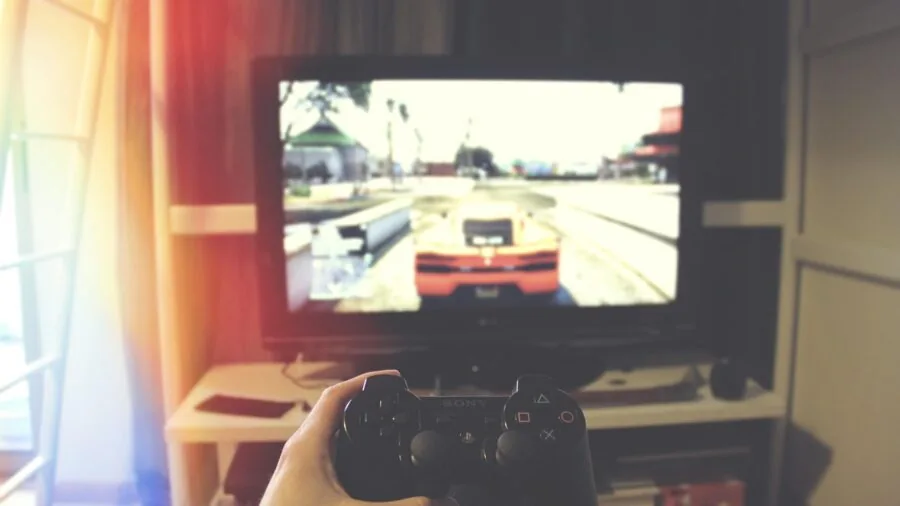
Rasterization performance is the baseline that determines how many frames per second you see in standard rendering. At 1440p, hitting a consistent 60 fps to 100 fps in demanding titles requires substantially more rasterization throughput than 1080p.
The difference between achieving 75 fps and 120 fps at this resolution can come down to shader count, clock speeds, and architectural efficiency, all of which vary considerably across GPU generations and price tiers.
Ray tracing adds global illumination, accurate reflections, and ambient occlusion at a significant performance cost.
NVIDIA’s current-generation RT cores and AMD’s RDNA 4 architecture both deliver substantially better ray tracing throughput than their predecessors, making a noticeable difference in titles like Cyberpunk 2077 and Alan Wake 2.
If you plan to use ray tracing at 1440p without heavy upscaling reliance, cards based on RDNA 4 or Ada Lovelace and beyond are worth prioritising over last-generation options.
Pairing your new GPU with a fast SSD further reduces shader compilation stutter in many DX12 titles.
AI Upscaling and Frame Generation
Upscaling technologies have fundamentally changed the 1440p calculus.
NVIDIA DLSS 4 uses transformer-based AI models to reconstruct detail with minimal perceptual quality loss, while AMD FSR 4 brings a competitive spatial and AI upscaling option that works across a broader range of hardware.
Both allow you to render at a lower internal resolution and achieve image quality close to native 1440p at significantly higher frame rates, effectively extending the useful lifespan of a card.
Multi-frame generation, available on NVIDIA’s RTX 50-series cards, can multiply the frame count beyond what rasterization alone achieves. While it introduces some latency trade-offs in competitive titles, the technology is increasingly mature and works well in single-player and cinematic games.
For competitive players prioritising lowest possible input lag, raw rasterization performance still matters most, but for immersive gaming, multi-frame generation is a genuine advantage worth factoring into your decision.
Cooling and Noise Levels

At 1440p gaming loads, GPUs frequently sustain high power draw for extended sessions, which means cooling design directly impacts both noise and long-term reliability.
Triple-fan coolers generally keep temperatures lower and fan speeds quieter than dual-fan designs on the same chip, though they require more physical space inside your case.
Models with zero-RPM modes, such as the ASUS Dual series and the GIGABYTE WINDFORCE variants in this list, run silently during light desktop use and only engage fans under load.
Thermal performance also affects sustained clock speeds. GPUs that run cooler tend to maintain their boost clocks for longer under sustained workloads, delivering more consistent frame rates rather than throttling mid-session.
Checking your PC case airflow before purchasing is sensible, as a restricted chassis can undermine even an excellent cooler design. The CPU cooler in your system also plays a role in overall thermal balance.
Connectivity and Display Output

Modern cards in this list support DisplayPort 2.0 or 2.1, which provides the bandwidth needed for 1440p at 240 Hz and beyond, as well as 4K at high refresh rates if you plan to upgrade your monitor later.
HDMI 2.1 support is important for users who play on a large TV alongside a monitor, as it enables 4K at 120 Hz and VRR (Variable Refresh Rate) on compatible displays.
Older HDMI 2.0 ports top out at 4K/60 Hz, which is worth confirming before assuming TV gaming compatibility.
Intel’s Arc A580, included in this roundup as a budget option, stands out for offering DisplayPort 2.0 natively at its price tier, which is ahead of some competing budget cards.
AMD’s RX 9060 XT and RX 9070 XT both feature DP 2.1 and HDMI 2.1b, keeping them future-ready for next-generation displays.
If your setup involves multiple monitors or mixed-use content creation alongside gaming, having at least three outputs matters more than it might for a single-screen gamer.
Power Supply and System Compatibility
Cards in the 1440p-focused tier range from roughly 100W to over 250W at full load.
A budget GPU like the Arc A580 draws modest power and fits comfortably in a quality entry-level power supply, while high-end options like the RX 9070 XT and RTX 50-series cards require adequate headroom from a more robust unit.
As a general rule, leave at least 100W to 150W of headroom above your GPU’s TDP when sizing a PSU, accounting for CPU and other components.
PCIe 5.0 compatibility is listed on several newer cards in this roundup, though PCIe 4.0 slots run them at negligible real-world performance differences for gaming. If you are building on an older platform, check your motherboard’s PCIe slot generation to ensure compatibility.
Physical card length is also worth verifying for smaller form-factor builds, as some triple-fan models can exceed 320mm and may not fit in compact cases.
Why You Should Trust Us
REMOVU is an independent review publication. We have no manufacturer partnerships that influence our picks, and no brand pays to be included in our roundups.
Every GPU in this guide was assessed by our editorial team using a consistent, multi-factor evaluation framework covering performance benchmarks drawn from published data, verified buyer feedback aggregated from major retail platforms, expert review consensus from the broader hardware coverage community, and detailed specification analysis.
Each product is scored on the REMOVU Score scale from 0 to 10, reflecting an overall weighted assessment across the criteria most relevant to its category.
We do not conduct our own product trials; our evaluations are grounded in research, published data, expert review consensus, and verified buyer feedback.
This methodology lets us cover a wider range of products at greater depth than single-lab evaluation allows, while keeping our editorial judgements free from the constraints of sample access and review embargo agreements.
REMOVU may earn a commission if you purchase through links in this article. That commercial relationship does not influence the REMOVU Score, product rankings, or editorial conclusions in any way. Our recommendations are based on quality and value, not affiliate rates.
Final Thoughts
The 1440p GPU market in 2026 is genuinely competitive at every price tier.
Whether you are chasing high refresh rates in esports titles, smooth frame rates in demanding open-world games, or future-proofed hardware for ray tracing workloads, there is a card here for you.
Below are our editorial awards based on the REMOVU Score and the distinct strengths each product brings to the 1440p gaming use case. For the full system picture, a well-matched PC components setup makes all the difference.
- Best Overall: ASUS Prime AMD Radeon RX 9070 XT 16GB earns the top REMOVU Score in this roundup thanks to its combination of strong rasterization performance, 16 GB of GDDR6 memory on a modern RDNA 4 architecture, and excellent connectivity with PCIe 5.0 and HDMI 2.1b. It is the most well-rounded card for 1440p gaming at a premium but reasonable price point.
- Best Value Pick: EVGA GeForce RTX 3070 XC3 Ultra Gaming 8GB delivers strong 1440p performance at a mid-range price, with iCX3 cooling and a solid build quality that continues to satisfy verified buyers looking to maximise frame rates per dollar on a previous-generation chip.
- Best New-Generation Mainstream Choice: GIGABYTE GeForce RTX 5070 Gaming OC 12G brings GDDR7 memory and DLSS 4 multi-frame generation to the 1440p tier with a REMOVU Score that reflects its competitive positioning for buyers who want current-architecture features without stepping up to flagship pricing.
- Best Budget GPU for 1440p: ASRock Intel Arc A580 Challenger 8GB OC stands out as the most affordable entry point in this list, with DisplayPort 2.0 and capable performance in rasterization workloads for buyers on a tight budget who still want to game at 1440p in less demanding titles.
- Best AMD Mid-Range Option: ASUS Dual Radeon RX 9060 XT 16GB impresses with its 16 GB GDDR6 configuration at a competitive price, offering more VRAM headroom than most cards at its tier and a dependable dual-fan cooler with 0dB silent mode for light workloads.
If you are building or upgrading a complete gaming system, also consider pairing your GPU with a compatible storage solution and exploring our guide to gaming laptops if portability is a priority alongside desktop performance.
Frequently Asked Questions
How Much VRAM Do I Need for 1440p Gaming?
For 1440p in 2026, 8 GB is a workable minimum for less demanding or older titles, but 12 GB is a more comfortable baseline for modern games with high-resolution textures and ray tracing.
Cards with 16 GB offer meaningful headroom as game asset sizes continue to increase. If you plan to keep your GPU for three or more years, prioritising 12 GB or more is a sensible investment.
Is 1440p Noticeably Sharper Than 1080p?
Yes, the difference is clearly visible, especially on monitors 27 inches and larger. 1440p (2560×1440) contains 78% more pixels than 1080p (1920×1080), which translates into sharper textures, cleaner text, and more defined edges across the entire screen.
On a 27-inch display at typical gaming distances, most users find 1440p a meaningful upgrade over 1080p in terms of visual quality and immersion.
Does My Processor Affect 1440p GPU Performance?
Yes, particularly in CPU-bound games and at high frame rates. A fast modern processor reduces the bottleneck between game simulation and rendering, allowing your GPU to operate closer to its full capacity.
At 1440p, GPU limitations are more dominant than at 1080p, but in competitive titles targeting 144 Hz or above, a capable CPU remains important. Pairing a high-end GPU with an entry-level processor will leave performance on the table in many scenarios.
See our overview of processors for guidance on pairing.
Should I Choose NVIDIA or AMD for 1440p Gaming?
Both platforms offer excellent 1440p options in 2026.
NVIDIA’s RTX series excels in DLSS 4 upscaling quality, multi-frame generation, and ray tracing performance, while AMD’s RDNA 4 cards like the RX 9070 XT and RX 9060 XT bring strong rasterization performance, competitive FSR 4 support, and high VRAM capacities at their respective price points.
The right choice depends on the specific card, your budget, and which games you prioritise. Intel’s Arc A580 is a compelling budget alternative worth considering for cost-conscious builds.
What Refresh Rate Should I Target at 1440p?
For competitive and fast-paced games, 144 Hz is the widely recognised standard that makes a substantial difference over 60 Hz in responsiveness and clarity of motion.
Many 1440p monitors now offer 165 Hz, 180 Hz, or 240 Hz panels, and some of the higher-end GPUs in this list are capable of sustaining those frame rates in less demanding titles or with upscaling enabled.
For story-driven and single-player games, 60 Hz to 100 Hz is entirely satisfying and easier to sustain consistently. Consider pairing your build with quality gaming audio to round out the experience.
A dedicated DAC for gaming can also complement a high-end GPU setup.
Are Budget Cards Like the RTX 3060 Still Worth Buying for 1440p?
Previous-generation cards like the RTX 3060 and RTX 3070 remain capable at 1440p in many titles, especially at medium-to-high settings or with upscaling enabled. They offer strong value if purchased at the right price.
However, they do not support the latest upscaling generations or frame generation technologies, and their VRAM will be under more pressure as games grow. If budget allows, stepping to a current-generation card offers better longevity.
If cost is the primary constraint, the RTX 3060 with 12 GB remains a reasonable 1440p option for moderate gaming workloads.
About the author
Irene reviews desktop PCs for REMOVU, balancing performance, upgradability, and value for home and office use. She helps readers choose a tower that delivers more per dollar than a laptop and lasts through easy upgrades.