The 7 Best Graphics Cards Under $300
Torn between AMD and NVIDIA on a tight GPU budget? Our research covers every major card under $300, from compact 6 GB options to the RDNA 3-powered top pick.
 By Christine Allen
Updated July 26, 2026
By Christine Allen
Updated July 26, 2026

Picking a graphics card under $300 has never been more competitive, yet never more confusing. GPU generations overlap, memory bus widths matter more than ever, and manufacturers flood the market with nearly identical SKUs carrying subtly different specs.
Whether you are building a capable 1080p rig from scratch or upgrading an aging system to handle modern titles, the GPU is the single component that will define your gaming experience more than any other.
A well-chosen card in this price range can deliver smooth frame rates in demanding games, capable ray-tracing performance, and enough headroom to stay relevant for several years.
At REMOVU, we sifted through specifications, analyzed expert review consensus, and weighed verified buyer feedback across every major GPU in this segment to surface the picks that genuinely deliver value.
Our list covers options from ASRock, MSI, ASUS, and GIGABYTE, spanning both AMD and NVIDIA architectures, so there is something here no matter which ecosystem you prefer.
For context on how we scored each card, see our methodology in the “Why You Should Trust Us” section below. Our top picks are ranked and ready to compare right below.
| Award | Product | REMOVU Score About REMOVU ScoreThe REMOVU Score is our own rating from 0 to 10, based on performance, design and build, ease of use, and value. It reflects independent research and is never influenced by manufacturers, retailers, or affiliate commissions. Learn more › | Price | |
|---|---|---|---|---|
| Best Overall |
 ASRock Radeon RX 7600 Challenger Pro 8GB
|
8.8/10 | Buy | |
| Best Budget |
 GIGABYTE RTX 3050 WINDFORCE OC V2 6GB
|
7.2/10 | Buy | |
| Best Value |
 ASUS Dual RTX 3050 6GB OC Edition
|
7.1/10 | Buy | |
| Best Premium |
 MSI RTX 3050 Ventus 2X XS 8GB
|
6.9/10 | Buy | |
 MSI RTX 3050 Ventus 2X 6GB Graphics Card
|
6.7/10 | Buy | ||
 MSI GeForce RTX 3050 6GB Graphics Card
|
6.5/10 | Buy | ||
 MSI RTX 3050 LP 6GB Graphics Card
|
6.2/10 | Buy |
ASRock Radeon RX 7600 Challenger Pro 8GB
A mid-range graphics card built on AMD's RDNA 3 architecture, designed for smooth 1080p and 1440p gaming without premium pricing. The triple-fan cooling system with 0dB silent mode keeps temperatures in check during everyday use, while the factory overclocked 2695 MHz boost clock and 8GB GDDR6 memory deliver consistent frame rates for modern titles. Best suited for budget-conscious gamers and content creators stepping up from integrated graphics.
Pros
- Factory overclocked to 2695 MHz with solid thermal management via triple-fan design and 0dB silent cooling
- 32MB Infinity Cache and 288 GB/s memory bandwidth handle 1440p gaming and creative workflows efficiently
- 3rd Gen Ray Tracing and 2nd Gen AI Accelerators provide meaningful performance uplift over previous-gen cards
- Compact 2.5-slot form factor with single 8-pin connector fits most systems with 550W+ PSU
- Four simultaneous display support (3x DisplayPort 1.4a, 1x HDMI 2.1) for multi-monitor setups
Cons
- RX 7600 series offers limited performance gain in high-end 1440p and 4K gaming compared to older mid-range cards
- PCIe 4.0 x8 interface (not full x16) may show minor bandwidth constraints in certain workloads
- No dedicated VRAM for ray tracing means real-world ray traced performance lags behind higher-tier AMD and Nvidia alternatives
GIGABYTE RTX 3050 WINDFORCE OC V2 6GB
GIGABYTE's RTX 3050 WINDFORCE OC V2 pairs NVIDIA's Ampere architecture with dual-fan cooling for entry-level 1080p gaming and creative workloads. The 6GB GDDR6 memory and enhanced RT/Tensor cores deliver solid ray tracing and AI acceleration, making it a practical choice for budget-conscious builders stepping into modern gaming.
Pros
- Dual WINDFORCE fans provide efficient thermal management and quieter operation
- 6GB GDDR6 memory sufficient for 1080p gaming and light creative applications
- 2nd gen RT Cores and 3rd gen Tensor Cores enable ray tracing and AI features
- High user rating of 4.7 stars reflects consistent reliability and performance expectations
- Entry-level power consumption keeps system costs down
Cons
- Limited VRAM (6GB) compared to higher-tier cards, restricting heavy workload capability
- Performance ceiling makes it unsuitable for high-refresh 1440p or 4K gaming
- Modest upgrade path if gaming demands increase over time
ASUS Dual RTX 3050 6GB OC Edition
A compact 2-slot graphics card built around NVIDIA's Ampere architecture, delivering solid 1080p and 1440p gaming performance with ray tracing support. The Axial-tech dual-fan design and IP5X dust resistance make it practical for smaller builds, while the stainless steel bracket and Auto-Extreme manufacturing add durability. Best suited for budget-conscious gamers upgrading from older hardware or building in space-constrained cases.
Pros
- Compact 2-slot form factor fits tight chassis without sacrificing cooling performance
- IP5X dust resistance reduces maintenance needs compared to standard designs
- Stainless steel bracket resists corrosion and improves build quality
- NVIDIA Ampere architecture with 2nd-gen RT cores and 3rd-gen Tensor cores for ray tracing and DLSS
- Strong 4.6-star rating from 1,089 verified buyers indicates reliable real-world performance
Cons
- 6GB VRAM is modest for demanding AAA titles at high settings, especially at 4K
- Entry-level tier within RTX 30 series limits performance ceiling for future-proofing
- Boost clock (1537 MHz OC mode) requires manual tuning via GPU Tweak II to achieve advertised specs
MSI RTX 3050 Ventus 2X XS 8GB
MSI's compact RTX 3050 pairs NVIDIA's Ampere architecture with efficient dual-fan cooling in a space-conscious form factor. The 8GB GDDR6 memory and 1807 MHz boost clock handle 1080p gaming and creative workloads at reasonable frame rates, while MSI's Torx Fan design and Zero Frozr technology keep thermals in check. Best suited for budget-conscious builders or those upgrading from older mid-range cards.
Pros
- Compact dual-fan design fits smaller cases and builds
- Torx Fan 3.0 and Zero Frozr technology deliver quiet operation under load
- 8GB GDDR6 memory adequate for 1080p gaming and light content creation
- Reinforced backplate and custom PCB for improved stability during overclocking
- Strong 4.5-star rating from 459 verified reviews reflects consistent user satisfaction
Cons
- Entry-level performance limits 1440p gaming at high settings
- Single HDMI and DisplayPort output restricts multi-monitor setups compared to higher-tier cards
- Limited VRAM for demanding AI and 3D rendering tasks
MSI RTX 3050 Ventus 2X 6GB Graphics Card
This Ampere-based GPU delivers entry-level ray tracing and DLSS support with 6GB of GDDR6 memory, making it a practical choice for 1080p gaming and light creative work. The dual-fan Ventus cooler keeps thermals in check without excessive noise, and the compact form factor fits most standard cases. Best suited for budget-conscious builders stepping into ray-traced gaming.
Pros
- Dedicated ray tracing and tensor cores enable modern graphics features at accessible price point
- 6GB GDDR6 memory with 14 Gbps speed sufficient for 1080p and lower 1440p gaming
- Dual DisplayPort and dual HDMI outputs provide flexible multi-monitor setup options
- Compact Ventus 2X design fits standard mid-tower cases without requiring extensive space
- Strong 4.7 rating from 265 verified reviews indicates reliable user satisfaction
Cons
- 96-bit memory interface and 6GB capacity limit performance scaling at higher resolutions beyond 1440p
- 1492 MHz boost clock positions it at entry-level tier, not suitable for high-end 1440p or 4K gaming
- Limited VRAM may become constraint as game engines demand more memory over time
MSI GeForce RTX 3050 6GB Graphics Card
Built on NVIDIA's Ampere architecture, this entry-level discrete GPU delivers ray tracing and DLSS capabilities for 1080p gaming and light content creation. The 6GB GDDR6 memory and dual HDMI outputs make it a practical choice for budget-conscious builders or those upgrading from integrated graphics.
Pros
- Dedicated ray tracing and tensor cores for modern game features
- Dual HDMI 2.1a ports enable multi-monitor setups without adapters
- Strong community approval with 4.7-star rating across 245 verified reviews
- Efficient power profile suitable for compact or pre-built systems
- GDDR6 14 Gbps memory bandwidth supports smooth 1080p performance
Cons
- 6GB VRAM is limiting for high-resolution gaming (1440p+) or demanding workloads
- 1507 MHz boost clock is modest compared to higher-tier RTX 30-series cards
- Limited upgrade path, as newer generations have largely superseded the RTX 3050
MSI RTX 3050 LP 6GB Graphics Card
Built on NVIDIA's Ampere architecture, this compact RTX 3050 delivers ray tracing and tensor capabilities in a low-profile form factor suited for space-constrained builds. The 6GB GDDR6 memory and 1492 MHz boost clock target 1080p gaming and entry-level creative workloads, earning solid marks from users for reliability and value positioning.
Pros
- Low-profile design fits smaller cases and tight spaces
- Dual HDMI 2.1a outputs plus DisplayPort for flexible multi-monitor setups
- Ampere ray tracing and tensor cores for modern game features and AI acceleration
- Solid 4.5-star rating from 365 verified reviews indicates consistent user satisfaction
- 6GB GDDR6 memory at 14 Gbps covers 1080p gaming and light professional tasks
Cons
- 6GB VRAM is modest for high-resolution or heavy workloads compared to newer generational alternatives
- Entry-level performance tier limits demanding AAA titles at high settings
- 96-bit memory interface is narrower than higher-end cards, affecting bandwidth for memory-intensive applications
Graphics Cards Under $300 Buying Guide
Buying a graphics card in this budget tier requires more nuance than simply comparing clock speeds.
The cards on our list span two distinct GPU families and several memory configurations, and those differences translate to real-world performance gaps that no spec sheet communicates cleanly.
The subsections below break down the criteria that matter most when choosing a GPU in this price range.
Architecture and Generation

GPU architecture is the foundation of everything else. NVIDIA’s Ampere architecture, which powers the RTX 3050 variants on this list, brought hardware ray tracing and DLSS 2 upscaling into the budget segment.
AMD’s RDNA 3 architecture, found in the Radeon RX 7600, added significant improvements in rasterization efficiency and introduced FSR 3 with frame generation support.
In practical terms, the generational gap between an Ampere card and an RDNA 3 card is meaningful at this price point.
For buyers who rely on NVIDIA-specific software features such as DLSS, NVIDIA Broadcast, or CUDA-accelerated creative tools, an RTX 3050 makes sense.
For buyers who prioritize raw rasterization performance per dollar in the 2026 market and want AMD’s open-standard FSR upscaling, the RDNA 3 option in our list stands out clearly. Do not overlook generation when comparing cards that appear similarly priced.
VRAM Capacity and Memory Bus Width

Video memory is one of the most consequential specs in a sub-$300 GPU and also one of the easiest to misread. This list includes cards with 6 GB and 8 GB of GDDR6, and the difference is not trivial.
Modern titles at 1080p high settings regularly push past 6 GB of VRAM usage, and that pressure will only increase as textures and shader complexity grow.
Equally important is the memory bus width. The RTX 3050 6 GB cards on this list use a 96-bit bus, while the RTX 3050 8 GB card uses a wider 128-bit bus.
Wider buses enable higher memory bandwidth, which directly benefits frame rates at higher resolutions and in titles with large texture workloads.
If you plan to run this card for more than two or three years, prioritizing VRAM capacity and bus width over peak clock speed is the smarter long-term investment.
Thermal Design and Cooling Solution
At this price tier, cooling design significantly affects not just temperatures but sustained performance and noise levels.
Dual-fan and triple-fan coolers on full-length cards generally maintain lower GPU temperatures under prolonged load, allowing the card to sustain its boost clock without thermal throttling.
The triple-fan design on the ASRock Radeon RX 7600 Challenger Pro, for example, is specifically engineered to spread heat across a larger heatsink surface with a 0 dB silent mode at low loads.
Buyers with compact cases should pay attention to card length and slot width. Low-profile options like the MSI RTX 3050 LP 6G are intentionally smaller for small form factor builds, but that compact cooler comes with a trade-off in thermal headroom.
Always cross-reference the card’s physical dimensions against your case clearance and available PCIe slots before purchasing. A well-paired PC case makes a real difference in sustained GPU performance.
Display Output and Connectivity
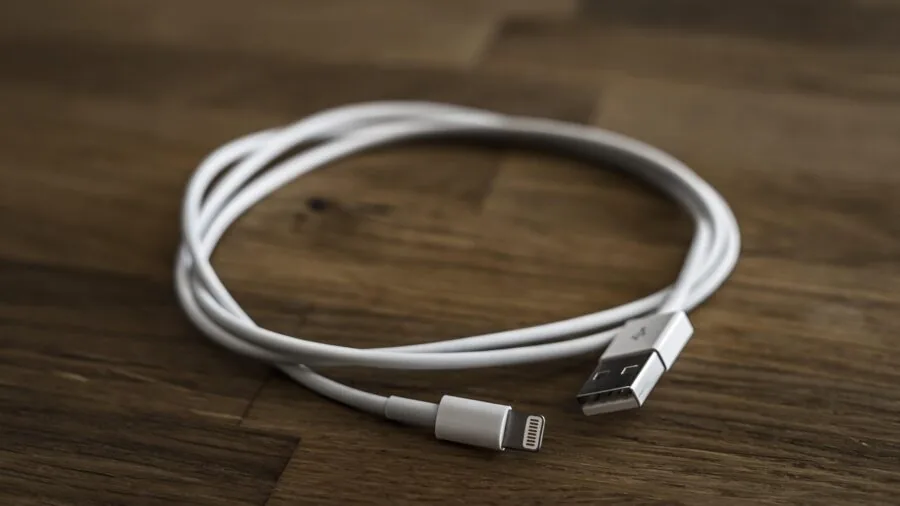
All the cards on this list include at least one HDMI port and one DisplayPort, but the versions matter.
The ASUS Dual RTX 3050 6G OC Edition includes HDMI 2.1 and DisplayPort 1.4a, making it the friendliest option for pairing with high-refresh-rate monitors or 4K displays.
HDMI 2.1 supports the full bandwidth needed for 4K at 120 Hz, which is relevant if you share a display between a gaming PC and a console.
If you are running a multi-monitor setup, verify the number of available outputs. Most dual-fan cards in this range offer three or four display connectors, but low-profile cards may be limited to two.
For anyone building a system intended for content creation alongside gaming, display versatility is worth factoring in early. Pairing a capable GPU with the right motherboard and processor ensures no single component bottlenecks your output.
Power Requirements and System Compatibility
Graphics cards in this segment have widely varying TDPs. The RTX 3050 6 GB cards are among the most power-efficient options available, requiring modestly rated power supplies even in full gaming workloads.
The RX 7600 demands somewhat more, but still falls within what a quality mid-range power supply can handle comfortably. Underpowering a GPU causes instability, crashes, and potential hardware damage, so this step is non-negotiable.
Beyond wattage, check that your power supply has the correct PCIe power connectors. Most cards on this list use a single 8-pin PCIe connector, but confirm against your specific model before ordering.
If your current PSU is aging or from an unknown brand, this is a good time to upgrade it alongside the GPU rather than risk damaging both components.
A stable power delivery chain is the foundation of a reliable gaming PC.
Target Resolution and Use Case

The best graphics card for your system is the one that matches your monitor and your use case.
All of the cards on this list are capable 1080p gaming GPUs, with the stronger options pushing comfortably into 1440p territory in less demanding titles.
If your monitor tops out at 1080p at 60 Hz, even the lower-scored cards here will serve you well. If you are targeting high-refresh-rate 1080p gaming or occasional 1440p sessions, you want to prioritize the cards with higher REMOVU Scores.
For users who also do light video editing, streaming, or 3D rendering, the GPU’s compute capabilities matter beyond raw gaming frame rates.
NVIDIA’s NVENC encoder is well-regarded for streaming and video export, while AMD’s improved media engine in RDNA 3 has closed much of that gap.
Consider what share of your GPU hours will be spent on creative tasks and weight that alongside pure gaming performance.
For a complete gaming setup, you may also want to explore projectors for gaming or quality gaming headsets for PC to round out your experience.
Why You Should Trust Us
REMOVU is an independent review publication with no affiliation to any GPU manufacturer, retailer, or platform.
Every product on this list was evaluated using our standardized research methodology: we analyze manufacturer specifications, synthesize expert review consensus from established hardware publications, and incorporate verified buyer feedback to assess real-world reliability and satisfaction.
We do not conduct our own product trials; our evaluations are grounded in research, published data, expert review consensus, and verified buyer feedback.
Each card is scored using the REMOVU Score, our proprietary 0 to 10 rating scale that weighs performance, value, thermals, feature set, and long-term reliability in a consistent, category-specific framework. Scores are assigned independently of pricing relationships or promotional partnerships.
We update our evaluations as new data, firmware revisions, or driver improvements affect a product’s real-world standing.
REMOVU may earn a commission if you purchase through our links. That affiliate relationship has zero influence on which products appear in our lists, how they are ranked, or what scores they receive.
Our recommendations are driven entirely by research quality and buyer value, not by margin rates. If a product does not hold up under scrutiny, it does not make our list regardless of commercial considerations.
Final Thoughts
The GPU market under $300 in 2026 has a clear hierarchy once you look past the sea of similar-sounding model names. After evaluating every card on this list against our consistent framework, here are the standout picks by use case:
- Best Overall: ASRock Radeon RX 7600 Challenger Pro 8GB OC earns the top REMOVU Score on this list by combining AMD’s RDNA 3 architecture, a full 8 GB of GDDR6, a generous 2695 MHz boost clock, and a triple-fan cooling solution with silent idle mode. It is the most well-rounded choice for buyers who want longevity, modern feature support, and strong 1080p to 1440p performance in a single package.
- Best Value Pick: GIGABYTE GeForce RTX 3050 WINDFORCE OC V2 6G represents strong value among the RTX 3050 6 GB options, pairing NVIDIA’s Ampere architecture with dual WINDFORCE fans and a competitive price. It suits buyers who need NVIDIA’s ecosystem at the lowest entry point on this list.
- Best for Compact Builds: MSI Gaming RTX 3050 LP 6G OC is purpose-built for small form factor systems where a standard-length card simply will not fit. It is the only low-profile GPU on this list, making it the default recommendation for SFF enthusiasts, though thermal trade-offs apply.
- Best NVIDIA Mid-Range Option: ASUS Dual NVIDIA GeForce RTX 3050 6GB OC Edition earns recognition for its premium build quality, HDMI 2.1 output, and ASUS’s proven Axial-tech fan design, making it the most polished RTX 3050 6 GB card on the list for buyers who value brand reliability and display connectivity above all else.
For most buyers building or upgrading a gaming PC in 2026, we point toward the RDNA 3-based pick at the top of this list as the clear long-term investment.
If budget or system constraints push you toward an RTX 3050 variant, the GIGABYTE and ASUS options earn their scores with consistent thermal performance and solid driver support.
Pair whichever GPU you choose with capable RAM and fast solid state storage to keep your system balanced and bottleneck-free.
Frequently Asked Questions
Is 6 GB of VRAM Enough for Gaming in 2026?
For 1080p gaming at medium to high settings, 6 GB of GDDR6 is workable in most current titles, but it is increasingly a constraint in newer releases and texture-heavy games.
Several modern titles already recommend 8 GB of VRAM as a baseline, and that threshold will only move upward. If your budget allows, prioritizing a card with 8 GB gives you meaningful headroom for the next two to three years of gaming.
That said, if your primary display is a 1080p monitor at standard refresh rates and you play a mix of older and newer titles, a well-optimized 6 GB card will cover most of your needs today.
Just factor in that an upgrade may come sooner than it would with an 8 GB option.
Does the Memory Bus Width Actually Matter for Budget GPUs?
Yes, and it matters more at the budget end of the market than anywhere else. A narrower 96-bit bus limits memory bandwidth, which becomes a bottleneck in high-resolution textures and compute-heavy scenes even if the GPU has sufficient VRAM.
The RTX 3050 8 GB card’s 128-bit bus is a measurable advantage over the 96-bit RTX 3050 6 GB variants, not just in benchmarks but in real-world smoothness during demanding sequences.
When comparing two cards with similar GPU cores and clock speeds, the one with the wider memory bus will generally sustain higher performance under load. It is one of the most underappreciated specs in the sub-$300 segment.
Should I Choose AMD or NVIDIA for a Budget Gaming GPU?
Both AMD and NVIDIA offer compelling cards in this price range, and the best choice depends on your priorities. NVIDIA’s RTX 3050 options bring DLSS 2 upscaling, NVENC hardware encoding, and broad software ecosystem support.
AMD’s RDNA 3 cards offer stronger raw rasterization performance at this price point, FSR 3 upscaling with frame generation, and competitive power efficiency.
If you stream content, use creative software that benefits from CUDA, or want the broadest game compatibility for DLSS, NVIDIA is the natural fit.
If you want the most gaming performance per dollar and are comfortable with AMD’s driver ecosystem, RDNA 3 is the more forward-looking pick. Neither choice is wrong; it depends on your workflow and the software features you rely on.
What Power Supply Do I Need for a Graphics Card in This Range?
Most cards in this segment operate comfortably with a quality power supply in the 550 W to 650 W range, paired with a mid-range CPU. The exact figure depends on your full system configuration, including your processor, storage drives, and case fans.
Always use a reputable PSU calculator to estimate your actual system draw and add a safety margin.
Beyond wattage, ensure your PSU has the appropriate PCIe power connectors for your chosen card. A good power supply from a known brand with an 80 Plus Bronze rating or higher is the baseline recommendation.
Cutting costs here is a false economy that can damage other components if the unit fails under load.
Can I Use These GPUs for Video Editing or Streaming?
Yes, all of the cards on this list include hardware video encoding engines that accelerate streaming and video export workflows.
NVIDIA’s NVENC encoder is widely regarded as one of the best in this class for streaming platforms, producing quality output with minimal CPU overhead.
AMD’s improved media engine in RDNA 3 architecture has also made significant strides and is a capable option for most content creators.
For light to moderate video editing at 1080p or 1440p timelines, any card on this list will provide GPU-accelerated preview and export support in popular editors.
For 4K editing workflows or heavy effects rendering, a more powerful card would be a better investment. Pair your GPU with quality solid state drives and sufficient RAM to avoid bottlenecks in creative workloads.
How Do These Graphics Cards Compare for 1440p Gaming?
The majority of cards on this list are optimized for 1080p gaming, where they perform most comfortably. At 1440p, the performance gap between the cards widens considerably.
The RDNA 3-based option at the top of our list handles 1440p gaming meaningfully better than the RTX 3050 6 GB variants, particularly in titles that are memory-bandwidth-sensitive.
The RTX 3050 8 GB card also fares better at 1440p than its 6 GB siblings, thanks to the wider memory bus.
If 1440p is your target resolution, focus on the higher-scored cards in this list and use upscaling technologies such as DLSS or FSR to maintain smooth frame rates in demanding titles.
You may also want to explore projector options if you are building a larger display setup, or consider the broader context of your gaming rig, including all PC components that contribute to system performance.
About the author
Christine writes about pet tech for REMOVU, focusing on reliable cameras, feeders, and trackers that keep owners connected to their animals. She helps readers pick gear that works when it matters.