The 8 Best 240Hz Monitors
240Hz monitors deliver smoother motion, lower input lag, and a real competitive edge. Compare top picks from ASUS, Dell, AOC, LG, and Samsung across every budget.
 By Gordon Matthews
Updated July 26, 2026
By Gordon Matthews
Updated July 26, 2026

A 240Hz monitor is one of the most impactful upgrades a PC gamer can make.
At 240 frames per second, motion looks dramatically smoother than at 144Hz, input lag drops to levels competitive players genuinely notice, and fast-moving scenes stay sharp rather than blurring into smears.
Whether you play first-person shooters where every millisecond counts, battle royales that demand constant situational awareness, or esports titles where frame consistency is a competitive edge, a high-refresh-rate display fundamentally changes how games feel.
The market now spans everything from budget-friendly 1080p panels to premium 4K QD-OLED screens, so there is a meaningful option at nearly every price point.
To build this guide, our team at REMOVU researched and compared eight current 240Hz monitors by analyzing published specifications, synthesizing expert review consensus across the display enthusiast community, and studying verified buyer feedback.
Each model received a REMOVU Score on our 0-to-10 scale, letting you compare options at a glance. The picks below range from an affordable entry point to a flagship QD-OLED panel, covering esports players, creative professionals, and everyone in between.
Read on for our top picks, and if you want broader context on the display category, our monitors guide is a good starting point.
| Award | Product | REMOVU Score About REMOVU ScoreThe REMOVU Score is our own rating from 0 to 10, based on performance, design and build, ease of use, and value. It reflects independent research and is never influenced by manufacturers, retailers, or affiliate commissions. Learn more › | Price | |
|---|---|---|---|---|
| Best Overall |
 ASUS ROG Strix XG27UCDMG 27" 4K 240Hz QD-OLED
|
9.1/10 | Buy | |
| Best Budget |
 Dell SE2426HG 24-inch 240Hz Gaming Monitor
|
8.4/10 | Buy | |
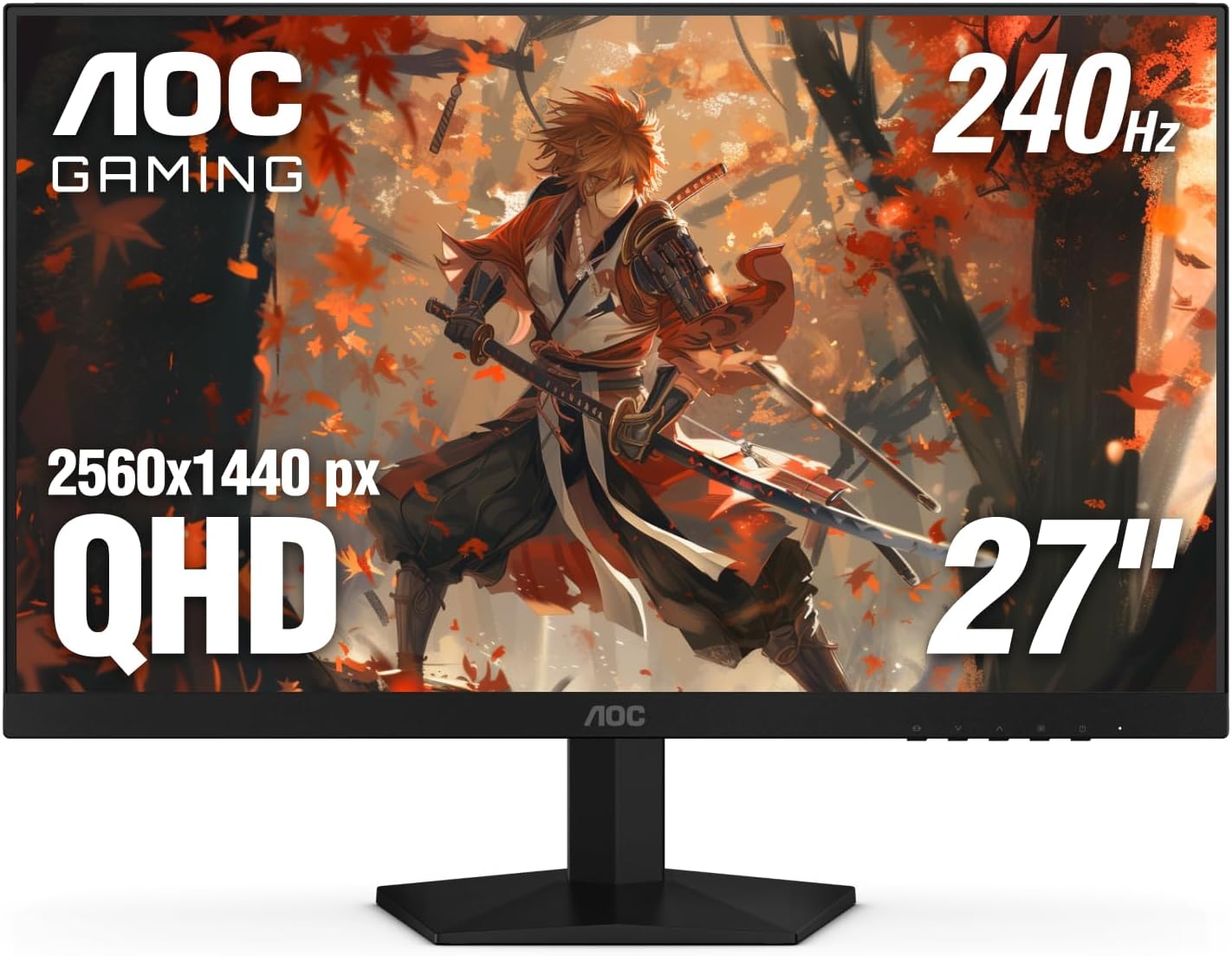 AOC Q27G41ZE 27" QHD 240Hz IPS Gaming Monitor
|
8.3/10 | Buy | ||
| Best Premium |
 LG 27GP750-B 27-inch 240Hz IPS Gaming Monitor
|
7.8/10 | Buy | |
 ASUS TUF Gaming VG279QM5A 27" 240Hz Monitor
|
7.6/10 | Buy | ||
| Best Value |
 ASUS TUF Gaming VG259QM5A 24.5-inch 240Hz Monitor
|
7.5/10 | Buy | |
 ASUS TUF Gaming VG32VQM5AZ 32-inch 240Hz Curved Monitor
|
7.3/10 | Buy | ||
 Samsung Odyssey G4 25" 240Hz Gaming Monitor
|
7.2/10 | Buy |
ASUS ROG Strix XG27UCDMG 27" 4K 240Hz QD-OLED
A premium 27-inch 4K gaming monitor built on fourth-generation QD-OLED technology, delivering 240Hz refresh rates, 0.03ms response times, and exceptional color accuracy with 99% DCI-P3 gamut. The OLED Care Pro suite with Neo Proximity Sensor actively guards against burn-in. Best suited for competitive gamers and content creators who prioritize motion clarity and visual fidelity.
Pros
- Exceptional motion clarity with 0.03ms response time and ELMB technology for minimal ghosting
- Advanced burn-in protection through Neo Proximity Sensor, pixel cleaning, and multiple safeguard features
- Outstanding color performance: 1.5M:1 contrast ratio, true 10-bit color, Delta E < 2, and VESA DisplayHDR 400 True Black compliance
- Latest QD-OLED panel offers improved longevity and 20% flicker reduction versus previous-generation OLED monitors
- Comprehensive connectivity including DisplayPort 1.4 DSC, HDMI 2.1, and USB-C with 90W Power Delivery
Cons
- OLED burn-in remains a concern despite mitigation features, requiring active user engagement with Care Pro settings
- Premium pricing reflects the advanced technology, making it a significant investment for gaming-only use cases
- 27-inch 4K resolution may require scaling adjustments for some users accustomed to 1440p at this screen size
Dell SE2426HG 24-inch 240Hz Gaming Monitor
This 24-inch IPS gaming monitor pairs a 240Hz refresh rate with a 0.5ms response time to deliver smooth, responsive gameplay across PC and console platforms. AMD FreeSync Premium and HDMI VRR handle variable refresh rates, while TÜV Rheinland 3-star certification addresses eye comfort with reduced blue light. It's a solid choice for competitive gamers prioritizing speed without sacrificing color accuracy.
Pros
- 240Hz refresh rate with 0.5ms response time minimizes motion blur and input lag
- IPS panel maintains 99% sRGB color coverage and wide viewing angles despite fast response
- FreeSync Premium and HDMI VRR eliminate tearing on both PC and console games
- TÜV Rheinland 3-star certified for blue light reduction and eye comfort
- Multiple connectivity options including 2x HDMI 2.1 and DisplayPort 1.4
Cons
- 1920x1080 FHD resolution may feel limiting on a 24-inch screen for non-gaming work
- IPS panel, while color-accurate, typically has slower native response times than TN alternatives at this refresh tier
- No built-in speakers or USB hub mentioned in specifications
AOC Q27G41ZE 27" QHD 240Hz IPS Gaming Monitor
A sharp 1440p IPS display built for competitive gamers who won't compromise on color accuracy. The 240Hz refresh rate and 0.3ms response time keep up with fast-paced titles, while Adaptive-Sync eliminates tearing across AMD and NVIDIA systems. Best suited for esports and fast-action games where high resolution and responsiveness matter equally.
Pros
- Excellent 240Hz refresh rate with 0.3ms MPRT response time for competitive gaming
- 2560x1440 IPS panel delivers sharp detail and wide viewing angles compared to TN alternatives
- Adaptive-Sync support works with both AMD and NVIDIA GPUs, reducing screen tearing
- Solid brightness (300 nits) and 1000:1 contrast for vibrant visuals in well-lit rooms
- Multiple connectivity options with DisplayPort 1.4 and dual HDMI 2.0 ports
Cons
- 240Hz native refresh rate is competitive but not cutting-edge; 280Hz+ monitors exist at this size and tier
- IPS panels inherently have slower response times than VA/TN, so 0.3ms MPRT may still show visible ghosting in ultra-fast motion for esports perfectionists
- No USB hub or extensive ergonomic adjustments beyond tilt, limiting desk integration flexibility
LG 27GP750-B 27-inch 240Hz IPS Gaming Monitor
This LG UltraGear delivers high refresh rate gaming on an IPS panel with 240Hz and 1ms response time, making it suitable for competitive players who prioritize both speed and color accuracy. The 27-inch 1080p display includes NVIDIA G-SYNC compatibility and AMD FreeSync Premium, along with gaming-focused features like Black Stabilizer and Crosshair overlays. The fully adjustable stand and virtually borderless design round out a well-rounded package for serious gamers.
Pros
- 240Hz refresh rate with 1ms response time combines competitive gaming performance with smooth motion
- IPS panel delivers 99% sRGB color gamut and HDR10 support for vibrant, accurate visuals beyond typical TN panels
- Compatible with both NVIDIA G-SYNC and AMD FreeSync Premium, covering most GPU ecosystems
- Ergonomic stand with height, tilt, and pivot adjustment for personalized comfort during extended sessions
- Gaming-centric features including Dynamic Action Sync, Black Stabilizer, and Crosshair for tactical advantage
Cons
- 1920x1080 resolution on a 27-inch screen results in lower pixel density compared to 1440p or 4K alternatives at the same size
- IPS response time, while fast for the panel type, lags behind TN and VA panels at the same 1ms rating for ultra-competitive esports
- No mention of local dimming or advanced HDR implementation, limiting HDR impact versus dedicated HDR monitors
ASUS TUF Gaming VG279QM5A 27" 240Hz Monitor
A competitive 27-inch 1080p gaming monitor built for high-refresh esports and fast-paced titles. The 240Hz panel and 0.3ms response time deliver smooth motion, while G-SYNC and FreeSync compatibility cover most GPU setups. Gaming-focused features like Dynamic Crosshair AI and DisplayWidget customization add practical value for serious players.
Pros
- 240Hz refresh rate with 0.3ms response time ensures sharp, fluid motion in competitive games
- G-SYNC Compatible and AMD FreeSync Premium support plus ELMB SYNC reduces tearing and ghosting
- Gaming AI features including dynamic crosshair and AI Visual automatically optimize settings for different games
- DisplayWidget Center allows mouse-based OSD control and easy import of pro streamer configurations
- 99% sRGB color coverage and Fast IPS panel provide vibrant visuals beyond typical TN monitors
- Flicker-free and Low Blue Light technology reduce eye strain during extended sessions
Cons
- 1920x1080 resolution on a 27-inch screen results in lower pixel density compared to 1440p competitors at the same size
- No reviews yet available, limiting real-world user feedback on long-term reliability and actual performance claims
- Fast IPS panels typically have slightly slower response times than TN alternatives, despite the 0.3ms specification
ASUS TUF Gaming VG259QM5A 24.5-inch 240Hz Monitor
A competitive gaming monitor built around speed and clarity, pairing a 240Hz refresh rate with a 0.3ms response time to minimize motion blur during fast-paced action. The Fast IPS panel delivers 99% sRGB color coverage and supports both G-SYNC and FreeSync Premium, making it adaptable across GPU ecosystems. Best suited for esports players and competitive gamers who prioritize frame rate responsiveness over screen size or resolution.
Pros
- 240Hz refresh rate with 0.3ms response time delivers sharp, responsive gameplay for competitive titles
- Dual sync support (G-SYNC and FreeSync Premium) eliminates tearing across NVIDIA and AMD systems
- 99% sRGB color accuracy and Fast IPS panel balance gaming performance with color-accurate visuals
- DisplayWidget Center simplifies settings management and allows importing pro streamer configurations
- Gaming AI features like dynamic crosshair and AI Visual auto-adjust gameplay settings in real time
Cons
- 1080p resolution on a 24.5-inch screen may feel limiting for players accustomed to higher pixel density or larger displays
- 24.5-inch size is relatively compact, potentially requiring closer viewing distance for full immersion
- Specifications lack detailed information on brightness, contrast ratio, and full port connectivity options
ASUS TUF Gaming VG32VQM5AZ 32-inch 240Hz Curved Monitor
A 32-inch curved gaming monitor built for competitive play, delivering 240Hz refresh rate and 0.5ms response time to minimize motion blur and input lag. The 1500R curve and Full HD resolution create an immersive viewing experience, while ELMB Sync and FreeSync Premium handle tearing and ghosting. Best suited for fast-paced shooters and esports titles where frame clarity matters most.
Pros
- 240Hz overclock refresh rate with 0.5ms response time eliminates lag in competitive gaming
- ELMB Sync technology removes ghosting and tearing simultaneously with adaptive refresh
- 1500R curved design ensures every point on screen is equidistant from your eyes
- Shadow Boost clarifies dark game areas without overexposing bright regions, aiding enemy spotting
- Variable Overdrive adapts dynamically to frame rate changes for consistent visual quality
Cons
- 1920x1080 resolution on a 32-inch panel results in lower pixel density compared to smaller high-refresh monitors
- FreeSync Premium support only, no G-Sync compatibility limits options for NVIDIA GPU users
- No HDR certification mentioned despite HDR technology listed, suggesting basic implementation
Samsung Odyssey G4 25" 240Hz Gaming Monitor
A compact 25-inch gaming display built for competitive play, the Odyssey G4 pairs a 240Hz refresh rate with 1ms response time to minimize lag during fast-paced matches. The IPS panel and ultrawide 21:9 game view mode offer tactical advantages in certain titles, while the fully adjustable stand ensures ergonomic fit for marathon sessions.
Pros
- 240Hz refresh rate with 1ms response time delivers smooth, responsive gameplay
- IPS panel provides wide 178-degree viewing angles and consistent color accuracy
- Ultrawide Game View mode (21:9 aspect ratio) reveals hidden areas and tactical advantages in compatible games
- G-Sync compatible and FreeSync Premium support minimize tearing and stuttering across GPU brands
- Fully ergonomic stand with swivel, tilt, and height adjustment for extended comfort
Cons
- FHD resolution (1920x1080) on a 25-inch screen means lower pixel density compared to higher-res competitors at similar sizes
- No built-in speakers or smart features, requiring external audio and manual input switching despite Auto Source Switch+ convenience
- IPS panel response times, while fast at 1ms, may not match the absolute speed of VA alternatives in high-end competitive scenarios
240Hz Monitors Buying Guide
Choosing among dozens of 240Hz panels is easier once you understand which specifications actually matter for your use case and which are marketing noise. The sections below break down the six most consequential decisions you will face.
Panel Technology: IPS, VA, and OLED

Panel type shapes color accuracy, contrast, and response time more than almost any other spec.
Fast IPS panels dominate the 240Hz segment for good reason: they deliver wide viewing angles, accurate colors out of the box, and response times in the 0.3 to 1 ms range that keep ghosting minimal at high frame rates.
Every IPS pick in our list, including models from ASUS TUF Gaming, LG, Dell, and Samsung, benefits from this balance of speed and image quality.
OLED and QD-OLED panels sit at the opposite end of the price spectrum but offer something no IPS screen can match: per-pixel lighting that produces true blacks and infinite contrast.
The ASUS ROG Strix XG27UCDMG uses a QD-OLED panel that also covers 99% of DCI-P3, making it compelling for both competitive gaming and color-sensitive work.
If burn-in concerns you, ASUS addresses this with an Anti-Flicker 2.0 system and a Care Pro suite. Budget shoppers can safely stick with Fast IPS; buyers who want the absolute best image quality should look hard at QD-OLED.
VA panels are largely absent from the 240Hz tier at competitive prices because their response times at high refresh rates can introduce visible smearing, even when the panel is marketed as fast.
If you come across a VA 240Hz monitor at a tempting price, cross-reference response-time measurements from the display community before committing.
Resolution: 1080p, 1440p, or 4K

Resolution is the single biggest factor determining how powerful a GPU you need to sustain 240 frames per second.
At 1080p, even a mid-range card can push well past 240 fps in popular esports titles, which means you will actually use the panel’s full refresh rate.
The Dell SE2426HG, AOC Q27G41ZE, LG 27GP750-B, ASUS VG279QM5A, ASUS VG259QM5A, ASUS VG32VQM5AZ, and Samsung Odyssey G4 are all 1080p or 1440p options that pair well with a wide range of gaming rigs.
Pairing a capable gaming desktop with one of these panels keeps frame rates comfortably above 240 fps without maxing out your hardware budget.
1440p at 240Hz is a sweet spot for players who want noticeably sharper images without the GPU demands of 4K.
The AOC Q27G41ZE is the standout example here, offering 2560×1440 resolution with a 240Hz native rate and 260Hz overclocked mode for a budget-friendly price, which earned it one of the strongest scores in our lineup.
If you run a high-end GPU and want the sharpest possible image, the ASUS ROG Strix XG27UCDMG at 4K 240Hz is the current benchmark for this class.
Keep in mind that 4K at 240Hz demands DisplayPort 1.4 or HDMI 2.1 to carry uncompressed signal. Always verify your GPU’s output before buying a 4K 240Hz panel. Compressed DSC signals can introduce subtle artifacts that careful eyes will notice in static UI elements.
Screen Size and Curvature
For competitive gaming at 1080p, 24 to 27 inches is the conventional sweet spot.
At typical desk distances, a 24.5-inch panel like the ASUS VG259QM5A keeps the entire screen within your natural focus zone, which means less eye movement and faster target acquisition in fast-paced titles.
Most esports professionals and tournament organizers default to this size range for exactly that reason.
If you split time between gaming and everyday productivity, a 27-inch panel offers more screen real estate without a proportional cost penalty. The LG 27GP750-B and ASUS VG279QM5A both hit that mark.
For users who want an expansive 1080p canvas, the ASUS VG32VQM5AZ offers a 32-inch curved screen with a 1500R curve radius that wraps the image around your peripheral vision, though the lower pixel density of 1080p at 32 inches is a trade-off worth weighing carefully.
A sturdy monitor and peripherals setup, including a well-sized desk, matters more at larger sizes where positioning becomes critical.
Ultrawide 240Hz monitors exist but are not represented in this roundup because they remain a niche category with limited competitive-gaming adoption and inconsistent support in some titles. Standard 16:9 panels dominate this refresh-rate tier for a reason.
Adaptive Sync: G-SYNC and FreeSync

Every monitor in this list supports some form of adaptive sync, which eliminates screen tearing by synchronizing the display’s refresh rate to your GPU’s output.
AMD FreeSync Premium is the baseline you should expect at this price tier; it adds low-framerate compensation (LFC) so the panel stays tear-free even when your frame rate drops below its minimum sync range.
NVIDIA G-SYNC Compatible certification means NVIDIA owners can use the same variable refresh rate technology without paying for a proprietary G-SYNC hardware module.
Several picks in this guide carry both certifications. The Samsung Odyssey G4, ASUS TUF Gaming models, LG 27GP750-B, Dell SE2426HG, and AOC Q27G41ZE are all dual-certified, making them GPU-agnostic purchases.
This flexibility matters especially if you plan to upgrade your graphics card in the future. A 32GB RAM kit and GPU upgrade are common steps that follow a monitor upgrade in a gaming rig refresh cycle.
Extreme Low Motion Blur Sync (ELMB Sync), featured on some ASUS models, combines backlight strobing with adaptive sync simultaneously. This further sharpens perceived motion clarity, though it can reduce peak brightness.
Whether you notice or care about the difference depends largely on the genres you play.
Connectivity and Ergonomics

Check port selection before buying, especially if you plan to connect a console alongside your PC. HDMI 2.0 caps out at 1080p 240Hz or 1440p 144Hz, while DisplayPort 1.4 supports 1440p 240Hz and higher.
The AOC Q27G41ZE includes both DP 1.4 and HDMI 2.0, which is the minimum you should expect at its price.
The ASUS ROG Strix XG27UCDMG adds USB-C with DisplayPort Alt Mode, useful for connecting a laptop or streamlining a multi-device docking station setup.
Ergonomics deserve more attention than many buyers give them. Monitors with height, tilt, and pivot adjustment, like the LG 27GP750-B, let you dial in the exact viewing angle for your posture, which matters during long sessions.
Thinner bezels reduce visual distraction in multi-monitor configurations. If you plan to mount your display on a VESA arm, confirm VESA compatibility before purchasing since some panels omit the mounting pattern.
A well-chosen peripheral setup pairs your display with equally responsive input devices. Pairing your new panel with quality mechanical keyboards and wireless mice rounds out a competitive gaming rig.
And if audio immersion matters to you, a pair of gaming headsets for PC makes a meaningful difference alongside a fast monitor.
HDR Support and Color Coverage

HDR on monitors is a more nuanced topic than HDR on televisions.
Entry-level HDR10 certification, as seen on the Samsung Odyssey G4 and AOC Q27G41ZE, delivers a wider color range but limited peak brightness compared to true HDR displays.
If you primarily game competitively, HDR often gets disabled anyway because it can raise black levels and reduce contrast in games that do not implement it well.
Genuine HDR performance requires high peak brightness and a wide color gamut, both of which the ASUS ROG Strix XG27UCDMG provides via its QD-OLED panel and 99% DCI-P3 coverage.
For content creation work or watching HDR video alongside gaming, this matters considerably. The ASUS TUF Gaming models advertise 99% sRGB, which is excellent for color accuracy in everyday use but does not extend to wide-gamut creative workflows.
Know which use case you are buying for before weighing color specs heavily.
If your workflow involves photo or video editing, consider how a monitor’s color coverage aligns with your production pipeline. A panel with 99% DCI-P3 coverage like the ROG Strix model holds up alongside more specialized creative tools.
For those who also capture footage, pairing a color-accurate display with the right sports camcorder creates a well-matched content creation setup.
Why You Should Trust Us
REMOVU is an independent review publication. We evaluate every product in this guide using a consistent, research-driven methodology. Each monitor was assessed against the same set of criteria covering panel quality, motion performance, feature completeness, ergonomics, and value.
We then assigned each model a REMOVU Score on a 0-to-10 scale based on how well it performs across those dimensions relative to its price tier and category competition.
We do not conduct our own product trials; our evaluations are grounded in research, published data, expert review consensus, and verified buyer feedback.
This approach lets us compare a broader range of products with full transparency about our sources rather than relying on the limitations of a single reviewer’s setup.
Where expert reviewers and verified buyers reach consistent conclusions about a product, that consensus carries significant weight in our scoring. Where they disagree, we note the nuance rather than forcing a false consensus.
REMOVU may receive an affiliate commission when you purchase through links on this page. That relationship has no bearing on which products appear in our rankings, the scores they receive, or the order in which they are listed.
Our editorial decisions are made independently from commercial relationships. We do not accept payment for placement and we do not adjust scores based on manufacturer relationships. If a product is not worth recommending, it does not appear in our guides.
Final Thoughts
The eight monitors in this guide cover a wide range of budgets, resolutions, and use cases, but a few clear standouts emerge from our research. Here are our top designations based on REMOVU Score and real-world fit:
- Best Overall: ASUS ROG Strix XG27UCDMG earns the top REMOVU Score in this roundup thanks to its 4K QD-OLED panel, 240Hz refresh rate, 99% DCI-P3 color coverage, and a premium feature set that includes Anti-Flicker 2.0 and a three-year warranty. It is the right choice for buyers who want the absolute best image quality and are willing to invest accordingly.
- Best Value Pick: Dell SE2426HG delivers Fast IPS performance, 240Hz, AMD FreeSync Premium, and a TÜV 3-Star eye comfort rating at a budget-friendly price that few rivals can match. It earns a strong REMOVU Score for its price tier and is the easiest recommendation for anyone building their first high-refresh-rate setup.
- Best for 1440p Gamers: AOC Q27G41ZE stands out as the sharpest affordable 1440p option in the group, combining 2560×1440 resolution with 240Hz native and 260Hz overclocked modes, DP 1.4, HDR support, and a three-year zero-bright-dot warranty. Its REMOVU Score reflects genuine all-round competence that belies its accessible price.
- Best for Competitive Esports: LG 27GP750-B combines a 1ms response time, full ergonomic adjustability, G-SYNC Compatible and AMD FreeSync Premium certification, and a thin-bezel design that suits multi-monitor tournament setups. Its REMOVU Score reflects a strong balance of speed, ergonomics, and reliability for players who prioritize responsiveness above all.
- Best Mid-Range Upgrade: ASUS TUF Gaming VG279QM5A hits a sweet spot between the budget tier and the premium tier with Fast IPS, 0.3ms response, ELMB Sync, Gaming AI, and 99% sRGB accuracy. It earns a solid REMOVU Score and suits players who want more features than a bare-bones panel without reaching for flagship pricing.
No single monitor is right for every setup. If you are building a compact streaming or content creation rig, check out our roundup of portable monitors for an additional perspective.
And for buyers assembling a complete workstation, pairing a fast monitor with a well-chosen all-in-one computer for home office use or a purpose-built gaming PC is worth planning holistically.
Frequently Asked Questions
Is 240Hz worth it over 144Hz for casual gamers?
For casual gamers, the difference between 144Hz and 240Hz is noticeable but not as dramatic as the jump from 60Hz to 144Hz. If you primarily play slow-paced or story-driven games, a 144Hz panel may be sufficient.
However, if you play competitive shooters or battle royale titles even occasionally, 240Hz provides a real perceptual advantage in smoothness and reduced input lag.
The price gap between 144Hz and 240Hz has also narrowed considerably, making 240Hz a reasonable default choice for a new gaming monitor purchase in 2026.
Do I need a high-end GPU to use a 240Hz monitor properly?
At 1080p resolution, a mid-range GPU can sustain well above 240 fps in most popular esports titles, so a high-end card is not required to take full advantage of a 1080p 240Hz monitor.
At 1440p, you need a more capable GPU to consistently hit 240 fps in demanding titles. At 4K 240Hz, a flagship GPU is essentially required.
Adaptive sync technology helps bridge the gap when your frame rate dips below the panel’s maximum, keeping the experience smooth even at lower frame counts.
Pairing your monitor with the right gaming PC build ensures you get the most from a high-refresh-rate display.
What cable do I need for 240Hz at 1440p or 4K?
For 1440p at 240Hz, you need DisplayPort 1.4. HDMI 2.0 does not have enough bandwidth for this combination without compression. For 4K at 240Hz, you need either DisplayPort 1.4 with DSC compression or HDMI 2.1 for uncompressed signal.
Always use a certified high-quality cable rather than a bargain option, as signal integrity matters at these bandwidth levels. Check your GPU’s available outputs before buying any panel above 1080p at 240Hz.
How does OLED compare to IPS at 240Hz for gaming?
OLED, and particularly QD-OLED, offers infinite contrast, near-instantaneous pixel response times (0.03ms versus 0.3ms for Fast IPS), and wider color coverage. In practice this means deeper blacks, no blooming around bright objects on dark backgrounds, and imperceptibly sharp motion.
The trade-offs are higher price, lower peak brightness in full-screen scenarios, and a small long-term burn-in risk with static UI elements. For most competitive gamers, a premium Fast IPS panel offers excellent performance at a fraction of the cost.
For buyers who want the best possible image quality and can budget accordingly, QD-OLED is the current gold standard.
Can I use a 240Hz gaming monitor for productivity and content creation?
Absolutely. Many 240Hz monitors offer excellent color accuracy for everyday productivity, and models with 99% sRGB or 99% DCI-P3 coverage are usable for photo editing and video review.
The smooth scrolling and cursor movement at 240Hz also makes text editing and web browsing noticeably more pleasant.
For demanding creative workflows that require strict color calibration, verify that a given panel ships with a factory calibration report or has been well-reviewed for color accuracy by display specialists.
Pair your monitor with quality USB microphones and a headset for a complete creative and gaming workstation.
What is the warranty situation for 240Hz monitors?
Warranty terms vary significantly by brand.
ASUS TUF Gaming and ASUS ROG models in this guide include three-year warranties, and the AOC Q27G41ZE includes a three-year zero-bright-dot guarantee, which is meaningful for IPS panels where dead pixels are a known concern.
Dell and LG typically offer one to three-year warranties depending on the model tier. Samsung’s Odyssey G4 falls under Samsung’s standard consumer display warranty.
Always register your monitor with the manufacturer after purchase to ensure warranty coverage is active from day one. REMOVU does not provide product support or handle warranty claims; contact the manufacturer or retailer directly for service inquiries.
About the author
Gordon is REMOVU's printer and scanner writer, comparing print quality, running costs, and value for home and office. He helps readers weigh ink against laser over the long haul.