The 9 Best All-In-One Computers for Home Office
All-in-one desktops keep your home office tidy without sacrificing screen size or processing power. Here are the top picks across every budget, from entry-level to premium.
 By Catherine Shaw
Updated July 26, 2026
By Catherine Shaw
Updated July 26, 2026

Working from home has made the all-in-one desktop one of the most practical computing purchases you can make.
These machines combine a full-size display, capable processor, and clean cable management into a single footprint that fits naturally on a home office desk without demanding extra space for a separate tower.
Demand for the category has grown steadily as more people seek a dedicated workspace that looks tidy, boots fast, and handles video calls, document editing, and light creative work without compromise.
This guide cuts through the noise by evaluating every model on consistent criteria: processor generation, RAM capacity, storage type and size, display quality, wireless connectivity, and long-term value.
REMOVU researches each machine using published specifications, expert review consensus, and verified buyer feedback so you can make a confident purchase.
Whether your budget is entry-level or premium, the picks below cover the best all-in-one computers for home office use across every major price tier.
If you are still deciding between a desktop and a portable setup, our coverage of laptops for work is a useful companion read.
| Award | Product | REMOVU Score About REMOVU ScoreThe REMOVU Score is our own rating from 0 to 10, based on performance, design and build, ease of use, and value. It reflects independent research and is never influenced by manufacturers, retailers, or affiliate commissions. Learn more › | Price | |
|---|---|---|---|---|
| Best Value |
 Lenovo IdeaCentre 27" All-in-One with i7-13620H
|
8.4/10 | Buy | |
| Best Overall |
 Dell 27 All-in-One (ec27250) FHD IPS
|
8.9/10 | Buy | |
| Best Premium |
 HP 27" FHD Touchscreen All-in-One with AMD Ryzen 5
|
8.3/10 | Buy | |
 Dell 24-Inch All-in-One with Core i7 150U and Touchscreen
|
7.6/10 | Buy | ||
 Lenovo IdeaCentre 24" All-in-One, Intel N100, 16GB RAM
|
7.7/10 | Buy | ||
 Dell 24 All-in-One FHD with Intel Core 3 100U
|
6.8/10 | Buy | ||
| Best Budget |
 Lenovo 24" IPS All-in-One with Intel N100
|
6.9/10 | Buy | |
 Lenovo IdeaCentre 24 AIO, 23.8" FHD, 8GB/256GB
|
6.2/10 | Buy | ||
 Lenovo IdeaCentre 24" All-in-One with Intel N100
|
6.7/10 | Buy |
Lenovo IdeaCentre 27" All-in-One with i7-13620H
A compact 27-inch all-in-one desktop that consolidates processor power and display into one footprint, built around a 10-core Intel i7-13620H and a vibrant 99% sRGB IPS panel. Best suited for professionals handling content creation, multitasking, and productivity work who value space efficiency and integrated connectivity like HDMI-in for external source input.
Pros
- Powerful 13th Gen i7-13620H with 10 cores and Turbo up to 4.9 GHz handles demanding workflows smoothly
- 27-inch 1920x1080 IPS display with 99% sRGB, anti-glare coating, and low blue light ideal for color-critical tasks
- Dual HDMI ports (HDMI-in and HDMI-out) plus USB-C allow flexible connectivity and source switching
- Windows 11 Pro and up to 64GB DDR5 RAM support advanced multitasking and professional software
- Integrated Intel UHD Graphics sufficient for everyday tasks and light creative work without discrete GPU cost
Cons
- Non-touch 1920x1080 display is standard FHD, not 4K, which may feel limiting for precision design work on a 27-inch screen
- Wired keyboard and mouse included, but no wireless options out of the box limits desk flexibility
- Only 1-year limited warranty provides minimal long-term protection for an all-in-one investment
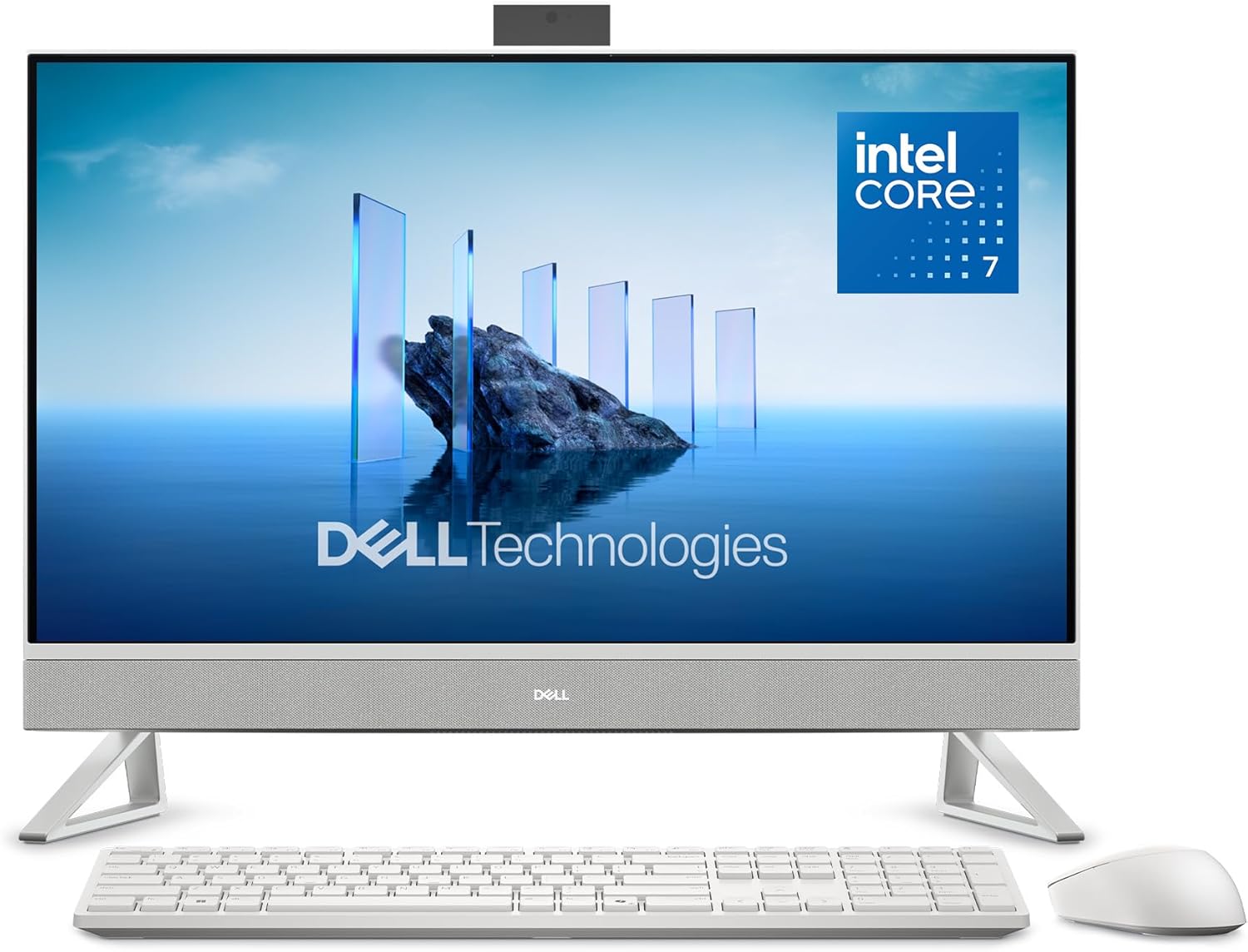
Dell 27 All-in-One (ec27250) FHD IPS
A space-saving all-in-one desktop that combines a 27-inch FHD display with Intel Core 7 performance and 16GB RAM, designed for productivity and streaming. The standout features include a color-accurate IPS panel with eye-comfort technology, a pop-up 5MP camera with HDR, and a clever keyboard parking space in the stand. Best suited for professionals and home workers who value clean desk setups and don't need cutting-edge gaming or video editing power.
Pros
- 27-inch FHD IPS display with 99% sRGB and 50% higher contrast for accurate colors and crisp visuals
- Dell ComfortView Plus reduces blue light and flicker-free panel minimizes eye strain during long work sessions
- Compact, clutter-free design with innovative stand featuring keyboard storage underneath
- Pop-up 5MP camera with HDR and adjustable tilt (0-20 degrees) plus privacy push-down feature
- Versatile connectivity including WiFi 6E, five USB ports, HDMI-in/out for dual-monitor setup, and SD card reader
- 1-year onsite service included for hardware support
Cons
- FHD resolution on a 27-inch screen may feel less sharp compared to QHD alternatives for detailed work
- Intel Core 7 150U processor is entry-level for demanding tasks like video editing or 3D rendering
- Dual 5W speakers are modest in output despite Dolby Atmos branding, unlikely to satisfy audio enthusiasts
HP 27" FHD Touchscreen All-in-One with AMD Ryzen 5
This 27-inch all-in-one combines a responsive touchscreen display with solid everyday performance powered by AMD Ryzen 5 processing and 16GB RAM. The 2TB storage setup (1TB SSD plus external drive) and built-in privacy camera make it practical for remote work and content storage, though the feature set feels more productivity-focused than premium.
Pros
- Large 27-inch FHD touchscreen with 90% screen-to-body ratio and vibrant IPS panel suited for multitasking and media consumption
- Dual 2TB storage configuration with fast SSD boot and file access plus external backup capacity
- Pop-up privacy camera and dual noise-reducing microphones designed for professional video calls
- EPEAT Gold and ENERGY STAR certified for environmentally conscious users
- Includes wireless keyboard and mouse, reducing cable clutter on desk
Cons
- Feature description mentions 64GB RAM but specs list only 16GB DDR5, creating product clarity concerns
- Full HD resolution on a 27-inch screen may feel less sharp compared to higher-resolution alternatives at this size
- AMD Ryzen 5 7520U is entry-level for demanding creative work like video editing or 3D rendering
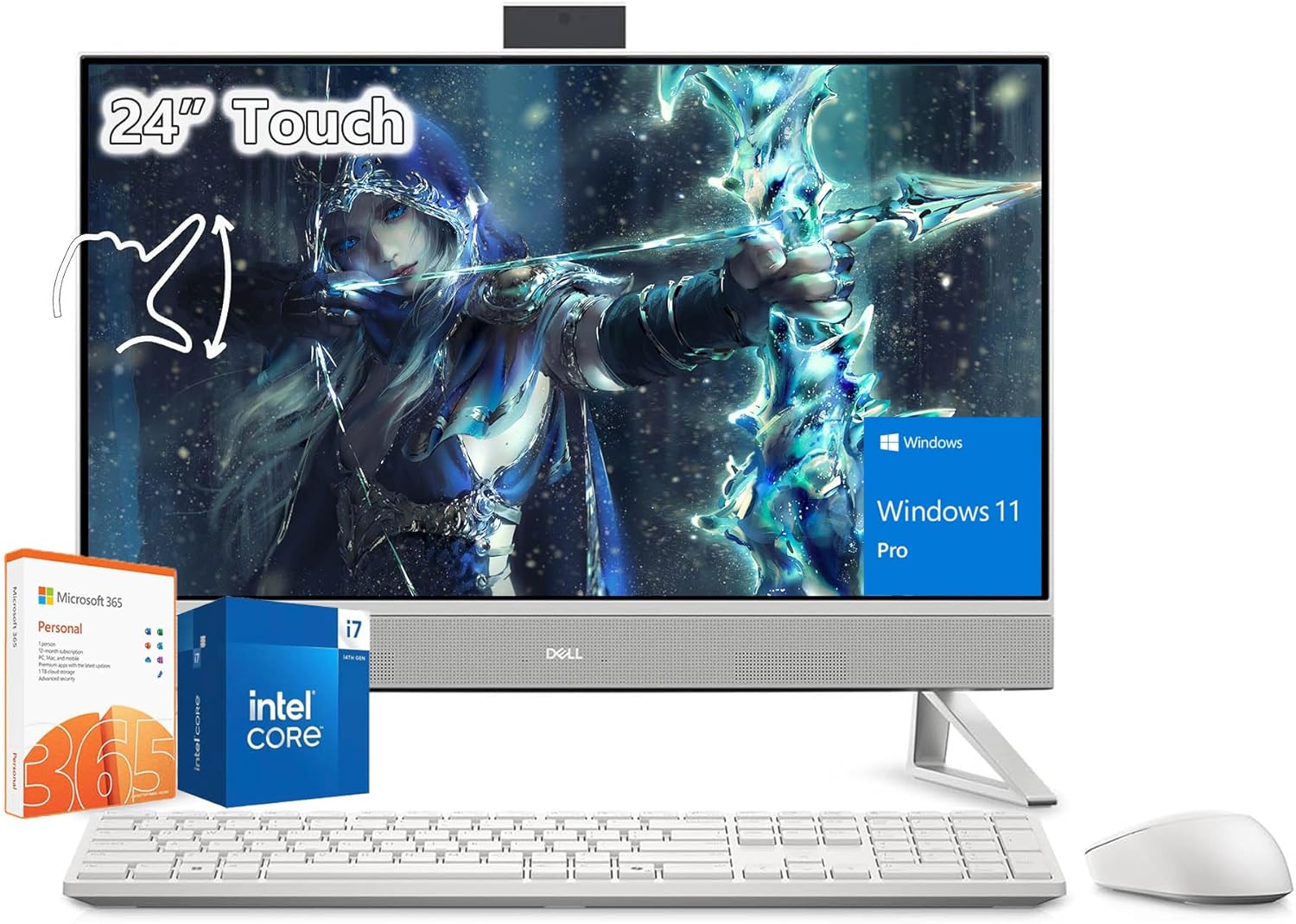
Dell 24-Inch All-in-One with Core i7 150U and Touchscreen
This Dell all-in-one combines a 24-inch FHD touchscreen with Intel Core i7 150U processing power and 32GB RAM, making it well-suited for business professionals and creative workers. The integrated 5MP HDR camera with privacy shutter and Wi-Fi 6E connectivity add practical touches for remote work, while the included Office 365 subscription covers immediate productivity needs.
Pros
- Vibrant 24-inch FHD IPS touchscreen with 99% sRGB and narrow bezels for workspace efficiency
- Strong performance from Intel Core i7 150U processor with up to 5.4GHz turbo for multitasking and professional applications
- Comprehensive connectivity including Wi-Fi 6E, Bluetooth 5, HDMI, USB 3.2 ports, and SD card reader
- Privacy-focused 5MP camera with adjustable tilt and physical shutter, plus ComfortView Plus blue light reduction
- Windows 11 Pro and Office 365 One Year included, minimizing additional software costs
Cons
- Only one verified review available, limiting real-world feedback on long-term reliability and user experience
- Touchscreen functionality not explicitly detailed in typical use cases, may be underutilized depending on workflow
- Integrated graphics may limit performance for intensive video editing or 3D rendering compared to discrete GPU options
Lenovo IdeaCentre 24" All-in-One, Intel N100, 16GB RAM
A compact all-in-one desktop built for remote workers and students who need reliable performance without sacrificing desk space. The 24-inch FHD display with 99% sRGB accuracy and anti-glare coating handles productivity tasks smoothly, while the included keyboard, mouse, and lifetime Office 365 make it a complete out-of-box solution. Best suited for everyday computing rather than demanding creative or gaming workloads.
Pros
- Complete package with keyboard, mouse, and lifetime Office 365 included
- 24-inch FHD display with 99% sRGB color accuracy and anti-glare technology reduces eye strain during long work sessions
- 16GB RAM and 512GB SSD enable smooth multitasking and fast load times
- WiFi 6 and Bluetooth 5.1 provide modern wireless connectivity
- Space-saving all-in-one design ideal for home offices and small workspaces
Cons
- Intel N100 quad-core processor is entry-level, limiting performance for video editing, 3D rendering, or demanding applications
- No discrete graphics means gaming and graphics-heavy tasks will struggle
- Fixed all-in-one design limits future upgrades and repairs compared to traditional desktops
Dell 24 All-in-One FHD with Intel Core 3 100U
This 24-inch all-in-one combines a vibrant FHD IPS display with practical everyday performance, making it well-suited for home offices and light productivity work. The narrow-border design and blue-light reduction features prioritize eye comfort during extended use, while the integrated 5MP camera and Dolby Atmos speakers handle video calls and media smoothly. It's a space-conscious choice that doesn't demand much from your desktop real estate.
Pros
- 99% sRGB color accuracy and 50% higher contrast for sharp, true-to-life visuals on FHD IPS panel
- Thoughtful eye-comfort features: ComfortView Plus blue-light reduction and flicker-free display for long work sessions
- Versatile connectivity with WiFi 6E, five USB ports, HDMI-in/out, and SD card reader for flexible peripheral support
- Dual 5W speakers with Dolby Atmos spatial audio deliver clear, immersive sound for video calls and media
- Compact footprint with innovative stand design that includes keyboard parking space to minimize clutter
Cons
- Intel Core 3 100U and 8GB DDR5 RAM limit multitasking and demanding software performance compared to higher-tier processors
- 512GB SSD storage may feel tight for users with large media libraries or multiple applications
- FHD resolution on a 24-inch screen means less screen real estate than higher-resolution alternatives at similar sizes
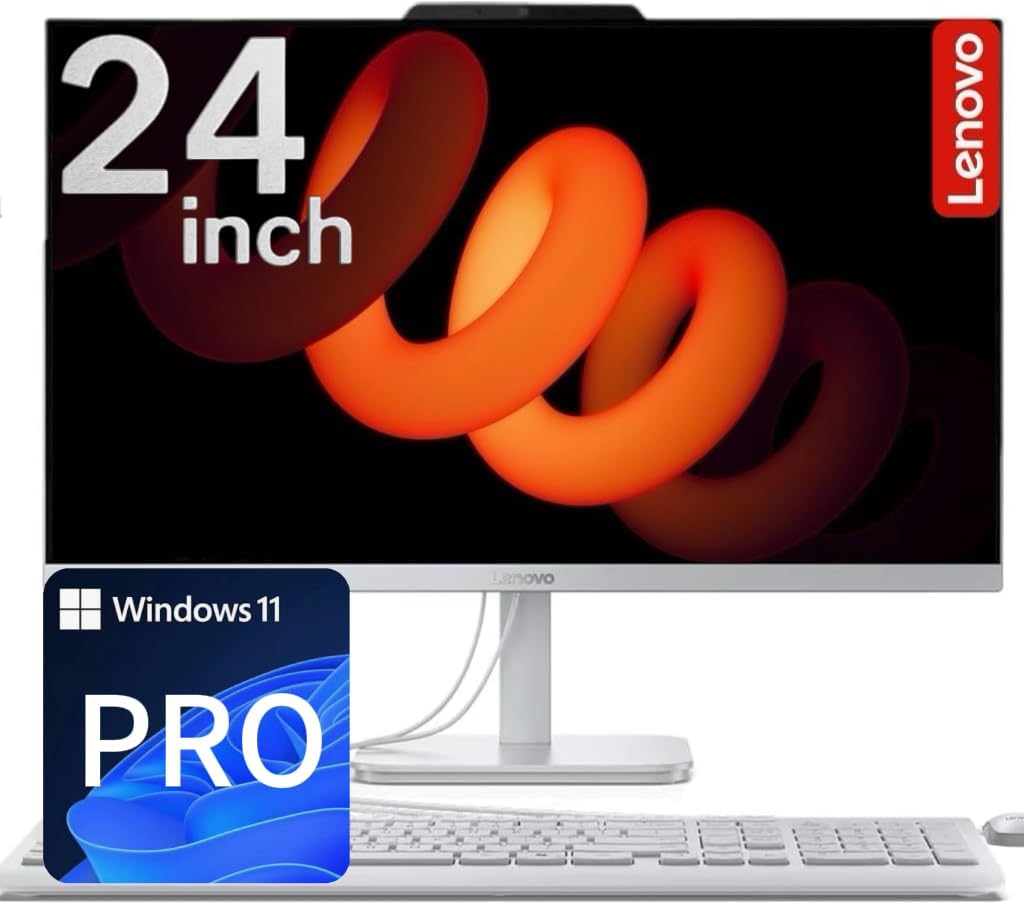
Lenovo 24" IPS All-in-One with Intel N100
A compact all-in-one desktop built for everyday home and office tasks, featuring a sharp 24-inch IPS display and quiet Intel processing. The combination of SSD and HDD storage plus integrated Wi-Fi 6 makes it practical for light productivity work, though the entry-level processor limits demanding applications.
Pros
- Spacious 24-inch IPS display with 99% sRGB and anti-glare coating for comfortable daily use
- Hybrid storage setup (512GB SSD + 500GB HDD) balances speed and capacity without premium pricing
- Quiet operation and low power consumption (65W) ideal for home offices and shared spaces
- Wi-Fi 6 and Bluetooth 5.2 for reliable wireless connectivity
- Includes keyboard, mouse, and Windows 11 Pro out of the box
Cons
- Intel N100 processor handles everyday tasks but struggles with heavy multitasking or creative software
- No dedicated graphics card means gaming and video editing performance is limited
- Rear-only ports can make cable management awkward if desk space is tight
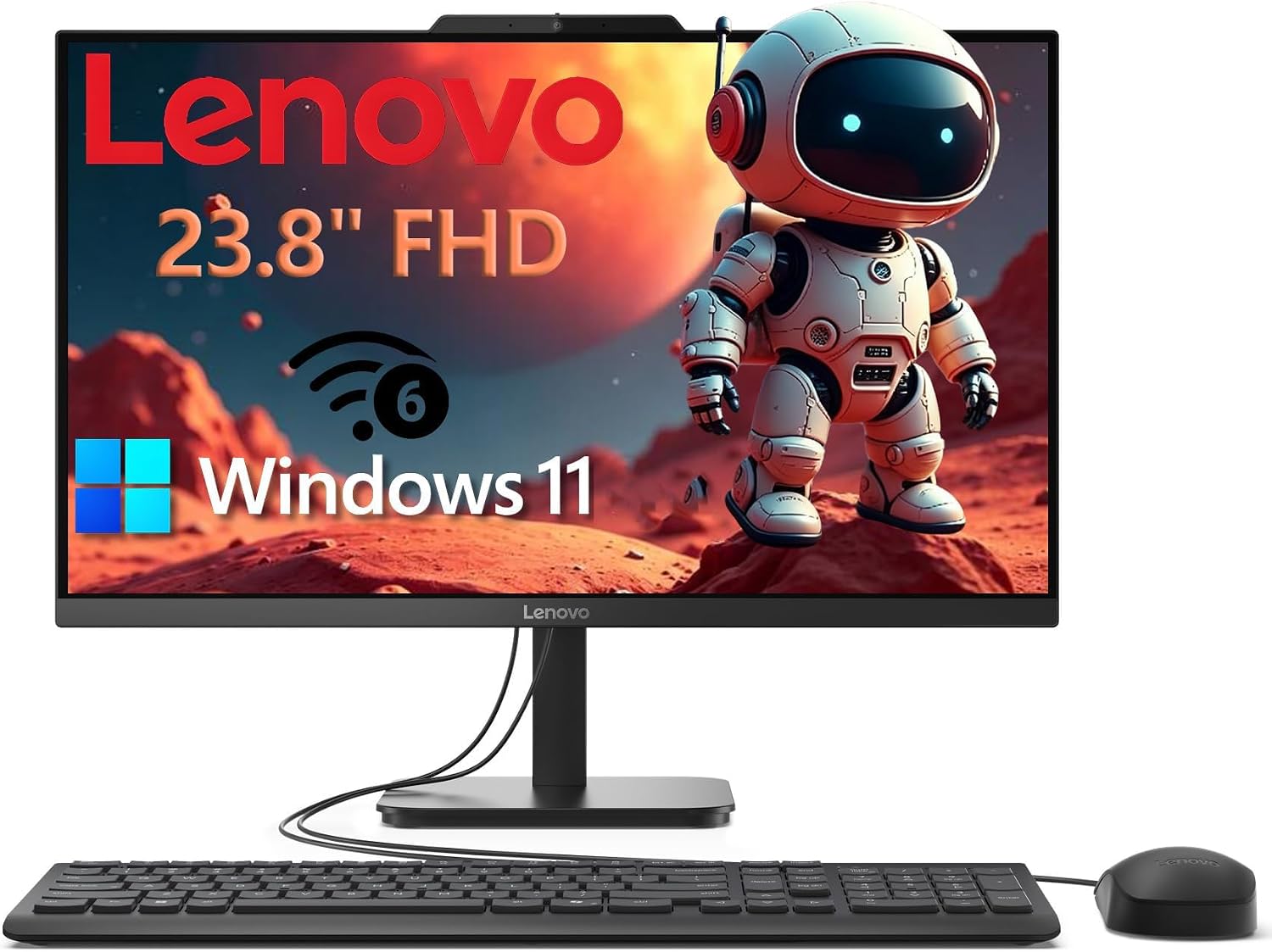
Lenovo IdeaCentre 24 AIO, 23.8" FHD, 8GB/256GB
A compact all-in-one desktop built for everyday productivity and home office work. The Intel N100 processor, 8GB RAM, and 256GB SSD handle multitasking, video calls, and web browsing smoothly, while the 23.8-inch Full HD display with anti-glare coating keeps eye strain minimal during long work sessions. Space-saving design with keyboard and mouse included makes it straightforward for remote workers, students, and small businesses.
Pros
- Integrated design eliminates cable clutter and saves significant desk space compared to traditional tower setups
- Fast SSD boot times under 10 seconds and responsive multitasking with 8GB DDR4 RAM across productivity apps
- High-quality 23.8" IPS display with 99% sRGB accuracy, 178-degree viewing angles, and anti-glare coating reduces eye fatigue
- Modern connectivity with Wi-Fi 6, Bluetooth 5.2, USB-C 10Gbps, and HDMI-out for dual displays
- Complete package includes Windows 11 Home, keyboard, mouse, HD webcam, and TPM 2.0 security
Cons
- Intel N100 processor is entry-level; not suitable for demanding creative work, video editing, or gaming beyond casual titles
- 256GB storage may fill quickly with media files or software; no upgrade path mentioned for expandability
- 4GB of the 8GB RAM is relatively modest for heavy multitasking or power users with dozens of browser tabs
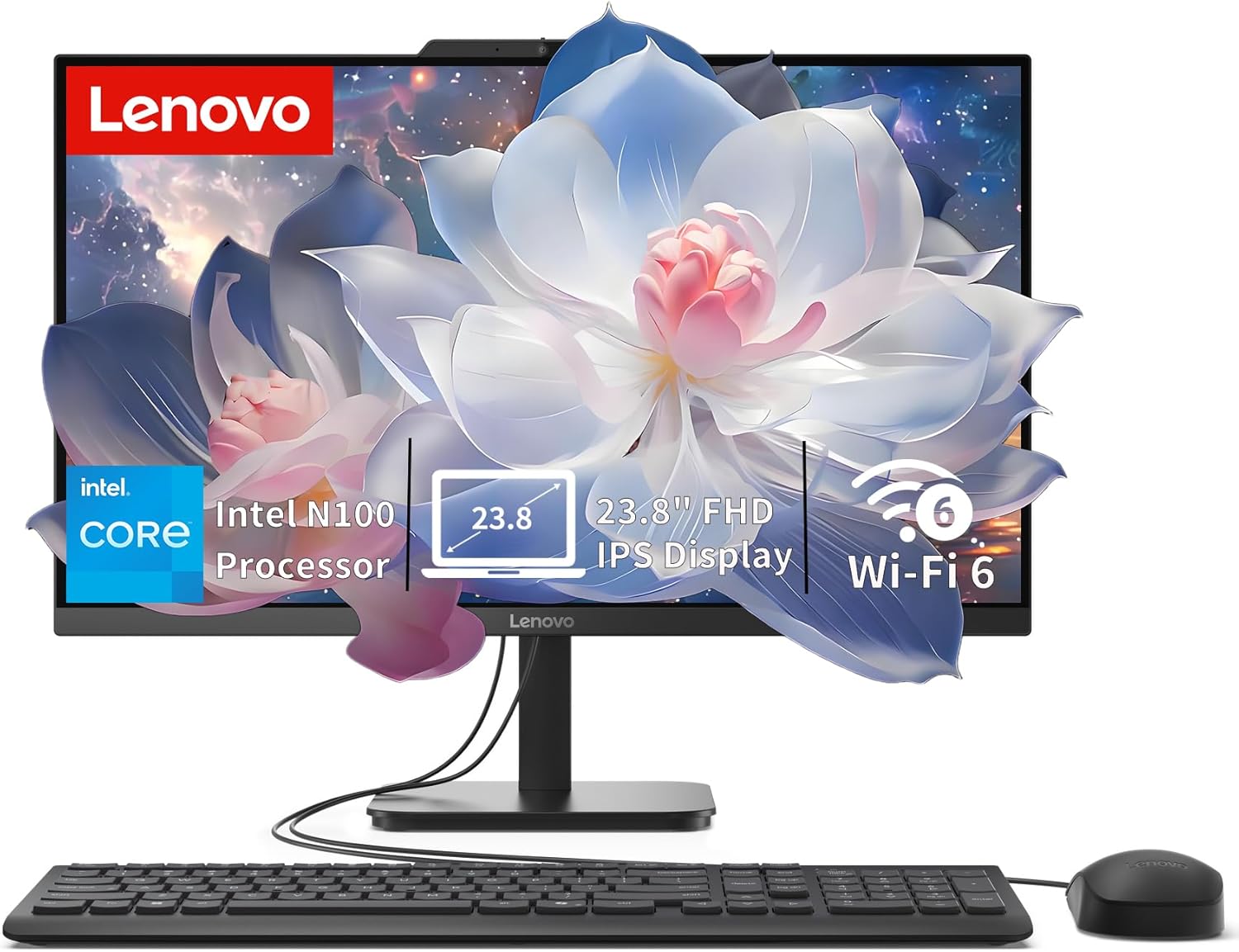
Lenovo IdeaCentre 24" All-in-One with Intel N100
A compact all-in-one desktop built for everyday productivity, home office, and student work. The 24-inch FHD display with anti-glare coating and the space-saving design make it practical for desk setups where room is tight. Intel N100 processor and 8GB RAM handle routine tasks smoothly, though it's not aimed at demanding creative work or gaming.
Pros
- Slim, space-saving all-in-one form factor fits easily on desks and in small offices
- 23.8-inch FHD IPS anti-glare display with 99% sRGB and 250 nits brightness is sharp and comfortable for extended use
- Fast 512GB PCIe SSD ensures quick boot times and responsive app launches
- Modern connectivity with Wi-Fi 6, Bluetooth 5.2, and multiple USB ports including 10Gbps USB 3.2
- Upgradeable to 32GB RAM and expandable storage via M.2 slot for future-proofing
Cons
- Intel N100 processor is entry-level, limiting performance for multitasking with heavy applications or video editing
- Integrated graphics are adequate for everyday tasks but not suitable for gaming or 3D work
- No touchscreen, optical drive, or card reader included
All-in-One Computers for Home Office Buying Guide
Choosing an all-in-one for a home office is different from picking a gaming rig or a media center.
The priorities shift toward sustained productivity, quiet operation, solid wireless performance, and a display you can stare at for hours without eye strain.
The sections below walk through every criterion that meaningfully separates a great home office all-in-one from one you will regret within a year.
Processor: Match the Chip to Your Workload

The CPU is the single biggest determinant of how responsive your machine feels day to day.
For light home office tasks such as web browsing, email, video conferencing, and office documents, a modern Intel Core 3 or entry-level Intel Core processor with four cores is adequate and keeps costs low.
If you multitask heavily, run multiple browser tabs alongside video calls, or occasionally edit photos or short video clips, stepping up to an Intel Core 7 or AMD Ryzen 5 makes a noticeable difference in snappiness and longevity.
Pay attention to generation as well as model tier. Processors labeled with suffixes like U or H in recent Intel families are purpose-built for thin and thermally constrained all-in-one enclosures, striking a balance between sustained performance and quiet fan behaviour.
AMD’s Ryzen 7000-series mobile chips offer strong multi-thread throughput at reasonable power envelopes. Avoid older-generation quad-core chips if you plan to keep the machine for four or more years, because memory and software demands only grow over time.
If your work involves running local AI tools, compiling code, or editing high-resolution images, treat the Core 7 tier as a minimum rather than a luxury. The productivity gains compound quickly when background processes no longer cause noticeable lag during your primary task.
RAM: How Much Memory Is Enough

RAM determines how many active tasks your system can juggle before it starts swapping data to slower storage.
For a home office machine in 2026, 8 GB is an acceptable floor only for light users who keep one or two applications open at a time.
Anyone who runs a modern browser with multiple tabs open alongside a productivity suite, a video call client, and cloud sync software will feel the constraint within months.
16 GB is the sweet spot for most home office users and provides comfortable headroom for at least the next three to four years.
DDR5 RAM, available in newer machines, delivers higher memory bandwidth than DDR4, which benefits CPU-integrated graphics and applications that rely on fast data throughput. If two models are otherwise comparable, prefer DDR5.
Also check whether the RAM is soldered to the motherboard or seated in upgradeable slots. On most all-in-one designs memory is soldered, meaning the configuration you buy is the configuration you keep.
Choose 16 GB upfront rather than buying 8 GB and assuming you can upgrade later.
Storage: SSD Type and Capacity
A PCIe NVMe SSD is the standard you should insist on.
It offers boot times and application launch speeds that a traditional hard drive simply cannot match, and the cost difference between HDD and SSD has narrowed enough that accepting a spinning drive to save money is rarely wise.
For a home office machine, 512 GB is a workable minimum if you store large files on the cloud or a network drive. 1 TB gives you room to keep a larger local archive without constantly managing space.
Some machines bundle an external hard drive alongside a smaller internal SSD to inflate the advertised storage number. Be aware that external drives are slower, physically separate, and not the same as internal storage for day-to-day use.
Focus on internal SSD capacity when comparing models and treat any bundled external drive as a bonus rather than a core spec.
If you need more local storage, pairing the machine with a dedicated external SSD later is straightforward and affordable.
Display Quality: Panel Type, Size, and Ergonomics

The built-in display is non-negotiable on an all-in-one, so it deserves careful scrutiny. IPS panels deliver accurate colour, wide viewing angles, and comfortable brightness for multi-hour work sessions.
Full HD (1920 x 1080) resolution remains the practical standard at screen sizes up to around 24 inches.
On a 27-inch display, Full HD starts to look softer, and you may prefer a QHD or higher resolution panel if you work with graphics, spreadsheets with small text, or split-screen layouts.
Touchscreen availability varies across the lineup. A touch-enabled display is genuinely useful for annotation, signing documents, and navigating Windows 11’s touch-friendly interface. Anti-glare coatings matter if your desk receives direct light from a window.
Height-adjustable or tilt-adjustable stands reduce neck strain over long sessions. Check the stand’s adjustment range in the product specifications rather than assuming all all-in-ones offer the same ergonomic flexibility.
Wireless Connectivity: Wi-Fi 6E and Bluetooth

Wi-Fi 6E support (the 6 GHz band extension of Wi-Fi 6) is a meaningful upgrade over older 802.11ac adapters. It reduces congestion on crowded networks, delivers faster throughput when your router supports the same standard, and provides lower latency during video calls.
For a desktop machine that sits in a fixed location and may not always be near the router, a strong and modern wireless adapter is important.
Ethernet is ideal when available, but Wi-Fi 6E is a reasonable substitute for home environments.
Bluetooth 5.0 or higher enables clean pairing with wireless keyboards, mice, headsets, and speakers without USB dongles.
Check the USB port selection as well: a USB-C port that supports data transfer and display output gives you flexibility for docking a laptop or connecting a second monitor, which many home office setups eventually require.
Verify that the machine includes at least one USB-A port for legacy peripherals alongside the newer connector types.
Included Peripherals and Software

Most all-in-ones ship with a bundled keyboard and mouse. The quality of these accessories varies considerably. Some vendors include compact and well-built wireless sets while others bundle basic wired keyboards that you may want to replace immediately.
Read verified buyer reviews specifically about the included peripherals before factoring them into your purchase decision.
Windows 11 Home is the standard operating system across most home office all-in-ones and covers the vast majority of productivity needs.
Windows 11 Pro adds BitLocker encryption, Remote Desktop hosting, and Hyper-V virtualisation, which are relevant if you connect to a corporate network, manage a small business, or require stricter data security.
Bundled security software trials and subscription services add short-term value but are not worth paying a significant premium for on their own.
Why You Should Trust Us
REMOVU is an independent review publication. Every product in this guide was evaluated and scored using the REMOVU Score system, a 0 to 10 scale applied consistently across comparable products in the same category.
Each score reflects a structured analysis of published specifications, expert review consensus drawn from multiple authoritative sources, and verified buyer feedback collected from major retail platforms.
We do not conduct our own product trials; our evaluations are grounded in research, published data, expert review consensus, and verified buyer feedback.
Our editorial team assesses each machine against the same set of weighted criteria relevant to home office use: processor performance tier, RAM capacity and type, storage speed and capacity, display quality, wireless connectivity standard, port selection, included accessories, and operating system value.
No manufacturer pays to appear in this guide, and no product is ranked higher because of promotional consideration.
REMOVU may earn a commission if you purchase through a link on this page, but that affiliate relationship has no bearing on scores, rankings, or editorial decisions. Recommendations reflect merit alone.
Final Thoughts
The all-in-one desktop category spans a wide range of configurations, from entry-level machines designed for basic home tasks to premium workstations built for demanding productivity workflows.
After evaluating the full lineup against consistent criteria, here is how the top picks break down by use case and strength.
- Best Overall: Dell 27″ All-in-One Desktop (Intel Core 7 150U, 16GB, 1TB SSD, Wi-Fi 6E). The highest REMOVU Score in the group reflects a compelling combination of a large FHD display, a current-generation Core 7 processor, generous RAM, fast PCIe NVMe storage, and Wi-Fi 6E connectivity. It is the most complete home office all-in-one in the lineup.
- Best for Power Users on a Mid-Range Budget: Lenovo IdeaCentre 27″ All-in-One (Intel i7-13620H, 16GB DDR5, 512GB SSD). A 10-core mobile processor and DDR5 memory give this machine strong multi-thread performance at a mid-range price. USB-C with HDMI in and out adds useful connectivity flexibility for a dual-display or docking setup. This model sits at the top of our desktop PCs recommendations for users who prioritise raw CPU throughput.
- Best for Storage-Heavy Workflows: HP 27″ FHD Touchscreen All-in-One (AMD Ryzen 5, 16GB DDR5, 2TB Storage). The combination of a 1 TB internal SSD and a bundled 1 TB external drive gives this machine a storage advantage over similarly priced rivals. The Ryzen 5 7520U handles mixed productivity loads comfortably, and Wi-Fi 6 keeps the wireless experience current. A good fit for home offices that accumulate large local file libraries.
- Best Value Mid-Range Pick: Lenovo IdeaCentre 24″ All-in-One (16GB RAM, 512GB SSD, Intel 4-Core, Wi-Fi 6). Sixteen gigabytes of RAM at an accessible price point makes this one of the most practical value choices in the lineup. The 24-inch FHD IPS display suits most home office desks, and Bluetooth 5.2 covers wireless peripheral pairing cleanly.
- Best Budget Pick: Dell 23.8″ All-in-One Desktop (Intel Core 3, 8GB, 512GB SSD, Dolby Atmos Speakers). For buyers who need a reliable machine for web browsing, video calls, and office documents without stretching their budget, this Dell model delivers a clean Dell build, Wi-Fi 6E, and Dolby Atmos audio in a compact form factor. It scores appropriately for its tier and represents a sensible entry point into the Dell all-in-one ecosystem.
If you are still weighing whether an all-in-one is the right form factor, consider that laptops offer portability while mini PCs let you choose your own display.
For users who want the cleanest desk setup without sacrificing display size or upgradeability compromises, an all-in-one remains the most elegant solution for a dedicated home office in 2026.
Frequently Asked Questions
Are all-in-one computers good for home office use?
Yes, for the majority of home office tasks. All-in-ones combine the display, computer, and speakers into a single unit, which eliminates cable clutter and simplifies the desk setup.
Modern all-in-ones with current-generation processors and at least 16 GB of RAM handle video conferencing, document editing, spreadsheets, and web research without issue.
Where they fall short is in gaming performance and upgradeability, since the compact design limits GPU options and often uses soldered memory.
If your work involves heavy 3D rendering or you want the flexibility to swap components over time, a dedicated desktop PC may serve you better.
How much RAM do I need in a home office all-in-one?
For most home office users in 2026, 16 GB is the recommended starting point.
Eight gigabytes is workable only for light single-application use, and given that RAM is typically soldered and non-upgradeable in all-in-one designs, buying the higher configuration upfront is the safer long-term decision.
Users who run virtual machines, large spreadsheets, or photo editing software alongside standard productivity applications will feel 8 GB as a constraint within one to two years.
Should I choose a touchscreen all-in-one for my home office?
A touchscreen adds genuine value if you annotate documents, use stylus-based apps, or prefer direct screen interaction with Windows 11. For users who primarily type and use a mouse, the premium a touchscreen adds may not be necessary.
If your desk receives significant ambient light, check that the model you choose has an anti-glare coating, as glossy touchscreen panels can introduce reflections that reduce comfort during long work sessions.
Is a 24-inch or 27-inch display better for a home office all-in-one?
It depends primarily on your desk size and how far you sit from the screen. A 24-inch display is comfortable at typical arm’s-length desk distances and suits smaller workspaces well.
A 27-inch panel provides more screen real estate for side-by-side document layouts, video calls alongside reference materials, or spreadsheet work with many visible columns.
At 27 inches with a Full HD panel, pixel density decreases slightly, which some users notice on fine text.
If sharpness at that size matters to you, look for models offering higher resolution options, or consider using a display scaling setting in Windows 11 to sharpen rendering.
Can I connect a second monitor to an all-in-one desktop?
Many all-in-one models include an HDMI output or a USB-C port that supports DisplayPort Alternate Mode, enabling a second external display.
The Lenovo IdeaCentre 27 in this lineup explicitly includes both HDMI in and HDMI out, which is among the more flexible connectivity configurations available. Check the specific port specifications of any model you are considering before purchase.
Dual-monitor setups can meaningfully improve productivity for users who manage multiple applications simultaneously, and they are easier to achieve on an all-in-one with the right port selection than many buyers assume.
For those evaluating Chromebook alternatives as a lighter second device alongside their main machine, our Chromebooks guide covers the best current options.
How is an all-in-one different from a Chromebook or a laptop for home office work?
An all-in-one is a full Windows or macOS desktop computer with a permanently attached display, designed to stay in one place.
A Chromebook runs ChromeOS, is optimised for browser-based and Google Workspace tasks, and is typically more affordable but less capable with locally installed Windows software.
A laptop offers portability that an all-in-one cannot, but usually has a smaller display and may throttle performance over long sessions to manage heat.
All-in-ones tend to offer larger displays, better sustained performance, and cleaner ergonomics for a fixed home office desk, making them the natural choice when you do not need to travel with your computer.
About the author
Catherine is REMOVU's camera drone writer, comparing image quality, flight time, and obstacle avoidance across beginner and pro models. She focuses on which drones capture keeper footage without risking a crash.