The 8 Best Chromebooks
Chromebooks have grown far beyond budget basics. We compared specs, expert consensus, and buyer feedback to find the strongest options for students, professionals, and everyday users.
 By Valerie Gomez
Updated July 26, 2026
By Valerie Gomez
Updated July 26, 2026
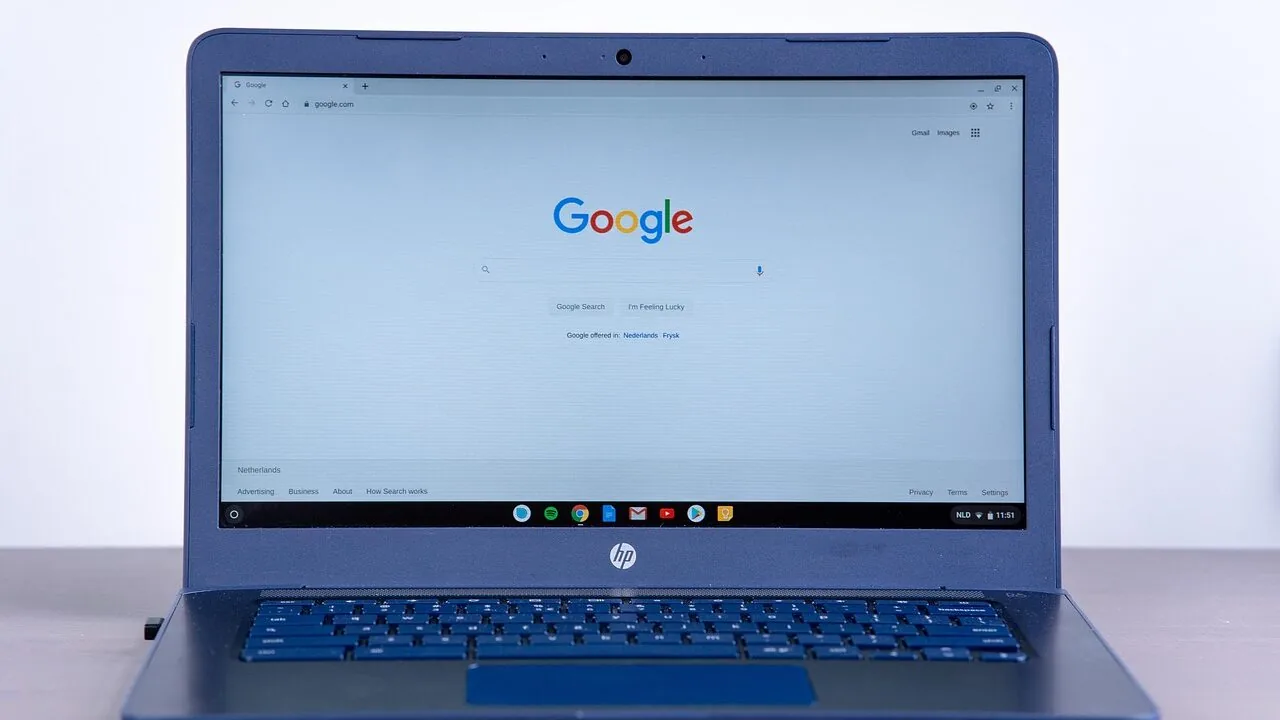
Chromebooks have carved out a genuine place in the laptop market, not just as budget stopgaps but as capable, fast-booting machines built for everyday productivity, education, and cloud-first work.
With Chrome OS maturing rapidly and Google Gemini AI now baked into the platform, today’s chromebooks offer far more than a browser in a laptop shell.
The challenge is cutting through a crowded field of similar-looking specs to find a model that genuinely fits your workflow, screen size preference, and budget.
REMOVU researched dozens of current chromebook models, analyzing specifications, synthesizing expert review consensus, and weighing verified buyer feedback to surface the picks most worth your money in 2026.
Whether you need a workhorse for a student, a portable companion for light business tasks, or a versatile 2-in-1 for flexible use, the options below represent the strongest choices across a range of price tiers.
Read on to see our ranked picks, then use the buying guide to match the right model to your needs.
| Award | Product | REMOVU Score About REMOVU ScoreThe REMOVU Score is our own rating from 0 to 10, based on performance, design and build, ease of use, and value. It reflects independent research and is never influenced by manufacturers, retailers, or affiliate commissions. Learn more › | Price | |
|---|---|---|---|---|
| Best Budget |
 ASUS Chromebook CX15 15.6-inch FHD
|
8.4/10 | Buy | |
| Best Value |
 ASUS Chromebook Flip CX1 14" 2-in-1 Convertible
|
7.2/10 | Buy | |
| Best Premium |
 Lenovo Chromebook Plus i 15 inch WUXGA
|
8.1/10 | Buy | |
| Best Overall |
 Acer Chromebook Plus 515 15.6" Touch
|
8.8/10 | Buy | |
 Acer Chromebook Plus 514, 14" Touchscreen Intel i3
|
7.3/10 | Buy | ||
 Acer Chromebook Plus 14 FHD Touchscreen
|
7.2/10 | Buy | ||
 Lenovo IdeaPad Flex 3i Chromebook 12.2
|
7.0/10 | Buy | ||
 Amzboy 15.6 Inch Windows 11 Laptop
|
6.2/10 | Buy |
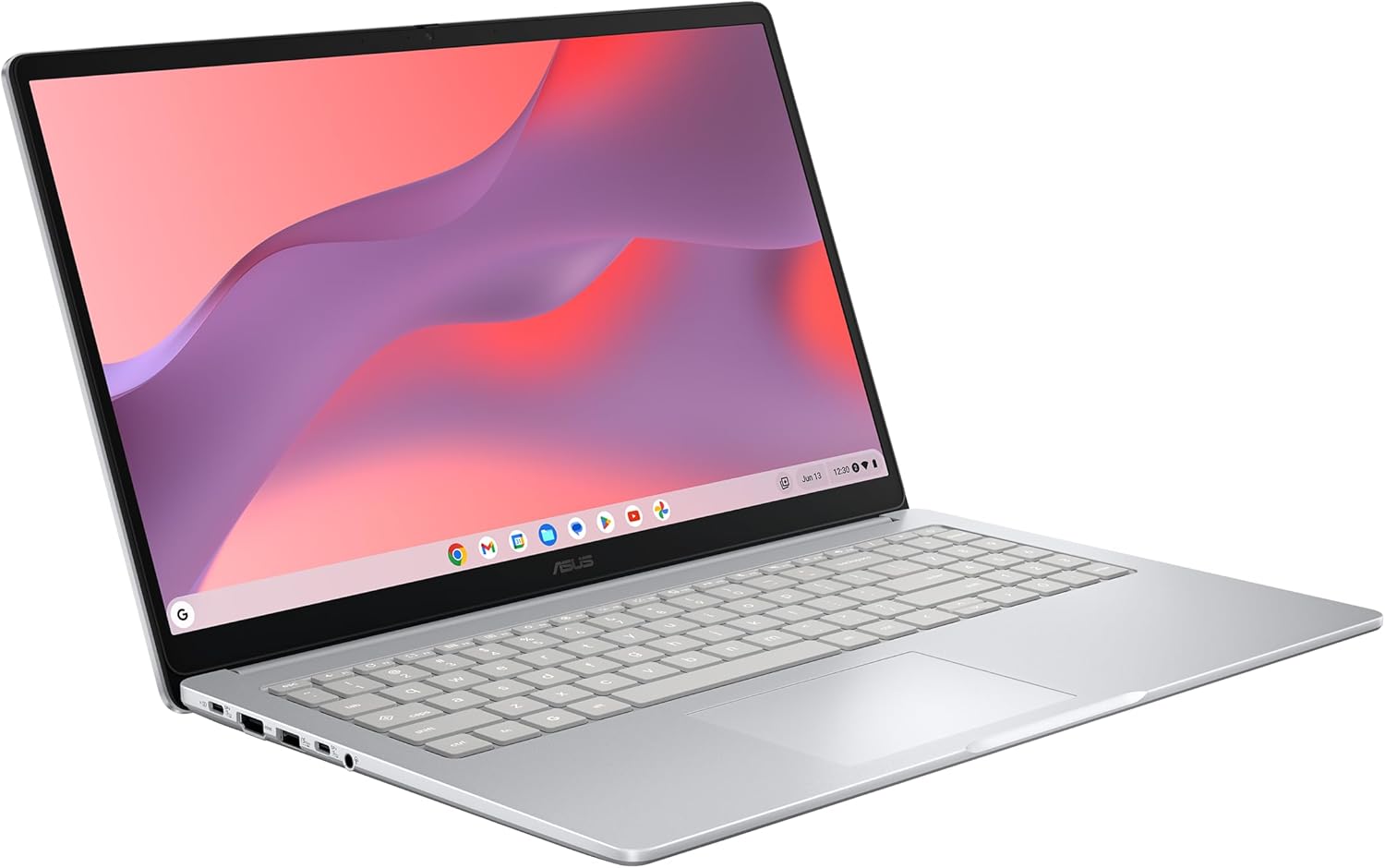
ASUS Chromebook CX15 15.6-inch FHD
A portable 15.6-inch Chromebook designed for productivity on the go, combining a spacious display with solid battery endurance. The 128GB storage and 8GB RAM handle everyday multitasking smoothly, while military-grade durability and built-in security make it a practical choice for students and remote workers seeking a lightweight, low-maintenance laptop.
Pros
- Large 15.6-inch FHD anti-glare display with slim bezels for comfortable viewing and multitasking
- Up to 10 hours of battery life supports full workdays and travel without frequent charging
- Fast boot under 10 seconds and automatic updates keep the system responsive
- Military Grade MIL-STD 810H durability in a lightweight 3.53 lbs chassis
- 128GB storage with 8GB LPDDR5 RAM provides adequate space and speed for typical Chromebook use
- Built-in Titan C2 security chip and ChromeOS protection eliminate virus concerns
Cons
- Intel Processor N50 is entry-level, limiting performance for demanding applications or heavy multitasking
- No dedicated graphics, making it unsuitable for gaming or video editing
- Limited to ChromeOS ecosystem, restricting access to traditional Windows or macOS software
ASUS Chromebook Flip CX1 14" 2-in-1 Convertible
A lightweight 2-in-1 Chromebook designed for students and mobile workers who need flexibility without bulk. The 360-degree hinge, 11-hour battery, and four work modes make it adaptable for different tasks, while ChromeOS keeps things simple and secure. Best suited for those committed to Google's ecosystem.
Pros
- 360-degree convertible design with four practical work modes for varied productivity styles
- Impressive 11-hour battery life for all-day use without frequent charging
- Lightweight at 3.59 lbs with MIL-STD 810H durability for portability and reliability
- 14-inch FHD touchscreen with NanoEdge bezels for immersive viewing and interaction
- Solid connectivity including Wi-Fi 6, dual USB-C, and microSD card reader
Cons
- Intel Celeron N4500 processor handles multitasking adequately but lacks power for demanding applications
- 128GB eMMC storage is modest for users who store large files locally, though ChromeOS relies on cloud storage
- ChromeOS ecosystem limits offline functionality and Microsoft Office compatibility compared to Windows or macOS
Lenovo Chromebook Plus i 15 inch WUXGA
A lightweight 15-inch Chromebook built for productivity and cloud-based work, powered by Intel Core processors and integrated Google Gemini AI features. The tall 16:10 display and solid build quality make it practical for professionals who need portability without sacrificing screen real estate. Best suited for users already invested in Google's ecosystem and cloud-first workflows.
Pros
- Large 15.3-inch WUXGA display with 16:10 aspect ratio reduces scrolling and improves multitasking visibility
- Lightweight at 3.44 lbs with military-grade durability, balancing portability with ruggedness
- Google Gemini AI integration for handwriting-to-text conversion, content simplification, and native assistant features
- Physical webcam shutter for privacy control plus fingerprint reader for quick, secure login
- Comprehensive connectivity with dual USB-C, dual USB-A, HDMI, and Wi-Fi 6E for streaming and video calls
Cons
- Limited to Chrome OS ecosystem, which restricts software compatibility for users needing traditional desktop applications
- Intel Core N355 processor is entry-level, potentially limiting performance for heavy video editing or intensive creative work
- No dedicated graphics; relies on integrated Intel graphics, which may struggle with demanding cloud gaming or 3D applications
Acer Chromebook Plus 515 15.6" Touch
A productivity-focused Chromebook with a spacious 15.6-inch touchscreen and Intel Core i3 processor that handles everyday work, content creation, and streaming without breaking a sweat. The inclusion of Google AI Pro for a year and military-grade durability make it a solid choice for students and remote workers seeking reliability on a budget.
Pros
- Large 15.6-inch Full HD IPS touchscreen with narrow bezels provides immersive viewing for work and entertainment
- Intel Core i3-1305U processor with 8GB LPDDR5X and 256GB SSD delivers smooth multitasking and file handling
- 12 months of Google AI Pro, 2TB cloud storage, and access to advanced apps like Adobe Photoshop and LumaFusion included
- Wi-Fi 6E and Bluetooth 5.1 ensure fast, reliable connectivity across multiple bands
- Up to 10 hours of battery life supports extended work sessions away from power
- MIL-STD 810H military-grade durability certification reduces worry about drops and daily wear
Cons
- HD webcam (720p) is basic for professional video calls compared to 1080p standards on comparable laptops
- Chrome OS limits offline functionality and traditional software compatibility, requiring internet for full productivity
- 8GB RAM and 256GB storage, while adequate, are modest compared to Windows alternatives at similar price points
Acer Chromebook Plus 514, 14" Touchscreen Intel i3
This 14-inch Chromebook balances portability with solid everyday performance, packing an Intel Core i3 processor, 8GB RAM, and touchscreen display into a 3.09-lb frame. Built for students, remote workers, and educators, it offers 11-hour battery life, military-grade durability, and Gemini AI integration. Chrome OS keeps it simple and secure, though app flexibility remains limited compared to Windows or macOS machines.
Pros
- Lightweight and durable: weighs just 3.09 lbs and meets MIL-STD 810H military standards for rugged reliability
- Responsive 14" FHD+ touchscreen with 300-nit brightness and narrow bezels, plus support for up to 3 external monitors
- All-day battery: up to 11 hours per charge with fast charging via 65W USB-C
- Strong connectivity: Wi-Fi 6E, Bluetooth 5.3, dual USB-C, dual USB-A, HDMI, and 1080p webcam with privacy shutter
- Gemini AI integration with 12 months Google AI Pro included; Quick Insert key for creative workflows
Cons
- Chrome OS limits offline functionality and traditional software compatibility; best for cloud-first workflows
- Integrated Intel graphics handle everyday tasks but lack dedicated GPU for gaming or video editing
- Resealed unit with mixed warranty coverage (3 years on upgraded SSD only; 1 year on other components)
Acer Chromebook Plus 14 FHD Touchscreen
A solid mid-range Chromebook built around a 14-inch touchscreen and Intel Core i3-N305 processor, designed for everyday productivity and light multitasking. The bundle includes a docking station with extra storage, making it practical for users who need flexible connectivity and expanded capacity without breaking the bank.
Pros
- 14-inch FHD IPS touchscreen with vibrant colors and comfortable viewing angles
- Intel Core i3-N305 delivers reliable performance for multitasking and general computing tasks
- Includes 7-in-1 docking station with 128GB storage plus 32GB MicroSD card, expanding usable storage significantly
- Wi-Fi 6E and Bluetooth 5.1 for fast wireless connectivity
- Lightweight at 3.15 lbs with thin 0.81-inch profile, portable for work and travel
- Chrome OS provides fast boot times and straightforward security
Cons
- Chrome OS limits software compatibility for users needing Windows or macOS applications
- 8GB LPDDR5 RAM may struggle with heavy browser workloads or demanding web applications
- Storage split between SSD and docking station requires managing files across two locations
Lenovo IdeaPad Flex 3i Chromebook 12.2
A lightweight 2-in-1 Chromebook with a 360-degree hinge, Intel N100 processor, and 12+ hour battery life designed for students and everyday users. Strong value for remote learning, web browsing, and light productivity tasks on a budget.
Pros
- Versatile 360-degree hinge transforms between laptop, tent, flip, and tablet modes for different tasks
- Exceptional battery life delivers 12+ hours on a single charge, ideal for full school days
- Lightweight and thin design at 2.76 lbs makes it easy to carry in a backpack
- Bright 12.2-inch touchscreen with TUV Low Blue Light certification reduces eye fatigue
- Affordable entry price for a capable 2-in-1 with modern specs and Chrome OS simplicity
Cons
- 4GB RAM may feel limiting for heavy multitasking or running many browser tabs simultaneously
- Intel N100 processor is entry-level and not suitable for video editing, gaming, or demanding applications
- Glossy touchscreen display can show fingerprints and reflections in bright environments
Amzboy 15.6 Inch Windows 11 Laptop
This lightweight 15.6-inch laptop delivers solid everyday performance with a 180-degree lay-flat design, fast USB-C charging, and quiet operation at an accessible price point. Best suited for students, remote workers, and travelers who need reliable browsing, document work, and video conferencing without breaking the bank.
Pros
- Exceptional portability and balance between screen size and weight for daily commuting and travel
- Innovative 180-degree hinge design improves collaboration and screen sharing compared to traditional laptops
- Modern USB-C Power Delivery charging simplifies cable management and works across multiple devices
- Silent operation with smart cooling system minimizes distractions during work, study, or virtual meetings
- Massive storage expansion capability up to 1TB addresses the modest 128GB base storage
Cons
- Intel N4020 CPU and 4GB RAM limit performance for multitasking or resource-intensive applications
- 128GB eMMC storage is tight for users with large media libraries or software collections
- Entry-level specs mean this is not suitable for video editing, programming, or gaming workloads
Best Chromebooks Buying Guide
Choosing among chromebooks is easier once you understand what actually separates a frustrating machine from a genuinely useful one.
The spec sheets can look deceptively similar, so the sections below focus on the criteria that make a real difference in day-to-day use.
If you are also weighing traditional laptops or a 2-in-1 form factor alongside a chromebook, those category pages can help you compare your options more broadly.
Processor and Performance Tier

The CPU is the single biggest determinant of how snappy a chromebook feels day to day.
Chrome OS is lean enough that entry-level chips like the Intel Celeron N4500 or Intel Processor N50 handle basic browsing, video calls, and Google Workspace tasks without major complaints.
However, if you routinely keep fifteen or more browser tabs open, run Android apps, or rely on Linux containers, stepping up to an Intel Core i3 makes a noticeable difference in sustained responsiveness.
For 2026, the Intel Core i3-1305U (a mainstream-generation U-series chip) and the newer Intel i3-N305 or i3-N355 (Alder Lake-N efficiency cores) represent the sweet spot for most buyers who want reliable performance without premium pricing.
The N-series chips prioritize sustained efficiency over peak burst speed, which pairs well with Chrome OS’s lightweight architecture and extends battery life.
If your needs lean heavily toward programming or technical work, consider whether a chromebook’s Linux environment is robust enough before committing.
Avoid conflating eMMC storage speed with processor performance.
A fast CPU paired with slow eMMC will still feel more responsive than a sluggish CPU with a fast SSD, because Chrome OS’s bottleneck is almost always compute rather than local storage access.
When possible, prioritize the CPU tier first, then storage type.
RAM and Storage Configuration

8GB of RAM is the practical floor for a chromebook you plan to use seriously in 2026. Chrome OS manages memory efficiently, but Android apps, Progressive Web Apps, and multiple active tabs collectively push a 4GB machine noticeably harder.
Verified buyer feedback on 4GB configurations consistently flags slowdowns during multitasking, especially on models like the Lenovo IdeaPad Flex 3i with 4GB DDR5, which is better positioned for very light, single-task users.
For storage, a 128GB or 256GB SSD is preferable to eMMC at the same capacity.
SSDs deliver meaningfully faster app load times and file transfers, and you will notice the difference if you work with large Google Drive files cached offline.
That said, chromebooks are architected around cloud storage, so local capacity matters less here than on a Windows machine.
If budget is tight, 128GB eMMC with a fast chip is a reasonable trade-off, provided you lean on Google Drive for heavy files.
Display Size, Resolution, and Touch
Screen size is often a lifestyle decision as much as a performance one.
Fourteen-inch chromebooks hit the best balance between portability and usable screen real estate for most adults, while fifteen-inch models suit those who do extended reading, spreadsheet work, or video consumption at a desk.
The 12-inch range works for younger students or ultra-light travel but can feel cramped for full-time productivity.
Resolution matters more on chromebooks than some buyers expect because Chrome OS renders text crisply at higher pixel densities. Full HD (1920 x 1080) should be your baseline. On a 15.6-inch panel in particular, anything below Full HD looks noticeably soft.
IPS panels, which appear in models like the Acer Chromebook Plus 515, deliver better viewing angles and color accuracy compared to TN panels, which is worth seeking out if you collaborate on documents or watch content with others nearby.
Touchscreens add genuine utility on chromebooks because Android app interfaces and certain web apps are designed around touch interaction. If you lean toward a 2-in-1 configuration, touch is essentially mandatory.
For a clamshell-only machine, a touchscreen is a nice-to-have rather than essential, but most current models in the Plus line include it by default.
If you are already considering a versatile 2-in-1 format, chromebooks with 360-degree hinges deserve a close look.
Connectivity and Ports

Wi-Fi 6E support, found across several models in this guide including Acer’s Chromebook Plus line, provides noticeably faster and more stable wireless connections on compatible routers.
If your home or office network already runs Wi-Fi 6E, it is a meaningful upgrade over older Wi-Fi 5 hardware.
Wi-Fi 5 is still perfectly functional for most use cases, but it becomes a limiting factor in crowded wireless environments like offices or apartment buildings.
USB-C ports are now standard, and most chromebooks support charging over USB-C, which simplifies your cable situation. Check for USB-A ports if you rely on older peripherals or flash drives without a dongle.
An HDMI output is helpful for connecting to external displays or conference room screens, and models targeting business or education use often include a full-size HDMI port alongside USB-C.
NFC, included on the Lenovo IdeaPad Flex 3i, is a niche addition useful mainly for enterprise device management and tap-to-pair workflows.
Battery Life and Build Quality

One of chromebooks’ historic advantages is battery efficiency, and that remains true today. Chrome OS’s architecture places less demand on the CPU than a full Windows stack, and efficiency-core Intel N-series processors compound this benefit.
Realistically, ten or more hours of mixed use is achievable on current mid-range models under normal brightness conditions. Buyer reports for models using the N305 and N355 chips generally confirm all-day battery without needing to carry a charger.
Build quality varies significantly at different price points. Plastic chassis are the norm below the premium segment, but material quality and hinge rigidity differ notably between manufacturers.
Lenovo and Acer’s Chromebook Plus machines tend to receive stronger marks from expert reviewers for chassis durability relative to price than some generic or lesser-known brands.
If portability matters, pay attention to weight: a machine in the lightweight laptop category that also handles productivity is a meaningful advantage on long travel days.
Our lightweight laptops guide covers this in greater depth if portability is your top priority.
Chrome OS Platform: AI Features and AutoUpdate Expiry

Google’s AutoUpdate Expiry (AUE) date is an often-overlooked but critically important factor. Every Chromebook has a guaranteed end date for Chrome OS updates, and buying a model close to its AUE date is a poor investment regardless of hardware quality.
Newer 2024 and 2026 releases generally carry AUE dates in the 2030s, giving you a long viable lifespan. Always verify the AUE date on Google’s official Chromebook AUE policy page before purchasing any model, especially older inventory being liquidated.
Google Gemini AI integration, now part of the Chromebook Plus specification, brings features like Help Me Write, image generation, and summarization directly into the OS.
Models certified as Chromebook Plus meet minimum hardware requirements (8GB RAM, 256GB or more storage, Full HD camera) to run these AI features reliably.
If you anticipate using AI-assisted writing or research workflows, verifying the Chromebook Plus badge on your chosen model ensures hardware compatibility.
This matters particularly for students and knowledge workers who want AI tools built into their OS rather than relying solely on browser extensions.
Why You Should Trust Us
REMOVU is an independent review publication focused on helping buyers make confident, well-informed decisions.
Every product in this guide was assessed using our REMOVU Score system, which rates each model on a scale of 0 to 10 based on a consistent set of criteria applied uniformly across the category.
We do not conduct our own product trials; our evaluations are grounded in research, published data, expert review consensus, and verified buyer feedback.
Our research process for chromebooks draws on manufacturer-published specifications, analysis of expert reviewer consensus across the technology press, and patterns in verified buyer feedback that reveal real-world reliability and usability.
When expert sources disagree or buyer sentiment diverges from spec-sheet expectations, we account for that tension in the REMOVU Score rather than deferring uncritically to either source.
Our goal is a rating that reflects how a product actually performs for real users over time, not just how it looks on paper.
REMOVU may earn a commission if you purchase through links in this article. That affiliate relationship has no influence on our rankings, scores, or product selection.
Products are chosen and ordered based solely on our research findings, not on commission rates or brand relationships. We maintain editorial independence as the foundation of our value to readers.
Final Thoughts
The chromebook market in 2026 offers genuinely strong options at multiple price points, with Acer, Lenovo, and ASUS delivering the most consistent performance-to-value ratios in our research. Here are the standout picks from this roundup, each recognized for a distinct strength:
- Best Overall: Lenovo Chromebook Plus i 15″ earns the top position with the highest REMOVU Score in this group, combining a full-power Intel Core processor, a large WUXGA IPS display, and Gemini AI integration into a well-built professional package that outperforms the field on sustained productivity tasks.
- Best Mainstream Pick: Acer Chromebook Plus 515 delivers an excellent balance of display quality, processing power, and AI-ready features at a mid-range price, making it the most versatile choice for a broad range of everyday users.
- Best Budget Clamshell: ASUS Chromebook CX15 offers a large 15.6-inch anti-glare display and solid everyday performance at an accessible price point, making it a strong value for students and light home users who need screen space without a high outlay.
- Best 2-in-1 Pick: ASUS Chromebook Flip CX1 stands out among convertible options for its 360-degree NanoEdge touchscreen, slim profile, and reliable versatility between laptop and tablet modes, suited to students and commuters who want flexibility. For more convertible options, our guide to 2-in-1 laptops covers a wider range of platforms.
- Best for Budget-Conscious Students: Lenovo IdeaPad Flex 3i Chromebook is the most affordable 2-in-1 in the group, with a compact 12.2-inch touchscreen, long battery life, and NFC, well suited to younger students or anyone who needs a secondary travel machine without spending much.
One note on the Amzboy 15.6″ Windows 11 Laptop included in this comparison: it runs Windows 11, not Chrome OS, and carries the lowest REMOVU Score of the group.
It is included for buyers who want a reference point for budget Windows alternatives, but it is not a chromebook and should be evaluated on different criteria.
If portability and lightweight design are your primary concerns across any operating system, our roundup of lightweight laptops covers a broader cross-platform view.
For buyers in the computers category more broadly, we also cover all-in-one PCs, mini PCs, and desktop PCs if a chromebook is not the right fit for your setup.
Frequently Asked Questions
Are Chromebooks Good Enough for College Students?
For most college workflows, yes. Chromebooks handle Google Workspace, Microsoft 365 web apps, video conferencing, research browsing, and media consumption without issue.
Students who need specialized Windows-only software for engineering, video editing, or advanced data science may find Chrome OS limiting, but for general humanities, business, and communication programs, a Chromebook Plus model with 8GB RAM is a solid and cost-effective choice.
The long battery life and fast boot times are practical advantages for campus use.
What Is the Difference Between a Standard Chromebook and a Chromebook Plus?
Chromebook Plus is Google’s certification tier for chromebooks meeting minimum hardware thresholds: at minimum an Intel Core i3 or AMD Ryzen 3 processor, 8GB RAM, 128GB or more storage, a Full HD IPS display, and a 1080p webcam.
Beyond hardware, Chromebook Plus devices get access to Google’s AI features including Gemini integration, Help Me Write, and Magic Eraser in Google Photos.
Standard chromebooks may still be perfectly capable machines, but they are not guaranteed access to AI-tier features and may have lower-resolution displays or slower chips.
How Long Will a Chromebook Receive Software Updates?
Google guarantees Chrome OS updates until each device’s AutoUpdate Expiry (AUE) date, published on Google’s Chromebook AUE policy page. For chromebooks released in 2024 and 2026, AUE dates typically extend to 2032 or 2033, giving buyers a meaningful software lifespan.
After the AUE date, the device still works but no longer receives security patches or new OS features, which is a security risk. Checking the AUE date before purchasing is especially important for older or discounted inventory.
Can You Run Windows or Microsoft Office on a Chromebook?
Chromebooks run Chrome OS natively and cannot install Windows directly.
However, Microsoft Office is available on chromebooks in two practical ways: through the web-based Microsoft 365 apps (Office Online) accessed in the Chrome browser, and through Android versions of Word, Excel, and PowerPoint available on chromebooks that support the Google Play Store.
For most document editing and spreadsheet work, the web apps are fully functional. Power users who rely on advanced Excel macros or desktop-only Office features may find the web and Android versions limiting and should consider a Windows laptop instead.
Is a 2-in-1 Chromebook Worth the Extra Cost Over a Standard Clamshell?
It depends on how you actually use a laptop. If you primarily type at a desk or on a table, a clamshell chromebook is more cost-efficient and often has a better keyboard deck.
If you regularly read long documents, annotate PDFs, sketch notes, or watch content lying down, the 360-degree hinge of a convertible pays for itself quickly.
Chromebooks with 360-degree hinges also work well as Android tablet interfaces for apps optimized for touch. Consider your daily habits honestly before paying the premium for convertibility.
For a broader look at 2-in-1 laptops across platforms, our category page covers additional options beyond Chrome OS.
Do Chromebooks Work Well Offline?
Chromebooks work offline better than their cloud-first reputation suggests, but with caveats. Google Docs, Sheets, and Slides can be set to sync for offline editing, and many Android apps from the Play Store function without an internet connection.
YouTube allows offline video downloads, and Gmail supports offline access with setup.
Where chromebooks fall short offline is in tasks that rely on web-based tools with no local fallback, such as cloud-based design platforms or collaboration tools that require live syncing.
For travel or areas with unreliable connectivity, enabling Google Drive offline sync before you leave a network is a recommended habit.
About the author
Valerie writes about wireless earbuds for REMOVU, comparing sound, battery life, call quality, and fit. She helps readers find the right pair from budget buds to premium ANC.