The 9 Best Lightweight Laptops
Weight matters when you carry a laptop all day. We researched the top slim, portable machines across every budget, from ARM-powered AI notebooks to no-frills student picks.
 By Sharlene Rose
Updated July 26, 2026
By Sharlene Rose
Updated July 26, 2026
Carrying a heavy laptop all day is a real burden, whether you are commuting to work, moving between campus buildings, or catching a flight.
The market for thin and lightweight laptops has matured significantly, with options spanning budget-friendly everyday machines all the way to premium AI-ready platforms built on next-generation ARM and x86 processors.
Choosing the right one means balancing portability against performance, battery life, and display quality without overpaying for specs you will never use.
Our team at REMOVU researched this category by analyzing manufacturer specifications, synthesizing expert review consensus across the industry, and weighing verified buyer feedback from confirmed purchasers.
Every model in this list has been evaluated against a consistent set of criteria and scored on the REMOVU Score scale of 0 to 10.
If you also need to weigh cost against capability, our guide to laptops for the money runs a parallel analysis. Read on for our ranked picks of the best lightweight laptops you can buy right now.
| Award | Product | REMOVU Score About REMOVU ScoreThe REMOVU Score is our own rating from 0 to 10, based on performance, design and build, ease of use, and value. It reflects independent research and is never influenced by manufacturers, retailers, or affiliate commissions. Learn more › | Price | |
|---|---|---|---|---|
| Best Overall |
 HP OmniBook 3 14-inch AI Laptop
|
8.6/10 | Buy | |
| Best Premium |
 Lenovo IdeaPad Slim 3X 15 Snapdragon
|
8.3/10 | Buy | |
 Lenovo IdeaPad Slim 3 16 inch
|
7.9/10 | Buy | ||
| Best Value |
 Lenovo IdeaPad Slim 3, Intel i5
|
7.8/10 | Buy | |
 Lenovo V15 G6 Business Laptop, 15.6 inch
|
7.5/10 | Buy | ||
 Acer Aspire Go 15 AMD Ryzen 3
|
7.2/10 | Buy | ||
| Best Budget |
 HP 14 inch Laptop with AMD Processor
|
6.8/10 | Buy | |
 HP 14 Laptop with Intel N150
|
6.2/10 | Buy | ||
 Amzboy 15.6 Inch Windows 11 Laptop
|
6.2/10 | Buy |
HP OmniBook 3 14-inch AI Laptop
The HP OmniBook 3 is a lightweight AI-powered laptop built around the Snapdragon X processor, delivering exceptional battery life (32+ hours) and integrated AI features for productivity tasks. Ideal for remote workers and students seeking an affordable Windows machine with strong all-day endurance.
Pros
- Exceptional battery endurance eliminates daily charging anxiety
- Integrated AI assistants streamline workflows without third-party software
- Affordable price point for a modern AI-capable laptop
- Fast SSD storage and ample RAM handle multitasking smoothly
- Eco-friendly construction appeals to sustainability-focused buyers
Cons
- Limited graphics performance compared to dedicated GPU laptops, not suitable for gaming or professional video editing
- No reviews available yet to validate real-world performance claims
- 16GB RAM may feel tight for heavy multitasking or development work
Lenovo IdeaPad Slim 3X 15 Snapdragon
A durable, AI-ready 15-inch laptop with Snapdragon X processor and all-day battery life, designed for everyday computing, content creation, and light gaming. Best for users who prioritize portability, privacy features, and expandable storage without breaking the bank.
Pros
- Excellent value at this price point with premium build quality and modern AI capabilities
- Lightweight and portable design with 15-inch screen ideal for remote work and travel
- User-upgradeable storage eliminates future upgrade costs and extends device lifespan
- Strong privacy and security features including physical webcam shutter and fingerprint authentication
- Snapdragon X processor delivers efficient performance with exceptional battery endurance
Cons
- Limited high-end gaming performance compared to dedicated GPU-equipped laptops
- Snapdragon X ecosystem still developing with potential software compatibility issues for legacy applications
Lenovo IdeaPad Slim 3 16 inch
The Lenovo IdeaPad Slim 3 16 inch combines a 13th Gen Intel i5 processor with a spacious 16 inch WUXGA display and DDR5 RAM for smooth multitasking and productivity work. Best suited for remote workers, students, and business professionals who need reliable performance and screen real estate without breaking the bank.
Pros
- Large 16 inch screen reduces eye strain and improves productivity for document-heavy work
- Fast DDR5 memory and SSD storage ensure responsive performance even with multiple applications open
- Extensive port selection and WiFi 6 connectivity eliminate the need for additional adapters and hubs
- Privacy-focused features including webcam shutter and TPM 2.0 provide peace of mind for remote workers
- Affordable price point for the specifications and screen size makes it excellent value
Cons
- 8GB RAM may require upgrading for heavy multitasking or content creation workflows beyond typical office use
- Intel UHD Graphics limits performance for demanding gaming or professional video editing tasks
- 60Hz display refresh rate is standard but not ideal for creative professionals who prefer higher refresh rates
Lenovo IdeaPad Slim 3, Intel i5
The Lenovo IdeaPad Slim 3 pairs a capable 13th-gen Intel Core i5 processor with a lightweight 1.59kg frame and all-day battery life, making it an excellent choice for students and remote workers who need reliable performance without the bulk. The included Office 365 and anti-glare display add practical value for productivity-focused users.
Pros
- Exceptionally portable for a 15.3-inch laptop, ideal for students moving between classes or professionals working remotely
- Strong processor and DDR5 RAM combination handles demanding multitasking without performance dips
- Anti-glare display significantly reduces eye fatigue during long work sessions and video conferences
- Lifetime Office 365 access provides immediate productivity without additional software purchases
- Fast charging keeps you productive on tight schedules
Cons
- 8GB RAM may require upgrades for heavy multitasking or demanding creative applications in the future
- 512GB storage could fill quickly with large media files or extensive software installations
Lenovo V15 G6 Business Laptop, 15.6 inch
The Lenovo V15 G6 is a lightweight 15.6-inch business laptop built for professionals, students, and remote workers who need reliable everyday computing without breaking the bank. Its Intel N100 processor, 8GB DDR5 RAM, and 256GB SSD deliver smooth multitasking and fast boot times, while WiFi 6 and comprehensive security features make it practical for business use.
Pros
- Excellent portability at just 3.33 lbs with professional design suitable for business environments
- Strong value at this price point with DDR5 RAM, NVMe SSD, and WiFi 6 connectivity
- Solid security features including privacy shutter and TPM 2.0 protect sensitive business data
- Versatile port selection supports external monitors, peripherals, and multiple network connections
- Reliable performance for everyday business tasks, remote work, and student coursework
Cons
- Intel N100 processor is entry-level and may struggle with intensive creative work or gaming
- 256GB storage fills quickly with large files or multiple applications
- 720p webcam quality is basic for professional video conferencing
Acer Aspire Go 15 AMD Ryzen 3
The Acer Aspire Go 15 is a budget-friendly 15.6-inch laptop built for everyday computing, streaming, and light productivity with a Ryzen 3 processor and solid battery life. It's ideal for students, casual users, and anyone seeking an affordable, no-frills machine that handles basic tasks reliably.
Pros
- Excellent value at under $350 with solid quad-core performance
- Large 15.6-inch screen ideal for movies, browsing, and productivity
- Windows 11 with integrated Copilot AI for enhanced workflow efficiency
- Strong battery life keeps you productive throughout the day
- Environmentally conscious construction appeals to sustainability-minded buyers
Cons
- 128GB storage fills quickly and may require external drives for media
- 8GB RAM is adequate for basic tasks but limits multitasking and heavy applications
- AMD Radeon 610M graphics are not suitable for gaming or professional design work
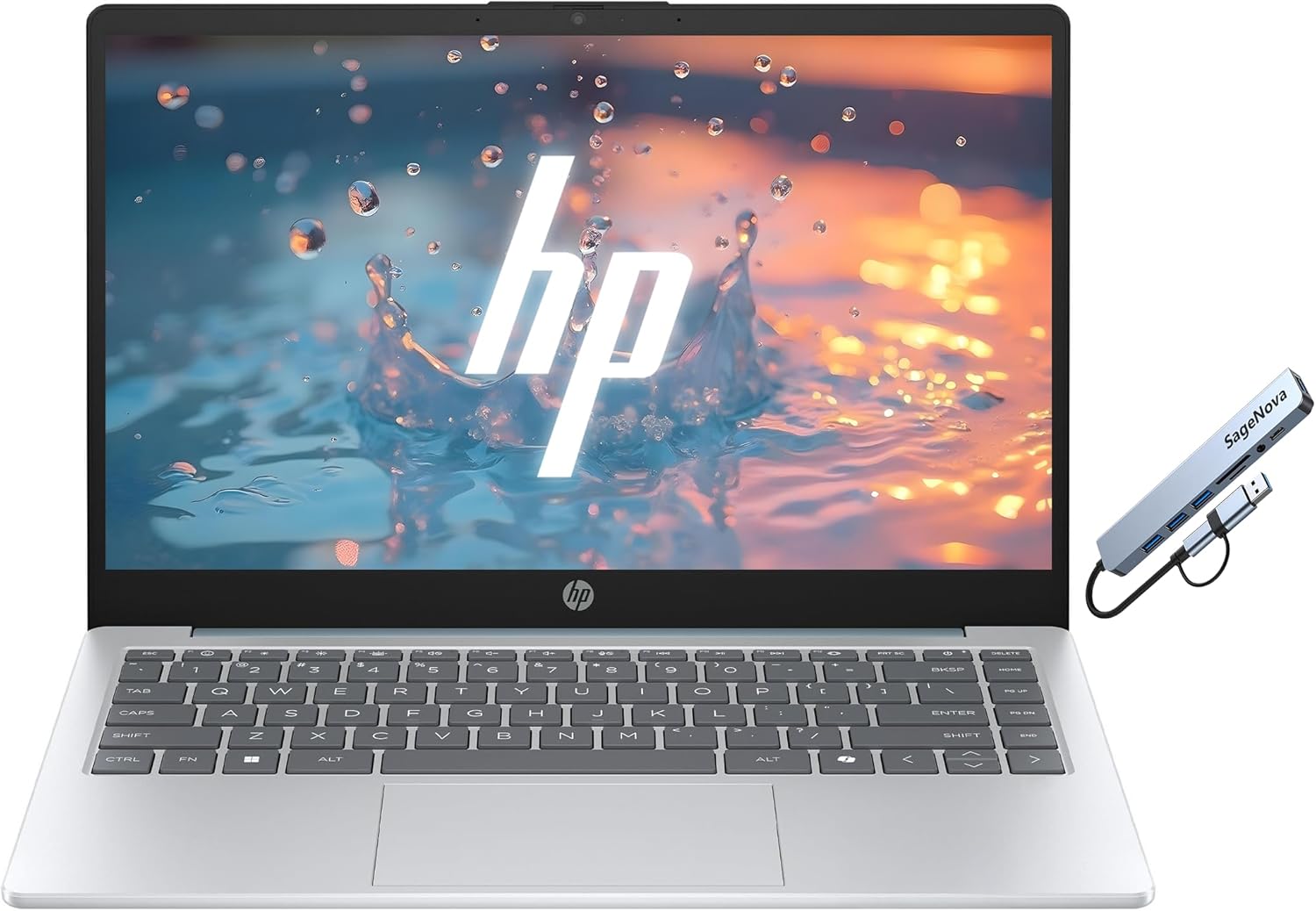
HP 14 inch Laptop with AMD Processor
The HP 14 is a budget-friendly laptop built for everyday computing, streaming, and light productivity work. With an AMD Athlon processor, 256GB SSD, and Windows 11, it delivers solid performance for students and home users who prioritize portability and value.
Pros
- Affordable entry-level laptop at a competitive price point
- 256GB SSD provides ample storage and faster performance than traditional hard drives
- Comprehensive port selection including USB-C, USB-A, and HDMI for device connectivity
- Windows 11 S Mode optimized for speed, security, and web-based workflows
- Thin and lightweight design makes it easy to carry between home, office, or school
Cons
- 4GB RAM limits heavy multitasking and may struggle with memory-intensive applications
- 1366x768 HD display resolution is basic compared to modern Full HD standards
- AMD Athlon Silver processor offers entry-level performance, not suitable for gaming or video editing
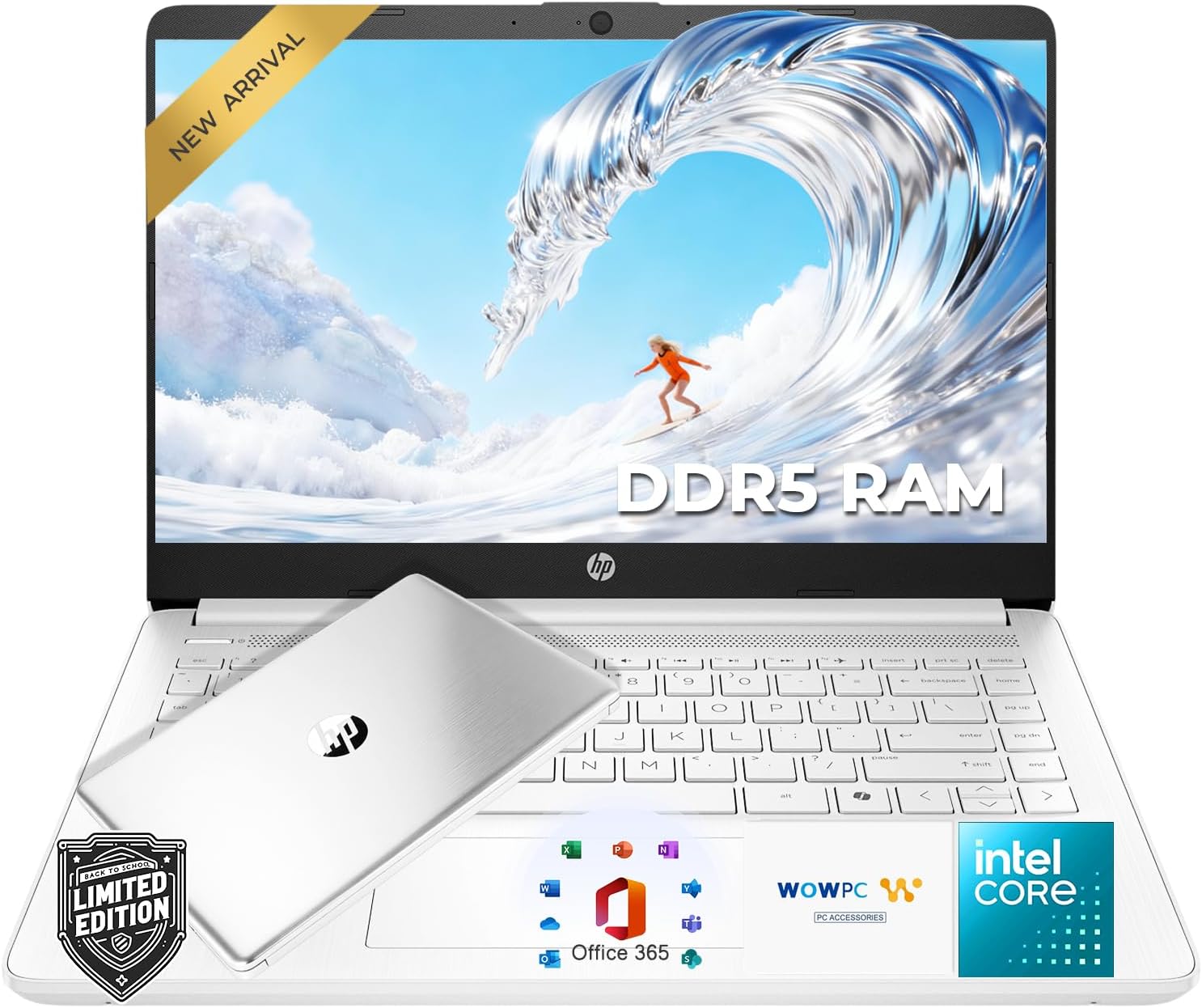
HP 14 Laptop with Intel N150
A budget-friendly 14-inch laptop built for students and everyday users, featuring an Intel N150 processor, 4GB DDR5 RAM, and 128GB SSD plus 1TB cloud storage. It delivers reliable performance for web browsing, online classes, and remote work at an accessible price point.
Pros
- Excellent value for students and budget-conscious buyers seeking reliable daily computing
- Includes Microsoft 365 subscription and generous 1TB cloud storage out of the box
- Portable design at under 3.3 lbs makes it ideal for mobile students
- Solid battery life supports full school or work days without frequent charging
- DDR5 memory and SSD provide responsive performance for browsing and productivity apps
Cons
- 4GB RAM and 128GB SSD storage may limit performance with heavy multitasking or large files
- Intel N150 processor is entry-level and not suitable for demanding applications like video editing or gaming
- HD display resolution is basic compared to modern Full HD standards on competing laptops
Amzboy 15.6 Inch Windows 11 Laptop
This lightweight 15.6-inch laptop delivers solid everyday performance with a 180-degree lay-flat design, fast USB-C charging, and quiet operation at an accessible price point. Best suited for students, remote workers, and travelers who need reliable browsing, document work, and video conferencing without breaking the bank.
Pros
- Exceptional portability and balance between screen size and weight for daily commuting and travel
- Innovative 180-degree hinge design improves collaboration and screen sharing compared to traditional laptops
- Modern USB-C Power Delivery charging simplifies cable management and works across multiple devices
- Silent operation with smart cooling system minimizes distractions during work, study, or virtual meetings
- Massive storage expansion capability up to 1TB addresses the modest 128GB base storage
Cons
- Intel N4020 CPU and 4GB RAM limit performance for multitasking or resource-intensive applications
- 128GB eMMC storage is tight for users with large media libraries or software collections
- Entry-level specs mean this is not suitable for video editing, programming, or gaming workloads
Lightweight Laptops Buying Guide
A laptop marketed as “lightweight” can mean anything from a compact 14-inch ultrabook to a slim 15.6-inch everyday machine.
The buying guide below breaks down the factors that actually separate a great portable laptop from a frustrating one, drawing on the same criteria our editorial team uses when scoring each product.
Weight and Form Factor

True portability starts with the physical weight and dimensions of the chassis. For most commuters and students, a laptop that weighs under 1.5 kg (roughly 3.3 lbs) makes a noticeable difference over the course of a day in a backpack.
Screen size plays a direct role: 14-inch models tend to be lighter and more compact than 15.6-inch models, though some slim 15-inch designs stay competitive by using thin bezels and lightweight magnesium or aluminum alloy lids.
Consider how you plan to carry the machine. Frequent fliers benefit most from sub-1.4 kg designs with a narrow footprint that fits airline tray tables.
Students who move between classes may prioritize a screen large enough to avoid constant scrolling, making a slim 15-inch an acceptable trade-off.
Build material also matters beyond weight: a rigid lid that does not flex under pressure protects the display in a crowded bag far better than a fully plastic shell.
Processor Platform and Real-World Performance

The processor determines not just raw speed but also heat output, fan noise, and battery life.
In 2026, the major platforms to consider are Intel Core i-series (13th and 14th generation), AMD Ryzen series, and the newer ARM-based Qualcomm Snapdragon X family.
ARM-based designs like the Snapdragon X in the HP OmniBook 3 and the Lenovo IdeaPad Slim 3X deliver standout battery efficiency because the chip sips power during light tasks, but software compatibility with x86-only applications remains something to verify before buying.
For everyday tasks such as web browsing, video calls, and office productivity, even an entry-level Intel N-series or AMD Ryzen 3 chip handles the workload.
Where you need to be cautious is with heavier workloads: photo editing, light video work, or running several virtual meetings simultaneously. Those tasks benefit from a Core i5 or Ryzen 5 and above.
If your work involves creative software, a laptop suited for photo editing may be a better starting point than a pure portability pick.
RAM and Storage Configuration
For a lightweight laptop that will remain useful for several years, 8 GB of RAM is the practical minimum.
It is enough for a dozen browser tabs, a video call, and a productivity app running simultaneously, but it will show strain if you push further.
Configurations with 16 GB of RAM, such as those found in the HP OmniBook 3 and the Lenovo IdeaPad Slim 3X, offer noticeably more headroom for multitasking and will age better as browser engines and operating systems grow more demanding.
On storage, a 512 GB SSD is the sweet spot for most users: large enough to hold the operating system, applications, a reasonable media library, and project files without constant management.
Budget models often ship with 128 GB or 256 GB of eMMC or PCIe storage, which works for cloud-first users but can feel cramped quickly.
DDR5 RAM, present in several models on this list, also contributes to faster data throughput compared to DDR4, a detail worth confirming in the spec sheet.
Display Quality and Size

For a portable laptop, display quality is arguably more important than on a desktop replacement because you are often using it in varied lighting conditions.
An IPS or IPS-like panel with an anti-glare coating, at minimum Full HD (1920 x 1080) resolution, is the baseline to insist on.
At 15 or 15.6 inches, look for panels that resolve to at least 1920 x 1200 (WUXGA) for a slightly taller aspect ratio that reduces scrolling in documents and web pages.
Brightness matters outdoors: 300 nits is adequate in shaded environments, while 400 nits or above holds up better in bright office lighting.
A 2K or higher resolution display, such as the 2K panel on the HP OmniBook 3, is a genuine quality-of-life upgrade for text clarity.
Color accuracy and coverage are secondary concerns for most productivity users but become more important if you do any design or editing work, in which case our roundup of laptops for video editing covers calibrated display criteria in more depth.
Battery Life and Charging

Battery life is one of the most influential factors for portable laptop buyers, yet manufacturer claims are almost always optimistic. Real-world battery life under mixed workloads (web browsing, document editing, occasional streaming) typically runs 20 to 30 percent shorter than quoted figures.
ARM-based Snapdragon X devices, in particular, have earned strong independent reviews for sustaining over eight hours of practical mixed use, which closes the gap with dedicated ChromeBooks in this regard.
Fast charging support is increasingly common even in affordable tiers. Look for USB-C Power Delivery charging, which lets you top up from a café or airport outlet using the same compact charger you carry for your phone.
Some models also support 45W or higher PD fast charging, cutting the time from low to usable charge considerably.
This feature is particularly valuable if you forgot to charge overnight and need several hours of runtime from a short plug-in session.
Connectivity and Ports
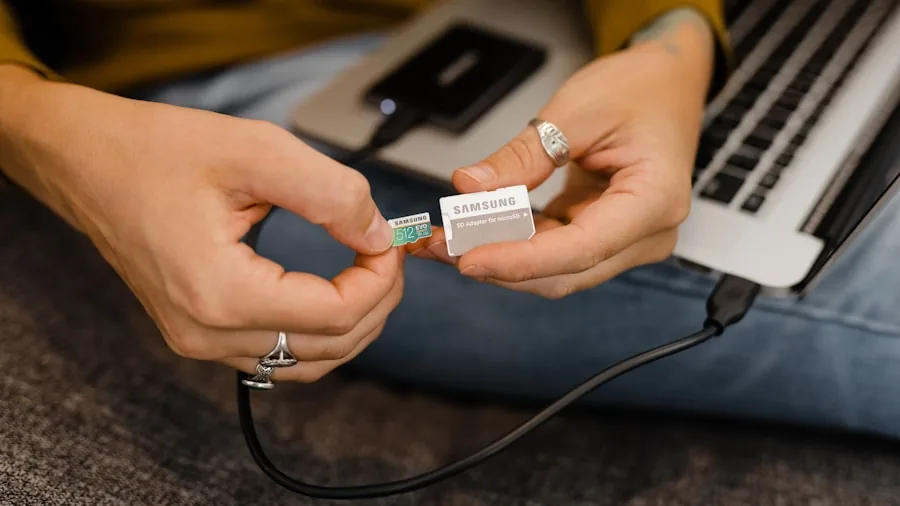
Thin and light laptops often sacrifice port variety in the name of a slimmer chassis. At minimum, confirm the machine has at least one USB-C (preferably USB 3.2 or Thunderbolt), one USB-A for legacy peripherals, and a headphone jack.
Wi-Fi 6 support, now standard in most models above the lowest price tier, provides noticeably faster and more stable wireless performance in congested environments such as offices or university networks.
If you regularly connect to an external monitor or projector, check for HDMI output or confirm that the USB-C port supports DisplayPort alt mode.
Lightweight laptops in a professional context often live alongside work-oriented laptops where Thunderbolt docks and multi-display setups are common, so understanding the port spec before buying can save you from needing a hub that adds back weight and cost.
Why You Should Trust Us
REMOVU is an independent review publication. We do not accept payment from manufacturers for coverage, and our editorial team operates separately from any commercial relationships the site maintains.
Every laptop on this list was evaluated against the same consistent criteria and assigned a REMOVU Score on a scale of 0 to 10.
Scores reflect a synthesis of published manufacturer specifications, expert review consensus drawn from credible industry sources, and verified buyer feedback from confirmed purchasers.
We do not conduct our own product trials; our evaluations are grounded in research, published data, expert review consensus, and verified buyer feedback.
REMOVU may earn a commission if you purchase through links on this page. That affiliate relationship has no bearing on which products are included, how they are ranked, or what scores they receive.
Our recommendations reflect assessed quality and suitability for the intended buyer, not commission rates.
If you are shopping across a wider spectrum of use cases, our broader laptops guide and the computers category cover additional segments including 2-in-1 laptops, Chromebooks, and gaming laptops.
Final Thoughts
The lightweight laptop space has genuinely strong options at every price tier right now, from lean budget picks designed for students and light home use all the way to next-generation AI-ready platforms with exceptional battery efficiency.
Here is how the top performers break down by buyer profile, each recognized with a REMOVU editorial designation:
- Best Overall: HP OmniBook 3 14 earns the top spot with the highest REMOVU Score on this list, combining a sharp 2K display, a Snapdragon X AI platform, 16 GB of RAM, and a slim 14-inch chassis that excels for portable all-day productivity.
- Best AI Laptop: Lenovo IdeaPad Slim 3X is the pick for buyers who want a Copilot+ certified experience on a Snapdragon X processor with generous memory and strong battery endurance in a 15.3-inch form factor.
- Best for Everyday Work: Lenovo Business Laptop 16-inch suits professionals who want a larger screen for productivity without sacrificing the portability of a thin chassis, backed by a capable Intel i5-13420H and DDR5 memory.
- Best Budget Pick: HP 14 Laptop with AMD Processor offers genuine portability at an accessible price, making it the strongest choice for students or secondary-machine buyers who need a thin, lightweight option without a premium outlay.
- Best Ultra-Budget Option: Amzboy 15.6-inch Windows 11 Laptop stands out at the very lowest price tier for its 180-degree lay-flat hinge, USB-C fast charging, and thin profile, making it a pragmatic pick for extremely light tasks when spending as little as possible is the priority.
For buyers focused specifically on professional workflows, our roundups covering laptops for programming and budget laptops offer further segmented guidance. Whatever your use case, portability no longer requires a meaningful compromise in day-to-day performance.
Frequently Asked Questions
How Light Is Considered Lightweight for a Laptop?
Most industry reviewers consider a laptop lightweight when it comes in under 1.5 kg (approximately 3.3 lbs) for a 14-inch model or under 1.8 kg for a 15-inch model. Some ultra-thin designs push well below those figures.
That said, weight alone does not define portability: a compact footprint, thin profile, and rigid construction that survives daily bag use matter just as much for real-world carry comfort.
Is 8 GB of RAM Enough for a Lightweight Laptop in 2026?
For basic productivity tasks including web browsing, email, video calls, and office applications, 8 GB of RAM is sufficient.
However, if you plan to keep the laptop for three or more years, multitask heavily, or run memory-intensive applications, 16 GB is a more future-proof configuration.
Several models on this list ship with 16 GB, and the performance difference in sustained multitasking is real and measurable in expert review consensus.
What Is the Advantage of a Snapdragon X Laptop Over an Intel Model?
The Qualcomm Snapdragon X platform is built on an ARM architecture that prioritizes power efficiency, which translates to longer battery life under typical workloads compared to many Intel x86 counterparts at similar price points.
Snapdragon X devices also qualify as Copilot+ PCs, unlocking a set of AI-accelerated Windows features.
The trade-off is that some legacy software written exclusively for x86 processors may not run natively, though Microsoft’s compatibility layer handles most mainstream applications without issues.
Do Lightweight Laptops Work for Students?
Lightweight laptops are among the most practical choices for students, particularly those who commute or move between classes.
The key considerations are battery life (aim for a real-world estimate above six hours), display legibility in bright rooms, and enough storage for course materials and applications.
Budget-tier options from HP and Acer on this list cover those needs without a large investment.
Students with more demanding coursework in engineering or media production should also consider our roundup of cheap laptops to find capable options at low prices.
Are Lightweight Laptops Good for Working from Home?
Yes, a lightweight laptop is an excellent work-from-home machine, especially when your setup involves moving between rooms or occasionally working at a café or co-working space.
Pair a slim laptop with a USB-C hub or dock to gain additional ports and an external monitor when at a desk.
Models with Wi-Fi 6, which several picks on this list include, also provide more reliable connectivity on busy home networks with multiple devices. For deeper coverage of productivity-first features, explore options through our work laptops roundup.
About the author
Sharlene covers instant cameras for REMOVU, comparing print quality, film cost, and creative controls from Instax to Polaroid. She helps readers turn moments into keepsakes without surprises at the checkout.