The 5 Best 2-In-1 Laptops Under $1000
Flexible, capable, and no longer a compromise: the sub-$1,000 convertible market is stronger than ever. Here are the top picks worth your money right now.
 By Clyde Spencer
Updated July 26, 2026
By Clyde Spencer
Updated July 26, 2026
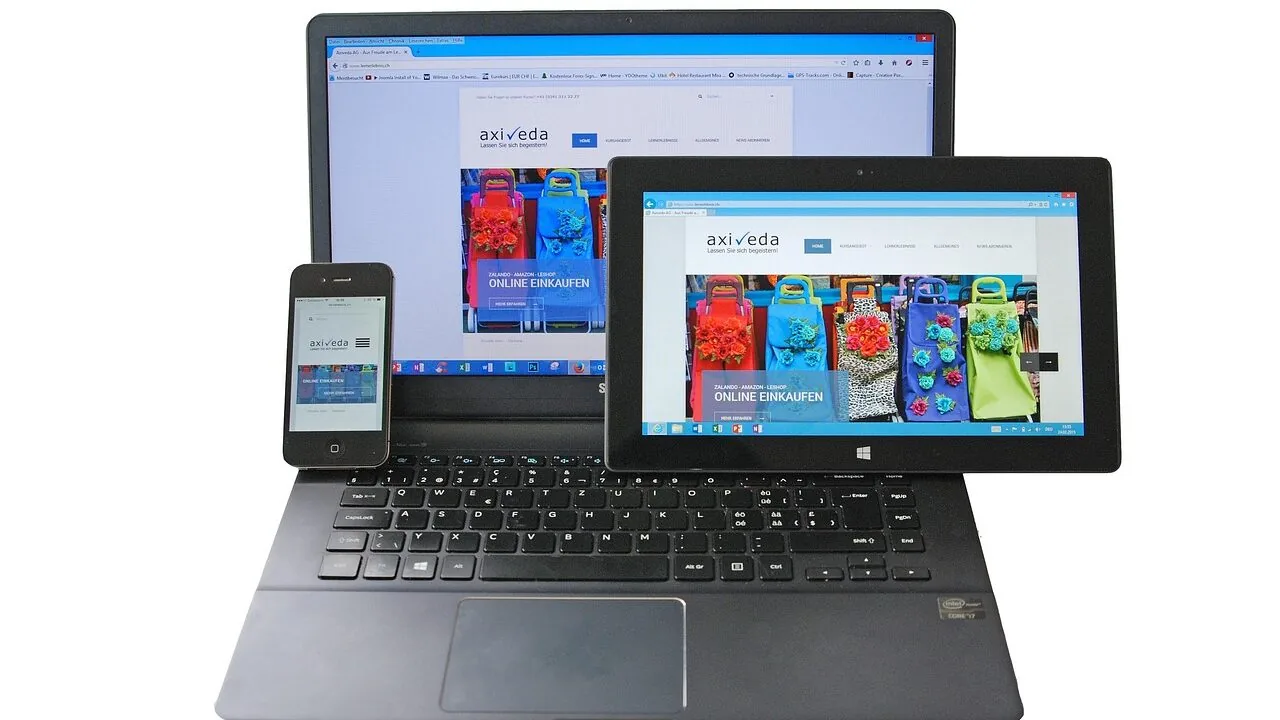
The 2-in-1 laptop category has matured considerably, and the sub-$1,000 price tier is now where most of the exciting action happens.
Convertible designs that flip fully into tablet mode, fold flat for sketching, or stop at tent mode for presentations have moved from premium novelty to practical everyday tool, with processors like AMD’s Ryzen AI series and Intel’s latest Core Ultra chips making these machines genuinely capable for work, study, and creative tasks.
If you’re shopping for a versatile machine that handles both a desk setup and couch browsing without compromise, a quality 2-in-1 at this price range is a smarter buy than ever.
For a broader look at flexible form-factor machines across all budgets, our roundup of 2-in-1 laptops for every kind of user is a good starting point.
At REMOVU, we research and evaluate each model by synthesizing published specifications, expert review consensus from across the industry, and verified buyer feedback.
We compare performance, display quality, battery life, build, and value against consistent criteria to surface picks that genuinely earn their place. The five convertible laptops below represent our current top recommendations in the under-$1,000 range, ranked by REMOVU Score.
| Award | Product | REMOVU Score About REMOVU ScoreThe REMOVU Score is our own rating from 0 to 10, based on performance, design and build, ease of use, and value. It reflects independent research and is never influenced by manufacturers, retailers, or affiliate commissions. Learn more › | Price | |
|---|---|---|---|---|
| Best Overall |
 Lenovo IdeaPad 5 2-in-1 Copilot+ PC
|
8.8/10 | Buy | |
| Best Value |
 Lenovo IdeaPad 5 2-in-1 16" Touchscreen
|
8.7/10 | Buy | |
| Best Premium |
 HP OmniBook X Flip 14 2-in-1 Laptop
|
7.6/10 | Buy | |
| Best Budget |
 Lenovo IdeaPad 5i 2-in-1 16 Inch
|
7.4/10 | Buy | |
 Dell Inspiron 14 7445 2-in-1 Touchscreen
|
7.0/10 | Buy |
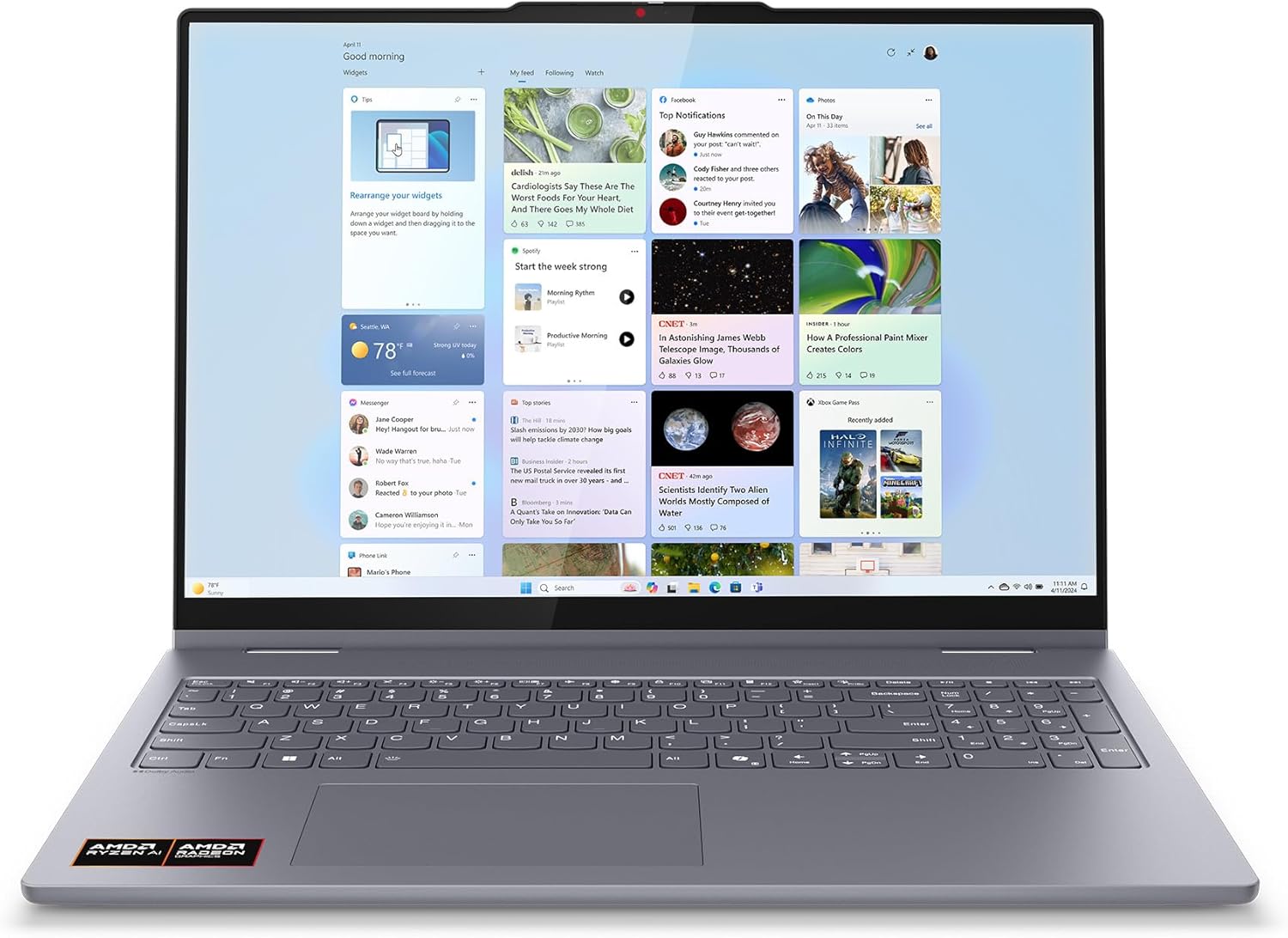
Lenovo IdeaPad 5 2-in-1 Copilot+ PC
The Lenovo IdeaPad 5 2-in-1 is a versatile convertible laptop certified as a Copilot+ PC, featuring an AMD Ryzen AI 5 processor, 16GB RAM, and a 16-inch touchscreen with 360-degree flexibility. It's an excellent choice for professionals and students who need AI-enhanced productivity, multitasking capability, and a durable device that transitions seamlessly between work and entertainment modes.
Pros
- Exceptional versatility with 360-degree hinge and multiple usage modes for work, creativity, and entertainment
- Impressive display quality with vibrant colors, minimal bezels, and immersive 16-inch screen real estate
- Rugged military-grade build quality ensures durability through drops, heat, and travel wear
- Strong AI integration through Copilot+ certification with 50 TOPS NPU for responsive AI workflows
- Solid all-day battery performance with rapid charging capability for mobile professionals
Cons
- Limited upgrade options with soldered RAM and storage, making future expansion difficult
- AMD Radeon 840M GPU is adequate for productivity but not ideal for demanding gaming or 3D work
- Only 14 customer reviews available, limiting real-world user feedback and long-term reliability insights
Lenovo IdeaPad 5 2-in-1 16" Touchscreen
A versatile 2-in-1 convertible laptop powered by AMD Ryzen 7 8845HS with 16GB RAM and 1TB SSD, designed for professionals and creators who need flexibility between laptop and tablet modes. Strong performance and included digital pen make it excellent for productivity and creative work at a competitive price.
Pros
- Exceptional versatility with 360-degree hinge and four distinct usage modes for different tasks
- Powerful Ryzen 7 processor handles multitasking, video editing, and gaming without lag
- Digital pen included, saving $100+ compared to buying separately
- Lightweight at 4.5 lbs and slim 0.72-inch profile make it highly portable
- Comprehensive port selection including USB-C with DisplayPort and HDMI for external displays
Cons
- 4.5-star rating with limited review count suggests mixed real-world experiences worth researching
- WUXGA resolution (1920x1200) is standard rather than premium compared to higher-res competitors
- Soldered RAM cannot be upgraded, limiting future customization options
HP OmniBook X Flip 14 2-in-1 Laptop
The HP OmniBook X Flip 14 is a versatile 2-in-1 convertible with a sharp 2K touchscreen, Intel Core Ultra 5 processor, and exceptional 22+ hour battery life. It's ideal for professionals and students who need portability, creative flexibility, and reliable everyday performance without breaking the bank.
Pros
- Exceptional battery endurance keeps you productive throughout the day without charging
- Lightweight 3.06 lbs design makes it genuinely portable for travel and commuting
- Flexible 2-in-1 form factor adapts to different work styles and environments
- Responsive touchscreen with stylus support enables creative workflows
- AI-powered processor with dedicated NPU accelerates everyday tasks and creative applications
- Professional refurbishment and 12-month warranty provide confidence and support
Cons
- Intel Core Ultra 5 is entry-level for demanding creative software or gaming
- 16GB RAM may require upgrade for heavy multitasking or professional applications
- Limited to integrated graphics for resource-intensive creative work
Lenovo IdeaPad 5i 2-in-1 16 Inch
A versatile 16-inch 2-in-1 laptop powered by Intel Core Ultra 5 120U with 16GB RAM and 512GB SSD, offering solid performance for students, remote workers, and casual users. The touchscreen, 360-degree hinge, and durable design make it a practical choice for everyday computing at a competitive price point.
Pros
- Excellent value at $759 with premium features like touchscreen and 2-in-1 design
- Lightweight at 4.41 lbs and slim 0.72-inch profile make it highly portable for school and travel
- Dolby Audio speakers and low blue light display enhance both entertainment and work experiences
- Windows Hello fingerprint reader and webcam privacy shutter provide strong security and privacy
- Backlit keyboard and numeric keypad improve usability in low-light environments and for data entry
Cons
- 60Hz refresh rate may feel less smooth than higher-end gaming or creative laptops
- Intel Core 5 120U is entry-level for heavy video editing or 3D rendering workloads
- Single 16GB RAM configuration limits future upgrades without professional service
Dell Inspiron 14 7445 2-in-1 Touchscreen
A versatile 2-in-1 convertible laptop combining AMD Ryzen 5 8640HS performance with a 14-inch touchscreen and 16GB RAM, ideal for professionals and designers who need both productivity and flexibility without breaking the bank.
Pros
- Exceptional value for a 2-in-1 laptop with flagship-level processor performance
- High-resolution touchscreen with ComfortView reduces eye fatigue for all-day use
- Versatile convertible form factor adapts to multiple work scenarios and environments
- Comprehensive port selection eliminates need for additional adapters and dongles
- Wi-Fi 6E and Dolby Atmos provide fast connectivity and immersive audio
Cons
- Integrated AMD Radeon 760M graphics limits performance for demanding 3D applications and gaming
- 5-star reviews are limited in number, making it difficult to assess long-term durability
- 2-in-1 design may compromise keyboard typing comfort compared to traditional clamshell laptops
2-in-1 Laptops Under $1000 Buying Guide
Choosing a convertible laptop involves more trade-offs than picking a traditional clamshell.
The hinge mechanism, display touch layer, processor efficiency, and battery capacity all interact in ways that matter more when you’re switching between laptop and tablet modes throughout the day.
The sections below break down what actually moves the needle when you’re comparing options in this category.
Processor: CPU Architecture Matters More Than Core Count

At this price tier, you’ll encounter both AMD Ryzen and Intel Core Ultra processors, and the gap between a good and a mediocre chip determines day-to-day responsiveness more than any other single component.
AMD’s Ryzen AI series and Ryzen 8000-series HS chips are particularly competitive right now, offering a strong balance of sustained performance and thermal efficiency inside thin convertible chassis.
Intel’s Core Ultra 200V-series is also worth considering, as its efficiency architecture translates into longer unplugged sessions, which matters when you’re carrying a tablet-mode device around.
Don’t fixate on raw core count alone.
For most productivity, creative, and multitasking workloads, a modern 6- to 8-core mid-range chip running at a sustained thermal budget is more useful than a higher-core chip that throttles under the thinner cooling solution a convertible chassis allows.
Look at verified buyer reports and expert performance benchmarks to understand how a chip actually behaves at its sustained wattage, not just its peak boost figure.
Display: Resolution, Touch Quality, and Panel Accuracy

The display is where a 2-in-1 justifies its premium over a standard laptop, so it deserves close scrutiny.
WUXGA (1920×1200) IPS and IPS-like panels are the current standard in this price tier, offering enough pixel density on screens up to 16 inches to keep text sharp and media enjoyable.
Look for a panel with verified sRGB coverage above 90 percent if you do any photo work or content creation, and check that brightness figures are confirmed in independent reviews rather than relying only on manufacturer specs.
Touch response latency and stylus support are equally important if you plan to use tablet mode beyond casual scrolling. A screen with poor palm rejection or high stylus latency becomes frustrating quickly.
Verified buyer feedback on stylus usability is often more reliable than manufacturer claims here, since real-world drawing and note-taking experiences surface problems that spec sheets hide.
If the included pen is a key part of your purchase decision, look for references to the pen standard (USI, MPP, or proprietary) to understand long-term compatibility.
RAM and Storage: How Much Is Actually Enough
16GB of RAM has become the practical minimum for a comfortable multitasking experience on a modern Windows 11 machine, particularly once browser tabs, background AI features, and productivity apps are running simultaneously.
Most models in this category now ship with 16GB as standard, which is a meaningful improvement over the 8GB configurations that dominated previous generations.
LPDDR5X RAM, found in several current picks, offers lower power draw alongside solid bandwidth, a useful combination inside a battery-constrained convertible body.
On storage, 512GB SSD configurations are sufficient for most users who rely on cloud storage, but 1TB options provide noticeably more headroom for local media, large project files, and offline content.
The speed of the SSD matters too: NVMe PCIe 4.0 drives load applications and transfer files considerably faster than older PCIe 3.0 units.
If you work with video editing or large photo libraries, prioritizing a 1TB NVMe drive over a higher GPU spec is usually the smarter trade-off.
Battery Life and Charging: Real-World Unplugged Performance

Manufacturer battery claims are almost always measured under light-load conditions, so independently verified runtime figures under mixed productivity workloads are a better guide.
For a convertible you plan to carry around all day, look for models where expert reviewers consistently report eight or more hours of real-world use.
Chips built on efficient architectures, like AMD’s Ryzen AI or Intel’s Core Ultra V-series, generally enable longer unplugged sessions than their predecessor platforms without requiring larger, heavier battery packs.
Fast-charge support is a practical bonus worth checking. A machine that recovers meaningful charge in 30 minutes can make a real difference in a mobile workflow.
USB-C charging compatibility is also worth confirming: models that charge via USB-C rather than a proprietary barrel connector are easier to top up with a travel charger or dock.
This connectivity flexibility pairs well with a work laptop setup where you’re switching between desk and bag frequently.
Connectivity and Ports: What You Need on a Convertible

Port selection on thin convertibles is often more restricted than on traditional laptops, so it’s worth mapping your actual peripherals against what a machine offers before committing.
Thunderbolt 4 or USB4 ports enable high-bandwidth docking, fast external storage, and display output over a single cable, which significantly expands a compact convertible’s usefulness at a desk.
At least one full-size USB-A port saves the need for a dongle when connecting legacy peripherals, and a microSD or SD slot is a practical addition for photographers.
Wi-Fi 6E or Wi-Fi 7 support is worth confirming on any machine you plan to keep for several years, as these standards provide lower latency and higher throughput on compatible routers.
Bluetooth 5.2 or newer is standard at this tier and ensures stable connections to wireless peripherals and audio devices.
If you use wireless headphones or earbuds at your desk alongside a coding or development workflow, Bluetooth stability is something verified buyer reviews will often flag if it’s a persistent issue on a given model.
Build Quality and Hinge Durability: What Separates Good Convertibles from Great Ones

The 360-degree hinge is the mechanical heart of any convertible, and its long-term durability determines whether the machine holds up through thousands of open-close cycles.
Look for chassis materials (aluminum or magnesium alloy) that provide structural rigidity without adding unnecessary weight, and pay attention to hinge resistance: a hinge that’s too loose makes tent and presentation modes unstable, while one that’s too stiff becomes tiring to adjust.
Expert reviews that specifically comment on hinge feel and screen wobble are more useful than general build impressions here.
Weight distribution matters more on a 2-in-1 than on a standard laptop. A machine that’s well-balanced feels lighter in hand and less fatiguing in tablet mode.
Keyboard rigidity when typing in laptop mode is another real-world quality indicator: flexing or soft spots in the keyboard deck are more tolerable in a clamshell but become a persistent annoyance in a daily-driver convertible.
This kind of build nuance is best surfaced through verified buyer feedback from people who have used the machine over weeks rather than hours.
If you’re also evaluating lightweight laptops as an alternative, weight and portability comparisons across form factors can help you decide which design philosophy fits your workflow better.
Why You Should Trust Us
REMOVU is an independent review platform. We do not sell products, accept review units in exchange for favorable coverage, or allow commercial relationships to influence our rankings.
Every product in this article has been evaluated using our structured research methodology: we analyze published specifications, cross-reference expert review consensus from multiple credible industry sources, assess verified buyer feedback at scale, and draw on published benchmark and reliability data with traceable sources.
We do not conduct our own product trials; our evaluations are grounded in research, published data, expert review consensus, and verified buyer feedback.
Each product receives a REMOVU Score on a 0 to 10 scale, reflecting how well it performs across our consistent evaluation criteria for its category.
For 2-in-1 laptops under $1,000, those criteria weight processor efficiency, display quality and touch experience, RAM and storage configuration, battery life, port selection, and build quality relative to price.
Products are ranked by REMOVU Score, and our editorial picks reflect quality assessment, not affiliate commission rates.
REMOVU may earn a commission when you purchase through links in this article. That affiliate relationship has no bearing on which products are included, how they are ranked, or what scores they receive. Our editorial independence is non-negotiable.
Final Thoughts
The current crop of 2-in-1 laptops under $1,000 is genuinely strong, with Lenovo and Dell fielding competitive options powered by AMD’s latest Ryzen AI and Ryzen 8000-series silicon, and HP bringing Intel’s Core Ultra platform to the mix.
After evaluating each model against our consistent criteria, here are the standout picks and the roles they fill best.
- Best Overall: Lenovo IdeaPad 5 2-in-1 (Ryzen AI 5 340) earns the top REMOVU Score in this group thanks to its Copilot+ platform readiness, a large and sharp WUXGA IPS touchscreen, and a balanced feature set that competes well above its price bracket. It’s the pick we’d recommend to most people shopping in this category.
- Best Performance Upgrade: Lenovo IdeaPad 5 2-in-1 (Ryzen 7 8845HS) steps up to a higher-tier HS-series processor and includes a digital pen, making it a compelling choice for users who need sustained performance headroom for creative or professional workloads. Its REMOVU Score reflects a premium configuration that justifies the added investment.
- Best for Intel Fans: HP OmniBook X Flip 14 is the standout Intel-platform pick, pairing a Core Ultra 5 226V with Intel Arc 130V graphics and Thunderbolt 4 connectivity. It’s the right choice for users invested in the Intel ecosystem or who need the versatility of Thunderbolt for docking and high-speed peripherals.
- Best Budget Entry Point: Lenovo IdeaPad 5i 2-in-1 16-inch (Core 5 120U) offers the largest screen in the group at the lowest price, making it an accessible starting point for users who prioritize display real estate on a tighter budget. It covers the everyday productivity and entertainment bases without unnecessary extras.
If you’re still deciding whether a convertible is the right form factor for your needs, browsing our broader laptops category or comparing against laptops for college students can help you weigh your options before committing.
Frequently Asked Questions
What is the difference between a 2-in-1 laptop and a regular laptop?
A 2-in-1 laptop uses a 360-degree hinge or detachable design that allows it to function as both a traditional clamshell laptop and a tablet.
In laptop mode it works exactly like a standard notebook, with the keyboard and trackpad fully functional. In tablet mode the keyboard folds behind the screen, turning the device into a touch-first slate.
Most convertibles also support tent and stand modes, which are useful for media consumption, presentations, and stylus-based drawing.
The trade-off versus a standard laptop is typically a modest weight penalty from the reinforced hinge and additional display layers, though this gap has narrowed considerably in recent generations.
Is 16GB RAM enough for a 2-in-1 laptop in 2026?
For the vast majority of productivity, creative, and everyday computing tasks, 16GB is a comfortable and future-aware amount of RAM. Browser-heavy workflows, video calls, office applications, and light photo editing all run smoothly with 16GB.
If your work involves computationally intensive tasks such as 4K video editing, 3D rendering, or running large local AI models, stepping up to 32GB provides meaningful headroom.
At the under-$1,000 price tier, 16GB is the current standard and represents a practical sweet spot for most buyers.
Checking whether RAM is soldered or upgradeable on a given model is worth confirming before purchase, as most thin convertibles use soldered LPDDR memory that cannot be expanded later.
Do 2-in-1 laptops come with a stylus pen?
Not always, and this varies significantly by model even within the same brand. Some convertibles in this price range include an active stylus in the box, while others are stylus-compatible but require a separate purchase.
When a pen is included, it’s worth verifying the pen standard it uses (such as Microsoft Pen Protocol or USI) to understand whether third-party stylus options are available if you want a different feel or tip type.
If stylus functionality is central to your intended use, prioritize models where verified buyers have confirmed positive stylus performance rather than relying solely on spec sheet claims.
How do 2-in-1 laptops under $1,000 compare to premium convertibles?
The most meaningful differences between sub-$1,000 convertibles and their higher-priced counterparts typically come down to chassis materials, display quality ceilings, and sustained thermal performance.
Premium models at higher price points often use all-aluminum or magnesium chassis, higher-brightness OLED displays with wider color gamuts, and more aggressive cooling solutions that maintain performance under sustained loads.
In the under-$1,000 segment, you’ll find mostly plastic-and-metal hybrid chassis, IPS displays with solid but not exceptional color accuracy, and thermal management tuned for balance over peak performance. For most users, these are acceptable trade-offs.
Buyers who specifically need OLED display quality or maximum sustained performance should consider budgeting higher and reviewing options in our comprehensive laptop roundup.
Can a 2-in-1 laptop replace a tablet for drawing and note-taking?
For light to moderate drawing, digital note-taking, and annotation tasks, a quality 2-in-1 with active stylus support is a capable tablet replacement that also delivers full Windows productivity.
The key variables are stylus latency, palm rejection quality, and display surface texture.
Dedicated drawing tablets typically still offer lower latency and better pressure sensitivity at any given price point, but for a student or professional who wants one device that covers both note-taking and laptop tasks without carrying two devices, a well-chosen 2-in-1 is a genuinely practical solution.
Pairing it with a good photo editing workflow or using it alongside quality wireless peripherals makes the all-in-one value proposition even stronger.
About the author
Clyde covers wireless mice for REMOVU, weighing comfort, precision, and battery life for work and productivity. He helps readers find a mouse that fits their hand and their desk.