The 11 Best 2-In-1 Laptops for Students
Flipping between tablet and laptop mode should work for your coursework, not against it. These student-focused 2-in-1s cover every budget and OS, from Chromebook convertibles to premium Windows machines.
 By Paul Syverson
Updated July 26, 2026
By Paul Syverson
Updated July 26, 2026

Choosing the right laptop is one of the most consequential purchases a student can make, and a 2-in-1 design raises the stakes even further.
The ability to flip, fold, or detach a screen means you get a note-taking tablet in lectures and a capable workstation back at the dorm, all without carrying two devices.
Whether you’re sketching diagrams in an engineering course, annotating PDFs in law school, or just keeping up with assignments on a tight budget, the market in 2026 has a wider range of compelling options than ever, spanning everything from affordable Chromebooks to premium Windows convertibles powered by Intel’s latest processors.
This guide cuts through the noise by combining published specifications, expert review consensus, and verified buyer feedback to surface the 2-in-1 laptops that genuinely serve students best.
Our picks range from budget-friendly Chromebook convertibles to high-performance Windows machines from Lenovo, HP, Dell, and other leading brands. Scroll down for our ranked top picks, then use the buying guide below to match a model to your exact needs.
| Award | Product | REMOVU Score About REMOVU ScoreThe REMOVU Score is our own rating from 0 to 10, based on performance, design and build, ease of use, and value. It reflects independent research and is never influenced by manufacturers, retailers, or affiliate commissions. Learn more › | Price | |
|---|---|---|---|---|
| Best Overall |
 Lenovo Flex IdeaPad 5i 16" 2-in-1 Touch
|
8.9/10 | Buy | |
| Best Premium |
 HP OmniBook 14 2-in-1 Touchscreen, Core i7, 16GB RAM
|
8.7/10 | Buy | |
 Dell Latitude 3340 2-in-1, i5, 16GB, 512GB
|
8.3/10 | Buy | ||
 Dell Latitude 13 2-in-1 Touchscreen
|
8.3/10 | Buy | ||
| Best Value |
 Tylvx 15.6 2-in-1 Touchscreen Laptop
|
7.5/10 | Buy | |
 Lenovo IdeaPad 5i 16" 2-in-1 Touchscreen with Core 5 120U
|
7.4/10 | Buy | ||
 Samsung 12.2" Chromebook Plus 2-in-1
|
7.2/10 | Buy | ||
| Best Budget |
 Lenovo IdeaPad Flex 3i Chromebook 12.2
|
7.0/10 | Buy | |
 Dell Latitude 7420 2-in-1 Touchscreen
|
6.2/10 | Buy | ||
 HP Chromebook x360 14 2-in-1 Touchscreen
|
6.2/10 | Buy | ||
 HP 14 2-in-1 Chromebook 14in FHD Intel
|
6.2/10 | Buy |
Lenovo Flex IdeaPad 5i 16" 2-in-1 Touch
A versatile 16-inch 2-in-1 convertible built for professionals and creative workers who need flexibility without compromise. The Intel Core Ultra 7 processor handles demanding multitasking smoothly, while the touchscreen and included stylus pen make it natural for note-taking and design work. The 32GB RAM and 2TB total storage (SSD plus docking station) provide substantial capacity for resource-intensive applications.
Pros
- Large 16-inch WUXGA touchscreen with 2-in-1 flexibility for multiple work modes
- 32GB LPDDR5X RAM ensures smooth multitasking and handling resource-intensive tasks
- Intel Core Ultra 7 255U with AI acceleration optimizes performance across productivity and creative workflows
- Comprehensive bundle includes Lenovo Digital Pen 2, 7-in-1 docking station with 1TB storage, and accessories
- Windows 11 Pro and backlit keyboard support professional work environments
Cons
- Intel Graphics limits performance for demanding 3D rendering or high-end gaming beyond light creative work
- Storage split between 1TB SSD and 1TB docking station may require dock connectivity for accessing full capacity
- Single 5-star review provides limited user feedback on real-world durability and long-term performance
HP OmniBook 14 2-in-1 Touchscreen, Core i7, 16GB RAM
This 14-inch 2-in-1 convertible combines a 2K touchscreen with Intel Core i7 performance and 16GB DDR5 RAM, making it capable for multitasking and daily productivity. The 360-degree flip design switches between laptop, tablet, and stand modes for flexible use. Lightweight at 3.64 lbs with comprehensive ports, it's well-suited for students, remote workers, and home office users who value portability without sacrificing connectivity.
Pros
- 360-degree convertible design with three usage modes (laptop, tablet, stand) offers genuine versatility
- 14-inch 2K touchscreen display (1920x1200) with responsive touch input for interactive work
- Intel Core i7 150U processor with 10 cores and 16GB DDR5 RAM handles multitasking smoothly
- Comprehensive port selection includes two USB-C, two USB-A, HDMI, and headphone jack without adapter dependency
- Lightweight and slim profile (3.64 lbs, 0.73 inches) prioritizes portability for mobile professionals
Cons
- 512GB storage may require external drives for users with large media libraries or demanding workflows
- No dedicated graphics card, relying on Intel integrated graphics which limits intensive creative or gaming tasks
- Zero verified user reviews available, limiting real-world performance and durability feedback
Dell Latitude 3340 2-in-1, i5, 16GB, 512GB
The Dell Latitude 3340 is a business-focused 2-in-1 convertible with a 13.3-inch touchscreen, Intel i5 processor, and 16GB DDR5 RAM that delivers reliable performance for hybrid work and office tasks. It excels at versatility and connectivity, though the base storage and modest graphics limit heavy multimedia work.
Pros
- Genuine 2-in-1 flexibility with x360 hinge supporting four distinct usage modes
- Business-grade security features including IR webcam, camera shutter, and Windows 11 Pro
- Lightweight and portable design ideal for remote workers and frequent travelers
- Excellent connectivity with USB-C, dual USB-A, HDMI, and Wi-Fi 6E for seamless integration
- Backlit keyboard and improved clickpad enhance typing comfort and productivity
Cons
- 512GB storage may require external drives for users with large file libraries or media collections
- Intel Iris Xe graphics are adequate for business tasks but insufficient for gaming or video editing
- Base configuration lacks the 32GB RAM and larger storage options available in higher-tier models
Dell Latitude 13 2-in-1 Touchscreen
A versatile 2-in-1 business laptop with Intel Core i5-1335U, 16GB DDR5, and 512GB SSD that excels at productivity and video conferencing with intelligent audio and Wi-Fi 6E. Best for professionals, remote workers, and students who need portability and flexibility.
Pros
- Exceptional versatility with 360-degree hinge and four distinct usage modes adapts to any work scenario
- Intelligent audio actively removes background noise and echoes, making video calls clearer and more professional
- Lightweight and portable design at under 3 pounds with long battery life via ExpressCharge technology
- High-quality 1080p IR webcam with privacy shutter and ComfortView Plus display support extended video conferencing
- Robust connectivity with Wi-Fi 6E, multiple USB ports, and HDMI enables seamless integration with external devices
Cons
- Limited to integrated Intel Iris Xe graphics, not suitable for intensive gaming or professional 3D rendering
- 54Wh battery provides good but not exceptional runtime compared to larger business laptops
- Product is resealed with upgraded SSD, so buyers receive refurbished rather than sealed new condition
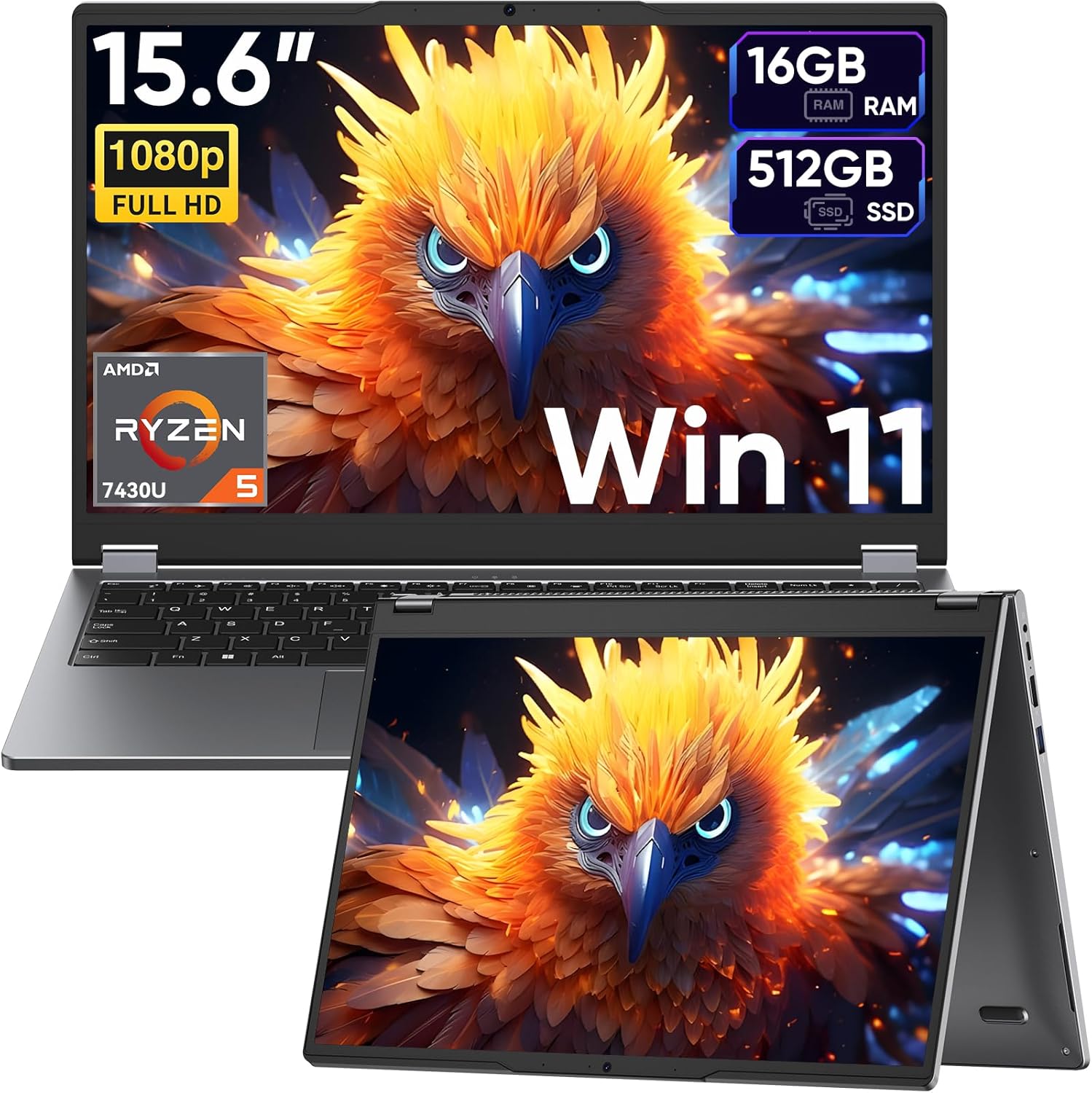
Tylvx 15.6 2-in-1 Touchscreen Laptop
A versatile 2-in-1 convertible laptop with a 120Hz touchscreen, AMD Ryzen 5 processor, and 16GB RAM that handles creative work and multitasking at an accessible price point. Best for students, professionals, and content creators seeking flexibility and performance in one device.
Pros
- Exceptional value at under $420 for a full-featured 2-in-1 with modern processor and high refresh rate display
- Smooth 120Hz touchscreen with advanced incell technology eliminates lag during creative work and precise input tasks
- Flexible 360-degree hinge enables four distinct usage modes, adapting to different work scenarios without additional hardware
- Solid multitasking performance from Ryzen 5 7430U paired with 16GB RAM handles professional and creative workloads
- Full-size backlit keyboard and comprehensive port selection provide professional-grade connectivity and usability
Cons
- No user reviews available yet, making real-world durability and long-term reliability difficult to assess
- Ryzen 5 7430U may struggle with intensive gaming or heavy video editing compared to higher-end processors
- 44Wh battery capacity is modest for a 15.6-inch display, potentially limiting unplugged work sessions
Lenovo IdeaPad 5i 16" 2-in-1 Touchscreen with Core 5 120U
A 16-inch touchscreen laptop built for productivity and creative work, pairing a mid-range Intel Core 5 120U processor with 16GB DDR5 RAM and a stylus pen. The large display and integrated graphics handle everyday tasks and light content creation, though integrated graphics limit gaming and demanding video editing performance.
Pros
- Generous 16GB DDR5 RAM and 512GB SSD for smooth multitasking and fast boot times
- 16-inch 1920x1200 IPS touchscreen with stylus pen included, useful for note-taking and creative work
- Backlit keyboard and modern connectivity (USB-C with DisplayPort, HDMI, microSD reader)
- Lightweight at 4.41 lbs with compact 0.72-inch profile for a 16-inch laptop
- Windows 11 Home and Office 365 bundle included
Cons
- Intel Graphics integration limits performance for gaming and professional video editing
- 1920x1200 resolution on 16-inch screen results in lower pixel density compared to higher-res alternatives
- 3-cell lithium-ion battery capacity not specified; typical runtime unclear for extended work sessions
Samsung 12.2" Chromebook Plus 2-in-1
A versatile 2-in-1 Chromebook designed for students and business users who need flexibility between laptop and tablet modes. The 12.2-inch touchscreen and included stylus pen make note-taking and sketching practical, while the bundled docking station adds meaningful storage expansion. Chrome OS keeps the system lightweight and secure, though performance is limited by the entry-level Celeron processor.
Pros
- 360-degree hinge design flips between laptop and tablet modes for adaptable workflows
- Includes stylus pen, wireless mouse, and 7-in-1 docking station with 128GB SSD for expanded storage
- 12.2-inch FHD touchscreen provides responsive input for writing and drawing
- Chrome OS offers built-in security, automatic updates, and cloud integration without bloatware
- Lightweight at 2.98 lbs with compact 0.67-inch profile, easy to carry between classes or meetings
Cons
- Intel Celeron 3965Y processor handles basic tasks but struggles with heavy multitasking or resource-intensive applications
- 4GB RAM limits concurrent app usage and smooth performance under workload stress
- 720p camera quality is adequate for video calls but below modern standards for professional presentations
Lenovo IdeaPad Flex 3i Chromebook 12.2
A lightweight 2-in-1 Chromebook with a 360-degree hinge, Intel N100 processor, and 12+ hour battery life designed for students and everyday users. Strong value for remote learning, web browsing, and light productivity tasks on a budget.
Pros
- Versatile 360-degree hinge transforms between laptop, tent, flip, and tablet modes for different tasks
- Exceptional battery life delivers 12+ hours on a single charge, ideal for full school days
- Lightweight and thin design at 2.76 lbs makes it easy to carry in a backpack
- Bright 12.2-inch touchscreen with TUV Low Blue Light certification reduces eye fatigue
- Affordable entry price for a capable 2-in-1 with modern specs and Chrome OS simplicity
Cons
- 4GB RAM may feel limiting for heavy multitasking or running many browser tabs simultaneously
- Intel N100 processor is entry-level and not suitable for video editing, gaming, or demanding applications
- Glossy touchscreen display can show fingerprints and reflections in bright environments
Dell Latitude 7420 2-in-1 Touchscreen
The Dell Latitude 7420 2-in-1 is a versatile business laptop with a 14-inch FHD touchscreen, Intel Core i5 processor, and 16GB RAM that flexibly switches between laptop and tablet modes. Best suited for professionals and students who value productivity and portability at a budget-friendly refurbished price.
Pros
- Versatile 2-in-1 form factor adapts to different work scenarios and user preferences
- Responsive touchscreen and 11th-gen Intel processor handle demanding multitasking efficiently
- Solid 4.1-star rating indicates reliable real-world performance and user satisfaction
- Windows 11 Pro provides professional-grade security and business-focused features
- Excellent value proposition as a renewed device with enterprise-grade specifications
Cons
- Refurbished condition means potential cosmetic wear or battery degradation over time
- 14-inch display may feel compact for users accustomed to larger desktop monitors
- Limited warranty typical of renewed products compared to new device coverage
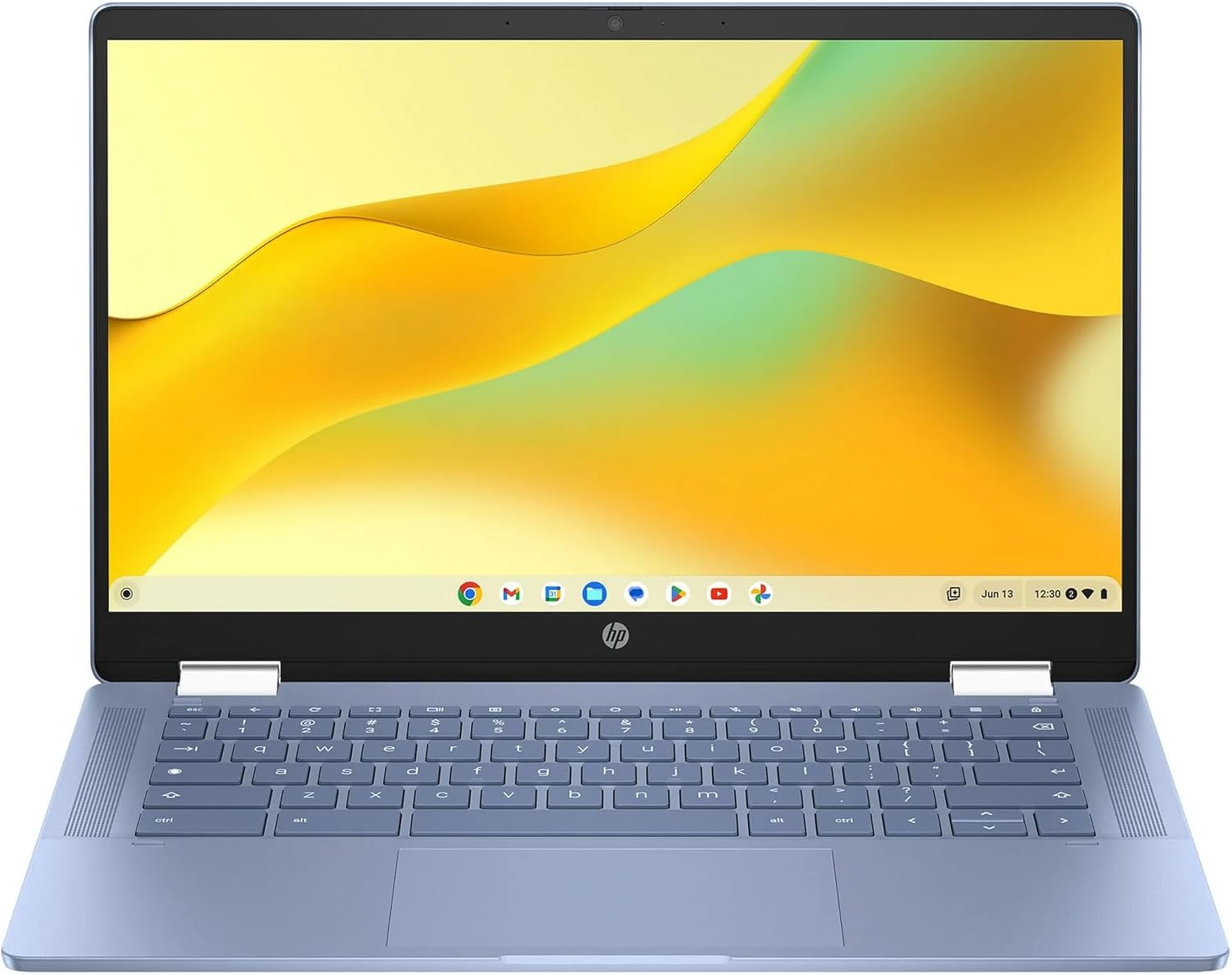
HP Chromebook x360 14 2-in-1 Touchscreen
The HP Chromebook x360 14 combines a vibrant 14-inch FHD touchscreen with flexible 2-in-1 design and all-day battery life, making it an excellent budget-friendly option for students and everyday users who need versatility without breaking the bank.
Pros
- Versatile 2-in-1 form factor adapts to multiple usage scenarios and work styles
- Excellent all-day battery performance minimizes time tethered to a charger
- Sharp, responsive touchscreen enhances navigation and creative tasks
- Fast boot times and seamless app switching thanks to Chrome OS optimization
- Reliable 4.8-star rating reflects strong real-world performance and customer satisfaction
Cons
- 4GB RAM and 64GB storage may feel limiting for power users or content creators
- Intel N100 processor is entry-level and not suited for demanding applications or gaming
HP 14 2-in-1 Chromebook 14in FHD Intel
A budget-friendly 2-in-1 Chromebook with a 14-inch FHD touchscreen and Intel N100 processor, ideal for students and light users seeking affordability and versatility. The renewed condition and included warranty make it a solid value option for everyday computing tasks.
Pros
- Versatile 2-in-1 design with 360-degree hinge eliminates need for separate tablet
- Excellent value at renewed pricing with full warranty protection included
- Google Assistant integration streamlines workflow with voice commands
- Fast 6th-gen WiFi and Bluetooth 5 ensure strong connectivity
- Access to Google Play Store expands functionality beyond traditional Chrome OS apps
Cons
- 4GB RAM and 64GB storage are modest by modern standards; may feel limiting for power users
- Intel N100 processor handles everyday tasks but lacks power for demanding applications
- Renewed condition means cosmetic wear or previous use, though warranty mitigates risk
2-in-1 Laptops for Students Buying Guide
A 2-in-1 laptop asks you to make more trade-offs than a traditional clamshell. You’re balancing portability against screen real estate, battery endurance against processing power, and stylus support against overall cost.
The six criteria below are the ones that matter most for student use and will help you narrow the field quickly. If you’re also weighing standard clamshell options, our roundup of laptops for college students covers the broader market.
Form Factor and Hinge Design

Most student 2-in-1s fall into one of two categories: 360-degree hinges (where the screen folds all the way back into tent or tablet mode) and detachable keyboards. For most students, a 360-degree hinge is the safer choice.
It keeps the keyboard and trackpad integrated, so nothing gets lost in a crowded lecture hall, and the machine behaves exactly like a normal laptop when you need it to.
Detachables give a cleaner tablet experience and are lighter in slate mode, but they tend to wobble on laps without a firm surface underneath.
If tablet use is a secondary priority rather than your primary workflow, a 360-degree convertible will serve you better day to day.
Either way, check that the hinge feels firm at multiple angles before committing, because a loose hinge becomes genuinely frustrating within weeks of regular use.
Display Size, Resolution, and Touch Quality

Screen size for a student 2-in-1 is a real trade-off. A 12-inch to 13-inch panel is easier to carry across campus and comfortable in tablet mode, but it can feel cramped when you have multiple windows open during research.
A 15-inch or 16-inch screen gives you more working room and suits students who spend long hours in front of the display, though it adds weight and bulk.
Resolution matters too. Full HD (1920×1080) is the practical minimum for sharp text and clear video calls. Some premium picks push to 2K or higher, which is noticeably crisper for reading and annotating PDFs.
Touch panel quality varies significantly across price tiers: look for IPS-grade panels with good color accuracy and enough brightness (ideally above 300 nits) for use near windows.
A 120Hz refresh rate, available on some mid-range models, makes scrolling and inking feel smoother without a huge power penalty.
If you’re comparing 2-in-1s against other portable options, our coverage of lightweight laptops explores how convertibles stack up against ultrabooks for on-the-go use.
Processor and RAM for Student Workloads
For most students, the processor choice comes down to three tiers. Entry-level Intel N-series chips (like the N100) or base ARM processors handle web browsing, document editing, and video streaming without issue, and they contribute to long battery life.
Mid-range options like the Intel Core i5-1335U or Core 5 120U handle heavier multitasking, light photo editing, and Zoom calls with room to spare.
At the top end, Intel Ultra 7 and Core i7 processors are worth the premium only if you’re running demanding applications such as statistical software, CAD, or video editing.
RAM is equally important. 4 GB is workable for basic Chromebook tasks but will feel constrained on Windows if you keep many browser tabs open. 16 GB is the sweet spot for Windows convertibles used in data-heavy courses.
Storage matters too: a 512 GB SSD is a comfortable baseline for Windows, while 64 GB eMMC on a Chromebook is sufficient because most storage lives in the cloud.
Battery Life and Charging

Battery life is arguably the most important practical spec for a student. A full day on campus, from morning lectures to evening library sessions, can easily exceed eight hours of active use.
Chromebook convertibles have a structural advantage here, as their lightweight Chrome OS and power-efficient processors routinely deliver ten or more hours.
Windows convertibles vary more widely, with premium models from Lenovo and Dell quoting strong all-day figures, though real-world numbers depend heavily on screen brightness and workload.
USB-C charging is now standard across most of the picks in this guide, which means you can top up from a power bank in a pinch or share a charger with a phone.
Faster charging matters if your schedule is packed: some models recover significant battery capacity in under an hour. Always check the wattage of the included adapter and whether the laptop supports fast charging over USB-C.
Stylus and Pen Support

Not every student needs a stylus, but for STEM students sketching diagrams, art students doing digital illustration, or anyone who prefers handwritten notes to typed ones, pen support is a genuine differentiator.
Some models include a stylus in the box (a real cost saving), while others require a separate purchase.
Check whether the included pen uses a rechargeable battery or a replaceable one, and whether it supports pressure sensitivity, which matters for illustration and detailed annotation.
Also consider where the pen stores. A dedicated silo or magnetic attachment point means you’re less likely to misplace it. A pen that lives loose in your bag is a pen that eventually disappears.
If stylus-driven work is central to how you study, prioritize models that treat pen storage as a design feature rather than an afterthought.
Operating System: Windows vs. Chrome OS
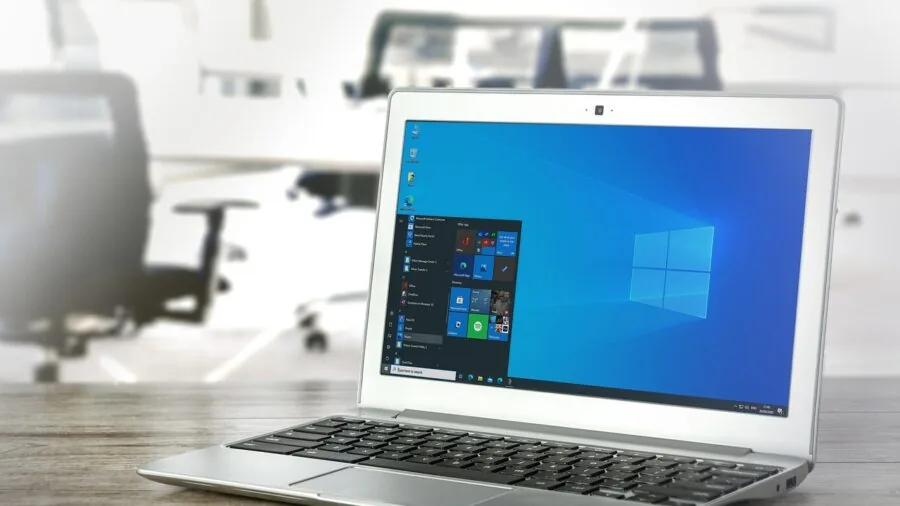
The OS choice shapes everything from software compatibility to price.
Chrome OS is lean, secure, and fast to boot, and it works extremely well for students whose workflow lives in a browser: Google Docs, Sheets, and Slides, Canvas or Blackboard LMS, YouTube, and video conferencing.
The trade-off is that native Windows or Mac software, including Adobe’s full Creative Suite, most engineering tools, and some discipline-specific academic applications, simply won’t run on Chrome OS.
Windows 11 gives you full application compatibility at the cost of slightly higher hardware requirements and more maintenance (updates, antivirus, driver management). If your course requires specific Windows software, there is no substitute.
For students who genuinely only need a browser and cloud tools, a Chromebook 2-in-1 can deliver excellent value at a lower price point.
Our broader 2-in-1 laptop roundup covers both platforms across a wider range of use cases beyond student-specific needs.
Why You Should Trust Us
REMOVU is an independent review publication with no manufacturer affiliations and no sponsored rankings.
Every product in this guide was evaluated using our structured research methodology: we assess published specifications, analyze expert review consensus from credible technology publications, and synthesize verified buyer feedback to identify consistent strengths and weaknesses across real-world use.
We do not conduct our own product trials; our evaluations are grounded in research, published data, expert review consensus, and verified buyer feedback.
Each product receives a REMOVU Score on a scale of 0 to 10, reflecting how well it performs against a consistent set of criteria for its category and price tier. Scores are assigned independently of commercial relationships.
REMOVU may earn a commission if you purchase through a link in this guide, but that affiliate relationship has no influence on scores, rankings, or which products are included.
Our only goal is to help you find the right device for your needs and budget.
Final Thoughts
The eleven 2-in-1 laptops in this guide span a wide range of budgets and use cases, from budget Chromebook convertibles to full-featured Windows machines built for demanding coursework.
Here are our standout picks by category, each earning recognition for clear strengths relative to their target audience.
- Best Overall: Lenovo Flex IdeaPad 5i 2-in-1 16″ earns the top spot with the highest REMOVU Score in the group, combining a large WUXGA touchscreen, Intel Ultra 7 processor, generous RAM, and substantial storage into a well-rounded package that handles virtually any student workload.
- Best Premium Alternative: HP OmniBook 2-in-1 14″ is the runner-up with a near-flagship REMOVU Score, offering a sharp 2K touchscreen and Intel Core 7 performance in a more portable 14-inch form factor, making it an excellent choice for students who want high-end specs in a lighter build.
- Best for Business and Engineering Students: Dell 2-in-1 13.3″ Touchscreen scores among the highest in the guide and delivers professional-grade build quality, a 1080p IR webcam for secure logins, and DDR5 RAM suited to demanding academic software.
- Best Large-Screen Value: Tylvx 15.6″ 2-in-1 Laptop stands out as the only 15.6-inch convertible in the group with a 120Hz InnCell touchscreen and an AMD Ryzen 5 processor, offering strong multitasking muscle at a mid-range price that over-delivers for creative and business students alike.
- Best Budget Chromebook Pick: HP Chromebook x360 14″ is the most accessible entry point in the lineup, delivering a full HD IPS touchscreen and Chrome OS reliability for students whose coursework runs entirely in the browser and cloud tools.
If your budget allows a bit more flexibility without crossing into premium territory, our guide to 2-in-1 laptops under $1000 explores strong mid-range convertibles across both Windows and Chrome OS.
For students who prioritize portability above all else, our laptops category covers ultraportable options worth considering alongside convertibles.
Frequently Asked Questions
Are 2-in-1 laptops worth it for college students?
For most students, yes. A 2-in-1 replaces both a laptop and a drawing tablet or note-taking device, which is real value for the money.
The 360-degree hinge design in particular adds almost no weight or thickness compared to a standard clamshell, so there’s little downside if you think you’ll use tablet mode even occasionally.
If you never intend to use touch or pen input, a traditional laptop may offer better specs per dollar at the same price.
How much RAM do I need in a student 2-in-1?
On Windows, 16 GB DDR5 is the recommended minimum for students who multitask heavily or use specialized academic software. 8 GB is workable for lighter use but may feel constrained as your course demands grow.
On Chrome OS, 4 GB is sufficient for browser-centric workflows because Chrome OS manages memory more efficiently than Windows.
If you’re buying a Windows convertible and plan to keep it for four years, prioritize 16 GB now rather than upgrading later, as RAM is soldered in most thin-and-light designs.
Should students choose Windows or Chrome OS for a 2-in-1?
The right answer depends on your required software. If your program mandates Windows-only applications such as MATLAB, AutoCAD, SolidWorks, or discipline-specific research tools, you need a Windows machine.
If your coursework lives in Google Workspace, a browser-based LMS, and video conferencing, a Chromebook 2-in-1 is lighter, more affordable, and typically offers longer battery life. When in doubt, check your program’s software requirements before purchasing.
You can also explore our laptops for work guide if you need a device that doubles as a professional tool after graduation.
Is a renewed or refurbished 2-in-1 a good idea for students?
Renewed business-class 2-in-1s, such as the Dell Latitude models in this guide, can offer genuinely excellent value.
Business laptops are built to higher durability standards than consumer models, so a refurbished unit that passed inspection often outperforms a brand-new budget consumer device.
The key is to buy from a reputable seller with a clear grading system and a return window. Battery health is the main concern with any renewed laptop: confirm the battery holds a meaningful charge before the return window closes.
What screen size is best for a student 2-in-1?
13-inch to 14-inch is the sweet spot for most students. It’s portable enough for daily commuting and comfortable in tablet mode, while still providing sufficient screen real estate for split-window studying.
Students in creative fields or those who work primarily at a desk may prefer 15-inch to 16-inch models for the extra visual workspace.
If you carry your laptop across campus multiple times a day, the lighter 13-inch to 14-inch form factor is worth prioritizing over screen size.
Do I need a stylus pen for a student 2-in-1?
A stylus is a strong plus rather than a necessity for most students. If you take handwritten notes, annotate research papers, or study subjects that benefit from diagrams (medicine, engineering, architecture, design), a pen makes tablet mode genuinely useful.
If you primarily type and use a trackpad, you can save money by choosing a model without bundled pen support.
Several picks in this guide include a stylus in the box, which removes the additional cost and makes the decision easier if you’re on the fence.
About the author

Paul Syverson writes reviews and buying guides for REMOVU.