The 12 Best All-In-One Computers for Students
A clean desk and real computing power do not have to be mutually exclusive. Our picks cover the strongest all-in-one desktops for students across every budget, from efficient entry models to capable mid-range machines.
 By Marian Steward
Updated July 26, 2026
By Marian Steward
Updated July 26, 2026

All-in-one desktop computers have become one of the most practical choices for students who need real computing power without the clutter of a traditional tower setup.
A good all-in-one keeps the desk tidy, ships with a built-in display, and delivers enough performance to handle coursework, video calls, creative projects, and light multitasking without asking you to piece together separate components.
For students living in dorms or shared apartments where desk space is precious, that single-cable simplicity genuinely matters.
Brands like Dell, HP, and Lenovo have refined their all-in-one lineups considerably, and the options available today range from budget-friendly entry models to capable mid-range machines with touch displays and fast SSDs.
To help students and their families cut through the noise, our editorial team at REMOVU researched the current market by analyzing manufacturer specifications, synthesizing expert review consensus, and weighing verified buyer feedback across a wide range of all-in-one desktops.
Each model was assessed using our structured scoring framework and awarded a REMOVU Score on a 0 to 10 scale.
Whether you are shopping on a tight budget or ready to invest in a machine that will last through graduation, the picks below represent the strongest options available right now across every price tier.
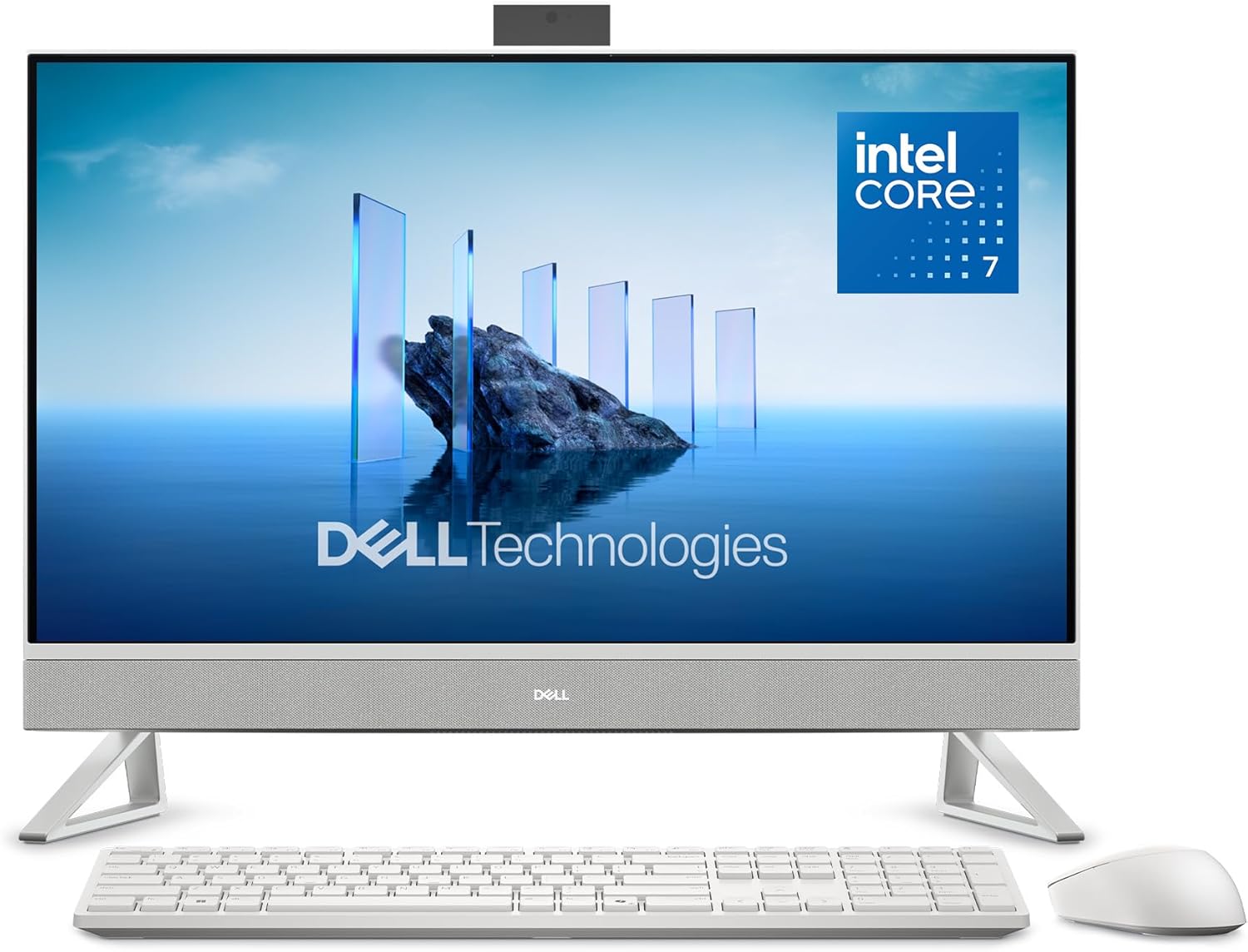
Dell 27 All-in-One (ec27250) FHD IPS
A space-saving all-in-one desktop that combines a 27-inch FHD display with Intel Core 7 performance and 16GB RAM, designed for productivity and streaming. The standout features include a color-accurate IPS panel with eye-comfort technology, a pop-up 5MP camera with HDR, and a clever keyboard parking space in the stand. Best suited for professionals and home workers who value clean desk setups and don't need cutting-edge gaming or video editing power.
Pros
- 27-inch FHD IPS display with 99% sRGB and 50% higher contrast for accurate colors and crisp visuals
- Dell ComfortView Plus reduces blue light and flicker-free panel minimizes eye strain during long work sessions
- Compact, clutter-free design with innovative stand featuring keyboard storage underneath
- Pop-up 5MP camera with HDR and adjustable tilt (0-20 degrees) plus privacy push-down feature
- Versatile connectivity including WiFi 6E, five USB ports, HDMI-in/out for dual-monitor setup, and SD card reader
- 1-year onsite service included for hardware support
Cons
- FHD resolution on a 27-inch screen may feel less sharp compared to QHD alternatives for detailed work
- Intel Core 7 150U processor is entry-level for demanding tasks like video editing or 3D rendering
- Dual 5W speakers are modest in output despite Dolby Atmos branding, unlikely to satisfy audio enthusiasts

HP 27" FHD Touchscreen All-in-One with AMD Ryzen 5
This 27-inch all-in-one combines a responsive touchscreen display with solid everyday performance powered by AMD Ryzen 5 processing and 16GB RAM. The 2TB storage setup (1TB SSD plus external drive) and built-in privacy camera make it practical for remote work and content storage, though the feature set feels more productivity-focused than premium.
Pros
- Large 27-inch FHD touchscreen with 90% screen-to-body ratio and vibrant IPS panel suited for multitasking and media consumption
- Dual 2TB storage configuration with fast SSD boot and file access plus external backup capacity
- Pop-up privacy camera and dual noise-reducing microphones designed for professional video calls
- EPEAT Gold and ENERGY STAR certified for environmentally conscious users
- Includes wireless keyboard and mouse, reducing cable clutter on desk
Cons
- Feature description mentions 64GB RAM but specs list only 16GB DDR5, creating product clarity concerns
- Full HD resolution on a 27-inch screen may feel less sharp compared to higher-resolution alternatives at this size
- AMD Ryzen 5 7520U is entry-level for demanding creative work like video editing or 3D rendering
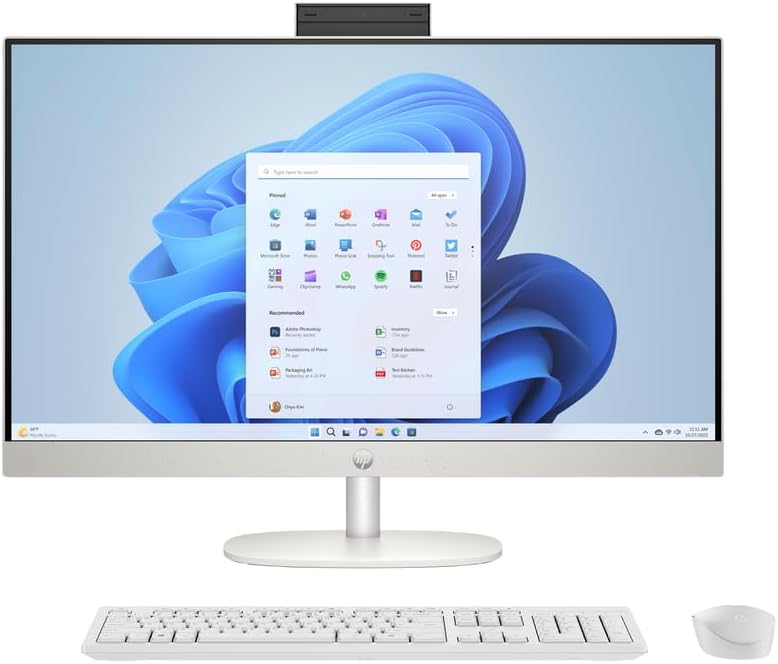
HP 27-inch All-in-One, Ryzen 5, Touchscreen
This 27-inch all-in-one combines a responsive touchscreen display with solid everyday performance from its Ryzen 5 processor and 16GB RAM. The integrated design and included peripherals make it a straightforward setup for home offices or creative work, though the FHD resolution may feel modest on a screen this size.
Pros
- 27-inch FHD touchscreen with IPS panel and 99% sRGB for color-accurate work
- AMD Ryzen 5 7520U processor with Radeon Graphics handles multitasking and light creative tasks
- 16GB LPDDR5 RAM and 1TB SSD provide responsive performance and ample storage
- Includes wireless keyboard and mouse, reducing setup costs
- 1080p IR camera with privacy controls and dual-array microphones for video calls
Cons
- FHD resolution (1920x1080) is relatively low for a 27-inch display, resulting in less screen real estate
- Integrated graphics limit demanding gaming or heavy video editing capabilities
- No mention of upgrade options for memory or storage, potentially limiting future expansion

Lenovo IdeaCentre 24" All-in-One, Intel N100, 16GB RAM
A compact all-in-one desktop built for remote workers and students who need reliable performance without sacrificing desk space. The 24-inch FHD display with 99% sRGB accuracy and anti-glare coating handles productivity tasks smoothly, while the included keyboard, mouse, and lifetime Office 365 make it a complete out-of-box solution. Best suited for everyday computing rather than demanding creative or gaming workloads.
Pros
- Complete package with keyboard, mouse, and lifetime Office 365 included
- 24-inch FHD display with 99% sRGB color accuracy and anti-glare technology reduces eye strain during long work sessions
- 16GB RAM and 512GB SSD enable smooth multitasking and fast load times
- WiFi 6 and Bluetooth 5.1 provide modern wireless connectivity
- Space-saving all-in-one design ideal for home offices and small workspaces
Cons
- Intel N100 quad-core processor is entry-level, limiting performance for video editing, 3D rendering, or demanding applications
- No discrete graphics means gaming and graphics-heavy tasks will struggle
- Fixed all-in-one design limits future upgrades and repairs compared to traditional desktops

Lenovo A100 23.8" FHD All-in-One with Intel Core i3
A compact all-in-one desktop built around Intel's 8-core i3 processor and a 23.8-inch FHD IPS display with strong color accuracy. Well-suited for remote workers, students, and home office setups that prioritize space savings without sacrificing everyday performance. Comes with keyboard and mouse included, making it a complete out-of-the-box solution.
Pros
- 23.8-inch FHD IPS display with 99% sRGB color gamut and anti-glare coating reduces eye strain during long work sessions
- Intel Core i3-N305 8-core processor and 8GB DDR4 RAM handle multitasking, video conferencing, and document work smoothly
- Fast 512GB NVMe SSD delivers quick boot times and responsive application loading
- WiFi 6 and Bluetooth 5.2 provide reliable wireless connectivity with multiple wired ports for flexibility
- Includes wired keyboard and mouse, eliminating the need for separate peripheral purchases
Cons
- 8GB RAM is fixed and not user-upgradeable, limiting future memory expansion if workloads become more demanding
- Integrated Intel UHD Graphics is adequate for productivity and media consumption but not suitable for gaming or professional graphics work
- Mono microphone may have limitations for high-quality audio capture during professional video calls or content creation

Lenovo IdeaCentre 24" All-in-One with Intel i3-N305
A compact all-in-one desktop that consolidates monitor and PC into one space-saving unit, powered by Intel's 8-core i3-N305 processor and 16GB RAM. The 23.8-inch FHD IPS display with 99% sRGB accuracy suits home office workers and students who need reliable productivity without clutter. Comes fully equipped with keyboard, mouse, and Windows 11, making setup straightforward.
Pros
- Space-saving all-in-one design eliminates need for separate monitor and tower
- Intel Wi-Fi 6 and Bluetooth 5.2 provide modern wireless connectivity alongside Gigabit Ethernet
- 16GB DDR4 RAM and 512GB NVMe SSD enable smooth multitasking and fast boot times
- 23.8-inch FHD IPS display with anti-glare coating and 99% sRGB color accuracy for comfortable viewing
- Includes keyboard, mouse, HD camera, and microphone for immediate use out of box
Cons
- Intel i3-N305 is an entry-level processor, limiting performance for heavy video editing or 3D rendering tasks
- 512GB storage may require expansion for users with large media libraries or software collections
- Non-touch display and integrated graphics are standard but lack premium features found in higher-end all-in-ones
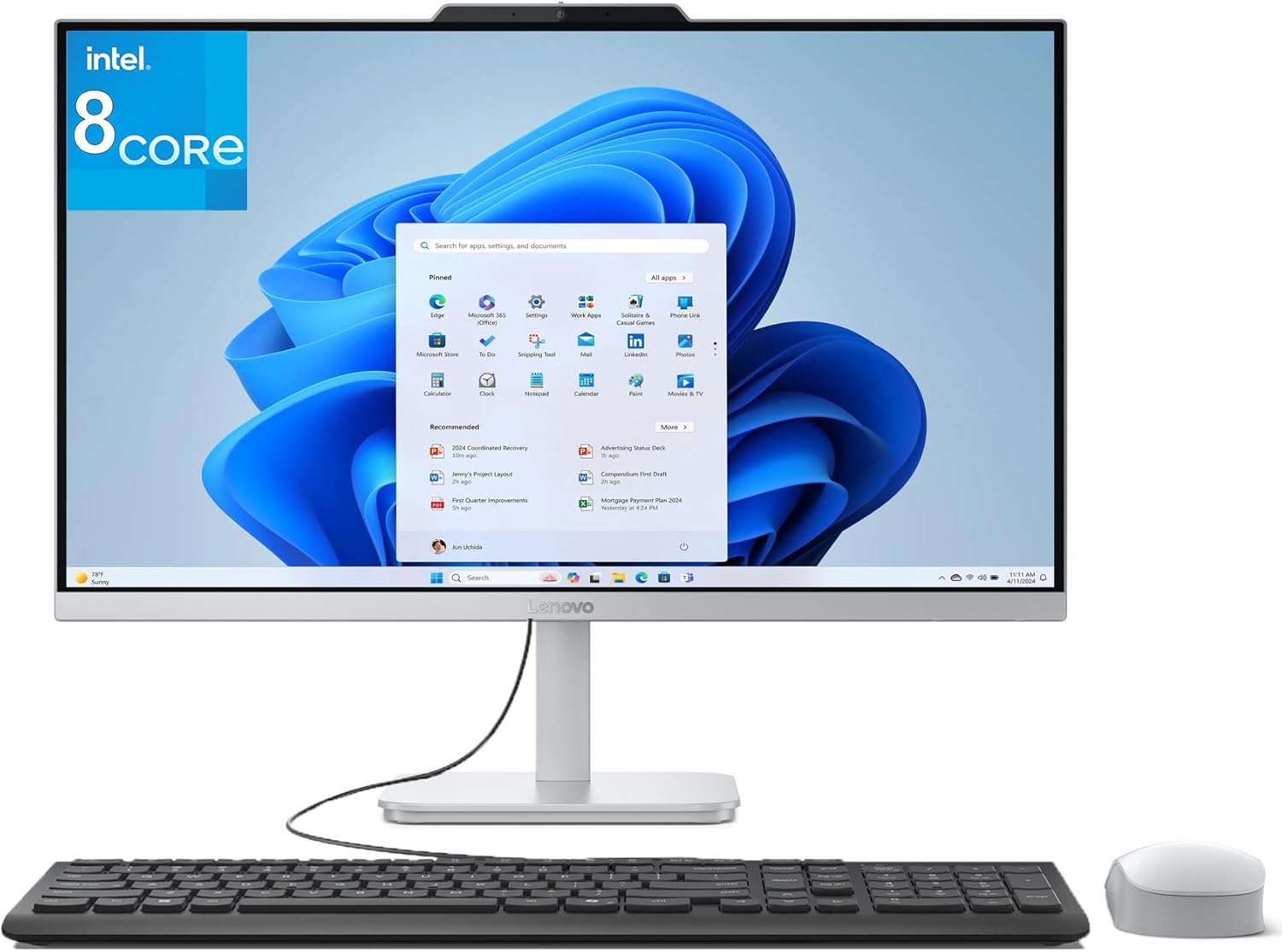
Lenovo V100 24-inch All-in-One, Intel i3-N305
This compact all-in-one desktop merges a 23.8-inch FHD display with an Intel 8-core processor and 16GB RAM into a single Cloud Grey unit, making it well-suited for home office work and everyday computing. The space-saving design eliminates cable clutter, while Wi-Fi 6 and solid storage ensure reliable performance for productivity tasks and light content creation.
Pros
- Space-saving all-in-one form factor eliminates desktop clutter and extra monitors
- 16GB DDR4 RAM and 1TB SSD provide smooth multitasking and fast boot times
- 23.8-inch FHD IPS display with 99% sRGB and anti-glare coating suitable for office work
- Modern design with Cloud Grey finish and three-sided borderless display
- Wi-Fi 6 and Bluetooth 5.2 for fast wireless connectivity
Cons
- Integrated Intel UHD graphics limits gaming and demanding 3D applications
- No touchscreen or card reader, limiting versatility for certain workflows
- Modest 65W power supply and entry-level processor may struggle with heavy workloads or video editing
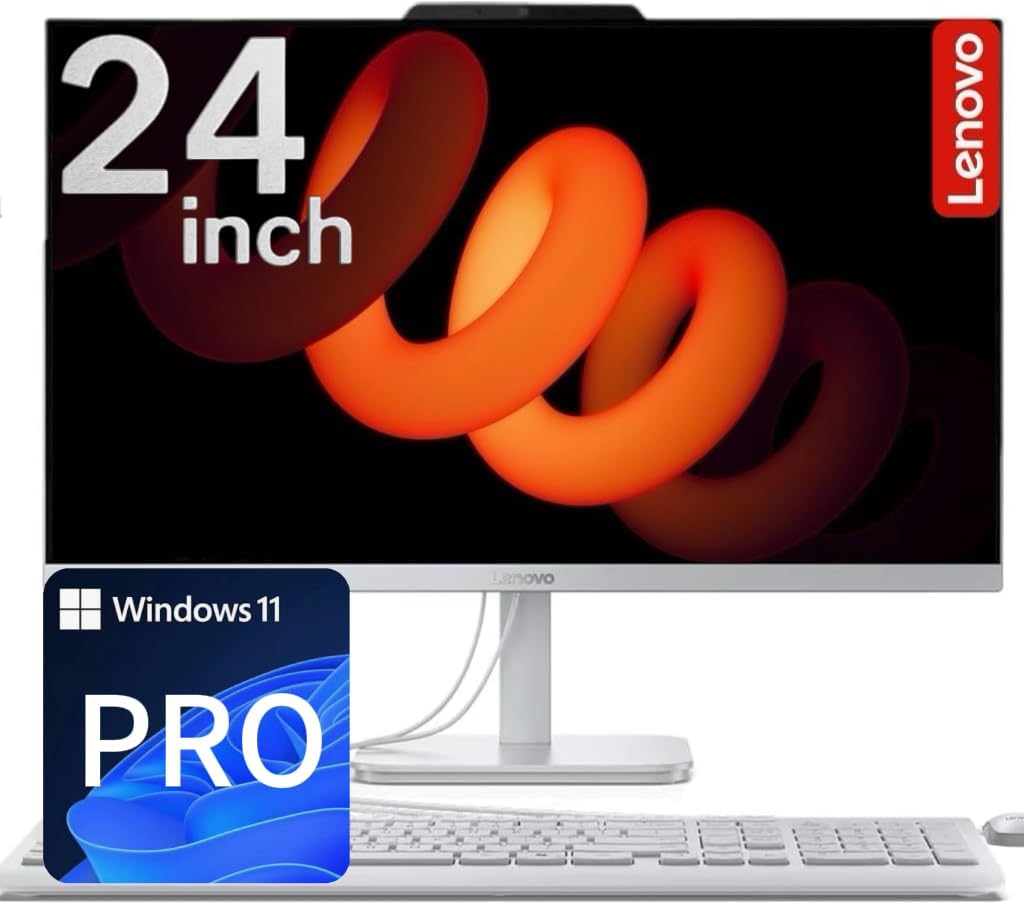
Lenovo 24" IPS All-in-One with Intel N100
A compact all-in-one desktop built for everyday home and office tasks, featuring a sharp 24-inch IPS display and quiet Intel processing. The combination of SSD and HDD storage plus integrated Wi-Fi 6 makes it practical for light productivity work, though the entry-level processor limits demanding applications.
Pros
- Spacious 24-inch IPS display with 99% sRGB and anti-glare coating for comfortable daily use
- Hybrid storage setup (512GB SSD + 500GB HDD) balances speed and capacity without premium pricing
- Quiet operation and low power consumption (65W) ideal for home offices and shared spaces
- Wi-Fi 6 and Bluetooth 5.2 for reliable wireless connectivity
- Includes keyboard, mouse, and Windows 11 Pro out of the box
Cons
- Intel N100 processor handles everyday tasks but struggles with heavy multitasking or creative software
- No dedicated graphics card means gaming and video editing performance is limited
- Rear-only ports can make cable management awkward if desk space is tight

Dell 24 All-in-One FHD with Intel Core 3 100U
This 24-inch all-in-one combines a vibrant FHD IPS display with practical everyday performance, making it well-suited for home offices and light productivity work. The narrow-border design and blue-light reduction features prioritize eye comfort during extended use, while the integrated 5MP camera and Dolby Atmos speakers handle video calls and media smoothly. It's a space-conscious choice that doesn't demand much from your desktop real estate.
Pros
- 99% sRGB color accuracy and 50% higher contrast for sharp, true-to-life visuals on FHD IPS panel
- Thoughtful eye-comfort features: ComfortView Plus blue-light reduction and flicker-free display for long work sessions
- Versatile connectivity with WiFi 6E, five USB ports, HDMI-in/out, and SD card reader for flexible peripheral support
- Dual 5W speakers with Dolby Atmos spatial audio deliver clear, immersive sound for video calls and media
- Compact footprint with innovative stand design that includes keyboard parking space to minimize clutter
Cons
- Intel Core 3 100U and 8GB DDR5 RAM limit multitasking and demanding software performance compared to higher-tier processors
- 512GB SSD storage may feel tight for users with large media libraries or multiple applications
- FHD resolution on a 24-inch screen means less screen real estate than higher-resolution alternatives at similar sizes
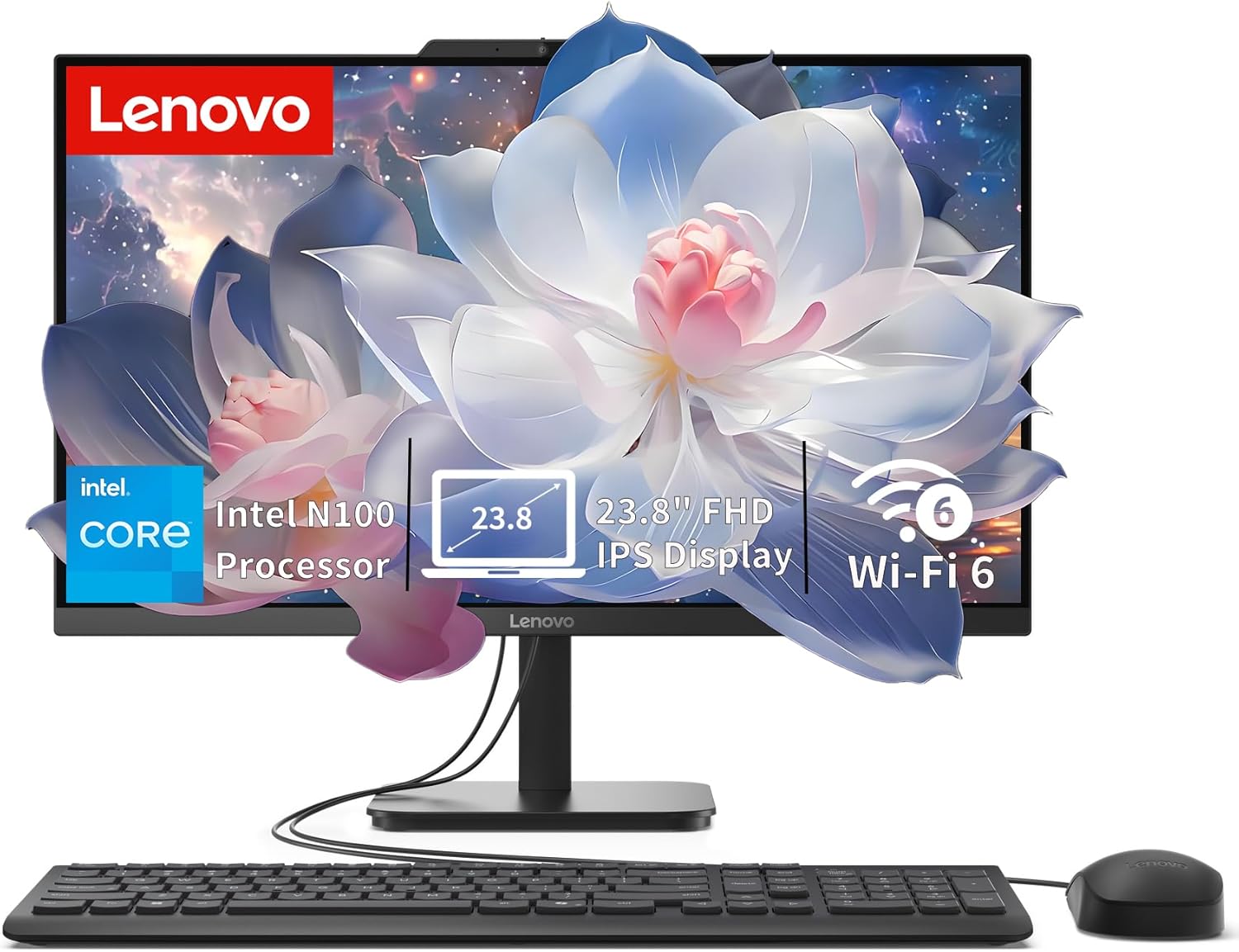
Lenovo IdeaCentre 24" All-in-One with Intel N100
A compact all-in-one desktop built for everyday productivity, home office, and student work. The 24-inch FHD display with anti-glare coating and the space-saving design make it practical for desk setups where room is tight. Intel N100 processor and 8GB RAM handle routine tasks smoothly, though it's not aimed at demanding creative work or gaming.
Pros
- Slim, space-saving all-in-one form factor fits easily on desks and in small offices
- 23.8-inch FHD IPS anti-glare display with 99% sRGB and 250 nits brightness is sharp and comfortable for extended use
- Fast 512GB PCIe SSD ensures quick boot times and responsive app launches
- Modern connectivity with Wi-Fi 6, Bluetooth 5.2, and multiple USB ports including 10Gbps USB 3.2
- Upgradeable to 32GB RAM and expandable storage via M.2 slot for future-proofing
Cons
- Intel N100 processor is entry-level, limiting performance for multitasking with heavy applications or video editing
- Integrated graphics are adequate for everyday tasks but not suitable for gaming or 3D work
- No touchscreen, optical drive, or card reader included
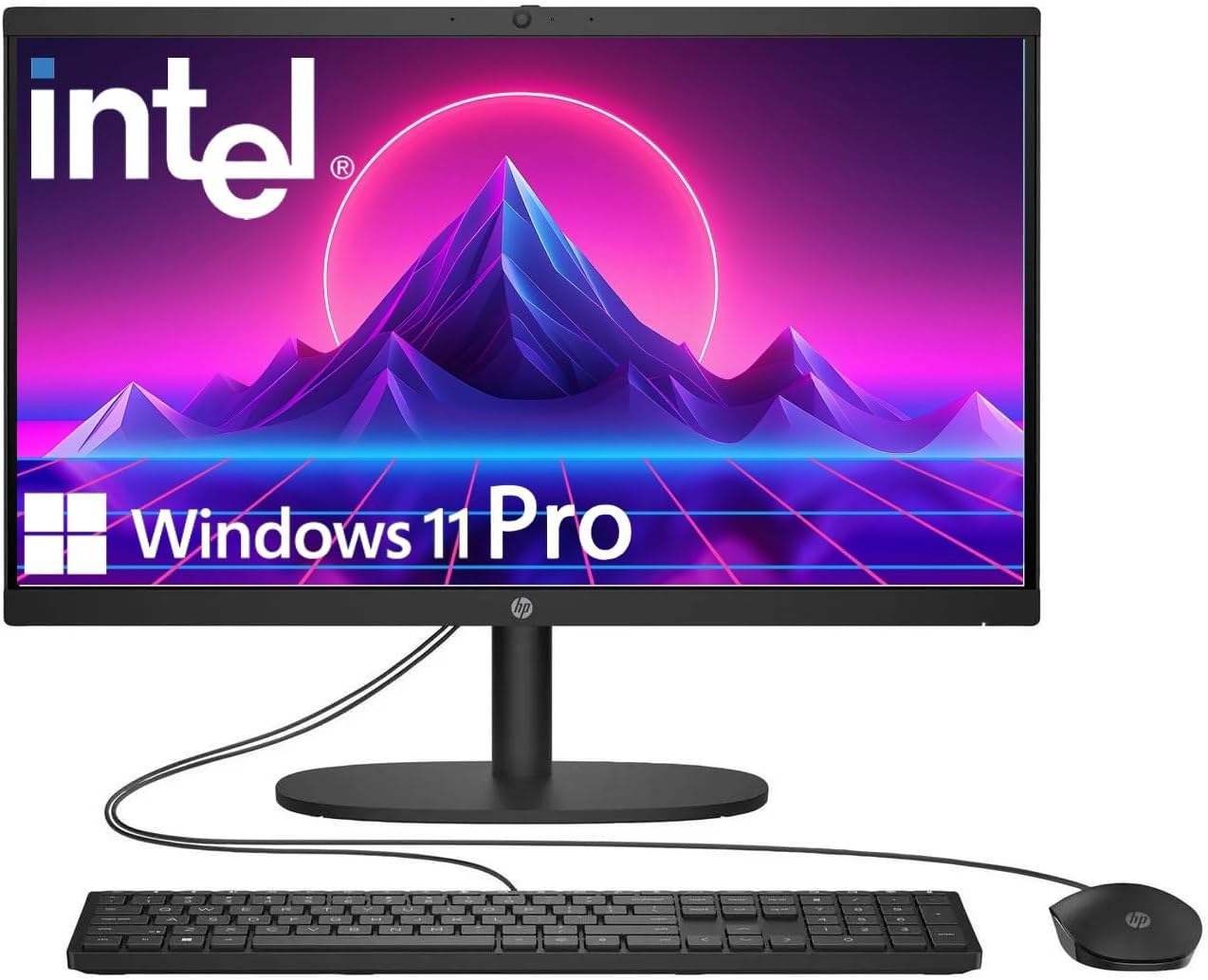
HP 22" FHD All-in-One with Intel N100
A compact all-in-one desktop built for everyday productivity, featuring a 13th Gen Intel N100 processor, 8GB DDR5 RAM, and Windows 11 Pro. The 21.5-inch Full HD display with anti-glare coating suits office work and casual browsing, while integrated WiFi 6 and multiple connectivity ports keep you linked across devices.
Pros
- Windows 11 Pro pre-installed with business-grade security and remote desktop support
- Fast DDR5 RAM and 128GB SSD for responsive multitasking and quick boot times
- Built-in HD webcam with privacy shutter and dual stereo speakers for video conferencing
- Comprehensive ports including USB Type-C, USB 3.0, Ethernet, and HDMI for flexible connectivity
- Anti-glare Full HD display reduces eye strain during extended work sessions
Cons
- Intel N100 is an entry-level processor, limiting performance for heavy video editing or gaming
- 128GB storage may require external drives for large media libraries or software collections
- USB Type-C limited to data transfer only, not charging or video output

HP 21.5" FHD All-in-One with Intel N100
A compact all-in-one desktop built for everyday office work and light multitasking. The 21.5-inch FHD display pairs with an Intel N100 processor and 8GB RAM to handle document editing, browsing, and video calls without strain. Comes bundled with keyboard, mouse, and an 8-in-1 docking hub, making it a ready-to-use solution for home offices or small workspaces.
Pros
- Complete package with peripherals and docking station included, reducing setup friction
- Adjustable stand with tilt range (-6° to 21°) allows personalized viewing comfort
- Anti-glare VA display delivers sharp text and images for prolonged work sessions
- Multiple connectivity options: USB-C 3.1, USB-A ports, HDMI, Ethernet, Wi-Fi 6, and Bluetooth
- Windows 11 Home with front-facing 720p camera suitable for video conferencing
Cons
- Intel N100 is an entry-level processor; not designed for heavy video editing, 3D rendering, or demanding software
- 8GB RAM is adequate for basic multitasking but may feel limiting when running many applications simultaneously
- Storage expansion relies on external docking station SD card slot rather than internal upgrade paths
All-in-One Computers for Students Buying Guide
Choosing the right all-in-one desktop involves more than picking the model with the biggest screen or the lowest price.
Students have specific needs around performance longevity, portability of workflow, display quality, and connectivity, all of which vary depending on the field of study. This guide breaks down the six most important criteria to evaluate before committing to a purchase.
Processor and Real-World Performance

The CPU is the single most consequential component in any all-in-one, and it shapes how comfortable the machine feels during everyday student workloads like browser-heavy research sessions, video conferencing, document editing, and light content creation.
For most students, a modern Intel Core i3 or Core 3 processor paired with 8 GB of RAM will handle everyday coursework adequately, though it may struggle when multiple applications compete for resources.
Stepping up to an Intel Core 7 or AMD Ryzen 5 processor opens the door to faster multitasking, smoother video editing, and better longevity over a four-year degree.
Pay attention to whether the chip is built around efficiency cores, performance cores, or a hybrid architecture.
Intel’s N-series processors (such as the N100 and N305) are energy-efficient and quiet but represent the lower end of the performance spectrum, making them best suited for light document work rather than demanding creative applications.
Ryzen 5 mobile chips tend to offer a better balance of single-threaded responsiveness and multi-core throughput for students who need to do more with their machine.
If your coursework involves architecture, graphic design, video production, or data science, consider whether the all-in-one you are evaluating is upgradeable in RAM or limited by soldered memory.
Many all-in-ones at this price tier use soldered RAM, so buying the right amount upfront matters.
Students comparing laptops against desktop options should also factor in that all-in-ones typically deliver better thermal headroom for sustained workloads at the same price point.
Display Quality and Size

Most student-focused all-in-ones ship with a 21.5-inch to 27-inch Full HD (1920×1080) IPS panel, which is adequate for reading, writing, and watching lectures.
IPS technology offers wider viewing angles and better color accuracy than older TN panels, which matters when you are collaborating with a roommate peering over your shoulder or color-correcting photos for a design class.
Anti-glare coatings are worth prioritizing if your desk sits near a window, since reflections on glossy panels can be genuinely distracting during long study sessions.
Touchscreen functionality, found on select HP models in this roundup, adds a layer of interactivity that some students find useful for annotating lecture slides or navigating apps intuitively, though it is not a necessity for everyone.
If touch support is not on your list, prioritize display brightness (look for at least 250 nits) and color accuracy (sRGB coverage near 100 percent) for a comfortable viewing experience across long sessions.
Students who plan to run two information sources side by side should check whether the all-in-one’s display size and pixel density make text comfortable at split-screen widths.
A 27-inch FHD display at that resolution can look slightly soft compared to a 24-inch panel at the same resolution, simply because the pixels are spread across more physical space.
Jumping to a higher-resolution panel can remedy this, but few student-grade all-in-ones include QHD or 4K at accessible price points.
Storage: SSD Type and Capacity
The shift to PCIe NVMe SSDs across virtually every modern all-in-one in this price range has dramatically improved everyday responsiveness compared to older SATA SSD or HDD options.
Boot times, application launches, and file transfers are all measurably faster on NVMe drives, and students benefit from that speed during rushed mornings or back-to-back class transitions.
All of the picks in this roundup include some form of SSD, though a handful include a supplementary HDD for extra storage capacity at a lower cost per gigabyte.
For most students, 512 GB is a reasonable baseline that accommodates an operating system, a full Office suite, several years of documents and media, and a few installed applications before running low.
Students in media-heavy programs (video production, music production, architecture) should prioritize 1 TB or more from the outset, since creative project files grow quickly.
Some all-in-ones offer hybrid storage configurations that pair a smaller SSD with a larger HDD, which is a reasonable compromise as long as the operating system and active applications reside on the faster SSD partition.
External storage remains a practical supplement. Students who consider compact desktop alternatives should know that all-in-ones are generally harder to upgrade internally once purchased, making the right storage decision at checkout more consequential than it would be with a tower PC.
RAM and Multitasking Headroom

Modern operating systems and browsers are memory-hungry.
A student running Chrome with a dozen tabs, a video call, a word processor, and a Spotify session in the background can easily bump against 8 GB of RAM, leading to slowdowns as the system starts paging to disk.
While 8 GB is the minimum to consider, 16 GB represents a noticeably more comfortable experience for the kind of varied, concurrent multitasking that student life involves.
Several models in this roundup ship with 16 GB at reasonable price points, making the step up more accessible than it has been historically.
DDR4 remains common in this category, though a handful of newer models have moved to DDR5, which offers higher theoretical bandwidth.
For typical student workloads the practical difference between DDR4 and DDR5 is modest, but DDR5 systems tend to be better positioned for sustained relevance as software requirements creep upward over a multi-year ownership period.
Students who are also researching component details may find our breakdown of RAM specifications and performance useful as background context, even though all-in-ones use integrated rather than discrete memory slots in most cases.
Connectivity and Wireless Standards

A well-connected all-in-one is more than a convenience on campus.
Wi-Fi 6 (802.11ax) is now standard across most of the models in this roundup, and it delivers meaningfully faster throughput and better performance in congested network environments like dorms and campus libraries compared to older Wi-Fi 5 adapters.
Some models step up to Wi-Fi 6E, which adds access to the less-congested 6 GHz band for students whose campus or apartment router supports it.
USB port selection matters more than it might seem for a desk-based machine. Students routinely connect external drives, smartphone cables, headsets, drawing tablets, and USB hubs.
Look for a mix of USB-A and USB-C ports, and check whether any USB-C ports support data transfer only or also deliver video output, which expands display flexibility.
HDMI output is a useful addition for students who occasionally want to mirror their screen to a dorm TV or projector during a presentation.
Bluetooth 5.x support is essentially universal in this category and enables reliable pairing with wireless peripherals and speakers.
Built-in webcam quality varies significantly. Most all-in-ones in this range include a 720p camera, which is adequate for video calls but noticeably softer than modern laptop webcams that have moved toward 1080p.
Students who attend a lot of video lectures or record content should factor in whether the integrated webcam meets their standards or whether an external upgrade is worth budgeting for.
Audio output through built-in speakers is rarely impressive on slim all-in-ones, though a few models offer Dolby Atmos tuning that improves perceived clarity for lecture playback.
Value, Warranty, and Long-Term Ownership

All-in-one desktops for students span a wide price range from budget-friendly options to well-equipped mid-range machines, and the right investment depends on how long the student intends to keep the device and how demanding their coursework is likely to become.
An entry-level all-in-one may feel adequate in the first year but become frustrating by the third as software requirements increase.
Spending a bit more upfront for a faster CPU, more RAM, and a larger SSD is generally the more economical decision over a four-year horizon.
Warranty terms deserve attention. Dell includes mail-in service coverage with some of its all-in-ones, and Lenovo’s standard warranty policies vary by model tier. HP’s coverage also differs by configuration.
Check whether the included warranty covers accidental damage or only manufacturing defects, and whether onsite service or mail-in repair is offered, since the turnaround time for a mail-in repair during an exam period can be disruptive.
Students who want flexibility and portability alongside desk computing power should consider whether a 2-in-1 laptop better fits their workflow, particularly if they frequently move between classes, library sessions, and dorm work.
An all-in-one excels as a primary machine that stays on the desk, but it is not designed to travel.
For students who need both, pairing an all-in-one with a lightweight secondary device is a practical combination that many find worth the investment.
Why You Should Trust Us
REMOVU is an independent editorial platform built around rigorous, research-driven product evaluation. We do not accept manufacturer samples, paid placements, or sponsorship arrangements that influence our recommendations.
Every product in this roundup was assessed using our structured evaluation framework, which draws on manufacturer-published specifications, expert review consensus from across the technology press, and verified buyer feedback from confirmed purchasers.
We do not conduct our own product trials; our evaluations are grounded in research, published data, expert review consensus, and verified buyer feedback.
Each model is awarded a REMOVU Score on a consistent 0 to 10 scale, allowing readers to compare products across the same criteria rather than relying on marketing language or isolated impressions.
Our scoring weights reflect the needs of the target audience for each category.
For student-focused all-in-ones, we place particular emphasis on sustained performance under multitasking workloads, display quality for long reading and writing sessions, storage configuration, wireless connectivity, and overall value across the ownership period.
REMOVU may earn an affiliate commission when you purchase through links on this page. That relationship has no bearing on which products are included, how they are ranked, or what REMOVU Score they receive.
Our recommendations are editorially independent and driven entirely by the quality of each product relative to its category peers.
Final Thoughts
The all-in-one desktop market for students in 2026 is genuinely competitive, with strong options from Dell, HP, and Lenovo covering everything from budget-conscious buyers to students who need serious processing headroom for creative or technical coursework.
After assessing each model across performance, display, storage, connectivity, and long-term value, here are our standout picks by category:
- Best Overall: Dell 27″ All-in-One Desktop (Intel Core 7 150U, 16GB, 1TB SSD) earns the highest REMOVU Score in this roundup thanks to its premium Core 7 processor, generous 1 TB NVMe SSD, Wi-Fi 6E connectivity, and a 27-inch FHD display that is well-suited for demanding student workloads and long study sessions.
- Best Mid-Range Pick: HP 27″ FHD Touchscreen 2TB All-in-One (AMD Ryzen 5, 16GB DDR5) stands out with its touchscreen display, DDR5 memory, and generous storage bundle that balances everyday performance with hands-on usability at a competitive price.
- Best for Versatility: HP 27-inch All-in-One (FHD Touchscreen, AMD Ryzen 5, 16GB) delivers a responsive touch-enabled experience with a capable Ryzen 5 processor and 1 TB SSD, making it a strong choice for students who benefit from a more interactive workflow.
- Best Budget Pick: Lenovo 24″ IdeaCentre All-in-One (Intel i3-N305, 16GB DDR4, 512GB SSD) offers a rare combination of 16 GB RAM and a multi-core processor at an accessible price point, making it one of the most capable budget all-in-ones for students who multitask heavily.
- Best Entry-Level Value: Lenovo IdeaCentre All-in-One (24″ FHD Anti-Glare IPS, 8GB, 512GB) keeps costs accessible while still delivering a quality IPS display with an anti-glare coating and modern Wi-Fi 6 connectivity, making it a practical starting point for students on tighter budgets.
For students exploring other form factors, a capable work laptop or a space-saving desktop PC might better match a specific workflow.
All-in-ones occupy a sweet spot for students who want a full-size display and a clean desk without the complexity of building or maintaining a tower system.
Frequently Asked Questions
Are all-in-one computers good for students?
Yes, all-in-one desktops are well-suited to student life when used as a primary desk machine.
They combine a monitor, speakers, webcam, and computer into a single unit that takes up minimal desk space, making them particularly practical for dorm rooms or shared apartments.
The tradeoff is that they are not portable, so students who frequently work away from their desk may want to pair an all-in-one with a lightweight laptop for mobile sessions.
For students in fields that demand sustained processing power, such as video editing, software development, or data science, a mid-range or higher all-in-one with a capable CPU and ample RAM will outperform a similarly priced laptop in thermal headroom and consistent sustained performance.
How much RAM do students need in an all-in-one desktop?
For general student use, 8 GB of RAM is the minimum to consider, but 16 GB is strongly recommended if the budget allows.
Modern browsers alone can consume several gigabytes when multiple tabs are open, and once you add a video call, a document editor, and a music streaming app running simultaneously, 8 GB starts to feel constrained.
Several models in this roundup ship with 16 GB at competitive price points, making the upgrade easier to justify than it has been in previous years.
Is a touchscreen display useful for students on an all-in-one?
Touchscreen functionality can be genuinely useful for students who annotate PDFs, sketch diagrams, or navigate creative applications with a stylus.
For students primarily doing document work, web research, and video calls, a non-touch display is perfectly adequate and often delivers better anti-glare performance since touch panels tend to use glossier coatings.
The HP models in this roundup that include touch displays are worth considering if interactivity is part of your workflow, but they are not necessary for the average student user.
Should students choose Dell, HP, or Lenovo for an all-in-one desktop?
All three brands offer reliable all-in-one options with strong after-sales support networks.
Dell tends to lead on premium configurations and build quality at the higher end of the price range, making it a strong choice for students who want to invest in a machine that will remain capable for several years.
HP offers a broader range of configurations including several touchscreen models and competitive storage bundles.
Lenovo consistently delivers value at the mid-range and budget tiers, often packing more RAM or storage into its configurations at a given price point than the competition.
The right brand depends less on loyalty and more on which specific model’s specifications align with your coursework needs and budget.
Can students use an all-in-one desktop for video editing or design work?
Yes, though the experience varies significantly by model.
Students in design or media programs should prioritize an all-in-one with a Core 7 or Ryzen 5 processor, at least 16 GB of RAM, and a 1 TB NVMe SSD to ensure smooth playback, faster export times, and enough local storage for project files.
The integrated graphics found across all models in this roundup are capable of handling light video editing and graphic design in applications like Adobe Premiere, DaVinci Resolve at lower resolutions, and the Adobe Creative Suite in general.
Students who work extensively with 3D rendering or high-resolution video production may eventually find the absence of a dedicated GPU limiting, in which case a gaming desktop or a machine with discrete graphics would be worth considering instead.
What accessories pair well with a student all-in-one desktop?
Most all-in-ones in this category include a wired or wireless keyboard and mouse in the box, which is a practical starting point.
Students who spend long hours at their desk may want to invest in an ergonomic keyboard and mouse upgrade for comfort.
For audio, the built-in speakers on most all-in-ones are adequate for lecture playback but underwhelming for music listening, making a quality pair of wireless earbuds or a compact Bluetooth speaker a worthwhile complement.
Students who record audio for assignments or podcasts will benefit from an external microphone, and podcasting microphones have become increasingly accessible at student-friendly prices.
About the author
Marian covers item trackers like AirTag and Tile for REMOVU, focusing on finding-network coverage, range, and battery life. She helps readers pick a tracker that reliably locates keys, bags, and luggage.