The 8 Best All-In-One Computers
Clean desk, real power, no tower required. These all-in-one desktops from Dell, Lenovo, and HP cover every budget, from capable entry-level machines to premium Core Ultra workstations.
 By Timothy Ruiz
Updated July 26, 2026
By Timothy Ruiz
Updated July 26, 2026

All-in-one computers have quietly become one of the most practical desktop choices for home offices, students, and everyday users who want a clean, cable-minimal setup without sacrificing real computing power.
Instead of pairing a separate tower, monitor, keyboard, and mouse, an all-in-one wraps everything into a single unit that sits neatly on a desk.
The market has matured significantly, with options now ranging from budget-friendly entry points to premium productivity machines loaded with Intel Core Ultra and DDR5 memory.
Whether you are equipping a home office, a family shared desk, or a professional workstation, the variety available from Dell, Lenovo, and HP in 2026 means there is genuinely something for every use case and budget.
To help you cut through the noise, REMOVU researched and compared eight all-in-one desktops based on published specifications, expert review consensus, and verified buyer feedback, then scored each one on our 0 to 10 REMOVU Score scale.
We also considered how well each machine fits different buyer profiles, from the cost-conscious home user to the professional who needs touchscreen support and enterprise-grade connectivity.
The picks below are ordered by REMOVU Score so you can immediately identify the strongest all-around performers.
If you are still weighing whether an all-in-one fits your workflow, or considering a portable alternative, our coverage of laptops and lightweight travel laptops can help you compare form factors before committing.
| Award | Product | REMOVU Score About REMOVU ScoreThe REMOVU Score is our own rating from 0 to 10, based on performance, design and build, ease of use, and value. It reflects independent research and is never influenced by manufacturers, retailers, or affiliate commissions. Learn more › | Price | |
|---|---|---|---|---|
| Best Overall |
 Dell 24 All-in-One with Intel Ultra 7 & Touchscreen
|
8.9/10 | Buy | |
| Best Value |
 Lenovo IdeaCentre 27" All-in-One with i7-13620H
|
8.4/10 | Buy | |
| Best Premium |
 Dell 24" FHD Touchscreen All-in-One with Core 7 150U
|
7.9/10 | Buy | |
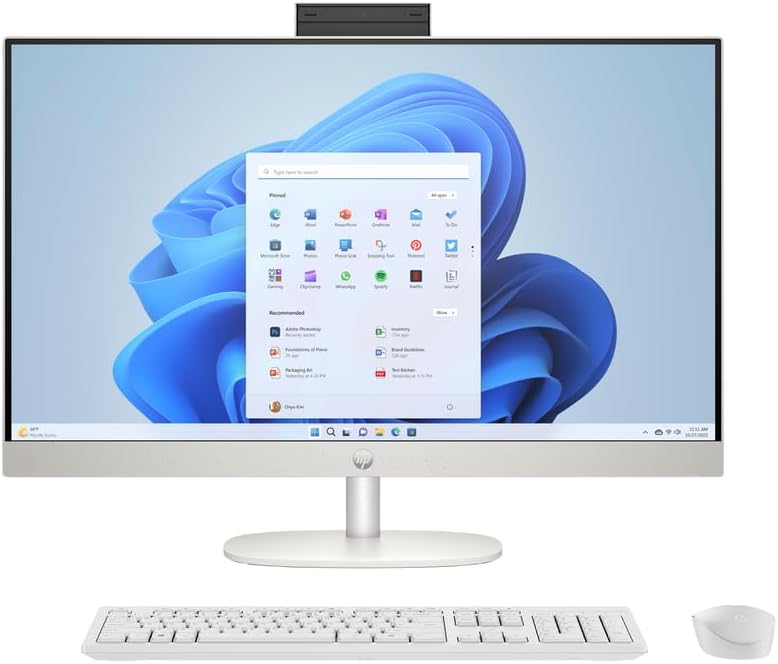 HP 27-inch All-in-One, Ryzen 5, Touchscreen
|
7.8/10 | Buy | ||
| Best Budget |
 Lenovo IdeaCentre 24" All-in-One, Intel N100, 16GB RAM
|
7.7/10 | Buy | |
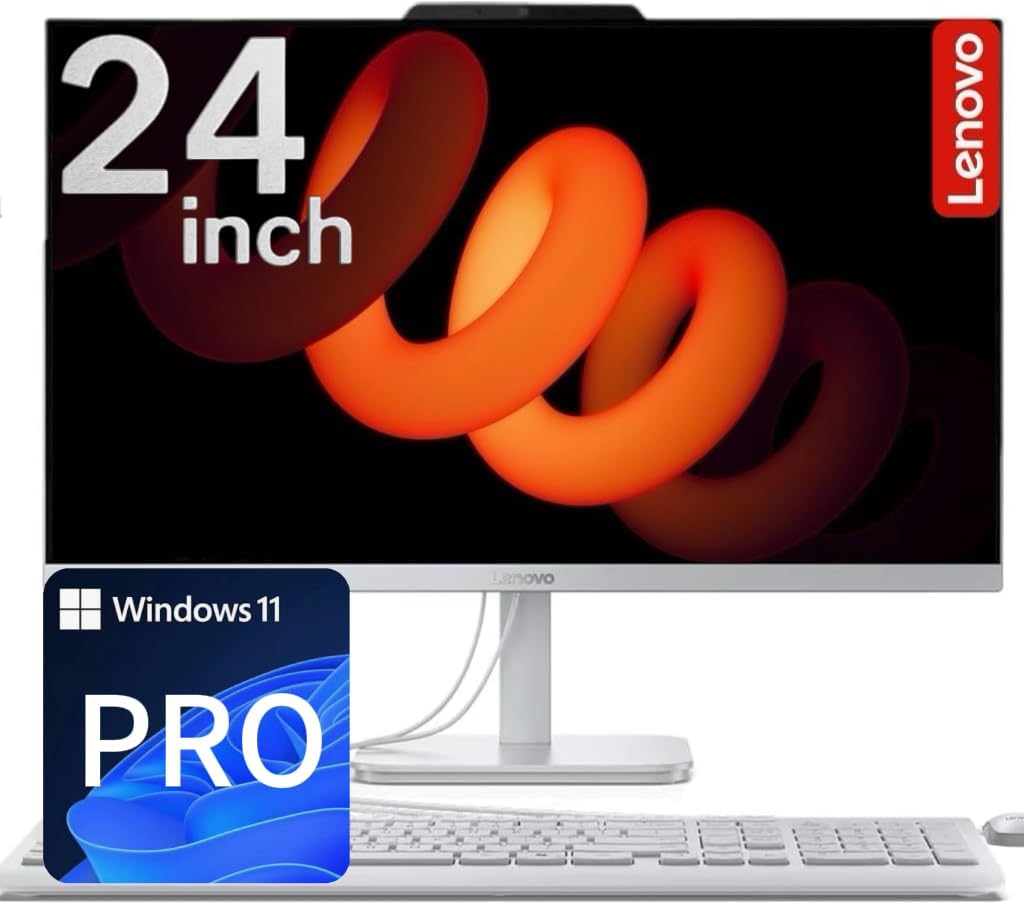 Lenovo 24" IPS All-in-One with Intel N100
|
6.9/10 | Buy | ||
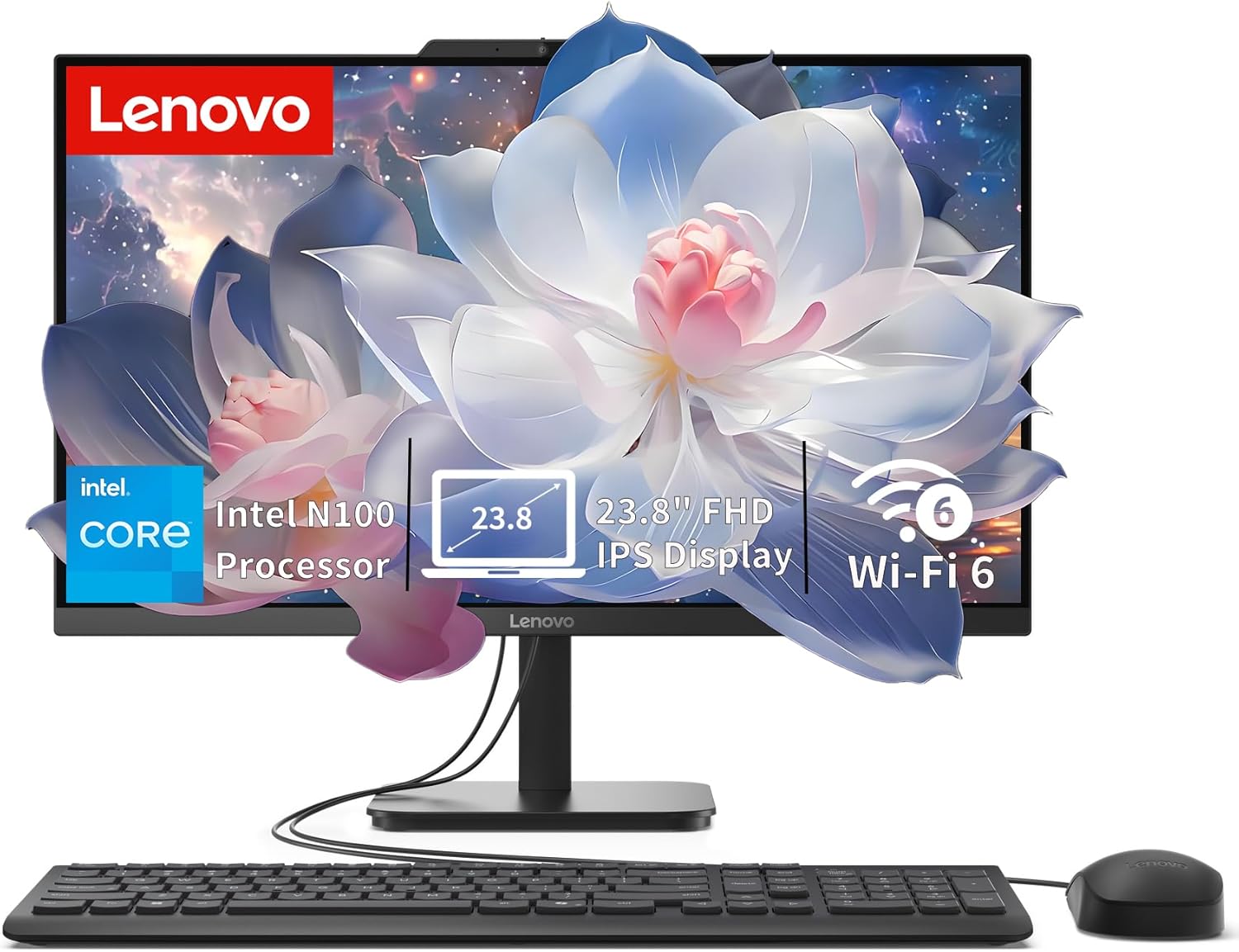 Lenovo IdeaCentre 24" All-in-One with Intel N100
|
6.7/10 | Buy | ||
 Dell 24 All-in-One FHD with Intel Core 3 100U
|
6.8/10 | Buy |
Dell 24 All-in-One with Intel Ultra 7 & Touchscreen
This 23.8-inch all-in-one combines a touchscreen display with Intel's latest Ultra 7 processor and 32GB DDR5 RAM, making it well-suited for professionals handling multitasking, creative work, and video conferencing. The integrated NPU supports AI-assisted workflows through Copilot+ PC, while the 8MP IR camera with user detection adds security and convenience for business users.
Pros
- Intel Ultra 7 355 processor with integrated NPU for AI-powered productivity and Copilot+ PC support
- 23.8-inch FHD WVA touchscreen with wide viewing angles and responsive pen support
- 32GB DDR5-5600MT/s RAM handles demanding multitasking and creative applications smoothly
- Advanced 8MP IR camera with user detection for secure sign-ins and sharp video conferencing
- Space-saving all-in-one design with sleek finish and VESA mount compatibility for flexible workspace setup
Cons
- FHD resolution on a 24-inch display may feel less sharp for detailed design or photo work compared to QHD alternatives
- Limited information on upgrade paths or repairability, typical of all-in-one form factors
- Intel Graphics integrated solution, not a dedicated GPU, may limit performance for demanding 3D applications or gaming
Lenovo IdeaCentre 27" All-in-One with i7-13620H
A compact 27-inch all-in-one desktop that consolidates processor power and display into one footprint, built around a 10-core Intel i7-13620H and a vibrant 99% sRGB IPS panel. Best suited for professionals handling content creation, multitasking, and productivity work who value space efficiency and integrated connectivity like HDMI-in for external source input.
Pros
- Powerful 13th Gen i7-13620H with 10 cores and Turbo up to 4.9 GHz handles demanding workflows smoothly
- 27-inch 1920x1080 IPS display with 99% sRGB, anti-glare coating, and low blue light ideal for color-critical tasks
- Dual HDMI ports (HDMI-in and HDMI-out) plus USB-C allow flexible connectivity and source switching
- Windows 11 Pro and up to 64GB DDR5 RAM support advanced multitasking and professional software
- Integrated Intel UHD Graphics sufficient for everyday tasks and light creative work without discrete GPU cost
Cons
- Non-touch 1920x1080 display is standard FHD, not 4K, which may feel limiting for precision design work on a 27-inch screen
- Wired keyboard and mouse included, but no wireless options out of the box limits desk flexibility
- Only 1-year limited warranty provides minimal long-term protection for an all-in-one investment
Dell 24" FHD Touchscreen All-in-One with Core 7 150U
This Dell all-in-one combines a compact 24-inch touchscreen with Intel's efficient Core 7 150U processor, making it suited for productivity work and everyday computing. The system arrives with 16GB DDR5 RAM and 512GB SSD storage, plus included keyboard and mouse, reducing setup friction. Built-in features like Dolby Atmos audio, webcam with privacy shutter, and ComfortView Plus display technology appeal to professionals working from home or small offices.
Pros
- Intel Core 7 150U with 10 cores delivers solid multitasking performance for office work and light creative tasks
- 16GB DDR5 RAM and 512GB NVMe SSD provide responsive everyday performance
- 23.8-inch FHD touchscreen with anti-glare coating and ComfortView Plus reduces eye strain
- Integrated keyboard and mouse included, plus comprehensive port selection (USB 3.2, HDMI, SD card reader, Ethernet)
- Windows 11 Pro and Wi-Fi 6E connectivity support modern productivity workflows
Cons
- Integrated Intel graphics limit gaming and demanding video editing capabilities
- 5W stereo speakers, while featuring Dolby Atmos, may require external audio for professional content creation
- No user reviews available yet, limiting real-world reliability feedback from buyers
HP 27-inch All-in-One, Ryzen 5, Touchscreen
This 27-inch all-in-one combines a responsive touchscreen display with solid everyday performance from its Ryzen 5 processor and 16GB RAM. The integrated design and included peripherals make it a straightforward setup for home offices or creative work, though the FHD resolution may feel modest on a screen this size.
Pros
- 27-inch FHD touchscreen with IPS panel and 99% sRGB for color-accurate work
- AMD Ryzen 5 7520U processor with Radeon Graphics handles multitasking and light creative tasks
- 16GB LPDDR5 RAM and 1TB SSD provide responsive performance and ample storage
- Includes wireless keyboard and mouse, reducing setup costs
- 1080p IR camera with privacy controls and dual-array microphones for video calls
Cons
- FHD resolution (1920x1080) is relatively low for a 27-inch display, resulting in less screen real estate
- Integrated graphics limit demanding gaming or heavy video editing capabilities
- No mention of upgrade options for memory or storage, potentially limiting future expansion
Lenovo IdeaCentre 24" All-in-One, Intel N100, 16GB RAM
A compact all-in-one desktop built for remote workers and students who need reliable performance without sacrificing desk space. The 24-inch FHD display with 99% sRGB accuracy and anti-glare coating handles productivity tasks smoothly, while the included keyboard, mouse, and lifetime Office 365 make it a complete out-of-box solution. Best suited for everyday computing rather than demanding creative or gaming workloads.
Pros
- Complete package with keyboard, mouse, and lifetime Office 365 included
- 24-inch FHD display with 99% sRGB color accuracy and anti-glare technology reduces eye strain during long work sessions
- 16GB RAM and 512GB SSD enable smooth multitasking and fast load times
- WiFi 6 and Bluetooth 5.1 provide modern wireless connectivity
- Space-saving all-in-one design ideal for home offices and small workspaces
Cons
- Intel N100 quad-core processor is entry-level, limiting performance for video editing, 3D rendering, or demanding applications
- No discrete graphics means gaming and graphics-heavy tasks will struggle
- Fixed all-in-one design limits future upgrades and repairs compared to traditional desktops
Lenovo 24" IPS All-in-One with Intel N100
A compact all-in-one desktop built for everyday home and office tasks, featuring a sharp 24-inch IPS display and quiet Intel processing. The combination of SSD and HDD storage plus integrated Wi-Fi 6 makes it practical for light productivity work, though the entry-level processor limits demanding applications.
Pros
- Spacious 24-inch IPS display with 99% sRGB and anti-glare coating for comfortable daily use
- Hybrid storage setup (512GB SSD + 500GB HDD) balances speed and capacity without premium pricing
- Quiet operation and low power consumption (65W) ideal for home offices and shared spaces
- Wi-Fi 6 and Bluetooth 5.2 for reliable wireless connectivity
- Includes keyboard, mouse, and Windows 11 Pro out of the box
Cons
- Intel N100 processor handles everyday tasks but struggles with heavy multitasking or creative software
- No dedicated graphics card means gaming and video editing performance is limited
- Rear-only ports can make cable management awkward if desk space is tight
Lenovo IdeaCentre 24" All-in-One with Intel N100
A compact all-in-one desktop built for everyday productivity, home office, and student work. The 24-inch FHD display with anti-glare coating and the space-saving design make it practical for desk setups where room is tight. Intel N100 processor and 8GB RAM handle routine tasks smoothly, though it's not aimed at demanding creative work or gaming.
Pros
- Slim, space-saving all-in-one form factor fits easily on desks and in small offices
- 23.8-inch FHD IPS anti-glare display with 99% sRGB and 250 nits brightness is sharp and comfortable for extended use
- Fast 512GB PCIe SSD ensures quick boot times and responsive app launches
- Modern connectivity with Wi-Fi 6, Bluetooth 5.2, and multiple USB ports including 10Gbps USB 3.2
- Upgradeable to 32GB RAM and expandable storage via M.2 slot for future-proofing
Cons
- Intel N100 processor is entry-level, limiting performance for multitasking with heavy applications or video editing
- Integrated graphics are adequate for everyday tasks but not suitable for gaming or 3D work
- No touchscreen, optical drive, or card reader included
Dell 24 All-in-One FHD with Intel Core 3 100U
This 24-inch all-in-one combines a vibrant FHD IPS display with practical everyday performance, making it well-suited for home offices and light productivity work. The narrow-border design and blue-light reduction features prioritize eye comfort during extended use, while the integrated 5MP camera and Dolby Atmos speakers handle video calls and media smoothly. It's a space-conscious choice that doesn't demand much from your desktop real estate.
Pros
- 99% sRGB color accuracy and 50% higher contrast for sharp, true-to-life visuals on FHD IPS panel
- Thoughtful eye-comfort features: ComfortView Plus blue-light reduction and flicker-free display for long work sessions
- Versatile connectivity with WiFi 6E, five USB ports, HDMI-in/out, and SD card reader for flexible peripheral support
- Dual 5W speakers with Dolby Atmos spatial audio deliver clear, immersive sound for video calls and media
- Compact footprint with innovative stand design that includes keyboard parking space to minimize clutter
Cons
- Intel Core 3 100U and 8GB DDR5 RAM limit multitasking and demanding software performance compared to higher-tier processors
- 512GB SSD storage may feel tight for users with large media libraries or multiple applications
- FHD resolution on a 24-inch screen means less screen real estate than higher-resolution alternatives at similar sizes
All-in-One Computers Buying Guide
Choosing the right all-in-one desktop comes down to more than picking the biggest screen or the fastest processor on the spec sheet.
The factors below reflect what actually separates a satisfying long-term purchase from a machine that will frustrate you within a year. Work through each section to understand what matters most for your specific situation.
Processor and Daily Performance

The processor is the single biggest determinant of how an all-in-one will feel day to day.
Entry-level machines in this category typically carry Intel Core 3 or budget Intel four-core chips, which handle web browsing, document editing, and video streaming without complaint.
Step up to an Intel Core 7, AMD Ryzen 5, or the newer Intel Core i7 and Intel Core Ultra tiers and you gain noticeably faster app launches, smoother multitasking with many browser tabs open, and the headroom to handle light photo or video work without stalling.
For most home and office buyers, a modern six-core or eight-core processor is the sweet spot.
If you plan to run demanding creative software, virtual machines, or keep a machine for five or more years, look for a higher core count and a processor from Intel’s H-series or AMD’s Ryzen 5000 and 7000 families, as these tend to age more gracefully.
The Intel Core Ultra 7 355 in the top-scoring Dell all-in-one in this list represents the current high-water mark for integrated processing power in this product category.
Because all-in-ones use mobile-class processors rather than full desktop chips, they run cooler and quieter but cannot match a standalone tower for raw throughput. If intense computing is a priority, also browse our desktop PCs and gaming desktops categories for comparison.
RAM and Storage Configuration

RAM directly affects how many applications and browser tabs you can have open simultaneously before performance degrades.
For general home use, 8 GB is a functional minimum in 2026, but it will feel limiting if you use Zoom or Teams while editing documents and streaming music.
Sixteen gigabytes is the practical sweet spot for most buyers, providing comfortable headroom for productivity, light creative work, and occasional gaming without noticeable slowdowns.
Storage type matters as much as capacity. A PCIe NVMe SSD delivers boot times under 15 seconds and near-instant app launches, while a traditional HDD or hybrid configuration will feel sluggish by comparison even with fast RAM.
All-in-ones with 512 GB SSD configurations are sufficient for most users who store large media libraries in the cloud or on external drives.
If you keep large video archives locally, look for models with 1 TB SSD or a combination SSD and HDD configuration.
Our dedicated resource on desktop RAM explains memory specifications in depth if you want to verify compatibility or understand DDR5 versus DDR4 trade-offs.
Display Quality and Size
The display is not an afterthought in an all-in-one; it is literally the most prominent component. Most machines in this category ship with 23.8 to 27-inch Full HD IPS panels.
IPS technology delivers wide viewing angles and accurate colour reproduction, making it well suited to content consumption, video calls, and general office work.
Look for anti-glare coatings if the machine will face a window, as glossy displays can become distracting in bright rooms.
Touchscreen support is a meaningful upgrade for users who frequently annotate documents, sign PDFs, or work in stylus-compatible applications. Models with pen support add another layer of interactivity for creative workflows.
Brightness specified at 250 nits or above is comfortable in most indoor environments; if you work next to a bright window, seek 300 nits or higher.
At the 27-inch size, FHD resolution remains acceptable for productivity, though a QHD panel would yield sharper text if one is available within your budget.
Connectivity and Wireless Standards

Modern all-in-ones have largely standardised on Wi-Fi 6 as the baseline wireless specification, which supports stable connections at speeds that comfortably handle 4K streaming, large file transfers, and simultaneous video calls.
Higher-end models now include Wi-Fi 6E or even Wi-Fi 7, which operates on the 6 GHz band and reduces congestion in apartment buildings or offices with many wireless devices.
If you work in a dense wireless environment, these newer standards are worth the premium.
On the wired side, check the rear and side port layout carefully. A USB-C port with data and power delivery capability significantly expands flexibility for docking a laptop, connecting modern peripherals, or outputting to a secondary display.
HDMI input is a less common but genuinely useful feature if you want to use the all-in-one screen as a monitor for a gaming console or second computer. Bluetooth 5.2 and above covers the majority of wireless peripherals reliably.
Machines with Bluetooth 6 represent the current leading edge for short-range wireless reliability and energy efficiency.
Operating System and Software Readiness

All eight machines in this list run Windows 11, but there is a meaningful split between Windows 11 Home and Windows 11 Pro. For personal and family use, Home is perfectly adequate.
If you need domain joining, BitLocker encryption, Remote Desktop, or Hyper-V virtualisation for a business or development environment, Pro is the version to choose and worth the price difference.
Several models in this list include Windows 11 Pro at pricing that makes the upgrade cost-effective compared to buying a Home licence and upgrading separately.
Also consider the bundled accessory situation. Most models include a wired keyboard and mouse, which are functional but often mid-tier in quality. If you are particular about your input devices, budget for upgrades.
Models that include Dolby Atmos speaker tuning provide noticeably better audio for video calls and media consumption without requiring external speakers, which matters in a tidy, cable-free setup.
Value and Long-Term Upgrade Path

All-in-ones are generally less upgradeable than traditional tower desktops, but the gap has narrowed. Some models allow RAM and SSD swaps through accessible rear panels, while others are fully soldered.
Before purchasing, verify whether the specific model allows memory or storage expansion, as this can extend the useful life of the machine significantly.
A well-configured machine purchased at mid-range pricing with upgradeable storage offers better long-term value than a maxed-out configuration that cannot be expanded later.
Warranty terms and manufacturer support quality vary between Dell and Lenovo. Dell typically offers next-business-day on-site service options as paid add-ons, while Lenovo’s IdeaCentre line carries standard depot service at the base tier.
Factor in the total ownership cost, including potential extended warranty pricing, when evaluating value across the price spectrum.
Users who prioritise a portable secondary computing option alongside a desktop might also want to review 2-in-1 laptops or 2-in-1 laptops for drawing as complementary devices.
Why You Should Trust Us
REMOVU is an independent review publication. We do not manufacture, sell, or take direction from the brands we cover.
Every product in this roundup was evaluated using a consistent, multi-factor research methodology: we analyze published specifications, compare expert review consensus from the broader technology press, and weigh verified buyer feedback from confirmed purchasers.
We do not conduct our own product trials; our evaluations are grounded in research, published data, expert review consensus, and verified buyer feedback.
Each machine is then assigned a REMOVU Score on a 0 to 10 scale, reflecting its overall merit relative to other products in the same category.
Our scoring considers processor performance tier, RAM and storage configuration, display quality, connectivity standards, software ecosystem, and price-to-value ratio. Products are ranked by REMOVU Score so that readers can quickly identify top performers without wading through promotional copy.
We revisit rankings when significant price changes, new model releases, or newly surfaced reliability data warrant an update.
Transparency note: REMOVU may earn a commission if you purchase through links in this article. That affiliate relationship has no bearing on our scores, rankings, or product selection.
No brand pays to appear in our roundups, and no commission rate influences where a product places. Our editorial independence is the foundation of the trust readers place in us.
Final Thoughts
The all-in-one desktop market in 2026 covers a wide range of budgets and use cases, and this roundup reflects that breadth.
Whether you need a compact everyday machine for a home office or a fully equipped professional workstation with touchscreen and enterprise connectivity, there is a well-scored option here.
Below are our standout designations based on REMOVU Score and best-fit buyer profile.
- Best Overall: Dell 24 All-in-One with Intel Core Ultra 7 355 earns the top REMOVU Score in this roundup with its Intel Core Ultra 7 processor, 32 GB DDR5 RAM, 1 TB SSD, Wi-Fi 7, and Bluetooth 6, making it the most future-proofed and capable all-in-one available at premium pricing.
- Best Mid-Range Pick: Lenovo IdeaCentre 27″ All-in-One with Intel i7-13620H stands out with its 10-core processor, DDR5 memory, USB-C, and HDMI in and out connectivity at a price well below the top tier, delivering an excellent balance of speed and versatility.
- Best Touchscreen Value: Dell All-in-One 24″ FHD Touchscreen with Intel Core 7 150U offers a responsive touchscreen, 10-core processor, 16 GB RAM, and Windows 11 Pro in a well-built package, making it a strong choice for users who want interactive display capability without paying flagship prices.
- Best Budget Pick: Lenovo 24″ IPS FHD All-in-One with 1 TB Hybrid Storage delivers a spacious display, ample combined storage, and Windows 11 Pro at an entry-level price point that suits light home and office use without a significant financial commitment.
- Best for Everyday Home Use: Lenovo IdeaCentre 24″ FHD All-in-One, 2026 Edition provides 16 GB RAM, a PCIe SSD, and Wi-Fi 6 in an updated chassis at a reasonable mid-budget price, making it a reliable choice for families and students who need dependable daily performance.
For buyers who want to explore related computing form factors, compact mini PCs are worth considering if desk space is extremely limited.
Users who need portability for shared workspaces might also explore options in the gaming laptops or broader computers categories on REMOVU for a fuller picture of what is available across form factors.
Frequently Asked Questions
Are all-in-one computers good for working from home?
Yes, all-in-one desktops are particularly well-suited to home office environments. The single-unit design eliminates cable clutter, the displays are large enough for productive multitasking, and built-in speakers and webcams on many models reduce the need for extra peripherals.
For video conferencing, document work, and general business applications, a mid-range all-in-one with 16 GB RAM and a fast SSD will handle everything comfortably. Models with Windows 11 Pro add domain joining and encryption features useful for remote corporate environments.
Can you upgrade the RAM or storage in an all-in-one?
It depends on the specific model. Some all-in-ones, particularly from Lenovo’s IdeaCentre line, include accessible rear panels that allow SSD swaps and sometimes RAM upgrades. Others use soldered memory that cannot be changed after purchase.
Before buying, check the manufacturer’s service manual or verified user teardown reports for the exact model you are considering. Choosing a configuration with more RAM and storage at purchase is always safer than assuming upgrades will be straightforward later.
How does an all-in-one compare to a laptop for similar tasks?
All-in-ones and laptops share mobile-class processors, so raw performance at equivalent spec levels is comparable. The all-in-one advantage is a larger display, a more comfortable keyboard and desk setup, and often better thermal management due to more internal volume.
Laptops win on portability. If you work from a fixed desk most of the time and only occasionally need to move your computer, an all-in-one typically offers a more ergonomic and enjoyable daily experience.
For users who travel regularly, laptop options are the more practical choice.
Is Wi-Fi 6E or Wi-Fi 7 worth paying extra for in an all-in-one?
For most home users on standard broadband connections, Wi-Fi 6 is already more than fast enough.
Wi-Fi 6E and Wi-Fi 7 become meaningful if you live or work in a dense wireless environment with many competing networks, if you transfer large files frequently over your local network, or if your router already supports these standards.
If you are investing in a premium all-in-one for a home office setup you plan to keep for five-plus years, the newer wireless standard is a reasonable future-proofing consideration given that router adoption of Wi-Fi 7 is accelerating.
What is the difference between Windows 11 Home and Windows 11 Pro on these machines?
Windows 11 Home covers the needs of most personal and family users completely. Windows 11 Pro adds BitLocker full-disk encryption, Remote Desktop hosting, domain and Azure AD joining for corporate networks, Hyper-V virtualisation, and finer group policy controls.
For business users, IT professionals, or anyone who connects their machine to a managed corporate network, Pro is worth the additional cost.
Several models in this roundup include Pro at competitive pricing, making it easy to choose wisely without paying a large premium for the upgrade.
Do all-in-one computers work well as a secondary display?
Not all of them. Most all-in-ones only support HDMI output, meaning you can extend your desktop to a secondary monitor but cannot use the all-in-one screen as a display for another device.
A notable exception is the Lenovo IdeaCentre 27-inch in this list, which includes both HDMI input and output, allowing it to serve as a monitor for a laptop or gaming console in addition to functioning as a standalone computer.
If HDMI-in capability matters to you, verify it explicitly in the specs before purchasing, as it is not a standard feature across the category.
About the author
Timothy is REMOVU's NAS writer, weighing performance, software, and expandability for backups and home media. He helps readers centralize their files with room to grow.