The 10 Best RAM
Picking RAM involves more than choosing the biggest number on the box. Speed, generation, and timing all shape real-world performance. Our research covers the top DDR4 and DDR5 kits from G.Skill, Corsair, and Gigastone.
 By Lawrence Hale
Updated July 26, 2026
By Lawrence Hale
Updated July 26, 2026
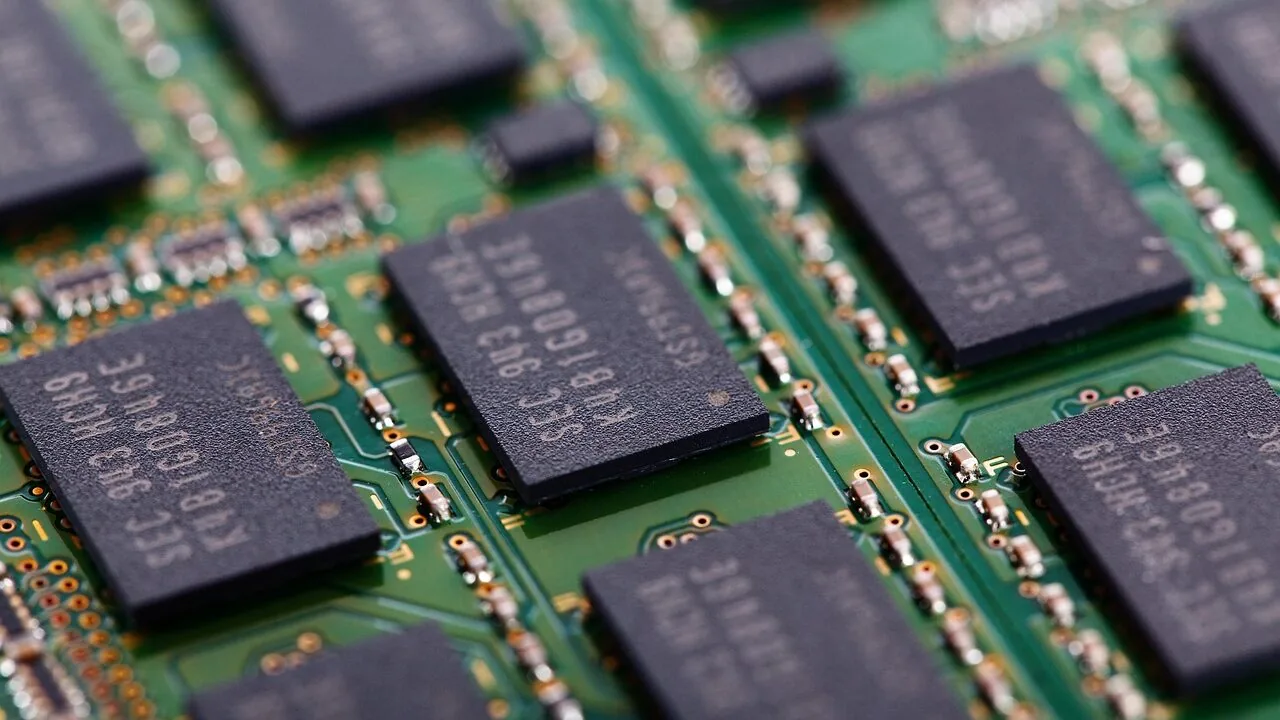
RAM is one of the most impactful upgrades you can make to a desktop PC, yet it remains one of the most misunderstood components in a build.
Whether you are assembling a gaming rig, a content creation workstation, or a productivity machine, the right memory kit shapes how smoothly your system handles multitasking, load times, and CPU-bound performance.
With DDR4 kits now sitting at mature price points and DDR5 entering mainstream territory, there has never been a better time to understand exactly what you are buying and why it matters.
Options from G.Skill, Corsair, and Gigastone span a wide range of speeds, capacities, and form factors, covering everything from budget-friendly DDR4 to flagship DDR5 builds.
REMOVU compiled this guide by researching published specifications, synthesizing expert review consensus across the enthusiast community, and analyzing verified buyer feedback to surface the kits that consistently deliver on their rated specs.
Every pick below has been evaluated and rated on the REMOVU Score scale. Whether you are upgrading an existing platform or speccing a brand-new build, the ranked picks below give you a clear starting point.
| Award | Product | REMOVU Score About REMOVU ScoreThe REMOVU Score is our own rating from 0 to 10, based on performance, design and build, ease of use, and value. It reflects independent research and is never influenced by manufacturers, retailers, or affiliate commissions. Learn more › | Price | |
|---|---|---|---|---|
| Best Overall |
 Corsair Vengeance LPX DDR4 32GB 3200MHz
|
8.8/10 | Buy | |
| Best Budget |
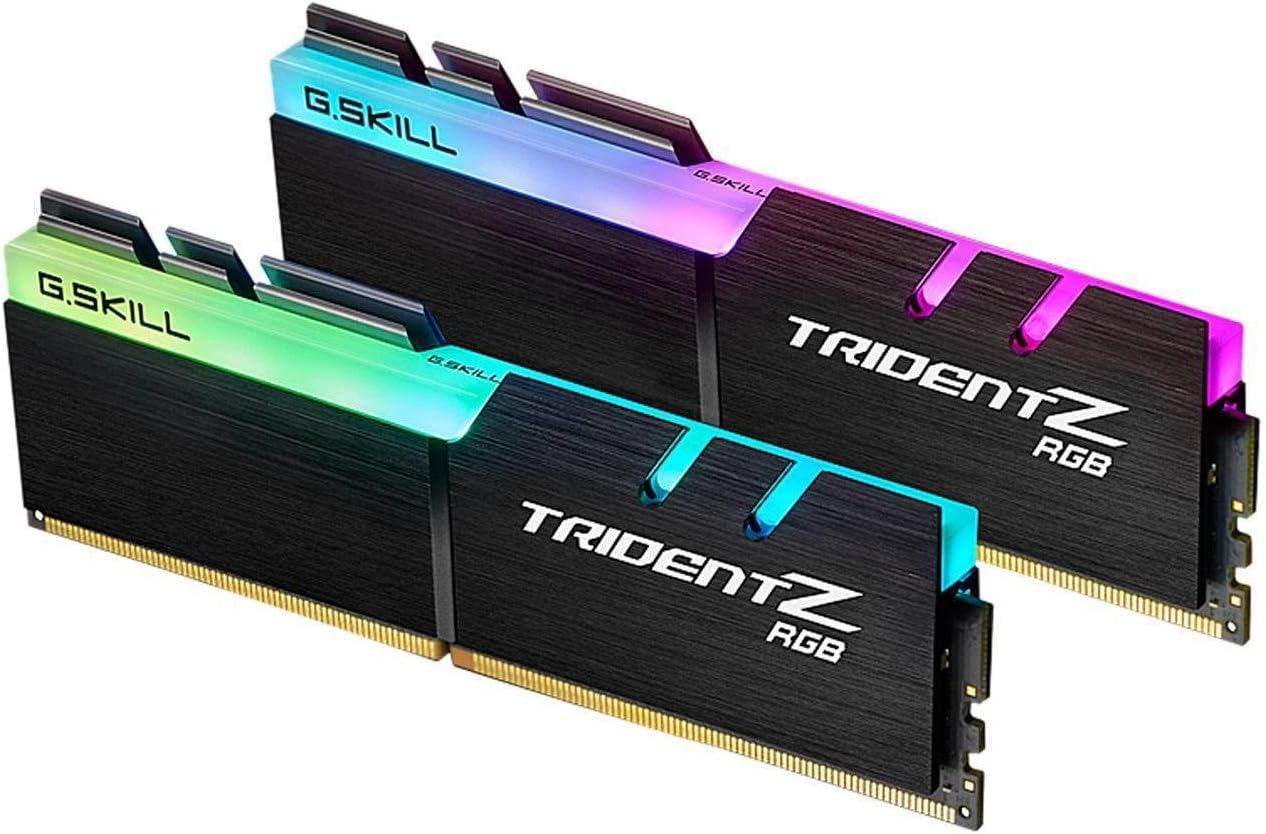 G.SKILL Trident Z RGB DDR4-3200 32GB Kit
|
8.6/10 | Buy | |
| Best Value |
 G.SKILL Trident Z Neo DDR4-3600 32GB Kit
|
7.8/10 | Buy | |
|
G.SKILL Trident Z RGB DDR4-3600 32GB Kit
|
8.4/10 | Buy | ||
 Gigastone Game PRO 32GB DDR4 3200MHz Kit
|
7.4/10 | Buy | ||
 G.SKILL Trident Z RGB DDR4-4000 32GB Kit
|
6.8/10 | Buy | ||
| Best Premium |
 Corsair Vengeance RGB DDR5 32GB 6000MHz
|
7.6/10 | Buy | |
 G.SKILL Trident Z5 Neo RGB DDR5 32GB 6000MT/s
|
6.2/10 | Buy | ||
 G.SKILL Trident Z5 Royal Neo DDR5-6000 32GB
|
6.2/10 | Buy | ||
 Samsung 9100 PRO 2TB PCIe 5.0 NVMe SSD
|
6.2/10 | Buy |
Corsair Vengeance LPX DDR4 32GB 3200MHz
A high-performance DDR4 kit built for overclockers, with hand-sorted memory chips and an aluminum heatspreader designed to pull heat away efficiently. The low-profile 34mm design fits compact builds, and XMP 2.0 support gets you to rated speeds with a single BIOS setting. Rated 4.8 stars across over 20,000 reviews for reliability and compatibility across Intel and AMD platforms.
Pros
- Low-profile 34mm height accommodates small-form-factor cases and systems with space constraints
- Aluminum heatspreader and custom PCB actively manage thermals for stable overclocking
- XMP 2.0 profiles enable one-click performance without manual tuning
- Individually screened memory ICs and extensive motherboard compatibility evaluation
- Strong verified buyer confidence with 4.8-star rating from 20,000+ reviews
Cons
- Maximum 3200MHz speed requires BIOS overclocking adjustments; not native performance for all systems
- Overclocking headroom and stability depend on motherboard, CPU, and cooling setup
- Premium positioning means higher cost than baseline DDR4 alternatives
G.SKILL Trident Z RGB DDR4-3200 32GB Kit
A premium DDR4 memory kit built for desktop gaming and content creation, pairing solid performance specs with customizable RGB lighting. The 32GB capacity and Intel XMP 2.0 support make it straightforward to enable rated speeds on compatible Intel platforms, while the aluminum heatspreader design adds visual polish to any build.
Pros
- Matched 2x16GB kit design ensures stability when used as intended, with hand-screened memory ICs on custom 10-layer PCB for quality construction
- Intel XMP 2.0 profile simplifies overclocking setup in BIOS without manual tweaking
- Customizable RGB lighting integrates with popular motherboard software for coordinated system aesthetics
- DDR4-3200 CL16 speeds deliver reliable performance for gaming and multitasking workloads
- Strong user rating of 4.8 stars across 3,378 reviews indicates consistent real-world reliability
Cons
- XMP speeds depend entirely on motherboard and CPU compatibility; not guaranteed to reach rated specs on all platforms
- Enabling XMP constitutes overclocking and requires BIOS adjustments, which may intimidate less experienced builders
- DDR4 technology is aging as DDR5 becomes standard on newer platforms, limiting long-term upgrade paths
G.SKILL Trident Z Neo DDR4-3600 32GB Kit
AMD Ryzen-optimized DDR4 memory delivering 3600MT/s performance with XMP support and distinctive dual-tone aesthetics. The kit combines proven stability on Ryzen platforms with customizable 8-zone RGB lighting, making it a solid choice for gamers and content creators building high-performance AMD systems.
Pros
- Engineered specifically for AMD Ryzen platforms with validated QVL support
- Fast 3600MT/s speed with tight CAS latency and XMP profile for easy enabling
- Hand-screened memory ICs and custom 10-layer PCBs for reliability
- Distinctive dual-tone aluminum and silver heatspreader design with beveled edges
- 8-zone RGB lighting fully customizable via dedicated software
- Strong 4.8-star rating from 2,234 verified reviews
Cons
- XMP stability depends on motherboard and CPU compatibility; not guaranteed on all hardware
- Cannot mix with other memory kits without risking system instability
- Requires BIOS adjustment to reach rated XMP speeds; defaults to slower JEDEC speeds otherwise
G.SKILL Trident Z RGB DDR4-3600 32GB Kit
A premium DDR4 memory kit combining 32GB capacity with customizable RGB lighting and Intel XMP 2.0 support for gaming and high-performance builds. The Trident Z RGB delivers solid performance at 3600MT/s with a polished aluminum heatspreader design that fits modern PC aesthetics.
Pros
- Customizable RGB lighting with software control for personalized PC builds
- Intel XMP 2.0 profile included for straightforward overclocking via BIOS
- 32GB capacity in a 2x16GB matched kit suitable for gaming and content creation
- High rating of 4.8 stars from nearly 2,000 verified reviews reflects strong user satisfaction
- Hand-screened memory ICs on custom 10-layer PCB indicate quality construction
Cons
- XMP performance depends on motherboard and CPU compatibility, not guaranteed on all systems
- CAS latency of CL18 is standard but not the tightest available at this speed tier
- Requires BIOS adjustments to reach rated XMP speeds, which involves overclocking and potential stability tuning
Gigastone Game PRO 32GB DDR4 3200MHz Kit
A dual-channel 32GB DDR4 kit designed for gaming desktops, delivering 3200MHz speed with Intel XMP 2.0 and AMD Ryzen support for straightforward overclocking. The 16-18-18-40 timings and 1.35V operation suit budget-conscious builders seeking solid performance without premium pricing.
Pros
- 32GB capacity covers demanding gaming and multitasking workloads
- XMP 2.0 compatibility simplifies setup on Intel and AMD platforms
- 3200MHz speed offers solid performance-per-dollar for DDR4 systems
- Non-ECC UDIMM design compatible with standard consumer motherboards
- Low 1.35V voltage reduces power draw and heat generation
Cons
- CL16 latency is middling compared to tighter-tuned gaming kits
- No product reviews available yet to assess real-world reliability
- DDR4 platform faces obsolescence as DDR5 adoption accelerates
G.SKILL Trident Z RGB DDR4-4000 32GB Kit
A high-performance DDR4 memory kit built for gaming and content creation PCs. The Trident Z RGB combines 32GB capacity with 4000MT/s speeds and customizable RGB lighting, backed by Intel XMP 2.0 support for straightforward overclocking. Best suited for builders prioritizing both speed and aesthetics without compromise.
Pros
- Solid 4.8-star rating from 531 verified buyers indicates reliable real-world performance
- Intel XMP 2.0 profile simplifies overclocking setup via BIOS without manual tweaking
- 32GB dual-channel kit covers demanding workloads like video editing, 3D rendering, and high-end gaming
- Customizable RGB lighting integrates with supported motherboard software for cohesive PC builds
- Hand-screened memory ICs and 10-layer PCB construction suggest quality control and longevity
Cons
- XMP stability depends entirely on motherboard and CPU compatibility; achieving rated speeds is not guaranteed on all systems
- CAS latency of CL18 is higher than some competing DDR4-4000 kits, potentially affecting latency-sensitive workloads
- Requires BIOS adjustment to unlock rated speeds; running at JEDEC defaults will be noticeably slower
Corsair Vengeance RGB DDR5 32GB 6000MHz
High-performance DDR5 memory designed for Intel platforms with customizable RGB lighting and onboard voltage regulation for stable overclocking. The modular iCUE software integration lets you fine-tune XMP profiles per application, making it appealing to enthusiasts and content creators who want both aesthetics and control. Achieves strong ratings from verified buyers across multiple configurations.
Pros
- Ten individually addressable RGB zones per module with panoramic light bar for 360-degree visibility
- Onboard voltage regulation enables more stable and precise overclocking adjustments via iCUE compared to motherboard-only control
- Custom Intel XMP 3.0 profiles allow task-specific performance tuning and profile saving
- Optimized for latest Intel DDR5 motherboards with tight response times and maximum bandwidth
- 4.8-star rating from over 4,100 verified reviews indicates consistent real-world reliability
Cons
- Maximum 6000MHz speed requires BIOS adjustments and overclocking; performance depends on motherboard and CPU compatibility
- Premium pricing typical of high-end DDR5 RGB memory, higher than non-RGB alternatives
- RGB and iCUE software add complexity for users seeking simple plug-and-play memory without customization
G.SKILL Trident Z5 Neo RGB DDR5 32GB 6000MT/s
Hand-screened DDR5 memory built for AMD platforms with AMD EXPO overclocking support and DDR5-6000 speeds. The dual-textured aluminum design pairs performance with customizable RGB lighting, making it a solid choice for high-end gaming and content creation builds seeking validated overclocked performance.
Pros
- AMD EXPO profile support enables straightforward overclocking through BIOS without manual tuning
- DDR5-6000 CL30 speed delivers strong performance for demanding workloads on compatible AM5 platforms
- Hand-screened DRAM ICs and matched kit design reduce compatibility issues and boost stability
- Sleek dual-textured aluminum heatspreader with streamlined RGB bar fits diverse PC aesthetics
- High 4.8-star rating from 1,600 verified reviews signals real-world reliability
Cons
- Performance gains depend entirely on motherboard and BIOS support; not all AM5 boards may reach rated speeds
- Premium positioning limits appeal to budget-conscious builders compared to standard DDR5 options
- Requires manual BIOS adjustment to unlock EXPO profile; default JEDEC speeds are significantly slower
G.SKILL Trident Z5 Royal Neo DDR5-6000 32GB
Premium DDR5 memory built for AMD Ryzen systems with AMD EXPO support, delivering 6000MT/s performance paired with a crystalline light bar and mirrored aluminum heatspreaders. The luxury design appeals to enthusiasts building high-end gaming or workstation rigs, though the premium positioning reflects the aesthetic investment alongside performance.
Pros
- AMD EXPO profile included for straightforward overclocking on compatible X870/X670/B850/B840/B650 boards
- Crystalline light bar with RGB sync support across major motherboard brands (ASUS Aura, Gigabyte RGB Fusion, MSI Mystic Light, ASRock Polychrome)
- Hand-screened memory ICs on custom 10-layer PCB designed for stability at rated speeds
- Strong 4.8-star rating from 397 verified buyers indicates reliable real-world performance
- Electroplated aluminum heatspreaders with precision CNC finishing for durability and aesthetics
Cons
- Requires BIOS adjustment to reach rated 6000MT/s speeds; stability depends on motherboard and CPU compatibility
- Premium pricing reflects the luxury design elements rather than raw performance advantage over standard DDR5 options
- Must not mix with other memory kits; any combination outside matched sets risks instability or system failure
Samsung 9100 PRO 2TB PCIe 5.0 NVMe SSD
Samsung's flagship PCIe 5.0 drive delivers sequential speeds up to 14,700 MB/s, roughly double its 990 PRO predecessor, making it a solid choice for AI workloads, 4K/8K video editing, and high-end gaming. The 5nm controller prioritizes power efficiency while maintaining thermal stability. Best suited for users with PCIe 5.0-capable systems who need sustained performance for creative and computational tasks.
Pros
- Exceptional sequential read/write speeds (up to 14,700/13,400 MB/s) leverage full PCIe 5.0 bandwidth
- Strong random IOPS performance (up to 2,200K read, 2,600K write) handles multitasking and AI applications smoothly
- 49% improved power efficiency over 990 PRO with advanced thermal management keeps drive cool under load
- Up to 8TB capacity (later 2025) and heatsink option provide flexibility for large-scale projects
- Magician Software enables firmware updates, encryption, and drive health monitoring out of the box
- 4.7-star rating from 1,662 verified buyers reflects consistent real-world reliability
Cons
- Requires PCIe 5.0 motherboard support; performance advantage is negated on PCIe 4.0 systems, limiting compatibility
- Premium pricing reflects cutting-edge tech, making it less accessible for general consumer storage upgrades
- Performance claims assume Intelligent Turbo Write activation and specific review configurations; real-world speeds vary by system hardware and workload type
RAM Buying Guide
Choosing the right RAM kit involves more than picking the highest speed number on the shelf. Generation, capacity, latency, and platform compatibility all interact to determine real-world performance.
The sections below walk through each factor in plain language so you can match a kit to your actual use case rather than simply chasing specs on paper.
If you are also sourcing other PC components for a new build, read those guides alongside this one to avoid compatibility mismatches.
DDR4 vs. DDR5: Choosing the Right Generation
The single most important decision before buying RAM is confirming which generation your motherboard supports. DDR4 and DDR5 slots are physically incompatible, so this is not a preference question.
DDR4 remains the dominant standard for Intel 12th and 13th generation platforms and AMD Ryzen 3000 through 5000 series, while DDR5 is mandatory for Intel 13th and later on Z790 boards and AMD Ryzen 7000 series.
Check your motherboard specification sheet before purchasing anything.
DDR5 offers higher raw bandwidth and runs at lower per-module voltages, which benefits memory-bandwidth-sensitive workloads such as video rendering and large data sets.
DDR4, however, still holds a strong price-to-performance advantage for gaming, where the practical gains from DDR5 are often marginal at typical quality settings.
If your platform supports both generations through different board SKUs, factor in total build cost rather than RAM specs alone.
For most builders on existing DDR4 platforms, a well-tuned DDR4 kit remains entirely competitive. The DDR5 picks in our list represent the leading edge of what is available for next-generation platforms, but at a meaningful price premium over equivalent DDR4 capacity.
Capacity: How Much RAM Do You Actually Need?

For mainstream desktop use in 2026, 32 GB (2×16 GB) is the practical sweet spot. It comfortably covers gaming, browser-heavy multitasking, and light creative work without leaving memory headroom on the table.
Every kit in our list ships at 32 GB, which reflects where the value concentration currently sits.
Dual-channel configurations (two sticks rather than one) are strongly preferred because they allow the memory controller to access both modules simultaneously, yielding meaningfully better throughput than a single-stick setup.
Content creators handling large Premiere Pro timelines, heavy Photoshop projects, or virtual machines should consider 64 GB, though that moves beyond the scope of this particular guide.
Gamers running modern titles at high fidelity will rarely see a measurable benefit beyond 32 GB today, though future game engines may change that calculus.
A paired CPU with a capable integrated memory controller also plays a role in how efficiently higher capacities are handled.
Speed (MT/s) and What the Numbers Mean
RAM speed is rated in megatransfers per second (MT/s), sometimes still labeled as MHz in marketing materials. For DDR4, the range running from 3200 MT/s to 3600 MT/s represents the best-value performance window.
Kits rated at 3200 MT/s hit the native supported speed for most Intel and AMD platforms under XMP/EXPO profiles, making them plug-and-play reliable.
Stepping up to 3600 MT/s on an AMD Ryzen platform in particular can yield a measurable improvement because it aligns the memory fabric (Infinity Fabric) clock with the memory controller clock.
Beyond 4000 MT/s on DDR4, gains become increasingly marginal for typical workloads and compatibility headaches rise sharply. For DDR5, 6000 MT/s is emerging as a similar sweet-spot frequency, balancing bandwidth gains against stability on current AMD and Intel platforms.
Chasing the highest rated speed often sacrifices the tight primary timings that contribute more meaningfully to real-world responsiveness.
CAS Latency and Primary Timings

CAS latency (CL) is the number of clock cycles the memory controller must wait before data is available after a read command is issued. Lower CL numbers indicate tighter, more responsive timings.
However, CL cannot be evaluated in isolation because it scales with clock speed.
A DDR4-3200 CL16 kit has nearly identical true latency (measured in nanoseconds) to a DDR4-3600 CL18 kit, because the higher frequency partially offsets the looser CL rating.
The full timing string written as four numbers (for example 16-18-18-38) describes CAS Latency, tRCD, tRP, and tRAS respectively. For everyday use, focusing on the first number and comparing kits at the same rated speed is sufficient.
Enthusiasts who manually tune memory timings in the BIOS can often tighten secondaries and tertiaries beyond rated spec, but that requires patience and platform experience.
XMP, EXPO, and JEDEC Profiles

All mainstream DDR4 and DDR5 kits ship at a conservative JEDEC default speed (typically DDR4-2133 or DDR4-2400) for broad compatibility. To unlock the rated speed advertised on the box, you must enable an overclocking profile in your BIOS.
Intel platforms use Intel XMP (Extreme Memory Profile); AMD Ryzen 7000 series uses AMD EXPO (Extended Profiles for Overclocking). Many quality DDR4 kits carry both XMP 2.0 and AMD EXPO support, while newer DDR5 kits include XMP 3.0.
Enabling the profile is typically a single toggle in BIOS and dramatically improves performance without manual tuning.
Before enabling XMP or EXPO, verify your motherboard’s qualified vendor list (QVL) to confirm the specific kit is validated for your board.
High-speed DDR4 kits above 4000 MT/s and DDR5 kits above 6400 MT/s may require voltage adjustments or may not POST at their rated speed on all boards. Sticking to well-validated frequencies eliminates most compatibility frustration.
Aesthetics and Cooling: Heat Spreaders and RGB

Most desktop RAM kits ship with aluminium heat spreaders that help dissipate heat from the DRAM ICs during sustained workloads.
For the speeds in this guide, thermal management is rarely a limiting factor, but a heat spreader provides peace of mind and contributes to the visual finish inside a windowed case.
RGB lighting has become a standard feature at the mid-to-high tier, with G.Skill’s Trident Z RGB series and Corsair’s Vengeance RGB line offering synchronisation with major motherboard RGB ecosystems (ASUS Aura, Gigabyte RGB Fusion, MSI Mystic Light, and others).
Height clearance matters if you are installing a large tower CPU cooler. Low-profile kits such as the Corsair Vengeance LPX are designed specifically to clear tall CPU coolers that might otherwise clash with taller RGB sticks.
Measure the clearance on your specific cooler before committing to a tall-profile kit, particularly in compact cases. A well-matched build also benefits from pairing RAM with a suitable graphics card to avoid CPU or memory bottlenecks in GPU-intensive workloads.
Why You Should Trust Us
REMOVU is an independent review platform. We do not manufacture, sell, or distribute any of the products we cover, and we have no fulfilment relationship with any retailer or brand.
Every product in this guide has been evaluated against a consistent, category-specific rubric and awarded a REMOVU Score on a scale of 0 to 10.
The score reflects a weighted combination of factors including rated performance specifications, compatibility breadth, value relative to class, build quality signals, expert review consensus from the enthusiast community, and verified buyer feedback gathered from purchase-verified sources.
We do not conduct our own product trials; our evaluations are grounded in research, published data, expert review consensus, and verified buyer feedback.
This approach lets us cover a wider range of products with greater consistency than any single reviewer could achieve through physical evaluation alone. Rankings reflect merit, not commercial relationships.
REMOVU may earn a commission if you purchase through a link in this article, but that affiliate relationship has no influence whatsoever on scores, rankings, or which products appear in our lists.
Picks are chosen because they earned their place on merit.
Final Thoughts
The RAM market in 2026 offers strong options at every tier, from proven DDR4 workhorses to cutting-edge DDR5 kits built for next-generation platforms.
After researching specifications, synthesizing expert consensus, and weighing verified buyer feedback, a few standout picks rise above the rest. Below are our top picks by use case, each linked to the full product card above for deeper detail.
- Best Overall: Corsair Vengeance LPX DDR4 RAM 32GB 3200MHz earns the top spot for its consistent real-world reliability, wide platform compatibility, low-profile design that clears virtually any CPU cooler, and the highest REMOVU Score in this lineup. It represents the most dependable pick for the broadest range of builders.
- Best Value DDR4 with RGB: G.Skill Trident Z RGB DDR4 3200 CL16 32GB pairs attractive per-stick RGB with tight CL16 timings at 3200 MT/s, making it a natural choice for builders who want visual flair without sacrificing performance credentials. Its REMOVU Score reflects excellent consistency across verified builds.
- Best DDR4 for AMD Ryzen Platforms: G.Skill Trident Z RGB DDR4 3600 CL18 32GB targets the 3600 MT/s sweet spot that aligns AMD Ryzen’s Infinity Fabric clock for a tangible performance lift over 3200 MT/s kits on Ryzen builds, backed by a strong REMOVU Score for its class.
- Best DDR5 for AMD EXPO Platforms: G.Skill Trident Z5 Neo RGB DDR5 6000 CL30 32GB delivers the bandwidth and frequency headroom that Ryzen 7000 platforms unlock, with AMD EXPO support for straightforward profile activation. It carries a premium price commensurate with DDR5 territory.
- Best Budget DDR4 Gaming Pick: Gigastone Game PRO DDR4 3200MHz 32GB provides solid XMP 2.0 and AMD Ryzen support at the most accessible price in the lineup, making it a practical entry point for budget-conscious builders who still want dual-channel performance at rated speed.
For builders assembling a complete system, pairing the right RAM kit with quality solid state drives and a matched power supply ensures nothing in the system becomes an unexpected bottleneck.
A well-chosen PC case with adequate airflow also keeps thermals in check, which matters when RAM operates at higher voltages under sustained load.
Frequently Asked Questions
How Much RAM Do I Need for Gaming in 2026?
For most gaming use cases, 32 GB running in dual-channel (two matched sticks) is the current sweet spot.
It provides enough headroom for modern titles, background applications, and a browser with multiple tabs open simultaneously without throttling frame rates due to memory pressure.
16 GB remains functional for older or less demanding titles, but increasingly leaves little room for background processes on current-generation hardware.
Pairing adequate RAM with a capable graphics card ensures neither component creates a bottleneck. More than 32 GB is rarely necessary for pure gaming today, though it becomes worthwhile if you also stream, run a VM, or edit video during the same session.
Is DDR5 Worth Upgrading to Right Now?
DDR5 is worth it if you are building on a platform that natively supports it, such as AMD Ryzen 7000 series or Intel 13th/14th generation on a Z790 board, because those platforms do not support DDR4 at all on compatible board variants.
For existing DDR4 platform owners, upgrading RAM alone to DDR5 is not possible without also replacing the motherboard and potentially the CPU, making the upgrade calculus a broader platform decision rather than a simple memory swap.
The real-world gaming performance difference between a well-tuned DDR4 kit and a DDR5 kit at the same price tier is currently modest for most titles. DDR5 shines more noticeably in memory-bandwidth-intensive workloads such as video encoding, 3D rendering, and AI inference tasks.
Do I Need to Enable XMP or EXPO After Installing RAM?
Yes. RAM ships at a conservative JEDEC default speed regardless of its rated speed on the packaging.
Without enabling an XMP (for Intel platforms) or EXPO (for AMD Ryzen 7000 platforms) profile in your BIOS, your kit will run at a fraction of its rated performance.
Enabling the profile is typically a single setting in the BIOS memory or OC menu and requires no manual tuning. Your system will reboot once to confirm the new speed, after which it runs at the advertised specification.
If your system becomes unstable after enabling the XMP/EXPO profile, first confirm the kit appears on your motherboard’s QVL, then try a slightly lower speed profile if one is available.
Rare cases involving high-speed DDR4 above 4000 MT/s or DDR5 above 6400 MT/s may need additional voltage adjustments to maintain stability.
Can I Mix RAM Kits From Different Brands or Speeds?
Technically yes, but it is not recommended. Mixing kits from different brands, speeds, or timings often results in the system running all sticks at the lowest common speed, eliminating any premium you paid for faster RAM.
In some cases, mixed kits cause instability, boot failures, or prevent XMP/EXPO profiles from activating at all.
The safest approach is always to purchase a matched dual-channel kit (sold as a 2×16 GB or 2×8 GB pair) from a single purchase, which guarantees the sticks are binned and validated to work together at their rated specification.
Does RAM Speed Matter for Content Creation and Video Editing?
More so than for gaming. Applications such as Adobe Premiere Pro, DaVinci Resolve, and Blender benefit from both higher memory bandwidth and larger capacity.
Faster RAM reduces the time the CPU spends waiting on memory-bound operations during timeline scrubbing, effect rendering, and export encoding.
For heavy creative workloads, prioritising both a higher speed rating and sufficient capacity matters more than it does for a dedicated gaming build.
Pairing fast RAM with a fast SSD for scratch disk operations compounds the workflow benefit, as slow storage frequently becomes the bottleneck once memory is adequately provisioned.
What Is the Difference Between U-DIMM and DIMM Form Factors?
U-DIMM stands for Unbuffered DIMM and is the standard form factor for consumer desktop memory. All of the kits in this guide are U-DIMMs, which are designed for mainstream desktop motherboards.
Registered DIMMs (R-DIMMs) and Load-Reduced DIMMs (LR-DIMMs) are server and workstation variants that use a register or buffer chip to support larger memory configurations and more DIMMs per channel, but they are incompatible with consumer motherboards and are not relevant to the builds this guide addresses.
For any standard ATX, mATX, or ITX desktop board, U-DIMM is what you need.
Related Guides
About the author
Lawrence covers mirrorless and DSLR cameras for REMOVU, weighing image quality, autofocus, and lens ecosystems. He helps photographers choose a body they can grow with.