The 9 Best Mini PCs Under $500
Compact but capable, mini PCs under five hundred dollars now cover everything from daily office work to light gaming and home-lab duties. Here are the top picks worth buying.
 By Logan Foster
Updated July 26, 2026
By Logan Foster
Updated July 26, 2026
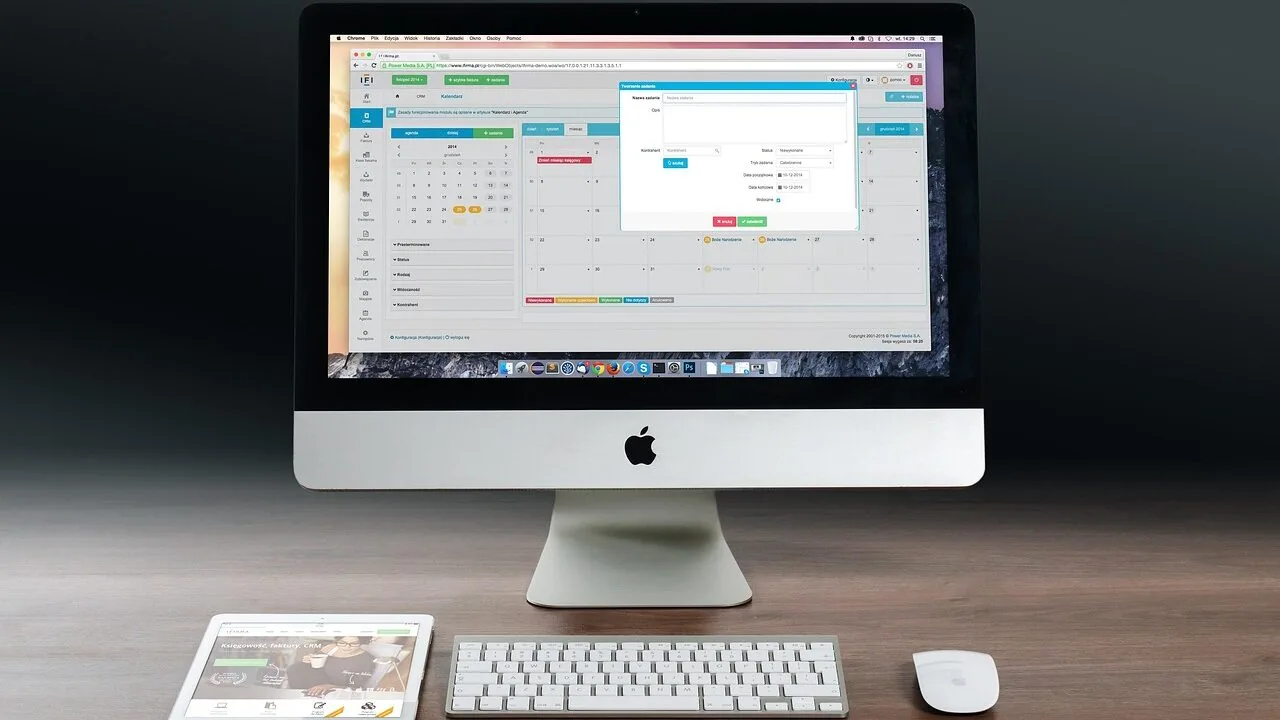
Mini PCs have quietly transformed the desktop computing landscape, packing enough processing muscle into a shoebox-sized chassis to handle everyday productivity, light content creation, home theater duties, and even casual gaming.
For anyone who wants a capable desktop without surrendering half their desk space or stretching their budget, a mini PC priced below five hundred dollars hits a sweet spot that full-sized towers simply cannot match.
Brands such as KAMRUI, Beelink, ACEMAGIC, GMKtec, and BOSGAME have each pushed the value proposition further, making it genuinely difficult to know which compact machine earns your money.
This guide cuts through the noise. REMOVU’s team researched every model below using published specifications, expert review consensus from across the industry, and verified buyer feedback, then scored each machine on our consistent 0-to-10 REMOVU Score framework.
Whether you need a reliable office workhorse, a living-room media hub, or a budget-friendly entry into AMD Ryzen territory, the ranked list below gives you a clear starting point.
| Award | Product | REMOVU Score About REMOVU ScoreThe REMOVU Score is our own rating from 0 to 10, based on performance, design and build, ease of use, and value. It reflects independent research and is never influenced by manufacturers, retailers, or affiliate commissions. Learn more › | Price | |
|---|---|---|---|---|
| Best Overall |
 KAMRUI Pinova P2 AMD Ryzen 7330U Mini PC
|
8.9/10 | Buy | |
| Best Premium |
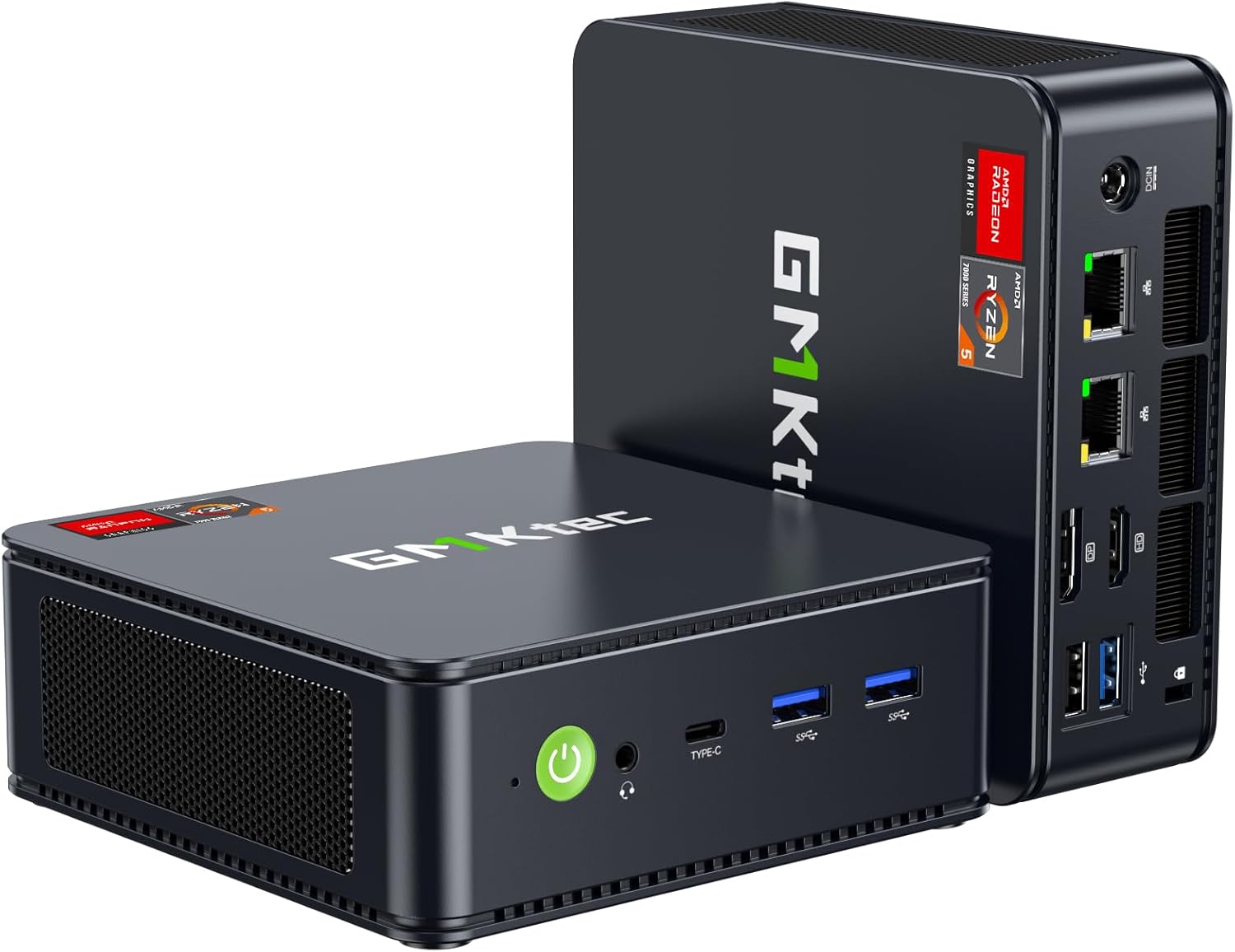 GMKtec M6 Ultra Ryzen 7640HS Mini PC
|
8.2/10 | Buy | |
| Best Budget |
 BOSGAME E5 Mini PC with Ryzen 5300U, 16GB RAM, 512GB SSD
|
7.8/10 | Buy | |
| Best Value |
 GMKtec G10 Ryzen 5 3500U Mini PC
|
7.5/10 | Buy | |
 ACEMAGIC K1 Ryzen 7 7730U Mini PC
|
7.4/10 | Buy | ||
 KAMRUI AK1PLUS Mini PC, Intel Celeron N5095, 16GB/256GB
|
7.2/10 | Buy | ||
 ACEMAGIC R2544 Mini PC with Triple 4K Display
|
7.0/10 | Buy | ||
 Beelink Mini S12 N95 Mini PC, 8GB/480GB
|
6.8/10 | Buy | ||
 Beelink SER3 AMD Ryzen 3200U Mini PC
|
6.5/10 | Buy |
KAMRUI Pinova P2 AMD Ryzen 7330U Mini PC
A compact desktop computer built around AMD's efficient Ryzen 7330U processor, designed for multitasking and creative work without consuming much power. The integrated Radeon graphics can drive three 4K displays simultaneously, making it suitable for multi-monitor setups in home offices or content creation spaces. At this price point, it balances performance with portability and quiet operation.
Pros
- Supports triple 4K@60Hz output via HDMI 2.0, DisplayPort 1.4, and USB-C with DP Alt Mode, ideal for productivity workflows
- 16GB LPDDR4X RAM and 256GB SSD provide responsive multitasking and fast boot times out of the box
- Compact footprint (5.05 x 5.05 x 1.73 inches) with VESA mount option for flexible desk or wall placement
- Two M.2 expansion slots allow storage upgrades up to 4TB for future-proofing
- Quiet cooling system and low 15W TDP processor keep noise minimal during typical use
Cons
- Base 256GB storage is modest for heavy media or development work; most users will need to upgrade
- AMD Ryzen 7330U, while efficient, trails Intel Core i5 12600H variants in raw single-threaded performance for demanding applications
- Limited information on real-world thermal performance under sustained heavy loads from verified buyers
GMKtec M6 Ultra Ryzen 7640HS Mini PC
Compact desktop built around AMD's efficient 7640HS processor with solid multitasking performance and integrated graphics capable of casual gaming. Dual 2.5G Ethernet ports and WiFi 6E make it well-suited for networking-heavy setups, office work, or light creative tasks, though the 512GB base storage and integrated GPU won't satisfy demanding gamers or content creators.
Pros
- Supports triple 4K displays simultaneously, including 8K via USB4, for serious multitasking setups
- Dual 2.5Gbps LAN ports ideal for servers, network appliances, or bandwidth-intensive workflows
- 16GB DDR5 RAM and dual SO-DIMM slots allow expansion up to 128GB for future-proofing
- Efficient 45-60W TDP keeps power consumption and heat output low for fanless-adjacent operation
- Solid 4.4-star rating from 485 verified buyers indicates reliable real-world performance
Cons
- Integrated Radeon 760M GPU limits gaming to moderate titles at lower settings, not a dedicated gaming machine
- 512GB base storage is modest for heavy workloads; expansion requires additional investment
- Ryzen 7640HS still entry-level APU despite improvements over 6800H, so demanding software may feel constrained
BOSGAME E5 Mini PC with Ryzen 5300U, 16GB RAM, 512GB SSD
A compact desktop built for productivity, the BOSGAME E5 packs a Ryzen 5300U processor and supports triple monitor setups via HDMI, DisplayPort, and USB-C. Dual 2.5G LAN ports and expandable storage make it suitable for office work, programming, and home labs, though the single-channel RAM configuration limits multitasking performance.
Pros
- Triple display support with dedicated graphics for 4K playback and smooth web browsing
- Dual 2.5G LAN ports plus WiFi 5 and Bluetooth 5.0 for reliable networking
- Expandable storage with second M.2 slot supporting up to 2TB additional SSD
- Compact form factor with VESA mount included for flexible desk setup
- RAM upgradeable to 64GB for future-proofing
Cons
- 16GB RAM configured as single-channel (16GB x1), which reduces memory bandwidth for demanding multitasking
- 512GB SSD may require quick upgrade for users storing large files or media libraries
- Ryzen 5300U is entry-level for CPU-intensive tasks like video editing or 3D rendering
GMKtec G10 Ryzen 5 3500U Mini PC
A compact desktop built around AMD's Ryzen 5 3500U, delivering solid multitasking and light creative work with triple 4K display support. The 2.5GbE networking and dual M.2 slots make it practical for office setups, home servers, or productivity dashboards, though the older Zen+ architecture shows its age against current-gen processors.
Pros
- Triple 4K@60Hz display output via HDMI 2.1, DisplayPort 1.4, and USB-C for multi-monitor workflows
- 2.5GbE wired networking eliminates bandwidth bottlenecks for office and server applications
- 16GB dual-channel DDR4 and 512GB SSD with dual M.2 slots for future upgrades to 32GB RAM and dual drives
- Low 35W power consumption keeps cooling silent and electricity costs minimal
- Includes VESA mount, HDMI cable, and 1-year warranty
Cons
- Ryzen 5 3500U is from 2019 (Zen+ architecture), noticeably slower than modern mobile processors for demanding tasks
- Rating of 3.8 out of 5 stars (20 reviews) is lower than other GMKtec models, suggesting mixed real-world satisfaction
- Radeon Vega 8 graphics sufficient only for casual gaming and light video editing, not professional content creation
ACEMAGIC K1 Ryzen 7 7730U Mini PC
Compact desktop alternative for light gaming and productivity, packing an 8-core Ryzen 7 7730U processor into a 5x5-inch chassis. Handles casual titles like DOTA 2 smoothly and supports triple 4K displays, making it suitable for content creators and office workers needing space-saving performance.
Pros
- Strong single-thread and multitask performance with Ryzen 7 7730U (35% faster CPU, 38% faster GPU than Ryzen 5 variants)
- Triple 4K display support via HDMI, DisplayPort, and USB-C for productivity workflows
- Expandable storage with two M.2 slots allowing up to 4TB total capacity
- Efficient cooling design maintains stable performance in a compact 5x5x1.6 inch form factor
- Windows 11 Pro pre-installed with mounting bracket included
Cons
- LPDDR4X RAM is soldered on-board and not user-upgradeable, limiting future expansion
- Radeon 680M GPU suits casual gaming only; demanding AAA titles will struggle at high settings
- Limited thermal headroom in compact chassis may throttle sustained heavy workloads
KAMRUI AK1PLUS Mini PC, Intel Celeron N5095, 16GB/256GB
A compact desktop replacement built around Intel's Celeron N5095, offering solid everyday performance for office work, online classes, and light multitasking. The dual 4K display support and expandable storage up to 4TB make it practical for productivity-focused users who value space efficiency and quiet operation.
Pros
- Dual 4K@60Hz HDMI outputs enable true multi-monitor productivity without external adapters
- Expandable storage architecture supports up to 4TB total (M.2 NVMe/SATA plus 2.5-inch drive), addressing long-term file growth
- 16GB LPDDR4X RAM and 256GB SSD provide responsive performance for web, video conferencing, and document work
- Compact footprint with full connectivity suite (4x USB 3.2, Gigabit Ethernet, audio jack) eliminates desk clutter
- Advanced wake features (Auto Power On, RTC Wake, Wake-on-LAN) suit business and remote management scenarios
Cons
- Intel Celeron N5095 processor limits performance for demanding applications like video editing or 3D rendering
- Intel UHD Graphics is entry-level for gaming or graphics-intensive workflows
- No discrete GPU means reliance on integrated graphics, which constrains simultaneous 4K playback or complex visual tasks
ACEMAGIC R2544 Mini PC with Triple 4K Display
A compact desktop replacement powered by AMD Ryzen R2544, designed for office work and multimedia tasks in tight spaces. The standout feature is native support for three 4K displays simultaneously, making it practical for productivity setups or home theater use. Comes with Windows 11 Pro and room to expand RAM and storage.
Pros
- Supports triple 4K display output via USB-C, HDMI, and DisplayPort, rare for mini PCs at this scale
- Upgradeable to 32GB RAM and 4TB storage with dual memory slots and dual drive bays
- Compact footprint (128.2×128.2×41mm) with solid thermal design for sustained workloads
- Windows 11 Pro included with full accessories kit and 12-month warranty
- WiFi 5 and Gigabit Ethernet ensure stable connectivity for office and streaming
Cons
- R2544 is an embedded processor, adequate for productivity but not suited for heavy gaming or video editing
- Base configuration (8GB/256GB) is tight for multitasking; upgrading adds to total cost
- Limited information on real-world performance across different workload types beyond general claims
Beelink Mini S12 N95 Mini PC, 8GB/480GB
A compact desktop replacement powered by Intel's efficient N95 processor, designed for office work, light content creation, and 4K media consumption. The fanless-equivalent silent cooling and low 25W power draw make it ideal for always-on productivity setups, though base storage and RAM are modest for heavy workflows.
Pros
- Extremely compact form factor (4.52x4.04x1.54 inches) fits any desk or mounts behind monitors
- Low power consumption at 25W maximum, reducing electricity costs for continuous operation
- Dual HDMI ports support 4K@60Hz and dual-monitor setups for productivity
- Solid connectivity with 2.5G LAN, WiFi 5, Bluetooth 4.2, and four USB 3.2 ports
- Quiet operation with efficient heat dissipation design and silent fan technology
Cons
- Base 8GB DDR4 RAM and 480GB SSD are entry-level; upgrades require single-channel/dual-channel configurations not detailed in specs
- Intel N95 is positioned as budget-tier processor; performance ceiling limits demanding creative work or multitasking
- No reviews yet on this specific model to validate real-world reliability or thermal performance claims
Beelink SER3 AMD Ryzen 3200U Mini PC
A compact desktop replacement built around AMD's efficient Ryzen 3200U processor, designed for office work and light creative tasks. The SER3 handles everyday computing, document editing, and media playback with dual 4K display support, making it practical for home offices and small workspaces that need a space-saving alternative to traditional towers.
Pros
- Dual 4K display capability via HDMI 2.0 and DisplayPort outputs for productivity setups
- Multiple connectivity options including USB 3.2 Gen2, Type-C 10Gbps, and 1000M LAN for stable networking
- Low 15W TDP processor keeps power consumption minimal and cooling simple
- Upgradeable storage up to 2TB SSD and RAM expansion via SO-DIMM slot for future-proofing
- Wake-on-LAN and auto power-on functions for convenient remote operation
Cons
- Base configuration ships with only 8GB RAM and 480GB SSD, requiring upgrades for demanding multitasking
- AMD Ryzen 3200U is entry-level with 2 cores/4 threads, limiting performance in heavy workloads or gaming
- WiFi 5 standard is adequate but not cutting-edge compared to newer WiFi 6E models in the mini PC category
Mini PCs Under $500 Buying Guide
Choosing the right mini PC requires a different mental model than picking a full-sized desktop. Space savings come with engineering trade-offs, and understanding those trade-offs upfront saves you from buyer’s remorse.
The sections below walk through every specification category that genuinely matters in this price tier, so you can match a machine to your actual workload rather than chase a spec sheet that looks impressive on paper but underdelivers in practice.
If you are also weighing a traditional tower or an all-in-one instead, our desktop PCs category and the all-in-one PCs section cover those angles in detail.
Processor: AMD Ryzen vs. Intel Celeron vs. Intel Core

The CPU is the single biggest determinant of long-term satisfaction in a mini PC. At the entry level of this price range you will find Intel Celeron N-series chips such as the N5095 and N95.
These are low-power processors built on older architectures and they handle web browsing, email, document editing, and 4K video playback competently.
They are not well suited to multitasking with dozens of browser tabs, video transcoding, or anything that sustains a heavy compute load.
Step up to AMD Ryzen and the performance gap becomes significant.
Older Ryzen 3000-series chips like the 3200U and 3500U still outclass Celeron alternatives in multi-threaded workloads, and newer Ryzen 5000- and 7000-series APUs such as the 5300U, 7330U, and 7640HS deliver a generational leap in both CPU and integrated graphics throughput.
The Ryzen 7640HS in particular is a full 45W mobile processor rather than a 15W ultra-low-voltage part, which explains why machines carrying it sit closer to the upper boundary of this budget tier.
For users who care about light gaming or GPU-accelerated tasks, Ryzen 7000 integrated graphics are meaningfully faster than anything Intel’s comparable value lineup offers.
A practical rule of thumb: if your workload stays inside a browser and productivity apps, an N95-class chip is serviceable.
If you multitask heavily, edit photos, transcode media, or run any GPU-accelerated software, prioritize a Ryzen 5 or Ryzen 7 SKU and treat the extra cost as an investment in headroom rather than luxury.
RAM and Storage: Capacity, Speed, and Expandability

Most mini PCs in this category ship with either 8 GB or 16 GB of DDR4 RAM.
Windows 11 is increasingly RAM-hungry, and 8 GB is a functional minimum rather than a comfortable baseline, especially if you keep more than a handful of browser tabs open alongside any productivity application.
Buyers who work with spreadsheets, multiple virtual machines, or run Proxmox as a home server should treat 16 GB as the starting point, not an upgrade.
A handful of models here, most notably the GMKtec M6 Ultra and the KAMRUI Pinova P2, already ship with 16 GB and DDR5 in the case of the GMKtec, which matters because DDR5 paired with a Ryzen 7000 APU provides noticeably better integrated graphics bandwidth.
For storage, the difference between an M.2 NVMe SSD and a SATA3 SSD is real in daily use. NVMe drives deliver sequential read speeds several times faster than SATA, which shortens boot times and application launch times.
SATA3 SSDs are still far faster than any spinning hard drive, but if you are comparing two otherwise similar machines, NVMe is a meaningful tiebreaker. Also check whether a model offers a 2.5-inch bay for a secondary drive.
Several KAMRUI models and the BOSGAME E5 provide this expansion slot, which lets you add cheap storage capacity later without replacing the primary drive.
Check whether the RAM is soldered or socketed. Soldered RAM fixes capacity forever; socketed RAM lets you upgrade later. In this budget tier, soldered configurations are common, so reading the spec sheet carefully before purchase is essential.
Display Output and Multi-Monitor Support
One of the headline features brands compete on in this segment is multi-monitor support. Nearly every model here claims triple 4K display capability, but the practical reality is more nuanced.
Triple-display configurations typically require a mix of HDMI, DisplayPort, and USB-C ports, and the maximum resolution or refresh rate per output can differ depending on which port you use.
Verify the output combination before buying if you plan to run three screens simultaneously at full 4K resolution.
For home theater use cases, HDMI 2.1 support is worth seeking out because it sustains 4K at 120 Hz, relevant if you are pairing the mini PC with a gaming-capable television.
Our roundup of TVs built for gaming is a useful companion if you are building a living-room gaming setup around one of these machines. DisplayPort outputs generally support higher refresh rates and are preferred for desktop monitors.
USB-C with DisplayPort Alt Mode adds flexibility for single-cable monitor connections.
Networking: Ethernet Speed and Wi-Fi Generation

Networking specifications have become a genuine differentiator in this price tier. The baseline is a single Gigabit Ethernet port paired with Wi-Fi 5 (802.11ac). That combination handles streaming, video calls, and general web use without issue.
Higher-end options within this budget add 2.5 Gigabit Ethernet, which benefits anyone running a NAS, a home server, or a network that has already been upgraded to a 2.5 GbE switch.
The GMKtec M6 Ultra stands out by offering dual 2.5 GbE ports alongside Wi-Fi 6E and USB4, which makes it unusually capable as a Proxmox host, a pfSense router, or a compact home-lab node.
Wi-Fi 6E adds the 6 GHz band, reducing congestion in dense wireless environments and delivering lower latency than Wi-Fi 5.
If your router does not yet support Wi-Fi 6E, the benefit is theoretical until you upgrade, but the hardware will be ready when you do.
Bluetooth version matters less for most buyers but becomes relevant if you plan to connect audio peripherals wirelessly. Bluetooth 5.0 and above is standard on everything listed here except the entry-level Beelink Mini S12, which ships with Bluetooth 4.2.
Thermal Management and Noise
A mini PC’s thermal design has an outsized effect on sustained performance and daily livability.
Small enclosures concentrate heat, and how well the cooling system handles that heat determines whether the processor can maintain its advertised boost clocks for more than a few seconds.
Verified buyer feedback across multiple models in this roundup indicates that idle noise is generally low, but sustained workloads can push fan speeds to audible levels depending on the specific thermal solution.
Intel N-series machines tend to run quieter under moderate loads because their TDP envelopes are tightly capped. Ryzen machines, especially those running higher-TDP variants like the 7640HS, can produce more fan noise when the processor is pushed.
If the mini PC will sit on a desk within arm’s reach, research real-world noise reports before buying.
If it will live in a media cabinet or home theater rack, noise is less of a concern but heat buildup in an enclosed space becomes one. Always leave clearance for airflow around the chassis regardless of placement.
Use Case Fit: Office, HTPC, Light Gaming, or Home Lab

Mini PCs in this price range serve four broad use cases, and matching the machine to the workload prevents both overspending and underbuying.
For pure office and productivity use, an Intel N95 or Ryzen 3200U machine with 8 GB of RAM and a SATA SSD is entirely adequate and leaves budget for peripherals.
Writers, students, accountants, and anyone whose heaviest task is a video call will not feel constrained by these chips in daily use.
For home theater PC duties, the key requirements are 4K HEVC decode support (universal here), HDMI output capable of driving your television at full resolution, and quiet idle operation. Nearly every model in this roundup handles those requirements.
For light gaming on older or less demanding titles at 1080p, Ryzen 5000 and 7000 integrated graphics are the practical minimum, and the ACEMAGIC K1 or KAMRUI Pinova P2 represent solid choices.
For home lab or server use such as Proxmox, Pi-hole, or network-attached storage, prioritize RAM capacity, dual NIC support, and NVMe storage speed. The GMKtec M6 Ultra is the standout pick for that workload profile.
If you are curious about how mini PCs compare to Chromebooks for lightweight computing, our Chromebooks category and the Chromebook picks guide offer a useful contrast in philosophy and ecosystem.
Why You Should Trust Us
REMOVU is an independent review publication. We do not manufacture, sell, or distribute any of the products we cover, and we have no financial relationship with the brands whose machines appear in this roundup.
Every model is assessed using a structured research framework: we analyze published specifications, synthesize expert review consensus drawn from across the industry, incorporate verified buyer feedback from confirmed purchasers, and cross-reference published benchmark data and teardown reports where available.
We do not conduct our own product trials; our evaluations are grounded in research, published data, expert review consensus, and verified buyer feedback.
Each product is then scored on the REMOVU Score scale from 0 to 10, applying consistent criteria across performance potential, value, build quality, connectivity, and real-world usability for the intended use case. The ranked order in this article reflects those scores directly.
REMOVU may earn a commission if you purchase a product through a link in this article. That affiliate relationship does not influence scores, rankings, or editorial selection in any way.
Products are ranked solely on merit as assessed by our research process. We disclose this relationship in the interest of full transparency.
Final Thoughts
The mini PC market under five hundred dollars is more competitive than it has ever been, and the models in this roundup demonstrate how far compact computing has come. Here is how we assign the standout honours based on REMOVU Score and use-case fit:
- Best Overall: KAMRUI Pinova P2 earns the top REMOVU Score in this roundup by combining a capable AMD Ryzen processor, a generous RAM and NVMe SSD configuration, and triple 4K display output into a machine that handles productivity, media, and light creative work with genuine confidence.
- Best High-Performance Pick: GMKtec M6 Ultra is the choice for buyers who need real processing muscle in a compact footprint. Dual 2.5 GbE ports, Wi-Fi 6E, USB4, DDR5 memory, and a Ryzen 7640HS processor make it the most future-proof machine in this price tier and an exceptional home-lab or Proxmox host.
- Best Value for Everyday Use: BOSGAME E5 punches well above its price point with a Ryzen 5300U processor, 16 GB of RAM, dual LAN, and a roomy SSD, earning a strong REMOVU Score while sitting at the most accessible price in the Ryzen segment of this list.
- Best for Home Lab and Networking: The GMKtec M6 Ultra doubles here for those building a compact server or router, but buyers on a tighter budget who still need dual-NIC capability should look closely at the BOSGAME E5 as an alternative entry point.
- Best Budget Entry: Beelink Mini S12 is the pick for buyers whose workload genuinely fits an N95-class processor. Beelink’s reputation for consistent build quality and reliable BIOS support gives this machine staying power that generic N95 alternatives often lack, even if its REMOVU Score reflects the ceiling of its hardware platform.
Whichever machine you land on, a mini PC in this price tier represents a meaningful upgrade over aging hardware without demanding a significant financial commitment.
If your needs eventually outgrow this segment, our gaming desktops category and the gaming laptops for esports guide cover the next tier of performance hardware.
Frequently Asked Questions
Are mini PCs under $500 powerful enough for working from home?
For the vast majority of remote work scenarios, yes. Video conferencing, document editing, spreadsheets, web research, and cloud-based applications all run comfortably on Ryzen-equipped models in this range.
Intel N95-based machines handle lighter workloads well too, though they show their limits when you stack multiple demanding applications simultaneously.
If your workday involves large datasets, video editing, or development environments with many active processes, prioritize a Ryzen 5 or Ryzen 7 model with at least 16 GB of RAM.
Can a mini PC in this price range handle gaming?
Light gaming is realistic on Ryzen 5000 and 7000 integrated graphics. Older and less demanding titles, indie games, and emulation up to the PlayStation 2 or GameCube era run at playable frame rates at 1080p with graphics settings reduced.
Modern AAA titles at high settings are not realistic targets for any machine in this category without a dedicated GPU, which compact mini PCs do not support.
Buyers who want to stream games from a more powerful machine via services like Xbox Cloud Gaming or NVIDIA GeForce Now will find these machines work perfectly as thin clients for that use case.
For dedicated gaming hardware, our gaming laptops section is worth a look.
What is the difference between DDR4 and DDR5 RAM in a mini PC?
In practical daily use for productivity tasks, the difference between DDR4 and DDR5 is subtle. The area where DDR5 produces a noticeable real-world gain in mini PCs is integrated graphics performance.
Ryzen 7000 APUs use a unified memory architecture where the integrated GPU draws bandwidth from system RAM, and DDR5’s higher bandwidth ceiling translates directly into better frame rates in graphics workloads.
The GMKtec M6 Ultra is the only model in this roundup shipping with DDR5, which is one reason its gaming and GPU-accelerated performance exceeds other machines with nominally similar Ryzen processors.
Do mini PCs come with Windows 11 included?
Most models in this roundup ship with Windows 11 Home or Windows 11 Pro pre-installed and pre-activated. Windows 11 Pro is generally preferable for business use because it includes BitLocker encryption, Remote Desktop hosting, and domain join capabilities.
Verify whether the listed model ships with Home or Pro before purchasing, as some listings offer both configurations at different price points.
All machines here also support installing Linux distributions if you prefer an open-source operating system, and several users in verified buyer feedback specifically mention running Ubuntu or Debian on these machines for home-lab and server applications.
How long do mini PCs typically last before becoming obsolete?
A well-chosen mini PC should remain useful for four to six years for its intended workload. The limiting factors are RAM capacity (non-upgradeable on soldered configurations), storage space, and the pace of software requirements.
Buying a machine with 16 GB of RAM and an NVMe SSD today gives you more runway than an 8 GB SATA configuration, simply because software tends to grow its appetite over time.
Choosing a Ryzen processor over a Celeron also meaningfully extends practical longevity because the performance headroom is substantially greater from day one.
Pairing your mini PC with a quality monitor extends the overall setup’s lifespan too; a display that outlasts the computer is rarely wasted spending.
If you are building a complete desk setup, our laptops section covers portable alternatives worth considering alongside a mini PC purchase.
Can I use a mini PC as a home media server or NAS?
Yes, and this is one of the most popular secondary use cases for mini PCs.
For Plex, Jellyfin, or Emby media servers, an N95 or Ryzen-based machine handles hardware-accelerated transcoding of 4K content efficiently and draws very little power doing so, which matters when the machine runs continuously.
For light NAS duties combined with Pi-hole, Home Assistant, or other home automation software, any Ryzen model here with dual LAN support is a compelling choice.
The GMKtec M6 Ultra’s dual 2.5 GbE ports make it the strongest option for anyone building a more capable home network node.
If you pair the media server with a good audio setup in your living room, our coverage of soundbars under five hundred dollars and 4K Blu-ray players can help round out the home theater experience.
About the author
Logan covers smart speakers for REMOVU, comparing sound, assistant features, and smart-home control across ecosystems. He helps readers pick the right voice speaker for their setup.