The 10 Best Mini PCs for Gaming
Mini PCs have gotten serious about gaming. This guide ranks the top compact machines by performance tier, thermal design, and value so you can find the right fit.
 By Jerry Daniels
Updated July 26, 2026
By Jerry Daniels
Updated July 26, 2026

Mini PCs have quietly become a serious option for gamers who want capable hardware without the bulk of a full tower.
Thanks to advances in mobile-class processors from AMD, machines no smaller than a hardcover book can now handle demanding titles, light esports, and even some AAA gaming at respectable settings.
Whether you’re fitting a gaming setup into a dorm room, a living room cabinet, or a minimalist desk, the best mini PCs for gaming offer a compelling mix of performance and portability that full-size desktops simply can’t match.
If you’re weighing a compact build against something larger, our gaming desktops category covers the full-size side of the equation.
This guide covers the top picks available right now, evaluated through REMOVU’s research-based methodology: we analyze published specifications, synthesize expert review consensus from across the industry, and weigh verified buyer feedback to surface the machines that genuinely deliver for gamers.
Every pick has been rated on the REMOVU Score scale, so you can quickly see how each model stacks up.
Read on for our ranked recommendations, then dig into the buying guide below to find the right fit for your budget and play style.
| Award | Product | REMOVU Score About REMOVU ScoreThe REMOVU Score is our own rating from 0 to 10, based on performance, design and build, ease of use, and value. It reflects independent research and is never influenced by manufacturers, retailers, or affiliate commissions. Learn more › | Price | |
|---|---|---|---|---|
| Best Overall |
 ASUS ROG GR70 Gaming Mini PC with Ryzen 9 and RTX 5070
|
9.1/10 | Buy | |
| Best Premium |
 GMKtec K16 Ryzen 7 7735HS Mini PC
|
8.4/10 | Buy | |
| Best Value |
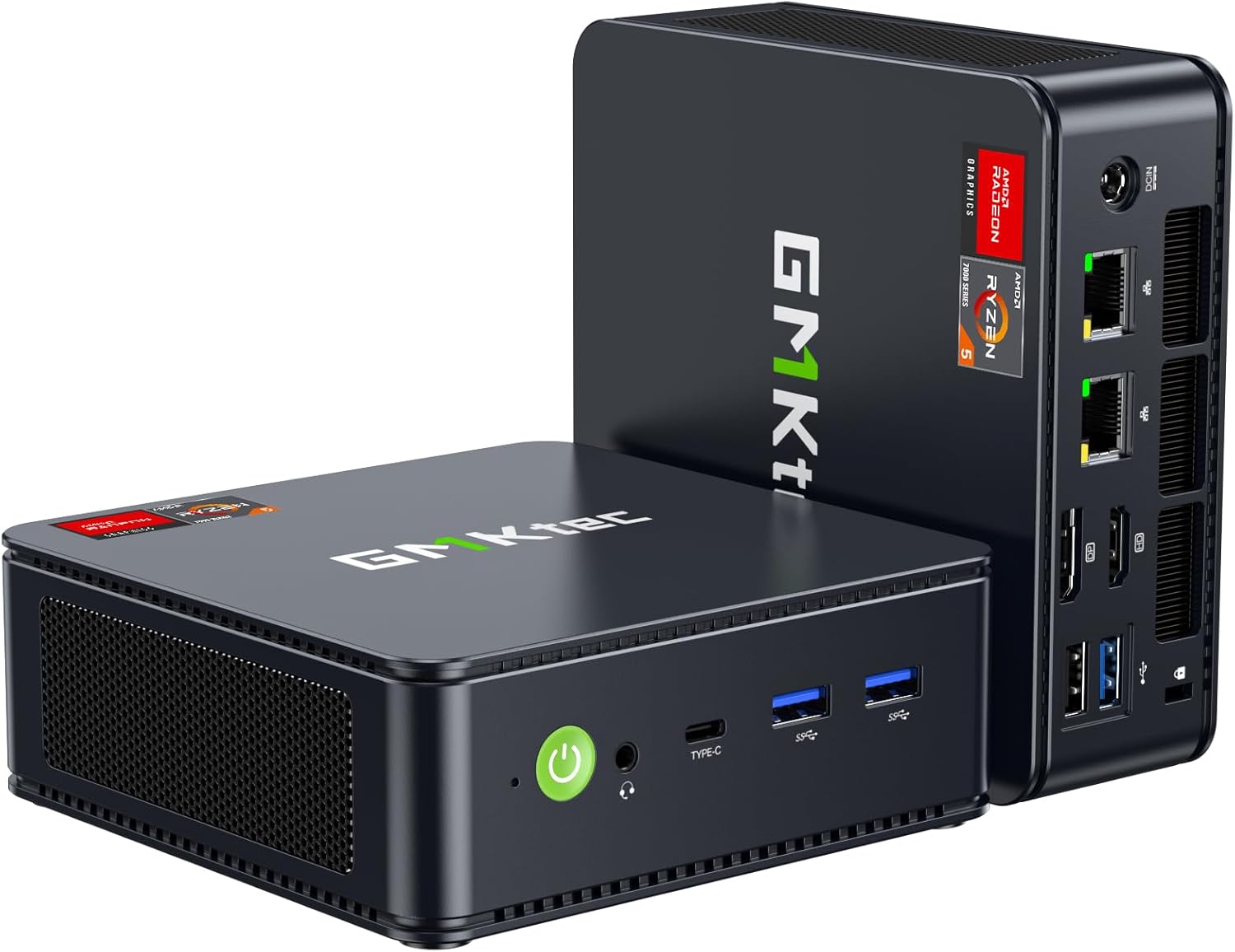 GMKtec M6 Ultra Ryzen 7640HS Mini PC
|
8.2/10 | Buy | |
 BOSGAME P6 Neo Ryzen 7 6800H Mini PC
|
7.8/10 | Buy | ||
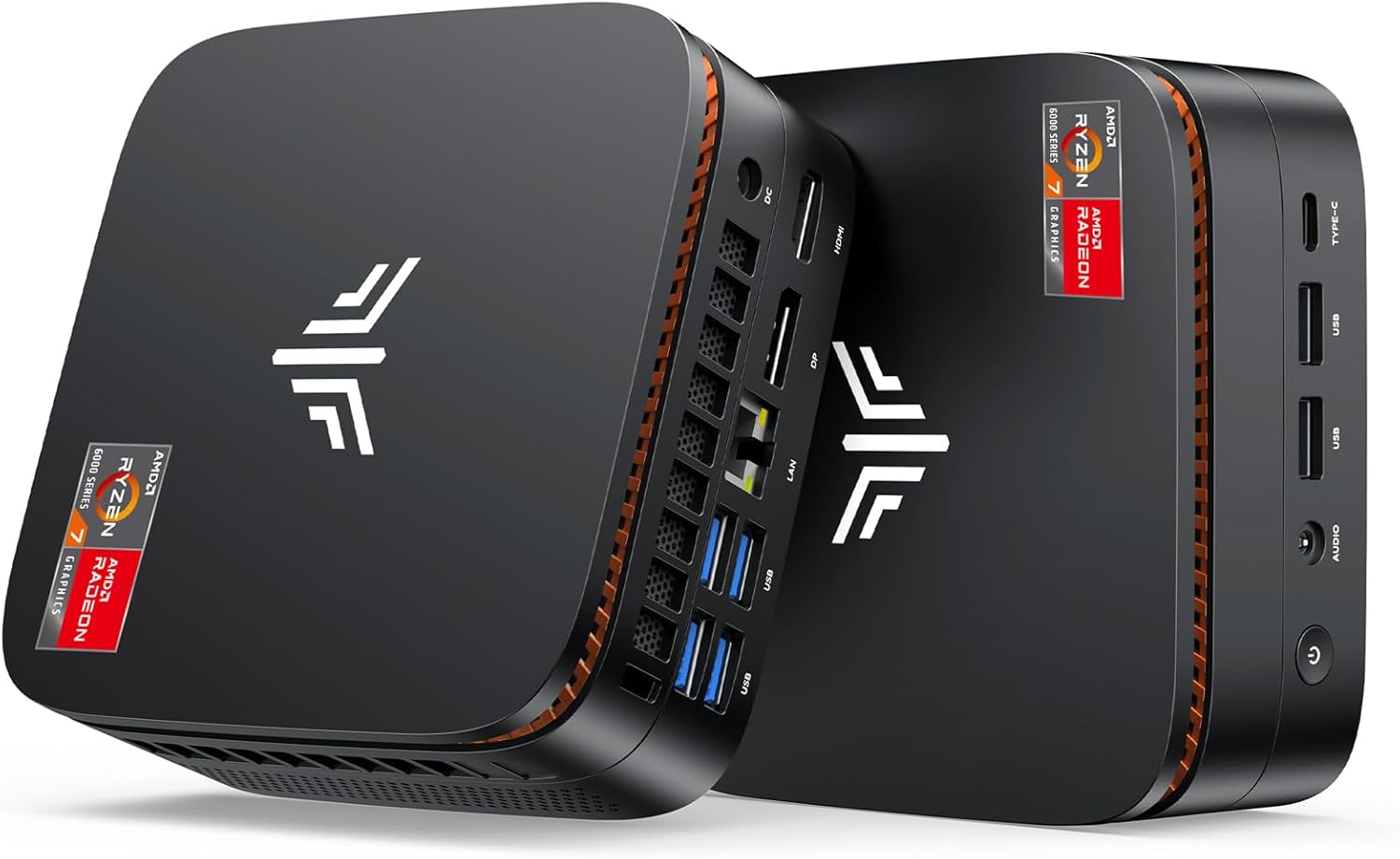 KAMRUI E3B Mini PC with Ryzen 7 7730U
|
7.6/10 | Buy | ||
 ACEMAGIC K1 Ryzen 7 7730U Mini PC
|
7.4/10 | Buy | ||
 BOSGAME P4 Ultra Mini PC with Ryzen 7 7730U
|
7.2/10 | Buy | ||
 KAMRUI E3B Mini PC with Ryzen 5 7530U
|
6.8/10 | Buy | ||
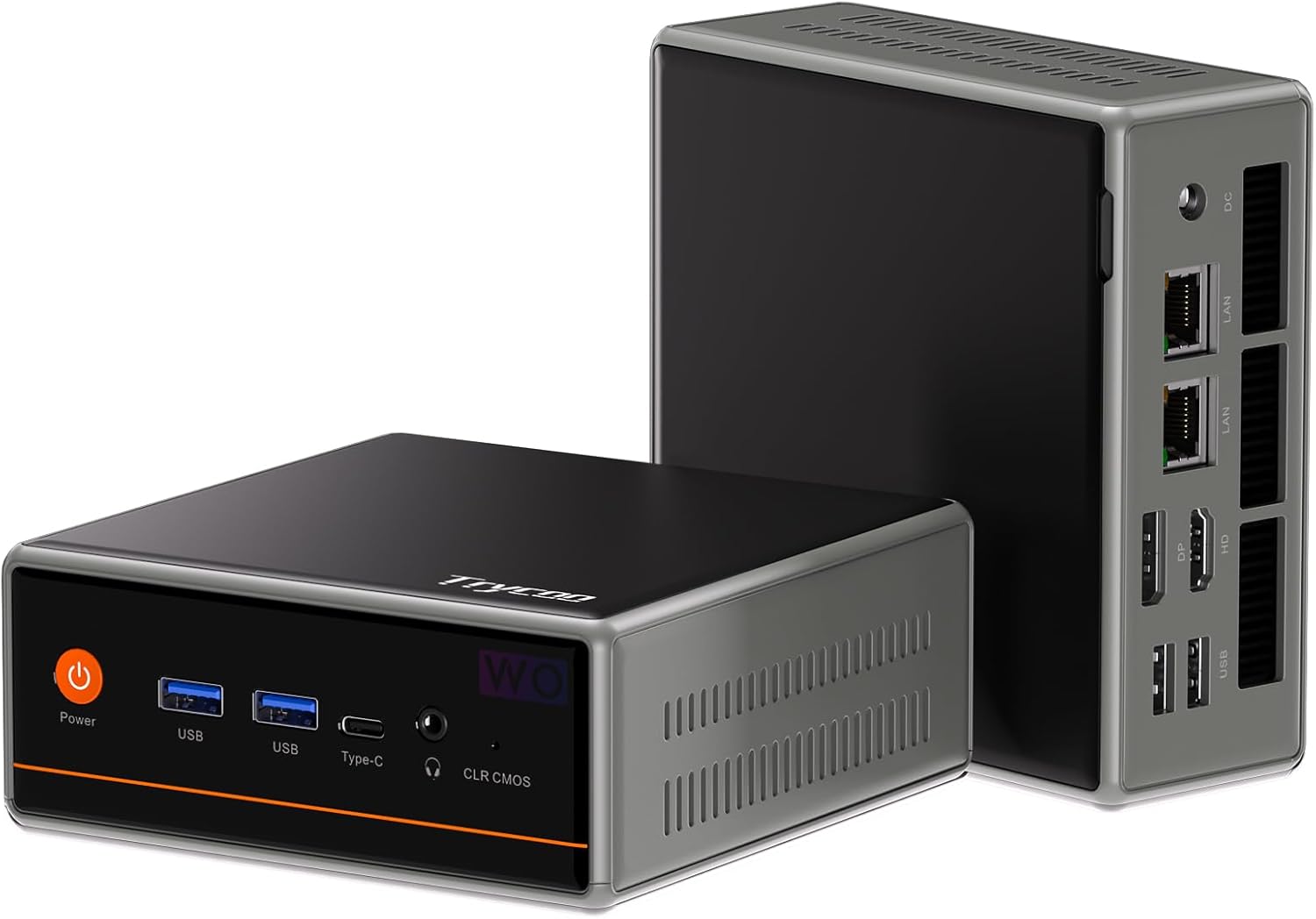 Trycoo Mini PC 5600H, 16GB/512GB
|
6.5/10 | Buy | ||
| Best Budget |
 KAMRUI Pinova P2 AMD Ryzen 7330U Mini PC
|
8.9/10 | Buy |
ASUS ROG GR70 Gaming Mini PC with Ryzen 9 and RTX 5070
This compact gaming mini PC packs flagship performance with AMD Ryzen 9 9955HX and NVIDIA RTX 5070 Mobile GPU, designed for gamers and creators who refuse to sacrifice power for space. The triple-fan QuietFlow cooling system keeps thermals in check during intense sessions, while Wi-Fi 7 and support for five 4K displays make it a versatile hub for both gaming and professional workflows.
Pros
- Flagship mobile CPU and GPU deliver high-end gaming performance in a compact chassis
- Advanced triple-fan QuietFlow cooling maintains thermal efficiency under heavy loads
- Wi-Fi 7 with Bluetooth 5.4 ensures low-latency connectivity for competitive gaming
- Supports up to five 4K displays for multitasking and content creation workflows
- 32GB DDR5 RAM and 2TB NVMe SSD provide ample resources for gaming and AI-driven applications
Cons
- Premium positioning likely commands a high price point relative to traditional gaming laptops
- Limited review data available (only 2 verified reviews) makes long-term durability harder to assess
- Mini form factor may result in trade-offs for upgrade options compared to full-sized desktops
GMKtec K16 Ryzen 7 7735HS Mini PC
A compact gaming desktop powered by AMD's 8-core Ryzen 7 7735HS with 32GB LPDDR5 RAM and 512GB SSD. Built for gamers and creators seeking desktop performance in a small form factor, it stands out with dual 2.5GbE LAN ports, Oculink eGPU connectivity, and USB4 for advanced setups. The triple-display capability and dual-fan cooling make it practical for multi-monitor workstations.
Pros
- Dual 2.5GbE LAN ports enable link aggregation or advanced networking, uncommon in mini PCs at this level
- Oculink port and full USB4 support unlock direct eGPU expansion and flexible docking options
- 32GB LPDDR5 6400MT/s RAM and dual M.2 slots (up to 16TB total) provide substantial headroom for gaming libraries and creative projects
- Triple display outputs (HDMI 2.0, DP 1.4, USB4) support multi-monitor productivity workflows
- Dual cooling fans with 360-degree airflow and copper pipes keep thermals managed in a compact chassis
Cons
- Integrated Radeon 680M GPU limits demanding AAA gaming; external GPU via Oculink adds cost and complexity
- No user reviews available yet, so real-world reliability and thermal performance under sustained load remain unverified
- 512GB base storage may require immediate SSD upgrade for users with large game libraries, despite expansion support
GMKtec M6 Ultra Ryzen 7640HS Mini PC
Compact desktop built around AMD's efficient 7640HS processor with solid multitasking performance and integrated graphics capable of casual gaming. Dual 2.5G Ethernet ports and WiFi 6E make it well-suited for networking-heavy setups, office work, or light creative tasks, though the 512GB base storage and integrated GPU won't satisfy demanding gamers or content creators.
Pros
- Supports triple 4K displays simultaneously, including 8K via USB4, for serious multitasking setups
- Dual 2.5Gbps LAN ports ideal for servers, network appliances, or bandwidth-intensive workflows
- 16GB DDR5 RAM and dual SO-DIMM slots allow expansion up to 128GB for future-proofing
- Efficient 45-60W TDP keeps power consumption and heat output low for fanless-adjacent operation
- Solid 4.4-star rating from 485 verified buyers indicates reliable real-world performance
Cons
- Integrated Radeon 760M GPU limits gaming to moderate titles at lower settings, not a dedicated gaming machine
- 512GB base storage is modest for heavy workloads; expansion requires additional investment
- Ryzen 7640HS still entry-level APU despite improvements over 6800H, so demanding software may feel constrained
BOSGAME P6 Neo Ryzen 7 6800H Mini PC
A compact desktop built for productivity and light creative work, powered by AMD's Ryzen 7 6800H with integrated Radeon 680M graphics. The P6 Neo supports triple display output and comes loaded with 24GB DDR5 RAM and 1TB SSD, making it suitable for photo editing, video work, and casual gaming. WiFi 6E, dual 2.5GbE LAN, and USB4 with PD 3.0 charging add flexibility for office setups and mobile workflows.
Pros
- Triple display connectivity (HDMI, DisplayPort, USB4 8K@60Hz) reduces setup complexity for multi-monitor workspaces
- 24GB DDR5 RAM and expandable storage (up to 64GB RAM, 4TB SSD) provide headroom for creative software and multitasking
- WiFi 6E with dual 2.5GbE LAN ensures stable, high-speed networking for both wireless and wired connections
- USB4 supports PD 3.0 charging (up to 100W), enabling portability without a dedicated power brick
- Quiet operation with redesigned thermal design keeps fan noise minimal during sustained workloads
Cons
- Radeon 680M graphics are adequate for light gaming and content creation but not built for demanding AAA titles or professional GPU-accelerated rendering
- Initial setup requires skipping WiFi/network connection until Windows boots fully, adding an extra setup step
- No discrete GPU option limits performance ceiling for heavy 3D work or machine learning tasks requiring dedicated VRAM
KAMRUI E3B Mini PC with Ryzen 7 7730U
A compact desktop replacement powered by AMD's efficient 8-core processor, designed for multitasking, creative work, and light gaming. The triple 4K display support and WiFi 6 connectivity make it suitable for productivity-focused users who value a small footprint without sacrificing performance.
Pros
- Strong multi-core performance with 20% improvement over previous-gen Ryzen 5000 series processors
- Supports three 4K monitors simultaneously via HDMI, DisplayPort, and USB-C for expanded workspace
- Energy-efficient 15W base TDP with fanless potential, though includes active cooling for sustained workloads
- Expandable storage up to 4TB with dual M.2 slots for future upgrades
- WiFi 6 and Bluetooth 5.2 for modern connectivity standards
Cons
- LPDDR4X memory is soldered and not user-upgradeable, limiting future RAM expansion
- 512GB base storage may feel tight for heavy gaming or media libraries despite upgrade potential
- Integrated Radeon graphics, while capable, limits demanding gaming performance compared to discrete GPUs
ACEMAGIC K1 Ryzen 7 7730U Mini PC
Compact desktop alternative for light gaming and productivity, packing an 8-core Ryzen 7 7730U processor into a 5x5-inch chassis. Handles casual titles like DOTA 2 smoothly and supports triple 4K displays, making it suitable for content creators and office workers needing space-saving performance.
Pros
- Strong single-thread and multitask performance with Ryzen 7 7730U (35% faster CPU, 38% faster GPU than Ryzen 5 variants)
- Triple 4K display support via HDMI, DisplayPort, and USB-C for productivity workflows
- Expandable storage with two M.2 slots allowing up to 4TB total capacity
- Efficient cooling design maintains stable performance in a compact 5x5x1.6 inch form factor
- Windows 11 Pro pre-installed with mounting bracket included
Cons
- LPDDR4X RAM is soldered on-board and not user-upgradeable, limiting future expansion
- Radeon 680M GPU suits casual gaming only; demanding AAA titles will struggle at high settings
- Limited thermal headroom in compact chassis may throttle sustained heavy workloads
BOSGAME P4 Ultra Mini PC with Ryzen 7 7730U
A compact desktop replacement built for multitasking and productivity, the P4 Ultra pairs a capable Ryzen 7 7730U processor with 16GB RAM and 1TB storage in a 3.2-liter chassis. Triple 4K display support and dual 2.5G LAN ports make it particularly suited for creative professionals and home lab enthusiasts who need serious connectivity without the bulk. Quiet operation and pre-installed Windows 11 Pro mean you're productive from day one.
Pros
- Dual 2.5G LAN ports enable link aggregation for up to 5Gbps throughput, a standout feature for NAS, media server, and firewall setups
- Supports three independent 4K displays simultaneously via HDMI, DisplayPort, and USB-C for enhanced productivity
- Ryzen 7 7730U delivers approximately 30% faster multi-core performance than competing 5000-series chips, handling 20+ browser tabs and smooth 1080p video editing
- 1TB PCIe 3.0 SSD with expandable storage up to 16TB via dual M.2 slots, double the capacity of many competitors
- Whisper-quiet cooling system and compact form factor with VESA mount bracket for clutter-free desk setups
Cons
- Integrated Radeon graphics limits gaming to light titles like League of Legends and Minecraft at 60+ FPS; not designed for AAA games like Elden Ring
- Wi-Fi 6E and Bluetooth 5.2 are solid but not cutting-edge compared to upcoming Wi-Fi 7 standards
- 16GB RAM is adequate for most workflows but may require upgrade for heavy 3D rendering or virtual machine workloads
KAMRUI E3B Mini PC with Ryzen 5 7530U
Compact desktop PC built around AMD's efficient Ryzen 5 7530U processor, designed for productivity and light multitasking rather than gaming. Strengths lie in its triple 4K display support, full-function USB-C with charging capability, and solid WiFi 6 connectivity, making it suitable for content creators and remote workers who need a small-footprint workstation.
Pros
- Triple 4K display output via HDMI 2.0, DisplayPort 1.4b, and USB-C enables serious multitasking setups
- Full-function USB Type-C port handles charging, 10Gbps data transfer, and 4K/60Hz video simultaneously
- WiFi 6 (up to 2402 Mbps on 5GHz) with doubled range versus WiFi 5, plus Bluetooth 5.2 for stable wireless
- Expandable storage with two M.2 slots (one NVMe/SATA, one SATA only), supporting up to 2TB per slot
- Comprehensive connectivity including dual USB 3.2 Gen2 ports, quad USB 3.2 Gen1, and Ethernet
Cons
- 16GB LPDDR4X memory is non-upgradeable, limiting future expansion for RAM-intensive workloads
- AMD Radeon RX Vega 7 GPU is entry-level for graphics tasks; not suitable for serious gaming or 3D rendering
- Base clock of 2.0 GHz (boosting to 4.5 GHz) means sustained performance depends on thermal management in compact chassis
Trycoo Mini PC 5600H, 16GB/512GB
A compact desktop built around AMD's Ryzen 5 5600H processor, this mini PC pairs 16GB DDR4 RAM with 512GB SSD storage and supports up to three 4K displays simultaneously. Dual Ethernet ports (2.5Gbps + 1Gbps) plus WiFi 6 make it suited for home office, gaming, and media setups where space is limited.
Pros
- Strong CPU performance: 6-core/12-thread Ryzen 5 5600H with 35% claimed advantage over comparable mobile processors
- Triple 4K display support via HDMI, Type-C, and DisplayPort without combination restrictions
- Dual Ethernet ports (2.5Gbps and 1Gbps) plus WiFi 6 and Bluetooth 5.2 for flexible connectivity
- Expandable memory (up to 64GB via dual SO-DIMM) and storage (2.5-inch SATA bay included)
- Windows 11 Pro preinstalled with Linux/Ubuntu support
Cons
- DDR4 RAM is older generation compared to newer mini PCs using DDR5
- No independent GPU; relies on integrated Radeon graphics, limiting high-end gaming performance
- Rating shows 4.4 stars with zero verified reviews, making real-world reliability unclear
KAMRUI Pinova P2 AMD Ryzen 7330U Mini PC
A compact desktop computer built around AMD's efficient Ryzen 7330U processor, designed for multitasking and creative work without consuming much power. The integrated Radeon graphics can drive three 4K displays simultaneously, making it suitable for multi-monitor setups in home offices or content creation spaces. At this price point, it balances performance with portability and quiet operation.
Pros
- Supports triple 4K@60Hz output via HDMI 2.0, DisplayPort 1.4, and USB-C with DP Alt Mode, ideal for productivity workflows
- 16GB LPDDR4X RAM and 256GB SSD provide responsive multitasking and fast boot times out of the box
- Compact footprint (5.05 x 5.05 x 1.73 inches) with VESA mount option for flexible desk or wall placement
- Two M.2 expansion slots allow storage upgrades up to 4TB for future-proofing
- Quiet cooling system and low 15W TDP processor keep noise minimal during typical use
Cons
- Base 256GB storage is modest for heavy media or development work; most users will need to upgrade
- AMD Ryzen 7330U, while efficient, trails Intel Core i5 12600H variants in raw single-threaded performance for demanding applications
- Limited information on real-world thermal performance under sustained heavy loads from verified buyers
Mini PCs for Gaming Buying Guide
Picking a mini gaming PC involves more trade-offs than buying a standard desktop. Thermal limits, upgradability, and display output all behave differently at this form factor.
The sections below break down the six criteria that matter most so you can match a machine to your actual needs rather than just chasing the highest clock speed on the spec sheet.
CPU Architecture and Core Count
The processor is the single biggest determinant of gaming performance in a mini PC because there is no discrete GPU slot in most of these machines.
You are relying on the integrated graphics built into the chip itself, so architectural generation matters enormously.
Newer AMD Ryzen 7000-series and late Ryzen 6000-series parts carry dramatically improved RDNA 2 and RDNA 3 integrated graphics compared to older Vega-based silicon, meaning a Ryzen 7 7735HS will outpace a Ryzen 7 5825U in GPU-bound workloads by a meaningful margin, not just marginally.
Core count matters more for modern titles that thread well. An 8-core/16-thread chip keeps background processes from bottlenecking frame rates in games like open-world RPGs or strategy titles that tax the CPU heavily.
For purely competitive or esports-style games, clock speed and IPC (instructions per clock) often matter more than raw core count, so a high-boost-frequency 6-core part can sometimes trade blows with a lower-clocked 8-core chip in those workloads.
A gaming laptop for esports will share many of the same silicon trade-offs if you want a portable alternative.
Pay close attention to whether a listed chip is the full H-series (high-performance, 45W+) or a U-series (ultra-low-power, typically 15, 28W), as manufacturers sometimes list both under similar-sounding names.
The H-series consistently sustains higher clocks under load in a well-cooled chassis, which translates directly to smoother frame rates during extended gaming sessions.
Integrated GPU Tier
For mini gaming PCs without discrete graphics, the integrated GPU is the entire graphics stack.
AMD’s Radeon 680M (RDNA 2, 12 compute units) found in the Ryzen 7 6800H is currently one of the strongest integrated solutions available in this price bracket, capable of running many titles at 1080p medium settings.
The newer Radeon 760M inside Ryzen 7000-series chips offers competitive performance with better driver maturity and improved efficiency. Both outclass Intel’s Iris Xe by a significant margin for gaming workloads.
One key variable is memory bandwidth. Integrated graphics pull from system RAM, so a mini PC running dual-channel LPDDR5 will give its iGPU substantially more bandwidth than the same chip in a single-channel configuration.
Always verify that the unit ships with memory in dual-channel mode, not a single stick. Some budget listings advertise 16 GB but install it as a single module, cutting GPU bandwidth nearly in half.
If your gaming ambitions go beyond integrated graphics, look for models that include an OCuLink or USB4 port, which enables connection to an external GPU enclosure (eGPU).
The GMKtec K16, for example, ships with an OCuLink port that dramatically expands graphics headroom for users willing to invest in an external solution. Pairing such a mini PC with capable storage for gaming rounds out the performance picture.
RAM Speed and Capacity
Gaming workloads in 2026 routinely consume 8 to 12 GB of RAM on their own, so 16 GB should be considered the realistic minimum for a machine you plan to use for gaming alongside a browser and Discord.
32 GB gives comfortable headroom for heavier titles, streaming, or content creation on the side.
DDR5 or LPDDR5 at 4800 MT/s or above offers noticeably lower latency and higher bandwidth for integrated graphics compared to DDR4, which is one more reason newer-platform machines tend to game better even at similar clock speeds.
Most mini PCs at this price bracket use soldered LPDDR memory, meaning you cannot upgrade it later. This makes the out-of-box configuration more important than it would be in a tower with socketed DIMMs.
A model shipping with 24 GB DDR5, like the BOSGAME P6 Neo, is a meaningful advantage if you plan to run memory-hungry open-world titles or keep the machine for several years.
Be cautious of listings that allow for upgrades but require disassembly that voids the warranty.
Thermal Design and Sustained Performance

This is the area where mini PCs most frequently disappoint buyers who didn’t research carefully.
A small chassis physically limits the size of the heat sink and fan, which means a chip rated at 45W on paper may be throttled to 25W or lower after the first few minutes of a gaming session to keep temperatures under control.
The result is a machine that benchmarks well in short bursts but delivers noticeably lower average frame rates during longer play sessions.
Look for models that publish their TDP (thermal design power) configuration or that reviewers have confirmed sustain close to their rated wattage under load.
Chassis with dual-fan designs, copper heat pipes, and ventilation on multiple faces tend to manage thermals better.
The ROG GR70, at the premium end of this list, uses a triple-fan QuietFlow cooling system specifically to address this constraint, which is part of why it earns the highest score in our lineup.
Ambient temperature matters more in a mini PC than in a tower with large case fans. If your setup puts the machine in a media cabinet or a poorly ventilated shelf, expect sustained performance to drop further.
Elevating the unit with a small stand to improve airflow underneath can meaningfully extend how long it holds peak clocks.
For anyone building a living-room-focused setup, our guide to mini PCs for home theater also addresses placement and airflow for enclosed entertainment units.
Display Output and Connectivity
Most mini gaming PCs in this roundup support triple 4K display output, which is useful both for multi-monitor productivity setups and for driving a high-resolution TV for living-room gaming.
Check the specific output combination: a mix of HDMI, DisplayPort, and USB-C (DisplayPort Alt Mode) gives the most flexibility.
USB4 ports that carry video signal are particularly valuable because they can drive 8K displays or feed an eGPU, making them more future-proof than plain USB-C.
For competitive gaming, refresh rate matters as much as resolution. Confirm that the HDMI port supports at least HDMI 2.0 (4K at 60 Hz) and ideally HDMI 2.1 if you plan to game at 4K on a high-refresh panel.
Many mini PCs still ship with HDMI 2.0, which caps you at 4K/60 Hz or 1080p/120 Hz rather than the higher refresh rates modern monitors support.
Check our notes on TVs for gaming if you’re pairing one of these machines with a large screen.
On the networking side, dual 2.5 GbE LAN ports have become a welcome inclusion on several models in this guide, including the GMKtec M6 Ultra and the GMKtec K16.
A wired connection dramatically reduces latency variability in online multiplayer compared to Wi-Fi 6E, even if the raw bandwidth of Wi-Fi 6E is technically sufficient. For competitive play, always prefer Ethernet when the option exists.
Wi-Fi 7, as seen on the ROG GR70, is a meaningful upgrade for those who must connect wirelessly.
Storage Configuration and Upgradability
A fast NVMe SSD is table stakes for gaming in 2026. PCIe 4.0 drives load levels faster than PCIe 3.0, and the difference is particularly noticeable in open-world games with large streaming assets.
Most models in this guide ship with PCIe 3.0 or 4.0 M.2 2280 slots, but verify before purchasing: some budget configurations use PCIe 3.0 even when the platform supports PCIe 4.0, and the drive supplied at retail may not be the fastest the slot supports.
Capacity matters for gamers more than for office users. A library of modern titles can easily exceed 500 GB, so a machine shipping with a 512 GB drive will feel tight within a year of regular use.
Models shipping with 1 TB as standard, like the BOSGAME P6 Neo and the BOSGAME P4 Ultra, offer a meaningful advantage here.
Always check whether the chassis has a second M.2 slot for expansion: some mini PCs include one, which lets you add storage without replacing the boot drive.
If you plan to use the machine for general productivity alongside gaming, pairing a speedy primary SSD with a secondary drive for media storage is a practical long-term strategy.
Our budget-focused mini PC guide covers models where storage expandability is a particular differentiator at lower price points.
Why You Should Trust Us
REMOVU is an independent review publication. We do not accept payment for placement, and no manufacturer has editorial input into our scores or rankings.
Every product in this guide was evaluated through our structured research methodology: we analyze published hardware specifications, synthesize expert review consensus from across the industry, and incorporate verified buyer feedback from confirmed purchasers.
We do not conduct our own product trials; our evaluations are grounded in research, published data, expert review consensus, and verified buyer feedback.
Each product receives a REMOVU Score on a scale of 0 to 10, calculated against a consistent set of criteria specific to gaming mini PCs: CPU and iGPU performance tier, thermal sustainability under load, memory and storage configuration, connectivity options, and value relative to asking price.
The criteria weights are applied uniformly so that a budget pick and a premium pick are judged by the same standards, even though their absolute performance differs. This consistency is what makes the scores comparable across different price brackets.
We may earn a commission if you purchase through links on this page. That affiliate relationship does not influence our rankings, scores, or editorial decisions in any way.
Products are selected and ordered based solely on performance relative to their criteria, not on commission rates. If a higher-commission product scored lower, it sits lower in the list.
Our goal is to help you make a confident, well-informed purchase decision, not to steer you toward any particular model or retailer.
Final Thoughts
The mini gaming PC market in 2026 spans a wide performance range, from capable budget machines that handle indie and older titles comfortably, to premium compact rigs that can run demanding AAA games at high settings.
The picks in this guide cover that full spectrum, and each earns its place by delivering meaningfully better results in at least one key area relative to its price bracket. Here is how we’d summarize the standout options:
- Best Overall: ROG GR70 Gaming Mini PC earns the top REMOVU Score in this roundup by pairing a flagship AMD Ryzen 9 9955HX with an NVIDIA GeForce RTX 5070 Mobile GPU and triple-fan cooling, making it the only machine here that genuinely competes with mid-range gaming desktops on raw frame rates. It sits at the premium end of the price range, but for serious gamers who want the smallest possible footprint without compromising GPU horsepower, nothing else in this list comes close.
- Best Mid-Range Pick: GMKtec K16 Mini PC stands out in the upper-mid tier thanks to the Ryzen 7 7735HS, 32 GB of fast LPDDR5 RAM, an OCuLink port for eGPU expansion, and dual 2.5 GbE networking. It earns a strong REMOVU Score and offers a clear upgrade path for users whose graphics needs grow over time.
- Best for Integrated Graphics Performance: GMKtec M6 Ultra Gaming Mini PC delivers one of the better integrated graphics experiences in this price bracket, with the Ryzen 7 7640HS beating out older H-series chips in iGPU workloads and backed by DDR5 memory and USB4 connectivity. Its high REMOVU Score reflects strong value for the asking price.
- Best for Power Users on a Tighter Budget: KAMRUI Pinova P2 earns a notably high REMOVU Score relative to its position in the budget tier, offering a capable Ryzen 7 3xx0-series platform with triple 4K output for users who need a reliable, low-cost starting point for light gaming and home productivity.
- Best for High-Bandwidth Gaming and Media: BOSGAME P6 Neo Mini Gaming PC is the pick for buyers who want Radeon 680M graphics, USB4 with 8K 60 Hz output, and 24 GB of DDR5 RAM in a single package. Its generous memory and fast PCIe 4.0 storage make it well-suited for gaming libraries that also double as a productivity workstation.
Regardless of which model fits your budget, the most important step is matching the chip generation to your target game library. Older titles and esports games will run well on any chip in this list.
For demanding modern games at 1080p medium settings, aim for a Ryzen 7000-series H chip or better. And if you want maximum flexibility, prioritize machines with USB4 or OCuLink for future eGPU connectivity.
For a broader view of compact computing options, our complete mini PC guide covers every use case.
Frequently Asked Questions
Can a mini PC actually run modern games at acceptable frame rates?
Yes, with the right expectations. Mini PCs using AMD Ryzen 6000 or 7000-series H-class chips with RDNA 2/RDNA 3 integrated graphics can handle many modern titles at 1080p on medium to low settings at playable frame rates.
Esports titles like Valorant, CS2, and Rocket League run smoothly on integrated graphics at 1080p high settings.
Demanding AAA titles at ultra settings at 1080p or 4K require a model with discrete graphics, like the ROG GR70, or an external GPU connected via OCuLink or USB4.
Pairing a capable mini PC with a quality gaming display also helps you get the most from whatever frame rates the machine produces.
What is the difference between a U-series and an H-series chip in a mini PC?
U-series chips (e.g., Ryzen 7 7730U) are designed for ultra-low-power laptops and typically run at 15 to 28W. H-series chips (e.g., Ryzen 7 7735HS, Ryzen 7 7640HS) are high-performance mobile chips rated at 35 to 55W.
In a mini PC chassis, H-series chips deliver noticeably higher sustained CPU and GPU performance under extended gaming load because they have more thermal headroom.
If gaming performance is a priority, an H-series chip is worth the premium over an otherwise similar U-series model.
Is a mini PC or a gaming laptop a better choice for someone who needs portability?
It depends on your workflow. A mini PC is compact but still requires an external monitor, keyboard, and mouse, making it less portable than a laptop for travel.
However, for a fixed secondary location, like a guest room, dorm, or living room, a mini PC is cheaper to set up with existing peripherals and produces less fan noise at a given performance level than a thin-and-light gaming laptop.
If you need true portability, gaming laptops are the right category. If you need a compact desktop solution that rarely moves, a mini gaming PC offers better value.
Can I upgrade the RAM or storage in a mini gaming PC?
Storage upgrades are generally possible. Most models in this guide use an M.2 2280 NVMe slot, and some include a second slot for additional drives.
RAM is a different story: the majority of mini PCs at this price point use soldered LPDDR memory that cannot be upgraded after purchase. This makes the factory RAM configuration an important buying consideration.
A few models ship with socketed SO-DIMM slots for user-upgradable RAM, but they are less common in the ultra-compact category. Always verify the memory configuration in the product specs before purchasing rather than assuming upgradability.
Do mini gaming PCs overheat during long sessions?
Thermal throttling under sustained load is a real concern in any small chassis. How much it affects your experience depends on the chassis design and the TDP the manufacturer configures the chip to run at.
Well-designed models with copper heat pipes, dual fans, and adequate vent area (such as those from BOSGAME and GMKtec in this list) manage thermals reasonably well during hour-long sessions.
Placing the unit on an open surface, keeping room temperature reasonable, and using performance mode settings in the power plan all help sustain clock speeds.
If you’re gaming in a fully enclosed cabinet, expect more throttling regardless of the model you choose.
For a quieter, more acoustically controlled setup, also consider how you’ll handle audio: a good gaming headset can help you stay focused even when the mini PC’s fan ramps up under load.
What display and resolution should I pair with a mini gaming PC?
For integrated-graphics mini PCs, 1080p remains the sweet spot for the best balance between image quality and frame rates.
Most iGPU-based systems in this guide can sustain 60 fps or better at 1080p on medium settings in a wide range of titles, but will struggle to maintain smooth frame rates at 1440p or 4K in demanding games.
If you already own a 4K display and want to use it for desktop work with occasional gaming, that is fine as long as your game settings are adjusted accordingly.
For the RTX 5070-equipped ROG GR70, 1440p at high refresh rates is a realistic gaming target. Our notes on projectors for gaming are worth reading if you are planning a large-screen living room setup around one of these compact machines.
About the author
Jerry covers camcorders for REMOVU, weighing zoom range, stabilization, and battery endurance for events and long-form video. He helps families and creators pick a dedicated recorder that outlasts a phone.