The 11 Best Internal Hard Drives for Gaming
Capacity, speed, and reliability all matter when picking storage for your gaming PC. Here are the top internal hard drives for every library size and budget.
 By Myrtle Baker
Updated July 26, 2026
By Myrtle Baker
Updated July 26, 2026
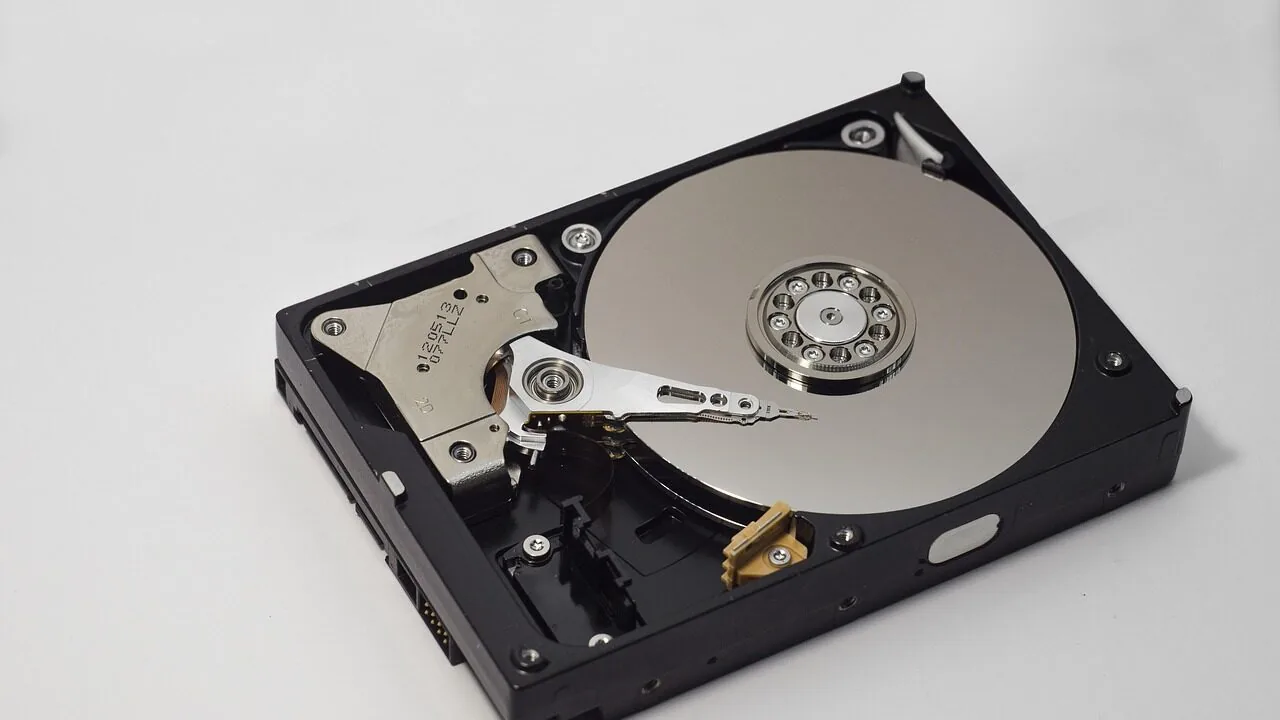
Storage space is one of the most overlooked bottlenecks in a gaming PC build. Modern titles routinely demand 50 GB or more per game, and with AAA libraries growing every year, running out of room mid-season is a real frustration.
A quality internal hard drive gives you the headroom to install more games without constantly juggling what stays and what gets uninstalled.
Whether you are expanding a desktop rig or upgrading a console, the right drive can meaningfully change how you interact with your library every day.
This guide brings together the best internal hard drives for gaming available right now, covering everything from fast 7,200 RPM desktop spinners to hybrid SSHD designs and even a top-tier SATA SSD for those who want maximum responsiveness.
Our picks span a range of capacities and price tiers, so whether you need affordable bulk storage or a high-performance upgrade, there is an option here for you.
We evaluated each drive through comprehensive research across published specifications, expert review consensus, and verified buyer feedback, then scored every model on the REMOVU Score scale. Scroll down to see our top picks.
| Award | Product | REMOVU Score About REMOVU ScoreThe REMOVU Score is our own rating from 0 to 10, based on performance, design and build, ease of use, and value. It reflects independent research and is never influenced by manufacturers, retailers, or affiliate commissions. Learn more › | Price | |
|---|---|---|---|---|
| Best Overall |
 Samsung 870 EVO 1TB SATA SSD
|
9.1/10 | Buy | |
| Best Premium |
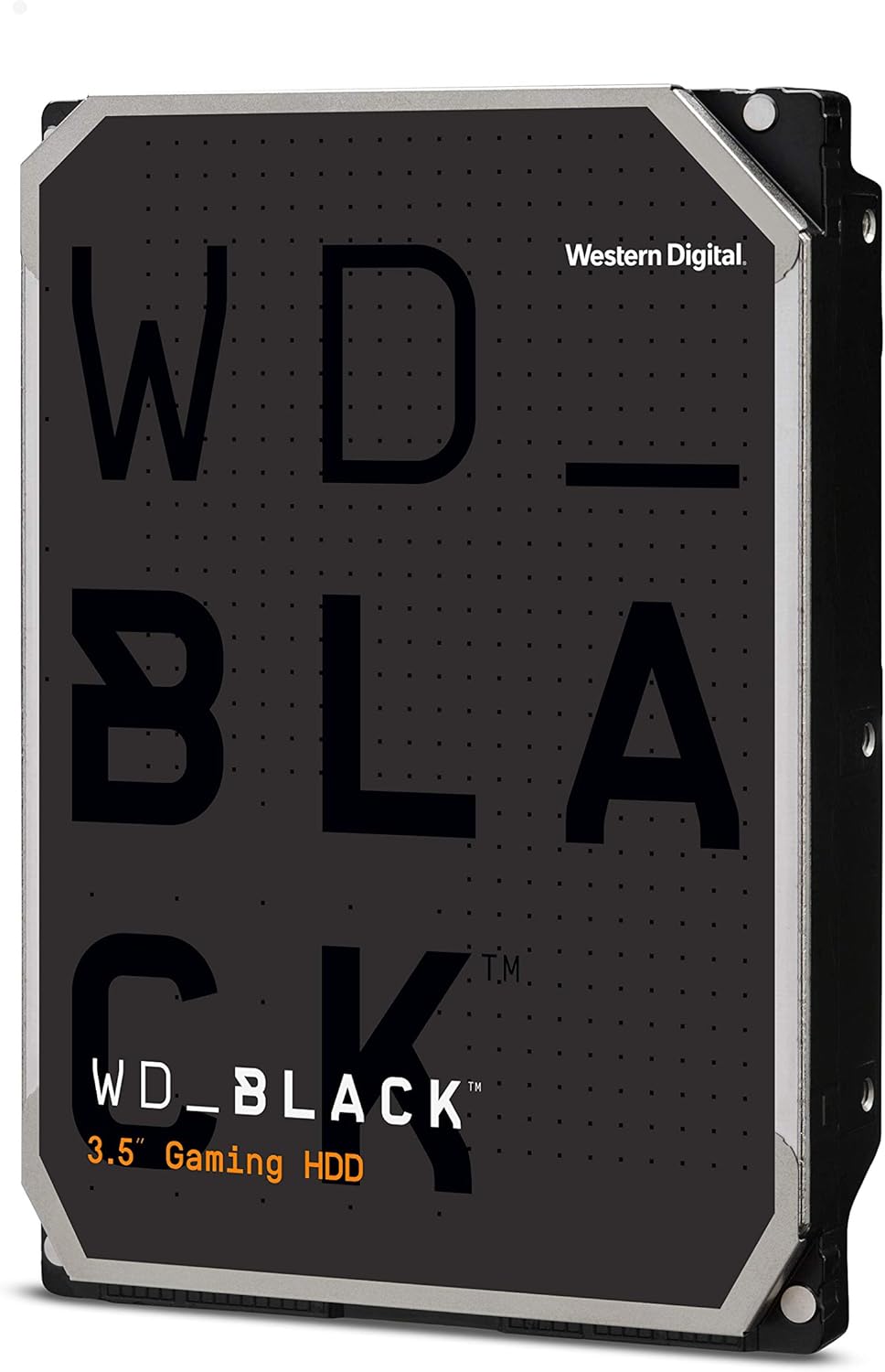 WD Black 10TB 7200 RPM Gaming HDD
|
8.9/10 | Buy | |
 WD Black 4TB 7200 RPM Gaming HDD
|
8.6/10 | Buy | ||
| Best Value |
 Seagate FireCuda 1TB 2.5-inch Gaming SSHD
|
7.8/10 | Buy | |
| Best Budget |
 Seagate BarraCuda 1TB 3.5-inch Desktop HDD
|
8.5/10 | Buy | |
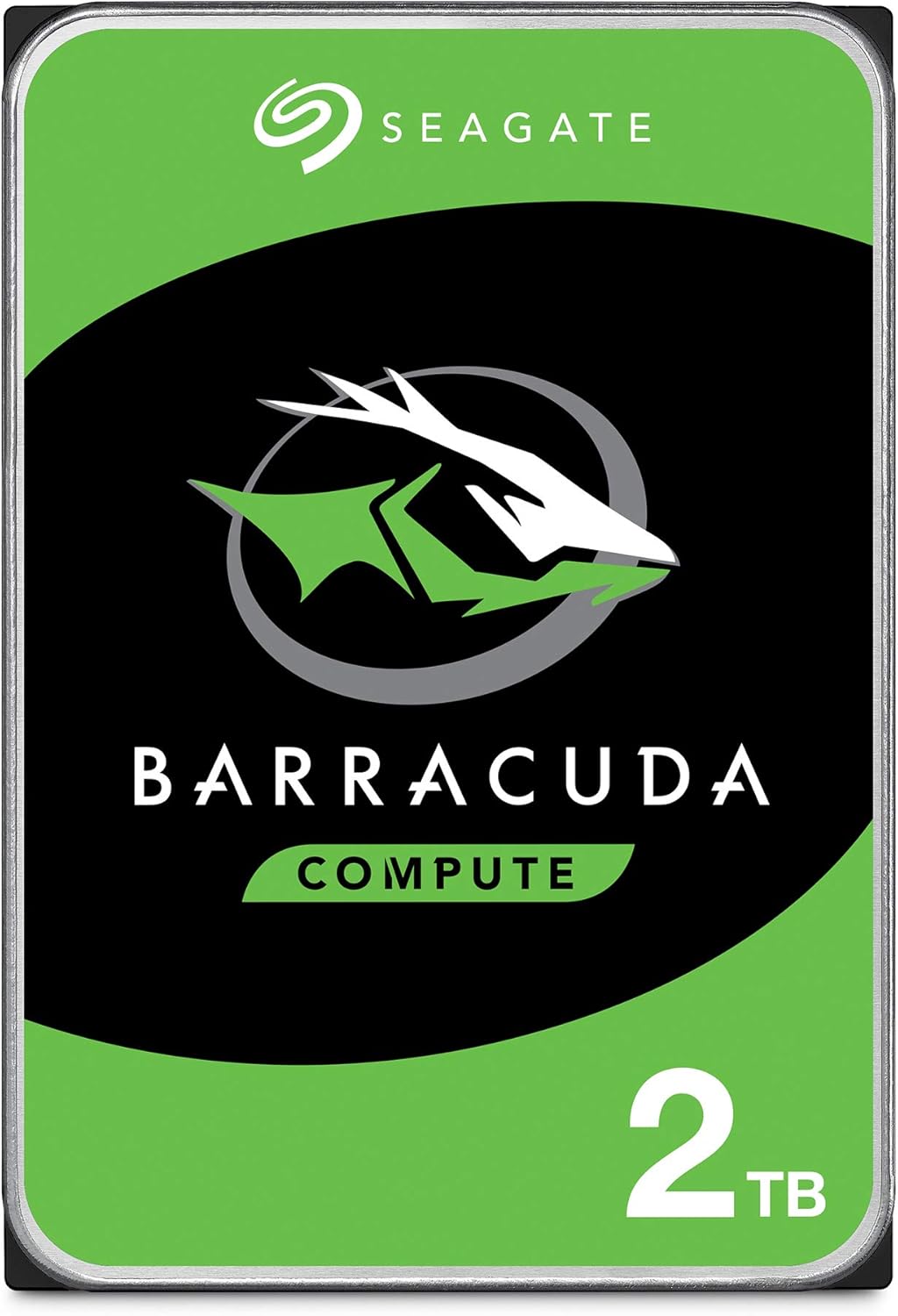 Seagate BarraCuda 2TB 3.5-Inch SATA HDD
|
7.2/10 | Buy | ||
 Seagate BarraCuda 1TB 3.5-Inch SATA HDD
|
7.1/10 | Buy | ||
 Seagate Barracuda ST2000DM008 2TB Hard Drive
|
6.8/10 | Buy | ||
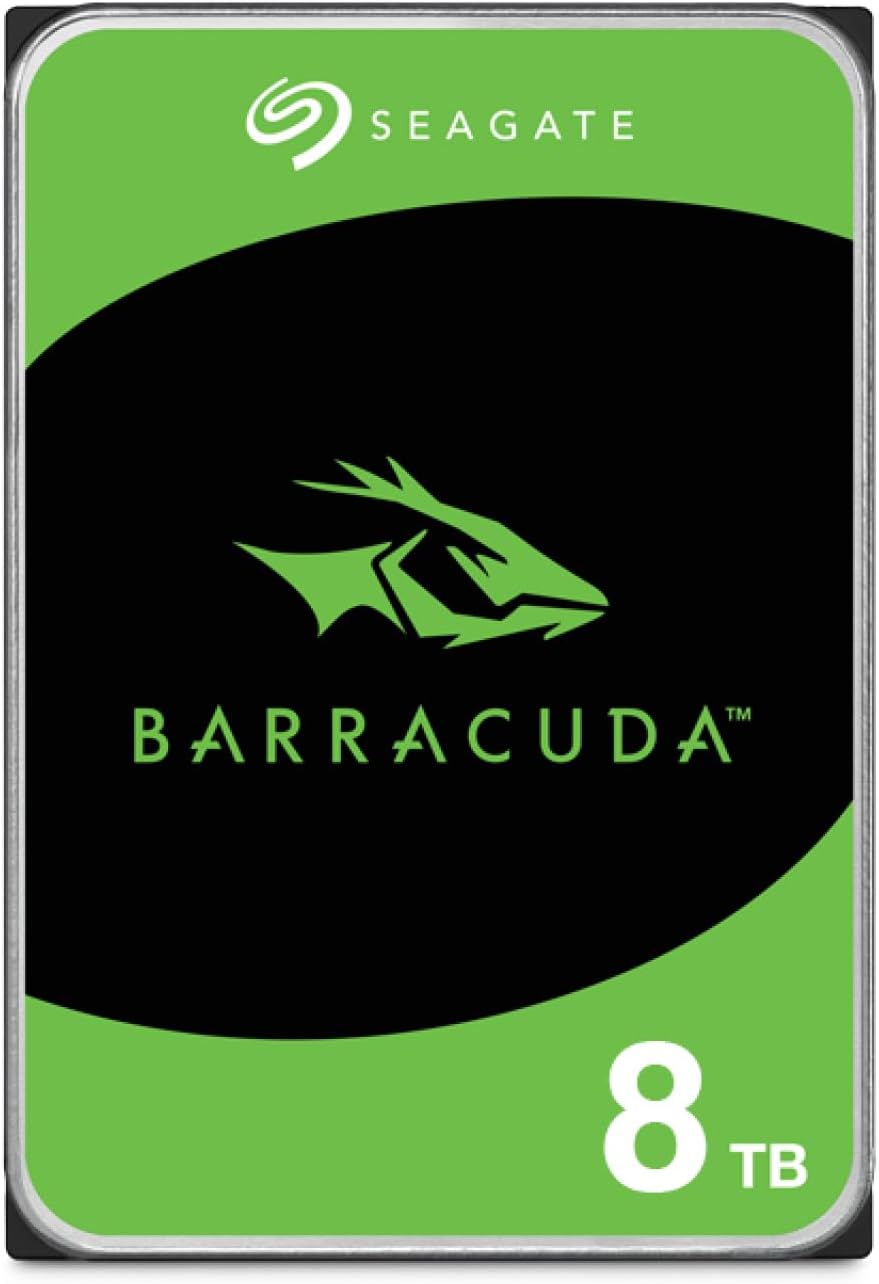 Seagate BarraCuda 8TB 3.5-Inch SATA HDD
|
6.2/10 | Buy | ||
 MaxDigitalData MD1000 1TB 2.5" Gaming HDD
|
6.2/10 | Buy | ||
 Strategic ST91000640SS 2.5-Inch Nearline Drive
|
6.2/10 | Buy |
Samsung 870 EVO 1TB SATA SSD
A mature, well-established SATA drive that delivers the speed ceiling of the interface at 560MB/s read and 530MB/s write. Built for everyday users and content creators who need reliable storage without breaking the bank, backed by Samsung's manufacturing expertise and a solid 5-year warranty covering up to 600 TBW.
Pros
- Maxes out SATA interface speeds (560/530 MB/s sequential), eliminating bottlenecks on older systems
- Excellent reliability track record: 4.8-star rating across 45,000+ verified reviews
- Generous 600 TBW endurance and 5-year warranty for the 1TB model
- Wide compatibility reviewed across major motherboards, NAS systems, and professional devices
- Samsung Magician 6 software simplifies drive management, health monitoring, and firmware updates
Cons
- SATA technology is slower than NVMe drives; not ideal if your system supports M.2 PCIe SSDs
- Performance depends on Intelligent TurboWrite buffer, which may vary under sustained heavy workloads
- No encryption enabled by default despite AES 256-bit capability
WD Black 10TB 7200 RPM Gaming HDD
A high-capacity internal drive built for gamers and creative professionals who need reliable bulk storage. The WD Black 10TB combines 256 MB cache, 7200 RPM performance, and Western Digital's proven reliability tech to handle large game libraries and multimedia files without breaking a sweat.
Pros
- Massive 10TB capacity ideal for storing extensive game libraries and large media files
- 256 MB DRAM cache on this capacity model improves transfer speeds and performance
- StableTrac and Dynamic Cache Technology enhance reliability and read/write accuracy
- Industry-leading 5-year limited warranty provides strong peace of mind
- 7200 RPM spindle speed delivers faster data access than standard drives
Cons
- HDD technology means slower boot and load times compared to SSD alternatives
- Mechanical drive generates more heat and noise than solid-state options
- Not suitable for primary OS installation without pairing with an SSD for optimal performance
WD Black 4TB 7200 RPM Gaming HDD
A traditional 3.5-inch hard drive built for gamers and creative professionals who need large storage capacity without breaking the bank. The WD Black combines a 256MB cache and 7200 RPM speed to deliver reasonable performance for gaming libraries and multimedia files, though it trades speed for affordable bulk storage compared to SSDs.
Pros
- Generous 256MB DRAM cache optimizes performance for gaming and creative workloads
- Up to 10TB capacity available for extensive game and media libraries
- 5-year limited warranty demonstrates manufacturer confidence in reliability
- StableTrac and Dynamic Cache Technology improve tracking accuracy during read/write operations
- Designed specifically for gamers, builders, and creative professionals
Cons
- 150 Mbps transfer rate is significantly slower than modern SSDs, affecting load times
- 7200 RPM mechanical design generates more heat and noise than solid-state alternatives
- No reviews available to verify real-world performance claims from actual users
Seagate FireCuda 1TB 2.5-inch Gaming SSHD
This hybrid drive merges 8GB of flash storage with a traditional hard drive to accelerate game loads and app startup times. Gamers and content creators get substantial capacity without breaking the bank, though it trades some speed for affordability compared to pure SSDs. The 7mm profile fits slim laptops while power-efficient caching keeps thermal output low during extended sessions.
Pros
- Flash-accelerated technology delivers up to 5x faster load times for games and applications versus standard HDDs
- Multi-tier caching and Adaptive Memory identify frequently accessed data for quicker retrieval and lower power draw
- 1TB capacity stores roughly 80 games while maintaining thin 7mm z-height for laptop compatibility
- Green Hybrid feature reduces power consumption and heat generation for better system stability
- Solid 4.4-star rating from 2320 verified reviews indicates reliable real-world performance
Cons
- Still slower than dedicated SSDs for sustained sequential reads and writes
- Hybrid technology provides speed boost mainly for cached/frequently used files; cold boot times remain limited by mechanical platter
- Limited to SATA interface, which caps maximum throughput compared to NVMe alternatives
Seagate BarraCuda 1TB 3.5-inch Desktop HDD
A budget-friendly internal hard drive built for everyday desktop computing and content creation. The BarraCuda 1TB delivers solid read/write performance through multi-tier caching and comes backed by Seagate's 20-year track record of reliability, making it a straightforward upgrade for gamers, photo editors, and video professionals who need extra storage without breaking the bank.
Pros
- Proven reliability with two decades of engineering history
- Multi-tier caching technology for faster data access and file transfers
- Wide range of capacity options available in the BarraCuda line
- Cost-effective storage solution for desktop upgrades
- High customer rating of 4.6 stars across 11,487 reviews
Cons
- Traditional HDD technology is slower than modern SSDs for boot and application launch times
- 1TB capacity is modest by today's standards; higher capacities cost significantly more
- No mention of optional data recovery plan inclusion in base model
Seagate BarraCuda 2TB 3.5-Inch SATA HDD
A reliable workhorse drive for desktop and gaming builds, the BarraCuda 2TB delivers solid performance with 7200 RPM speed and 64MB cache. Backed by two decades of hard drive expertise and a two-year warranty, it's well-suited for content creators and gamers who need dependable bulk storage without premium pricing.
Pros
- Proven track record with 4.6-star rating from over 5,400 verified buyers
- 7200 RPM spindle speed and 64MB cache optimize read/write performance for multitasking
- Two-year limited warranty provides accessible peace of mind
- Wide compatibility across gaming PCs, workstations, and desktop setups
- Established brand with 20 years of hard drive innovation
Cons
- Mechanical hard drive technology means slower boot and load times compared to modern SSDs
- 3.5-inch form factor limits use to desktop systems only, not laptops
- Two-year warranty is shorter than some competing enterprise-grade drives
Seagate BarraCuda 1TB 3.5-Inch SATA HDD
A reliable workhorse for desktop storage, the BarraCuda 1TB delivers solid performance for content creators and gamers who need dependable capacity without breaking the bank. Built on two decades of Seagate's hard drive expertise, it pairs a 7200 RPM spindle with 64MB cache for consistent read/write speeds across demanding workflows. The two-year warranty adds confidence for long-term daily use.
Pros
- Proven reliability backed by 20 years of hard drive innovation
- 7200 RPM with 64MB cache optimizes performance for multitasking and media editing
- Supports multiple capacities and form factors for flexible system builds
- Two-year limited warranty provides extended peace of mind
- Established SATA standard ensures broad compatibility with most desktop systems
Cons
- No NVMe or SSD speed advantage for users prioritizing boot and load times
- Mechanical design means higher power consumption and potential noise compared to solid-state alternatives
- 1TB capacity may require additional storage for users working with large video or photo libraries
Seagate Barracuda ST2000DM008 2TB Hard Drive
A reliable 3.5-inch SATA drive delivering solid performance for desktop storage and archival tasks. With 7200 RPM spindle speed and 256MB cache, it balances speed and capacity at an accessible price point. Best suited for users building budget systems or expanding existing storage without premium performance demands.
Pros
- Fast 7200 RPM with 220 MB/s sustained read rate for standard desktop workloads
- Low noise profile at 2.8-2.9 bels keeps system acoustics reasonable
- Proven reliability backed by 4.7-star rating across 2,717 verified reviews
- Efficient power consumption in idle and standby modes
- Standard SATA 6.0 Gb/s interface ensures broad compatibility
Cons
- Moving parts and mechanical design mean higher failure risk over time compared to SSDs
- Slower than modern SSDs by significant margin, limiting appeal for performance-critical builds
- Generates measurable heat during sustained operation requiring adequate airflow
Seagate BarraCuda 8TB 3.5-Inch SATA HDD
A high-capacity internal hard drive designed for desktop PC builds, content creators, and gaming setups. The BarraCuda 8TB delivers reliable bulk storage with proven Seagate engineering and sustained transfer rates up to 190MB/s, backed by strong user confidence reflected in its 4.7-star rating across over 100,000 reviews.
Pros
- Large 8TB capacity ideal for storing video projects, music libraries, and game libraries without frequent upgrades
- Sustained transfer rate of 190MB/s supports multi-application workflows for designers, musicians, and video editors
- 256MB cache and optimized read/write technology minimize performance bottlenecks during heavy workloads
- 20 years of Seagate innovation in HDD technology provides established reliability track record
- Excellent user satisfaction with 4.7-star rating from over 100,000 verified purchases
Cons
- 5,400 RPM speed is slower than premium desktop drives, resulting in longer file transfer times compared to 7,200 RPM alternatives
- Frustration-free packaging includes only an anti-static bag with no cables or mounting hardware included
- As a traditional HDD, noticeably slower boot times and application loading compared to modern SSDs
MaxDigitalData MD1000 1TB 2.5" Gaming HDD
A 1TB 2.5-inch hard drive built for PS3/PS4 consoles with 5400RPM performance and 8MB cache. The 9.5mm profile fits standard gaming systems, and the 1TB capacity handles roughly 80 full-sized games. Best suited for console gamers looking for affordable storage expansion without complex installation.
Pros
- 1TB capacity provides substantial game library storage for PS consoles
- 9.5mm height matches standard console specifications for seamless compatibility
- 5400RPM with 8MB cache delivers responsive boot and load times for gaming
- SATA 6.0Gb/s interface ensures stable data transfer rates
- 4.6-star rating from 775 verified reviews indicates reliable user satisfaction
Cons
- 5400RPM speed is modest compared to 7200RPM alternatives, affecting overall performance ceiling
- Mechanical drive technology means higher power consumption and heat generation versus SSDs
- Limited to PS gaming systems and laptops; not ideal for demanding creative workstations
Strategic ST91000640SS 2.5-Inch Nearline Drive
A second-generation 2.5-inch nearline enterprise drive engineered for data centers with tight space constraints. Built for SAN, NAS, and blade server environments where capacity and footprint matter equally, this eco-friendly drive balances performance needs with energy efficiency in demanding infrastructure setups.
Pros
- Compact 2.5-inch, 15mm form factor fits space-constrained server and blade configurations
- Nearline performance optimized for continuous operation in SAN and NAS environments
- Eco-friendly design reduces power consumption in large-scale deployments
- Second-generation reliability with mainstream capacity positioning
- Solid 4.4-star rating from 118 verified reviews reflects real-world data center use
Cons
- EOL status means limited availability and no future firmware updates or extended support
- Nearline classification may not match workloads requiring enterprise-class IOPS or ultra-low latency
- 2.5-inch form factor limits capacity ceiling compared to 3.5-inch alternatives
Internal Hard Drives for Gaming Buying Guide
Choosing the right internal storage for your gaming setup is about more than raw capacity. Rotation speed, cache size, form factor, and interface all affect real-world load times and day-to-day comfort.
Use the criteria below to match the right drive to your specific needs, whether you are building a dedicated gaming PC, expanding an existing system, or adding secondary storage alongside a solid state drive.
Rotational Speed and Load Time Performance

Spindle speed, measured in RPM, is the single most influential factor in how quickly a traditional hard drive can seek data and begin streaming game assets. Drives spinning at 7,200 RPM deliver noticeably shorter load screens compared to 5,400 RPM alternatives.
For gaming, 7,200 RPM is the practical minimum for a primary or frequently accessed game library drive.
Hybrid drives, sometimes called SSHDs, add a small flash cache that learns which game files are accessed most frequently and pre-loads them into faster NAND storage.
The result is near-SSD launch speeds for your most-played titles without the cost of a full solid-state upgrade. If budget is a constraint but performance still matters, an SSHD sits in a compelling middle ground.
Pure SATA SSDs, like the Samsung 870 EVO in this lineup, deliver sequential read speeds that dwarf even the fastest spinning drives.
If your board has no remaining M.2 slots but you still want SSD-class responsiveness, a 2.5-inch SATA SSD in a secondary bay is one of the smartest upgrades available.
Pairing that with capable processors and sufficient RAM gives your system genuine headroom for demanding titles.
Storage Capacity and Future-Proofing

Game file sizes have ballooned significantly. A single open-world title can consume 100 GB or more after patches and DLC. A 1 TB drive fills up quickly once you account for an operating system and a handful of large games.
For most desktop gamers building a dedicated storage drive, 2 TB is a sensible starting point, while serious collectors or those who prefer never to uninstall anything should look at 4 TB and above.
High-capacity drives like the WD Black 10TB offer enormous headroom and carry premium pricing to match, but the cost-per-gigabyte often becomes quite attractive at larger capacities.
If you are planning a build from scratch, factoring in a larger drive upfront is almost always more economical than replacing a smaller one in two years.
Check our overview of PC components for a fuller picture of how storage fits into a complete build.
Cache Size and Data Throughput
On-drive cache memory acts as a short-term buffer, holding recently or frequently accessed data close to the drive controller for faster retrieval. A 64 MB cache is standard on most mainstream 3.5-inch drives, while higher-end models step up to 256 MB.
The larger buffer matters most during sustained writes, such as installing large game patches, or when multiple assets are being accessed simultaneously during open-world streaming.
For everyday gaming, cache differences between similarly spec’d drives are subtle. Where cache size becomes genuinely meaningful is during background tasks like system scans or cloud backup running alongside a game session.
A 256 MB cache drive handles that kind of multitasking with less noticeable stutter than a 64 MB model.
Form Factor and Compatibility
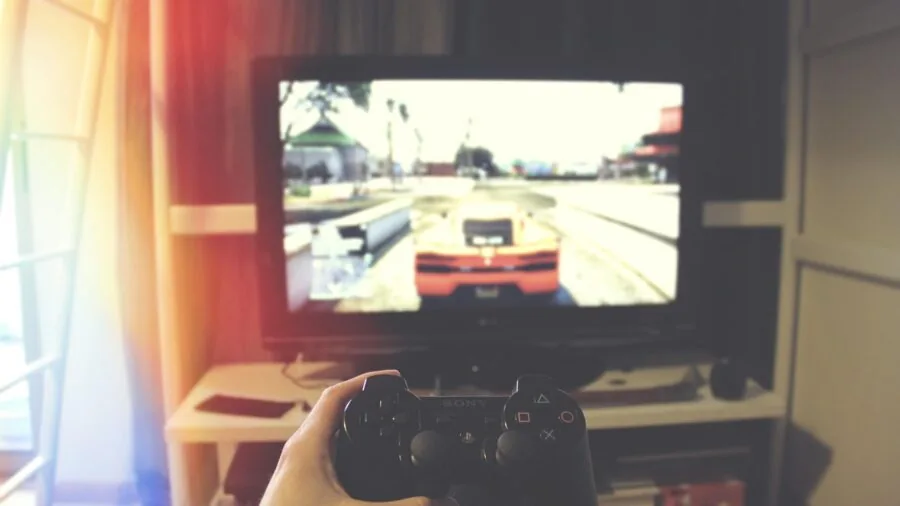
Desktop gaming PCs use 3.5-inch bays, and the vast majority of high-capacity, high-RPM mechanical drives ship in this format. Laptop and console upgrades, however, require a 2.5-inch drive.
The Seagate FireCuda SSHD and the MaxDigitalData PS3/PS4 drive in this lineup are both 2.5-inch options designed for exactly that use case. Always confirm your enclosure or console bay dimensions before purchasing.
SATA 6 Gb/s is the standard interface for all drives in this guide and is universally supported by modern motherboards.
Older systems using SATA 3 Gb/s will still accept these drives but will cap throughput at roughly half the rated speed.
If your board is more than a decade old, verifying SATA revision support is worthwhile before buying a high-performance drive.
Reliability, Warranty, and Workload Ratings

Mechanical drives carry a meaningful failure risk over time, and brand reputation for reliability is a real differentiator.
Western Digital’s Black series and Seagate’s BarraCuda and FireCuda lines carry strong reliability reputations backed by years of verified user feedback across thousands of reviews.
Both brands publish mean time between failure (MTBF) figures and offer warranty coverage ranging from one to five years depending on the model tier.
Annualized failure rates across large enterprise deployment studies consistently show that drive failure risk increases after the third year of continuous use.
For primary game storage you access daily, a drive with at least a two-year warranty provides a meaningful safety net. Always keep a backup of irreplaceable data regardless of drive brand or rating.
Pairing reliable storage with a well-ventilated PC case also extends drive lifespan by keeping operating temperatures in check.
Noise, Vibration, and Thermal Output

Mechanical drives produce audible noise and vibration, particularly at 7,200 RPM. In a quiet gaming room or a compact build with minimal acoustic dampening, drive noise can become a genuine nuisance.
Seagate’s BarraCuda line has a reputation for relatively quiet operation among 7,200 RPM desktop drives, while the WD Black series prioritizes performance and is marginally louder under load.
Heat is a secondary concern for mechanical drives in well-ventilated cases. Large-capacity drives in the 8 TB and above range generate more heat during sustained writes and benefit from a dedicated airflow path inside the chassis.
If you are building a compact system with limited airflow, a 2.5-inch SATA SSD generates essentially no heat and zero noise, making it the better fit for thermally constrained enclosures.
For a complete picture of airflow and component pairing, our overview of CPU coolers covers thermal management principles that apply to whole-system design.
Why You Should Trust Us
REMOVU is an independent review publication. We do not accept payment from manufacturers to feature or rank products, and no brand relationship influences our editorial decisions.
Every product in this guide was evaluated through comprehensive research: we analyze published technical specifications, cross-reference expert review consensus from credible sources, examine verified buyer feedback across large review datasets, and consult published performance data.
We do not conduct our own product trials; our evaluations are grounded in research, published data, expert review consensus, and verified buyer feedback.
Each drive in this roundup received a REMOVU Score on a 0 to 10 scale, reflecting a consistent assessment framework that weights performance, reliability reputation, value for money, and user-reported real-world experience.
Higher scores reflect stronger overall performance across all criteria, not just one standout specification. We reassess picks periodically as new models launch, prices shift, or sustained user feedback changes our view of a product’s long-term reliability.
REMOVU may earn a commission when you purchase through links in this article. That affiliate relationship has no bearing on which products we recommend, how we rank them, or the scores they receive.
Our recommendations exist to help you make the best purchasing decision for your needs, not to maximize referral revenue.
Final Thoughts
This lineup covers the full range of internal storage needs for gaming, from affordable high-capacity mechanical drives to a premium SATA SSD that outpaces every spinning drive in the group.
Here is how we would break down the top picks by use case, each tied to its REMOVU Score ranking.
- Best Overall: Samsung SSD 870 EVO 1TB earns the top REMOVU Score in this group thanks to read speeds that no mechanical drive in the lineup can approach, making it the single best upgrade for gamers who want faster load times without replacing their entire storage setup.
- Best High-Capacity Mechanical Drive: WD Black 10TB is the pick for serious collectors and streamers who need maximum storage depth, earning the second-highest REMOVU Score in the roundup with its 7,200 RPM performance and 256 MB cache.
- Best for Desktop Gaming Performance: WD Black 4TB sits at a capacity sweet spot for most gaming libraries, combining the WD Black’s strong reliability reputation with a 256 MB cache at a more accessible price tier than the 10TB flagship.
- Best Hybrid Drive for Laptop and Console Upgrades: Seagate FireCuda Gaming SSHD 1TB is the standout 2.5-inch pick, using its 8 GB flash cache to deliver noticeably faster boot times for your most-played titles than a conventional mechanical drive of the same form factor.
- Best Budget Bulk Storage: Seagate BarraCuda 1TB (Frustration Free Packaging) delivers reliable 7,200 RPM performance at an entry-level price, making it the practical choice when you need secondary storage without stretching the build budget.
For most desktop gamers, pairing a primary SSD for the operating system and a handful of active titles with a large mechanical drive for the wider library remains the most cost-effective strategy.
Complement your storage setup with well-matched graphics cards and a strong power supply to get the most from your build.
If you are debating between all-SSD and hybrid storage configurations, our roundup of 32GB RAM kits also covers the broader philosophy of balancing performance and budget across a gaming build.
Frequently Asked Questions
Is a hard drive or SSD better for gaming?
For load time performance, an SSD is superior to a mechanical hard drive in every measurable way. However, SSDs cost significantly more per gigabyte, making mechanical drives the better choice for bulk secondary storage.
The most practical setup for most gamers is a smaller SSD as the primary drive for the OS and frequently played titles, paired with a larger mechanical drive for the rest of the library.
A solid state drive is especially impactful in open-world games that stream assets continuously.
What RPM should a gaming hard drive be?
7,200 RPM is the recommended minimum for a gaming hard drive. Drives running at 5,400 RPM are slower to seek and deliver longer load screens, which becomes noticeable in large open-world titles.
The performance difference between 5,400 RPM and 7,200 RPM is meaningful enough that spending slightly more to step up is almost always worthwhile for a primary game storage drive.
How much storage do I actually need for gaming?
Modern AAA titles routinely require between 50 GB and 150 GB each. A 1 TB drive fills up with fewer than fifteen large games once you account for system files and patches.
For a comfortable library without constant housekeeping, 2 TB is a practical minimum for dedicated game storage, while 4 TB and above gives you room to grow without thinking about it.
High-capacity options in the WD Black range are worth considering if you plan to keep your build for several years.
Can I use an internal hard drive in a PS4 or PS3?
Yes, but you are limited to 2.5-inch drives in the 9.5 mm height profile that fits the console bay. Both the Seagate FireCuda Gaming SSHD and the MaxDigitalData drive in this roundup are designed for exactly this use case.
Always verify height clearance before purchasing, as some 2.5-inch drives are taller than 9.5 mm and will not seat correctly in console enclosures.
Do hard drives affect gaming performance beyond load times?
In most games, the hard drive only affects load screens and initial asset streaming, not in-game frame rates. Frame rate performance is driven by your GPU and CPU rather than storage speed.
However, in open-world games that continuously stream world data from disk, a slow drive can occasionally cause pop-in or micro-stutters as the engine waits for assets to load.
A 7,200 RPM drive or an SSHD minimizes this risk better than a 5,400 RPM alternative.
What is the difference between the WD Black and the Seagate BarraCuda for gaming?
Both are reliable 7,200 RPM SATA drives with strong user feedback histories.
The WD Black series is positioned as a performance-first drive with a higher cache on its larger capacity models and a slightly more premium build, while the BarraCuda line offers strong value at more mainstream price points.
For a gaming secondary storage role, the BarraCuda is an excellent everyday choice. For a high-demand primary drive in a performance-focused build, the WD Black’s larger cache and design margin make it the better fit.
Complement whichever you choose with a capable set of productivity-focused computing resources if your PC serves double duty beyond gaming.
About the author
Myrtle covers open-ear and bone-conduction headphones for REMOVU, weighing comfort, stability, and situational awareness. She helps runners and cyclists hear their music and their surroundings at once.