The 11 Best Nas Hard Drives
Not all hard drives survive the demands of a 24/7 NAS array. Our picks focus on CMR technology, RAID compatibility, and workload ratings that match real continuous-use storage needs.
 By Phyllis Holmes
Updated July 26, 2026
By Phyllis Holmes
Updated July 26, 2026
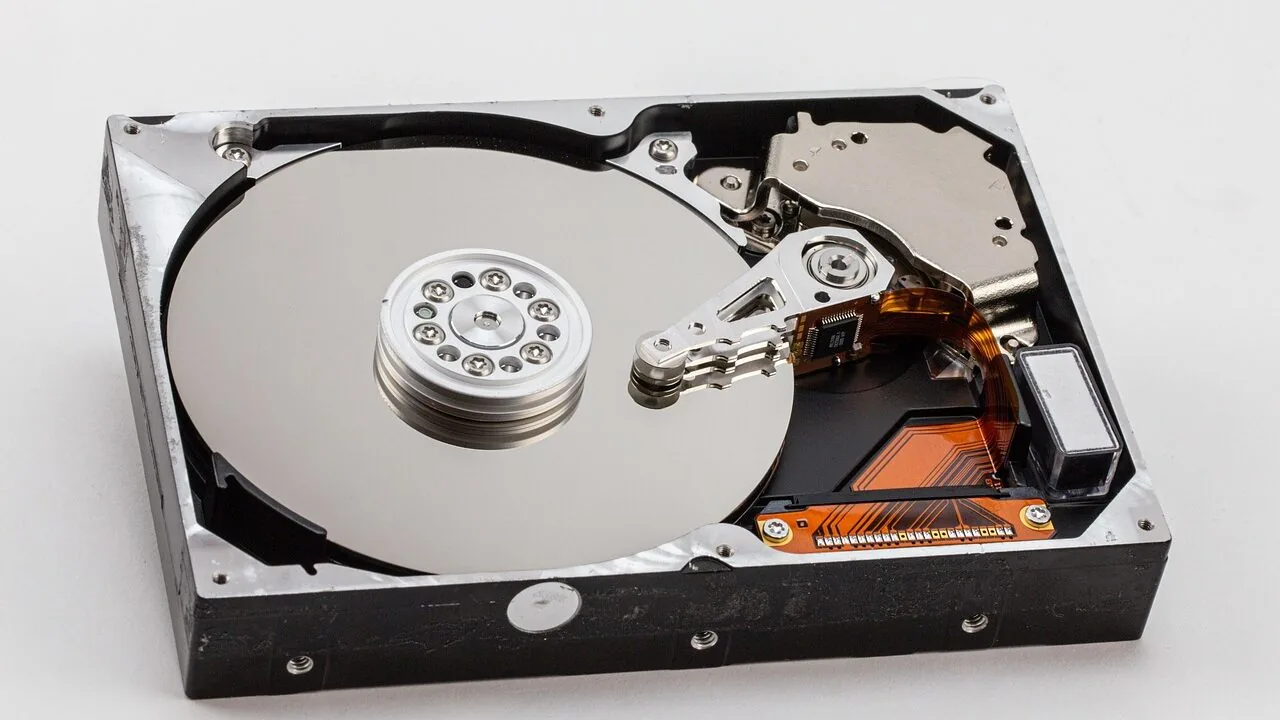
Choosing the right hard drive for a NAS enclosure is not the same as picking a drive for a desktop PC.
NAS systems run continuously, often in multi-drive RAID arrays, and they need drives purpose-built to handle the vibration, heat, and 24/7 workloads that come with always-on storage.
The wrong drive can lead to premature failure, data loss, or performance bottlenecks that undermine the entire point of having a NAS in the first place.
Whether you are building a home media server, a small business backup system, or a multi-bay enterprise array, the hard drive inside is the single most important component you will buy.
This guide is built on REMOVU’s research-driven methodology: we analyze published specifications, synthesize expert review consensus from across the storage community, and weigh verified buyer feedback from owners who have run these drives in real NAS environments.
Every drive in this list has been scored using the REMOVU Score system so you can compare options at a glance.
Our top picks span a wide range of capacities and use cases, from NAS-optimized workhorses by Seagate and Western Digital to high-capacity enterprise drives for demanding workloads.
Read on for our ranked picks, then use the buying guide below to match the right drive to your setup.
| Award | Product | REMOVU Score About REMOVU ScoreThe REMOVU Score is our own rating from 0 to 10, based on performance, design and build, ease of use, and value. It reflects independent research and is never influenced by manufacturers, retailers, or affiliate commissions. Learn more › | Price | |
|---|---|---|---|---|
| Best Overall |
 Seagate IronWolf Pro 16TB NAS HDD
|
8.7/10 | Buy | |
| Best Value |
 Seagate IronWolf Pro 14TB NAS Drive
|
8.6/10 | Buy | |
| Best Budget |
 Seagate IronWolf 10TB NAS Hard Drive
|
8.3/10 | Buy | |
 Seagate IronWolf 10TB NAS Drive
|
8.2/10 | Buy | ||
| Best Premium |
 Seagate IronWolf Pro 24TB NAS Drive
|
7.6/10 | Buy | |
 Seagate Exos 26TB Enterprise HDD
|
7.2/10 | Buy | ||
 Seagate Exos 28TB Enterprise SATA HDD
|
7.1/10 | Buy | ||
 Seagate Exos X12 12TB Enterprise Hard Drive
|
6.5/10 | Buy | ||
 Seagate BarraCuda 8TB 3.5-Inch SATA HDD
|
6.2/10 | Buy | ||
 WD Blue 12TB 7200 RPM Internal HDD
|
6.2/10 | Buy | ||
 WD Red 2TB NAS Drive (5400 RPM, 8-Bay)
|
6.2/10 | Buy |
Seagate IronWolf Pro 16TB NAS HDD
Purpose-built for always-on NAS and RAID environments, this 16TB drive combines CMR technology with vibration sensors and TLER optimization to handle multi-bay setups reliably. The 550 TB/year workload rating and included three-year data recovery service make it a solid choice for small to mid-size enterprise storage, though the premium positioning reflects its specialized design.
Pros
- High workload rating (550 TB/year) and 2.5M hours MTBF deliver dependable 24/7 operation in RAID arrays
- AgileArray firmware with dual-plane balancing and rotational vibration sensors minimize performance degradation in multi-bay systems
- Complimentary three-year Rescue Data Recovery Services included, reducing recovery costs if failure occurs
- Five-year limited warranty provides extended protection and lower total cost of ownership
- IronWolf Health Management offers proactive monitoring and intervention recommendations
Cons
- Positioned as enterprise-grade hardware, making it pricier than standard consumer drives for comparable capacity
- CMR technology, while reliable for NAS, offers lower density than SMR alternatives in some competing products
- 16TB capacity may exceed needs for smaller single-user or home NAS setups
Seagate IronWolf Pro 14TB NAS Drive
A high-capacity NAS drive engineered for multi-bay server environments up to 24 bays. The 14TB capacity paired with 250MB/s speeds makes it suitable for users managing large shared file libraries and demanding workloads. Built-in health monitoring and a five-year warranty provide long-term peace of mind for always-on storage setups.
Pros
- 14TB capacity delivers substantial storage density for enterprise NAS deployments
- 250MB/s transfer speeds support responsive file sharing across multiple users
- IronWolf Health Management system enables proactive drive monitoring and maintenance
- 1.2M hours MTBF and five-year limited warranty reflect solid reliability expectations
- Three-year Rescue Data Recovery Services included adds protection against data loss
Cons
- Designed specifically for NAS environments; not ideal for standard desktop or gaming use
- 14TB capacity comes at a premium price point compared to smaller-capacity alternatives
- Performance gains over consumer-grade drives may not justify the cost for light-duty NAS setups
Seagate IronWolf 10TB NAS Hard Drive
A dedicated NAS drive engineered for multi-bay environments that prioritizes reliability and uptime over raw speed. The 10TB capacity, vibration sensors, and integrated health monitoring make it well-suited for small teams and creative professionals running continuous network storage, though the premium positioning means it's a commitment rather than a casual upgrade.
Pros
- Purpose-built NAS optimization reduces wear, vibration, and downtime in multi-bay setups
- IronWolf Health Management system actively monitors drive health with prevention and recovery recommendations
- 1M hours MTBF and 180TB/year workload rating deliver enterprise-grade reliability for 24/7 operation
- Includes 3-year Rescue Data Recovery Service with 95% success rate, avoiding costly third-party recovery
- Rotational vibration sensors maintain consistent performance in crowded NAS environments
Cons
- Limited to 8-bay NAS systems; larger deployments require IronWolf Pro variant
- CMR technology offers lower performance ceiling compared to modern alternatives in non-NAS workloads
- Rescue services availability varies by region and requires vendor verification
Seagate IronWolf 10TB NAS Drive
Purpose-built for always-on NAS systems, this 10TB drive combines high capacity with 24/7 reliability through AgileArray RAID optimization and dual-plane balancing. The 7200 RPM spindle and 256MB cache deliver sustained 210MB/s speeds suitable for multi-user environments, while a 3-year data recovery service adds peace of mind for mission-critical setups.
Pros
- Optimized for RAID arrays with AgileArray technology and error recovery controls
- Strong 1 million hour MTBF and 600,000 load/unload cycles for continuous operation
- 10TB capacity rated for up to 180TB/year workload, ideal for growing NAS deployments
- Includes 3-year rescue data recovery service with 95% success rate
- Consistent 5-star user rating based on verified feedback
Cons
- CMR technology means slower performance than newer SMR alternatives in some workload scenarios
- 3.5-inch form factor requires dedicated NAS enclosure, not suitable for portable or compact systems
- Premium positioning reflects higher cost per terabyte compared to consumer-grade drives
Seagate IronWolf Pro 24TB NAS Drive
Enterprise-grade NAS drive built for 24/7 operation in multi-bay RAID systems. The 24TB capacity and 2.5M-hour MTBF deliver substantial storage and reliability for medium-to-large business environments, backed by three years of complimentary data recovery services and IronWolf Health Management monitoring.
Pros
- Exceptional 550TB/year workload rating supports heavy multi-user NAS deployments
- 2.5M hours MTBF and 5-year warranty provide industry-leading reliability and TCO
- AgileArray firmware with rotational vibration sensors optimizes RAID performance in multi-bay configurations
- Complimentary 3-year Rescue Data Recovery Services with 95% success rate eliminates recovery costs
- 512MB cache and CMR technology ensure consistent 24/7 accessibility
Cons
- Premium positioning limits appeal to small office or budget-conscious home NAS users
- Rescue recovery services availability varies by country and may require vendor verification
- High capacity drives generate more heat and power consumption in compact enclosures
Seagate Exos 26TB Enterprise HDD
A 26TB enterprise-grade internal drive built for data center and large-scale storage deployments. The 7,200 RPM spindle and SATA 6Gb/s interface deliver sustained performance for continuous 24/7 operations, making it well-suited for hyperscale infrastructure, backup systems, and archival workloads. Note this is a renewed unit, which may appeal to budget-conscious enterprises.
Pros
- Massive 26TB capacity reduces the number of drives needed for large storage arrays
- Enterprise-class reliability rated for continuous operation with 2.5M MTBF
- 7,200 RPM speed supports demanding workloads and data-intensive applications
- SATA 6Gb/s interface ensures broad compatibility with existing systems
- Strong 4.8-star rating from verified buyers
Cons
- Renewed condition means it is a returned or refurbished unit, not brand-new
- Enterprise-focused specifications may exceed requirements for consumer or small business use
- Limited review sample (7 reviews) provides less long-term reliability data than high-volume consumer drives
Seagate Exos 28TB Enterprise SATA HDD
A massive-capacity internal hard drive built for data center and NAS environments where scale matters. The 28TB capacity reduces the number of drives needed in large storage arrays, while CMR technology and 7,200 RPM performance support continuous 24/7 operation. Best suited for enterprise infrastructure, cloud deployments, and organizations managing demanding storage workloads.
Pros
- Exceptional 28TB capacity minimizes drive count and rack space in large-scale storage systems
- Enterprise-grade durability rated for continuous 24/7 operation with high MTBF
- Standard 3.5-inch SATA interface ensures broad compatibility with servers, NAS enclosures, and storage platforms
- CMR technology provides predictable performance and strong RAID compatibility
- 7,200 RPM spindle speed and 512MB cache deliver consistent throughput for demanding workloads
Cons
- Renewed unit status means it lacks original packaging and warranty coverage compared to new drives
- SATA 6Gb/s interface is slower than modern NVMe alternatives for systems where speed is critical
- Designed for enterprise infrastructure, not consumer desktop or gaming builds where capacity needs are smaller
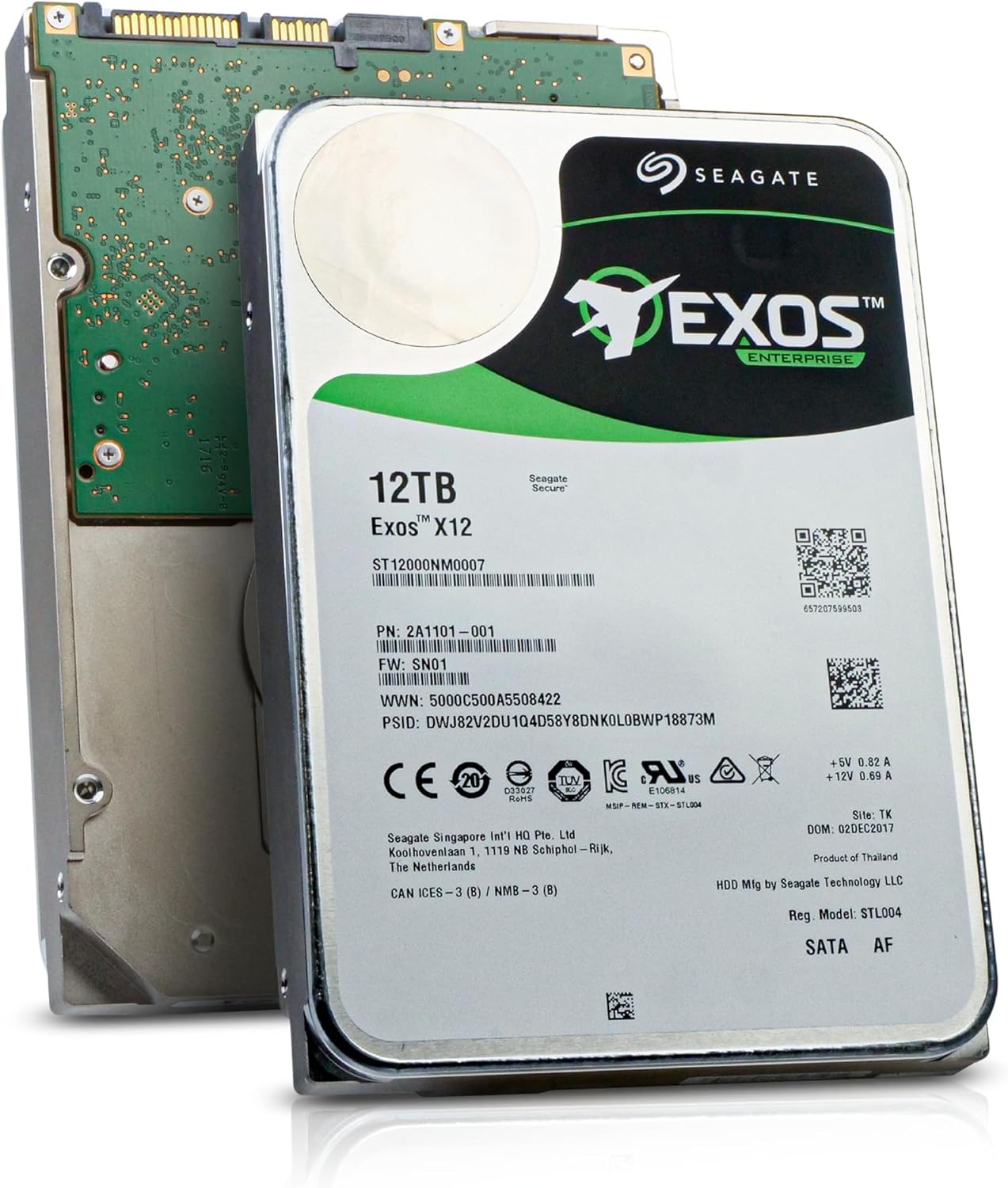
Seagate Exos X12 12TB Enterprise Hard Drive
A 12TB enterprise-class drive built for continuous 24/7 operation in server and NAS environments. The 7200RPM speed and 256MB cache deliver consistent performance for demanding workloads, while the renewed condition offers a cost-conscious option for those prioritizing capacity over brand-new guarantees.
Pros
- 12TB capacity ideal for large-scale storage, RAID, and surveillance systems
- 7200RPM with 256MB buffer supports sustained performance in 24/7 operations
- Enterprise-grade reliability designed for server and NAS deployments
- Hot-pluggable design simplifies maintenance in multi-drive setups
- Strong 4.4-star rating from 119 verified reviews indicates real-world dependability
Cons
- Renewed condition means no manufacturer warranty, only Amazon Renewed guarantees
- Enterprise drives typically consume more power than consumer alternatives
- 3.5-inch form factor requires compatible enclosure or server hardware
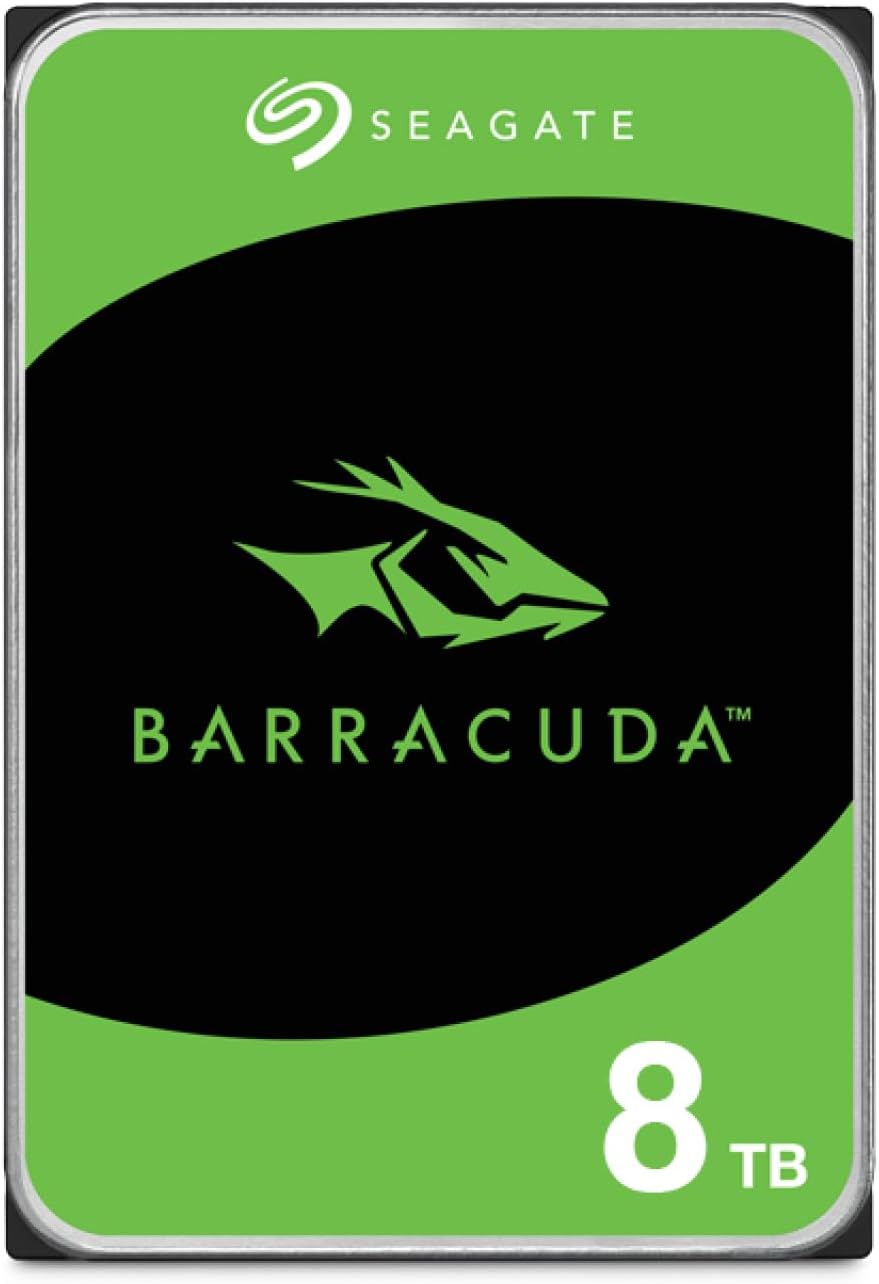
Seagate BarraCuda 8TB 3.5-Inch SATA HDD
A high-capacity internal hard drive designed for desktop PC builds, content creators, and gaming setups. The BarraCuda 8TB delivers reliable bulk storage with proven Seagate engineering and sustained transfer rates up to 190MB/s, backed by strong user confidence reflected in its 4.7-star rating across over 100,000 reviews.
Pros
- Large 8TB capacity ideal for storing video projects, music libraries, and game libraries without frequent upgrades
- Sustained transfer rate of 190MB/s supports multi-application workflows for designers, musicians, and video editors
- 256MB cache and optimized read/write technology minimize performance bottlenecks during heavy workloads
- 20 years of Seagate innovation in HDD technology provides established reliability track record
- Excellent user satisfaction with 4.7-star rating from over 100,000 verified purchases
Cons
- 5,400 RPM speed is slower than premium desktop drives, resulting in longer file transfer times compared to 7,200 RPM alternatives
- Frustration-free packaging includes only an anti-static bag with no cables or mounting hardware included
- As a traditional HDD, noticeably slower boot times and application loading compared to modern SSDs
WD Blue 12TB 7200 RPM Internal HDD
WD's 12TB Blue drive delivers straightforward reliability for everyday desktop and NAS setups, backed by Western Digital's established reputation. The included Acronis cloning software adds practical value for users migrating data or setting up new systems.
Pros
- High capacity at 12TB for storage-intensive workloads
- 7200 RPM spindle speed supports responsive performance for general computing
- Includes free Acronis True Image WD Edition for easy data cloning
- Strong user satisfaction with 4.6-star rating across 57,000+ reviews
- Western Digital brand reliability and warranty backing
Cons
- 3.5-inch form factor limits use to desktop and NAS environments, not portable or laptop-compatible
- SATA interface is slower than modern NVMe alternatives for sequential workloads
- Higher power consumption and heat generation typical of 7200 RPM mechanical drives
WD Red 2TB NAS Drive (5400 RPM, 8-Bay)
Purpose-built for home and small office NAS systems, the WD Red 2TB delivers reliable 24/7 operation with NASware 3.0 firmware optimized for network storage compatibility. Its low power consumption keeps operating temperatures down, making it suitable for always-on setups with modest workload demands.
Pros
- NASware 3.0 technology improves system compatibility and integration with existing NAS hardware
- Designed for continuous 24/7 operation with 1 million hour MTBF rating
- Lower power consumption reduces heat output in enclosed NAS enclosures
- Supports up to 8-bay NAS systems with 180TB/year workload capacity
- 3-year limited warranty coverage
Cons
- 5400 RPM speed is slower than higher-performance NAS alternatives, limiting throughput for demanding applications
- 2TB capacity is on the lower end for modern NAS builds, may require multiple drives for adequate storage
- SMR recording technology can cause performance degradation during heavy RAID operations or large file transfers
NAS Hard Drives Buying Guide
A NAS hard drive purchase involves more trade-offs than most storage decisions. Capacity, rotational technology, workload rating, cache size, and vibration compensation all interact in ways that matter in a multi-drive bay.
The sections below break down the criteria that separate a great NAS drive from one that will let you down over time.
If you are also researching other PC components to round out your build, our category hub covers everything from power supplies to solid state drives.
CMR vs. SMR: Why Recording Technology Matters for NAS
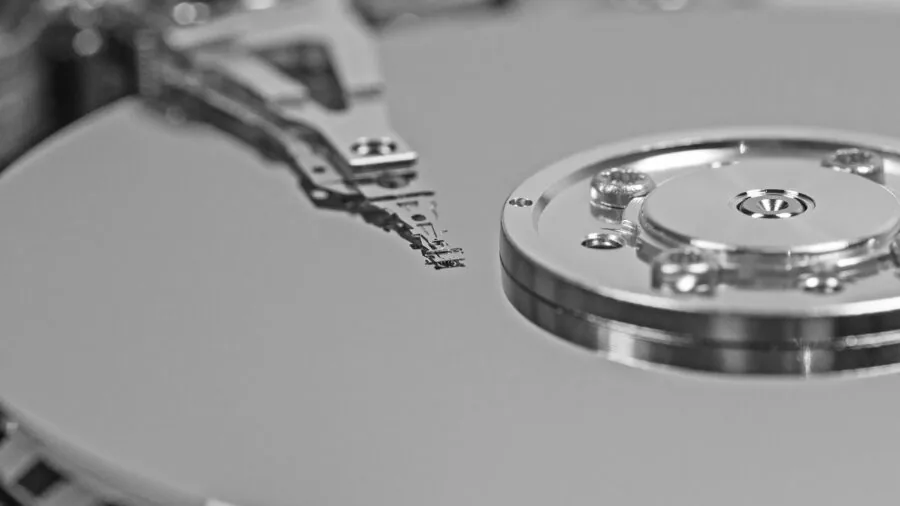
Conventional Magnetic Recording (CMR) and Shingled Magnetic Recording (SMR) represent fundamentally different approaches to writing data to a platter. CMR drives write tracks independently, which makes them straightforward to use in RAID arrays and continuous-write scenarios.
SMR drives overlap tracks to pack more data onto each platter, but this comes at the cost of significantly slower write performance during sustained workloads and problematic behaviour during RAID rebuilds.
For NAS use, CMR is strongly preferred by the expert community and by NAS operating system vendors like Synology and QNAP.
SMR drives can cause RAID array timeouts during rebuilds because the drive’s internal garbage collection process competes with the RAID controller’s demands.
The Western Digital WD Red 6TB (WD60EFAX) in this list is an SMR drive, which is worth understanding before deploying it in a multi-drive redundant array. For any critical RAID setup, stick with the CMR-labeled drives in our picks.
Always verify CMR or SMR status before purchasing, even within the same product family. Drive manufacturers sometimes update the recording technology within a product line without changing the marketing name, so checking the model number against the manufacturer’s specification sheet is essential.
Workload Rating and Drive Endurance

Consumer desktop drives are typically rated for around 55 TB of data written per year.
NAS-class drives from the IronWolf and IronWolf Pro families carry workload ratings of 180 TB/year and 300 TB/year respectively, which reflects the reality that a NAS system writes data continuously across multiple drives.
Exceeding a drive’s workload rating voids the manufacturer’s warranty and accelerates wear on the drive’s mechanical components.
Enterprise-class drives like the Seagate Exos series carry even higher workload ratings and are designed for data center environments, but their higher sustained performance comes with trade-offs in noise and power consumption that home NAS users should consider.
The IronWolf Pro 16TB and IronWolf Pro 14TB sit in a useful middle ground, offering enterprise-grade endurance in a packaging and noise profile appropriate for home and SMB environments.
MTBF (Mean Time Between Failures) figures published by manufacturers are another useful benchmark. Drives rated at 1 million hours MTBF or higher, like the IronWolf Pro and Exos lines, indicate a more robust mechanical design intended for continuous operation.
These ratings are statistical, not guarantees, but they correlate with real-world reliability data collected across large drive populations.
Capacity and the Cost-Per-Terabyte Calculation
NAS drives now span from around 4 TB at the entry level to 28 TB and beyond at the high end.
Choosing the right capacity involves balancing upfront cost, the number of drive bays in your enclosure, and how much usable storage you actually need after RAID overhead.
In a two-bay NAS running RAID 1, the usable capacity equals the size of a single drive. In a five-bay array running RAID 5, you lose one drive’s worth of capacity to parity.
In general, fewer higher-capacity drives are more energy-efficient and generate less heat than more lower-capacity drives filling the same total raw storage.
A single 16 TB or 20 TB drive in each bay often makes more sense than two 8 TB drives in a larger enclosure, especially if you plan to expand the array later by swapping individual drives for higher-capacity ones.
At the extreme high end, drives like the Seagate IronWolf Pro 24TB and the Seagate Exos 28TB offer the highest capacity per bay currently available, which is relevant for media professionals and small businesses storing large file archives.
The premium per terabyte at these capacities is narrowing as helium-filled drive technology matures.
Rotational Speed and Cache Size
Most NAS-focused drives run at either 5,400 RPM or 7,200 RPM. The 5,400 RPM models draw less power, run cooler, and are quieter, which matters in a home office or living space.
The 7,200 RPM drives deliver meaningfully higher sequential throughput and lower latency, which matters when multiple users are accessing the NAS simultaneously or when running virtual machines and databases from the array.
Cache size, expressed in megabytes, affects how the drive handles bursts of small random reads and writes. Modern NAS drives typically ship with 256 MB or 512 MB of cache.
Larger cache sizes generally help in workloads that involve many small simultaneous requests, such as running a photo management application or a home media server accessed by multiple devices.
For large sequential workloads like video surveillance or backup, cache size is less decisive than sustained throughput.
Pairing high-throughput NAS drives with adequate RAM in your NAS server matters too, since NAS operating systems use system memory as an additional I/O buffer and for running applications like Plex or Docker containers alongside file-serving duties.
Vibration Compensation and Multi-Bay Compatibility
In a multi-drive enclosure, the vibration generated by spinning platters in one drive can interfere with the head positioning accuracy of a neighbouring drive.
This phenomenon, called rotational vibration (RV), is one of the main reasons NAS-specific drives exist as a category.
Drives certified for NAS use include RV sensors that detect and compensate for external vibration in real time, maintaining read/write accuracy even in dense enclosures.
Seagate’s IronWolf family uses what Seagate calls AgileArray technology, which combines dual-plane balance, RV sensors, and firmware tuned for RAID workloads. Western Digital’s Red series uses similar vibration compensation through its NASware firmware.
These are not marketing terms to dismiss: verified buyer feedback from owners of multi-bay enclosures consistently highlights better long-term reliability and fewer write errors with purpose-built NAS drives versus repurposed desktop drives.
Data Recovery Services and Warranty Coverage

Several drives in our picks bundle a data recovery service subscription with the purchase.
Seagate’s Rescue Data Recovery Service, included with IronWolf drives, provides up to three years of coverage for data recovery in the event of drive failure, including physical damage.
This is not a backup strategy, but it is a meaningful safety net for drives storing irreplaceable data.
Warranty length varies significantly across the NAS drive market. Consumer-grade NAS drives like the standard IronWolf line typically carry a three-year warranty, while IronWolf Pro drives extend to five years.
Enterprise drives like the Exos series often come with five-year warranties as well.
Renewed or refurbished drives, such as the Seagate Exos listings in this guide, carry the Amazon Renewed guarantee but not a full manufacturer warranty, which is an important distinction for any NAS deployment where uptime and data integrity are priorities.
For a broader view of storage options, our roundup of solid state drives covers NVMe and SATA SSD options for NAS caching tiers and primary storage in compact enclosures.
Why You Should Trust Us
REMOVU is an independent review platform. Every drive in this guide was evaluated by our editorial team against a consistent set of criteria covering recording technology, workload rating, vibration compensation, warranty coverage, and compatibility with major NAS platforms.
Each product receives a REMOVU Score on a 0 to 10 scale, aggregating multiple weighted dimensions into a single comparable figure.
We do not conduct our own product trials; our evaluations are grounded in research, published data, expert review consensus, and verified buyer feedback.
Our sources include manufacturer specification sheets, long-term reliability datasets from the storage research community, and aggregated owner feedback from verified purchasers who have run these drives in real NAS environments over extended periods.
REMOVU may earn a commission if you purchase through a link in this guide. That relationship does not influence our rankings, scores, or editorial decisions. Products are ranked by REMOVU Score, not by margin or commercial arrangement.
We note trade-offs honestly, including cases where a higher-capacity or higher-priced drive is not the best choice for a given use case.
Final Thoughts
The best NAS hard drives in 2026 span a wide range of capacities and price tiers, but the throughline for every top pick is purpose-built design: CMR recording, RV compensation, and workload ratings that match the demands of continuous NAS operation.
Here is how our top picks break down by use case.
- Best Overall: Seagate IronWolf Pro 16TB earns our highest REMOVU Score in this roundup. Its combination of 7,200 RPM CMR performance, a 300 TB/year workload rating, and a five-year warranty with data recovery service makes it the most well-rounded choice for serious NAS deployments where reliability and sustained throughput both matter.
- Best for Mainstream NAS Builds: Seagate IronWolf Pro 14TB delivers nearly identical performance credentials at a slightly lower capacity point, making it the practical choice for users who want enterprise-grade endurance without stepping up to the 16 TB price tier.
- Best Mid-Capacity Pick: Seagate IronWolf 10TB is our top-scoring standard IronWolf drive, offering 7,200 RPM performance and NAS-optimized firmware at a capacity sweet spot for home and SMB arrays.
- Best for Maximum Capacity Per Bay: Seagate IronWolf Pro 24TB pushes the density ceiling for NAS deployments where minimizing drive count while maximizing raw storage is the priority, such as video archive or large-scale backup workloads.
- Best Budget-Conscious Option: Seagate Exos X12 12TB (Renewed) offers enterprise-class hardware at a reduced price point through Amazon Renewed, suitable for cost-conscious builders who understand the trade-offs of refurbished storage in non-critical arrays.
Whatever your storage goals, pairing your NAS drives with a properly specced enclosure, a capable processor, and a reliable power supply will protect your investment over the long term.
If you are building a more complete home server or media station, our guides to motherboards and PC cases may also be useful starting points.
Frequently Asked Questions
Can I use a regular desktop hard drive in a NAS enclosure?
Technically yes, but it is not recommended for any setup where data reliability matters. Desktop drives lack the rotational vibration compensation, workload ratings, and RAID-optimized firmware that NAS-class drives include.
In a multi-bay enclosure, a desktop drive is more likely to produce errors and may not survive a RAID rebuild without timing out. For anything beyond temporary single-drive use, purpose-built NAS drives are worth the price difference.
What is the difference between IronWolf and IronWolf Pro?
Both lines are designed for NAS use, but IronWolf Pro targets more demanding environments.
The Pro models carry a higher workload rating (300 TB/year versus 180 TB/year), a longer warranty (five years versus three years), and a bundled Rescue Data Recovery Service subscription.
IronWolf Pro drives are also built to a higher vibration tolerance specification for denser enclosures. For home NAS users with light to moderate workloads, standard IronWolf drives are excellent.
For SMB deployments or any array running continuous workloads, IronWolf Pro is the more appropriate choice.
Are refurbished or renewed NAS drives safe to use?
Amazon Renewed drives like the Exos X12 and Exos 28TB in this guide are inspected and evaluated by Amazon-qualified suppliers before resale. They can offer good value for supplementary storage or non-critical arrays.
However, they do not carry the full manufacturer warranty that a new drive provides, and the prior usage history is not always fully disclosed.
For primary NAS storage containing irreplaceable data, new drives with full warranties and data recovery service coverage are the safer choice.
How many drives do I need for a reliable NAS setup?
A two-drive RAID 1 (mirroring) array is the minimum for redundancy and protects against a single drive failure.
A four or five-bay enclosure running RAID 5 or RAID 6 gives you better storage efficiency and can survive one or two simultaneous drive failures respectively.
Keep in mind that RAID is not a backup strategy: it protects against drive hardware failure, not against accidental deletion, ransomware, or enclosure failure. Pairing your NAS with an off-site or cloud backup remains essential regardless of RAID configuration.
Does drive RPM matter for media streaming from a NAS?
For most home media streaming scenarios, even 5,400 RPM NAS drives have more than enough sequential throughput to handle simultaneous 4K streams across a local network.
The bottleneck is more often the network interface or the NAS processor than the drive itself.
Where 7,200 RPM drives make a meaningful difference is in write-heavy workloads like video surveillance recording, database hosting, or simultaneous multi-user access from a small business file server.
If your primary use is streaming and backup, a 5,400 RPM drive will serve you well while running cooler and quieter.
What NAS capacity should I buy for a home setup?
A common rule of thumb is to buy more than you think you need, because storage needs tend to grow faster than expected.
For a home media library and personal backup, drives in the 10 TB to 16 TB range offer a strong balance of cost, capacity, and availability of matching drives for future expansion.
For users building a photo or video archive from high-resolution cameras, stepping up to 20 TB or 24 TB per bay future-proofs the array without requiring an early upgrade cycle. Our picks from Seagate’s IronWolf range cover this full spectrum.
Related Guides
About the author
Phyllis writes about security cameras for REMOVU, comparing video quality, smart alerts, and fair storage costs. She helps readers pick indoor and outdoor cameras they can rely on.