The 10 Best Streaming Microphones for Twitch
Voice quality can make or break a Twitch channel. We researched mics from Shure, HyperX, FIFINE, and Razer to find the best streaming microphones for every budget.
 By Jerry Daniels
Updated July 26, 2026
By Jerry Daniels
Updated July 26, 2026
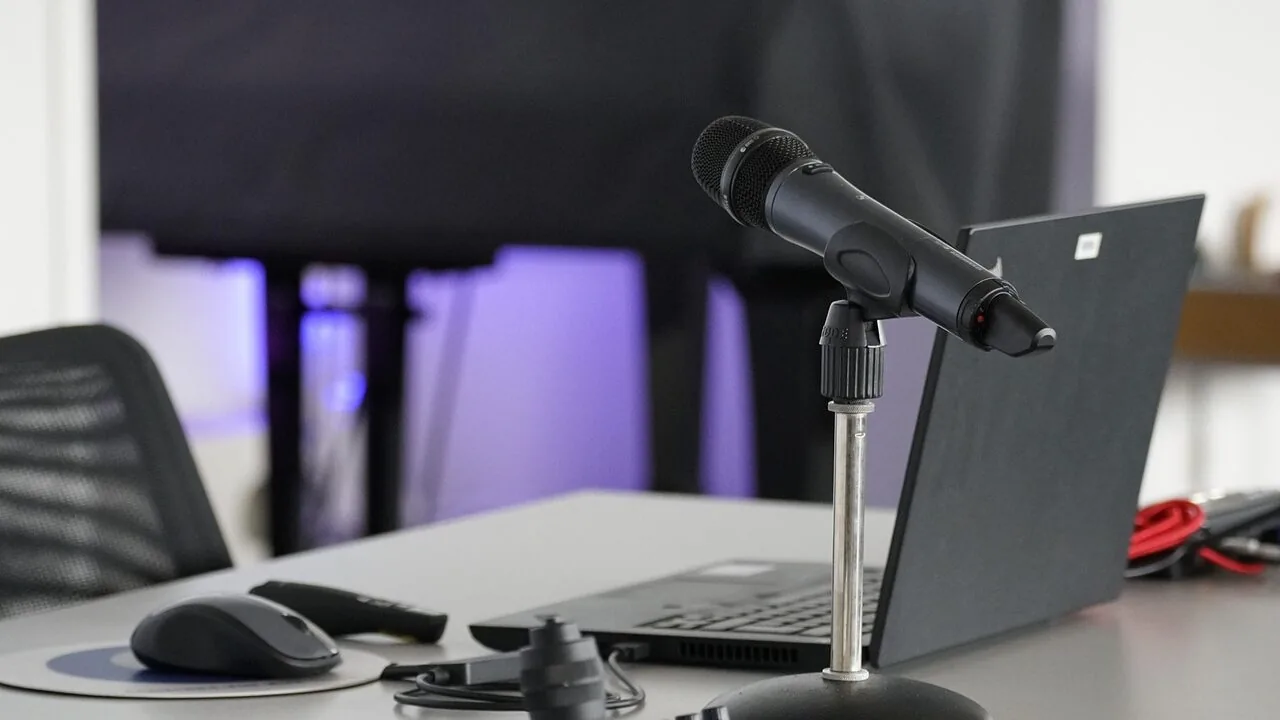
Your microphone is the single most important piece of gear on any Twitch stream. Viewers will tolerate a laggy game, a cluttered overlay, or a budget webcam far longer than they will put up with muffled, echoey, or distorted audio.
Whether you are gaming, just chatting, or running a full production setup, the right streaming microphone transforms how your audience perceives you.
The market has exploded with options across every price tier, from compact USB condenser mics bundled with boom arms to professional dynamic capsules used by broadcast veterans, and sorting through the noise takes real research.
At REMOVU, we analyzed the full landscape of streaming microphones currently available, cross-referencing published specifications, expert review consensus from the audio and streaming communities, and verified buyer feedback from thousands of real Twitch streamers and content creators.
Every pick below has been evaluated against a consistent set of criteria and assigned a REMOVU Score on our 0 to 10 scale.
The result is a focused shortlist covering models from Shure, HyperX, FIFINE, Razer, MAONO, Logitech, and TONOR across a range of budgets.
Scroll down for our ranked picks, then dive into the buying guide to find the right fit for your setup.
| Award | Product | REMOVU Score About REMOVU ScoreThe REMOVU Score is our own rating from 0 to 10, based on performance, design and build, ease of use, and value. It reflects independent research and is never influenced by manufacturers, retailers, or affiliate commissions. Learn more › | Price | |
|---|---|---|---|---|
| Best Overall |
 Shure MV7+ USB-C/XLR Dynamic Microphone
|
9.0/10 | Buy | |
| Best Premium |
 HyperX Quadcast 2 Frost USB Microphone
|
8.4/10 | Buy | |
| Best Budget |
 FIFINE AmpliGame A8 USB Gaming Microphone
|
8.3/10 | Buy | |
 Razer Seiren V3 Pro Dynamic USB/XLR Microphone
|
7.9/10 | Buy | ||
| Best Value |
 Blue Yeti Nano USB Microphone
|
8.2/10 | Buy | |
 HyperX SoloCast 2 USB Condenser Mic
|
7.1/10 | Buy | ||
 FIFINE T683 USB Condenser Microphone Kit with Boom Arm
|
6.8/10 | Buy | ||
 MAONO DGM20S Gaming Microphone with Noise Cancellation
|
7.1/10 | Buy | ||
 FIFINE T669 USB Condenser Microphone Kit
|
6.4/10 | Buy | ||
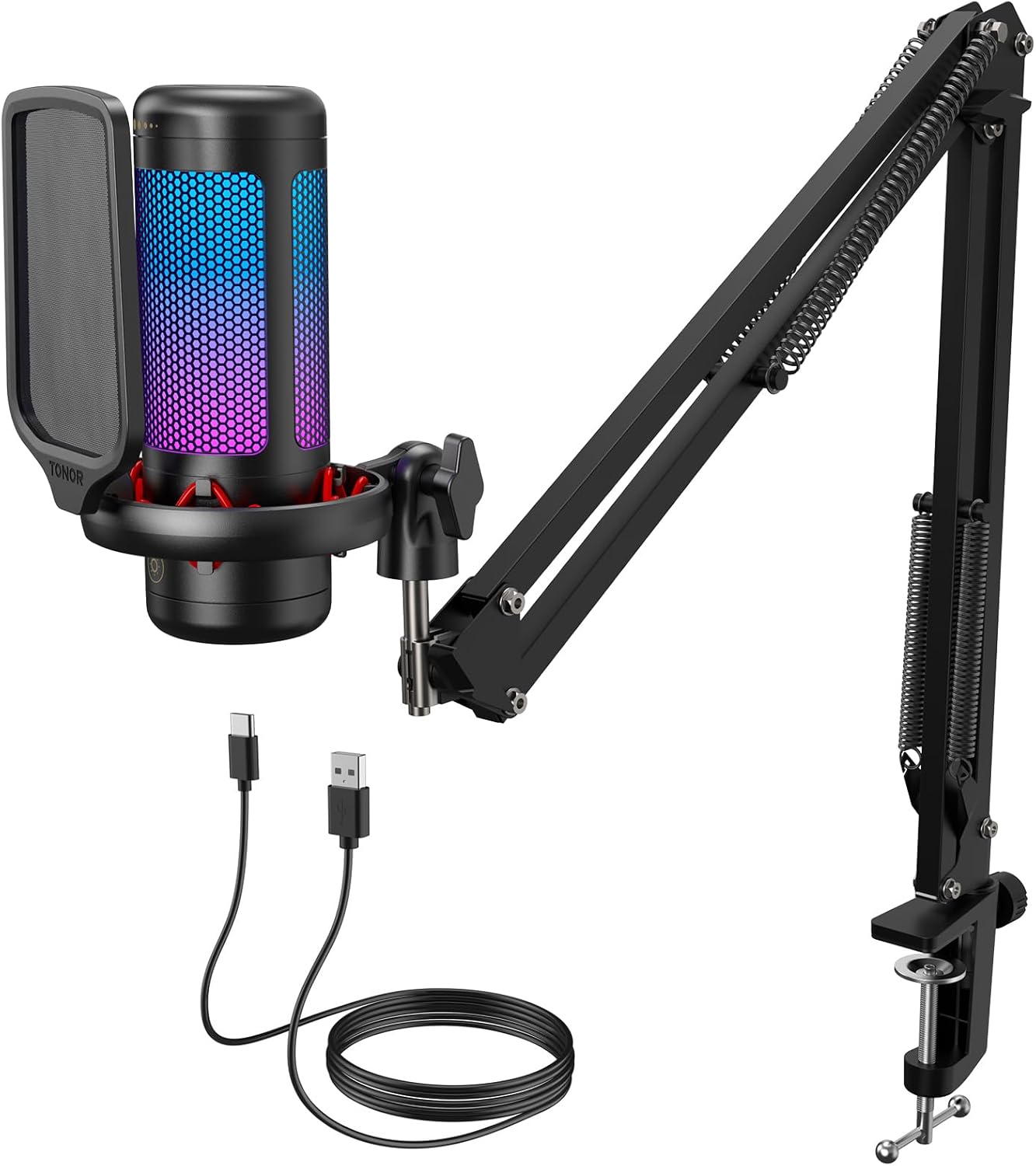 TONOR TC310+ USB Gaming Mic with Boom Arm
|
6.4/10 | Buy |
Shure MV7+ USB-C/XLR Dynamic Microphone
A dual-output dynamic mic built for creators who need flexibility between simple USB plug-and-play setups and professional studio rigs. The MV7+ combines voice isolation technology with real-time auto-leveling and a customizable LED touch panel, making it particularly strong for podcasters and streamers working in less-than-ideal acoustic spaces. The integrated reverb effects and denoising add polish without requiring external processing.
Pros
- Hybrid USB-C and XLR outputs let you scale from laptop recording to full audio interface integration
- Auto Level Mode adapts gain automatically, reducing the need for constant manual adjustments during recording
- Voice Isolation Technology keeps vocals clear and focused even in noisy or untreated rooms
- OBS-certified with built-in reverb modes (Plate, Hall, Studio) for professional-sounding voiceovers and vocal tracks
- LED touch panel with 16.8 million color options and real-time level monitoring enhances workflow visibility
Cons
- Frequency response tops out at 16 kHz versus 20 kHz on higher-end Shure models, limiting some high-frequency detail
- App integration (MOTIV Mix) adds features but requires an extra step for mobile users seeking full control
- Premium pricing positions it above entry-level USB mics, though below Shure's flagship XLR-only options
HyperX Quadcast 2 Frost USB Microphone
A solid USB microphone designed for streamers and podcasters, the Quadcast 2 Frost delivers clear audio capture with four selectable polar patterns and convenient tap-to-mute functionality. The removable shock mount and customizable blue LED lighting add flexibility for different streaming setups, though it's positioned at a mid-range price point without significant advantages over competing options at the same cost.
Pros
- Hi-res audio capture with 24-bit depth provides clear sound detail for streaming and podcasting
- Four polar patterns (cardioid, omnidirectional, bi-directional, stereo) adapt to different recording environments
- Tap-to-mute sensor prevents accidental audio leaks during live sessions
- Removable shock mount with spring-loaded pins fits standard 3/8" and 5/8" threading
- On-board multifunction knob and LED status indicators allow quick adjustments without software
- High user satisfaction with 4.7-star rating across 340 reviews
Cons
- Customizable lighting and advanced settings require HyperX NGENUITY software rather than pure hardware control
- Limited to blue LED lighting option, less versatile than RGB alternatives in the same price range
- No significant feature differentiation from the standard Quadcast 2 model at equivalent pricing
FIFINE AmpliGame A8 USB Gaming Microphone
A plug-and-play USB condenser mic built for gaming and streaming with customizable RGB lighting, gain control, and real-time headphone monitoring. Reviewers praise its clear cardioid pickup and budget-friendly price, though the touch mute button shows reliability inconsistencies.
Pros
- Clear, warm condenser sound with strong sensitivity that captures voice detail even at soft volumes
- Comprehensive bundle with shock mount and pop filter reduces mechanical noise without extra cost
- Intuitive hardware controls (mute, gain, RGB) eliminate need for software configuration
- Solid desktop stand that resists tipping over
- Long track record of reliability, with users reporting 4+ years of trouble-free operation
Cons
- Touch mute button is unreliable and unresponsive for some users, occasionally activating randomly when bumped
- RGB cycling requires manual button presses with no companion app to preset themes
- High input sensitivity may pick up keyboard clacking and ambient noise, requiring external noise isolation software
Razer Seiren V3 Pro Dynamic USB/XLR Microphone
A dual-connectivity dynamic microphone built for streamers and creators who want professional audio without the learning curve. The 32-bit float recording, onboard AI noise removal, and built-in DSP deliver broadcast-ready sound straight out of the box, while flexible USB-C and XLR options let you scale from simple streaming setups to professional audio interfaces.
Pros
- 32-bit float recording captures wider dynamic range without clipping, ideal for vocal-heavy content
- Built-in audio DSP with compressor, limiter, expander, and AI noise removal eliminates need for external processing software
- Dual USB Type-C and XLR connectivity adapts to both beginner and advanced setups
- Cardioid dynamic capsule with shock absorber and pop filter minimizes background noise and plosives for clean recordings
- Manual gain control and headphone monitoring provide real-time audio feedback and precise level adjustment
Cons
- No independent reviews available yet to verify real-world audio quality claims against competitors
- Dynamic microphone design may require closer positioning than condenser alternatives, limiting flexibility in mic placement
- Razer Synapse software dependency needed to access 32-bit float recording feature
Blue Yeti Nano USB Microphone
A compact USB microphone built for creators who need broadcast-quality audio without taking up desk space. The Yeti Nano delivers 24-bit sound with dual pickup patterns and Blue VO!CE effects, making it versatile for streaming, podcasting, and video calls. Best suited for solo streamers and content creators on a tighter budget than the full-size Yeti.
Pros
- Compact design fits any desktop setup and looks professional on camera
- 24-bit audio quality with dual capsules for clear, detailed sound capture
- Two pickup patterns (cardioid and omni) cover most recording scenarios from solo streaming to multi-person calls
- No-latency headphone monitoring with onboard volume and mute controls for instant feedback
- Plug-and-play on Mac and PC with no drivers required, plus Blue VO!CE software for vocal effects
Cons
- Limited to two pickup patterns compared to higher-end models like Yeti X which offer four
- Gain control only available through desktop app, not physical onboard control
- Compass boom arm sold separately, adding extra cost for optimal positioning
HyperX SoloCast 2 USB Condenser Mic
A compact, all-in-one USB condenser microphone built for gamers and streamers who want plug-and-play simplicity without sacrificing audio quality. The SoloCast 2 bundles a shock mount, pop filter, and tiltable stand into one self-contained unit, with 24-bit/96kHz recording and customizable audio filters via HyperX NGENUITY software. Best for creators seeking a no-fuss setup that delivers clear vocals in a tight space.
Pros
- Built-in shock mount and foam pop filter eliminate need for extra accessories
- Tap-to-mute with visual LED indicator for quick control during recording
- Cardioid polar pattern effectively isolates front-facing vocals while rejecting side and rear noise
- Customizable audio filters (high-pass, low-pass, voice enhancement) save directly to the microphone for portable consistency
- Compact footprint with weighted tiltable stand and mic arm thread compatibility (3/8" and 5/8")
Cons
- No headphone jack for direct monitoring, unlike higher-end HyperX models in the comparison
- Single condenser capsule limits flexibility compared to multi-capsule designs for varied recording scenarios
- USB-C to USB-A connection only; no native USB-A port included
FIFINE T683 USB Condenser Microphone Kit with Boom Arm
A budget-friendly USB condenser mic bundle that delivers clear audio with cardioid pickup, ideal for streamers and podcasters just starting out. Includes all essentials: boom arm, pop filter, shock mount, and dual USB connectors, though the arm lacks precision for frequent adjustments.
Pros
- Complete starter bundle at budget price point with professional-grade accessories
- Strong output volume compared to similar models; headphone jack enables real-time monitoring
- Cardioid design minimizes room noise and keyboard/desk vibrations effectively
- Compatible with both USB-A and USB-C ports, future-proofs your setup
Cons
- Boom arm lacks smooth movement and requires force to position; attachment can slip with frequent adjustments
- Cardioid-only pattern means audio quality drops significantly for off-axis speakers or group recordings
- Gain knob position unmarked and difficult to see, especially in low light
MAONO DGM20S Gaming Microphone with Noise Cancellation
A cardioid USB microphone designed for gaming and streaming with built-in noise cancellation and customizable RGB lighting. The plug-and-play setup works across Windows, Mac, and PlayStation without driver installation, making it accessible for casual streamers and competitive gamers alike. Comes bundled with a metal boom arm, shock mount, and pop filter for a complete recording solution.
Pros
- One-click noise cancellation effectively reduces background noise during gameplay and streaming
- 9 RGB lighting modes with independent control for custom aesthetic matching
- Complete accessory package includes boom arm, shock mount, pop filter, and dual USB/USB-C cables
- Zero-latency headphone monitoring and adjustable gain control for real-time audio management
- Plug-and-play compatibility with Windows, Mac, PS4, and PS5 without requiring drivers
Cons
- Not compatible with Xbox, limiting use for console-exclusive gamers
- No verified buyer reviews available to assess real-world reliability and longevity
- Cardioid pickup pattern may require careful microphone positioning to avoid capturing unwanted side noise
FIFINE T669 USB Condenser Microphone Kit
A plug-and-play condenser mic designed for podcasters, streamers, and home studio users. The T669 ships as a complete bundle with a sturdy boom arm, shock mount, and pop filter, making it accessible for beginners. Best suited for vocal recording and streaming on PC and Mac, though it lacks real-time headphone monitoring.
Pros
- Complete kit includes boom arm stand, shock mount, double pop filter, and 8.2-foot USB cable, reducing need for additional purchases
- Cardioid condenser capsule captures clear vocals while rejecting ambient noise from the sides and rear
- Versatile boom arm with 180-degree vertical and 135-degree horizontal articulation for flexible positioning
- Wide compatibility with PC, Mac, PS4, and PS5 via USB-A/C connection; no drivers required
- Adjustable gain control knob for quick input level management
Cons
- No headphone jack for real-time audio monitoring during recording sessions
- Not compatible with Xbox or audio mixers; USB-only connection limits professional studio integration
- Desk clamp requires flat surfaces and cannot mount on desks thicker than 2.1 inches or rounded edges
TONOR TC310+ USB Gaming Mic with Boom Arm
A complete streaming kit that bundles a cardioid condenser mic with a flexible boom arm, metal clamp, and adjustable RGB lighting. Built for content creators who want plug-and-play convenience with tactile controls for muting and gain adjustment. Solid choice for gaming and podcasting on a budget.
Pros
- All-in-one kit includes boom arm and sturdy desk clamp, eliminating need for separate purchases
- Intuitive one-tap mute and rotary gain control for quick adjustments during live sessions
- Effective pop filter and upgraded shock mount reduce background noise and vibration
- Four RGB lighting modes with adjustable brightness to match gaming setup aesthetics
- High rating with 2,124 verified reviews indicates consistent user satisfaction
Cons
- Type-C connector requires full insertion or mute function may fail, adding setup friction
- Desk clamp limited to maximum 2.36 inches thickness and cannot grip curved desk edges
- Mobile compatibility requires separate USB adapters (not included), limiting portability
Streaming Microphones for Twitch Buying Guide
Choosing a streaming microphone is more nuanced than simply picking the one with the best-looking RGB ring. Sound quality, connection type, pickup pattern, and the acoustic reality of your room all interact.
The sections below walk through every meaningful variable, so you can match a mic to your actual streaming environment rather than buying on hype alone.
If you are also in the process of rounding out your broader streaming station, a complete gaming setup often benefits from coordinated purchases across peripherals.
USB vs. XLR: Which Connection Type Fits Your Setup

USB microphones plug directly into any PC or Mac port and require zero additional hardware.
They are the dominant choice for streamers at every level from first-time broadcasters to full-time creators, because the audio interface is built right into the mic.
The convenience trade-off is that you cannot swap capsules or upgrade the signal chain independently. If you ever outgrow the built-in preamp, you replace the whole unit.
XLR microphones connect through an external audio interface or mixer, giving you a fully upgradeable signal chain and the kind of headroom professional broadcast studios rely on.
The Shure MV7+ stands out as a hybrid option, offering both USB-C and XLR outputs so it can start as a simple plug-and-play device and later connect to a Rode, Focusrite, or GoXLR interface without being replaced.
For most new and intermediate streamers, USB is the practical starting point. Dedicated streamers running multiple input sources may find XLR worth the extra cost and complexity.
A growing number of mics now ship with USB-C to USB-A cables rather than the older USB-A to USB-A standard, which matters if your motherboard or laptop only has USB-C ports. Check the cable in the box before you buy.
Pairing the right mic with a quality interface is only part of the picture; gaming headsets with a mic can serve as a low-latency monitoring tool during streams even when you are using a dedicated condenser for capture.
Polar Patterns and Room Acoustics
A cardioid polar pattern captures sound from the front of the capsule and rejects noise from the sides and rear.
It is the default for solo streaming because it isolates your voice from mechanical keyboard noise, case fans, and room reverb.
Nearly every mic on this list uses cardioid or a cardioid-optimized mode as the primary setting for gaming and streaming scenarios.
Omnidirectional and bidirectional patterns, available on multi-pattern condensers like the Blue Yeti Nano, are useful for co-streamer setups or podcast interviews where two voices sit at the same desk. For solo Twitch use they are largely unnecessary.
The more important acoustic variable is your room itself. A hard-walled, untreated space creates reflections that no cardioid pattern can fully cancel.
Basic acoustic panels, a mic positioned close to your mouth rather than pointed at a reflective surface, and a shock mount to decouple the capsule from desk vibration will do more for your stream audio than any pattern switch.
Dynamic microphones, like the one inside the Shure MV7+, are inherently less sensitive than condenser capsules and therefore more forgiving in untreated rooms.
If you stream in a small bedroom with bare walls and a hard floor, a dynamic mic tends to produce cleaner results than a large-diaphragm condenser because it simply picks up less room noise to begin with.
Sample Rate, Bit Depth, and Audible Quality
Most USB streaming mics ship with 16-bit / 48 kHz audio resolution, which is more than adequate for Twitch and YouTube streaming.
The human ear cannot distinguish between 48 kHz and 96 kHz in a real-time streaming context, so a higher specification on the box does not automatically mean better-sounding audio on your broadcast.
What matters more is the quality of the analog-to-digital converter inside the mic and how well the capsule is tuned for the human voice in a near-field position.
The HyperX SoloCast 2 ships with 24-bit / 96 kHz resolution at a budget-friendly price tier, which gives it some future-proofing headroom for local recording alongside streaming.
The Shure MV7+ delivers professional audio quality through its onboard DSP and Auto Level Mode regardless of whether you are chasing a high sample-rate specification.
When evaluating specs, focus on whether the mic has been tuned with a high-pass filter or frequency response curve that flatters the midrange frequencies of a speaking voice rather than the extended lows that add boom without adding clarity.
On-Mic Controls: Gain, Mute, and Monitoring
A physical mute button that you can slap in one motion is more valuable during a live stream than any software setting.
The difference between tapping a button on the mic and alt-tabbing into your audio mixer during a live interaction can define how professional your broadcast feels.
Look for a clearly tactile mute button with a visual indicator, whether an LED status ring or a dedicated light, so you can confirm mute state at a glance without looking away from your game.
Gain control lets you adjust input sensitivity without opening software. This matters most when you switch between a quiet late-night session and a loud multiplayer session with friends in the same room.
Zero-latency headphone monitoring, available on the FIFINE AmpliGame A8 and MAONO DGM20S among others, lets you hear your own voice in real time through the mic’s headphone jack without the millisecond delay that causes the disorienting doubling effect when monitoring through your PC.
For longer streaming sessions, direct monitoring is a significant comfort and professionalism upgrade. A comfortable gaming chair keeps you settled and consistent at the mic through multi-hour streams.
Stands, Boom Arms, and Positioning
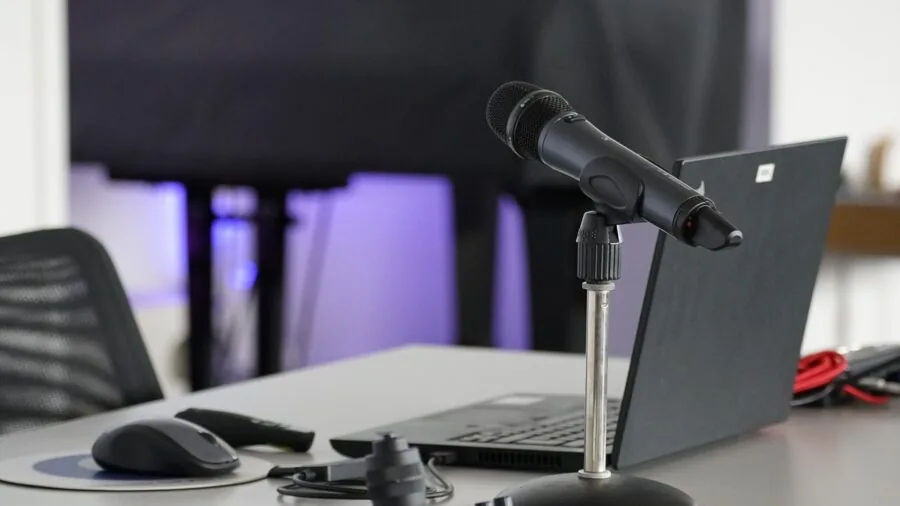
Microphone positioning is the most underrated audio variable in streaming. A mic on a fixed desktop stand typically sits eight to twelve inches below mouth level and picks up significant keyboard, mouse-click, and desk-thump noise.
A boom arm repositions the capsule at mouth level, six to eight inches from your lips, which increases the signal-to-noise ratio dramatically.
Several mics in this guide, including the FIFINE T669, FIFINE T683, and TONOR TC310+, are bundled with boom arms and shock mounts, making them better value-for-money than similarly priced standalone mics.
When shopping bundles, check the build quality of the included arm. Budget boom arms sometimes lack sufficient tension adjustment for heavier mics, causing the arm to sag toward the desk over time.
If the bundled arm feels flimsy out of the box, a third-party scissor arm is a cost-effective upgrade.
For a broader workspace where the mic is one of several devices on the desk, a well-organised gaming desk helps keep cables managed and boom arm clamps properly anchored.
Pair your streaming setup with a capable desktop monitor so you can keep OBS and chat visible without crowding your primary screen.
RGB Lighting: Aesthetic vs. Function
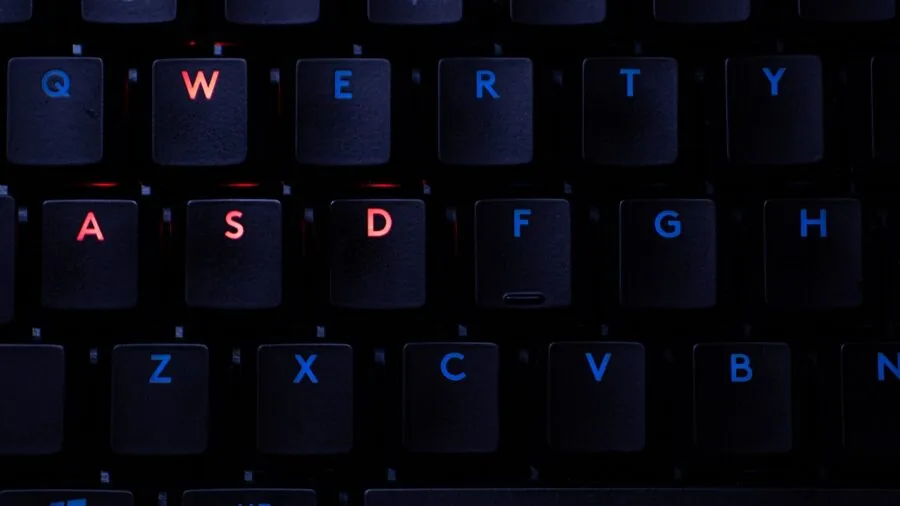
RGB illumination on a streaming microphone is not a gimmick in every scenario. On camera, a softly lit mic on a boom arm contributes to overall scene lighting and helps fill the dark corners of a gaming battlestation.
The FIFINE AmpliGame A8, MAONO DGM20S, and TONOR TC310+ all include RGB rings that can double as ambient light sources visible in a webcam frame.
The Razer Seiren V3 Pro features Chroma RGB that syncs with other Razer ecosystem devices, which matters to streamers who maintain a coordinated visual theme.
If RGB is irrelevant to your setup, the cleaner industrial design of the Shure MV7+ or the HyperX SoloCast 2 fits more easily into a professional or minimal aesthetic.
Prioritise RGB only when your camera frame shows the mic clearly and when you have the rest of your visual production organised.
A polished broadcast also benefits from a quality display; monitors built for color accuracy help with thumbnail design and stream graphics between sessions.
Why You Should Trust Us
REMOVU is an independent review publication. We do not sell products, take direction from manufacturers, or operate any kind of storefront.
Every microphone in this guide was evaluated using our structured research methodology: we analyze published specifications, cross-reference expert review consensus from the audio engineering and content-creation communities, and weigh verified buyer feedback from confirmed purchasers.
We do not conduct our own product trials; our evaluations are grounded in research, published data, expert review consensus, and verified buyer feedback.
Each product is assigned a REMOVU Score on a 0 to 10 scale, reflecting a weighted composite of audio performance, build quality, feature set relative to price, ease of use for streamers, and long-term reliability as reported by buyers.
The score is computed consistently across every category we cover, from microphones to noise-cancelling headphones to home theater speakers, so you can interpret a score of 8.0 the same way regardless of product type.
REMOVU may earn an affiliate commission when you purchase through a link on this page. That relationship has zero influence on product selection, ranking order, or REMOVU Score. Products are ranked by score alone.
We disclose this relationship because transparency is the baseline for trustworthy recommendations.
Final Thoughts
The streaming microphone market in 2026 offers genuinely strong options at every budget tier, and the gap between an entry-level pick and a professional-grade model has narrowed considerably.
Whether you stream casually a few nights a week or grind toward a full-time channel, there is a mic in this list sized to your goals. Here are the standout titles from our research.
- Best Overall: Shure MV7+ earns the top spot with the highest REMOVU Score in the group, combining a broadcast-grade dynamic capsule, dual USB-C and XLR outputs, onboard DSP, and Auto Level Mode in a package that professionals trust and beginners can actually use out of the box.
- Best Mid-Range Pick: HyperX QuadCast 2 Frost delivers the second-highest score in the group thanks to refined on-board controls, a removable shock mount, and a clear, present condenser sound that flatters voices across a wide range of streaming environments.
- Best Budget Condenser: FIFINE AmpliGame A8 is the value leader, scoring higher than several pricier alternatives by combining zero-latency headphone monitoring, a gain knob, quick-mute, and a quality cardioid capsule at an accessible price.
- Best for Professional Aesthetics: Razer Seiren V3 Pro is built for streamers who want broadcast DSP, AI noise removal, and 32-bit float support in a premium chassis with Chroma RGB, at a price well below the flagship tier.
- Best Entry-Level Starter: HyperX SoloCast 2 strips the feature set down to the essentials and nails them, offering a compact, tiltable design with a built-in pop filter and an internal shock mount at a price that leaves budget for other gaming peripherals.
If you are still building out your broader streaming environment, a fast and responsive gaming TV or monitor and a reliable capture card round out the core production chain alongside your microphone.
Frequently Asked Questions
Do I Need an Audio Interface for Streaming on Twitch?
No. Every USB microphone in this list plugs directly into a PC or Mac and is immediately recognized as an audio input device by OBS, Streamlabs, and every other common streaming platform.
An audio interface is only required if you choose an XLR-only microphone. The Shure MV7+ is the one pick here that supports both, giving you the flexibility to add an interface later without replacing the mic itself.
Is a Condenser or Dynamic Mic Better for Twitch Streaming?
It depends on your room. Condenser microphones are more sensitive and capture voice detail richly, but they also pick up more background noise, keyboard clicks, and room reflections.
Dynamic microphones are less sensitive and therefore more forgiving in acoustically untreated spaces like typical bedrooms.
If you stream in a room with hard surfaces and no acoustic treatment, a dynamic mic like the Shure MV7+ will typically produce cleaner results than a condenser of equivalent quality.
If your room is well-treated or you use a noise gate in OBS, a condenser is excellent. Most streamers on a moderate budget are better served by a well-positioned USB condenser with a high-pass filter engaged.
Can I Use a Streaming Microphone for Podcasting and Voice-Overs Too?
Yes, and most picks here are explicitly designed for multipurpose use. The FIFINE AmpliGame A8, Blue Yeti Nano, and HyperX QuadCast 2 are all used widely for podcasting, voice-over work, and remote communication alongside streaming.
The Shure MV7+ is arguably more at home in a podcast studio than in a gaming setup and is a particularly strong choice for creators who want one mic that covers every audio production need.
If audio monitoring during recording sessions is a priority, look for models with a dedicated headphone jack offering zero-latency direct monitoring. For editing podcast content, a color-accurate portable monitor at a secondary workstation keeps the workflow flexible.
How Close Should I Position the Mic to My Mouth When Streaming?
For most cardioid USB condenser mics, a distance of about six to eight inches from your lips is the sweet spot. Too close and you risk plosive distortion on “p” and “b” sounds, even with a pop filter.
Too far and you lose gain advantage over ambient room noise, forcing the mic to pick up reflections from your monitor and walls.
With a dynamic mic like the Shure MV7+, you can speak slightly closer, which reinforces the low-end of your voice through the proximity effect and further rejects background noise.
Using a boom arm rather than a fixed desktop stand makes it easy to maintain a consistent position throughout a long session.
Staying comfortable during long streams also means investing in an ergonomic gaming chair that keeps your posture consistent at the mic.
Does RGB Lighting on a Microphone Affect Audio Quality?
No, RGB lighting has no effect on audio capture. The LED circuits and the audio circuitry are entirely separate. The question is simply whether the RGB feature adds aesthetic or on-camera value to your stream versus adding cost.
Mics with RGB, like the FIFINE AmpliGame A8 and MAONO DGM20S, are priced competitively, so you are not paying a meaningful premium for the lighting. If RGB is important to your stream aesthetic, it is essentially free.
If it is not, choosing a mic without it does not save you significant money at this price tier but does keep your desk visually cleaner.
For streamers building a coordinated peripheral theme, gaming keyboards and mice with matching RGB ecosystems can unify the look your viewers see on camera.
What Is the Best Way to Reduce Background Noise When Streaming?
The most effective approach combines hardware positioning with software processing. Position the mic on a boom arm at mouth level to maximize direct voice capture relative to ambient noise.
Enable a noise gate in OBS or Streamlabs so the mic only opens when your voice exceeds a set threshold, cutting out keyboard and fan noise between sentences.
Some mics, including the Razer Seiren V3 Pro, include onboard AI noise removal that processes the signal before it even reaches your streaming software.
For particularly noisy environments, a dynamic microphone’s inherently lower sensitivity is often the single biggest improvement you can make before touching any software settings.
Reducing mechanical vibration from desk impacts is also important; shock mounts and decoupled boom arms prevent low-frequency rumble from appearing in your audio, particularly in an active gaming desk setup.
About the author
Jerry covers camcorders for REMOVU, weighing zoom range, stabilization, and battery endurance for events and long-form video. He helps families and creators pick a dedicated recorder that outlasts a phone.