The 12 Best Portable Monitors for Work
Portable monitors have become essential gear for remote workers and frequent travellers. Here are the options worth carrying, from budget IPS panels to premium touchscreen displays.
 By Russell Howell
Updated July 26, 2026
By Russell Howell
Updated July 26, 2026
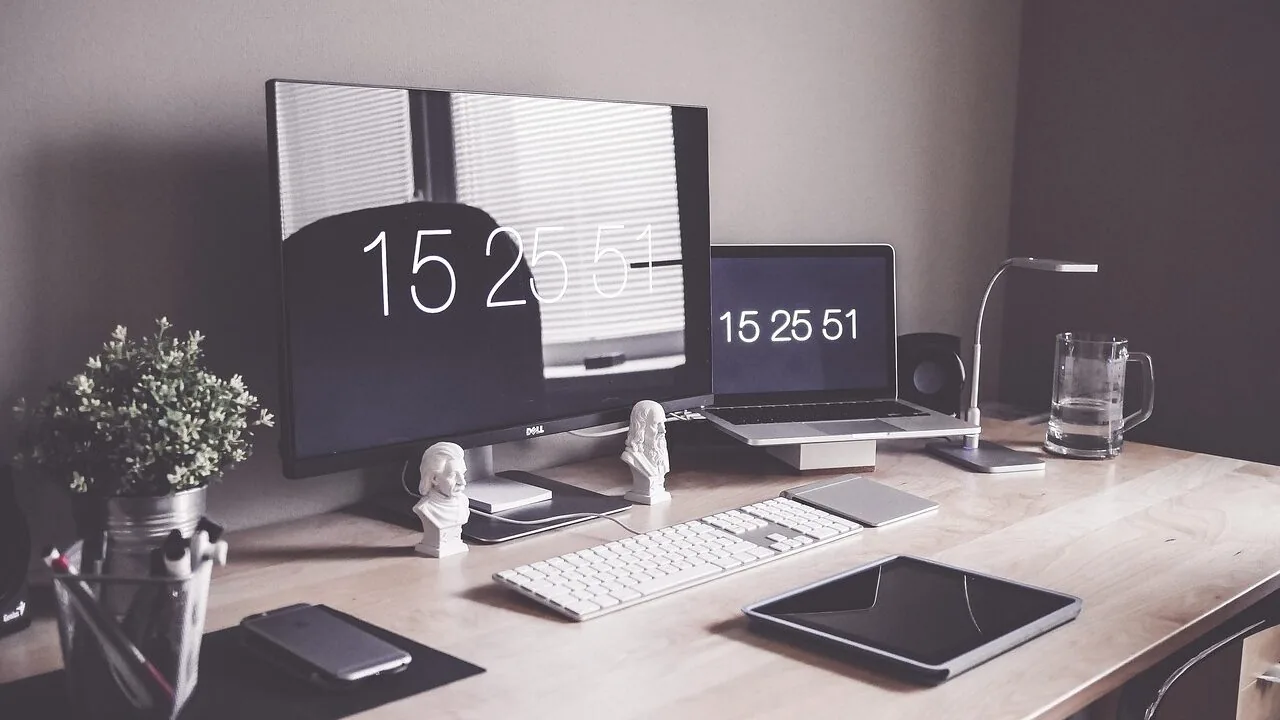
A good portable monitor can transform the way you work on the road, turning a cramped coffee shop table or a hotel desk into a genuine dual-screen setup.
Whether you’re a freelance designer who needs accurate colour on location, a business traveller who refuses to squint at a single laptop panel all day, or a student who bounces between campus and home, the right portable monitor reduces eye strain, boosts multitasking, and pays for itself in productivity within weeks.
The category has matured rapidly: today’s options range from budget-friendly 15.6-inch panels to large-format touchscreen displays aimed at power users, with prices spanning a wide range to suit nearly every budget.
At REMOVU, we cut through the noise by researching specifications, synthesising expert review consensus, and weighing verified buyer feedback to surface the picks that genuinely hold up in daily use.
Every model in this guide has been evaluated against a consistent set of criteria and rated on the REMOVU Score scale.
Whether you need the most portable option, the sharpest panel, or the best value for remote work, you’ll find a clear recommendation below.
Read on for our top picks, then scroll into the buying guide to understand exactly what separates a great portable monitor from a disappointing one.
| Award | Product | REMOVU Score About REMOVU ScoreThe REMOVU Score is our own rating from 0 to 10, based on performance, design and build, ease of use, and value. It reflects independent research and is never influenced by manufacturers, retailers, or affiliate commissions. Learn more › | Price | |
|---|---|---|---|---|
| Best Overall |
 Dell Pro 14 Plus P1425 Portable Monitor
|
8.4/10 | Buy | |
| Best Premium |
 Lenovo ThinkVision M14t Gen2 14-inch Portable Monitor
|
8.3/10 | Buy | |
 ASUS ZenScreen MB16ACE 15.6" Portable USB Monitor
|
7.8/10 | Buy | ||
| Best Value |
 Lenovo ThinkVision M15 15.6" Portable Monitor
|
7.6/10 | Buy | |
 ASUS ZenScreen MB169CK 15.6" Portable Monitor
|
7.5/10 | Buy | ||
 Acer PM191Q 18.5" Portable Monitor
|
7.3/10 | Buy | ||
 Cocopar 15.6-Inch Portable Monitor 1080P
|
7.5/10 | Buy | ||
| Best Budget |
 MSI PRO MP165 E6 15.6" Portable Monitor
|
8.1/10 | Buy | |
 VisionOwl 18.5-inch Portable Monitor, 100Hz IPS
|
6.8/10 | Buy | ||
 InnoView 15.6" FHD Portable Monitor
|
7.6/10 | Buy | ||
 InnoView 15.6" 1080P Portable Monitor with Stand
|
6.3/10 | Buy | ||
 KYY 15.6" 1080P Portable Monitor with USB-C
|
7.8/10 | Buy |
Dell Pro 14 Plus P1425 Portable Monitor
A 14-inch portable monitor built for professionals who need dual-screen setup on the move. The FHD+ IPS panel delivers solid color accuracy across wide angles, while the adjustable stand and compact form factor make it practical for hot-desking and travel. Best suited for content creators and remote workers who prioritize screen real estate over ultra-portability.
Pros
- Adjustable tilt stand spans 10 to 90 degrees, plus VESA mount compatibility for flexible positioning
- FHD+ (1920 x 1200) IPS panel with consistent color reproduction at wide viewing angles
- Included sleeve with cable storage compartment keeps everything organized during transport
- Quick-access brightness buttons for easy adjustment in varying lighting conditions
- Lightweight and ultrathin design suitable for productivity on the go
Cons
- 7ms response time may not satisfy competitive gamers or fast-action workflows
- No specifications provided on connectivity ports, power requirements, or exact weight
- Limited to FHD+ resolution, which some professionals may find constraining for detailed design work
Lenovo ThinkVision M14t Gen2 14-inch Portable Monitor
Lenovo's ThinkVision M14t Gen2 is a compact 14-inch portable display designed for professionals who need a secondary screen on the move. With a strong 4.8-star rating from verified buyers, it balances portability with usable screen real estate for productivity tasks, spreadsheets, and content review while traveling or hot-desking.
Pros
- Highly rated by users (4.8 stars across 56 reviews) indicating consistent satisfaction
- Compact 14-inch form factor makes it genuinely portable for mobile professionals
- Lenovo brand reliability and ThinkVision line reputation for business-grade monitors
- Gen2 iteration suggests iterative improvements over first-generation model
Cons
- Limited technical specifications available in product data, making detailed performance comparison difficult
- Portable monitors typically have smaller screens than traditional desk setups, limiting multitasking capability
- Requires external power and connectivity solutions, adding to cable management complexity
ASUS ZenScreen MB16ACE 15.6" Portable USB Monitor
A lightweight 15.6-inch portable display that connects via single USB cable, making it practical for remote workers and frequent travelers. The hybrid USB Type-C and Type-A support means broad laptop compatibility, while the foldable smart case doubles as a stand for flexible setup in portrait or landscape mode.
Pros
- Single USB connection handles both power and video transmission, eliminating cable clutter
- Weighs just 0.71kg with 8mm ultra-slim profile, genuinely pocketable for travel
- IPS panel with 1920x1080 resolution delivers solid color accuracy and wide viewing angles
- Auto-rotation feature and foldable case adapt to portrait or landscape work instantly
- ASUS Eye Care certification (flicker-free, low blue light) reduces eye strain on extended use
Cons
- Requires driver installation for USB Type-A compatibility, adding setup friction for some users
- 15.6-inch size is modest for detailed design or spreadsheet work compared to larger external monitors
- No built-in speakers, so audio still depends on laptop or external headphones
Lenovo ThinkVision M15 15.6" Portable Monitor
A compact 15.6-inch FHD display designed for remote workers and mobile professionals who need extra screen real estate on the go. Connects via USB-C with dual-port flexibility and adjustable viewing angles, making it practical for hot-desking and client presentations.
Pros
- Dual USB-C ports support simultaneous power delivery and video, enabling single-adapter charging for both monitor and laptop
- Ambidextrous design with ports on both sides accommodates left and right-handed users equally
- Tilt range from 0 to 90 degrees with adjustable height foot provides ergonomic positioning options
- Includes protective sleeve for travel durability
- Strong user rating of 4.6 stars from 161 reviews indicates reliable performance
Cons
- Categorized under Webcams & VoIP Equipment rather than standard monitors, suggesting limited product classification clarity
- No mention of brightness, color accuracy, or refresh rate specifications for critical visual work
- Requires USB-C connection which may need adapters for older laptops or non-USB-C devices
ASUS ZenScreen MB169CK 15.6" Portable Monitor
A lightweight 15.6-inch portable monitor designed for remote workers and travelers who need a second screen without the bulk. Single USB-C cable handles both power and video when your laptop supports DP Alt mode, plus a 360-degree kickstand adapts to any workspace. The FHD IPS panel and eye care features make extended work sessions comfortable.
Pros
- Ultra-slim 11.8mm profile and 0.78kg weight slip easily into bags for true portability
- Single USB-C cable for both power and video eliminates cable clutter when DP Alt mode is available
- 360-degree kickstand with tripod socket offers flexible mounting on desks, tables, or standard stands
- Auto-rotate software automatically switches between portrait and landscape modes for document work and coding
- FHD IPS panel with 178-degree viewing angles and flicker-free, low blue light technology reduces eye strain
Cons
- Requires USB-C DP Alt mode support on your laptop; older or non-compatible devices must use mini-HDMI instead, limiting the single-cable convenience
- Full HD resolution may feel limiting on a 15.6-inch screen for detailed design or spreadsheet work compared to higher-resolution alternatives
- No built-in speakers or audio output mentioned, requiring external audio solutions for multimedia use
Acer PM191Q 18.5" Portable Monitor
Acer's PM191Q is a lightweight portable display built for professionals and students who need a secondary screen on the move. At 2.49 lbs with a 0.54" profile, it fits easily into laptop bags while delivering Full HD clarity through an IPS panel. Single USB-C cable powers and displays simultaneously, though you'll want to verify compatibility with your specific devices.
Pros
- Extremely portable: weighs under 2.5 lbs and measures just 0.54 inches thin
- Single USB-C power and data solution eliminates cable clutter for supported devices
- 100Hz refresh rate with Adaptive-Sync (FreeSync) reduces motion blur and tearing
- Full HD 1920x1080 IPS display with wide viewing angles and accurate color reproduction
- Dual connectivity: USB-C and HDMI 1.4 ports for flexible device pairing
Cons
- USB-C power delivery limited to 15W, may require additional adapter for some laptops
- 18.5-inch size is relatively small for extended work sessions as primary monitor
- No built-in battery; requires continuous cable connection to function
Cocopar 15.6-Inch Portable Monitor 1080P
A lightweight 15.6-inch portable display designed for laptop users and remote workers who need a secondary screen on the go. Connects via single USB-C cable with power pass-through, includes built-in speaker, and comes with a protective stand case. Best suited for those with USB-C or HDMI-equipped devices seeking mobility without sacrificing screen real estate.
Pros
- Ultra-portable at 1.5 lbs without case, just 4mm thin at thinnest point, ideal for travel and remote work setups
- Plug-and-play USB-C connectivity with single-cable power and video delivery (Thunderbolt 3/4/5 or USB 3.1 DP Alt-Mode required)
- 1080P FHD resolution with 85% sRGB color gamut, 178-degree viewing angle, and HDR support for decent color accuracy
- VESA mountable with landscape and portrait orientation options for flexible workspace configurations
- Dual USB-C ports plus HDMI input for broad device compatibility across laptops, consoles, and select phones
Cons
- USB-C video support limited to specific devices: requires Thunderbolt 3/4/5 ports or compatible DP Alt-Mode, and only certain Samsung phones work natively without adapters
- 60Hz refresh rate and 1080P resolution modest for gaming or high-demand creative work compared to larger desktop monitors
- Requires original USB-C cable and power adapter for proper function; third-party cables may not support video output, and some devices need additional adapters (mini-DP to HDMI, Lightning adapter)
MSI PRO MP165 E6 15.6" Portable Monitor
A lightweight 15.6-inch Full HD portable display weighing just 0.78kg, designed for professionals and travelers needing a second screen on the move. Single USB Type-C connection handles both power and video, while the foldable stand and tripod mount provide flexible positioning for work, gaming, or presentations across laptops, phones, and consoles.
Pros
- Ultra-portable at 0.78kg with 1.38cm slim profile, fits easily into laptop bags
- Single USB Type-C cable delivers power and DisplayPort signal simultaneously, eliminating cable clutter
- IPS panel with 178-degree viewing angles provides consistent color and brightness from multiple perspectives
- TUV-certified Low Blue Light and Flicker-Free technology reduces eye strain during extended use
- 1/4-inch tripod mount and VESA compatibility offer flexible setup options for travel, desk, or fixed installations
Cons
- 60Hz refresh rate limits responsiveness for fast-paced gaming compared to higher-refresh portable monitors
- Built-in speakers are functional but modest in output, likely requiring external audio for presentations or immersive content
- No USB hub or additional ports beyond video input, so connectivity is limited to display signal and power only
VisionOwl 18.5-inch Portable Monitor, 100Hz IPS
A lightweight 18.5-inch travel monitor with 1080p IPS display and 100Hz refresh rate, designed for MacBooks, laptops, and gaming consoles. Dual USB-C and HDMI connectivity offer flexibility, though connection compatibility depends on your device's specific ports and capabilities.
Pros
- Compact and portable at 2.7 lbs with thin profile, ideal for travelers and remote workers
- 100Hz refresh rate with 125% sRGB color accuracy suits both productivity and light gaming
- Multiple connectivity options: two USB-C ports and HDMI port work with MacBooks, PCs, PS5, and Xbox
- Built-in kickstand and VESA mounting support provide display flexibility
- Metal construction and integrated stand offer durability
Cons
- USB-C connectivity requires Thunderbolt 3/4/5 or full-featured USB-C port; standard charging cables won't work for video
- Limited smartphone compatibility, only select Samsung models work via USB-C cable, others need HDMI adapter
- No verified buyer reviews available to assess real-world reliability and long-term performance
InnoView 15.6" FHD Portable Monitor
A budget-friendly portable display designed for laptop users, remote workers, and travelers who need extra screen real estate without breaking the bank. The 15.6-inch 1080p panel connects via USB-C or HDMI and includes a protective cover that doubles as a stand, making it genuinely portable. Best suited for productivity tasks and casual use rather than color-critical work or competitive gaming.
Pros
- Plug-and-play connectivity with USB-C and HDMI ports, no drivers required
- Includes durable PU leather protective case that functions as an adjustable stand
- IPS panel with 178-degree viewing angles and HDR support for decent color accuracy
- Lightweight 15.6-inch form factor practical for travel and remote work
- Strong 4.4-star rating from 6,000+ verified buyers
- 18-month warranty and 30-day return policy
Cons
- Power adapter not included in package, requires 15W minimum adapter for stable operation
- 60Hz refresh rate limits gaming smoothness compared to higher-end portable monitors
- 80% sRGB color gamut means less accurate colors than professional-grade displays
- Some users report flickering or restart issues if power delivery is insufficient
InnoView 15.6" 1080P Portable Monitor with Stand
A lightweight 1080P portable display built for remote work and gaming, weighing just 1.5 pounds with an integrated 90-degree stand. Connects via USB-C or HDMI to laptops, phones, and gaming consoles, though it may require external power to avoid flickering depending on your host device.
Pros
- Ultra-portable at 1.5 pounds with slim 0.25-inch profile, fits easily into backpacks
- IPS A+ panel with 1200:1 contrast ratio, HDR, and low blue light technology for clear visuals
- Dual USB-C ports plus HDMI for flexible connectivity across laptops, phones, tablets, and gaming devices
- Includes protective carrying sleeve and adjustable stand for convenient setup
- Strong 4.5-star rating from 2,179 verified reviews
Cons
- Requires external 15W+ power adapter in many cases to prevent screen flickering or restarts
- Limited to 60Hz refresh rate, not ideal for competitive gaming
- Needs host device with USB 3.1 Type-C DP Alt-Mode or Thunderbolt 3.0/4.0 support for full functionality
KYY 15.6" 1080P Portable Monitor with USB-C
A lightweight 1.7-pound portable display with 1080P IPS panel and dual connectivity options (USB-C and Mini-HDMI) designed for laptop and smartphone users on the move. The included smart cover serves double duty as a protective case and viewing stand, while built-in speakers handle audio without requiring separate equipment. Best suited for professionals and travelers seeking a secondary display without the bulk.
Pros
- Ultra-slim 0.3-inch profile and light weight make it genuinely portable for travel or daily commuting
- Dual USB-C ports support one-cable connection for video and power simultaneously on compatible devices
- IPS panel with 178-degree viewing angle and HDR support delivers clear visuals for work and entertainment
- Built-in dual stereo speakers eliminate the need for external audio on the go
- Smart cover with magnetic attachment and adjustable grooves provides both protection and flexible viewing angles
Cons
- No built-in battery means constant connection to power source required, limiting true portability
- USB-C cable must be USB 3.1 version with video output capability, otherwise connection fails; non-standard cable incompatibility creates setup friction
- Phones and laptops without full-featured Type-C ports need additional adapters (Lightning to HDMI, USB-C to USB-A), adding cost and complexity
Portable Monitors for Work Buying Guide
Picking the right portable monitor requires balancing several competing priorities: size versus portability, colour accuracy versus price, and connectivity versus compatibility.
The subsections below walk through the factors that matter most for work-focused use, drawing on the same criteria REMOVU uses when evaluating every model in this list.
Panel Type and Display Quality

IPS (In-Plane Switching) panels dominate the portable monitor market for good reason: they deliver wide viewing angles and reasonably accurate colour reproduction without the premium price of OLED.
If you’re reviewing documents, joining video calls, or handling spreadsheets, a quality IPS panel is entirely sufficient.
Every model in this guide uses IPS technology, which means colours stay consistent even when you tilt the screen to share with a colleague.
Colour gamut matters more than raw brightness for work tasks. A panel covering 85% sRGB handles office productivity and casual photo editing comfortably.
If colour-critical work like graphic design or photo retouching is part of your daily workflow, look for panels claiming 100% sRGB or coverage extending into the DCI-P3 colour space.
Anti-glare coatings are equally important if you work near windows or under harsh office lighting, since reflections on a glossy panel will undermine even the best colour specs.
HDR support is a bonus rather than a necessity for pure productivity use, but it does improve the experience when you’re watching presentations or reviewing video content on the road.
Pair a capable display with the right monitor setup at your desk and the portable option becomes a seamless extension of your existing workflow.
Resolution and Screen Size

Full HD (1920×1080) at 15.6 inches is the sweet spot for portability and legibility.
Text is sharp enough for extended reading, pixel density is comfortable at typical viewing distances, and the file sizes involved in driving a 1080p panel put minimal strain on your laptop’s GPU.
Most of the picks in this guide land at 15.6 inches, which also means they fit inside a standard laptop sleeve or messenger bag without adding awkward bulk.
If you regularly work with large spreadsheets, detailed design files, or multiple browser windows side by side, a larger panel can make a real difference.
The 18.5-inch options in this list offer meaningfully more screen real estate, though they require a dedicated sleeve and a slightly larger bag.
For travellers who prioritise packing light, a 14-inch model threads the needle between compact form factor and usable workspace, though text will appear slightly smaller at equivalent resolutions.
Bear in mind that higher-resolution portable monitors (2K or 4K) exist but demand more from your laptop’s graphics output and battery. For most office and remote-work scenarios, 1080p strikes the best balance.
If you’re building out a more powerful home workstation to complement your portable setup, our guide to desktop computers for home office work covers full-size display pairings worth considering.
Connectivity and Compatibility
USB-C is the most important port on a portable monitor in 2026.
A single USB-C cable can carry both video signal and power delivery simultaneously, which means one cable from your MacBook or USB-C laptop powers the screen and transmits the image with no separate power brick required.
This is the feature that makes a portable monitor genuinely portable rather than merely smaller. Confirm that the USB-C port on the monitor supports DisplayPort Alt Mode and power delivery before buying, since not all USB-C ports are created equal.
HDMI remains essential for compatibility with older laptops, gaming consoles (PS5, Xbox), and desktops.
Most models in this guide include at least one Mini-HDMI or full-size HDMI port alongside USB-C, giving you a fallback for devices that lack a USB-C video output.
If you frequently connect to a variety of devices, including phones, tablets, and PCs, prioritise models with both connection types. A docking station can further expand your connectivity options when you’re working from a fixed location.
Some models in this roundup also include USB-A pass-through or USB hub functionality, which is useful when your laptop is running low on ports.
Verify the maximum supported resolution and refresh rate over each connection type before committing: a monitor may support 1080p at 60Hz over HDMI but up to 100Hz over USB-C, or vice versa.
Refresh Rate and Adaptive Sync
For work tasks, 60Hz is perfectly adequate. Text scrolling, web browsing, and spreadsheet navigation look smooth at this refresh rate, and driving a 60Hz panel costs your laptop’s battery less than a higher-refresh option.
If you also use your portable monitor for occasional gaming or video editing, a 100Hz panel delivers noticeably smoother motion and reduces eye fatigue during long sessions.
Adaptive sync (FreeSync or its equivalent) eliminates screen tearing during fast-moving content by syncing the monitor’s refresh rate to your GPU’s output.
It’s a welcome feature on a portable monitor that doubles as a gaming display, though it adds little for pure productivity. If gaming portability matters to you, our coverage of gaming monitors explores higher-refresh-rate panels in more depth.
For dedicated work use, focus your budget on panel quality and connectivity rather than refresh rate headroom you may never use.
Portability: Weight, Thickness, and Stand Design

The best portable monitor is the one you’ll actually carry.
Weight matters enormously: a monitor that tips the scales at 800g or less fits comfortably alongside a laptop in a backpack, while anything significantly heavier starts to feel like a burden after a day of commuting.
Thickness is the second variable: ultra-slim profiles (under 6mm) slip into padded laptop sleeves without displacing other gear.
Stand design shapes the entire experience once you arrive at your destination.
Integrated kickstands are the most portable solution, and the 360-degree kickstand design found on some models in this guide lets you set up in portrait or landscape orientation without a case.
Protective cover-stands fold out to prop the screen at a usable angle and double as a case during transport. Dedicated adjustable stands offer the most ergonomic flexibility but add weight.
VESA mount compatibility is a bonus for users who want to attach the monitor to a monitor arm in a permanent home-office configuration.
If your workday involves video calls alongside your second screen, a quality webcam matters as much as the monitor itself. Our overview of webcam options can help you round out your portable office kit.
Built-In Speakers and Eye Care Features

Built-in speakers on a portable monitor are never going to replace dedicated audio, but they are useful for video calls and presentations when you’re away from a Bluetooth speaker or headphones.
Most budget and mid-range portable monitors include small stereo speakers; audio quality is modest but functional for voice calls and system sounds.
If audio quality matters during travel, consider pairing your portable monitor with compact wireless earbuds rather than relying on the monitor’s speakers alone.
Eye care technologies like flicker-free backlighting and blue-light reduction filters are worth prioritising if you spend long hours in front of the screen. Prolonged work sessions on a flickering or harsh panel contribute to headaches and eye fatigue.
ASUS’s Eye Care certification on the ZenScreen models in this guide, for instance, reflects a commitment to reducing these stressors, which is a meaningful differentiator for users who clock eight or more hours on screen daily.
A well-considered peripheral setup, including a quality wireless mouse and a comfortable keyboard, further reduces fatigue during extended work sessions.
Why You Should Trust Us
REMOVU is an independent review publication with no manufacturer relationships that influence our editorial decisions.
Every portable monitor in this guide was evaluated by our research team against a consistent set of criteria covering panel quality, connectivity, portability, stand design, and value.
Each model received a REMOVU Score on a 0 to 10 scale reflecting its overall merit relative to the competition in this category.
We do not conduct our own product trials; our evaluations are grounded in research, published data, expert review consensus, and verified buyer feedback.
We analyse manufacturer specifications alongside aggregated owner experiences and consensus from subject-matter experts across the technology press to identify patterns in real-world performance.
This approach lets us surface strengths and weaknesses that only become apparent across hundreds of verified user experiences rather than a single short evaluation period.
REMOVU may earn a commission if you purchase through links in this article. That relationship does not affect which products appear here, how they are ranked, or what REMOVU Score they receive.
Our rankings are determined entirely by research quality and the consistent scoring criteria applied to every product we review, not by commission rates or commercial agreements.
Final Thoughts
The portable monitor market offers strong options at every price point, and the picks in this guide reflect that range. After evaluating specifications, expert review consensus, and verified buyer feedback, a few models stand out clearly for different types of buyers.
- Best Overall: Dell Pro 14 Plus Portable Monitor P1425 earns the top REMOVU Score in this group thanks to its combination of build quality, connectivity, and reliable colour performance that professionals expect from the Dell Pro line.
- Best for Power Users Who Need Touch: Lenovo ThinkVision M14t Gen2 commands the premium end of this list with its touchscreen functionality and ThinkVision build standards, making it the strongest choice for executives and consultants who want a near-laptop experience in a portable form.
- Best Mid-Range Pick: ASUS ZenScreen MB16ACE balances eye care features, USB-C simplicity, and a strong brand warranty into one of the most well-rounded packages at its price tier, backed by a REMOVU Score that reflects broad user satisfaction.
- Best Budget Pick: KYY Portable Monitor 15.6″ delivers a compelling IPS panel with both USB-C and HDMI at a genuinely accessible price, making it the go-to recommendation for students and remote workers who need a reliable second screen without a large outlay.
- Best Ultra-Slim Design: MSI Pro MP165 E6 impresses with its metal chassis and ultra-slim profile, earning a strong REMOVU Score that reflects both its build quality and the reliability of MSI’s component sourcing at an accessible price point.
For most people working remotely or travelling frequently, a 15.6-inch 1080p IPS panel with USB-C connectivity covers the vast majority of real-world needs.
If your work increasingly lives on a laptop, a portable monitor is one of the highest-return productivity investments you can make.
Pair it with a well-chosen laptop from our guide to laptops for every budget and workflow, and you have a flexible dual-screen setup you can deploy anywhere.
Frequently Asked Questions
Do I need a special laptop to use a portable monitor?
Most modern laptops work with portable monitors out of the box. If your laptop has a USB-C port that supports DisplayPort Alt Mode, a single cable is all you need.
For older laptops without USB-C video output, an HDMI connection works on virtually every model and simply requires a separate USB or wall power source for the monitor.
MacBooks from the last several years are fully compatible with USB-C portable monitors using a single cable setup.
Will a portable monitor drain my laptop battery faster?
Yes, powering a portable monitor over USB-C draws from your laptop’s battery, typically reducing total runtime by 20 to 40 percent depending on the monitor’s power consumption and your laptop’s capacity.
Models with lower maximum brightness and efficient backlights have a smaller impact.
If battery life is a priority during travel, look for monitors that support external USB-C power adapters so you can plug the monitor directly into a wall outlet rather than drawing from the laptop.
What is the difference between a portable monitor and a regular external monitor?
Portable monitors are designed to be carried daily: they are lighter (typically under 900g), thinner (often under 8mm), and powered entirely over USB-C or a single slim cable rather than a bulky power brick.
Standard external monitors are optimised for desk use, offering larger screens, higher resolutions, more ergonomic adjustment, and better speakers, but they require mains power and are not practical to transport.
If you work primarily from a fixed desk, a full-size desktop monitor will offer better value per inch of screen.
Can I use a portable monitor with a gaming console or smartphone?
Yes. Most portable monitors in this guide include HDMI input, which means consoles like the PS5 and Xbox Series X connect directly.
Smartphone compatibility depends on whether your phone supports DisplayPort or HDMI Alt Mode over its USB-C port; many Android flagships do, while iPhones require a Lightning or USB-C to HDMI adapter.
Check the monitor’s minimum input power requirement, as some models need a separate power source when used with devices that cannot supply sufficient wattage over USB-C.
Gamers who want to take the experience further can explore dedicated gaming monitor options optimised for higher refresh rates and lower response times.
How do I choose between a 15.6-inch and a larger portable monitor?
The 15.6-inch format fits inside standard laptop sleeves and adds minimal weight to a daily bag, making it the practical default for most travellers.
A larger panel (18.5 inches or above) provides meaningfully more workspace for spreadsheet-heavy roles or creative work, but it requires a dedicated sleeve and a larger bag.
If you frequently work in the same location, such as a co-working space or a client’s office, the extra screen real estate of a larger model may be worth the additional bulk.
For a purely on-the-go setup, 15.6 inches is the more versatile choice.
Students who rely on a laptop as their primary machine may also find guidance in our laptops for college students roundup when deciding how to build their full portable workstation.
Are portable monitors worth it for working from home?
Absolutely, especially if you lack the desk space for a full-size external monitor or if you move between rooms frequently. A portable monitor on a kickstand adds a second screen in seconds without permanent desk real estate.
For home-office setups that need more computing power behind the display, pairing a portable monitor with a capable home office desktop is a cost-effective way to build a flexible dual-screen environment.
If storage performance is a bottleneck in your workflow, upgrading to one of the faster M.2 SSDs can complement your expanded display setup with noticeably snappier application load times.
About the author
Russell writes about noise-cancelling headphones for REMOVU, comparing ANC strength, comfort, and sound for flights, offices, and commutes. He tracks which models justify their price.