The 9 Best Portable Monitors Under $200
Portable monitors have never been better or more affordable. We cut through spec-sheet noise to find the displays that genuinely deliver for remote workers, gamers, and creators on the go.
 By Gordon Matthews
Updated July 26, 2026
By Gordon Matthews
Updated July 26, 2026
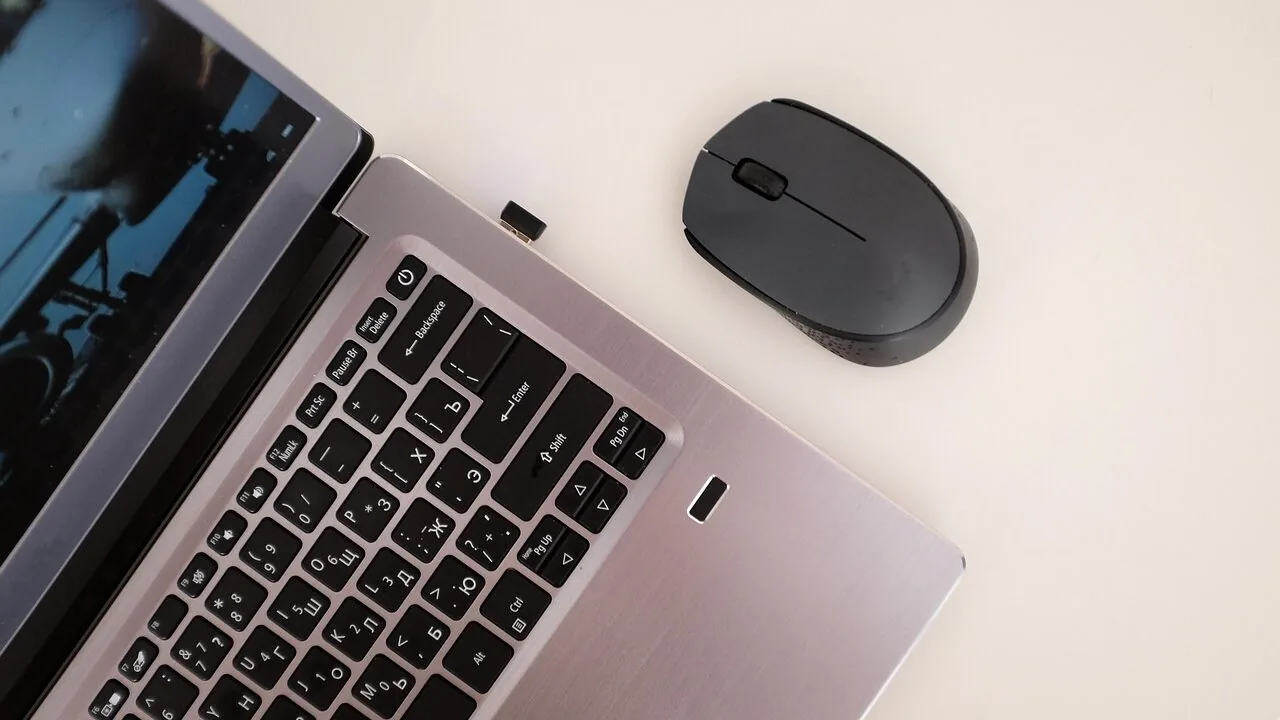
A good portable monitor can transform how you work, game, and create on the go.
Whether you need a second screen for a cramped hotel room, a dedicated display for your Nintendo Switch, or a lightweight productivity panel that slips into your laptop bag, the portable monitor market has matured rapidly, and quality options now exist at every price point well under the premium tier.
The challenge is sorting through a crowded field of similarly specced 15.6-inch IPS panels to find the ones that actually deliver on build quality, color accuracy, and reliable connectivity without hidden compromises.
Pairing a portable display with a capable laptop for programming or plugging into a compact mini PC at a desk makes dual-screen productivity genuinely accessible anywhere.
Our team at REMOVU researched and evaluated every model below using a rigorous synthesis of published specifications, expert review consensus across multiple credible sources, and verified buyer feedback from confirmed purchasers.
We weigh display quality, ergonomic flexibility, connectivity options, portability, and value to produce a single REMOVU Score for each product, so you can compare candidates at a glance.
Scroll down to see our ranked picks for the best portable monitors under $200 right now.
| Award | Product | REMOVU Score About REMOVU ScoreThe REMOVU Score is our own rating from 0 to 10, based on performance, design and build, ease of use, and value. It reflects independent research and is never influenced by manufacturers, retailers, or affiliate commissions. Learn more › | Price | |
|---|---|---|---|---|
| Best Overall |
 ARZOPA A1 15.6" Portable Monitor FHD
|
8.3/10 | Buy | |
| Best Value |
 MSI PRO MP165 E6 15.6" Portable Monitor
|
8.1/10 | Buy | |
 KYY 15.6" 1080P Portable Monitor with USB-C
|
7.8/10 | Buy | ||
| Best Budget |
 InnoView 15.6" FHD Portable Monitor
|
7.6/10 | Buy | |
| Best Premium |
 Cocopar 15.6-Inch Portable Monitor 1080P
|
7.5/10 | Buy | |
 AOC 16T20 15.6" Portable Monitor with USB-C
|
7.4/10 | Buy | ||
 UPERFECT 15.6" Portable Monitor 1080P IPS
|
7.2/10 | Buy | ||
 Anyuse PM-156P1 15.6-Inch Portable Monitor
|
6.2/10 | Buy | ||
 VILVA 15.6" 1080P Portable Monitor
|
6.2/10 | Buy |
ARZOPA A1 15.6" Portable Monitor FHD
A lightweight 15.6-inch portable display that doubles your screen real estate for work or gaming without the bulk. The 1.6-pound design and built-in kickstand make it genuinely travel-friendly, while plug-and-play connectivity across laptops, phones, and consoles eliminates setup friction. Best suited for professionals who travel frequently or gamers wanting a second screen on the go.
Pros
- Ultra-portable at 1.6 pounds with 0.35-inch thickness, fitting easily into bags
- Wide 178-degree IPS viewing angle ensures color accuracy from different positions
- Dual USB-C ports on each side provide flexible connection options and better cable management
- Works with multiple devices including laptops, Macs, phones, PS5, and Xbox without driver installation
- Built-in adjustable kickstand eliminates need for separate stand
Cons
- 60Hz refresh rate limits appeal for competitive gaming compared to higher-end portable monitors
- 1080p resolution is standard for 15.6-inch size but offers less screen real estate than larger alternatives
- No audio output mentioned in specifications, requiring external speakers or headphones
MSI PRO MP165 E6 15.6" Portable Monitor
A lightweight 15.6-inch Full HD portable display weighing just 0.78kg, designed for professionals and travelers needing a second screen on the move. Single USB Type-C connection handles both power and video, while the foldable stand and tripod mount provide flexible positioning for work, gaming, or presentations across laptops, phones, and consoles.
Pros
- Ultra-portable at 0.78kg with 1.38cm slim profile, fits easily into laptop bags
- Single USB Type-C cable delivers power and DisplayPort signal simultaneously, eliminating cable clutter
- IPS panel with 178-degree viewing angles provides consistent color and brightness from multiple perspectives
- TUV-certified Low Blue Light and Flicker-Free technology reduces eye strain during extended use
- 1/4-inch tripod mount and VESA compatibility offer flexible setup options for travel, desk, or fixed installations
Cons
- 60Hz refresh rate limits responsiveness for fast-paced gaming compared to higher-refresh portable monitors
- Built-in speakers are functional but modest in output, likely requiring external audio for presentations or immersive content
- No USB hub or additional ports beyond video input, so connectivity is limited to display signal and power only
KYY 15.6" 1080P Portable Monitor with USB-C
A lightweight 1.7-pound portable display with 1080P IPS panel and dual connectivity options (USB-C and Mini-HDMI) designed for laptop and smartphone users on the move. The included smart cover serves double duty as a protective case and viewing stand, while built-in speakers handle audio without requiring separate equipment. Best suited for professionals and travelers seeking a secondary display without the bulk.
Pros
- Ultra-slim 0.3-inch profile and light weight make it genuinely portable for travel or daily commuting
- Dual USB-C ports support one-cable connection for video and power simultaneously on compatible devices
- IPS panel with 178-degree viewing angle and HDR support delivers clear visuals for work and entertainment
- Built-in dual stereo speakers eliminate the need for external audio on the go
- Smart cover with magnetic attachment and adjustable grooves provides both protection and flexible viewing angles
Cons
- No built-in battery means constant connection to power source required, limiting true portability
- USB-C cable must be USB 3.1 version with video output capability, otherwise connection fails; non-standard cable incompatibility creates setup friction
- Phones and laptops without full-featured Type-C ports need additional adapters (Lightning to HDMI, USB-C to USB-A), adding cost and complexity
InnoView 15.6" FHD Portable Monitor
A budget-friendly portable display designed for laptop users, remote workers, and travelers who need extra screen real estate without breaking the bank. The 15.6-inch 1080p panel connects via USB-C or HDMI and includes a protective cover that doubles as a stand, making it genuinely portable. Best suited for productivity tasks and casual use rather than color-critical work or competitive gaming.
Pros
- Plug-and-play connectivity with USB-C and HDMI ports, no drivers required
- Includes durable PU leather protective case that functions as an adjustable stand
- IPS panel with 178-degree viewing angles and HDR support for decent color accuracy
- Lightweight 15.6-inch form factor practical for travel and remote work
- Strong 4.4-star rating from 6,000+ verified buyers
- 18-month warranty and 30-day return policy
Cons
- Power adapter not included in package, requires 15W minimum adapter for stable operation
- 60Hz refresh rate limits gaming smoothness compared to higher-end portable monitors
- 80% sRGB color gamut means less accurate colors than professional-grade displays
- Some users report flickering or restart issues if power delivery is insufficient
Cocopar 15.6-Inch Portable Monitor 1080P
A lightweight 15.6-inch portable display designed for laptop users and remote workers who need a secondary screen on the go. Connects via single USB-C cable with power pass-through, includes built-in speaker, and comes with a protective stand case. Best suited for those with USB-C or HDMI-equipped devices seeking mobility without sacrificing screen real estate.
Pros
- Ultra-portable at 1.5 lbs without case, just 4mm thin at thinnest point, ideal for travel and remote work setups
- Plug-and-play USB-C connectivity with single-cable power and video delivery (Thunderbolt 3/4/5 or USB 3.1 DP Alt-Mode required)
- 1080P FHD resolution with 85% sRGB color gamut, 178-degree viewing angle, and HDR support for decent color accuracy
- VESA mountable with landscape and portrait orientation options for flexible workspace configurations
- Dual USB-C ports plus HDMI input for broad device compatibility across laptops, consoles, and select phones
Cons
- USB-C video support limited to specific devices: requires Thunderbolt 3/4/5 ports or compatible DP Alt-Mode, and only certain Samsung phones work natively without adapters
- 60Hz refresh rate and 1080P resolution modest for gaming or high-demand creative work compared to larger desktop monitors
- Requires original USB-C cable and power adapter for proper function; third-party cables may not support video output, and some devices need additional adapters (mini-DP to HDMI, Lightning adapter)
AOC 16T20 15.6" Portable Monitor with USB-C
This 15.6-inch portable display brings Full HD clarity to your laptop setup without the bulk. Powered entirely through USB-C and backed by an IPS panel with wide viewing angles, it's built for remote workers and travelers who need a second screen that actually fits in a backpack. The included smart cover doubles as a stand, making setup genuinely frictionless.
Pros
- USB-C powered and data connection simplifies cable management to a single port
- IPS panel maintains color accuracy and brightness across 170-degree viewing angles
- Lightweight design with protective smart cover makes it genuinely portable
- Plug-and-play setup works across Windows, Mac, and gaming consoles without drivers
- Sharp 1920x1080 resolution handles spreadsheets and video calls clearly
Cons
- 60Hz refresh rate limits performance for gaming or fast-motion content
- Built-in speakers are present but unlikely to match external audio quality
- Mini HDMI port requires an adapter if your device lacks USB-C video support
UPERFECT 15.6" Portable Monitor 1080P IPS
A lightweight 15.6-inch portable display with 1920x1080 IPS resolution and eye care technology, designed for professionals and travelers who need a secondary screen. Connects via USB-C or HDMI and includes a protective leather case, though it requires external power for optimal performance.
Pros
- Compact and portable at 2 pounds with protective PU leather case for travel
- Multiple connectivity options including USB-C, HDMI, and OTG for laptops, phones, and gaming consoles
- IPS panel with 178-degree viewing angles and flicker-free backlighting with blue light filter to reduce eye strain
- Dual stereo speakers with 360-degree sound for multimedia use
- VESA mountable design for flexible desk or wall installation
Cons
- Requires external power source connection for optimal performance rather than USB-C power alone
- 1080P resolution is standard for its size, not premium compared to higher-end portable monitors
- No touchscreen capability, limiting interactivity compared to some competitors
Anyuse PM-156P1 15.6-Inch Portable Monitor
A compact 1080p display designed for remote work and gaming on the move. Dual USB-C and mini HDMI connectivity cover most laptops, consoles, and phones, though power delivery and display output depend on your device's specific capabilities. Best suited for travelers and professionals who need a secondary screen without bulk.
Pros
- Multiple connectivity options (2x USB Type-C, 1x mini HDMI) reduce cable hassle
- 1920x1080 resolution delivers sharp text and video for productivity tasks
- Slim, portable form factor fits easily into laptop bags
- Wide 178-degree viewing angles minimize color shift when sharing the screen
- Solid 4.4-star rating from over 1,300 verified buyers
Cons
- Requires devices with Thunderbolt 3.0/4.0 or USB 3.1 DP Alt-Mode support; not all laptops or phones will work
- 60Hz refresh rate and no specified response time limit appeal for productivity over gaming
- Mini HDMI port may require an additional adapter depending on your source device
VILVA 15.6" 1080P Portable Monitor
This 15.6-inch portable monitor delivers sharp 1080p visuals on an IPS panel, making it practical for extending your workspace across laptops, tablets, and gaming consoles. Built-in speakers and dual connectivity options via USB-C and HDMI provide flexibility, while the magnetic cover doubles as a stand. The metal construction feels solid, though it's positioned as a budget-friendly option rather than a premium display.
Pros
- Wide device compatibility: works with laptops, PCs, Macs, phones, Xbox, PlayStation, and Nintendo Switch
- Dual connectivity with USB-C and HDMI ports for flexible setup options
- Magnetic leather cover serves as both protection and functional stand
- Built-in dual stereo speakers eliminate need for external audio
- Sharp 1920x1080 IPS display with good color consistency based on 4.4-star rating from 2,800+ reviews
Cons
- 1080p resolution is standard for this size; no higher refresh rates or 4K option mentioned
- Relies on external power source, adding cable management complexity to portable setup
- No specifications provided for brightness, contrast ratio, or color gamut details
Portable Monitors Under $200 Buying Guide
Choosing a portable monitor involves more trade-offs than it might first appear. Screen size, panel technology, connectivity, and build all interact in ways that can make or break your daily experience.
The guidance below covers every dimension worth understanding before you buy, whether you are a remote worker, a mobile gamer, or a creative professional who needs accurate color on the road.
Panel Type and Display Quality

Nearly every portable monitor in this price range uses an IPS (In-Plane Switching) panel, and that is largely a good thing.
IPS technology delivers wide viewing angles, consistent color reproduction, and accurate grayscale performance that competing panel types like TN cannot match at this tier.
What separates average IPS panels from better ones is color gamut coverage, typically expressed as a percentage of the sRGB color space.
Panels hitting 85 percent or more of sRGB reproduce skin tones and gradients naturally enough for creative work; anything below 72 percent can look washed out for anything beyond document editing.
Brightness is the other key display variable. At minimum, look for a rated brightness of 250 nits for comfortable indoor use.
If you intend to use the monitor near a window or in a moderately lit environment, 300 nits or above will make a noticeable difference.
Eye-care certifications, including flicker-free backlights and low-blue-light modes, matter for extended sessions, and several of our picks explicitly carry these features.
HDR support appears on a handful of models at this price, but treat it as a bonus rather than a deciding factor since the panel brightness ceiling limits real HDR impact.
Resolution at 15.6 inches is nearly standardized at 1920×1080 (Full HD) across this category. That pixel density sits comfortably at around 141 PPI, which is sharp enough for productivity and casual gaming.
If you want a higher-resolution portable panel, expect to move well above the $200 ceiling, so FHD is the practical sweet spot here.
Connectivity: USB-C, HDMI, and Power Delivery

Connectivity is arguably the most important practical specification on a portable monitor because it determines which devices you can actually use it with and whether you need to carry extra cables or adapters.
Every model on our list includes at minimum one USB-C port and one Mini HDMI or full-size HDMI port, giving you two connection pathways.
USB-C is by far the more convenient option when it works: a single cable can carry video signal, audio, and power simultaneously if the source device supports USB-C DisplayPort Alternate Mode (DP Alt Mode).
Most modern laptops, including recent MacBooks, Dell XPS models, and a wide range of Android smartphones, support DP Alt Mode.
Pay attention to whether the monitor can draw power from the USB-C connection or whether it still requires a dedicated power adapter.
Monitors that are fully bus-powered over a single USB-C cable are meaningfully more portable because they eliminate one cable and one power brick from your bag.
Some monitors in this range include a second USB-C port specifically for pass-through charging, which lets you top up your laptop while the monitor is connected. That detail is small in the spec sheet but valuable in practice.
Gaming console users should verify HDMI compatibility carefully.
Most of these monitors support HDMI input and output at up to 60Hz at 1080p, which is sufficient for PS5 and Xbox Series consoles running games without 4K output enabled, as well as for the Nintendo Switch in docked mode.
The gaming laptops for esports category also benefits from a secondary portable display when you need a utility screen for comms or streaming software off to the side.
Refresh Rate and Responsiveness
The overwhelming majority of portable monitors in this segment operate at 60Hz. That refresh rate is perfectly adequate for productivity work, video playback, web browsing, and casual gaming.
If you plan to use a portable monitor primarily for competitive gaming, a 60Hz portable panel will feel noticeably less fluid than a dedicated gaming monitor running at 144Hz or above, so align your expectations accordingly.
Response time is the other gaming-relevant spec, though manufacturers of portable displays are not always forthcoming with accurate GTG (gray-to-gray) response figures.
In practice, IPS panels at this price tier exhibit mild ghosting during fast-motion scenes, which is more noticeable in fast-paced first-person shooters than in slower genres like RPGs or strategy games.
If competitive gaming is your primary use case, a portable monitor is a secondary companion screen, not a replacement for a proper high-refresh-rate desk setup.
Ergonomics: Stand Design and Mounting Options

How a portable monitor stands up (literally) has a larger impact on day-to-day usability than most buyers anticipate.
There are two main stand mechanisms in this price range: integrated kickstands built into a protective cover/case, and freestanding metal kickstands attached to the monitor chassis.
Cover-style stands offer a familiar folio feel and protect the screen in transit, but they typically offer only one or two fixed viewing angle positions.
Dedicated kickstands, like the one on the ARZOPA A1, allow stepless tilt adjustment and tend to feel more stable on uneven surfaces like beds or airplane tray tables.
VESA mounting compatibility is a bonus feature worth checking if you plan to use the monitor at a fixed desk.
Several models include standard 75x75mm VESA holes, which let you attach the panel to a monitor arm for proper ergonomic height positioning, effectively turning your portable into a permanent secondary display.
VESA support also pairs well with a docking station setup where you want a clean, cable-managed workspace.
The MSI Pro MP165 E6 goes a step further with tripod mount support, a useful feature for photographers, content creators, or anyone who needs a flexible shooting reference monitor.
Portability: Weight, Thickness, and the Protective Case

True portability demands thin profiles and light weight.
The best portable monitors in this range weigh roughly 700 grams to just over 1 kilogram for the panel alone, which means adding them to a laptop bag rarely pushes total carry weight into uncomfortable territory.
Thickness of around 7 to 9mm for the panel body is the current norm; noticeably thicker units are usually carrying heavier internal speaker hardware.
The AOC 16T20 is a strong example of a brand-name manufacturer prioritizing ultra-slim construction without sacrificing build quality.
Most models at this price come with a protective case or cover that doubles as the stand. Evaluate the case quality honestly: a flimsy cover that wobbles and scratches easily negates part of the value proposition.
High-quality EVA or PU leather cases with magnetic closures are meaningfully better than thin plastic folios. If the monitor ships without a case, budget mentally for the added risk of screen damage in a packed bag.
Audio and Additional Features

Built-in speakers appear on most portable monitors in this range, and their quality is almost universally modest: thin, forward-facing drivers that produce audible but not full-sounding audio. For quick video calls or reference audio while working, they are serviceable.
For serious media consumption or gaming audio, you will want a pair of wireless earbuds or over-ear headphones instead.
A 3.5mm headphone jack passthrough is a more practically valuable audio feature than the speakers themselves, as it routes clean audio from the connected device through the monitor to your headphones without needing a separate dongle.
A few models at the budget end of the range make trade-offs on speaker quality or OSD (On-Screen Display) menu design.
OSD matters more than it sounds: a well-organized OSD lets you adjust brightness, color temperature, and input source quickly, while a poorly implemented one requires cycling through confusing button sequences just to change basic settings.
Look for monitors with at least three physical buttons or a dedicated OSD joystick for the best navigation experience.
Eye-care modes and blue-light filters accessed through the OSD are worth activating for long work sessions, and they pair well with good monitor ergonomics practices overall.
Why You Should Trust Us
REMOVU is an independent review publication with no manufacturer relationships that influence our coverage.
Every product in this guide was scored using our REMOVU Score methodology, a consistent 0 to 10 scale that weighs display quality, connectivity, build, ergonomics, and value against each other with category-specific weighting.
We do not conduct our own product trials; our evaluations are grounded in research, published data, expert review consensus, and verified buyer feedback.
Our process involves cross-referencing published specifications from manufacturers, analyzing the consensus across credible technology publications and professional reviewers, and synthesizing verified purchase feedback from real buyers who have used these products over time.
Where expert reviewers agree on a strength or weakness, we weight that signal heavily. Where buyer feedback diverges from marketing claims, we flag the discrepancy in our scoring.
The result is a ranking that reflects real-world ownership experience rather than a single reviewer’s first impression.
REMOVU earns revenue through affiliate commissions when readers purchase products through links on this site. That relationship does not influence which products we recommend, how we rank them, or what REMOVU Score they receive.
Our editorial decisions are made independently, and commission rates play no role in determining our picks or our rankings.
Final Thoughts
The portable monitor category under $200 is genuinely competitive right now, with options ranging from ultra-budget panels to well-built displays from established brands. Here are our key picks by use case, each tied to its REMOVU Score performance in our research:
- Best Overall: ARZOPA Portable Monitor 15.6″ A1, our top-scoring pick thanks to its combination of a polished ultra-slim design, dependable IPS display quality, an integrated kickstand that works on uneven surfaces, and USB-C plus HDMI dual connectivity, earning it the highest REMOVU Score in this group.
- Best from an Established Brand: MSI Pro MP165 E6, a premium-feel option with a full metal build, ultra-light chassis, and tripod mount support that sets it apart from purely plastic competitors, backed by a very strong REMOVU Score for buyers who want brand assurance and build longevity.
- Best for Value-Conscious Buyers: KYY Portable Monitor 15.6″, which earns a high REMOVU Score relative to its accessible price, delivering solid IPS color performance, dual connectivity, and a useful protective cover at a mid-range price that undercuts many competitors without obvious sacrifices.
- Best for Plug-and-Play Simplicity: InnoView Portable Monitor 15.6″, a straightforward, reliable option that prioritizes easy setup over feature complexity, with a REMOVU Score that reflects strong verified buyer satisfaction for users who just want it to work without fuss.
- Best Budget Entry Point: cocopar Portable Monitor 15.6″, which delivers 85% sRGB coverage and VESA mount compatibility at a wallet-friendly price, making it the sensible starter choice for buyers who want a known quantity without stretching their budget.
Whichever model you choose, a portable monitor is one of the most impactful accessories you can add to a mobile workflow. If your needs extend beyond a secondary screen and into a full desk upgrade, our all-in-one computer guide covers self-contained desktop options worth considering.
Frequently Asked Questions
Do Portable Monitors Need Their Own Power Supply?
It depends on the model and the connection type. Many portable monitors can draw all the power they need through a single USB-C cable connected to a laptop that outputs sufficient wattage, typically 5W to 10W.
Some monitors also accept power from a USB-C wall adapter or power bank. If you connect via HDMI instead of USB-C, you will usually need a separate USB power cable or adapter.
Always check the product listing for bus-powered versus externally powered operation before assuming a cable-only setup will work.
Will a Portable Monitor Work with a Nintendo Switch, PS5, or Xbox?
Yes, with the right cable. For PS5 and Xbox Series consoles, connect via HDMI and set console output to 1080p at 60Hz to match the monitor’s native resolution and refresh rate.
The Nintendo Switch in docked mode also connects over HDMI.
The Switch in handheld mode can connect to USB-C portable monitors via a USB-C to USB-C cable if the monitor supports DP Alt Mode input on that port, though compatibility varies by monitor model.
Always verify the monitor’s USB-C input specifications before assuming it will accept a Switch’s USB-C video output.
Can I Use a Portable Monitor with a Smartphone?
Many modern Android smartphones that support USB-C DisplayPort or Samsung DeX can output video to a portable monitor over a USB-C cable, effectively turning the phone into a desktop-style PC. iPhone users with USB-C models (iPhone 15 and later) can also connect to USB-C monitors, though app support for the desktop-style layout varies.
For older iPhones with Lightning ports, you will need an Apple Lightning Digital AV Adapter and an HDMI cable.
The experience varies significantly by phone model and the apps you intend to use, so verify your specific phone’s video output capabilities before purchasing a monitor primarily for this use case.
How Does a Portable Monitor Differ from a Projector?
A portable monitor delivers a fixed, bright, high-contrast image in all lighting conditions and is ideal for close-range personal productivity or gaming.
A portable projector creates a much larger image but requires low ambient light for best results and has lower effective brightness than a direct-view display.
If you need a large shared screen for presentations or movie nights, a portable projector may be the better tool. For personal dual-screen workflows, gaming, or professional color reference, a portable monitor wins on accuracy, convenience, and response time.
Is a 15.6-Inch Portable Monitor the Right Size?
For most buyers, yes. The 15.6-inch form factor has become the dominant standard in portable monitors because it closely mirrors the screen size of popular laptops, meaning content at 1080p looks natural and familiar without requiring font scaling adjustments.
It is large enough to comfortably display two side-by-side application windows on a 1080p canvas and small enough to fit in a standard 15-inch or 16-inch laptop sleeve.
Smaller 13-inch options exist for travelers who prioritize minimal weight above all else, while 17-inch models offer more screen real estate at the cost of added bulk.
Most users traveling with a 15-inch or 16-inch laptop will find the 15.6-inch format fits their bag and their workflow naturally.
You can also browse our broader monitors and peripherals coverage to see how portable displays fit into a larger setup.
What Accessories Should I Buy Alongside a Portable Monitor?
A high-quality USB-C cable rated for video output (look for USB 3.1 Gen 1 or higher, explicitly listed as supporting DP Alt Mode) is the single most important accessory if your monitor does not include one.
A compact USB-C power bank can extend your setup’s independence from wall outlets significantly. A wireless mouse rounds out a true portable workstation and keeps cable clutter minimal.
If the monitor you choose does not include a protective case, a neoprene sleeve cut for 15.6-inch panels is an inexpensive safeguard against screen scratches in a packed bag.
Finally, a compact mechanical keyboard can complete a truly ergonomic travel desk when paired with your portable monitor and laptop stand.
About the author
Gordon is REMOVU's printer and scanner writer, comparing print quality, running costs, and value for home and office. He helps readers weigh ink against laser over the long haul.