The 8 Best Portable Monitors
Portable monitors have gotten impressively good. We researched the top options across price tiers to help you find the right second screen for work, gaming, or travel.
 By Salvador Wright
Updated July 26, 2026
By Salvador Wright
Updated July 26, 2026

A good portable monitor can transform how you work, game, or create on the go.
Whether you need a second screen for a cramped hotel desk, a productivity companion for your lightweight laptop, or a plug-and-play display for a console session away from home, the right panel makes a genuine difference in how much you can get done anywhere.
The category has expanded rapidly, with options ranging from budget-friendly IPS panels to slim premium displays from established brands like ASUS, Lenovo, MSI, and Acer.
To help you cut through the noise, REMOVU’s editorial team synthesized manufacturer specifications, expert review consensus from across the industry, and verified buyer feedback to score each model on our 0 to 10 REMOVU Score.
Every pick in this guide was selected for a real use case, not just spec-sheet appeal. Read on to see which portable monitors earned a place on our list and which one fits your workflow best.
| Award | Product | REMOVU Score About REMOVU ScoreThe REMOVU Score is our own rating from 0 to 10, based on performance, design and build, ease of use, and value. It reflects independent research and is never influenced by manufacturers, retailers, or affiliate commissions. Learn more › | Price | |
|---|---|---|---|---|
| Best Premium |
 ASUS ZenScreen MB16ACE 15.6" Portable USB Monitor
|
7.8/10 | Buy | |
| Best Overall |
 MSI PRO MP165 E6 15.6" Portable Monitor
|
8.1/10 | Buy | |
 Lenovo ThinkVision M15 15.6" Portable Monitor
|
7.6/10 | Buy | ||
 Acer PM191Q 18.5" Portable Monitor
|
7.3/10 | Buy | ||
| Best Value |
 Cocopar 15.6-Inch Portable Monitor 1080P
|
7.5/10 | Buy | |
 VisionOwl 18.5-inch Portable Monitor, 100Hz IPS
|
6.8/10 | Buy | ||
 InnoView 15.6" FHD Portable Monitor
|
7.6/10 | Buy | ||
| Best Budget |
 KYY 15.6" 1080P Portable Monitor with USB-C
|
7.8/10 | Buy |
ASUS ZenScreen MB16ACE 15.6" Portable USB Monitor
A lightweight 15.6-inch portable display that connects via single USB cable, making it practical for remote workers and frequent travelers. The hybrid USB Type-C and Type-A support means broad laptop compatibility, while the foldable smart case doubles as a stand for flexible setup in portrait or landscape mode.
Pros
- Single USB connection handles both power and video transmission, eliminating cable clutter
- Weighs just 0.71kg with 8mm ultra-slim profile, genuinely pocketable for travel
- IPS panel with 1920x1080 resolution delivers solid color accuracy and wide viewing angles
- Auto-rotation feature and foldable case adapt to portrait or landscape work instantly
- ASUS Eye Care certification (flicker-free, low blue light) reduces eye strain on extended use
Cons
- Requires driver installation for USB Type-A compatibility, adding setup friction for some users
- 15.6-inch size is modest for detailed design or spreadsheet work compared to larger external monitors
- No built-in speakers, so audio still depends on laptop or external headphones
MSI PRO MP165 E6 15.6" Portable Monitor
A lightweight 15.6-inch Full HD portable display weighing just 0.78kg, designed for professionals and travelers needing a second screen on the move. Single USB Type-C connection handles both power and video, while the foldable stand and tripod mount provide flexible positioning for work, gaming, or presentations across laptops, phones, and consoles.
Pros
- Ultra-portable at 0.78kg with 1.38cm slim profile, fits easily into laptop bags
- Single USB Type-C cable delivers power and DisplayPort signal simultaneously, eliminating cable clutter
- IPS panel with 178-degree viewing angles provides consistent color and brightness from multiple perspectives
- TUV-certified Low Blue Light and Flicker-Free technology reduces eye strain during extended use
- 1/4-inch tripod mount and VESA compatibility offer flexible setup options for travel, desk, or fixed installations
Cons
- 60Hz refresh rate limits responsiveness for fast-paced gaming compared to higher-refresh portable monitors
- Built-in speakers are functional but modest in output, likely requiring external audio for presentations or immersive content
- No USB hub or additional ports beyond video input, so connectivity is limited to display signal and power only
Lenovo ThinkVision M15 15.6" Portable Monitor
A compact 15.6-inch FHD display designed for remote workers and mobile professionals who need extra screen real estate on the go. Connects via USB-C with dual-port flexibility and adjustable viewing angles, making it practical for hot-desking and client presentations.
Pros
- Dual USB-C ports support simultaneous power delivery and video, enabling single-adapter charging for both monitor and laptop
- Ambidextrous design with ports on both sides accommodates left and right-handed users equally
- Tilt range from 0 to 90 degrees with adjustable height foot provides ergonomic positioning options
- Includes protective sleeve for travel durability
- Strong user rating of 4.6 stars from 161 reviews indicates reliable performance
Cons
- Categorized under Webcams & VoIP Equipment rather than standard monitors, suggesting limited product classification clarity
- No mention of brightness, color accuracy, or refresh rate specifications for critical visual work
- Requires USB-C connection which may need adapters for older laptops or non-USB-C devices
Acer PM191Q 18.5" Portable Monitor
Acer's PM191Q is a lightweight portable display built for professionals and students who need a secondary screen on the move. At 2.49 lbs with a 0.54" profile, it fits easily into laptop bags while delivering Full HD clarity through an IPS panel. Single USB-C cable powers and displays simultaneously, though you'll want to verify compatibility with your specific devices.
Pros
- Extremely portable: weighs under 2.5 lbs and measures just 0.54 inches thin
- Single USB-C power and data solution eliminates cable clutter for supported devices
- 100Hz refresh rate with Adaptive-Sync (FreeSync) reduces motion blur and tearing
- Full HD 1920x1080 IPS display with wide viewing angles and accurate color reproduction
- Dual connectivity: USB-C and HDMI 1.4 ports for flexible device pairing
Cons
- USB-C power delivery limited to 15W, may require additional adapter for some laptops
- 18.5-inch size is relatively small for extended work sessions as primary monitor
- No built-in battery; requires continuous cable connection to function
Cocopar 15.6-Inch Portable Monitor 1080P
A lightweight 15.6-inch portable display designed for laptop users and remote workers who need a secondary screen on the go. Connects via single USB-C cable with power pass-through, includes built-in speaker, and comes with a protective stand case. Best suited for those with USB-C or HDMI-equipped devices seeking mobility without sacrificing screen real estate.
Pros
- Ultra-portable at 1.5 lbs without case, just 4mm thin at thinnest point, ideal for travel and remote work setups
- Plug-and-play USB-C connectivity with single-cable power and video delivery (Thunderbolt 3/4/5 or USB 3.1 DP Alt-Mode required)
- 1080P FHD resolution with 85% sRGB color gamut, 178-degree viewing angle, and HDR support for decent color accuracy
- VESA mountable with landscape and portrait orientation options for flexible workspace configurations
- Dual USB-C ports plus HDMI input for broad device compatibility across laptops, consoles, and select phones
Cons
- USB-C video support limited to specific devices: requires Thunderbolt 3/4/5 ports or compatible DP Alt-Mode, and only certain Samsung phones work natively without adapters
- 60Hz refresh rate and 1080P resolution modest for gaming or high-demand creative work compared to larger desktop monitors
- Requires original USB-C cable and power adapter for proper function; third-party cables may not support video output, and some devices need additional adapters (mini-DP to HDMI, Lightning adapter)
VisionOwl 18.5-inch Portable Monitor, 100Hz IPS
A lightweight 18.5-inch travel monitor with 1080p IPS display and 100Hz refresh rate, designed for MacBooks, laptops, and gaming consoles. Dual USB-C and HDMI connectivity offer flexibility, though connection compatibility depends on your device's specific ports and capabilities.
Pros
- Compact and portable at 2.7 lbs with thin profile, ideal for travelers and remote workers
- 100Hz refresh rate with 125% sRGB color accuracy suits both productivity and light gaming
- Multiple connectivity options: two USB-C ports and HDMI port work with MacBooks, PCs, PS5, and Xbox
- Built-in kickstand and VESA mounting support provide display flexibility
- Metal construction and integrated stand offer durability
Cons
- USB-C connectivity requires Thunderbolt 3/4/5 or full-featured USB-C port; standard charging cables won't work for video
- Limited smartphone compatibility, only select Samsung models work via USB-C cable, others need HDMI adapter
- No verified buyer reviews available to assess real-world reliability and long-term performance
InnoView 15.6" FHD Portable Monitor
A budget-friendly portable display designed for laptop users, remote workers, and travelers who need extra screen real estate without breaking the bank. The 15.6-inch 1080p panel connects via USB-C or HDMI and includes a protective cover that doubles as a stand, making it genuinely portable. Best suited for productivity tasks and casual use rather than color-critical work or competitive gaming.
Pros
- Plug-and-play connectivity with USB-C and HDMI ports, no drivers required
- Includes durable PU leather protective case that functions as an adjustable stand
- IPS panel with 178-degree viewing angles and HDR support for decent color accuracy
- Lightweight 15.6-inch form factor practical for travel and remote work
- Strong 4.4-star rating from 6,000+ verified buyers
- 18-month warranty and 30-day return policy
Cons
- Power adapter not included in package, requires 15W minimum adapter for stable operation
- 60Hz refresh rate limits gaming smoothness compared to higher-end portable monitors
- 80% sRGB color gamut means less accurate colors than professional-grade displays
- Some users report flickering or restart issues if power delivery is insufficient
KYY 15.6" 1080P Portable Monitor with USB-C
A lightweight 1.7-pound portable display with 1080P IPS panel and dual connectivity options (USB-C and Mini-HDMI) designed for laptop and smartphone users on the move. The included smart cover serves double duty as a protective case and viewing stand, while built-in speakers handle audio without requiring separate equipment. Best suited for professionals and travelers seeking a secondary display without the bulk.
Pros
- Ultra-slim 0.3-inch profile and light weight make it genuinely portable for travel or daily commuting
- Dual USB-C ports support one-cable connection for video and power simultaneously on compatible devices
- IPS panel with 178-degree viewing angle and HDR support delivers clear visuals for work and entertainment
- Built-in dual stereo speakers eliminate the need for external audio on the go
- Smart cover with magnetic attachment and adjustable grooves provides both protection and flexible viewing angles
Cons
- No built-in battery means constant connection to power source required, limiting true portability
- USB-C cable must be USB 3.1 version with video output capability, otherwise connection fails; non-standard cable incompatibility creates setup friction
- Phones and laptops without full-featured Type-C ports need additional adapters (Lightning to HDMI, USB-C to USB-A), adding cost and complexity
Portable Monitors Buying Guide
Choosing a portable monitor is more nuanced than simply picking the largest or cheapest screen available. The best choice depends on how you plan to use it, where you will carry it, and what devices you need to connect.
The sections below break down the criteria that matter most so you can make a confident, informed decision.
Panel Type and Display Quality

Nearly all portable monitors in this price range use IPS (In-Plane Switching) technology, and for good reason.
IPS panels deliver wide viewing angles and accurate color reproduction, both of which matter when you are sharing a screen with a colleague or color-grading photos on the road.
Look for a panel that covers at least 72 percent of the NTSC color gamut, or ideally 85 percent sRGB and above, if color accuracy is a priority for your work.
Anti-glare coatings are also worth noting. A matte surface reduces reflections in bright environments like airports or outdoor cafes, while glossy panels can look more vivid in controlled lighting.
If you frequently work in varied lighting conditions, a matte IPS panel is the more practical choice.
Most of the picks in this guide ship with a cover that doubles as a stand, so the included accessory quality is worth factoring in too.
Resolution and Screen Size

Full HD (1920 x 1080) at 15.6 inches is the clear sweet spot for portability and pixel density. At that size, 1080p looks sharp for everyday productivity, spreadsheets, and video calls without demanding much from your laptop’s GPU.
If you step up to 18.5 inches, as with the Acer PM191Q and the VisionOwl model in this list, a 1080p panel starts to look noticeably softer up close, so factor in typical viewing distance.
Travelers who prioritize sharpness over screen real estate should lean toward 15.6-inch options.
Those who want more workspace for side-by-side windows or spreadsheet work will benefit from the larger 18.5-inch panels, especially when connecting to a stationary power source rather than relying on USB bus power.
Pairing a high-resolution portable display with a capable desktop PC or a well-specced laptop ensures the panel performs at its best.
Refresh Rate and Adaptive Sync
Most portable monitors run at 60 Hz, which is perfectly adequate for productivity, media consumption, and casual gaming.
If you plan to connect a console like a PS5 or Xbox, or play games from a gaming laptop, a higher refresh rate becomes much more valuable.
The Acer PM191Q in this roundup pushes to 100 Hz with FreeSync support, reducing screen tearing without requiring the host device to hit a fixed frame rate.
For pure work use, do not pay a premium for refresh rate. For mixed productivity and gaming use, 100 Hz with adaptive sync is a meaningful upgrade.
If competitive gaming is your primary goal, a portable monitor is unlikely to match a dedicated gaming monitor in refresh rate or response time, so weigh the portability trade-off honestly before buying.
Connectivity and Power Delivery
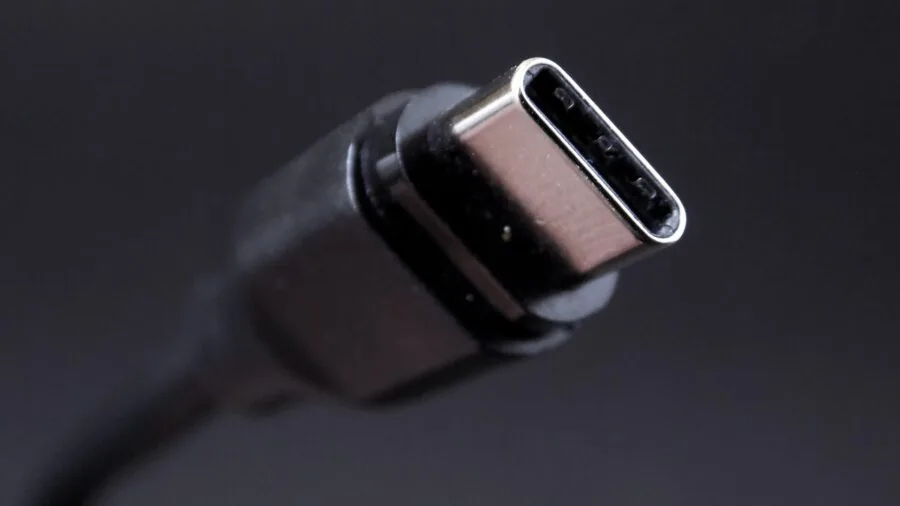
How a portable monitor receives power and video signal is one of the most important practical considerations.
USB-C with full DisplayPort Alt Mode allows a single cable to carry both video and power, which is the cleanest setup for modern MacBooks and USB-C laptops.
HDMI inputs add compatibility with older laptops, desktop PCs, and game consoles, so monitors that include both USB-C and HDMI ports are the most versatile picks.
Bus-powered monitors draw power directly from the connected device over USB-C, which means you carry one fewer cable. The trade-off is that they can drain your laptop battery faster and may require a higher-power USB-C port than some hosts provide.
The ASUS ZenScreen MB16ACE and Lenovo ThinkVision M15 both lean on USB-C bus power and are among the most refined single-cable experiences in the lineup.
If you use a docking station at your desk, verify that it passes DisplayPort Alt Mode to the monitor before purchasing.
Build Quality, Weight, and Portability
A portable monitor that is too heavy or fragile defeats its own purpose.
Premium picks like the MSI Pro MP165 E6 use metal chassis construction to keep weight low while improving rigidity, which matters when the display travels in a bag daily.
Budget options often use plastic frames that are lighter but flex more and feel less durable over time.
The included stand or cover is equally important.
A cover that doubles as a stable kickstand removes the need to carry a separate stand, and the angle range it supports determines how ergonomic your setup can be at a desk or on a train tray table.
Models with VESA mounting holes also give you the option to attach the monitor to a travel tripod. If you travel frequently with camera gear, a monitor with tripod mount support pairs naturally with a solid travel tripod.
Built-in Speakers and Audio

Built-in speakers on portable monitors are rarely impressive, but their presence matters in situations where you have no headphones or external speaker available. Most models in this roundup include stereo speakers, though audio output is typically modest.
The cocopar 15.6-inch and KYY models both include speakers that verified buyers describe as usable for video calls and casual media, though not ideal for music listening.
If audio quality matters for your use case, budget for a compact Bluetooth speaker alongside your portable monitor purchase.
For immersive media or work calls, pairing your display with quality wireless earbuds is a more practical solution than relying on the monitor’s onboard audio. Treat built-in speakers as a convenience feature, not a selling point.
Why You Should Trust Us
REMOVU is an independent editorial publication. We do not sell products, accept free review units as payment, or take direction from manufacturers or retailers.
Every recommendation in this guide is the product of structured research: we evaluate each model against a consistent set of criteria drawn from published specifications, expert review consensus from industry sources, and verified buyer feedback gathered from multiple retail platforms.
We do not conduct our own product trials; our evaluations are grounded in research, published data, expert review consensus, and verified buyer feedback.
Each product is assigned a REMOVU Score on a scale of 0 to 10. That score reflects how well a model performs across the criteria most relevant to its category, weighted to reflect what real-world buyers prioritize.
A higher score means stronger consensus across multiple dimensions of quality, not just a single standout feature. Products are ranked from highest to lowest REMOVU Score in the list above so you can compare at a glance.
REMOVU may earn an affiliate commission if you purchase through a link on this page. That relationship has no influence on our scores, rankings, or product selections.
We include a product because it earned its place on merit; we do not rank products to maximize commissions.
Final Thoughts
The portable monitor market in 2026 offers genuinely strong options at nearly every price tier, from compact budget panels to slim metal-chassis displays that approach desktop monitor quality.
After analyzing specifications, expert review consensus, and verified buyer feedback across all eight models, here are our standout picks by use case.
- Best Overall: MSI Pro MP165 E6 earns the top spot with the highest REMOVU Score in this roundup, combining an ultra-slim metal build, USB-C and HDMI connectivity, built-in speakers, and tripod mount support into one of the most well-rounded portable displays available at a mid-range price.
- Best Premium Pick: ASUS ZenScreen MB16ACE is the choice for users who want a polished, brand-backed experience with USB-C bus power, anti-glare IPS, and a three-year warranty that no budget alternative can match.
- Best Budget Pick: KYY 15.6-inch Portable Monitor delivers a competitive IPS panel with USB-C and HDMI at a budget-friendly price point, making it one of the most accessible ways to add a second screen without breaking the bank.
- Best for Travel Professionals: Lenovo ThinkVision M15 carries Lenovo’s ThinkPad-level reliability reputation into a portable display, with a refined design that suits business travelers pairing it with a ThinkPad or any USB-C laptop.
- Best for Gaming on the Go: Acer PM191Q stands out with its 100 Hz refresh rate and FreeSync support, giving handheld and laptop gamers smoother visuals than any other model in this list when connected to a capable gaming PC or console.
If you are still weighing portable monitors against other screen solutions, our guide to portable projectors covers an alternative for larger-image scenarios. For a permanent home office setup, explore the full monitors category for desktop-grade options that complement a portable second screen.
Frequently Asked Questions
Do I need a special laptop to use a portable monitor?
Not necessarily, but the connection type your laptop supports matters. Most modern laptops with USB-C ports that support DisplayPort Alt Mode can run a portable monitor with a single cable.
Older laptops without USB-C can still connect via HDMI, but will need a separate power source for the monitor. Check your laptop’s USB-C specification before buying a monitor that relies entirely on bus power.
Can portable monitors work with a PS5 or Xbox?
Yes. Most portable monitors in this roundup include an HDMI input that is compatible with PS5 and Xbox consoles. You will need a separate power source for the monitor since consoles do not provide bus power over USB-C.
The MSI Pro MP165 E6, KYY, cocopar, and InnoView models all include HDMI and work well as compact gaming screens.
Keep in mind that 60 Hz panels will cap your frame rate at 60 fps, while the Acer PM191Q’s 100 Hz panel benefits console gamers running 120 fps modes.
For a dedicated home gaming setup, also consider pairing your console with one of the best gaming headsets for PS5 to complete the experience.
How do portable monitors compare to using a projector for travel?
Portable monitors win on image clarity, color accuracy, and ease of setup in any lighting condition.
A projector requires a dark room and a flat surface, and its image quality rarely matches an IPS panel for fine text or productivity work.
Projectors shine when you want a large shared viewing surface, such as for presentations or movie nights. For daily work, coding, or gaming on the road, a portable monitor is almost always the better tool.
Will a portable monitor drain my laptop battery faster?
Bus-powered portable monitors draw power from your laptop over USB-C, which does increase battery drain. The impact varies by monitor, but most 15.6-inch FHD panels consume between 7 and 10 watts at typical brightness, which can reduce your laptop’s runtime noticeably.
If battery life is critical, look for a model that can be powered independently via a USB-C charger or power bank, allowing your laptop to focus its battery on its own workload.
Users pairing a portable monitor with a Chromebook should verify that the device’s USB-C port supports DisplayPort Alt Mode, as not all Chromebook USB-C ports do.
What is the difference between a portable monitor and a laptop screen extender?
The terms are used interchangeably in most product listings. A portable monitor is simply a standalone display that connects to a host device via USB-C or HDMI.
It is not embedded in a laptop but sits beside it as an external screen. Some products are marketed as “screen extenders” to emphasize their use alongside a laptop, but they function identically to any other portable monitor.
The key distinction is from a dedicated desktop monitor, which is larger, heavier, and requires AC power rather than USB bus power.
Is a 15.6-inch portable monitor large enough for productive work?
For most people, yes. A 15.6-inch FHD panel provides enough screen real estate to keep a reference document or communication app open alongside your main laptop display, which covers the most common portable productivity use case.
Writers, developers, analysts, and students consistently report that the second screen changes their workflow significantly even at this size.
If you regularly work with large spreadsheets or need side-by-side windows at comfortable font sizes, the 18.5-inch options in this roundup offer more workspace at the cost of added weight and bulk in your bag.
About the author
Salvador reviews all-in-one desktops for REMOVU, balancing screen quality, quiet performance, and value against the clutter-free appeal of a single unit. He helps family rooms and small offices pick a machine that stays fast for years.