The 12 Best Streaming Lights
Lighting transforms how you look on camera more than any other upgrade. These picks deliver the CRI, color temperature range, and mounting flexibility streamers and remote workers actually need.
 By Bobby Chavez
Updated July 26, 2026
By Bobby Chavez
Updated July 26, 2026
Good lighting is one of the highest-impact upgrades any streamer, podcaster, or remote worker can make. A decent camera paired with poor lighting will always look worse than an average camera lit well, and viewers notice within seconds.
Whether you’re going live on Twitch, recording YouTube tutorials, or sitting through back-to-back video calls, the right streaming light eliminates harsh shadows, corrects unflattering color casts, and gives your feed a polished, professional look that builds audience trust.
The market has exploded with options ranging from budget ring lights to broadcast-grade LED panels, which makes sorting the useful from the gimmicky genuinely difficult.
REMOVU cut through the noise by researching specifications, analyzing expert review consensus across the category, and weighing verified buyer feedback to surface the options that consistently deliver.
We scored every pick on our 0, 10 REMOVU Score, balancing light quality, build, ease of use, and value. Pairing a great light with a capable streaming camera and a reliable microphone takes your setup from passable to genuinely impressive.
The ranked list below reflects our current top picks across every budget and use case.

Logitech Litra Glow Premium LED Streaming Light
A compact, USB-powered LED light designed for streamers and video conferencing that uses TrueSoft technology to deliver balanced, full-spectrum light with accurate skin tones. The frameless diffuser produces soft, flattering illumination without harsh shadows, while the adjustable monitor mount offers flexible positioning. Control brightness, color temperature, and presets via Logitech's free desktop app.
Pros
- TrueSoft technology ensures natural skin tones and cinematic color accuracy on camera
- Frameless diffuser delivers wide, soft light that eliminates harsh shadows
- Versatile 3-way monitor mount with adjustable height, tilt, and rotation
- Adjustable brightness and color temperature settings from warm to cool tones
- Plug-and-play USB design with free G HUB app control and preset saving
- Cleared for all-day streaming use with strict UL safety certifications
Cons
- Requires desktop app for full control, limiting convenience for quick adjustments
- Monitor mount may not suit all desk setups or monitor types
- No information on light output specifications or coverage area provided

Neewer 660 PRO II RGB LED 2-Pack with App Control
A dual-light kit delivering 50W output with 1% minimum dimming, full RGB color range, and smartphone app control up to 49 feet away. Built for content creators, streamers, and video producers who need flexible wireless lighting with dual power options (AC or battery).
Pros
- True 1% minimum brightness with no flicker or color shift, enabling precise dimming for all shooting scenarios
- Full RGB 360-degree color range plus 9 preset scenes (Police Car, Ambulance, Fire Truck, Fireworks, etc.) for creative lighting effects
- Bluetooth app control via smartphone (Android 4.3+, iOS 11.1+) with multi-light sync capability and preset saving
- Dual power flexibility: AC adapter included for studio work, compatible with NP-F550/NP-F970 batteries for on-location shooting
- Sturdy aluminum build with excellent heat dissipation, adjustable tripod stands (92-200cm), and included carrying case for full kit
Cons
- Batteries not included despite wireless capability marketed; separate purchase required for cordless operation
- Battery life limited to 2 hours on wireless power, requiring backup batteries for extended shoots
- No waterproofing, limiting outdoor use in wet conditions

EMART EM-L15 2-Pack LED Video Light Kit with Tripod
A budget-friendly continuous lighting solution with 2800-7000K color temperature adjustability and 10 brightness levels, designed for content creators, streamers, and product photographers. The kit includes dual LED panels, tripods, and phone holders, making it suitable for home studios and on-location shoots, though users note the panels work best as fill lights within a few feet of subjects.
Pros
- Fast setup and intuitive operation, suitable for beginners and content creators
- Versatile height-adjustable tripod stand with 180-degree tilt for overhead and low-angle positioning
- Adjustable color temperature and brightness levels allow for shadow reduction and lighting customization
- Complete kit eliminates need to buy accessories separately; barndoor and color filters help direct and modify light
- Responsive customer service; users report quick replacement support for defective units
Cons
- USB-powered design requires sufficient amperage (2.4+ amps recommended) and wall chargers not included
- Panel size smaller than some expect; limited throw distance means lights work best within 3 feet of subjects
- Longevity concerns reported by some users; occasional LED failures noted after 6-12 months of regular use
- Included diffuser quality inconsistent; some users report visible LED dots remain visible even with diffusers attached

Neewer NL480 Bi-Color LED Panel Light Kit (2-Pack)
A budget-friendly continuous lighting solution with 480 LEDs per panel, adjustable color temperature from 3200K to 5600K, and high CRI 96+ for accurate color reproduction. Comes as a complete kit with stands, diffusers, and cases, making it accessible for YouTubers, streamers, and home studio photographers.
Pros
- Bi-color temperature range (3200K-5600K) with separate adjustment knobs for brightness and color, enabling flexible creative control across different lighting scenarios
- High CRI 96+ ensures natural and vivid color reproduction, critical for makeup tutorials, product photography, and content creation requiring color accuracy
- Complete kit package includes two lights, two tripod stands (3ft-6.2ft adjustable), white diffusers, power adapters, cables, and carrying cases for immediate setup
- Lightweight aluminum construction with U-bracket allowing 360-degree rotation and adjustable angles without excessive heat generation
- Minimal flicker and consistent output at all brightness levels (0-100% dimmable), verified by professional assessment as suitable for camera work
Cons
- Power adapter cables are notably short relative to extended stand heights, requiring cable management solutions or zip ties to prevent strain on connections and safety hazards
- Batteries (NP-F550/NP-F970) sold separately despite being advertised as a power option, adding unexpected cost for cordless operation
- Light output becomes noticeably limited in large spaces or when fill lighting is needed across wider areas, best suited for small-to-medium home studios

Amaran Verge 26W Bi-Color Edge-lit Panel Light
A compact, soft-output LED panel designed for creators who need extended shooting sessions without eye strain. The 26W output and 96+ CRI deliver flattering, color-accurate light across gaming, streaming, and video work, with app and physical controls for easy adjustment.
Pros
- Edge-lit soft diffusion produces flattering, even light without harsh shadows
- Low eye strain technology and flicker-free operation suit long content creation sessions
- Flexible control via physical knobs, Bluetooth app, or Stream Deck plugin
- Compact footprint ideal for desk setups, streaming rigs, or portable kit
Cons
- Mounting accessories (desk stand, clamp, light stand adapter) sold separately, adding to total cost
- 26W output is modest for larger studio setups or key light applications
- No water resistance rating, limiting outdoor or wet environment use

Neewer GL1 Pro 15.5" LED Key Light
A compact, fanless streaming light with CRI97+ color accuracy and multiple control options (WiFi, 2.4G, Bluetooth, Stream Deck compatible). Best for desktop setups where space is tight and silent operation matters.
Pros
- Soft, diffused edge-lit output creates flattering portraits without harsh shadows
- Three connection methods offer flexibility; app control works smoothly on mobile and Mac
- Well-made aluminum chassis with effective heat dissipation runs cool without fan noise
- Extremely bright for a compact key light, works as fill or overhead light with distance
- Stream Deck integration allows one-touch control during live streams and gaming
Cons
- Physical buttons are small and fiddly; app control is strongly preferred over manual adjustment
- Desktop app integration with Stream Deck requires Neewer Control Center running in background (about 10-second delay); less seamless than native Elgato Keylight
- Desk clamp mount has non-flush design with back knobs, creates wobbling even when tightened, and lacks included cable clips for wire management

NiceVeedi 14" Edge-Lit Soft Key Light with Desk Clamp
A full-panel desk light designed for video calls, streaming, and content creation, offering edge-lit soft illumination without harsh glare. Features stepless dimming from 1-100%, adjustable color temperature (2700K-6500K), and modular mounting options with wireless remote control.
Pros
- Edge-lit panel design provides wider, more even coverage than traditional ring lights with minimal glare
- CRI97+ color accuracy ensures natural skin tones for video calls, makeup, and content creation
- Flexible arm with sturdy desk clamp accommodates up to 2.3" opening and supports multi-angle positioning
- Modular design includes both desktop module and clamp mount for different use scenarios
- 2.4G wireless remote control with timer and preset settings for convenient operation
Cons
- Limited to desk clamp mounting on this variant, no tripod stand option included
- Requires USB Type-C power connection and 24V adapter, less portable than battery-powered alternatives
- Small sample size of verified reviews (6 reviews) limits long-term reliability assessment

LitONES 2-Pack Video Conference Light, CRI 95+, 7-inch
A dual-light kit designed for video conferencing and remote work, featuring edge-lit full-screen illumination with CRI above 95 for natural color rendering. The adjustable stand, rotatable head, and three color temperature options make it practical for most home office setups, though some users report the brightness controls are unintuitive.
Pros
- Removes shadows and provides even facial illumination during video calls, addressing a common remote work pain point
- Weighted metal base and rotatable design offer stability and positioning flexibility without monopolizing desk space
- USB power supply integrates cleanly with home office setups; compatible with standard chargers
- Multiple color temperature and brightness options allow customization for different times of day and lighting conditions
Cons
- No AC power adapter included with USB cable, requiring users to source a 5V/2A plug separately
- Brightness adjustment controls are reported as confusing; some users struggle to operate dimming buttons despite product having this feature
- Phone holder clasp is stiff and difficult to open/close according to verified purchaser feedback

Torjim 12-Inch 30W LED 2-Light Kit
A dual-light studio setup with adjustable color temperature (3000-6500K) and brightness levels, designed for creators who need flexible lighting in compact spaces. The kit bundles tripod stands and phone holders, making it ready for streaming, product shots, and video calls without extra purchases.
Pros
- Two-light system provides flexibility for key and fill lighting setups
- Wide color temperature range covers warm (makeup, evening streams), neutral (tutorials), and cool (product photography) scenarios
- Includes necessary accessories, reducing need for separate purchases of stands and phone mounts
- Portable design with carrying bag suits cramped home studios and streaming corners
- Inline wired control lets creators adjust brightness and color during recording
Cons
- Wired control only, no wireless remote capability mentioned despite remote being listed in kit
- No information on actual light spread, coverage area, or whether 30W is sufficient for larger room setups
- Limited details on bulb lifespan, heat output, or noise levels from cooling fans if present

LitONES 15W Video Conference Light with C-Clamp
A dimmable desk light designed for video calls and content creation, featuring edge-lit technology with CRI >95 for color accuracy and a flexible cantilever arm that adjusts from 10 to 33 inches. Remote control, memory, and timer functions make it convenient for remote workers and streamers who need adjustable, even lighting without shadows.
Pros
- High color rendering (CRI >95) ensures true-to-life appearance on video calls
- Flexible cantilever design with multiple pivot points allows positioning from various angles and heights
- Both remote and touch controls provide convenient adjustment options
- Sturdy construction rated for up to 100,000 adjustments with padded clamp to protect desk
- Compact footprint with space-saving C-clamp design ideal for tight workspaces
Cons
- C-clamp has 2.5-inch maximum thickness limit, may not fit all desk types
- Color temperature differences between modes are subtle in well-lit rooms and only noticeable in dim environments
- Requires AC power with cord routing through cantilever arm during setup

Weilisi 10.2" Desk Ring Light with C-Clamp
A compact ring light designed for video calls, streaming, and detailed desk work, featuring adjustable brightness, color temperature, and 360-degree rotation. Best suited for small workspaces and content creators who prioritize flexibility over raw brightness.
Pros
- Exceptional adjustability with rotating head, tilting arm, and extending pole makes it adaptable to various desk configurations and lighting angles
- Uniform, diffused light without harsh shadows works well for video calls, streaming, and detail-oriented tasks like painting or electronics repair
- Sturdy metal construction with non-slip silicone base provides stability without taking up much desk space
- Multiple brightness and color temperature presets let users dial in comfortable lighting for different tasks and room conditions
- Easy setup and USB power compatibility offers straightforward installation with minimal cable management
Cons
- Maximum brightness may be insufficient for larger rooms or professional studio settings, as several reviewers noted it could be brighter
- C-clamp feels slightly loose on thicker desks and lacks secure hold in some configurations according to user feedback
- Build quality perceived as somewhat basic for the price, with permanently attached power cable rather than removable connector

UBeesize 12-Inch LED Ring Light with 62-Inch Tripod
A versatile ring light setup built for content creators who need adjustable brightness and color temperature without breaking the bank. The 240 LEDs deliver consistent, shadow-reducing illumination across video calls, live streams, and makeup work. Its extendable tripod and quick conversion to a selfie stick make it practical for both stationary setups and mobile shooting.
Pros
- 240 LEDs provide 25% more output than standard 10-inch models, delivering stable illumination for video and photography
- 10 brightness levels and 5 color temperature modes (3000K-6000K) let you adapt to different lighting environments
- 62-inch tripod extends high enough for overhead shots and converts to a handheld selfie stick for flexibility
- 360-degree rotatable head and adjustable phone holder accommodate multiple shooting angles and device types
- Complete kit includes remote shutter and USB cable, eliminating need for separate purchases
Cons
- Tripod stability may be compromised at maximum height with heavier devices or frequent repositioning
- Phone holder compatibility varies by device size, with larger tablets potentially requiring additional support
- No battery option means tethered operation via USB, limiting mobility compared to cordless alternatives
Streaming Lights Buying Guide
Choosing the right streaming light comes down to understanding a handful of core specifications and matching them to your specific setup.
A compact desk ring light that works perfectly for beauty creators may be completely wrong for a dual-monitor gaming rig, and a large bi-color LED panel that suits a dedicated studio may be overkill for occasional Zoom calls.
The sections below walk through every decision that actually matters, in plain language.
Light Type: Panel, Ring, or Edge-Lit
The physical form factor determines how your light interacts with your face and background.
Rectangular LED panels, like those from Neewer and Logitech, cast a broad, diffused beam that wraps around facial contours naturally and reduces harsh shadows on background walls.
They are the go-to choice for seated streamers and home studio setups where the light sits off to one side as a key light.
Ring lights produce a distinctive circular catchlight in the eyes that many viewers associate with professional photography and beauty content.
They work well when placed directly in front of the camera at face height, though the visible ring reflection in glasses can be distracting.
Edge-lit rectangular panels, such as the amaran Verge, represent a newer approach: they deliver soft, wrap-around illumination from a very thin form factor, splitting the difference between ring and panel in terms of both output quality and desk footprint.
If you stream with a 4K webcam that captures fine detail, a flat, even light source reduces the noise and grain a camera introduces when it compensates for dim conditions. Panels and edge-lit options generally handle this better than ring lights at equivalent wattage.
Color Rendering Index (CRI) and Why It Matters

CRI measures how accurately a light source renders colors compared to natural sunlight, on a scale from 0 to 100.
For streaming and video, a CRI of 90 or above is the minimum worth considering; at that level, skin tones look natural and colors in your background stay true.
Several picks in this roundup reach CRI 95 or higher, with options from Neewer and LitONES publishing figures above 97, which is approaching professional broadcast territory.
A low-CRI light, even if it appears bright to the naked eye, introduces a muddy or greenish cast that post-processing cannot fully correct.
This matters especially when your content features products, artwork, or any scene where accurate color reproduction affects how viewers perceive quality.
Always treat published CRI as a baseline rather than a guarantee, and cross-reference it with verified buyer feedback mentioning real-world skin tone performance.
Color Temperature Range (Kelvin)
Bi-color lights let you dial between warm (around 2700K to 3200K) and cool (5600K to 6500K) white tones, which means you can match the ambient light in any room rather than fighting an orange or blue cast.
This flexibility is particularly valuable if you stream at different times of day or in rooms with mixed natural and artificial light.
Most picks in this roundup cover at least the 3200K to 5600K range; a few extend lower into tungsten-warm territory for lifestyle or gaming setups lit with warm accent lighting.
If you primarily stream in a controlled environment with consistent ambient light, a fixed-temperature light can be adequate.
But for anyone streaming in a shared home space or across multiple scenes, bi-color flexibility pays for itself quickly in time saved adjusting white balance on the camera side.
Some RGB models, like the Neewer 660 PRO II, add full color control for creative scene lighting, which complements gaming aesthetics well alongside a customizable stream deck.
Mounting Options and Desk Compatibility
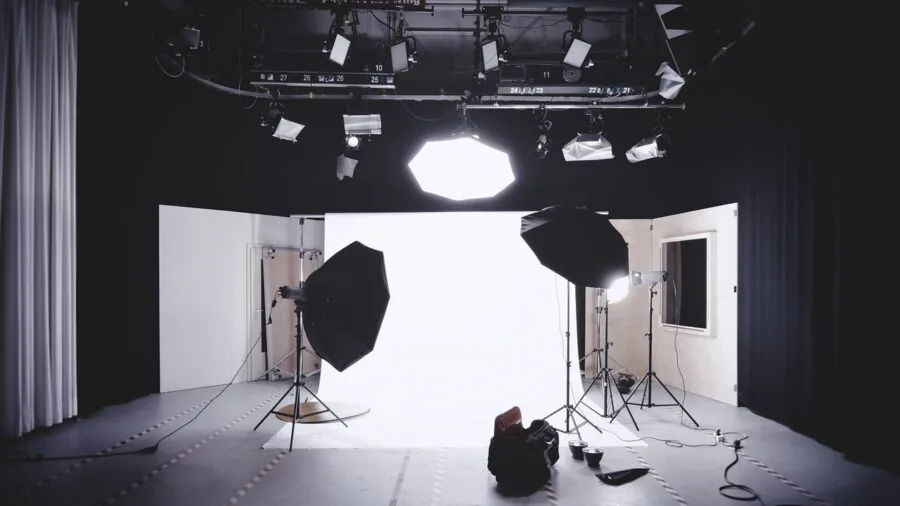
How a light attaches to your workspace is just as important as its optical performance. Tripod-mounted lights offer maximum flexibility in positioning but consume floor space, which is a genuine concern in small rooms.
Desk-clamp designs, used by the Neewer GL1 PRO and the NiceVeedi soft ring, clamp directly to the desk edge and keep the floor clear entirely.
They also allow faster height and angle adjustments mid-stream, which matters when you need to respond quickly to changing conditions.
Consider your desk depth and thickness before buying a clamp-mount light. Most clamps accommodate standard desk edges up to around 55 mm thick, but glass desks and very thick solid-wood tops may require an adapter or alternative mounting solution.
If you use a standing desk that shifts height throughout the day, a tripod with a wide base gives you more freedom to reposition the light as your eye level changes.
For a complete streaming environment, the light position also interacts with how you place your streaming microphone, so plan cable management and arm placement together.
Controls: Physical Dials, Remotes, and App Integration
Streaming setups demand quick, low-friction adjustments. Physical dials and touch panels on the light body are the fastest option when your hand is already reaching toward the desk, but they require you to take your eyes off the stream momentarily.
IR remotes let you adjust brightness and color temperature from across the room without touching the unit, useful when the light is mounted above or behind the monitor where it is awkward to reach.
Bluetooth and 2.4 GHz app-controlled lights, such as the Neewer 660 PRO II and the Neewer GL1 PRO, allow deep parameter control from a smartphone or PC software.
The GL1 PRO goes a step further with compatibility with Elgato Stream Deck, so you can trigger scene-lighting presets with a single button press. For high-volume streamers who change environments frequently, app control is the most scalable long-term option.
Casual streamers and those primarily on video calls tend to find a physical remote or simple knob perfectly sufficient.
Brightness Output and Coverage Area
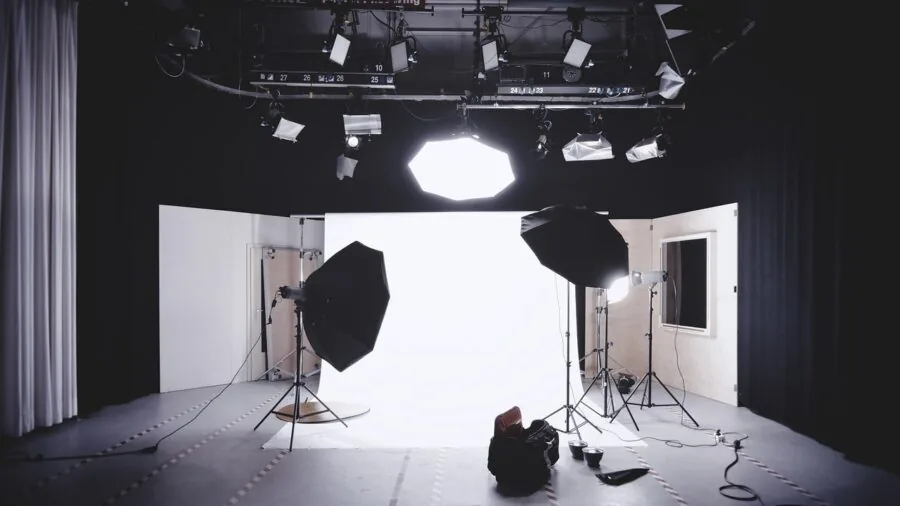
Wattage and lumen output determine how much light reaches your face and at what working distance.
Lower-wattage units in the 10W to 15W range are sufficient for close-distance use, typically within 60 cm to 90 cm of the face, which is common in compact desk setups.
Panels at 26W to 50W provide meaningful output at greater distances and can serve as both key light and fill light simultaneously, cutting the need for a second unit.
Full kit options from brands like EMART and Torjim bundle two light sources at a combined budget price, giving you a basic two-point lighting setup for less.
More wattage does not automatically mean better results; diffusion quality matters equally. A high-wattage light without adequate diffusion produces harsh specular highlights on skin.
Look for products that reference softbox panels, diffuser covers, or edge-lit technology in their design, as these features spread the output more evenly.
If your streaming area also serves as a gaming space, pairing strong overhead fill from a dedicated panel with your existing monitor and gaming peripherals can create a genuinely compelling aesthetic without a separate lighting rig.
Why You Should Trust Us
REMOVU is an independent review publication. We have no affiliation with any manufacturer, retailer, or platform featured in this article.
Every product in this roundup was assessed using our structured research methodology: we gather and cross-reference published specifications, analyze expert review consensus from credible sources across the category, and weigh verified buyer feedback to identify consistent real-world patterns.
We do not conduct our own product trials; our evaluations are grounded in research, published data, expert review consensus, and verified buyer feedback.
Each product receives a REMOVU Score on a 0 to 10 scale, reflecting our assessment across consistent criteria including light quality, CRI accuracy, build and mounting quality, control ergonomics, and value at current pricing.
The criteria weighting is fixed across the category so that scores are comparable, not shaped by which products happen to be available in a given week.
REMOVU may earn an affiliate commission if you purchase through a link on this page. That relationship has no influence on scores, rankings, or our recommendation decisions.
Products are ranked on merit; commission rates are not a factor in any pick.
Final Thoughts
The streaming lighting market has matured rapidly, and even budget-tier options now deliver meaningful CRI and bi-color flexibility that was reserved for professional gear a few years ago.
Whether you are just starting out or upgrading a long-running setup, there is a well-engineered pick at every price point in this roundup. Below are our standout recommendations by use case.
- Best Overall: Logitech Litra Glow earns the top spot with the highest REMOVU Score in the group, delivering a clean, compact design with excellent out-of-the-box color accuracy that suits virtually any streaming or video call setup.
- Best RGB and Full Creative Control: NEEWER 660 PRO II RGB LED Video Light is the pick for streamers who want full-spectrum color, deep app integration, and the power output to light an entire scene with two panels.
- Best Two-Light Budget Kit: EMART 2-Pack LED Video Light Kit gives beginners a complete two-point lighting setup at an accessible entry price, with adjustable color temperature and a phone holder included.
- Best Full-Featured Panel for Serious Streamers: Neewer 480 LED Bi-Color Video Light Kit remains a dependable choice for creators who want studio-grade output, CRI 96+, and a proven two-light kit with full tripod stands at a mid-range price.
- Best Compact Desk Panel: NEEWER GL1 PRO Streaming Key Light stands out for desk-clamped setups that demand app and Stream Deck compatibility without taking up floor space.
Whichever light you choose, remember that positioning matters as much as hardware.
A key light placed at roughly a 45-degree angle to your face at eye level, combined with a simple background light or practical lamp behind you, produces a noticeably more dimensional look than a single frontal ring light alone.
Combine that foundation with a quality beginner-friendly microphone and a reliable camera, and your production value will be immediately apparent to viewers.
Frequently Asked Questions
What is the difference between a ring light and a key light panel for streaming?
Ring lights produce a circular, even illumination and a distinctive round catchlight in the eyes. They work well placed directly in front of the camera for close-up content, beauty tutorials, and video calls.
Key light panels, typically rectangular LED arrays, cast a broader, more directional beam that can be angled to simulate natural window light.
Panels generally produce more flattering, three-dimensional results for most streaming and gaming setups, especially at desk-to-face distances greater than about 60 cm. If you wear glasses, panels also avoid the circular lens reflection that ring lights create.
For a professional gaming setup, pairing a panel key light with quality gaming keyboards and mice and proper cable management creates a cohesive, polished workspace on camera.
How important is CRI for streaming lights?
CRI is very important. A light with a CRI below 90 will render skin tones with a yellow, green, or muddy cast that even aggressive camera white-balance adjustments cannot fully correct.
For streaming, aim for CRI 95 or above; most of the picks in this roundup meet or exceed that threshold. The real-world difference between CRI 90 and CRI 97 is visible on camera, particularly in how reds and skin tones appear.
Verified buyers consistently flag poor skin tone rendering as the most common complaint with cheaper, unbranded lights that advertise inflated CRI numbers without independent verification.
Can I use one streaming light, or do I need two?
A single well-positioned key light is a significant improvement over no dedicated lighting at all, and for most video calls, podcasts, and casual streams it is completely adequate.
If you want a more polished, broadcast-style appearance, adding a second light as a fill or background light reduces shadows and adds visual depth. Two-pack kits from brands like EMART and Neewer make this accessible at a reasonable combined cost.
As your setup matures and you add gear like a dedicated streaming camera, investing in a second light source becomes more worthwhile because the camera will resolve the improved lighting in greater detail.
Do I need app control, or is a physical remote enough?
For most streamers, a physical remote or on-body dial is perfectly sufficient.
App and PC software control becomes genuinely useful when you want to save scene presets, integrate with Stream Deck for one-button scene switching, or fine-tune RGB color output for creative lighting effects.
If you run a consistent solo stream in a single room, the added complexity of Bluetooth pairing rarely pays off.
High-output creators who switch between multiple scene types or who manage their stream through a dedicated stream deck controller will find app-compatible lights like the Neewer GL1 PRO and the Neewer 660 PRO II meaningfully more flexible.
Are these streaming lights suitable for video conferencing and remote work, or only for content creation?
All of the lights in this roundup work equally well for video conferencing, remote work, and content creation.
The same principles that improve your stream quality, even, flattering light at the correct color temperature, make you look more professional and engaged on Zoom or Teams calls.
Compact desk-clamp models from LitONES and Weilisi are specifically designed with office use in mind, featuring swing arms, timers, and remote controls suited to professionals who want a quick, tidy lighting solution without a tripod setup.
If you split time between gaming streams and remote work calls, a mid-range bi-color panel covers both use cases without compromise.
How do I position a streaming light for the best result?
The most effective starting position for a single key light is at roughly a 45-degree angle to your face, slightly above eye level, pointed downward toward your face.
This replicates the classic Rembrandt or loop lighting setups used in portrait photography and produces natural-looking shadow fall-off that gives your face dimension on camera.
Avoid placing the light directly above you (creates raccoon-eye shadows under the brows) or directly below you (unflattering upward shadows). If you have a second light, place it on the opposite side at lower intensity to fill shadows.
The distance between you and the light affects both intensity and softness; moving the light closer produces softer, broader coverage, while pulling it farther away creates a harder, more focused beam.
About the author
Bobby writes about gaming keyboards and mice for REMOVU, comparing switch feel, sensor precision, and comfort for competitive play. He helps players tune their setup to their grip and their games.