The 10 Best Streaming Cameras
Sensor size, autofocus speed, low-light performance, and mic quality vary wildly across streaming cameras. Here are the picks that consistently deliver for streamers, gamers, and remote professionals.
 By Nevaeh Ross
Updated July 26, 2026
By Nevaeh Ross
Updated July 26, 2026

Choosing the right streaming camera can make the difference between a broadcast that looks polished and professional and one that drives viewers away within seconds.
Whether you’re going live on Twitch, hosting business video calls, running a YouTube channel, or streaming gameplay, your webcam is the most visible piece of gear your audience judges you by.
Yet the market is flooded with options that range from budget-friendly fixed-lens webcams to AI-powered PTZ units with sensors borrowed from dedicated cameras, and the spec sheets rarely tell the full story.
To cut through the noise, our team at REMOVU researched and evaluated each model in this list using a synthesis of published specifications, expert review consensus, and verified buyer feedback.
Every pick has been assigned a REMOVU Score on our 0 to 10 scale, so you can compare them at a glance.
If you want a sharper picture of what pairs well with your streaming setup, pairing a great camera with a quality USB microphone is almost always the next worthwhile upgrade. Read on for our ranked top picks below.
| Award | Product | REMOVU Score About REMOVU ScoreThe REMOVU Score is our own rating from 0 to 10, based on performance, design and build, ease of use, and value. It reflects independent research and is never influenced by manufacturers, retailers, or affiliate commissions. Learn more › | Price | |
|---|---|---|---|---|
| Best Value |
 Logitech Brio 4K Webcam with Dual Mics
|
8.3/10 | Buy | |
| Best Overall |
 Insta360 Link 2 Pro 4K PTZ Webcam
|
8.6/10 | Buy | |
| Best Premium |
 Insta360 Link 2C Pro 4K Webcam
|
8.5/10 | Buy | |
 Insta360 Link 2 4K PTZ Webcam with AI Tracking
|
8.3/10 | Buy | ||
 Insta360 Link 2C 4K Webcam
|
8.2/10 | Buy | ||
 YOLOLIV YoloCam S3 4K Webcam with 1/1.3" Sensor
|
7.0/10 | Buy | ||
 OBSBOT Meet 2 4K Webcam with AI Framing
|
7.5/10 | Buy | ||
 EMEET NOVA 4K Webcam, 73° FOV, Dual Mics
|
7.1/10 | Buy | ||
 EMEET PIXY Dual-Camera 2K PTZ Webcam with AI Tracking
|
7.1/10 | Buy | ||
| Best Budget |
 EMEET S600 4K Webcam with PDAF Autofocus
|
8.1/10 | Buy |
Logitech Brio 4K Webcam with Dual Mics
Premium 4K webcam built for video professionals and serious remote workers. RightLight 3 and HDR tech keep you looking sharp regardless of lighting, while dual noise-canceling mics ensure clear audio in busy environments. The adjustable field of view and Logi Options+ app give you granular control over framing and video settings.
Pros
- 4K resolution at 30 fps with up to 90 fps frame rate for smooth streaming and slow-motion recording
- RightLight 3 plus HDR auto-adjusts lighting across low-light, direct sunlight, and high-contrast scenarios
- Three diagonal field-of-view presets (65°, 78°, 90°) let you customize framing from tight headshots to wider room views
- Dual omnidirectional mics with noise-canceling capture clear audio from up to 1.2 meters away
- Windows Hello facial recognition support for secure, passwordless login
- Attachable privacy shade and flexible mounting options (clip or tripod-compatible)
Cons
- Requires Logi Options+ app for advanced customization features like pan, zoom, and color adjustments
- Premium pricing compared to Logitech's 1080p alternatives (C920x, C922x)
- Cable length (7.2 ft) shorter than some competing 4K webcams, potentially limiting desk setup flexibility
Insta360 Link 2 Pro 4K PTZ Webcam
A premium PTZ webcam built for creators and professionals who need sharp 4K video with intelligent framing. The large 1/1.3" sensor and dual directional mics handle low-light scenes and noisy environments well, while AI tracking keeps you centered during streams or calls. Physical pan-tilt capability and Stream Deck integration make it a solid choice for content creators juggling multiple platforms.
Pros
- Large 1/1.3" sensor delivers clean 4K video and strong low-light performance
- Dual directional microphones with AI noise canceling isolate voice effectively in busy spaces
- AI tracking physically follows movement, keeping subjects framed without software tricks
- Directional pickup mode and natural bokeh add professional polish to streams and meetings
- Stream Deck integration and gesture control streamline multi-camera workflows
Cons
- Not compatible with ARM-based Windows systems or Windows Hello Face Recognition
- Premium pricing reflects flagship status, may exceed needs for casual users
- Requires USB-C connection and dedicated Link Controller software for full feature access
Insta360 Link 2C Pro 4K Webcam
A 1/1.3-inch sensor webcam delivering sharp 4K video with standout low-light performance and dual directional microphones, paired with useful smart features like auto framing and gesture control. Best suited for streamers and remote workers who prioritize image quality over budget constraints.
Pros
- Excellent low-light performance and 4K clarity with large 1/1.3" sensor
- Dual directional microphones with AI noise canceling for clearer voice isolation
- Fast, reliable autofocus and smooth auto framing that adapts to movement
- Magnetic mount enables quick repositioning and flexible desk setup
- Intuitive software with practical features like natural bokeh, gesture control, and Stream Deck integration
Cons
- Color accuracy can shift to red/magenta under mixed lighting, requiring manual adjustment
- Not compatible with Windows Hello face recognition or ARM-based Windows systems
- Premium pricing at MSRP, though discounts improve value proposition
Insta360 Link 2 4K PTZ Webcam with AI Tracking
A 4K PTZ webcam built around physical tracking and AI features rather than raw image processing. Delivers sharp, well-focused video with gesture controls and specialized modes that appeal to streamers and remote workers, though microphone quality trails dedicated USB mics and some software features remain limited.
Pros
- Excellent video quality with automatic framing and AI tracking that actually works reliably
- Quick setup and straightforward software, with 24/7 technical support available
- Natural bokeh effect and low-light performance deliver near-professional output for video calls and streaming
- Compact, motorized design with built-in privacy features beats a physical lens cap
Cons
- Microphone quality is functional but not exceptional, separate USB mic recommended for audio-critical work
- Not compatible with Windows Hello facial recognition or ARM-based Windows systems
- Link Controller software lacks photo-capture functionality, requiring workarounds for still images
Insta360 Link 2C 4K Webcam
A premium 4K webcam built for content creators and professionals who demand sharp visuals and clear audio. The 1/2-inch sensor delivers true-to-life colors with HDR performance in variable lighting, while AI noise-canceling and gesture control streamline streaming workflows. Best suited for streamers, video conferencing power users, and anyone seeking DSLR-quality depth of field on a desktop setup.
Pros
- 4K resolution with 1/2-inch sensor captures detailed, color-accurate video in HDR and low-light conditions
- AI noise-canceling mic filters background noise effectively for professional-grade audio in busy environments
- Auto Framing and gesture control eliminate manual adjustments during streams or calls
- Phase Detection Auto Focus ensures instant, crisp focus without blur
- DeskView and Whiteboard modes add versatility for education, presentations, and creative work
- Works seamlessly with Zoom, Teams, Twitch, and other major platforms
Cons
- Not compatible with ARM-based Windows systems or Windows Hello Face Recognition, limiting some user options
- Premium positioning means higher cost compared to standard 1080p webcams
- Requires free Link Controller software to access advanced features like natural bokeh and specialized modes
YOLOLIV YoloCam S3 4K Webcam with 1/1.3" Sensor
A premium 4K streaming webcam built around an unusually large 1/1.3" sensor that delivers uncompressed video and DSLR-like manual controls. The fast autofocus, AI-enhanced low-light performance, and Picasso Resolve color grading make it a serious choice for content creators and streamers who prioritize image quality over simplicity.
Pros
- Exceptional 1/1.3" sensor size delivers noticeably clearer 4K/30fps and 1080p/60fps footage compared to standard webcams
- Fast PDAF autofocus maintains sharp focus with zero lag, keeping subjects crisp during movement
- Comprehensive manual controls for exposure, white balance, contrast, and saturation rival entry-level DSLR workflows
- AI-enhanced imaging produces 2.5x clearer faces in low light with automatic exposure and HDR optimization
- Aluminum chassis doubles as active heat sink, enabling stable 24/7 streaming without thermal throttling
- 4x digital zoom preserves 1080p clarity without visible blur or cropping
Cons
- No built-in microphone requires separate audio equipment, adding cost and complexity to setup
- Wired USB-C only, no wireless option limits placement flexibility compared to some competitors
- Picasso Resolve color grading currently Windows-exclusive, Mac users must wait for future update
OBSBOT Meet 2 4K Webcam with AI Framing
A compact 4K webcam designed for streamers and remote workers who want intelligent framing without the bulk. The Meet 2 combines a 1/2" CMOS sensor with AI-powered auto-focus and gesture control, all in a 40.5-gram form factor. Best suited for creators prioritizing portability and hands-free operation over advanced zoom capabilities.
Pros
- 4K resolution at 30 FPS with larger 1/2" sensor improves light capture and image clarity compared to smaller sensors
- AI auto-framing and phase detection autofocus keep subjects in frame automatically during solo or group calls
- Dual noise-canceling microphones filter ambient noise like keyboard typing and wind
- Gesture control eliminates manual tweaking: hand signals toggle framing and zoom
- Extremely lightweight at 40.5 grams with USB-C plug-and-play setup requires no drivers
Cons
- Limited to 4x digital zoom versus optical zoom options on pricier OBSBOT models
- Device may heat up during extended use, which some users report as a normal but notable characteristic
- 4K recording capped at 30 FPS, while 1080p maxes out at 60 FPS, limiting slow-motion flexibility
EMEET NOVA 4K Webcam, 73° FOV, Dual Mics
A 4K webcam built for video conferencing and streaming, the NOVA delivers sharp visuals at 30FPS with PDAF autofocus and dual omnidirectional microphones that pick up voices up to 8 feet away. Its plug-and-play USB 2.0 connection, privacy cover, and broad software compatibility make it practical for remote workers and content creators who prioritize video clarity without setup hassle.
Pros
- 4K resolution with PDAF autofocus ensures sharp, detailed video across a wide focus range (7.9-118 inches)
- Dual built-in microphones capture clear audio in typical office environments, rated for up to 8 feet
- Universal compatibility: works with Zoom, Teams, Google Meet, and Windows 10/11, macOS 10.14+, Android TV 7.0+
- Physical privacy cover and no WiFi/Bluetooth dependency eliminate wireless interception risks
- Flexible mounting with 360° horizontal rotation, 15° vertical tilt, and standard tripod thread for custom positioning
Cons
- Defaults to 1080P, users must manually switch to 4K via software (PotPlayer, OBS, or built-in settings), adding a setup step
- Fixed 73° field of view and no facial tracking or autofocus toggle limit customization for specific use cases
- Requires USB 2.0 Type-A port; USB-C or newer USB standards may not work, restricting compatibility with modern devices
EMEET PIXY Dual-Camera 2K PTZ Webcam with AI Tracking
A compact 2K webcam featuring dual-camera AI tracking that automatically frames and follows you with smooth PTZ movement, paired with a 1/2.55" Sony sensor and 3-mic array. Best suited for streamers, presenters, and remote workers who move around on camera and want professional framing without a bulky setup.
Pros
- Dual-camera AI system with smooth, natural PTZ tracking that keeps you centered without jerky movement
- Ultra-fast 0.2s autofocus via PDAF and AI detection, noticeably quicker than standard webcams
- Sharp 2K video from premium 1/2.55" Sony sensor with strong low-light performance and accurate color
- 3-mic array with selectable sound modes (Live, Noise Canceling, Original) to handle various recording environments
- Compact 120g design with minimal footprint; plug-and-play compatible with OBS, Twitch, YouTube, macOS, Windows, and Nintendo Switch 2
Cons
- EMEET Studio 2 software is required for PTZ features and virtual camera setup but remains in beta with reported bugs (green-tinted virtual camera output, crashes on some systems)
- Gesture control activation sometimes requires multiple tries before locking on reliably
- Narrower field of view than some competing PTZ cameras; 73-degree viewing angle limits wide-room capture without manual framing adjustment
EMEET S600 4K Webcam with PDAF Autofocus
A 4K streaming camera built on a Sony 1/2.55" sensor that delivers flexible resolution options: 4K at 30FPS or 1080P at 60FPS. The PDAF autofocus system ensures faster, more precise focus in varied lighting, while dual noise-canceling mics and customizable FOV (40-73° at 1080P) make it well-suited for live commerce, gaming, and content creators. Built-in privacy cover and plug-and-play setup add practical appeal.
Pros
- Sony 1/2.55" sensor with true 4K capability at 30FPS, exceeding typical webcam standards
- PDAF autofocus offers faster, more stable focus compared to standard autofocus systems
- Dual microphones with proprietary noise-reduction algorithm enabled by default
- Customizable FOV from 40-73° at 1080P resolution for flexible framing
- Built-in privacy cover and durable, flexible design with secure mounting
Cons
- 4K resolution is fixed at 73° FOV, limiting framing flexibility at highest resolution
- Advanced customization requires separate EMEETLINK software; some users may prefer simpler operation
- Video resolution output depends on third-party software (OBS, PotPlayer) or built-in camera software compatibility
Streaming Cameras Buying Guide
Shopping for the best streaming cameras means balancing image quality, autofocus performance, low-light capability, field of view, and audio integration, often within a tight budget.
The guide below breaks down each critical factor so you can match a camera to your specific use case, whether that’s competitive gaming, beauty content, e-commerce live commerce, or remote work meetings.
Sensor Size and Image Quality

Sensor size is arguably the single biggest determinant of overall image quality in a streaming camera. A larger sensor gathers more light, which means less noise in dim environments and more natural background separation.
Entry-level webcams typically use small 1/4-inch or 1/3-inch sensors that perform adequately in well-lit rooms but struggle once ambient light drops.
Mid-range and premium options now commonly feature 1/2-inch or even 1/1.3-inch sensors, which produce a noticeably richer image with more dynamic range.
Resolution matters, but it’s often overstated. 4K capture is useful when you want to crop into the frame in post-production or future-proof your setup, but the platform you’re streaming to will frequently downscale the feed anyway.
What 4K resolution does give you is more headroom for digital zoom without losing perceived sharpness.
If your platform caps out at 1080p, a camera with a large sensor and excellent color science at 1080p will often outperform a cheaper 4K camera with a tiny sensor.
Look for sensors from established manufacturers like Sony (used by EMEET and OBSBOT in several picks on this list) as a reliable quality signal.
Frame rate is another image-quality lever. Cameras that can deliver 60 frames per second at 1080p produce noticeably smoother motion during fast gameplay or hand gestures, which is particularly valuable for gaming and live commerce streams.
Not every 4K webcam can sustain 60 fps at full resolution, so check the spec sheet carefully for the resolution-and-frame-rate combination you actually plan to use.
Autofocus System
Autofocus quality separates a frustrating streaming experience from a seamless one. Older contrast-detection autofocus systems are slow and can hunt visibly on camera, creating a pulsing or breathing effect that distracts viewers.
Phase-detection autofocus (PDAF), which is now available on several cameras in this list, locks focus far more quickly and holds it steadily even when you lean forward or gesture.
EMEET’s NOVA and S600 both use PDAF and are among the faster-focusing options at their price points, while OBSBOT and the Insta360 Link 2 series combine PDAF with AI scene analysis for an additional layer of stability.
For streamers who move around, AI-powered subject tracking (not just autofocus, but active frame recomposition) is worth serious consideration.
PTZ cameras like the Insta360 Link 2 and EMEET PIXY can physically pan, tilt, and zoom to keep you centered in the frame without you having to adjust the camera manually.
This is particularly useful for fitness streamers, standing desk setups, or anyone who teaches or demonstrates with their hands. If you prefer a fixed camera, ensure at minimum that the autofocus system uses PDAF rather than contrast detection alone.
Low-Light Performance
Most streamers don’t have a professionally lit studio. Home offices, bedrooms, and gaming setups often rely on a desk lamp, a monitor glow, or a single overhead light, all of which challenge lesser webcams significantly.
Low-light performance is a direct product of sensor size, aperture (the wider the aperture, the more light the lens accepts), and the camera’s onboard image processing.
Look for cameras that publish a low lux rating or explicitly market low-light capability; the Insta360 Link 2 Pro and Link 2 Pro, for example, specifically position their 1/1.3-inch sensors around improved low-light results.
HDR (High Dynamic Range) processing is a related feature that helps cameras handle scenes where bright and dark areas coexist, a window behind you while your face sits in shadow, for instance.
Several cameras on this list include HDR modes that blend multiple exposures to reduce blown highlights and crushed shadows.
Bear in mind that HDR on webcams is a form of in-camera processing, and its quality varies; expert reviewers consistently note that it works best as a complement to decent ambient lighting, not a replacement for it.
If you’re serious about visual quality, pairing your camera with even a basic ring light or a softbox produces results that no amount of software compensation can fully replicate.
Field of View and Framing Options

Field of view (FOV) determines how much of your environment the camera captures. A wide FOV, typically 90 degrees or more, is useful for showing a desk setup, fitting two people in frame, or giving a room-scale context to your stream.
A narrower FOV (around 65 to 75 degrees) flatters faces more by minimizing the wide-angle distortion that makes noses appear larger and faces look rounder.
Most cameras in this list sit in the 73-degree range as a sensible middle ground, and several offer software-adjustable FOV so you can dial in the look you want.
PTZ cameras add a hardware dimension to framing that fixed webcams cannot match. Rather than relying on digital cropping (which degrades resolution), PTZ models physically reposition the lens.
This is worth the premium if your streaming involves movement or if you frequently switch between a close-up talking-head shot and a wider view of your setup.
For a stationary desk streamer, a fixed-lens camera with software-controlled zoom and a well-chosen default FOV is perfectly adequate and considerably less expensive.
If you shoot a lot of video beyond just streaming, a compact camera or even a mirrorless camera used as a webcam via capture card can also be worth exploring.
Built-in Microphone Quality
Every streaming camera on this list includes at least one built-in microphone, but the quality gap between them is substantial.
Single omnidirectional mics capture audio from all directions, meaning keyboard noise, room echo, and ambient sound all bleed into your stream.
Dual-microphone arrays with beamforming or directional pickup patterns do a much better job of isolating your voice while reducing background noise.
Cameras like the Insta360 Link 2 and Link 2 Pro feature AI noise-canceling mics that reviewers have praised for intelligibility in typical home environments.
That said, a dedicated external microphone will almost always outperform even the best webcam mic.
If audio quality matters to your audience, and for talk-heavy streams, podcasts, or professional meetings it definitely does, treat the webcam’s microphone as a convenient backup rather than a primary solution. A dedicated USB microphone is a straightforward upgrade.
For gaming streams specifically, pairing a quality camera with one of the better gaming headsets that includes a noise-isolating mic can be a cost-effective alternative to a standalone mic.
Software, Compatibility, and Connectivity
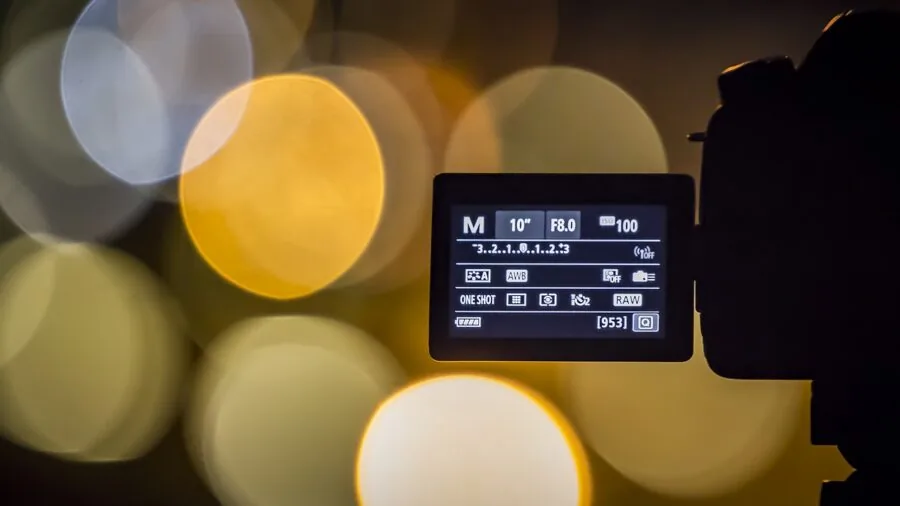
Even the best imaging hardware can be hamstrung by poor software. A camera’s companion app determines how much control you have over image parameters, exposure, white balance, saturation, sharpening, noise reduction, without routing through OBS or a third-party plugin.
The Insta360 Link series integrates directly with Stream Deck, which is a notable convenience for streamers who use that controller.
OBSBOT and YOLOLIV also provide feature-rich desktop apps with scene presets and manual controls that rival what you’d expect from a dedicated camera.
On the connectivity side, verify that the camera uses a connector your system actually has available. Most cameras here offer USB-A, but an increasing number ship with USB-C, which is more bandwidth-efficient and forward-compatible with modern laptops and work laptops.
Plug-and-play UVC (USB Video Class) compliance means a camera will work without drivers on Windows, macOS, and most Linux distributions, which simplifies setup considerably.
Also check platform certifications: cameras that are officially certified for Zoom, Microsoft Teams, or Google Meet have been validated by those platforms for reliable compatibility, which matters in professional contexts.
Why You Should Trust Us
REMOVU is an independent review publication. We have no manufacturing partnerships, no sponsored placement deals, and no preferred vendors.
Every product in this guide was evaluated against a consistent, category-specific set of criteria: sensor specifications, autofocus technology, low-light performance, audio quality, software features, and value relative to competing options at similar price points.
Each model was then assigned a REMOVU Score on our 0 to 10 scale, which reflects our overall confidence in the product based on the totality of available evidence.
We do not conduct our own product trials; our evaluations are grounded in research, published data, expert review consensus, and verified buyer feedback.
This means we draw on a broad body of evidence rather than the necessarily limited perspective of a single reviewer’s experience. Where expert reviewers disagree, we note the tension and weigh the preponderance of evidence.
Where verified buyer feedback contradicts manufacturer claims, we flag it.
REMOVU may earn a commission if you purchase through a link on this page. That affiliate relationship does not influence our rankings, our scores, or which products appear in this guide. Products are selected and ranked on merit.
We do not accept payment for placement, and our editorial recommendations are made independently of commercial considerations.
Final Thoughts
The streaming camera market in 2026 offers genuinely excellent options at every budget tier, from capable budget webcams to sophisticated AI-tracking PTZ units. After evaluating each model on this list, here are our standout picks by category:
- Best Overall: Logitech Brio Ultra 4K HD Webcam, the highest REMOVU Score on this list, earned through a proven combination of ultra-HD resolution, a quality glass lens, automatic light correction, and industry-leading platform compatibility including Windows Hello, Teams, Zoom, and Google Meet. A dependable choice across virtually every streaming and meeting use case.
- Best Premium PTZ Pick: Insta360 Link 2 Pro, for streamers who move around or need hands-free reframing, this PTZ model combines a large 1/1.3-inch sensor with AI tracking, directional noise-canceling mics, and Stream Deck integration. It earns one of the top REMOVU Scores among PTZ options on this list.
- Best for AI Framing Without PTZ: Insta360 Link 2C Pro, shares the same 1/1.3-inch sensor and directional mic array as its PTZ sibling but in a fixed-lens form factor. A strong REMOVU Score reflects its low-light capability and software feature depth, making it an excellent choice for stationary setups that still demand premium image quality.
- Best Mid-Range Value: Insta360 Link 2C, brings a 1/2-inch sensor, HDR, AI noise-canceling audio, and gesture control at a mid-range price. Reviewers consistently praise its plug-and-play reliability and the quality of its automated framing for solo streamers.
- Best Budget Pick: EMEET NOVA 4K Webcam, for streamers watching their spend, the NOVA delivers PDAF autofocus, dual omnidirectional mics, and 4K capture at a budget-friendly price that few rivals can match. It’s the most accessible entry point on this list without sacrificing the core features that matter for live streaming.
Whichever model fits your budget and workflow, pairing it with good lighting and a quality microphone will always amplify the investment.
If your streams also involve on-the-go shooting or you want a secondary camera for B-roll, take a look at action cameras for vlogging or our roundup of action cameras under $200 for compact alternatives.
Gamers building out a full streaming rig may also want to consider a solid gaming desk to anchor everything in an ergonomic, cable-managed workspace.
Frequently Asked Questions
What resolution do I actually need for streaming?
For most live streaming platforms, 1080p at 30 or 60 frames per second is the practical sweet spot.
Most platforms transcode incoming video, and the difference between a native 4K stream and a high-quality 1080p stream is rarely visible to your audience after that transcoding step.
Where 4K capture genuinely adds value is in providing extra resolution to crop and reframe your shot digitally without visible quality loss, or for recording locally at full resolution for later editing.
If you’re primarily streaming to Twitch, YouTube, or similar services, don’t let a 4K specification be the sole reason you choose one camera over another; sensor size and low-light performance matter more for perceived image quality.
Do I need a PTZ camera for streaming?
Most streamers don’t. A PTZ (pan-tilt-zoom) camera is most useful when you move around frequently during a stream, such as for fitness content, cooking demonstrations, or live commerce.
For a seated gaming or talking-head setup, a fixed-lens camera positioned at eye level with a sensible field of view is simpler, more affordable, and produces equally good results.
The added complexity of a PTZ rig, calibrating tracking sensitivity, managing presets, is worth the effort only when your content genuinely demands it. If you’re unsure, start with a high-quality fixed-lens camera and upgrade later if your workflow evolves.
How important is the built-in microphone on a streaming camera?
Built-in microphones are convenient, but they are rarely a substitute for a dedicated audio solution if voice quality is central to your content.
Dual-array mics with AI noise canceling (as found on the Insta360 Link 2 series) are the strongest built-in options on this list and perform acceptably in quiet home environments.
However, room reflections, keyboard noise, and HVAC hum all become more audible with an omnidirectional mic at arm’s length.
For podcasting, commentary-heavy gaming streams, or professional video calls, a standalone microphone is a worthwhile complement to any camera on this list.
If audio quality is a priority for gaming in particular, noise cancelling headphones with a quality inline mic can be a compact alternative worth considering.
Can I use these cameras for video conferencing as well as streaming?
Yes, and in fact several cameras on this list are certified for major conferencing platforms.
The Logitech Brio carries certifications for Microsoft Teams, Zoom, and Google Meet, which means it has been officially validated for stable, compatible operation on those services.
Most UVC-compliant webcams will work with any conferencing or streaming software without additional drivers, including OBS, Streamlabs, XSplit, and browser-based platforms.
If you split time between professional calls and personal streaming, choosing a camera that excels at both tasks is a smart way to justify the investment.
Many remote workers pair their webcam setup with a capable MacBook docking station to centralize their entire video and audio workflow at a single desk.
Is a dedicated webcam better than using my phone or a mirrorless camera?
A dedicated streaming webcam offers plug-and-play simplicity that phones and mirrorless cameras generally can’t match. There’s no need for a capture card, an HDMI adapter, or a dedicated app to route the signal into your streaming software.
Webcams are also optimized for continuous operation at a fixed desk position, with auto-exposure and white balance tuned for indoor ambient light rather than outdoor photography.
That said, if you already own a quality mirrorless camera and want the absolute best image quality for your stream, routing it through a capture card can produce results that no webcam can fully replicate.
For most streamers, however, a premium webcam from this list hits a practical sweet spot of quality, convenience, and value that a camera-plus-capture-card rig cannot match on simplicity alone.
What accessories should I buy alongside a streaming camera?
Lighting is the highest-impact accessory for any streaming camera. Even a modest ring light or a softbox positioned slightly to one side of your monitor will dramatically improve the image from any webcam on this list.
After lighting, a dedicated microphone is the next upgrade most streamers notice.
A stable mount or a flexible arm allows you to position the camera at true eye level rather than resting it on a monitor bezel at an unflattering upward angle.
If you’re building out a serious streaming desk, a sturdy, cable-managed gaming desk makes the entire setup cleaner and more ergonomic for long sessions.
For creators who also shoot video away from their desk, camera tripods offer a versatile mounting solution that works with most webcams via a standard 1/4-inch thread.
About the author
Nevaeh is REMOVU's over-ear headphone writer, judging sound, comfort, and value across wireless and wired models. She helps readers find a spacious, long-wear pair for home or travel.