The 10 Best Network Switches for Gaming
Wired connections still win for competitive gaming. Our research across specs, expert consensus, and verified buyer feedback surfaces the top switches from D-Link, NETGEAR, TP-Link, and more.
 By Paul Syverson
Updated July 26, 2026
By Paul Syverson
Updated July 26, 2026

A wired connection still beats Wi-Fi for gaming, and a quality network switch is the backbone that makes it possible.
Whether you are running a dedicated gaming room, a home setup with multiple consoles and PCs, or a small office where latency actually matters, the right switch can be the difference between a stable 2.5Gbps connection and a bottlenecked 1Gbps link that holds your whole setup back.
With multi-gigabit switches now available at genuinely affordable prices, there has never been a better time to upgrade.
Brands like D-Link, NETGEAR, TP-Link, UGREEN, BrosTrend, and TP-Link have pushed the category forward, offering fanless, plug-and-play options that require zero configuration and deliver real-world speed improvements for gaming, NAS transfers, and 4K streaming alike.
At REMOVU, we researched and compared every switch on this list by analyzing manufacturer specifications, synthesizing expert review consensus from across the industry, and weighing verified buyer feedback from confirmed purchasers.
Our picks span compact 5-port multi-gig options up to a 16-port gigabit workhorse, covering a wide range of budgets and use cases.
Read on for our ranked picks, then scroll to the buying guide below to find out exactly which switch is right for your setup.
| Award | Product | REMOVU Score About REMOVU ScoreThe REMOVU Score is our own rating from 0 to 10, based on performance, design and build, ease of use, and value. It reflects independent research and is never influenced by manufacturers, retailers, or affiliate commissions. Learn more › | Price | |
|---|---|---|---|---|
| Best Overall |
 D-Link DMS-108 8-Port 2.5G Unmanaged Switch
|
8.9/10 | Buy | |
| Best Premium |
 NETGEAR MS308 8-Port 2.5G Switch
|
8.6/10 | Buy | |
| Best Value |
 TP-Link TL-SG116 16-Port Gigabit Switch
|
8.1/10 | Buy | |
 BrosTrend 5-Port 2.5G Ethernet Switch
|
8.1/10 | Buy | ||
 TP-Link Omada DS105G-M2 5-Port 2.5G Switch
|
7.6/10 | Buy | ||
 UGREEN 5-Port 2.5Gb Ethernet Switch
|
7.4/10 | Buy | ||
| Best Budget |
 UGREEN 5-Port 2.5Gb Ethernet Switch
|
8.4/10 | Buy | |
 NETGEAR GS305P 5-Port Gigabit PoE Switch
|
6.8/10 | Buy | ||
 D-Link DMS-108P 8-Port 2.5G PoE Switch
|
6.5/10 | Buy | ||
 NETGEAR GS305 5-Port Gigabit Switch
|
6.4/10 | Buy |
D-Link DMS-108 8-Port 2.5G Unmanaged Switch
An unmanaged 2.5 Gigabit switch designed for gamers, home offices, and small businesses looking to maximize network bandwidth without complex configuration. Eight auto-sensing ports deliver 40Gbps switching capacity with plug-and-play simplicity, making it ideal for pairing with Wi-Fi 6 routers and 2.5G NAS devices.
Pros
- Fast, reliable performance across mixed-speed networks verified by numerous buyers
- Compact metal housing fits desktop or wall-mount installations
- LED indicators clearly display connection speeds on each port
- Energy-efficient design automatically reduces power on idle ports
- Limited Lifetime warranty backed by D-Link's 35+ years in networking
Cons
- Unmanaged switch means no advanced configuration or VLAN support for complex networks
- No Power over Ethernet (PoE) capability for powered devices
- Mid-range pricing may feel high if only upgrading from older gigabit switches
NETGEAR MS308 8-Port 2.5G Switch
An unmanaged network switch with eight 2.5-gigabit ports designed for home offices and small networks needing straightforward connectivity without configuration. Auto-negotiating ports work with existing Cat5e/Cat6 cables, and the fanless metal design operates silently, useful for noise-sensitive spaces.
Pros
- True plug-and-play: no configuration, software, or IT knowledge needed to deploy
- Multi-gigabit speeds via eight 2.5G ports handle bandwidth-heavy devices (WiFi 6 APs, workstations, gaming setups)
- Silent fanless operation and compact metal case fit discretely into home offices or media centers
- Backward compatible with Cat5e cables and auto-MDI/MDIX eliminates crossover cable hassle
- Energy-efficient operation and 3-year warranty provide long-term value
Cons
- Unmanaged switch offers no VLAN, QoS, traffic prioritization, or advanced diagnostics, only basic 802.1p/DSCP recognition
- No user reviews available yet to confirm real-world reliability and performance claims
- Limited to U.S. and Canada market; not suitable for international deployment
TP-Link TL-SG116 16-Port Gigabit Switch
A plug-and-play 16-port Gigabit switch designed for expanding network capacity in homes or offices without configuration overhead. Fanless metal construction with shielded ports and energy-efficient operation make it a straightforward choice for users needing reliable wired connectivity across multiple devices.
Pros
- Auto-negotiation and Auto MDI/MDIX on all ports simplify device compatibility
- Durable metal casing with desktop and wall-mount options for flexible placement
- QoS support allows prioritizing video and voice traffic for clearer streaming and calls
- Low power consumption and fanless operation keep operational costs minimal
- Compact footprint (11.3" x 4.4") fits easily in office or home network setups
Cons
- Unmanaged switch with no advanced configuration interface for complex network requirements
- No built-in power management or remote monitoring features
- Limited to Layer 1 operation, unsuitable for VLAN segmentation or advanced routing needs
BrosTrend 5-Port 2.5G Ethernet Switch
This unmanaged 2.5 Gbps switch brings multi-gig connectivity to gaming setups, home labs, and small offices without requiring optical ports or complex configuration. Five RJ45 ports deliver 2.5X faster speeds than standard gigabit switches, making it straightforward for anyone needing to expand wired network capacity.
Pros
- 2.5X faster than gigabit switches, handles multiple high-bandwidth devices simultaneously
- Fanless and silent, suitable for bedrooms, offices, and quiet environments
- Truly plug-and-play with no driver or software installation required
- Five standard RJ45 ports eliminate the need for expensive SFP transceivers
- Wide compatibility with gaming, streaming, storage, and networking equipment
Cons
- Unmanaged switch offers no VLAN, QoS, or traffic management features for advanced users
- Only 5 ports may limit expansion in larger networks or setups requiring more connections
- No built-in status indicators or detailed monitoring capabilities mentioned in specifications
TP-Link Omada DS105G-M2 5-Port 2.5G Switch
A plug-and-play 5-port 2.5 Gigabit switch delivering 25 Gbps total capacity, built for NAS storage, gaming rigs, and WiFi 6 access points without requiring configuration. Buyers consistently praise its build quality, metal construction, and value proposition for upgrading multi-gig networks.
Pros
- Solid metal build with noticeable weight and quality components
- Unmanaged simplicity means zero configuration needed
- Backward compatible with standard cabling, reducing installation costs
- Excellent value relative to competing TP-Link models
Cons
- Unmanaged design offers no advanced features or VLAN support for complex networks
- Only 5 ports limits expansion options for larger deployments
- Requires power adapter, unlike some passive switches
UGREEN 5-Port 2.5Gb Ethernet Switch
A compact, fanless network switch that upgrades your wired connections to 2.5Gbps speeds with zero configuration needed. Metal housing and plug-and-play setup make it ideal for NAS, gaming PCs, and home labs looking for faster file transfers without complexity.
Pros
- All five ports support full 2.5Gbps speeds, unlike hybrid models with mixed port types
- Truly plug-and-play with automatic speed detection across 100M, 1G, and 2.5G connections
- Durable metal case with efficient thermal design keeps performance stable during sustained use
- Fanless, silent operation with LED indicators showing connection speed at a glance
- Compact footprint with wall-mount and desktop placement options
Cons
- Unmanaged switch only, no VLAN or QoS support for advanced network configurations
- Benefits limited to devices and cables already capable of 2.5Gb speeds
- Power adapter has bulky vertical orientation that can crowd power strips
UGREEN 5-Port 2.5Gb Ethernet Switch
A straightforward unmanaged switch that delivers all five ports at 2.5Gb speeds with zero configuration. Best suited for users upgrading from gigabit networking on NAS, gaming setups, or home offices who want plug-and-play simplicity over managed features.
Pros
- All five ports support 2.5Gb, eliminating speed bottlenecks unlike mixed-speed alternatives
- Truly plug-and-play with auto-negotiation, backward compatible with 1Gb and 100M devices
- Fanless design runs silent and cool under normal use with passive ventilation
- Compact desktop or wall-mount form factor fits tight spaces without taking up much room
- Solid reliability track record from verified buyers with consistent 2.5Gb performance
Cons
- Plastic housing feels inexpensive and raises durability concerns despite functional performance
- LED indicators don't differentiate between connection speeds, making it unclear which ports run at 2.5Gb
- Unmanaged means no configuration options or visibility into network behavior, limiting troubleshooting
NETGEAR GS305P 5-Port Gigabit PoE Switch
A straightforward unmanaged switch with 5 Gigabit ports and 4 PoE+ outlets that require zero configuration. Best suited for small offices or setups where you need to power devices like cameras or access points without adding extra cables.
Pros
- True plug-and-play simplicity with no management overhead
- Solid 4.8-star rating from 388 verified reviews
- Dynamic PoE reallocation lets you connect more powered devices than static designs
- Silent fanless operation suits quiet environments
- Includes wall-mount kit and all cables in the box
Cons
- 5-port capacity is tight for growing networks needing many devices
- 63W power budget limits simultaneous power draw across all PoE devices
- Unmanaged means no visibility into traffic or port control options
D-Link DMS-108P 8-Port 2.5G PoE Switch
An unmanaged 8-port switch delivering 2.5 Gigabit speeds with up to 90W per-port PoE delivery, designed to eliminate bandwidth bottlenecks in Wi-Fi 6 networks. Metal fanless construction and plug-and-play setup make it straightforward for workgroups needing higher throughput without added complexity.
Pros
- 2.5G bandwidth future-proofs Wi-Fi 6 networks without recabling
- High per-port PoE budget (90W) supports demanding devices like PTZ cameras and access points without separate PSUs
- Fanless, silent operation with metal housing for durability and thermal management
- Auto-sensing ports and automatic MDI/MDIX eliminate configuration headaches
- QoS and Flow Control provide traffic management for mixed-priority environments
Cons
- Unmanaged switch lacks VLAN, port mirroring, and advanced monitoring features needed for larger deployments
- Only 8 ports limits scalability; larger networks require daisy-chaining or additional switches
- Limited real-world review data (2 verified reviews) means long-term reliability assessment remains uncertain
NETGEAR GS305 5-Port Gigabit Switch
A straightforward network switch designed for homes and small offices that need to expand Ethernet connections without fuss. Setup is truly plug-and-play with no configuration required, and its fanless design keeps things silent while consuming minimal power.
Pros
- True plug-and-play operation makes it accessible to non-technical users
- Silent, fanless design avoids noise in quiet environments like home offices
- Energy-efficient performance reduces power draw without sacrificing speed
- Compact and durable metal construction with flexible mounting options
- Backed by NETGEAR's established networking reputation
Cons
- Only 5 ports limits scalability compared to larger models like the GS308 (8 ports) or GS316 (16 ports)
- Unmanaged switch offers no advanced features or configuration for users needing network monitoring or control
- No fiber or modular port support for future expansion beyond basic Gigabit Ethernet
Network Switches for Gaming Buying Guide
Choosing a gaming network switch is not as simple as grabbing the cheapest option with enough ports. The decisions you make here affect latency, throughput, future-proofing, and how well your entire wired network performs under load.
Below are the key criteria we considered when evaluating every switch in this roundup, and what you should prioritize based on your own setup.
If you are also thinking about your broader home networking and storage stack, keeping these factors in mind will help you build a more coherent system.
Port Speed: Gigabit vs. Multi-Gigabit

Standard gigabit (1Gbps) switches were once considered more than enough for gaming, and for many players they still are. However, if your router, NAS, or gaming PC supports 2.5Gbps, a multi-gigabit switch unlocks the full bandwidth of your network.
Transfers that would saturate a 1G port finish in a fraction of the time, and multiplayer gaming on congested home networks benefits from the additional headroom.
Most of the top picks in this roundup feature 2.5Gbps ports across all ports, not just one or two uplink ports.
That matters because a switch with a single 2.5G uplink and seven 1G ports still bottlenecks every device connected to those slower ports. Look for switches where every port runs at the same speed.
Pairing a multi-gig switch with a capable Wi-Fi 6 router that has a matching WAN or LAN port is the fastest way to modernize a home network.
If your current devices are all 1Gbps and you are not planning to upgrade soon, a standard gigabit switch like the TP-Link TL-SG116 remains excellent value.
But if you have a NAS, a newer gaming laptop, or a desktop with a modern NIC, multi-gig is worth the modest price premium.
Port Count and Layout

The number of ports you need depends entirely on how many wired devices you want to connect. A 5-port switch works well for a single gaming desk with a PC, console, NAS, and a run back to the router.
An 8-port switch gives you meaningful room to grow. A 16-port switch suits a gaming room with multiple systems, streaming gear, smart home hubs, and other wired endpoints.
Beyond raw count, check how the ports are arranged on the chassis. Front-facing ports are easier to cable-manage when the switch is mounted in a cabinet or on a wall, while side-facing ports suit desktop placement better.
Also consider whether any ports are reserved as uplinks, which reduces the number of usable device ports. The best gaming switches in this roundup offer all ports as fully usable data ports with no dedicated uplink restriction.
Managed vs. Unmanaged
Every switch in this roundup is unmanaged, meaning there is no web interface, VLAN configuration, or QoS prioritization to set up. You plug it in and it works.
For the vast majority of gamers, this is exactly what you want: zero configuration, zero ongoing maintenance, and maximum reliability. Unmanaged switches also tend to cost less and run cooler because there is no management processor drawing power.
If you run a more complex home lab, a small business network, or you specifically need traffic prioritization or port isolation, you would want to consider a managed switch instead.
Our roundup of managed network switches covers those options in depth. For most gaming setups, though, an unmanaged switch is the simpler and often smarter choice.
Fanless Design and Heat Management
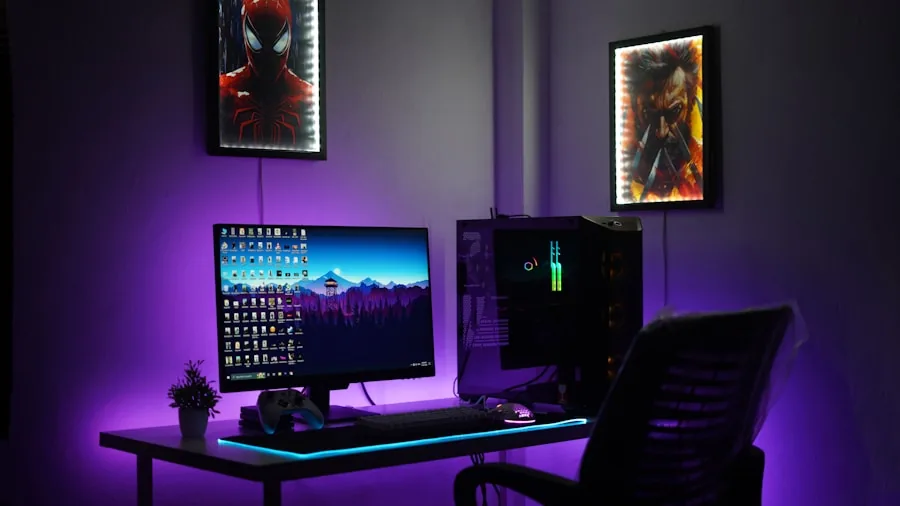
A gaming room or bedroom does not need another noisy component. Fanless switches rely entirely on passive cooling through a metal chassis, which means near-silent operation under normal load.
All of the top picks in this roundup are fanless, and several use full metal enclosures specifically designed to dissipate heat without moving parts.
The trade-off is thermal throttling under sustained heavy load in poorly ventilated spaces. If your switch is going inside a media cabinet with limited airflow, leave space around it or confirm the manufacturer rates it for enclosed operation.
In open-desk or wall-mount scenarios, fanless metal switches run efficiently and quietly for years without intervention.
PoE Support for Peripherals
Power over Ethernet (PoE) allows a switch to deliver electrical power through the same cable carrying data, eliminating the need for a separate power adapter on compatible devices.
For gaming setups, the most common PoE use cases are powering wireless access points, IP cameras, smart displays, or VoIP phones without running extra wiring.
Two switches in this roundup include PoE: the NETGEAR GS305P with PoE+ across four ports, and the D-Link DMS-108P with a full 90W PoE budget across its 2.5G ports.
Both carry a price premium over their non-PoE counterparts, so only choose a PoE switch if you actually have PoE-powered devices.
If you are powering a mesh Wi-Fi access point or a similar device nearby, PoE can meaningfully simplify your cable management.
Build Quality, Mounting, and Long-Term Reliability

A switch that rattles on a desk or overheats within a year is a liability.
Look for full metal enclosures, shielded RJ-45 ports (which reduce electromagnetic interference in noisy environments), and wall-mount bracket compatibility if you plan to tuck the switch out of sight.
Verified buyer feedback across hundreds of reviews on the top picks here consistently praises long-term stability even under 24/7 operation.
Brand warranty terms also matter. NETGEAR offers a limited lifetime warranty on its unmanaged switches; D-Link and TP-Link provide multi-year coverage. BrosTrend specifically markets lifetime protection on the models in this roundup.
For a device you may never think about again once it is installed, strong warranty support is a meaningful differentiator.
Switches pair naturally with other reliable infrastructure like UPS battery backups, which protect both your switch and connected gear from power fluctuations.
Why You Should Trust Us
REMOVU is an independent review publication. We have no manufacturer relationships that influence our rankings, and we do not accept payment from brands to feature or elevate their products.
Every switch in this roundup was evaluated against a consistent set of criteria: port speed and count, build quality, fanless operation, PoE availability, switching capacity, and verified long-term reliability.
Each product receives a REMOVU Score on a 0 to 10 scale, which reflects its overall merit relative to competing products in the same category.
We do not conduct our own product trials; our evaluations are grounded in research, published data, expert review consensus, and verified buyer feedback.
Our methodology pulls from manufacturer-published specifications, analysis of real-world performance data reported by expert reviewers across the industry, and aggregated feedback from verified purchasers who have used these switches in daily gaming and home network environments.
For additional context on wired networking options across every price tier, see our broader coverage of network switches worth buying.
REMOVU may earn a commission if you purchase through links on this page. That affiliate relationship has no bearing on which products are included, how they are ranked, or what scores they receive. Our recommendations are editorially independent.
Final Thoughts
After analyzing all ten switches in this roundup against consistent criteria, a clear hierarchy emerges. Multi-gigabit options now dominate the value conversation, and even budget-tier 2.5G switches outperform last-generation 1G switches in every meaningful metric for gaming and media streaming.
Here are our standout picks by use case:
- Best Overall: D-Link DMS-108 8-Port 2.5GB Unmanaged Gaming Switch earns our top overall pick with the highest REMOVU Score in this roundup. Eight full 2.5Gbps ports, fanless silent operation, NDAA/TAA compliance, and a compact metal chassis make it the most complete package for a gaming-focused wired network.
- Best Multi-Gig Runner-Up: NETGEAR MS308 8-Port 2.5G Unmanaged Switch scores among the highest in the roundup and brings NETGEAR’s reputation for long-term reliability to the multi-gig segment. Its metal case and desktop or wall-mount flexibility make it a natural fit for any gaming room.
- Best Large-Port Gigabit Switch: TP-Link TL-SG116 16-Port Gigabit Unmanaged Switch is the right answer when you need to connect a lot of devices and are not yet ready to move to multi-gig across the board. Its shielded ports, traffic optimization, and fanless metal build make it a dependable backbone for larger setups, and it pairs well with laptop docking stations that feed multiple wired devices from a single desk.
- Best Compact Multi-Gig Pick: BrosTrend 5-Port 2.5GB Unmanaged Switch delivers a strong REMOVU Score at a budget-friendly price with lifetime protection, making it an excellent starting point for gamers adding their first multi-gig switch to a console or PC setup.
- Best for PoE Needs: NETGEAR GS305P 5-Port Gigabit PoE Switch is the pick when you need to power a nearby access point or IP camera from the same switch serving your gaming devices, without running a separate power line. For anyone building out a connected home network, PoE simplifies the whole installation.
If your priority is raw value per port at multi-gig speeds, the D-Link DMS-108 and NETGEAR MS308 represent the clearest wins in this roundup.
If you need more ports than budget, the TP-Link TL-SG116 remains one of the strongest 16-port gigabit switches available.
For more options across the full networking category, our guide to ethernet switches for home and office covers additional picks beyond this gaming-focused list.
And if your total budget for networking gear is a key constraint, our roundup of network switches under $100 narrows the field to strong affordable options.
Frequently Asked Questions
Do I actually need a network switch for gaming, or is Wi-Fi good enough?
For competitive gaming, a wired Ethernet connection via a switch is nearly always preferable to Wi-Fi.
Wired connections offer lower and more consistent latency, zero packet loss from interference, and higher throughput that stays stable even when other devices on the network are active.
Wi-Fi has improved enormously, but walls, neighboring networks, and physical obstacles still introduce variability that a switch eliminates entirely.
A switch becomes especially valuable when you have multiple wired devices: a gaming PC, a console, a NAS, a streaming box, or a gaming smartphone connected via an adapter.
Instead of running multiple cables back to a router with limited ports, one switch handles all local wired traffic efficiently.
What is the difference between a 1Gbps and a 2.5Gbps gaming switch?
A 2.5Gbps switch transfers data at 2.5 times the maximum speed of a standard gigabit switch.
In practical gaming terms, this matters most for large game downloads from a NAS, file transfers between gaming PCs, or any setup where your router and ISP connection already exceed 1Gbps.
For online gaming ping and latency alone, both speeds are more than sufficient since game servers rarely saturate even a 1Gbps connection.
The stronger argument for 2.5G is future-proofing. Most modern motherboards and many laptops now ship with 2.5G NICs as standard. If your devices support it, a 2.5G switch unlocks that bandwidth at a price premium that has shrunk considerably over the past two years.
Will adding a network switch increase my ping or latency?
No. A quality unmanaged switch adds a negligible amount of latency, typically in the range of microseconds, which has no measurable impact on online gaming performance.
In fact, replacing a congested Wi-Fi connection or a router with too few ports with a dedicated wired switch often reduces latency by eliminating contention and wireless overhead.
The switches in this roundup are all unmanaged, which means there is no management software adding processing delay between packets.
How many ports do I need for a gaming setup?
Start by counting every wired device you want to connect: gaming PC, console, NAS, streaming device, smart home hub, plus one port back to your router. A 5-port switch covers a minimal single-desk gaming setup.
An 8-port switch handles most home gaming rooms with room to grow. A 16-port switch suits a multi-PC gaming room, a home office that doubles as a gaming space, or any setup with a large number of wired endpoints.
Remember to reserve one port for the uplink run back to your router, so a 5-port switch yields four usable device ports in practice.
Pairing your switch with solid peripheral infrastructure like a gaming microphone or gaming headset with microphone completes a capable, low-latency wired gaming station.
Can I use a gaming switch with a NAS or home server?
Absolutely, and this is one of the strongest reasons to choose a multi-gigabit switch over a standard gigabit model.
A NAS device connected at 2.5Gbps can back up game libraries, transfer large files, and stream 4K content simultaneously without saturating the link the way a 1G connection would.
All of the 2.5G switches in this roundup are well-suited for mixed gaming and NAS use on the same network segment.
Does the brand matter when choosing a gaming network switch?
Brand reputation matters most in terms of warranty support, firmware reliability for managed switches, and long-term availability of replacement units. For unmanaged switches specifically, the gap between top brands is narrower because there is no ongoing firmware relationship to maintain.
NETGEAR, TP-Link, and D-Link all have strong track records with verified buyers reporting multi-year reliable operation. Newer entrants like BrosTrend and UGREEN have built strong reputations on value-focused multi-gig hardware and back their products with competitive warranty terms.
External drives and storage peripherals from the same networking ecosystem also benefit from a well-chosen switch; see our guide to portable SSDs if you are also thinking about fast local storage for your gaming rig.
About the author

Paul Syverson writes reviews and buying guides for REMOVU.