The 10 Best Portable SSDs
Speed, durability, and compatibility vary widely across portable SSDs. Here are the picks that consistently earn top marks from experts and verified buyers alike.
 By Bobby Chavez
Updated July 26, 2026
By Bobby Chavez
Updated July 26, 2026

Whether you’re a photographer hauling RAW files between shoots, a student backing up coursework, or a gamer carrying a library of titles from console to console, a fast and reliable portable SSD has quietly become one of the most indispensable pieces of tech you can own.
Unlike the spinning hard drives of a decade ago, today’s portable SSDs deliver read speeds well above 500 MB/s, shrug off the occasional drop, and fit comfortably in a shirt pocket.
The market has matured rapidly, and the range of options spanning budget-friendly drives to ruggedized workhorses with Gen 2×2 bandwidth now means that picking the wrong one is as easy as picking the right one.
To cut through the noise, our team at REMOVU synthesized published specifications, expert review consensus from across the industry, and verified buyer feedback to identify the portable SSDs that consistently punch above their price.
If you need a trustworthy companion for a laptop workflow or a compact home backup solution, this guide covers everything you need to know. Scroll down for our ranked top picks, then read on for the full buying guide.
| Award | Product | REMOVU Score About REMOVU ScoreThe REMOVU Score is our own rating from 0 to 10, based on performance, design and build, ease of use, and value. It reflects independent research and is never influenced by manufacturers, retailers, or affiliate commissions. Learn more › | Price | |
|---|---|---|---|---|
| Best Overall |
 Crucial X9 1TB Portable SSD, 1050MB/s USB-C
|
8.9/10 | Buy | |
| Best Value |
 Samsung T9 1TB Portable SSD, 2,000 MB/s
|
8.7/10 | Buy | |
 SanDisk Creator Pro 1TB Portable SSD
|
8.5/10 | Buy | ||
| Best Budget |
 SanDisk Portable SSD 1TB, 800MB/s
|
8.4/10 | Buy | |
 Samsung T7 1TB Portable SSD
|
8.3/10 | Buy | ||
| Best Premium |
 Samsung T7 Shield 2TB Portable SSD
|
8.2/10 | Buy | |
 Samsung T7 Shield 1TB Portable SSD
|
7.8/10 | Buy | ||
 Samsung T7 500GB Portable SSD
|
7.1/10 | Buy | ||
 SanDisk Extreme Portable SSD 500GB - 550MB/s USB-C
|
6.8/10 | Buy | ||
 WD Elements SE 2TB Portable SSD
|
6.5/10 | Buy |
Crucial X9 1TB Portable SSD, 1050MB/s USB-C
A compact, rugged external SSD delivering up to 1050MB/s read speeds with IP55 water and dust resistance, making it practical for travel and everyday backup. Works across Windows, Mac, Android, and gaming consoles with minimal setup required.
Pros
- Genuinely portable. At 32g and pocket-sized, it's easy to carry for travel or daily backup without added bulk
- Fast file transfers. 1050MB/s handles large video and photo transfers meaningfully faster than traditional hard drives
- Broad device compatibility. Plugs into Windows, Mac, Android, PS4, PS5, and more via USB-C, with USB-A adapter for older devices
- Built for rough conditions. IP55 rating and 7.5ft drop protection provide real durability for outdoor or travel use
- Includes useful extras. Ships with 3-month Mylio Photos+ trial and Acronis True Image for backup
Cons
- Speed requires recent hardware. Top 1050MB/s speeds need USB 3.2 Gen 2 ports; older or slower USB connections significantly reduce performance
- Plastic enclosure feels less premium than aluminum alternatives, despite durable polycarbonate material
- Premium pricing. Higher per-TB cost than traditional hard drives, though faster performance justifies it for active users
Samsung T9 1TB Portable SSD, 2,000 MB/s
Samsung's flagship portable SSD delivers the fastest transfer speeds in its class at up to 2,000 MB/s, making it ideal for content creators and gamers handling large files. The Dynamic Thermal Guard keeps temperatures in check during sustained heavy use, while broad device compatibility spans desktops, gaming consoles, and iPhones with ProRes support. A premium choice backed by Samsung's in-house NAND manufacturing and solid 4.6-star rating from nearly 2,900 verified buyers.
Pros
- Fastest sequential read/write speeds at 2,000 MB/s, nearly double the T7's 1,050 MB/s
- Advanced thermal management maintains safe operating temperatures during prolonged use
- Excellent device compatibility including iPhone 15/16 ProRes 4K video recording
- Rugged build with 9.8-foot drop review rating and sustained performance under heavy workloads
- Includes two USB cables (USB-C to USB-C and USB-C to USB-A) for immediate connectivity
Cons
- Requires USB 3.2 Gen 2x2 host support and UASP mode enabled to achieve maximum 2,000 MB/s speeds, older devices may not reach advertised performance
- No dust or water resistance rating, unlike the T7 Shield's IP65 protection
- Premium pricing compared to slower alternatives like the T5 EVO
SanDisk Creator Pro 1TB Portable SSD
This rugged portable SSD delivers up to 2000MB/s read speeds and includes IP65 water/dust resistance plus three-meter drop protection, making it built for creators working in unpredictable environments. It comes with a one-month Adobe Creative Cloud subscription and carries a 4.8-star rating from 277 verified buyers.
Pros
- Fast NVMe performance suitable for 4K video editing and multi-camera project files
- Durable design with documented drop and water/dust resistance credentials
- Adobe Creative Cloud trial adds real value for creative professionals
- Highly rated by verified buyers across multiple use cases including boot drives and backups
Cons
- Requires USB 3.0 or higher to achieve advertised speeds, limiting compatibility with older devices
- Premium pricing compared to standard portable SSDs without creative-focused features
- Performance varies based on host device and conditions, so real-world speeds may differ from the 2000MB/s specification
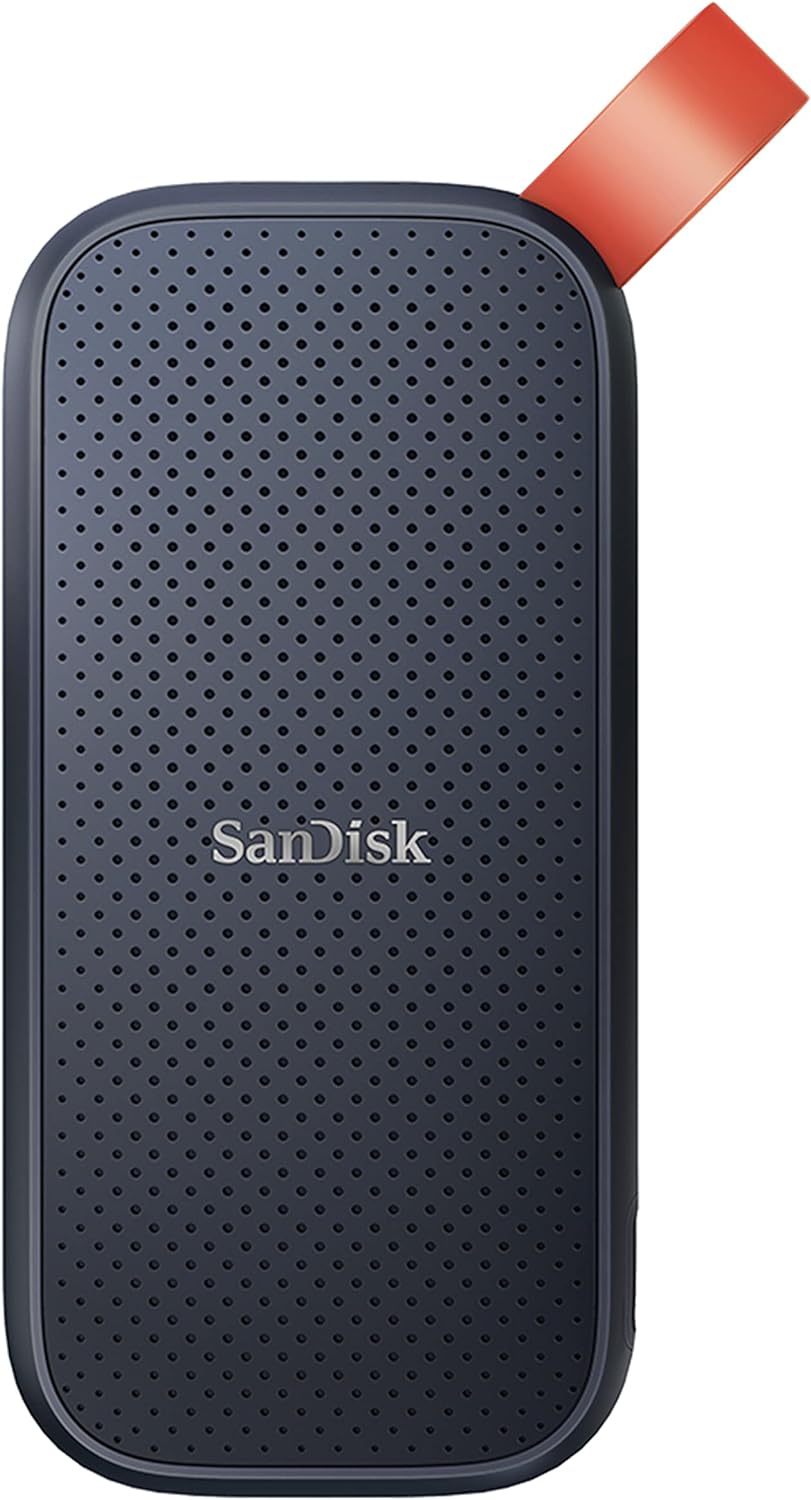
SanDisk Portable SSD 1TB, 800MB/s
A rugged external drive built for creators and travelers who need reliable storage on the go. The 1TB capacity pairs with solid read speeds and genuine drop protection, making it practical for backing up content without sacrificing portability. Trusted by professionals, though write speeds lag behind the advertised read performance.
Pros
- Fast 800MB/s read speeds for quick file transfers and backups
- Genuine durability with two-meter drop protection and reinforced rubber hook for securing to bags or belts
- Compact, portable form factor that fits mobile workflows without bulk
- Strong brand reputation among photographers and content creators
- High user rating (4.6 stars from 10,920 reviews) reflects real-world reliability
Cons
- Write speeds are noticeably lower than read speeds, which may slow down large backup operations
- Performance can vary depending on host device, interface quality, and usage conditions
- Drop protection reviewed under specific conditions and may not cover all real-world scenarios
Samsung T7 1TB Portable SSD
A compact external drive that prioritizes speed and durability for creators moving large files regularly. Delivers PCIe NVMe performance at 1,050 MB/s read speeds, roughly double the older T5 model, with rugged aluminum construction rated for drops up to 6 feet. Best suited for video editors, photographers, and professionals who need reliable fast storage that travels.
Pros
- Fast PCIe NVMe speeds (1,050/1,000 MB/s) enable quick file transfers and 4K video recording directly to the drive
- Durable aluminum unibody with shock and drop resistance up to 6 feet provides real protection for portable use
- Broad device compatibility across PCs, Macs, and mobile phones with support for iPhone 15 Pro Res 4K recording
- Compact form factor with up to 4TB capacity options balances portability and storage needs
- Strong brand reputation backed by in-house firmware and component manufacturing
Cons
- Premium pricing typical for this performance tier may exceed budget-conscious buyers' expectations
- No encryption or security features mentioned in the product data
- Requires USB 3.2 Gen 2 port for advertised speeds, limiting full performance on older devices
Samsung T7 Shield 2TB Portable SSD
A rugged external drive built for creators and adventurers who need durability without sacrificing speed. With IP65 water and dust resistance, drop protection from 9.8 feet, and read speeds up to 1,050 MB/s, it handles demanding workflows and rough conditions alike. Best suited for photographers, video editors, and gamers who work on location.
Pros
- Exceptional durability with IP65 rating plus 9.8-foot drop resistance for outdoor and travel use
- Fast sequential speeds (1,050 MB/s read, 1,000 MB/s write) enable direct editing from the drive
- Wide device compatibility including PC, Mac, Android, gaming consoles, and iPhone 15 ProRes 4K recording
- Includes two USB cables (USB-C to USB-C and USB-C to USB-A) for immediate connectivity
- Highly rated by verified owners (4.7 stars from 16,387 reviews)
Cons
- Maximum speed requires USB 3.2 Gen 2 host support and UASP mode enabled, not guaranteed on all devices
- Performance slower than Samsung T9 (2,000 MB/s), which may matter for large-scale 4K video workflows
- Water and dust resistance reviewed under controlled lab conditions and may vary in real-world extreme environments
Samsung T7 Shield 1TB Portable SSD
A rugged external SSD with IP65 water and dust resistance, reaching 1,050 MB/s read speeds via USB 3.2 Gen 2. Built for creatives and outdoor users who need fast, durable storage across PC, Mac, and mobile devices.
Pros
- IP65 certified water and dust resistance, shockproof up to 3-meter drops
- Fast USB 3.2 Gen 2 speeds (1,050 MB/s read, 1,000 MB/s write), 9.5x faster than traditional external drives
- Cross-platform compatibility with PC, Mac, smartphones, tablets, and game consoles via USB-C and USB-A
- AES 256-bit hardware encryption with optional password protection
- Compact, lightweight design (98g) with rubber-aluminum enclosure for outdoor durability
Cons
- Premium positioning may exceed budget for basic backup needs
- Limited capacity to 1TB and 2TB options, no larger configurations available
- No independent durability evaluation data provided beyond manufacturer IP65 certification
Samsung T7 500GB Portable SSD
The Samsung T7 delivers fast file transfers at up to 1,050 MB/s on compatible devices, making it roughly 9.5x quicker than traditional external hard drives. Built with shock resistance, thermal protection, and password security, it suits professionals, students, and gamers needing reliable portable storage.
Pros
- Exceptional transfer speeds when connected to USB 3.2 Gen2 devices
- Durable construction with drop protection up to 6 feet
- Thermal management system maintains stability during intensive transfers
- Includes firmware software for optimal performance
- Strong user satisfaction with 4,581 verified reviews
Cons
- Maximum speeds require both USB 3.2 Gen2 support and included cables, otherwise performance degrades
- Speed varies significantly based on PC environment and data types being transferred
- Requires specific original Samsung cables for rated performance
SanDisk Extreme Portable SSD 500GB - 550MB/s USB-C
A compact, ruggedized external SSD delivering up to 550MB/s read speeds for fast photo and video transfers. IP55-rated durability and 2-meter drop resistance make it suitable for field work, though sustained heavy workloads can generate noticeable heat.
Pros
- Fast 550MB/s read speeds for quick file transfers and 4K video editing on supported devices
- Extremely portable at pocket-sized dimensions, weighing just 1.44 ounces with included USB-C to USB-A adapter
- IP55 water and dust resistance rated for splashes, rain, and limited dust exposure; survives 2-meter drops
- Works seamlessly with both Windows and Mac systems via USB 3.1 Type-C connectivity
- 3-year limited manufacturer warranty and proven reliability from SanDisk/Western Digital
Cons
- Plastic enclosure raises durability concerns compared to aluminum-bodied alternatives, despite IP55 rating
- Significant heat buildup during extended write operations or large file transfers, requiring cooling breaks for longevity
- Performance scales down with older USB 3.0 devices or when used with USB-A adapter; real-world speeds often fall below advertised 550MB/s depending on hardware and file size
WD Elements SE 2TB Portable SSD
A compact external SSD with 400MB/s read speeds and drop resistance up to 6.5 feet, designed for users who need fast, reliable portable storage for backups and file transfers. USB 3.0 connectivity works on both PC and Mac, though sustained heat and potential reliability concerns warrant data redundancy practices.
Pros
- Significantly faster than mechanical external drives for backups and file transfers
- Genuinely pocket-sized and lightweight for professionals and creatives who travel
- Reliable brand with strong verified customer satisfaction for durability and ease of use
- No noise and simple setup requiring no driver installation
Cons
- Read speed of 400MB/s is modest compared to newer USB 3.2 or Thunderbolt alternatives
- Gets warm during extended use, requiring awareness of continuous operation patterns
- At least one verified reviewer experienced partial drive failure after long-term constant connection, suggesting potential reliability concerns despite generally positive feedback
Portable SSDs Buying Guide
Choosing among the best portable SSDs comes down to matching a handful of technical attributes to how and where you actually use the drive. Speed ratings on the box matter, but so do interface compatibility, durability, and long-term reliability.
The sections below walk through every criterion our research flagged as genuinely important for real-world use.
Read and Write Speeds: Understanding the Numbers

The headline figure on most portable SSD packaging is sequential read speed, and the range today is wide.
Drives using USB 3.2 Gen 1 are capped around 400 to 550 MB/s, Gen 2 pushes past 1,000 MB/s, and Gen 2×2 drives can exceed 2,000 MB/s when connected to a compatible host port.
For most everyday tasks, including offloading photos, transferring project files, or running an operating system from an external drive, a Gen 2 drive at roughly 1,050 MB/s read is more than sufficient.
Where the higher tier genuinely earns its keep is in video production pipelines.
Editors working with 4K ProRes or high-bitrate RAW footage benefit from the extra headroom of a Gen 2×2 drive, because a bottlenecked drive can cause dropped frames during sustained playback.
If your workflow is less intensive, the additional cost of a Gen 2×2 drive may not translate into a noticeable improvement in daily use.
It is also worth noting that write speeds tend to lag behind read speeds on most consumer drives, sometimes significantly. Before purchasing, look for the published write specification alongside the read speed.
Verified buyer feedback consistently flags disappointment when a drive with a strong read number turns out to have write speeds nearly half that figure under sustained load.
Interface and Compatibility

Almost every portable SSD sold today uses a USB-C connector, but the underlying protocol varies. USB 3.2 Gen 2 delivers up to 10 Gbps, while Gen 2×2 doubles that to 20 Gbps.
The catch is that achieving full Gen 2×2 throughput requires a host device, whether a laptop, desktop, or gaming console, that supports the same standard.
Plugging a Gen 2×2 drive into a Gen 2 port limits the drive to Gen 2 speeds; you are not harmed by the mismatch, but you are leaving performance on the table.
Most drives ship with both a USB-C to USB-C cable and a USB-C to USB-A adapter, so connecting to older desktops or legacy ports is typically covered out of the box.
If you regularly move between a newer MacBook and an older Windows desktop, check that both cables are included before assuming compatibility.
For users building a multi-device setup, pairing a portable SSD with a quality docking station is a practical way to extend USB-C ports across older hardware.
Durability and Weather Resistance
Portable SSDs have a natural advantage over hard drives because there are no moving parts to jar loose. That said, the enclosure quality varies considerably.
Entry-level drives typically use smooth plastic shells that offer minimal drop protection, while ruggedized models wrap the internals in rubberized outer skins or textured polymer casing that absorbs impact.
Independent drop evaluations cited in expert reviews suggest that ruggedized enclosures can survive falls from desk height onto hard flooring without data loss, though results are naturally variable.
For photographers shooting outdoors, adventure videographers, or anyone who frequently works around water, an IP65 rating is worth prioritizing.
IP65 means the drive is dust-tight and protected against low-pressure water jets from any direction, which covers rain, splashes, and dusty field environments. Drives without an IP rating should be kept away from liquids entirely.
If you also carry waterproof imaging gear like a rugged point-and-shoot camera, pairing it with a weather-resistant SSD makes the whole kit more field-ready.
Weight and dimensions matter too. A drive that lives in a camera bag or coat pocket should be genuinely pocketable.
The lightest models in this category weigh under 50 grams, while ruggedized options with thick outer shells can approach 100 grams or more.
Neither extreme is bad, but it is worth checking the physical dimensions against how you intend to carry the drive.
Capacity and Value

Portable SSDs are available from 500 GB at the entry level up to 4 TB for flagship models.
For most users, 1 TB hits the practical sweet spot: it holds a substantial photo or video library, accommodates several full game installs simultaneously, and typically costs less per gigabyte than the 500 GB tier.
The 2 TB tier makes sense for content creators who regularly work with large project folders or anyone consolidating multiple smaller drives into one.
Price per gigabyte has dropped meaningfully over the past few years, and the gap between budget-friendly and premium drives at the same capacity is now largely about speed tier and build quality rather than raw storage.
If you are primarily using the drive for backups rather than live editing, a mid-range 1 TB drive at a modest price will almost certainly serve you better than an overspecified Gen 2×2 model at twice the cost.
On the other hand, if the drive is your primary working storage for video projects, the faster tier pays for itself in time saved.
Software and Encryption

Several drives in this category ship with companion software that enables hardware-based AES 256-bit encryption, allowing you to set a password that protects data even if the physical drive is lost or stolen.
This is particularly valuable for professionals carrying client files or sensitive personal data. Hardware encryption is preferable to software-only solutions because it does not rely on third-party tools installed on a host machine.
Beyond security, some manufacturers bundle backup utilities or cloud service trials. These add-ons vary in usefulness. Verified buyer feedback generally treats bundled cloud credits as a modest bonus rather than a deciding factor.
Focus first on the drive’s hardware credentials; software can usually be added or replaced independently.
Notably, the SanDisk Creator Pro bundle includes a one-month Adobe Creative Cloud trial, which content creators may find genuinely convenient during the first month of use.
Form Factor and Connector Style

The dominant form factor is a flat rectangular slab roughly the size of a thick credit card, which slips easily into any bag pocket.
Some drives use an attached cable rather than a recessed port, which removes the risk of losing the cable but can make the drive more awkward to store flat.
Others use a stubby, direct-connect design with no cable at all, resembling an oversized USB flash drive.
These plug-in-place designs are convenient for quick transfers but can put mechanical stress on the host port if the drive is bumped while connected.
Consider your workflow. If the drive sits inside a laptop bag between uses, a flat slab with a short detachable cable is usually the most practical choice.
If it plugs into a desktop hub that lives on your desk, the form factor matters less.
Users who also rely on external peripherals for a portable workspace, such as portable monitors, may prefer drives that consolidate cable clutter by using a single USB-C cable for both power and data.
Why You Should Trust Us
REMOVU is an independent review publication. Every product in this roundup was evaluated by our editorial team using a consistent, multi-factor research process.
We analyze published specifications from manufacturers, synthesize expert review consensus drawn from across the industry, and weigh verified buyer feedback to surface real-world performance patterns that specifications alone do not reveal.
Each drive is then assigned a REMOVU Score on a 0 to 10 scale, reflecting its overall merit relative to competing options in the same category.
We do not conduct our own product trials; our evaluations are grounded in research, published data, expert review consensus, and verified buyer feedback.
This approach allows us to assess a broader range of products and surface reliability trends that emerge only after a drive has been in wide use, rather than relying on a single short-duration assessment.
REMOVU may earn a commission if you purchase through links on this page. That commercial relationship has no influence on which products are included, how they are ranked, or what scores they receive.
Our recommendations are determined solely by research quality and the REMOVU Score, not by commission rates. We do not sell products, process orders, or provide after-sales support; for those matters, please contact the retailer or manufacturer directly.
Final Thoughts
The portable SSD market in 2026 is in excellent shape for buyers.
Performance per dollar has never been better, durability options now cover everything from ultralight everyday drives to IP65-rated field gear, and Gen 2×2 speeds that were exotic just a few years ago are now available at mainstream prices.
Whether you prioritize raw performance, ruggedness, or straightforward plug-and-play reliability, the picks in this roundup represent the most consistently well-regarded options across each of those needs.
Here are our standout awards from this roundup, each reflecting a distinct strength backed by the REMOVU Score:
- Best Overall: Crucial X9 1TB Portable SSD earns the top spot with the highest REMOVU Score in this group, delivering strong sequential performance, broad platform compatibility across Windows, Mac, and Android, and a compact enclosure at an accessible price tier. It is the drive we would recommend first to most buyers.
- Best for Speed-Hungry Workflows: Samsung T9 Portable SSD 1TB uses USB 3.2 Gen 2×2 to push speeds up to 2,000 MB/s, making it the right choice for video editors and power users who genuinely need that headroom. Its REMOVU Score reflects consistently strong expert consensus and verified performance at that bandwidth ceiling.
- Best for Content Creators: SanDisk 1TB Creator Pro Portable SSD combines Gen 2×2 speeds with IP65 weather resistance and a bundled Adobe Creative Cloud trial, earning a high REMOVU Score as a purpose-built option for photographers and videographers working in the field. It pairs naturally with a capable mirrorless camera kit.
- Best Budget-Friendly Pick: SanDisk 1TB Portable SSD offers a strong REMOVU Score at a modest price, with updated firmware addressing earlier reliability concerns and USB 3.2 Gen 2 speeds that satisfy most everyday transfer needs without the premium of the Gen 2×2 tier.
- Best Rugged Option: Samsung T7 Shield Portable SSD 2TB wraps Samsung’s proven T7 internals in a rubberized, IP65-rated shell and scales up to 2 TB capacity, earning a strong REMOVU Score as the go-to choice for outdoor professionals who need both durability and generous storage.
If you are still weighing how a portable SSD fits into your broader tech setup, it is worth thinking about the full ecosystem.
A fast SSD pairs well with quality NAS devices for a home archive, and users building a mobile workstation may also want to explore laptop RAM upgrades to keep the rest of the pipeline from becoming the bottleneck.
Frequently Asked Questions
What is the difference between a portable SSD and a portable hard drive?
A portable SSD uses flash memory with no moving parts, which means it is significantly faster, lighter, more shock-resistant, and quieter than a traditional spinning hard drive.
Hard drives typically max out around 120 to 130 MB/s over USB, while even an entry-level portable SSD comfortably exceeds 400 MB/s.
The trade-off is price per gigabyte: hard drives still offer more raw storage for the same spend, which is why they remain popular for cold backup purposes where transfer speed is less critical.
Do I need a Gen 2×2 drive, or is Gen 2 fast enough?
For the majority of users, including students, casual photographers, and everyday backup needs, a USB 3.2 Gen 2 drive running at around 1,000 MB/s is more than sufficient.
Gen 2×2, which doubles that bandwidth to 20 Gbps, shows a tangible benefit primarily in sustained large-file transfers, such as moving dozens of gigabytes of 4K footage in one session.
It also requires a compatible host port to achieve rated speeds, so check your laptop or desktop specifications before prioritising the Gen 2×2 tier.
Gaming users managing large game libraries on a console or PC may also appreciate the extra headroom, much like choosing capable hardware when building a streaming rig.
Is an IP-rated rugged drive worth the extra cost?
It depends entirely on where and how you carry the drive. For a drive that lives in a desk drawer or a padded laptop bag, IP protection adds cost without adding meaningful benefit.
For outdoor photographers, hikers, field researchers, or anyone whose kit regularly encounters rain, dust, or sandy environments, an IP65-rated drive provides genuine peace of mind.
The ruggedized models in our roundup do carry a price premium, but expert consensus and verified buyer reviews consistently report that the added protection holds up in demanding conditions.
Can I use a portable SSD to expand storage on a gaming console?
Yes, with some caveats. PlayStation 5 and Xbox Series consoles support external USB storage for game libraries, though PS5 requires games to be moved back to internal NVMe storage before they can be played directly.
For older-generation titles, a fast portable SSD works well as an extended storage solution on both platforms.
On PC, an external SSD connected via USB-C can run games directly, and many players use this approach when travelling with a gaming laptop.
If you are building out a broader gaming setup, a quality game controller completes the portable gaming experience alongside a fast drive.
How should I format a portable SSD for use across Windows and Mac?
Most portable SSDs ship pre-formatted in either exFAT or NTFS. ExFAT is the most practical choice for cross-platform use because both Windows and macOS can read and write to it natively, without additional drivers.
NTFS offers better performance on Windows and supports permissions and journaling, but macOS can only read NTFS drives by default and requires third-party software for write access.
If you are primarily a Mac user who occasionally transfers files to a Windows machine, exFAT is the straightforward recommendation. Android devices also read exFAT over USB-C, which is why several drives in this roundup advertise Android compatibility.
Are portable SSDs reliable for long-term backup storage?
Flash memory in an SSD retains data for extended periods without power, typically rated for ten years or more of unpowered data retention under ideal storage conditions.
In practice, reliability depends on the drive’s NAND quality, thermal management, and how frequently it is written to. Drives from established brands like Samsung, SanDisk, Crucial, and Western Digital have long track records and consistent firmware support.
That said, any single storage medium should not be your only backup. A portable SSD used alongside a home network storage solution provides redundancy that protects against hardware failure.
For archival purposes, pairing the SSD with at least one additional backup medium remains best practice.
About the author
Bobby writes about gaming keyboards and mice for REMOVU, comparing switch feel, sensor precision, and comfort for competitive play. He helps players tune their setup to their grip and their games.