The 9 Best External SSDs for Photos
Fast, durable, and reliable storage matters when every RAW file counts. These external SSDs stand out for speed, build quality, and real-world photo workflow performance.
 By Paul Syverson
Updated July 26, 2026
By Paul Syverson
Updated July 26, 2026

Photographers generate enormous amounts of data. A single RAW file from a modern mirrorless camera can top 50MB, and a full day of shooting can fill dozens of gigabytes before you even open your editing software.
Whether you’re a working professional backing up client shoots in the field, a travel photographer packing light, or a hobbyist who wants a reliable home for years of memories, a fast and dependable external SSD is one of the most practical investments you can make.
Unlike traditional spinning hard drives, SSDs have no moving parts, survive the bumps and drops of everyday carry, and transfer files quickly enough to keep your workflow from grinding to a halt.
This guide cuts through the noise of spec sheets and marketing claims to surface the external solid state drives that genuinely deliver for photographers.
REMOVU researched each model by analyzing published specifications, synthesizing expert review consensus from across the photography and storage communities, and weighing verified buyer feedback from confirmed purchasers.
The result is a ranked list you can trust, regardless of whether you shoot with a DSLR or a full-frame mirrorless camera.
Read on for our top picks, then scroll down for a thorough buying guide covering every factor that matters.
| Award | Product | REMOVU Score About REMOVU ScoreThe REMOVU Score is our own rating from 0 to 10, based on performance, design and build, ease of use, and value. It reflects independent research and is never influenced by manufacturers, retailers, or affiliate commissions. Learn more › | Price | |
|---|---|---|---|---|
| Best Overall |
 Samsung T9 1TB Portable SSD, 2,000 MB/s
|
8.7/10 | Buy | |
| Best Premium |
 SanDisk Extreme Portable SSD 1TB
|
8.3/10 | Buy | |
 Samsung T7 1TB Portable SSD
|
8.3/10 | Buy | ||
| Best Value |
 SanDisk Creator Pro 1TB Portable SSD
|
8.5/10 | Buy | |
 Lexar D70E 1TB Dual Drive SSD, up to 2000MB/s
|
7.6/10 | Buy | ||
| Best Budget |
 SanDisk Portable SSD 1TB, 800MB/s
|
8.4/10 | Buy | |
 SanDisk Extreme Portable SSD 2TB (1050MB/s)
|
7.3/10 | Buy | ||
 SSK SD500 1TB External SSD, USB 3.2 Gen2
|
6.8/10 | Buy | ||
 WD Elements SE 2TB Portable SSD
|
6.5/10 | Buy |
Samsung T9 1TB Portable SSD, 2,000 MB/s
Samsung's flagship portable SSD delivers the fastest transfer speeds in its class at up to 2,000 MB/s, making it ideal for content creators and gamers handling large files. The Dynamic Thermal Guard keeps temperatures in check during sustained heavy use, while broad device compatibility spans desktops, gaming consoles, and iPhones with ProRes support. A premium choice backed by Samsung's in-house NAND manufacturing and solid 4.6-star rating from nearly 2,900 verified buyers.
Pros
- Fastest sequential read/write speeds at 2,000 MB/s, nearly double the T7's 1,050 MB/s
- Advanced thermal management maintains safe operating temperatures during prolonged use
- Excellent device compatibility including iPhone 15/16 ProRes 4K video recording
- Rugged build with 9.8-foot drop review rating and sustained performance under heavy workloads
- Includes two USB cables (USB-C to USB-C and USB-C to USB-A) for immediate connectivity
Cons
- Requires USB 3.2 Gen 2x2 host support and UASP mode enabled to achieve maximum 2,000 MB/s speeds, older devices may not reach advertised performance
- No dust or water resistance rating, unlike the T7 Shield's IP65 protection
- Premium pricing compared to slower alternatives like the T5 EVO
SanDisk Extreme Portable SSD 1TB
A compact external drive offering up to 2000MB/s read speeds and rugged IP65 water/dust resistance with 3-meter drop protection. Built for creative professionals and travelers who need fast, dependable storage for large files without compromising portability.
Pros
- Fast transfer speeds: moves 1,000 high-res photos in under 60 seconds
- Rugged durability with IP65 rating and 3m drop protection makes it reliable for on-the-go use
- Compact and lightweight design fits easily into pockets and bags
- Built-in 256-bit AES encryption keeps files secure if device is lost
- High customer satisfaction with 4.6-star rating from 84 reviews
Cons
- Premium pricing reflects quality but may exceed budget-conscious buyers
- Write speed is lower than read speed, which matters for intensive file creation workflows
- Password protection requires software download and Windows 10+ or macOS 12+ for full functionality
Samsung T7 1TB Portable SSD
A compact external drive that prioritizes speed and durability for creators moving large files regularly. Delivers PCIe NVMe performance at 1,050 MB/s read speeds, roughly double the older T5 model, with rugged aluminum construction rated for drops up to 6 feet. Best suited for video editors, photographers, and professionals who need reliable fast storage that travels.
Pros
- Fast PCIe NVMe speeds (1,050/1,000 MB/s) enable quick file transfers and 4K video recording directly to the drive
- Durable aluminum unibody with shock and drop resistance up to 6 feet provides real protection for portable use
- Broad device compatibility across PCs, Macs, and mobile phones with support for iPhone 15 Pro Res 4K recording
- Compact form factor with up to 4TB capacity options balances portability and storage needs
- Strong brand reputation backed by in-house firmware and component manufacturing
Cons
- Premium pricing typical for this performance tier may exceed budget-conscious buyers' expectations
- No encryption or security features mentioned in the product data
- Requires USB 3.2 Gen 2 port for advertised speeds, limiting full performance on older devices
SanDisk Creator Pro 1TB Portable SSD
This rugged portable SSD delivers up to 2000MB/s read speeds and includes IP65 water/dust resistance plus three-meter drop protection, making it built for creators working in unpredictable environments. It comes with a one-month Adobe Creative Cloud subscription and carries a 4.8-star rating from 277 verified buyers.
Pros
- Fast NVMe performance suitable for 4K video editing and multi-camera project files
- Durable design with documented drop and water/dust resistance credentials
- Adobe Creative Cloud trial adds real value for creative professionals
- Highly rated by verified buyers across multiple use cases including boot drives and backups
Cons
- Requires USB 3.0 or higher to achieve advertised speeds, limiting compatibility with older devices
- Premium pricing compared to standard portable SSDs without creative-focused features
- Performance varies based on host device and conditions, so real-world speeds may differ from the 2000MB/s specification
Lexar D70E 1TB Dual Drive SSD, up to 2000MB/s
The Lexar D70E combines dual USB-C and USB-A connectors in a compact metal design, delivering up to 2000MB/s read speeds on USB 3.2 Gen 2. It's built for video editors, content creators, and users who need fast, cable-free backups across Mac, PC, tablets, and phones.
Pros
- Dual connectors eliminate cable swapping between USB-C and USB-A devices
- 2000MB/s read and 1800MB/s write speeds (via USB-C) handle 4K video editing without lag
- Lightweight at 55g with durable metal housing and integrated lanyard loop
- Works directly with iPhones, iPads, and tablets for seamless mobile backups
- 5-year limited warranty and 4.6-star rating from 40 verified buyers
Cons
- Wider form factor blocks second port on newer MacBooks, limiting simultaneous connections
- Premium pricing compared to single-connector alternatives in the external SSD category
- USB-A speeds drop significantly (1000MB/s read, 900MB/s write), only reaching advertised speeds via USB-C
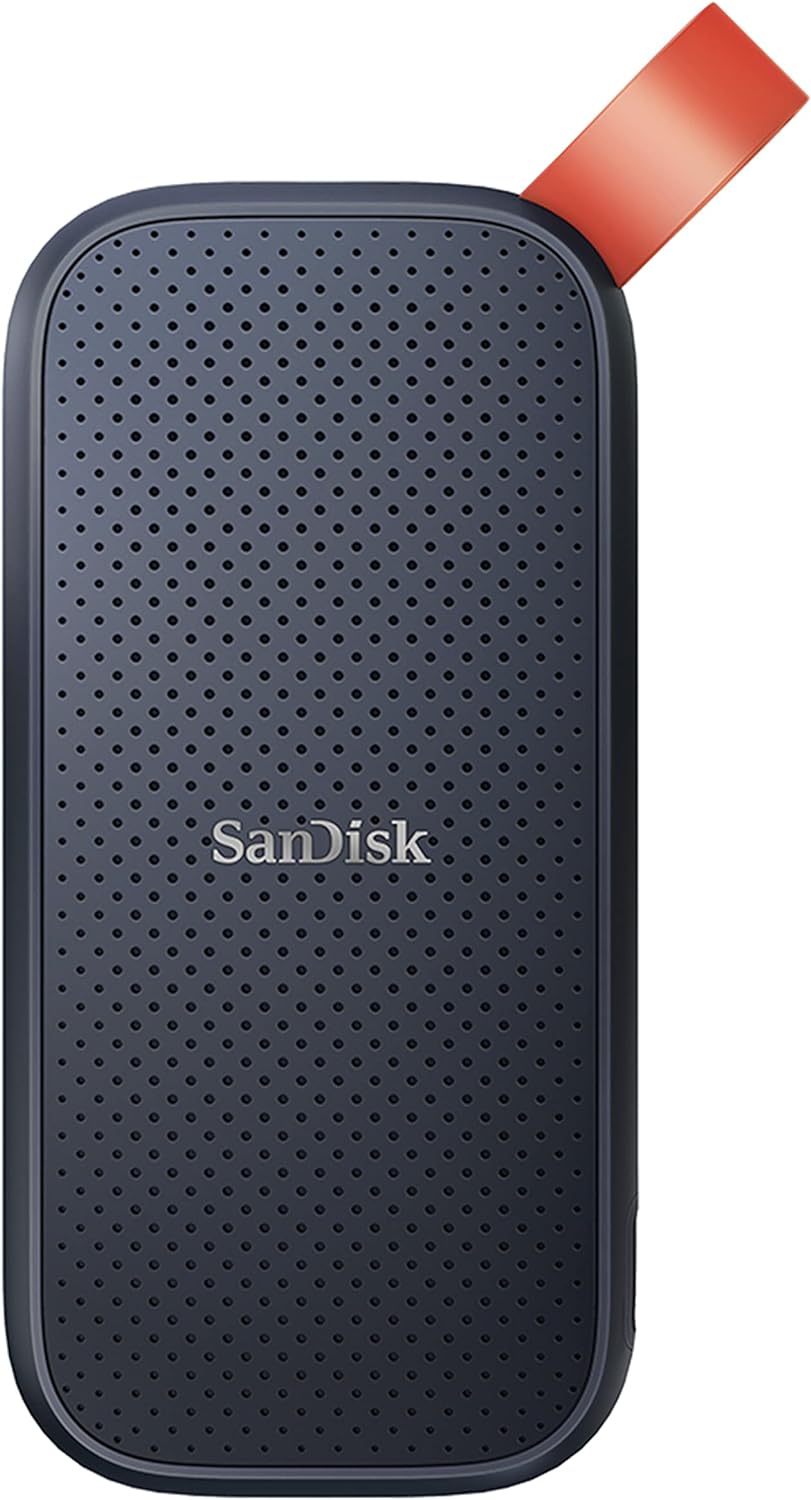
SanDisk Portable SSD 1TB, 800MB/s
A rugged external drive built for creators and travelers who need reliable storage on the go. The 1TB capacity pairs with solid read speeds and genuine drop protection, making it practical for backing up content without sacrificing portability. Trusted by professionals, though write speeds lag behind the advertised read performance.
Pros
- Fast 800MB/s read speeds for quick file transfers and backups
- Genuine durability with two-meter drop protection and reinforced rubber hook for securing to bags or belts
- Compact, portable form factor that fits mobile workflows without bulk
- Strong brand reputation among photographers and content creators
- High user rating (4.6 stars from 10,920 reviews) reflects real-world reliability
Cons
- Write speeds are noticeably lower than read speeds, which may slow down large backup operations
- Performance can vary depending on host device, interface quality, and usage conditions
- Drop protection reviewed under specific conditions and may not cover all real-world scenarios
SanDisk Extreme Portable SSD 2TB (1050MB/s)
A rugged NVMe portable drive delivering 1050MB/s read speeds and solid durability with IP65 water/dust resistance and 3-meter drop protection. Built for content creators and travelers who need fast, dependable storage that survives rough handling. The carabiner loop and 256-bit encryption add practical security for on-the-go use.
Pros
- Fast NVMe performance with up to 1050MB/s read and 1000MB/s write speeds for content transfer and 4K video work
- Rugged design: IP65 rating, 3-meter drop protection, and carabiner loop make it genuinely portable and adventure-ready
- Hardware-encrypted password protection (256-bit AES) keeps sensitive files secure without slowing performance
- 5-year warranty and high user rating (4.6 stars from 91K+ reviews) suggest solid real-world reliability
- SanDisk Memory Zone app automates file management and backup between phone and drive
Cons
- This is an older model; newer versions (Extreme PRO) offer twice the speed (2000MB/s) at similar durability levels
- IP65 rating is good but not extreme, drive must still be dried before use; not true submersion-proof like some competitors
- Actual speeds depend heavily on host device and interface compatibility; real-world performance may fall short of stated 1050MB/s in some setups
SSK SD500 1TB External SSD, USB 3.2 Gen2
Compact 1TB external SSD delivering up to 1050MB/s read speeds via USB 3.2 Gen2, with aluminum construction rated for 1-meter drops. Well-suited for content creators, backup workflows, and multi-device use across Mac, Windows, Android, and iPhone 15 Pro and newer with USB-C.
Pros
- Fast sequential transfer speeds up to 1050MB/s on USB 3.2 Gen2 ports, 9.5x faster than traditional HDDs
- Compact and lightweight design with aluminum case that dissipates heat and survives 1-meter drops
- Multi-device compatibility including Mac, Windows, Linux, Android OTG, and iPhone 15/16/17 Pro USB-C
- Includes both USB-A and USB-C cables for flexible connectivity
- S.M.A.R.T. health monitoring and TRIM support for consistent write speeds and longevity
Cons
- Displays as 931GB usable on Windows due to binary vs. decimal capacity calculation, a 7-10% difference from advertised 1TB
- Sustained write speeds degrade after 25% of available capacity is used (beyond SLC cache), requiring users to split large transfers
- Requires proper ejection via OS safely-remove function; over 98% of failures reported stem from improper unplugging during transfers
WD Elements SE 2TB Portable SSD
A compact external SSD with 400MB/s read speeds and drop resistance up to 6.5 feet, designed for users who need fast, reliable portable storage for backups and file transfers. USB 3.0 connectivity works on both PC and Mac, though sustained heat and potential reliability concerns warrant data redundancy practices.
Pros
- Significantly faster than mechanical external drives for backups and file transfers
- Genuinely pocket-sized and lightweight for professionals and creatives who travel
- Reliable brand with strong verified customer satisfaction for durability and ease of use
- No noise and simple setup requiring no driver installation
Cons
- Read speed of 400MB/s is modest compared to newer USB 3.2 or Thunderbolt alternatives
- Gets warm during extended use, requiring awareness of continuous operation patterns
- At least one verified reviewer experienced partial drive failure after long-term constant connection, suggesting potential reliability concerns despite generally positive feedback
External SSDs for Photos Buying Guide
Picking an external SSD for photography is not as simple as grabbing the fastest or cheapest drive on the shelf.
Photographers have specific requirements: rapid ingest so you’re not waiting at a card reader, enough sustained throughput to scrub through high-resolution previews in Lightroom or Capture One, physical durability for location work, and long-term reliability for archiving irreplaceable images.
The following criteria are the ones that separate genuinely useful drives from ones that merely look impressive on a spec sheet.
Read and Write Speeds
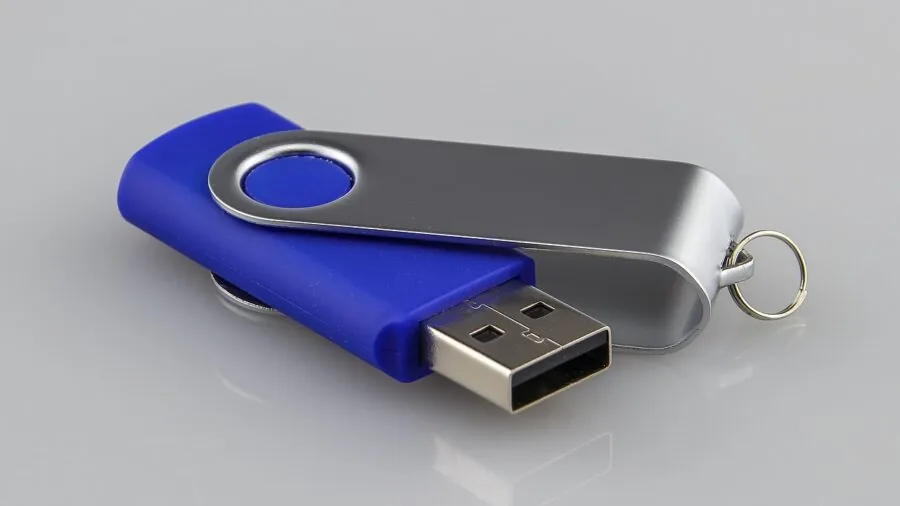
Speed is the headline number on every external SSD, and for good reason.
Sequential read speed determines how quickly you can copy files from the drive to your editing machine, while sequential write speed governs how fast you can ingest from a card reader or camera tethered to the drive.
For most photo workflows, a drive rated at 1,000 MB/s or above will feel noticeably snappier than a budget HDD, but the newest generation of USB 3.2 Gen 2×2 drives now pushes up to 2,000 MB/s, cutting transfer times roughly in half again.
There is an important caveat: rated speeds assume ideal conditions and a compatible host port. If your laptop only has a USB 3.2 Gen 1 port, a Gen 2×2 drive will be throttled to around 500 MB/s.
Always cross-reference the drive’s interface requirement with your computer’s available ports before purchasing. For photographers on older MacBooks or Windows laptops, a Gen 2 (10 Gbps) drive often offers the best balance of real-world speed and broad compatibility.
Sustained write speed matters too, not just burst speed. Some drives throttle dramatically after filling their SLC cache, which shows up when you’re copying a large batch of RAW files.
Expert reviewers consistently flag drives that maintain speed under sustained load, and that data is reflected in our research.
Interface and Connectivity
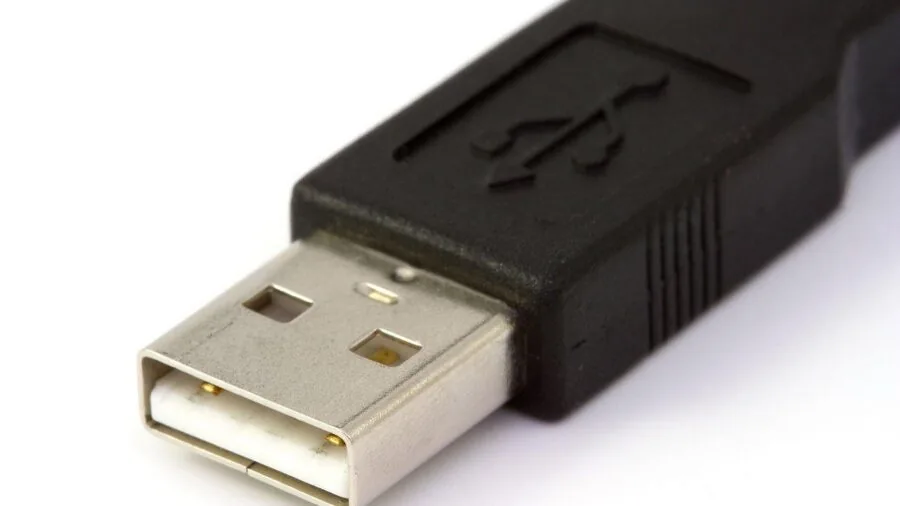
Modern external SSDs overwhelmingly use USB-C connectors, but the underlying protocol varies considerably. USB 3.2 Gen 2 operates at 10 Gbps and supports sequential reads up to roughly 1,050 MB/s.
USB 3.2 Gen 2×2 doubles that bandwidth to 20 Gbps, enabling drives to approach 2,000 MB/s. Thunderbolt 4 and USB4 can go higher still, though drives in that category carry a significant price premium.
Most drives in this roundup include both a USB-C and a USB-A cable in the box, which matters if you’re switching between a modern laptop and a desktop tower.
Some newer models, like the Lexar D70E, integrate a retractable dual-connector design that eliminates the cable entirely, a genuine convenience for photographers on the move.
If you shoot with an iPhone 15, 16, or 17 Pro, confirm the drive supports direct USB-C connection to iOS devices, as some drives do and some do not.
Capacity and Value
For most photographers, 1TB is the practical sweet spot. It comfortably holds tens of thousands of RAW files, leaves room for a working Lightroom catalog, and costs less than a 2TB model.
That said, videographers or shooters who combine stills with 4K or 8K video footage will want to consider 2TB models to avoid juggling multiple drives on extended trips.
Value is not purely a price-per-gigabyte calculation. A budget drive that throttles under sustained load or lacks meaningful drop protection will cost you more in frustration and lost time than it saves upfront.
Consider the total package: speed, build quality, warranty length, and included accessories.
Our research weighs all of these factors, not just the sticker price, so you can make a genuinely informed choice whether you’re on a tight budget or shopping for a premium workhorse.
Durability and Physical Protection

A drive that lives in a camera bag or travels to shooting locations takes punishment that an office-bound drive never faces.
Look for IP-rated dust and water resistance: IP55 resists splashing from multiple angles, while IP65 adds protection against low-pressure water jets, meaning a brief encounter with rain or a spilled water bottle won’t necessarily ruin the drive.
Many photographers working near beaches, in rain, or in dusty environments treat IP65 as a minimum acceptable standard.
Drop resistance is equally relevant. Manufacturers evaluation drives at specified heights under controlled conditions, and ratings of 1.5 to 3 meters are common among the better-built models in this roundup.
An all-metal housing typically dissipates heat more effectively and survives compression stress better than a plastic shell, though it adds a few grams of weight.
For photographers who also want ruggedized storage inspiration from adjacent categories, the storage principles that apply to field photography overlap neatly with those discussed in our networking and storage coverage.
Form Factor and Portability
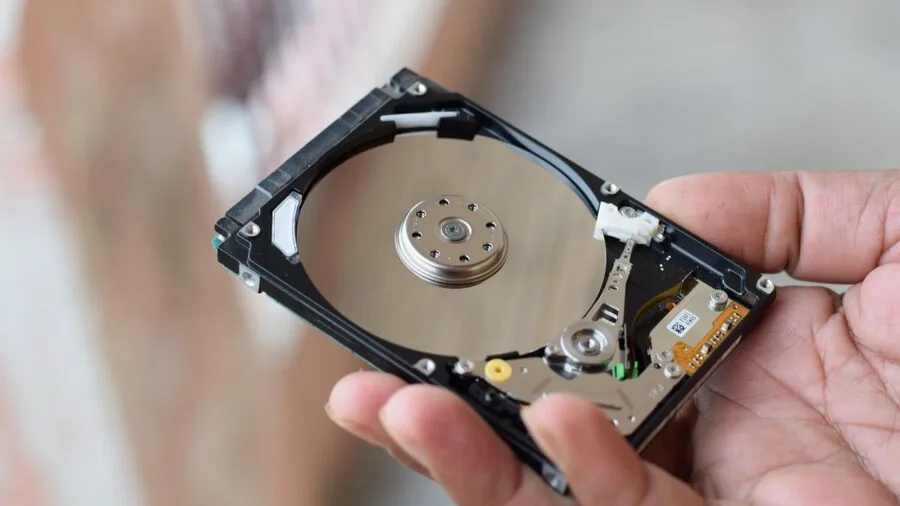
External SSDs are already far smaller than portable hard drives, but there is still meaningful variation within the category. Ultra-compact drives like the SanDisk Extreme and Samsung T-series models slip into a shirt pocket without much thought.
Slightly larger models may offer more substantial heat dissipation or a more secure grip. Weight differences are minor in absolute terms, typically 30 to 100 grams, but for photographers who agonize over every gram in their kit, it’s worth checking the specs.
Cable management is a quiet but real consideration too. Some drives include a short, integrated cable or a loop for attaching to a bag strap. Others ship with a standard USB-C cable and nothing else.
On a busy shoot, a dangling cable is one more thing to catch on a strap or knock a drive off a table, so integrated or cable-free designs earn practical points that don’t always show up in spec comparisons.
Reliability, Warranty, and Ecosystem
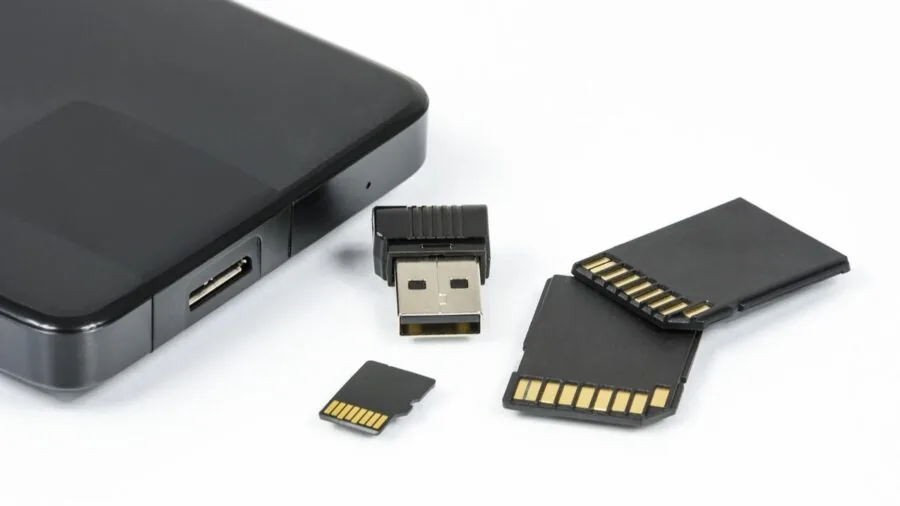
For a photographer, data loss is not an inconvenience, it is a professional and personal catastrophe. Reliability data for consumer SSDs comes from large-scale buyer feedback, long-term owner reports, and manufacturer disclosures about NAND type and controller.
Drives from Samsung, SanDisk, and Western Digital carry significant track records with millions of units in the field.
Newer entrants like Lexar and SSK deserve scrutiny of their warranty terms and community failure reports before you trust them with irreplaceable images.
Warranty length ranges from two to five years across the drives in this roundup. A five-year warranty signals manufacturer confidence in long-term durability and gives you meaningful recourse if a drive fails prematurely.
Pair any external SSD with at least one additional backup, whether a second drive, a NAS device (our NAS devices coverage covers the options worth considering), or cloud storage, because even the most reliable SSD should never be your only copy of critical files.
Why You Should Trust Us
REMOVU is an independent review publication with no brand partnerships, no sponsored placements, and no manufacturer relationships that influence our rankings.
Every product in this roundup was evaluated by our editorial team using a consistent, structured research process: we analyze published specifications, synthesize expert review consensus drawn from across the storage and photography communities, and weigh verified buyer feedback from confirmed purchasers on major retail platforms.
We do not conduct our own product trials; our evaluations are grounded in research, published data, expert review consensus, and verified buyer feedback.
Each drive is assigned a REMOVU Score on a scale of 0 to 10, reflecting its overall performance across the criteria outlined in this buying guide: speed, interface quality, durability, value, and long-term reliability.
Scores are applied consistently across the category so you can compare drives directly. We revisit rankings when new models launch, firmware updates materially change performance, or sustained buyer feedback shifts the reliability picture.
REMOVU may earn a commission if you purchase through a link in this article. That affiliate relationship has no bearing on which products we include, how we rank them, or what scores they receive.
Our recommendations are editorially independent and based solely on research quality, not commission rates.
Final Thoughts
The external SSDs in this roundup cover a wide spectrum of speeds, price points, and use cases, but each one earned its place through research that goes beyond marketing copy. Here is how we’d summarize the standout picks by use case:
- Best Overall: Samsung T9 Portable SSD earns the top REMOVU Score in this roundup with its USB 3.2 Gen 2×2 interface delivering up to 2,000 MB/s, making it the fastest and most capable all-round choice for photographers who demand peak performance.
- Best for Speed on a Mid-Range Budget: SanDisk Creator Pro Portable SSD matches the Gen 2×2 speed ceiling and adds IP65 water and dust resistance, along with a bundled creative software subscription, making it an exceptional value for working photographers and content creators.
- Best Compact Everyday Carry: SanDisk 1TB Portable SSD earns strong marks for its pocket-friendly form factor and reliable Gen 2 performance at a more accessible price point, ideal for photographers who prioritize portability over peak throughput.
- Best for Field Durability: SanDisk Extreme Portable SSD (New Model) combines 2,000 MB/s speeds with a rugged, weather-resistant design that holds up to the demands of outdoor and travel photography.
- Best Cable-Free Design: Lexar D70E Dual Drive External SSD stands out with its integrated USB-C and USB-A connector that eliminates the need to carry a separate cable, a thoughtful convenience for photographers who are always on the move.
Whichever drive you choose, pair it with a robust backup strategy. An external SSD is an excellent working drive and travel companion, but no single drive should be the sole repository of your images.
If you’re building out a more complete storage setup, exploring mesh Wi-Fi systems for seamless wireless backup or a dedicated NAS solution can give your archive the redundancy it deserves.
Frequently Asked Questions
What transfer speed do I actually need for photo editing?
For most RAW photo workflows, a drive offering 500 MB/s or more will be a substantial upgrade over a spinning hard drive.
Drives rated at 1,000 MB/s will handle even large RAW files and burst transfers from high-speed cards without noticeable lag.
If you also work with video or extremely high-resolution files from medium-format cameras, stepping up to a 2,000 MB/s Gen 2×2 drive will keep your editing session responsive.
The host port on your computer is the true ceiling, so confirm compatibility before prioritizing the fastest available model.
Is an external SSD better than an external hard drive for photos?
For active use, almost always yes. External SSDs are dramatically faster, significantly more shock-resistant thanks to the absence of spinning platters, and far more compact.
The main trade-off is cost per gigabyte: spinning hard drives remain cheaper for large-capacity cold storage.
Many photographers use SSDs as their working and travel drives, then archive finished projects to a higher-capacity HDD or a network-attached storage device at home.
Can I use an external SSD directly with my iPhone or iPad?
Yes, if your iPhone or iPad has a USB-C port and the drive is compatible. iPhone 15 and later models with USB-C support direct connection to external storage for offloading photos and videos.
Some drives in this roundup, including the SSK 1TB and Lexar D70E, explicitly list iPhone compatibility. Older Lightning-port iPhones require a separate adapter and are generally not well suited to direct SSD connection.
How important is IP water resistance for a photography drive?
It depends on where and how you shoot. Studio photographers who never leave a climate-controlled environment can reasonably skip IP-rated drives and allocate that budget elsewhere.
Outdoor, travel, and adventure photographers should treat IP55 as a minimum and IP65 as the preferred standard. Splashing rain, sandy environments, and accidental spills are realistic hazards for a drive living in a camera bag.
Ruggedness ratings from brands like SanDisk have been independently corroborated by long-term owner reports, which factored into our research. Photographers who also carry landscape lenses in demanding outdoor conditions will already understand the value of weather sealing on their gear.
Should I use an external SSD as my only backup for photos?
No. Even highly reliable SSDs can fail, be lost, or be stolen. The professional standard is the 3-2-1 rule: three copies of your data, on two different media types, with one copy stored off-site.
An external SSD is an excellent component of that strategy as a working drive or off-site copy, but it should never be your sole backup. Cloud storage, a second external drive, or a home NAS should always complement it.
For photographers who care about their camera investment, the same disciplined approach applies to storage as to protecting a quality camera body.
Does the NAND type inside the SSD matter for photographers?
It matters mostly for sustained write performance and long-term endurance. TLC (triple-level cell) NAND is standard across most consumer external SSDs and offers a good balance of capacity, cost, and durability for typical photo workloads.
The more relevant variable for photographers is whether the drive maintains its rated speed under sustained writes after exhausting its SLC write cache, which is where some budget drives fall short when ingesting large card dumps.
Expert review consensus on sustained throughput is one of the data points REMOVU specifically researches when assessing drives in this category.
About the author

Paul Syverson writes reviews and buying guides for REMOVU.