The 8 Best External Hard Drives
Portable drives from Western Digital, Seagate, Samsung, and Toshiba cover every budget and use case. Here's how to choose the right capacity, speed, and features for your workflow.
 By Kay Hanson
Updated July 26, 2026
By Kay Hanson
Updated July 26, 2026
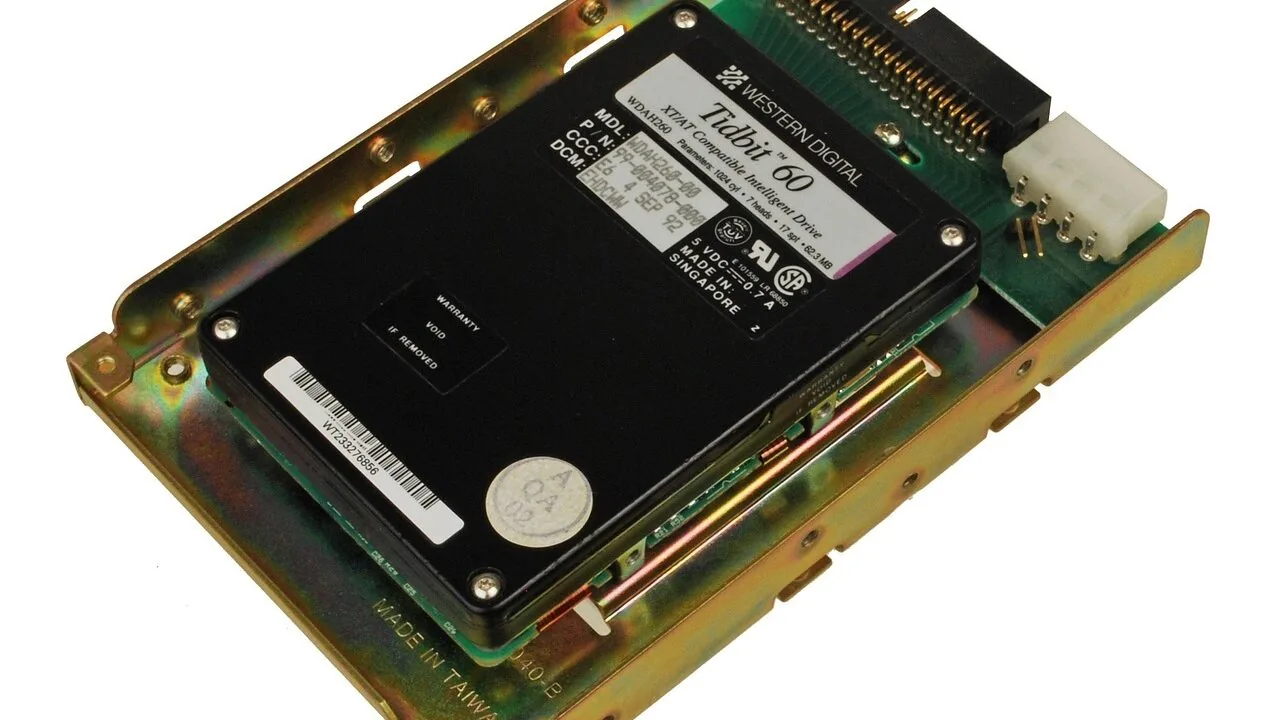
External hard drives remain one of the most practical storage solutions available, whether you need to back up a lifetime of photos, carry large video projects between workstations, or simply free up space on a cramped laptop.
With capacities ranging from a couple of terabytes to several, and form factors compact enough to slip into a jacket pocket, the right portable drive can quietly solve one of computing’s most persistent headaches.
If you’re also weighing faster solid-state options, our guide to SSDs for laptops covers the internal upgrade side of that equation.
To build this list, our editorial team at REMOVU researched specifications, analyzed expert review consensus across dozens of published sources, and incorporated verified buyer feedback to score each drive on our 0 to 10 REMOVU Score scale.
We focused on portable drives that balance capacity, speed, durability, and price across a range of use cases, from everyday file backup to creative professionals moving large media files.
The picks below represent the strongest options we found across budget, mid-range, and performance tiers.
| Award | Product | REMOVU Score About REMOVU ScoreThe REMOVU Score is our own rating from 0 to 10, based on performance, design and build, ease of use, and value. It reflects independent research and is never influenced by manufacturers, retailers, or affiliate commissions. Learn more › | Price | |
|---|---|---|---|---|
| Best Overall |
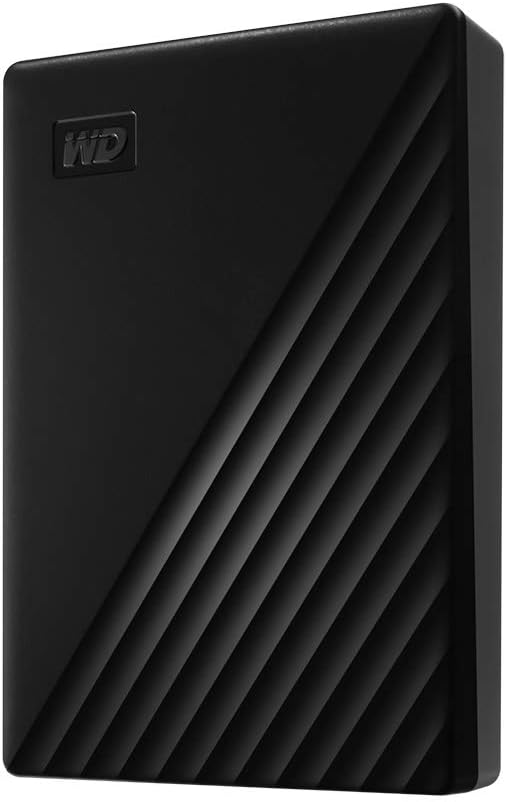 WD My Passport 4TB Portable External Hard Drive
|
8.4/10 | Buy | |
| Best Budget |
 WD My Passport 2TB External Hard Drive
|
8.3/10 | Buy | |
 WD Elements 4TB Portable External Hard Drive
|
8.1/10 | Buy | ||
| Best Value |
 WD Elements 2TB Portable External Hard Drive USB 3.0
|
7.8/10 | Buy | |
 Seagate Portable 2TB External Hard Drive
|
7.5/10 | Buy | ||
 WD My Passport Ultra 2TB USB 3.0 Portable Drive
|
7.2/10 | Buy | ||
 Toshiba Canvio Advance 2TB Portable External Hard Drive
|
7.1/10 | Buy | ||
| Best Premium |
 Samsung T7 1TB Portable SSD
|
8.3/10 | Buy |
WD My Passport 4TB Portable External Hard Drive
A compact, bus-powered external drive that delivers straightforward backup and storage for everyday files, photos, and videos. Includes ransomware protection software and 256-bit encryption, making it a practical mid-range option for users prioritizing capacity and portability over speed.
Pros
- Slim, lightweight design fits easily in bags for travel and daily transport
- Includes Acronis True Image backup software with ransomware defense built in
- 256-bit AES hardware encryption and password protection for file security
- 4TB capacity provides ample space for photo, video, and document storage at a reasonable price point
- USB 3.0/3.1 compatible with plug-and-play setup, no external power needed
Cons
- HDD technology means slower performance than SSD alternatives, not suitable for gaming or running applications directly
- Backup and device management software requires download and installation; user account registration may be needed
- Limited shock resistance compared to competitors, less suited for heavy-duty rugged use
WD My Passport 2TB External Hard Drive
A straightforward, budget-friendly portable drive with 2TB capacity and built-in backup software featuring ransomware protection. Best for Windows users needing reliable file backup and storage without breaking the bank.
Pros
- Strong reliability track record, with users reporting 4+ years of continuous service
- Good value compared to premium alternatives like Samsung T7, offering double the capacity at lower cost
- Backup software included and straightforward to set up; no additional purchases needed
- Durable construction and responsive customer service for returns or replacements
Cons
- Windows-only by default, requires reformatting to work with Mac systems
- No protective case included despite portability as a key feature
- HDD-based storage means slower performance than SSD alternatives in the same brand lineup
WD Elements 4TB Portable External Hard Drive
A straightforward portable drive that combines 4TB capacity with plug-and-play simplicity, powered directly by USB without needing a separate power adapter. Best suited for Windows users seeking affordable backup storage, though Mac compatibility requires reformatting.
Pros
- True plug-and-play setup with included cable, no drivers or external power needed
- Reliable long-term performance based on verified user feedback spanning multiple years of continuous use
- Compact, lightweight design makes it genuinely portable for on-the-go backup
- Affordable entry-level external storage with strong 4.6-star rating across 40,007 reviews
Cons
- No built-in backup software or hardware encryption, unlike WD's premium models
- Some users report occasional drive failures or sector issues after 1-2 years of use, with roughly 70% reliability rate based on long-term ownership patterns
- USB-A connection limits transfer speeds compared to USB-C alternatives, and Mac reformatting erases all data
WD Elements 2TB Portable External Hard Drive USB 3.0
Western Digital's Elements offers straightforward plug-and-play portable storage with 2TB capacity and USB 3.0 connectivity for file backup on the go. It's a no-frills option best suited for Windows users seeking basic, affordable expansion without encryption or backup software.
Pros
- Simple plug-and-play setup powered by USB connection, no battery required
- Fast USB 3.0 data transfer rates up to 5Gbps for efficient file backup
- Compact form factor makes it genuinely portable for travel or daily use
- Includes necessary USB cable in the box, ready to use immediately
- Cross-platform compatibility with Windows and Mac after reformatting
Cons
- No encryption or password protection, making it unsuitable for sensitive data
- Lacks built-in backup software unlike higher-end WD models
- Mechanical hard drive design means slower access speeds compared to SSD alternatives
Seagate Portable 2TB External Hard Drive
A plug-and-play external drive that works with Windows, Mac, PlayStation, and Xbox without requiring software installation. The 2TB capacity and included USB 3.0 cable make it convenient for portable backup and file storage, though performance and durability depend on typical mechanical drive limitations.
Pros
- Works across multiple platforms: Windows, Mac, PlayStation, and Xbox
- No software installation needed; automatic recognition and drag-and-drop setup
- Includes 18-inch USB 3.0 cable in the box
- 2TB capacity suitable for backup and media storage on the go
- Strong user confidence with 4.6-star rating from 272,000+ reviews
Cons
- Mechanical hard drive technology means slower speeds compared to SSDs and higher vulnerability to physical shock
- Includes only 1-year Rescue Service, limiting long-term data recovery protection
- Storage capacity may vary by region and retailer
WD My Passport Ultra 2TB USB 3.0 Portable Drive
Western Digital's My Passport Ultra delivers 2TB of portable storage with 256-bit hardware encryption and automatic backup software, earning a 4.6-star rating from nearly 3,800 verified buyers. Compact and bus-powered design suits mobile professionals and photographers, though Mac users need to reformat it after setup.
Pros
- No external power required, USB 3.0 powered for genuine portability
- 256-bit AES hardware encryption protects sensitive files without performance impact
- Compact size (8 ounces) with shock-resistant aluminum/glass enclosure fits easily in bags
- Includes WD Backup software for automatic local and cloud backup to Dropbox
- 3-year limited warranty and consistent reliability across generations
Cons
- Ships with a very short USB 3.0 cable, longer cables require separate purchase
- Pre-formatted for Windows only; Mac users must reformat before use
- No drawstring pouch included for protection during transport
Toshiba Canvio Advance 2TB Portable External Hard Drive
A compact 2TB external drive with USB 3.0 connectivity and textured finish available in multiple colors, designed for portable storage and backup. Includes free password protection and auto backup software for Windows, though Mac users will need to reformat and software is Windows-only.
Pros
- Genuinely portable with compact casing and no AC power cord required
- Free backup and password protection software simplifies file security for Windows users
- Multiple color choices let you choose aesthetic beyond standard black or silver
- USB 3.0 speeds support reasonably fast data transfers for a mechanical drive
Cons
- Software features (auto backup, password protection) limited to Windows PC only, not available for Mac
- Mac users must reformat the drive from NTFS, adding an extra setup step for cross-platform use
- No customer reviews available to validate real-world performance claims
Samsung T7 1TB Portable SSD
A compact external drive that prioritizes speed and durability for creators moving large files regularly. Delivers PCIe NVMe performance at 1,050 MB/s read speeds, roughly double the older T5 model, with rugged aluminum construction rated for drops up to 6 feet. Best suited for video editors, photographers, and professionals who need reliable fast storage that travels.
Pros
- Fast PCIe NVMe speeds (1,050/1,000 MB/s) enable quick file transfers and 4K video recording directly to the drive
- Durable aluminum unibody with shock and drop resistance up to 6 feet provides real protection for portable use
- Broad device compatibility across PCs, Macs, and mobile phones with support for iPhone 15 Pro Res 4K recording
- Compact form factor with up to 4TB capacity options balances portability and storage needs
- Strong brand reputation backed by in-house firmware and component manufacturing
Cons
- Premium pricing typical for this performance tier may exceed budget-conscious buyers' expectations
- No encryption or security features mentioned in the product data
- Requires USB 3.2 Gen 2 port for advertised speeds, limiting full performance on older devices
External Hard Drives Buying Guide
Choosing between portable drives means weighing several competing factors simultaneously.
A drive that looks great on paper for raw capacity might fall short on speed or build quality, while a premium model may offer features that only matter to a narrow group of users.
The sections below walk through every criterion worth understanding before you buy.
Capacity: Matching Storage to Your Workflow
Capacity is usually the first number buyers look at, but it’s worth thinking beyond raw gigabytes.
For most home users backing up documents, photos, and music, a 2TB drive provides years of headroom without a significant price premium over 1TB models.
Anyone shooting 4K video, working in audio production, or archiving large game libraries should consider 4TB or higher from the outset, since running out of space on a backup drive is far more disruptive than overshooting on storage.
It’s also worth noting that advertised capacity uses decimal notation (1TB = 1,000GB in marketing terms), while your operating system calculates in binary, so a 2TB drive will display as roughly 1.82TB in Windows or macOS.
This is normal across the entire category and not a defect. Plan accordingly if you’re working right at the margins of what you need.
Interface and Transfer Speed

Most portable hard drives on the market today use USB 3.0 or USB 3.2 Gen 1 connections, which deliver theoretical throughput of up to 5Gbps.
In practice, traditional spinning hard disk drives (HDDs) top out around 120 to 140MB/s due to mechanical limitations, meaning the interface rarely becomes the bottleneck with conventional drives.
What matters more is the controller quality and platter speed inside the drive itself.
If raw transfer speed is a priority, for example moving large video files frequently between machines, a portable SSD like the Samsung T7 in this list offers dramatically faster read and write speeds than any spinning drive.
The tradeoff is price per gigabyte: HDDs remain significantly cheaper per terabyte. For most backup use cases, a quality HDD at USB 3.0 speeds is perfectly adequate.
If you pair your workflow with a capable all-in-one computer, onboard USB 3.x ports will ensure you’re never throttled by the host machine’s connectivity.
Build Quality and Portability
Most 2.5-inch portable drives are bus-powered, meaning they draw power entirely from the USB connection without needing a separate power adapter. This is a major convenience advantage over desktop-style external drives when working on the go.
However, bus-powered drives are more vulnerable to drops and bumps than their desktop counterparts, since the mechanical components inside a spinning drive are sensitive to shock during operation.
Look for drives with rubberized exteriors or internal shock-absorbing mounts if you intend to carry the drive in a bag regularly. Western Digital’s My Passport line, for example, includes a recessed connector to protect against cable stress.
Users who prioritize physical resilience over raw capacity should weigh portable SSDs more seriously, since the absence of moving parts makes them inherently more drop-resistant.
Our broader networking and storage coverage includes guides to NAS devices and other long-term archival solutions if you need something more stationary.
Software, Encryption, and Security Features

Several drives in this lineup include bundled backup software and hardware encryption. Western Digital’s My Passport series ships with WD Backup and WD Security, which offer automatic scheduled backups and 256-bit AES hardware encryption with password protection.
The encryption is particularly valuable for anyone carrying sensitive files, since a lost drive without encryption leaves data fully exposed.
Not every buyer needs these extras. The WD Elements line, for instance, strips out the security software and comes in at a lower price point, making it a leaner choice for users who just want simple plug-and-play storage.
Toshiba’s Canvio Advance similarly includes backup software, though expert consensus notes the bundled utilities are more basic than WD’s equivalent.
If you manage sensitive work files or travel frequently, prioritize hardware encryption over software-only solutions, which can be bypassed more easily.
Compatibility: Windows, Mac, and Console Use

Most portable external drives ship formatted as exFAT or NTFS. NTFS works natively with Windows but requires third-party software for full read-write access on macOS. exFAT offers broad cross-platform compatibility out of the box.
If you plan to use a drive across both Windows and Mac machines, reformatting to exFAT is a straightforward step that prevents compatibility headaches down the line.
Console compatibility is another practical consideration. The Seagate Portable 2TB in this list is explicitly marketed for use with PlayStation and Xbox, and verified buyer feedback confirms reliable plug-and-play performance with both platforms.
Most USB 3.0 drives will work with modern consoles, but drives marketed specifically for gaming use tend to have better-vetted firmware for that environment.
If gaming storage is your primary motivation, the console-specific marketing is a reassuring signal rather than mere branding.
Warranty and Long-Term Reliability

Warranty length is a meaningful proxy for manufacturer confidence in a drive’s longevity.
Western Digital’s Elements and My Passport lines carry two-year limited warranties, while Seagate bundles a one-year Rescue Data Recovery Service with its portable drives, which covers up to three recovery attempts for failed drives.
Toshiba’s Canvio Advance also includes a two-year warranty.
No mechanical hard drive should be treated as a permanent backup solution. The 3-2-1 backup strategy (three copies, two media types, one offsite) remains the gold standard for protecting irreplaceable data.
These drives excel as one layer of that strategy. For those interested in network-attached solutions that can serve the same role across multiple devices simultaneously, our category page for NAS devices covers that territory in depth.
Why You Should Trust Us
REMOVU is an independent review publication. We have no affiliation with any manufacturer, retailer, or distribution channel.
Every product in this article was evaluated by our editorial team using a consistent, multi-factor research framework: we analyze manufacturer specifications, cross-reference expert review consensus from published sources, and weight verified buyer feedback to identify patterns in real-world reliability and satisfaction.
Each product is then assigned a REMOVU Score on a 0 to 10 scale reflecting its overall merit within the category.
We do not conduct our own product trials; our evaluations are grounded in research, published data, expert review consensus, and verified buyer feedback.
This approach lets us assess a broader range of products than any single reviewer could physically evaluate, and it anchors our conclusions in aggregated evidence rather than the variability of a single unit or session.
REMOVU may earn an affiliate commission if you purchase through a link in this article. That relationship does not influence our rankings, scores, or product selection in any way.
Products are ordered by REMOVU Score, not by commission rate or brand relationship. If a product no longer represents strong value, we remove or downgrade it regardless of any commercial relationship.
Final Thoughts
The portable external drive market in 2026 is well-served by a handful of reliable brands, with Western Digital, Seagate, Toshiba, and Samsung covering the full range from budget-friendly spinning HDDs to premium portable SSDs.
After evaluating each model against consistent criteria, here are the standout picks from this lineup:
- Best Overall: WD 4TB My Passport Portable External Hard Drive earns the top spot with the highest REMOVU Score in the group, combining generous 4TB capacity, hardware encryption, ransomware protection, and a proven track record in expert and buyer consensus.
- Best 2TB Portable HDD: WD 2TB My Passport Portable External Hard Drive is the strongest pick at the 2TB tier, offering the same security features as its larger sibling in a slightly more compact and affordable package.
- Best Value for Capacity: WD 4TB Elements Portable External Hard Drive delivers 4TB of plug-and-play storage at a mid-range price, making it the most straightforward high-capacity option for Windows users who don’t need encryption software.
- Best Portable SSD: Samsung T7 Portable SSD 1TB is the fastest drive in this lineup by a wide margin, with USB 3.2 Gen 2 speeds that make it the right choice for professionals moving large files regularly. Those comparing portable SSD options more broadly will find additional context in our SSD buying coverage.
- Best Budget Pick: Toshiba Canvio Advance 2TB Portable External Hard Drive offers dependable everyday storage at the lowest price point in this group, making it a sensible starting point for users who need basic backup without extra features.
For users who primarily need storage accessible across a home network rather than on the go, mesh Wi-Fi systems paired with a NAS device can provide a more scalable long-term solution.
And if you’re building or upgrading a complete workstation, it’s worth considering how your storage fits alongside other components like all-in-one PCs that may have limited internal expansion.
Frequently Asked Questions
What is the difference between an external hard drive and a portable SSD?
A traditional external hard drive uses spinning magnetic platters to store data, which makes it slower but significantly cheaper per gigabyte.
A portable SSD uses flash memory with no moving parts, offering much faster transfer speeds and greater resistance to drops. For backup and archival storage where speed is less critical, HDDs offer better value.
For frequent file transfers or professional workflows, a portable SSD like the Samsung T7 is worth the price premium.
Can I use an external hard drive with both a PC and a Mac?
Yes, with a simple reformat. Most drives ship in NTFS format, which Windows reads and writes natively but macOS handles in read-only mode by default.
Reformatting the drive to exFAT gives full read-write access on both platforms without needing additional software. Be aware that reformatting erases all existing data, so do this before storing anything important on the drive.
How long do portable external hard drives typically last?
Most manufacturers quote a mean time between failures (MTBF) in the range of 1 million hours under normal operating conditions, but real-world longevity depends heavily on usage patterns, storage conditions, and physical handling.
Consumer HDDs commonly remain reliable for three to five years of regular use, though failure can happen earlier without warning.
This is why external drives are best treated as one layer of a broader backup strategy rather than a sole archive.
Do I need a separate power adapter for a portable external hard drive?
No, for the 2.5-inch portable drives in this list. All of them are bus-powered, drawing their operating current entirely from the USB connection.
This is one of the key advantages of portable drives over desktop external drives, which require a separate AC adapter.
Just ensure your host device’s USB port delivers adequate power output, which is standard on any modern laptop or desktop USB 3.0 port.
Is hardware encryption on a portable drive worth it?
For anyone carrying sensitive personal or professional data outside the home, hardware encryption is a meaningful safeguard.
If a drive with hardware AES encryption is lost or stolen, the data remains inaccessible without the password, regardless of what software the finder uses. Drives without hardware encryption leave data fully exposed if physically accessed.
The Western Digital My Passport series in this lineup includes 256-bit AES hardware encryption, which is the industry benchmark for this feature at the consumer level.
Can external hard drives be used with gaming consoles?
Yes. Both PlayStation 4 and 5 and Xbox One and Series consoles support USB external storage for expanding game libraries.
The Seagate Portable 2TB in this list is explicitly validated for both platforms and is a popular choice among console gamers based on verified buyer feedback.
Most USB 3.0 drives will work, but drives marketed for console use tend to be vetted more carefully for compatibility and sustained read performance under gaming workloads.
About the author
Kay is REMOVU's drawing tablet writer, weighing pen accuracy, screen quality, and software support for artists and designers. She matches pen and display tablets to real creative workflows and budgets.