The 6 Best Gaming Laptops Under $2000
GPU generation, display refresh rate, and thermal design separate the genuinely capable picks from the overhyped ones at this budget. Here are the gaming laptops our research rated highest.
 By Freddie Frazier
Updated July 26, 2026
By Freddie Frazier
Updated July 26, 2026

Spending up to two thousand dollars on a gaming laptop puts you in a genuinely exciting tier.
At this price point you are no longer making meaningful compromises: displays run at high refresh rates with sharp resolutions, GPUs are powerful enough to handle modern AAA titles and competitive esports titles alike, and chassis designs have matured well beyond the garish aesthetics of early gaming portables.
Whether you are a student who needs a machine that can also handle productivity, a creator who games on the side, or simply someone who wants desktop-adjacent performance they can carry to a LAN party, the options available right now are stronger than they have ever been.
The challenge is cutting through the noise and understanding which specifications actually translate to a better gaming experience and which are marketing fluff.
To help you decide, our team at REMOVU researched and assessed every model in this list by analyzing hardware specifications, synthesizing expert review consensus, and weighing verified buyer feedback.
We cross-referenced published benchmark data and independent analysis to ensure each pick earns its place on merit alone, not on brand recognition.
A broader laptop category exists for buyers whose needs extend beyond gaming, and if your budget is tighter you may also want to read our roundup of gaming laptops under a thousand dollars before committing.
Our top picks below are ranked by REMOVU Score so you can immediately see which models earned the strongest recommendation.
| Award | Product | REMOVU Score About REMOVU ScoreThe REMOVU Score is our own rating from 0 to 10, based on performance, design and build, ease of use, and value. It reflects independent research and is never influenced by manufacturers, retailers, or affiliate commissions. Learn more › | Price | |
|---|---|---|---|---|
| Best Overall |
 ASUS ROG Strix G16 Gaming Laptop
|
8.9/10 | Buy | |
| Best Value |
 Alienware 16 Aurora RTX 5050 Gaming Laptop
|
7.6/10 | Buy | |
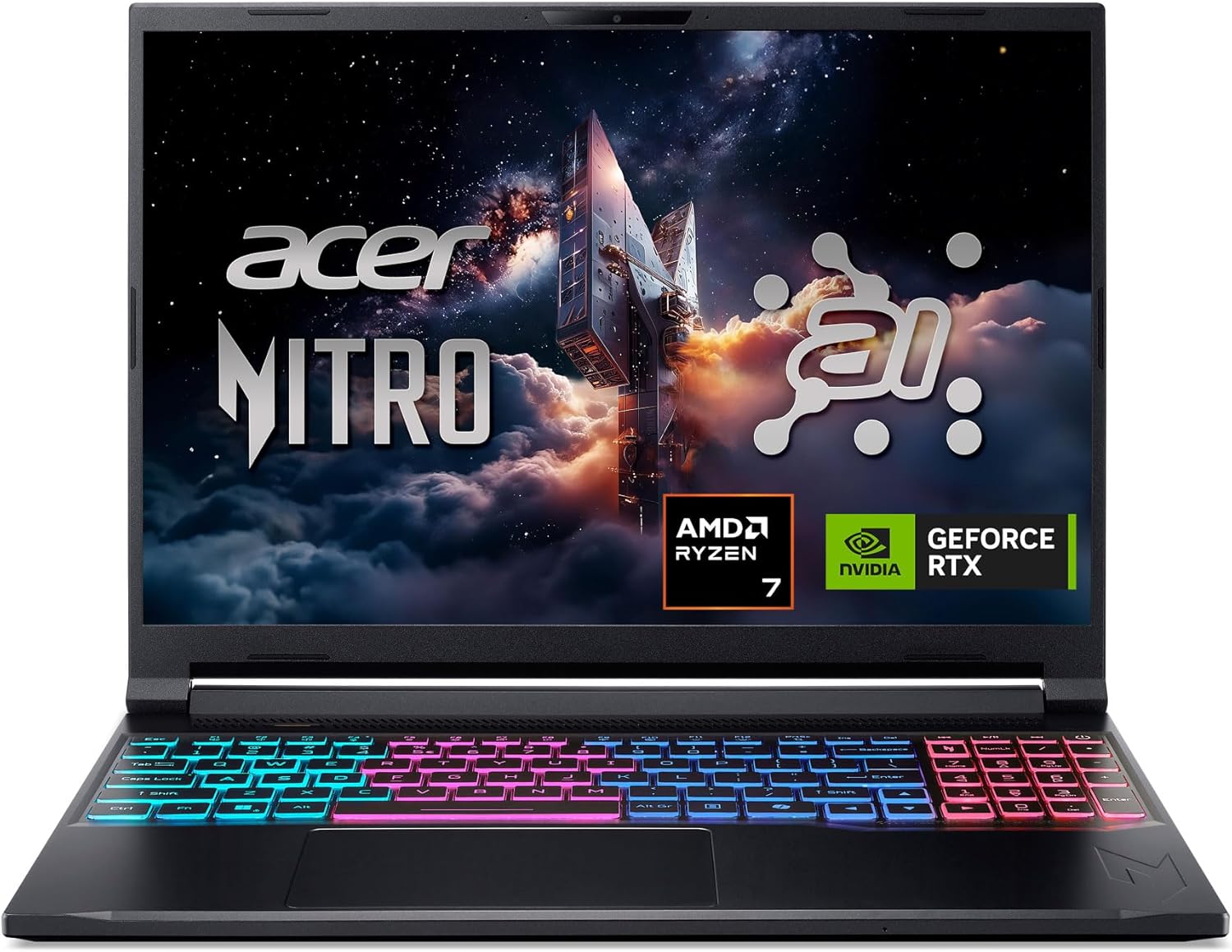 Acer Nitro V 16S AI: Ryzen 7 + RTX 5060 Gaming Laptop
|
7.4/10 | Buy | ||
| Best Budget |
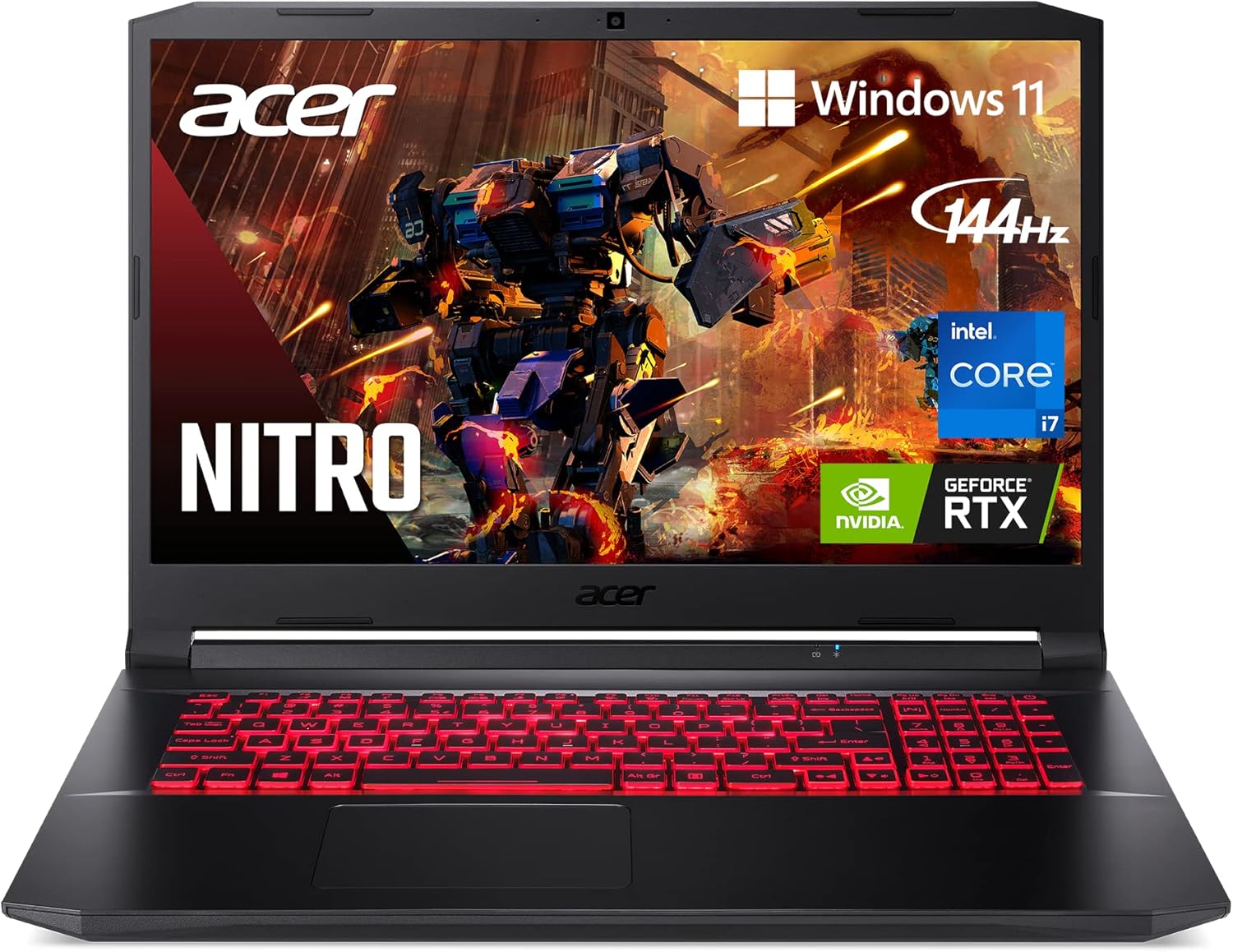 Acer Nitro 5 AN517-54 17.3" Gaming Laptop
|
6.8/10 | Buy | |
 Acer Nitro 5 AN515-58 Gaming Laptop (i5/RTX 3050 Ti)
|
6.5/10 | Buy | ||
| Best Premium |
 MALLRACE Ryzen 7 7735HS 16-inch Gaming Laptop
|
6.2/10 | Buy |
ASUS ROG Strix G16 Gaming Laptop
A powerful 16-inch gaming laptop built for serious gamers, featuring an Intel Core i7-14650HX, RTX 5060 GPU, and a 165Hz display for smooth competitive play. The advanced cooling system and build quality justify the price for those seeking reliable high-performance gaming.
Pros
- Exceptional refresh rate and response time create competitive advantage in fast-paced games
- Robust cooling system maintains performance stability during long gaming marathons
- Upgradeable memory and storage allow cost-effective future improvements
- Dolby Atmos audio and premium display enhance immersive gaming experience
- Strong build quality and thermal design justify the investment for serious gamers
Cons
- RTX 5060 may require settings adjustments for ultra-high-end AAA titles at maximum graphics
- 16GB DDR5 is adequate now but may feel limiting for heavy multitasking or future demanding applications
- Premium pricing positions it above budget gaming laptops, though feature set justifies the cost
Alienware 16 Aurora RTX 5050 Gaming Laptop
A 16-inch gaming laptop built for sustained performance with Intel Core 7 and RTX 5050 graphics, paired with a 120Hz WQXGA display and premium aluminum design. The Cryo-Chamber cooling system and upgradeable memory/storage make it solid for gamers who want portability without sacrificing thermal stability. Best suited for players prioritizing comfort and long gaming sessions over ultra-compact form factors.
Pros
- Advanced Cryo-Chamber cooling with dual fans and copper heat pipes keeps thermals efficient during extended play
- Upgradeable DDR5 memory and dual PCIe Gen 4 SSD slots allow future expansion up to 2TB storage
- 120Hz WQXGA display with 300 nits brightness and 100% sRGB provides clear visuals for competitive gaming
- Streamlined design with anodized aluminum lid and magnesium frame balances premium build with reasonable portability
- NVIDIA RTX 5050 with DLSS 4 and Reflex 2 delivers competitive-grade performance for modern titles
Cons
- RTX 5050 is entry-level for the RTX 50 series, limiting performance at maximum settings in demanding AAA games
- 16GB DDR5 RAM is baseline for modern gaming and content creation, requiring upgrade for heavy multitasking
- 4.2-star rating from 262 reviews suggests mixed real-world satisfaction, with potential thermal or build quality concerns worth investigating
Acer Nitro V 16S AI: Ryzen 7 + RTX 5060 Gaming Laptop
A slim 16-inch gaming laptop built for portability without sacrificing power. The Ryzen 7 260 CPU and RTX 5060 GPU with 572 AI TOPS handle modern games and AI tasks smoothly, while the 180Hz WUXGA display delivers fluid visuals. Best suited for gamers and creators who prioritize mobility and want current-generation ray tracing performance.
Pros
- Compact, slim chassis designed for gaming on the go without bulk
- Strong GPU performance with RTX 5060 and DLSS 4 support for smooth frame rates and ray tracing
- High refresh 180Hz display with 100% sRGB accuracy for vibrant, responsive gaming
- Generous 32GB DDR5 RAM and 1TB SSD for multitasking and content creation
- Solid 4.4-star rating from 282 verified buyers
Cons
- 16-inch WUXGA resolution is standard, not cutting-edge for a premium gaming laptop
- Single available M.2 slot limits storage upgrade flexibility
- Ryzen 7 260 CPU performance details sparse; unclear how it compares to Intel alternatives in non-AI workloads
Acer Nitro 5 AN517-54 17.3" Gaming Laptop
A solid mid-range gaming laptop built for players who want smooth 1080p performance without breaking the bank. The 11th-gen Intel Core i7 and RTX 3050 Ti handle modern titles at respectable frame rates, while the 144Hz display keeps gameplay fluid. Best suited for casual to intermediate gamers prioritizing screen size and upgrade flexibility.
Pros
- 144Hz 17.3" FHD display provides smooth visuals and good immersion for gaming
- Intel Core i7-11800H with 8 cores delivers strong CPU performance for both gaming and productivity
- Expandable memory and storage (up to 32GB RAM, dual M.2 slots) allows future upgrades without replacing the laptop
- Killer DoubleShot Pro network tech with Wi-Fi 6 enables dual connection for stable online play
- CoolBoost thermal management boosts cooling efficiency by 25%, reducing thermal throttling during intense sessions
Cons
- RTX 3050 Ti is entry-level by current standards, limiting performance at high settings in demanding AAA titles
- 5.95 lbs weight and 0.98" thickness make it less portable than 15-inch gaming alternatives
- Battery life capped at 8 hours, typical for gaming laptops but requires frequent charging during travel
Acer Nitro 5 AN515-58 Gaming Laptop (i5/RTX 3050 Ti)
A mid-range gaming laptop that pairs a 12th Gen Intel Core i5 with an RTX 3050 Ti GPU for solid 1080p performance. The 144Hz IPS display delivers smooth visuals for competitive gaming, while 16GB DDR4 and 512GB SSD handle most modern titles and creative work. Best suited for budget-conscious gamers who prioritize refresh rate over maximum frame rates.
Pros
- 144Hz 1080p IPS display provides fluid, responsive gaming without excessive motion blur
- RTX 3050 Ti with dedicated 4GB VRAM handles 1080p gaming at high settings in most titles
- Dual-fan cooling with quad-exhaust design keeps thermals in check during extended sessions
- Expandable memory and storage (up to 32GB DDR4, dual M.2 slots) for future upgrades
- Killer Wi-Fi 6 and Ethernet prioritization for stable online gameplay
Cons
- RTX 3050 Ti struggles with demanding AAA titles at ultra settings above 100 fps
- 5.51 lbs and 1.06 inch thickness is respectable but not ultraportable for frequent travel
- 16GB base RAM is adequate but DDR4 is aging compared to DDR5 alternatives in newer models
MALLRACE Ryzen 7 7735HS 16-inch Gaming Laptop
A budget-friendly gaming laptop built around AMD's Ryzen 7 7735HS processor and Radeon 680M graphics, designed for casual gamers and students who need both performance and portability. The 16GB DDR5 RAM and 512GB SSD handle everyday multitasking smoothly, while the lightweight all-metal chassis keeps it travel-friendly at 1.85kg.
Pros
- Strong CPU performance with 8 cores, 16 threads, and up to 4.75GHz turbo for gaming and multitasking
- Upgradeable to 64GB RAM and 4TB storage via dual M.2 slots, future-proofing for growing needs
- 16:10 display aspect ratio offers more vertical screen real estate than standard 16:9 laptops
- WiFi 6 and low-latency networking support stable online gaming
- Lightweight all-metal build at 1.85kg makes it genuinely portable for travel
Cons
- Integrated Radeon 680M graphics limits performance on demanding AAA titles at high settings, better suited for esports and casual games
- 50.82Wh battery is modest for a 16-inch laptop, likely requiring frequent charging during extended gaming sessions
- No discrete GPU option, so GPU-intensive creative work or newer games at high resolutions may struggle
Gaming Laptops Under $2000 Buying Guide
Choosing the right gaming laptop at this price tier requires looking past the spec sheet headline numbers and understanding how individual components work together.
The sections below walk through the criteria our research showed matter most, so you can match a machine to your actual use case rather than chasing the biggest GPU number on the box.
GPU Tier and Real-World Gaming Performance

The discrete GPU is the single biggest determinant of frame rates, and at this price point you will find a range from last-generation RTX 3050 Ti class hardware up to the newest RTX 5060 parts.
The jump between those tiers is substantial: current-generation Ada Lovelace and Blackwell architectures bring hardware ray tracing improvements, DLSS 3 or DLSS 4 frame generation support, and meaningfully better efficiency that keeps thermals in check under sustained load.
If your goal is playing demanding titles at 1080p or 1440p with high settings, prioritizing a newer GPU generation over a slightly faster CPU will almost always yield better results.
Laptop GPU power limits also vary significantly between manufacturers and even between SKUs of the same chip. A 100W RTX 5060 implementation will outperform a 60W one by a noticeable margin.
Expert review consensus consistently flags TGP (Total Graphics Power) as a critical but often under-marketed spec, so look for disclosed power limits in manufacturer documentation or detailed third-party analyses before purchasing.
Pairing the GPU with adequate high-bandwidth RAM is equally important, since dual-channel memory configuration directly feeds GPU performance on integrated and discrete graphics alike.
For competitive esports players whose priority is frame rate over visual fidelity, even a mid-tier GPU in this price band will be more than sufficient.
Our dedicated guide to gaming laptops built for esports goes deeper on that specific use case if frame-rate-first performance is your main concern.
Display: Resolution, Refresh Rate, and Panel Quality

The display is where you will spend every single gaming hour, so it deserves careful scrutiny. At this price tier, IPS and IPS-level panels dominate, offering accurate colour reproduction and wide viewing angles that TN panels cannot match.
The models in our list include 144Hz, 165Hz, and 180Hz options, and the difference between a 60Hz and a 144Hz panel is immediately perceptible during fast-paced gameplay.
Beyond refresh rate, response time matters: a panel rated at 3ms gray-to-gray will produce noticeably less ghosting on moving objects than a slower 10ms panel.
Resolution deserves a balanced view.
Full HD at 1080p or 1200p remains the dominant choice for gaming laptops because it is easier to push high frame rates at lower resolutions, and the screen sizes in this category (15.6 to 16 inches) mean pixel density differences between 1080p and WQXGA are more subtle than on a large desktop monitor.
That said, WQXGA and WUXGA panels deliver noticeably crisper text and UI elements, which matters if you also use the laptop for productivity, photo editing, or content creation.
Consider what proportion of your time will be split between gaming and other tasks when deciding how much resolution premium to pay.
Aspect ratio is a newer variable: 16:10 panels offer a taller viewport that benefits productivity and browsing without meaningfully harming gaming.
Several of our top picks have adopted this format, and buyer feedback across verified purchaser reviews consistently rates the 16:10 experience favourably for mixed-use workloads.
If you eventually connect to an external screen, a well-chosen gaming-capable TV or monitor can extend your setup without adding another large purchase.
Processor: Platform and Core Count
Both Intel and AMD offer compelling mobile processors at this price point, and the platform choice has implications beyond raw CPU benchmarks.
Intel Core HX and Core Ultra H series processors pair well with NVIDIA GPUs and tend to post strong single-core performance numbers that benefit games sensitive to clock speeds.
AMD Ryzen 7000 series parts bring competitive multi-core throughput, robust integrated graphics for light productivity tasks when the discrete GPU is powered down, and in some configurations a lower overall thermal load that translates to longer battery life during non-gaming use.
Core count matters more for content creation and streaming workloads than for pure gaming.
Most current titles are optimised for six to eight cores, so a twelve- or sixteen-core laptop CPU will not deliver double the frame rates of an eight-core competitor.
What it will do is handle simultaneous game running, browser tabs, Discord, and background capture software without the CPU becoming a bottleneck.
Verified buyer feedback on higher core-count machines consistently highlights improved multitasking smoothness rather than raw gaming gains as the key differentiator.
Memory: Capacity, Speed, and Upgradeability

Sixteen gigabytes of RAM is the practical minimum for modern gaming in 2026, and thirty-two gigabytes is increasingly the recommended baseline for anyone who streams, records, or runs creative applications alongside games.
DDR5 has become the standard memory type at this price tier, offering higher bandwidth that benefits both the CPU and shared memory pools.
Crucially, the memory must run in dual-channel configuration to fully unlock GPU performance; a single stick in a dual-channel capable slot will noticeably bottleneck frame rates in GPU-heavy scenarios.
Upgradeability varies significantly between models. Some laptops in this category solder memory to the motherboard to achieve slimmer profiles, which means you are locked into the shipped configuration for the machine’s lifetime.
Others provide accessible SO-DIMM slots that allow inexpensive future upgrades. If longevity and value retention matter, confirming whether RAM is upgradeable before purchasing is worthwhile, since memory requirements for games have been climbing steadily.
Storage: Speed, Capacity, and Expansion

Every model in our list ships with an NVMe SSD as the primary drive, but SSD generation makes a real difference in load times and file transfer speeds.
Gen 4 NVMe drives deliver sequential read speeds roughly double those of Gen 3 drives, which translates to faster game load times, quicker scene streaming in open-world titles, and snappier OS responsiveness.
All the newer platforms in this price tier support Gen 4, so a laptop shipping with a slower Gen 3 drive when the controller supports faster storage is a meaningful specification gap.
Capacity at five hundred twelve gigabytes is tight given that modern AAA titles routinely exceed one hundred gigabytes each.
One terabyte is a more comfortable baseline, and models offering expandable M.2 slots allow you to add a second drive later without replacing the primary.
If you plan to maintain a large game library or use the laptop for video editing alongside gaming, storage expandability should rank highly in your evaluation criteria.
Thermal Design, Battery Life, and Build Quality

Thermal management separates good gaming laptops from frustrating ones at this price tier.
A machine that sustains GPU boost clocks under a thirty-minute load will consistently outperform one that throttles after five minutes, even if both share the same GPU model number.
Expert review consensus on gaming laptops puts significant weight on sustained performance benchmarks rather than burst peaks, and this is reflected in our REMOVU Score methodology.
Larger chassis generally accommodate more generous cooling solutions, so the performance-versus-portability trade-off is real: a 15.6-inch machine will usually run quieter or cooler than the same components in a thinner 14-inch shell.
Battery life on gaming laptops is an acknowledged limitation: running the discrete GPU at full load will drain most batteries in two to three hours.
However, modern switchable graphics implementations have improved substantially, and a well-tuned platform can deliver six to eight hours of productivity use by routing workloads through the integrated GPU.
Verified buyer feedback consistently flags real-world battery life during non-gaming tasks as a meaningful quality-of-life factor for laptop buyers who also use the machine at school or work.
Build quality, hinge durability, and keyboard travel are additional factors that do not show up in benchmark tables but appear repeatedly in long-term owner reviews as differentiators between brands that cut corners and those that do not.
Why You Should Trust Us
REMOVU is an independent review publication with no manufacturer relationships that influence our editorial output.
Every laptop in this roundup was evaluated by our research team using a consistent, documented methodology: we analyze hardware specifications against published benchmarks, synthesize expert review consensus from multiple credible technical sources, and incorporate verified buyer feedback to capture real-world ownership experience that specification comparisons alone cannot surface.
We do not conduct our own product trials; our evaluations are grounded in research, published data, expert review consensus, and verified buyer feedback.
Each product receives a REMOVU Score on a scale of 0 to 10. That score reflects a weighted assessment across performance, display quality, thermal efficiency, value for money, and build quality, applied consistently across every model so scores are directly comparable.
The scores drive the ranking order you see in our list: the highest-scoring model appears first, regardless of price or brand.
REMOVU may earn an affiliate commission if you purchase through links on this page. That commercial relationship has no bearing on scores, rankings, or which products we include.
We do not accept payment for placement, and manufacturers cannot purchase higher positions. Our editorial independence is the foundation of the trust readers place in our recommendations.
Final Thoughts
The gaming laptop market at this budget level has never been stronger, with options from Acer, Alienware, ASUS, and other brands offering genuine GPU generational leaps, high-refresh displays, and fast Gen 4 storage at prices that would have seemed implausible just a few years ago.
Whether you prioritise raw frame rates, display clarity, or a balance of gaming and everyday productivity, the picks in this list represent the strongest options our research identified. Here is how we would summarize the standout choices:
- Best Overall: ASUS ROG Strix G16 (2025) earns our top REMOVU Score in this roundup. The combination of a current-generation RTX 5060 GPU, a 165Hz 16:10 display, fast Gen 4 storage, and Wi-Fi 7 connectivity makes it the most comprehensively capable machine in the group for demanding gaming workloads in 2026.
- Best Value for the Budget: Alienware 16 Aurora delivers premium brand build quality, DDR5 memory, and a WQXGA display at a mid-range price within this tier, making it the pick for buyers who want Alienware’s chassis refinement without paying a flagship premium.
- Best AMD Alternative: Acer Nitro V 16S AI pairs an AMD Ryzen 7 260 processor with a current-generation RTX 5060 GPU and a generous 32GB of DDR5, offering the strongest out-of-box memory configuration in the list and a compelling option for buyers who prefer AMD’s platform or need the extra RAM headroom for creative work.
- Best Budget Entry in This Range: Acer Nitro 5 AN515-58 is the most accessible starting point, offering a solid 144Hz IPS display and reliable everyday gaming performance for buyers stepping up from a budget machine without stretching to the higher-end options.
If you are also equipping your setup beyond the laptop itself, pairing your machine with a quality headset for streaming and in-game audio can meaningfully improve the overall experience.
Buyers who primarily want a portable machine for coursework with occasional gaming should also read our guide to laptops built for college use before finalizing a purchase.
Frequently Asked Questions
Is RTX 5060 Worth the Premium Over RTX 3050 Ti at This Budget?
For most buyers, yes. The generational gap between RTX 30-series and RTX 50-series parts involves not just raw rasterization improvements but also DLSS 4 with Multi Frame Generation support, improved ray tracing hardware, and better power efficiency.
If you plan to keep the laptop for three or more years, investing in a newer GPU architecture gives you a longer runway before the hardware feels dated on demanding titles.
The RTX 3050 Ti options in our list remain solid for 1080p gaming at medium to high settings, but the ceiling is lower.
How Important Is Wi-Fi 6 or Wi-Fi 7 for Online Gaming?
Wi-Fi generation matters more for latency stability and throughput on congested networks than for raw speed. Wi-Fi 6 introduced better handling of multiple simultaneous device connections, which is relevant if your household has many connected devices sharing a router.
Wi-Fi 7 adds multi-link operation that can further reduce latency variance.
For competitive online gaming where ping consistency matters, a wired Ethernet connection will always be the most reliable option, but Wi-Fi 6 or 7 is a meaningful upgrade over older standards on a wireless connection.
Can Gaming Laptops in This Price Range Handle Video Editing or 3D Rendering?
Yes, with some caveats. The current-generation GPU options in this price band include dedicated encoder hardware that accelerates export times in applications like DaVinci Resolve and Premiere Pro. CPU-bound 3D rendering will depend on core count and sustained thermal performance.
Models with higher TDP CPUs and robust cooling solutions will handle these workloads better than slim, thermally constrained chassis.
If creative workloads will dominate your use rather than gaming, our guide to laptops optimised for photo and video editing offers additional perspective tailored to that priority.
Should I Buy a Gaming Laptop or a Gaming Desktop for This Budget?
If portability is genuinely part of your use case, a gaming laptop is the obvious answer.
If you will use the machine exclusively on a desk, a gaming desktop at this budget will typically deliver meaningfully better sustained performance, easier upgradeability, and lower noise levels for the same expenditure.
The thermal and power constraints of a laptop chassis are real, and a desktop GPU at equivalent pricing will outperform its mobile counterpart. The decision ultimately comes down to whether portability justifies the performance trade-off for your specific lifestyle.
How Much RAM Do I Actually Need for Gaming in 2026?
Sixteen gigabytes in dual-channel configuration remains adequate for most current gaming titles, but thirty-two gigabytes is increasingly practical if you multitask heavily, stream your gameplay, or run memory-intensive applications alongside games.
Several demanding open-world titles now recommend sixteen gigabytes as a minimum rather than a suggested specification, and that trend is likely to continue.
Buying a laptop with upgradeable memory slots gives you flexibility to expand later without replacing the entire machine, which is worth factoring into the initial purchase decision.
Are There Better Gaming Laptops Available for Less Than This Budget?
Absolutely. The sub-thousand-dollar tier has improved dramatically and includes capable machines running last-generation mid-range GPUs at 144Hz.
If your game library skews toward esports titles rather than GPU-demanding AAA releases, you may find that spending less leaves meaningful budget for peripherals or accessories. Our roundup of budget gaming laptops covers that tier in detail.
For buyers on the fence, comparing the GPU generation difference between the two price bands is usually the clearest way to determine whether the additional spend is justified for the specific titles you play.
About the author
Freddie covers PC cases for REMOVU, balancing airflow, size, and build quality against looks. He helps builders match a case to their parts and their desk.