The 10 Best External SSDs
Speed, durability, and connector type all matter when picking a portable SSD. We researched drives from Samsung, SanDisk, Crucial, and more to find the top picks for creators, gamers, and everyday users.
 By Adrian Perez
Updated July 26, 2026
By Adrian Perez
Updated July 26, 2026
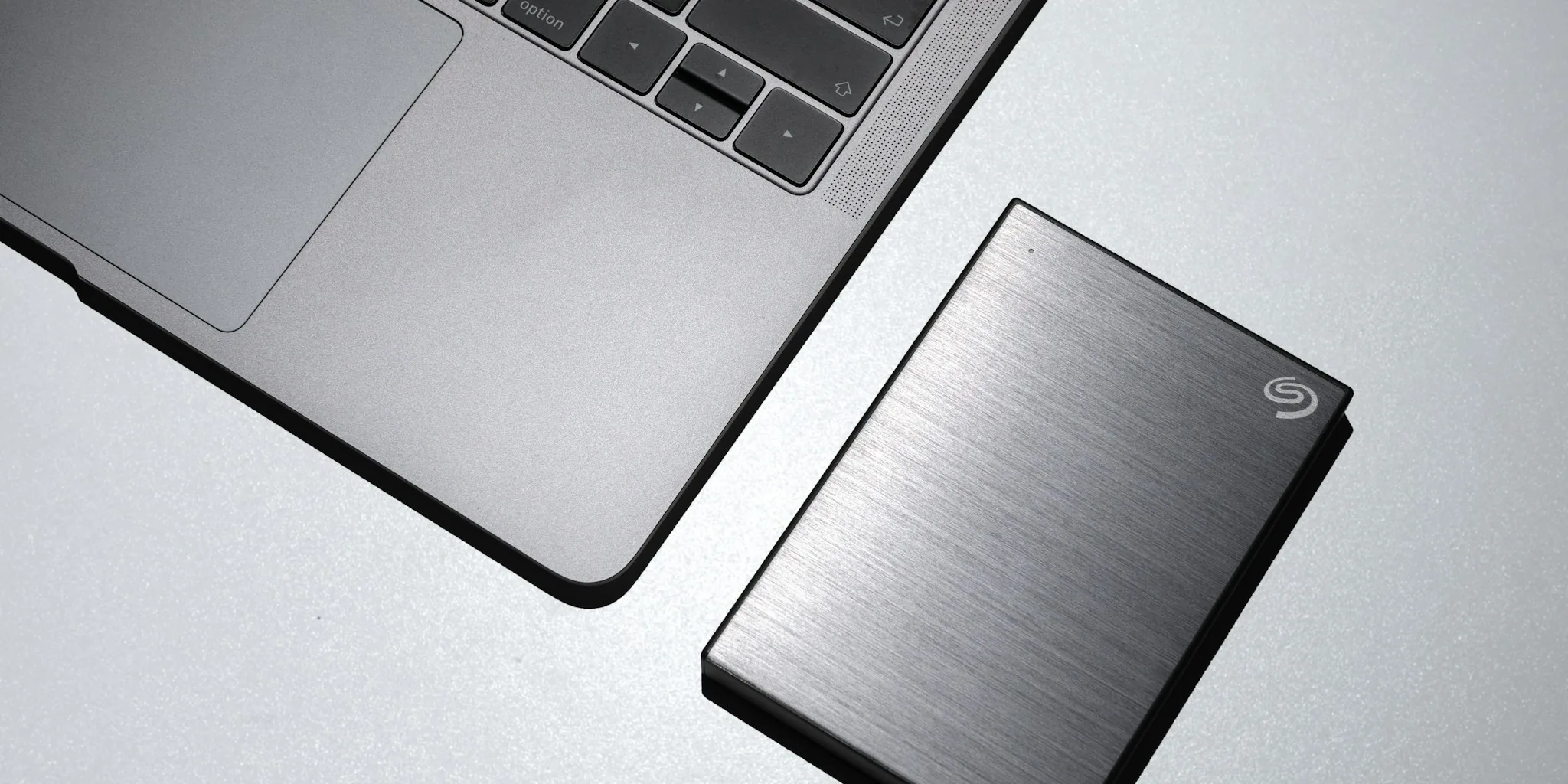
External SSDs have become essential gear for anyone who needs fast, reliable storage on the go.
Whether you’re a content creator offloading 4K footage from a camera, a gamer carrying a library of titles between setups, or a professional backing up critical files before a flight, the right portable SSD can mean the difference between a smooth workflow and a frustrating bottleneck.
Speeds, durability ratings, connector types, and form factors vary enormously across the market, making it genuinely difficult to separate the drives worth owning from those that merely look the part on a spec sheet.
This guide cuts through the noise. REMOVU’s editorial team researched portable SSDs by analyzing published specifications, synthesizing expert review consensus across dozens of professional evaluations, and reviewing verified buyer feedback from real-world owners.
The picks below span budget-friendly basics to blazing-fast USB4 and USB 3.2 Gen 2×2 options from Samsung, SanDisk, Crucial, Western Digital, and Corsair, so you can match the right drive to your exact needs.
Scroll down to see our ranked top picks.
| Award | Product | REMOVU Score About REMOVU ScoreThe REMOVU Score is our own rating from 0 to 10, based on performance, design and build, ease of use, and value. It reflects independent research and is never influenced by manufacturers, retailers, or affiliate commissions. Learn more › | Price | |
|---|---|---|---|---|
| Best Overall |
 Samsung T9 2TB Portable SSD - 2,000MB/s
|
9.1/10 | Buy | |
| Best Value |
 Samsung T9 1TB Portable SSD, 2,000 MB/s
|
8.7/10 | Buy | |
| Best Premium |
 SanDisk Extreme Portable SSD 2TB (1050MB/s)
|
7.3/10 | Buy | |
| Best Budget |
 SanDisk Creator Pro 1TB Portable SSD
|
8.5/10 | Buy | |
 Samsung T7 1TB Portable SSD
|
8.3/10 | Buy | ||
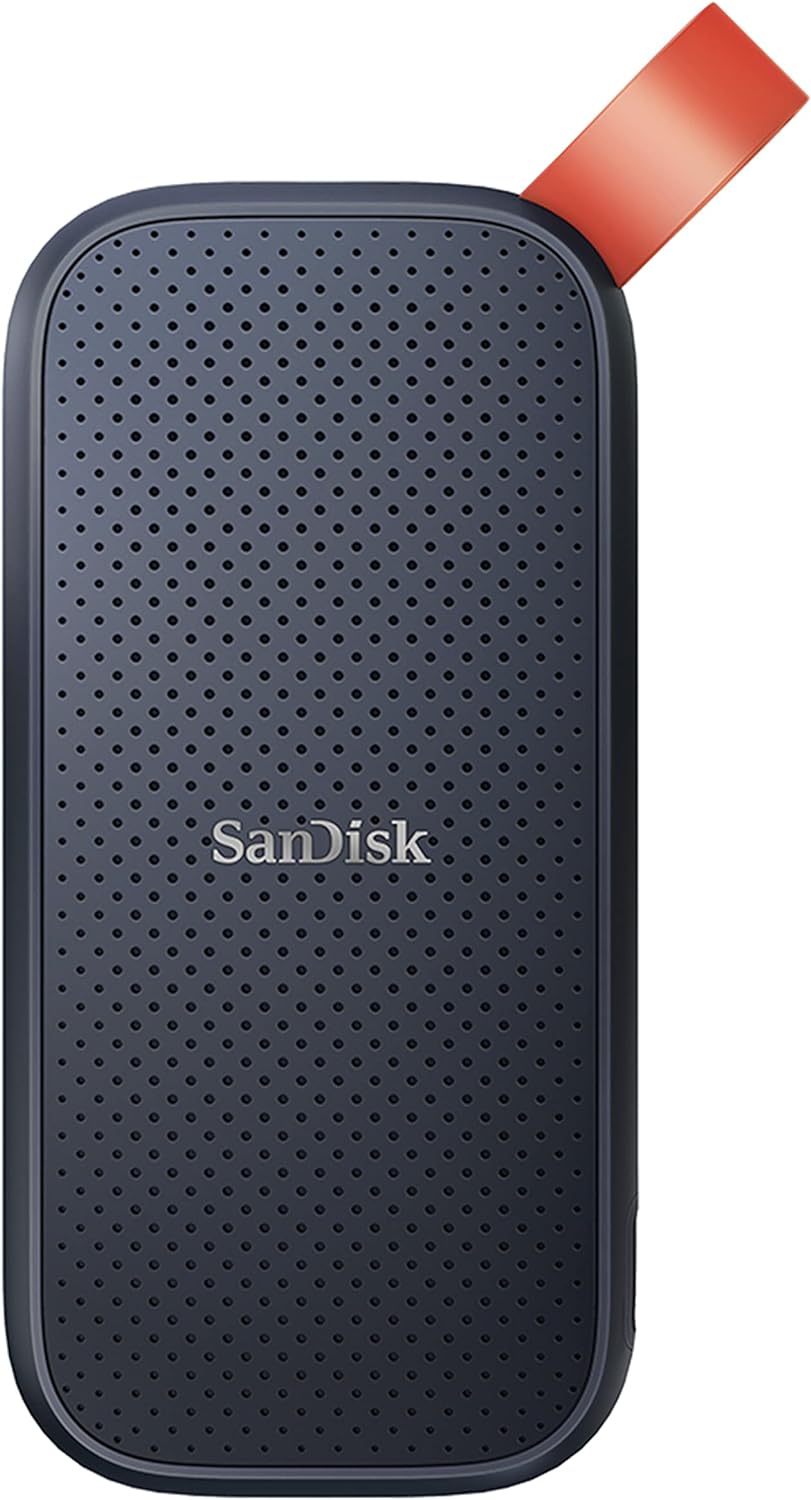 SanDisk Portable SSD 1TB, 800MB/s
|
8.4/10 | Buy | ||
 Crucial X9 2TB Portable SSD, 1050MB/s
|
8.6/10 | Buy | ||
 SanDisk Extreme Portable 2TB External SSD
|
7.2/10 | Buy | ||
 Corsair EX400U SURVIVOR 1TB USB4 External SSD
|
7.1/10 | Buy | ||
 WD Elements SE 2TB Portable SSD
|
6.5/10 | Buy |
Samsung T9 2TB Portable SSD - 2,000MB/s
Samsung's T9 delivers enterprise-grade speeds in a compact form factor, making it a solid choice for content creators and professionals who need reliable, fast external storage. Built to withstand drops from 3 meters and backed by a 5-year warranty, it prioritizes durability alongside performance.
Pros
- Fast data transfer speeds minimize workflow delays for creative professionals
- Durable design survives accidental drops and daily transport
- Wide device compatibility across major ecosystems
- Lightweight and compact dimensions ideal for mobile content creators
- Samsung Magician software included for performance optimization and firmware updates
Cons
- Premium positioning may exceed budget constraints for casual users
- No performance comparison data available from verified buyer feedback
- Limited storage options if 2TB capacity insufficient for large multimedia libraries
Samsung T9 1TB Portable SSD, 2,000 MB/s
Samsung's flagship portable SSD delivers the fastest transfer speeds in its class at up to 2,000 MB/s, making it ideal for content creators and gamers handling large files. The Dynamic Thermal Guard keeps temperatures in check during sustained heavy use, while broad device compatibility spans desktops, gaming consoles, and iPhones with ProRes support. A premium choice backed by Samsung's in-house NAND manufacturing and solid 4.6-star rating from nearly 2,900 verified buyers.
Pros
- Fastest sequential read/write speeds at 2,000 MB/s, nearly double the T7's 1,050 MB/s
- Advanced thermal management maintains safe operating temperatures during prolonged use
- Excellent device compatibility including iPhone 15/16 ProRes 4K video recording
- Rugged build with 9.8-foot drop review rating and sustained performance under heavy workloads
- Includes two USB cables (USB-C to USB-C and USB-C to USB-A) for immediate connectivity
Cons
- Requires USB 3.2 Gen 2x2 host support and UASP mode enabled to achieve maximum 2,000 MB/s speeds, older devices may not reach advertised performance
- No dust or water resistance rating, unlike the T7 Shield's IP65 protection
- Premium pricing compared to slower alternatives like the T5 EVO
SanDisk Extreme Portable SSD 2TB (1050MB/s)
A rugged NVMe portable drive delivering 1050MB/s read speeds and solid durability with IP65 water/dust resistance and 3-meter drop protection. Built for content creators and travelers who need fast, dependable storage that survives rough handling. The carabiner loop and 256-bit encryption add practical security for on-the-go use.
Pros
- Fast NVMe performance with up to 1050MB/s read and 1000MB/s write speeds for content transfer and 4K video work
- Rugged design: IP65 rating, 3-meter drop protection, and carabiner loop make it genuinely portable and adventure-ready
- Hardware-encrypted password protection (256-bit AES) keeps sensitive files secure without slowing performance
- 5-year warranty and high user rating (4.6 stars from 91K+ reviews) suggest solid real-world reliability
- SanDisk Memory Zone app automates file management and backup between phone and drive
Cons
- This is an older model; newer versions (Extreme PRO) offer twice the speed (2000MB/s) at similar durability levels
- IP65 rating is good but not extreme, drive must still be dried before use; not true submersion-proof like some competitors
- Actual speeds depend heavily on host device and interface compatibility; real-world performance may fall short of stated 1050MB/s in some setups
SanDisk Creator Pro 1TB Portable SSD
This rugged portable SSD delivers up to 2000MB/s read speeds and includes IP65 water/dust resistance plus three-meter drop protection, making it built for creators working in unpredictable environments. It comes with a one-month Adobe Creative Cloud subscription and carries a 4.8-star rating from 277 verified buyers.
Pros
- Fast NVMe performance suitable for 4K video editing and multi-camera project files
- Durable design with documented drop and water/dust resistance credentials
- Adobe Creative Cloud trial adds real value for creative professionals
- Highly rated by verified buyers across multiple use cases including boot drives and backups
Cons
- Requires USB 3.0 or higher to achieve advertised speeds, limiting compatibility with older devices
- Premium pricing compared to standard portable SSDs without creative-focused features
- Performance varies based on host device and conditions, so real-world speeds may differ from the 2000MB/s specification
Samsung T7 1TB Portable SSD
A compact external drive that prioritizes speed and durability for creators moving large files regularly. Delivers PCIe NVMe performance at 1,050 MB/s read speeds, roughly double the older T5 model, with rugged aluminum construction rated for drops up to 6 feet. Best suited for video editors, photographers, and professionals who need reliable fast storage that travels.
Pros
- Fast PCIe NVMe speeds (1,050/1,000 MB/s) enable quick file transfers and 4K video recording directly to the drive
- Durable aluminum unibody with shock and drop resistance up to 6 feet provides real protection for portable use
- Broad device compatibility across PCs, Macs, and mobile phones with support for iPhone 15 Pro Res 4K recording
- Compact form factor with up to 4TB capacity options balances portability and storage needs
- Strong brand reputation backed by in-house firmware and component manufacturing
Cons
- Premium pricing typical for this performance tier may exceed budget-conscious buyers' expectations
- No encryption or security features mentioned in the product data
- Requires USB 3.2 Gen 2 port for advertised speeds, limiting full performance on older devices
SanDisk Portable SSD 1TB, 800MB/s
A rugged external drive built for creators and travelers who need reliable storage on the go. The 1TB capacity pairs with solid read speeds and genuine drop protection, making it practical for backing up content without sacrificing portability. Trusted by professionals, though write speeds lag behind the advertised read performance.
Pros
- Fast 800MB/s read speeds for quick file transfers and backups
- Genuine durability with two-meter drop protection and reinforced rubber hook for securing to bags or belts
- Compact, portable form factor that fits mobile workflows without bulk
- Strong brand reputation among photographers and content creators
- High user rating (4.6 stars from 10,920 reviews) reflects real-world reliability
Cons
- Write speeds are noticeably lower than read speeds, which may slow down large backup operations
- Performance can vary depending on host device, interface quality, and usage conditions
- Drop protection reviewed under specific conditions and may not cover all real-world scenarios
Crucial X9 2TB Portable SSD, 1050MB/s
A rugged external SSD built for creators and travelers who need fast, dependable storage that survives drops and weather. With IP55 durability, USB-C speeds up to 1050MB/s, and broad device compatibility, it handles 4K footage, game libraries, and backups without fuss.
Pros
- Fast sequential read speeds (up to 1050MB/s) for quick file transfers and media work
- Durable design with IP55 water and dust resistance plus 7.5-foot drop protection
- Cross-platform compatibility with Windows, Mac, Android, PlayStation, and Xbox via USB-C
- Compact 65x50x10mm form factor with integrated lanyard hole for portability
- Includes three months of Mylio Photos Plus and Acronis True Image software
Cons
- Slower than newer alternatives like the Crucial X10 (2000MB/s) at a similar price point
- Requires USB-C to USB-C cable for maximum speeds; older devices need an adapter
- IP55 rating is good but not best-in-class compared to some competitors with IP65 or higher
SanDisk Extreme Portable 2TB External SSD
This rugged portable SSD delivers 550MB/s read speeds for fast file transfers of photos and videos. Built to handle drops, dust, and water exposure (IP55-rated), it's a reliable companion for creative professionals and travelers who need durability alongside performance. Compatible with both PC and Mac.
Pros
- Fast 550MB/s read speeds for efficient media transfers
- IP55-rated water and dust resistance with shock protection up to 1500G
- Compact, pocket-sized design for portability
- Solid 4.8-star rating from 25,000+ verified buyers
- 3-year limited manufacturer warranty
Cons
- Actual performance may vary based on drive capacity, host device, and operating system
- Must be clean and dry before use despite water resistance rating
- Operating temperature range limited to 0-45°C, restricting use in extreme conditions
Corsair EX400U SURVIVOR 1TB USB4 External SSD
This rugged external SSD delivers up to 4,000 MB/s read speeds via USB4, making it well-suited for 4K video work and large file transfers. Its IP55-rated housing and compact design appeal to creators and professionals who need durability alongside performance.
Pros
- Delivers advertised speeds consistently, as confirmed by verified buyers
- Extremely compact and lightweight for portable workflows
- IP55 environmental sealing protects against dust and water damage
- USB4 future-proofs the drive for next-generation Thunderbolt 4 systems
- One cable handles both power and data transfer
Cons
- Maximum performance requires USB4 or Thunderbolt 4; USB-C 3.2 backward compatibility offers slower speeds
- Limited storage options compared to larger external drives, maxing out at 4TB
- Premium pricing reflects USB4 implementation and rugged build, not budget-friendly for casual users
WD Elements SE 2TB Portable SSD
A compact external SSD with 400MB/s read speeds and drop resistance up to 6.5 feet, designed for users who need fast, reliable portable storage for backups and file transfers. USB 3.0 connectivity works on both PC and Mac, though sustained heat and potential reliability concerns warrant data redundancy practices.
Pros
- Significantly faster than mechanical external drives for backups and file transfers
- Genuinely pocket-sized and lightweight for professionals and creatives who travel
- Reliable brand with strong verified customer satisfaction for durability and ease of use
- No noise and simple setup requiring no driver installation
Cons
- Read speed of 400MB/s is modest compared to newer USB 3.2 or Thunderbolt alternatives
- Gets warm during extended use, requiring awareness of continuous operation patterns
- At least one verified reviewer experienced partial drive failure after long-term constant connection, suggesting potential reliability concerns despite generally positive feedback
External SSDs Buying Guide
Picking a portable SSD isn’t just about grabbing the fastest or cheapest option on the shelf. The drive that works brilliantly for a video editor shuttling ProRes files may be overkill for a student backing up documents, and vice versa.
The sections below walk through the criteria that matter most so you can match a drive to your actual workflow rather than marketing claims.
Interface and Transfer Speeds

The interface is the single biggest determinant of real-world transfer speed. USB 3.2 Gen 1 (formerly USB 3.0) tops out around 500 MB/s, which is adequate for general backup tasks but can feel sluggish when moving large video files.
USB 3.2 Gen 2 doubles that ceiling to roughly 1,000 MB/s, and that’s the sweet spot for most creative professionals today.
Drives like the Samsung T7 and the SanDisk Extreme Portable (Gen 2) operate in this range and deliver noticeably snappier transfers than older USB 3.0 hardware.
USB 3.2 Gen 2×2 pushes theoretical throughput to 2,000 MB/s by bonding two Gen 2 lanes together. The Samsung T9 lineup takes advantage of this standard, making it a strong match for workflows involving uncompressed RAW video or large software libraries.
Note that you’ll need a host device with a USB 3.2 Gen 2×2 port to see the full benefit; connecting a Gen 2×2 drive to an older port will drop speeds to that port’s limit.
USB4 drives like the Corsair EX400U raise the ceiling even higher, reaching up to 4,000 MB/s on compatible hardware, which is genuinely transformative for high-volume data pipelines.
If you’re building out a broader home setup, pairing a fast external SSD with a capable Thunderbolt dock can extend those high-speed connections across your entire desk.
Always check your laptop or desktop’s port specification before buying. Paying a premium for a Gen 2×2 or USB4 drive and connecting it to a Gen 1 port wastes money and creates confusion when speeds don’t match expectations.
Durability and Environmental Ratings
Unlike spinning hard drives, SSDs have no moving parts, which makes them inherently more resilient to vibration and minor bumps. Even so, the level of built-in protection varies considerably.
Entry-level drives like the SanDisk 500 Portable and the Western Digital Elements SE offer basic drop resistance in everyday use, while step-up models carry formal IP ratings for water and dust ingress.
IP65, as found on several SanDisk Extreme models, means the drive is fully protected against dust and can withstand low-pressure water jets from any direction.
That’s meaningful for field use: outdoor shoots, construction sites, or simply dropping a drive into a bag alongside a water bottle.
The Corsair EX400U carries an IP55 rating, which covers dust ingress protection and water spray from any direction, though it isn’t as waterproof as an IP68-rated device.
If you’re also carrying cameras and accessories to rugged locations, a camera gimbal and similarly rugged storage make a natural pairing for location work.
Drop resistance specs are typically stated in meters and represent standardized drop-evaluation heights. Three meters of drop resistance, as claimed by the Samsung T9, is reassuringly robust for everyday carry.
If your workflow takes you outdoors or into unpredictable environments, prioritize IP-rated and drop-rated drives rather than relying on a sleeve or case to do the protection work.
Capacity and Use Case Matching
Portable SSDs in this roundup range from 1 TB to 2 TB, which covers the practical needs of the vast majority of users.
A 1 TB drive holds roughly 250 hours of compressed HD video or around 30,000 RAW photos at 30 megapixels, making it a sensible starting point for photographers and videographers.
A 2 TB model gives more breathing room for 4K footage, large game installs, or users who simply want fewer trips to an archiving workflow.
Consider what you’ll actually be doing with the data. If you’re editing directly off the drive, prioritize sustained write speed alongside raw read performance.
Most manufacturers publish only peak sequential read speeds; check for sustained write benchmarks in expert reviews if direct-editing performance matters to you.
For pure backup and archiving, peak sequential read is less critical, and a value-tier drive at a lower price per terabyte may serve you better.
Gamers loading titles from an external drive will want at minimum USB 3.2 Gen 2 speeds to avoid long load-time penalties, and the gaming PCs for streaming that demand the fastest storage will benefit most from Gen 2×2 or USB4 options.
Connector Type and Compatibility
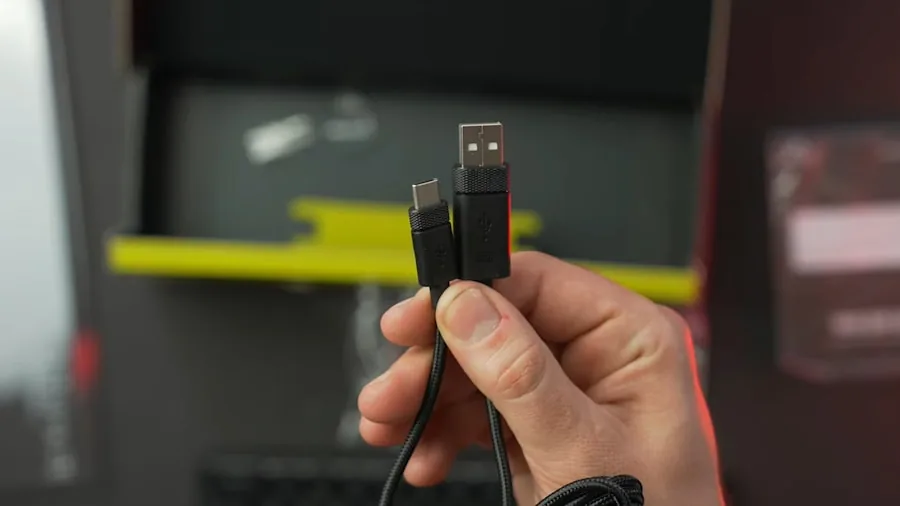
All drives in this guide ship with USB-C connectors, which is the current standard across modern laptops, tablets, and smartphones. Most also include a USB-C to USB-A adapter cable in the box, ensuring backward compatibility with older desktops and hubs.
The exception worth noting is the USB4 Corsair EX400U, which requires a USB4 or Thunderbolt 4 port for maximum throughput and will fall back to lower speeds on standard USB-C Gen 2 ports.
If you work across a MacBook, an iPad, and a Windows desktop, confirm that the drive you choose supports the file systems you need, or plan to format it as exFAT for cross-platform compatibility out of the box.
Several drives ship pre-formatted for a specific platform; check the packaging if plug-and-play cross-platform use matters. Tablets with USB-C ports can often read from portable SSDs directly, which is useful for creative workflows on the go.
Form Factor, Weight, and Portability
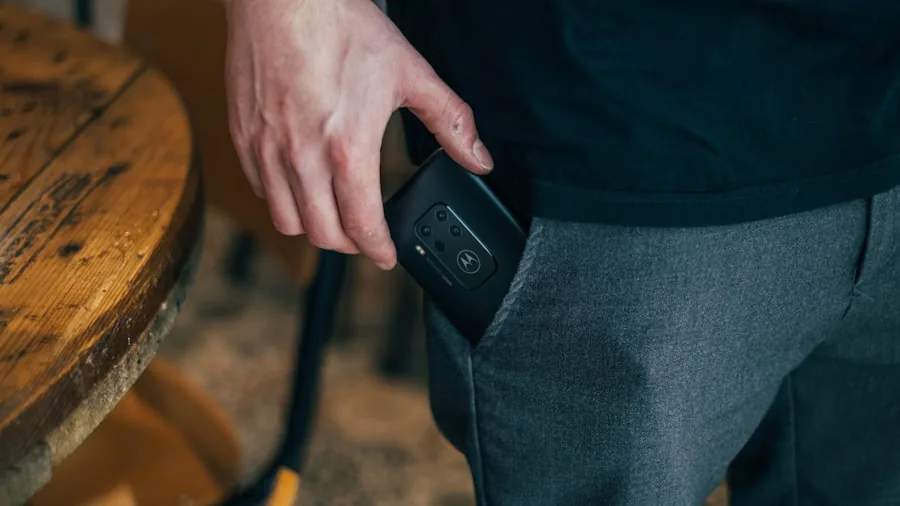
One underappreciated dimension of portable SSDs is physical size and weight. Drives in this category are mostly pocket-sized, but there are meaningful differences.
Flat credit-card-style designs like the Samsung T-series slip easily into a shirt pocket or the smallest compartment of a camera bag. Slightly chunkier builds like the SanDisk Extreme models accommodate heavier-duty housing for improved ruggedness without adding significant bulk.
If you’re building a minimal travel kit alongside a laptop, a compact SSD pairs naturally with other slim accessories.
Weight matters less than it would for a spinning hard drive, since even 2 TB SSDs typically weigh under 60 grams, but the shape affects how naturally a drive fits in a pocket or a bag slot.
For photographers who are already carrying tripods and lighting, minimizing storage bulk with a slim drive frees up space for the gear that actually benefits from physical mass, like a quality tripod.
Warranty, Software, and Extras

Warranty length is a practical signal of manufacturer confidence in a drive’s long-term reliability.
SanDisk Extreme models carry a five-year limited warranty, which is among the most generous in the portable SSD category and reflects the brand’s confidence in its NVMe-based internals.
Samsung T-series drives come with a three-year warranty; Crucial’s X9 and Western Digital’s Elements SE also offer three years. Always register your drive after purchase to activate warranty coverage.
Some drives bundle software for backup scheduling or encryption. SanDisk’s SecureAccess software provides 128-bit AES encryption at no extra cost, which is worth enabling if you store sensitive client files. Samsung’s Portable SSD app offers similar password protection.
The SanDisk Creator Pro bundles one month of Adobe Creative Cloud, which, while limited, adds a tangible extra value for creative professionals deciding between comparable options.
These software extras rarely change a buying decision but are worth factoring in when two drives are otherwise evenly matched on specs and price.
For those building out a complete digital workspace, a capable NAS device can complement portable SSDs by providing centralized home or office storage alongside on-the-go drives.
Why You Should Trust Us
REMOVU is an independent review publication. We have no manufacturer relationships that influence our recommendations, and no brand pays to appear in our roundups or earn a higher ranking.
Every product in this guide was assessed using REMOVU Score, our 0 to 10 proprietary rating system that applies consistent, category-specific criteria across every drive we evaluate.
Our methodology is grounded in research rather than opinion.
We analyze published technical specifications, synthesize expert review consensus from authoritative sources in the storage and consumer electronics space, and weigh verified buyer feedback from confirmed purchasers to understand real-world reliability and usability patterns.
We do not conduct our own product trials; our evaluations are grounded in research, published data, expert review consensus, and verified buyer feedback.
This approach lets us evaluate a broader range of products consistently and without the variability that comes from single-environment assessments.
Transparency on affiliate relationships: REMOVU may earn a commission if you purchase through a link on this page. That relationship has no bearing on scores, rankings, or which products we include or exclude.
Our recommendations are editorially independent, driven by REMOVU Score and the criteria outlined in the buying guide above, not by commission rates.
Final Thoughts
The portable SSD market in 2026 is genuinely competitive, with strong options at every price tier.
Whether you need a rugged field drive, a blazing-fast desktop companion, or an affordable everyday backup solution, there is a well-scored pick in this list to match. Here are our standout awards based on REMOVU Score and category fit:
- Best Overall: Samsung T9 Portable SSD 2TB earns the top spot with the highest REMOVU Score in the group, delivering USB 3.2 Gen 2×2 speeds up to 2,000 MB/s, serious drop resistance, and a premium build quality that satisfies demanding creative professionals and power users alike.
- Best for Everyday Carry: Samsung T9 Portable SSD 1TB offers the same Gen 2×2 performance in a slightly more accessible capacity tier, earning a near-top REMOVU Score and making it the go-to recommendation for users who want flagship speed without the 2 TB footprint.
- Best for Budget-Conscious Buyers: Samsung T7 Portable SSD 1TB remains a top-rated value drive with a strong REMOVU Score, USB 3.2 Gen 2 speeds, and a compact metal chassis that punches well above its price point for students, travelers, and general users.
- Best for Creative Professionals: SanDisk 1TB Creator Pro Portable SSD combines Gen 2×2 speeds, IP65 water and dust resistance, and the bundled Adobe Creative Cloud month, earning a high REMOVU Score that reflects its well-rounded appeal for photographers and video editors. If you also capture video in the field, pairing it with a capable sports camcorder keeps your whole production pipeline mobile and efficient.
- Best Rugged Pick: SanDisk 2TB Extreme Portable SSD backs its Gen 2 speeds with IP65 protection, a 3-meter drop rating, and a five-year warranty, making it one of the most confidently durable options in the lineup for field and outdoor use.
For most users, the Samsung T9 series represents the strongest all-around investment when budget allows. If you need cross-platform flexibility and straightforward compatibility with desktop computers for work or creative workstations, the Crucial X9 is a reliable alternative worth considering.
And if raw speed is the priority above all else, the Corsair EX400U’s USB4 interface opens up a performance class that the rest of the field cannot match on compatible hardware.
Frequently Asked Questions
What Is the Difference Between USB 3.2 Gen 2 and USB 3.2 Gen 2×2?
USB 3.2 Gen 2 offers a maximum bandwidth of around 1,000 MB/s over a single data lane. USB 3.2 Gen 2×2 bonds two of those lanes together, doubling the theoretical ceiling to approximately 2,000 MB/s.
In practice, this translates to significantly faster large-file transfers when both the drive and the host port support Gen 2×2.
If your laptop or desktop only has a Gen 2 port, a Gen 2×2 drive will cap at Gen 2 speeds, so confirm your host hardware before paying the premium.
Can I Use an External SSD to Store and Play Games?
Yes, and it’s a practical solution for managing large game libraries on laptops or gaming desktops with limited internal storage. USB 3.2 Gen 2 drives provide enough sequential read bandwidth for smooth game loading on most titles.
Open-world games with aggressive streaming of assets benefit most from faster drives. A USB4 drive like the Corsair EX400U will future-proof your setup for the most demanding titles.
Keep in mind that write endurance ratings matter for heavy gaming use, so check the TBW (terabytes written) specification for drives you plan to use as primary game storage.
Gamers looking to expand their setup might also find value in exploring handheld gaming consoles that support external storage for portable play.
Is an External SSD or an External Hard Drive Better for Backup?
For most backup scenarios today, an external SSD offers meaningful advantages: faster transfers, greater physical shock resistance without moving parts, and a more compact form factor.
Traditional spinning hard drives remain relevant where very high capacity at low cost per terabyte is the priority.
The Western Digital Elements SE in this roundup is technically categorized as an external hard drive variant, and it illustrates that trade-off well: lower cost per gigabyte at the expense of peak speed compared to true NVMe-based SSDs.
For redundant or high-volume home backup, a dedicated NAS device may complement your portable SSD rather than replace it.
Do External SSDs Work With iPads and Android Tablets?
Modern iPads with USB-C ports (iPad Pro, iPad Air, and recent standard iPad models) support direct connection to USB-C external SSDs for file access and media import.
Android tablets with USB-C OTG support similarly work with most drives in this list.
Speed over these connections is typically limited by the tablet’s USB controller rather than the drive itself, so even a Gen 2×2 drive may not reach full throughput when connected to a tablet.
That said, for importing photos or offloading video from a card reader to a portable SSD via a tablet, the practical result is still far faster than Wi-Fi transfer.
Users who rely heavily on tablets as creative hubs should confirm OTG and file app support for their specific device before purchasing.
How Long Do Portable SSDs Typically Last?
NAND flash storage has a finite number of write cycles, quantified as TBW (terabytes written) in manufacturer specifications.
For typical personal use, including regular backups, file transfers, and occasional editing directly from the drive, even a mid-range TBW rating will outlast the useful life of the device for most users. Enterprise or heavy-write workflows are a different matter.
The five-year warranty on SanDisk Extreme models provides a strong practical assurance of longevity. Beyond write endurance, SSDs are durable mechanically compared to spinning drives, and the main environmental risk is sustained high heat, which can accelerate NAND wear.
Keeping drives out of hot car interiors and ensuring airflow during sustained transfers helps preserve long-term health.
What File System Should I Use for Cross-Platform Compatibility?
exFAT is the most practical choice for drives used across Windows, macOS, and Android devices.
It supports large individual file sizes (essential for video files over 4 GB), requires no additional drivers on modern operating systems, and is readable and writable on all three platforms natively.
APFS or HFS+ formatted drives will not write on Windows without third-party software. NTFS will not write on macOS without additional utilities.
If you use your drive exclusively within a single ecosystem, formatting for that platform maximizes performance and feature compatibility, but exFAT remains the pragmatic default for anyone who works across multiple operating systems or devices.
The networking and storage section of our site covers related topics including NAS setup and mesh network infrastructure for home and office users.
About the author
Adrian is REMOVU's home theater speaker writer, matching bookshelf, tower, and surround options to real rooms and receivers. He helps readers build a cohesive system that sounds bigger than its price.