The 12 Best Tablets
Choosing a tablet means navigating AMOLED vs. LCD, stylus support, chip performance, and storage trade-offs. Here are the top picks from Apple, Samsung, Lenovo, and TCL to match every use case.
 By Kelly Castro
Updated July 26, 2026
By Kelly Castro
Updated July 26, 2026

Tablets have evolved from novelty gadgets into genuinely versatile tools that sit comfortably between a smartphone and a laptop.
Whether you need a portable screen for streaming, a note-taking companion for class, a digital canvas for creative work, or a light productivity device for travel, the right tablet can handle it all without the bulk of a full notebook.
The challenge is that the market now spans everything from sub-budget Android slates to premium AMOLED powerhouses, and the differences in real-world experience are enormous.
This guide cuts through the noise. Our team at REMOVU researched and evaluated every model below by analyzing published specifications, synthesizing expert review consensus from across the industry, and weighing verified buyer feedback from thousands of confirmed purchases.
The result is a curated shortlist spanning Apple, Samsung, Lenovo, TCL, and URAO, covering price ranges from budget-friendly to flagship, so you can find the right slate for your workflow.
Keep reading for our full breakdown, or jump straight to our top picks below.
| Award | Product | REMOVU Score About REMOVU ScoreThe REMOVU Score is our own rating from 0 to 10, based on performance, design and build, ease of use, and value. It reflects independent research and is never influenced by manufacturers, retailers, or affiliate commissions. Learn more › | Price | |
|---|---|---|---|---|
| Best Premium |
 Samsung Galaxy Tab S11 11-inch AMOLED
|
8.4/10 | Buy | |
 Samsung Galaxy Tab S9 11" 256GB WiFi 7
|
8.2/10 | Buy | ||
 Samsung Galaxy Tab S10 FE 10.9" Tablet with S Pen
|
7.8/10 | Buy | ||
 Samsung Galaxy Tab S10 FE 10.9" 2K+ Tablet with S Pen
|
7.8/10 | Buy | ||
 Apple iPad 10th Generation 64GB
|
7.2/10 | Buy | ||
| Best Value |
 TCL NXTPAPER 14 Paper-Like Android Tablet
|
8.6/10 | Buy | |
| Best Overall |
 Samsung Galaxy Tab A11+ 11-Inch Tablet
|
8.8/10 | Buy | |
 Samsung Galaxy Tab S10 Lite 10.9" with S Pen
|
8.4/10 | Buy | ||
 Lenovo IdeaTab Pro 12.7" Student Tablet with Gemini AI
|
6.8/10 | Buy | ||
 URAO 10.1" Android 16 Tablet with 36GB RAM
|
6.2/10 | Buy | ||
| Best Budget |
 Lenovo IdeaTab 11 2.5K College Tablet
|
8.2/10 | Buy | |
 Lenovo IdeaTab Plus 12.1-inch 2.5K Tablet
|
7.0/10 | Buy |
Samsung Galaxy Tab S11 11-inch AMOLED
An 11-inch productivity tablet built around Samsung's Dynamic AMOLED 2X display and Galaxy AI tools like Note Assist and Drawing Assist. The slim 5.5mm design with IP68 durability makes it portable for work and creativity, though the AI features come with watermarks and require active internet connections.
Pros
- Bright, color-rich 11-inch Dynamic AMOLED 2X display suited for extended reading and design work
- Galaxy AI productivity features (Note Assist, Drawing Assist) integrated with included S Pen for faster workflow
- IP68 water and dust resistance rated to 5 feet for 30 minutes, plus thin 5.5mm profile for portability
- 12GB RAM and 3nm MediaTek processor handle smooth multitasking across Android apps
- MicroSD card slot for expandable storage without cloud dependency
Cons
- AI-generated images carry visible watermarks and output accuracy is not guaranteed
- Note Assist and Drawing Assist require Samsung account login and active internet connection
- Smaller battery capacity (8,400 mAh) compared to larger Tab S models in the lineup
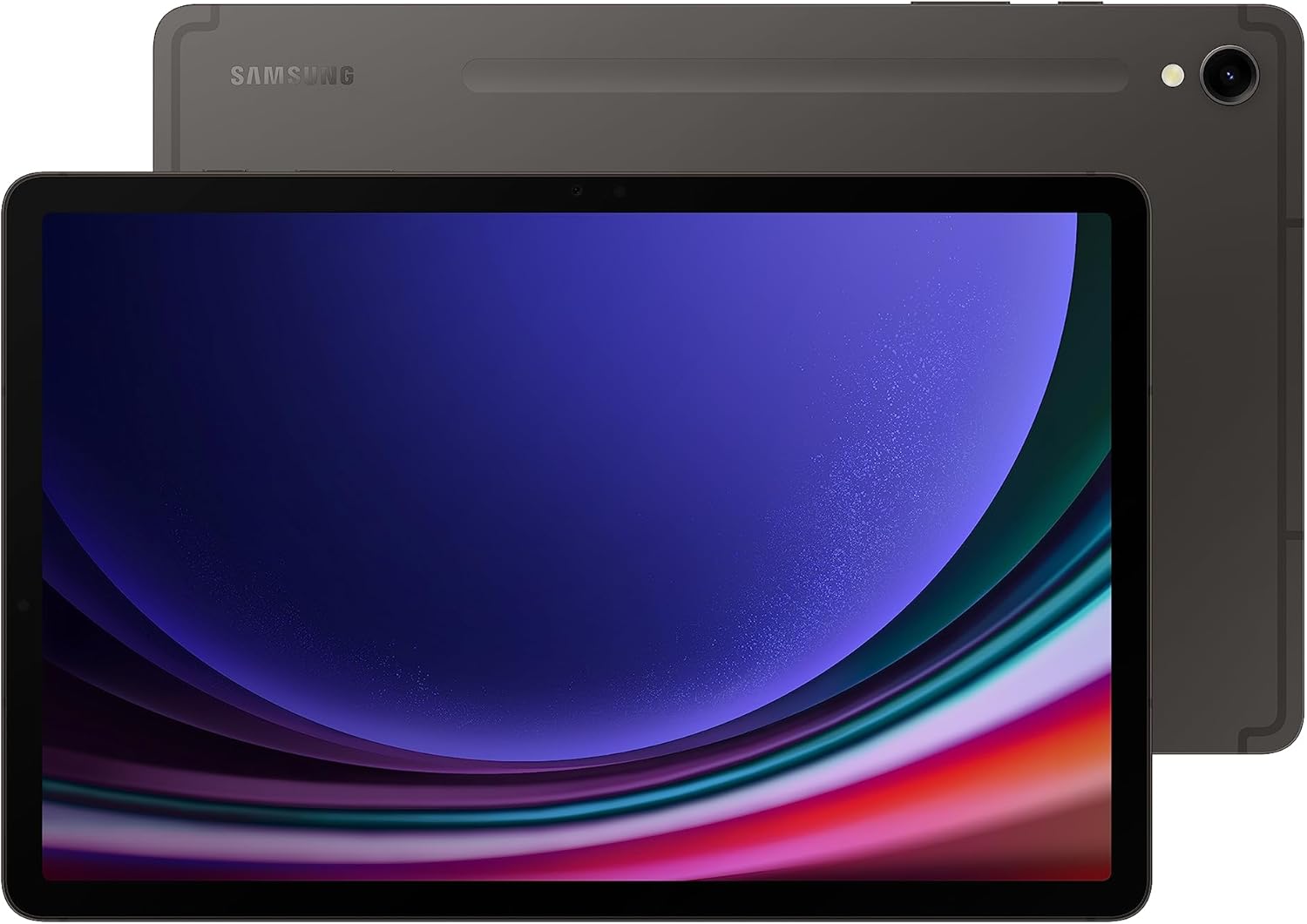
Samsung Galaxy Tab S9 11" 256GB WiFi 7
Samsung's flagship 11-inch tablet combines a brilliant Dynamic AMOLED 2X display with the powerful Snapdragon 8 Gen 2 processor, making it capable for both productivity and entertainment. Galaxy AI features like transcript assist and photo editing add practical value, while the included S Pen and IP68 water/dust resistance make it a well-rounded device for creative work and on-the-go use.
Pros
- Snapdragon 8 Gen 2 processor delivers smooth performance for multitasking, gaming, and creative apps
- 11-inch Dynamic AMOLED 2X screen with 120Hz refresh rate offers vibrant colors and fluid scrolling
- IP68 water and dust resistance with Armor Aluminum frame provides durability uncommon in tablets
- Integrated Galaxy AI features including transcript assist, note summarization, and photo editing
- S Pen included with responsive stylus experience for sketching and note-taking
- WiFi 7 connectivity and 8,400mAh battery support extended use without frequent charging
Cons
- Galaxy AI features require Samsung account login and internet connection; some require specific conditions (transcript assist limited to files under 3 hours, note summarization limited to 200-4,000 characters)
- 11-inch size may feel less portable than smaller tablets despite the 1.10 lb weight
- 256GB storage is fixed with no expandable microSD slot option mentioned in specifications
Samsung Galaxy Tab S10 FE 10.9" Tablet with S Pen
Samsung's Tab S10 FE balances portability with practical features, making it a solid choice for students, creatives, and casual users. The included S Pen, water-resistant build, and 20-hour battery life handle everyday tasks and entertainment without breaking the bank. The 10.9-inch 90Hz display and dual speakers deliver sharp visuals and solid audio for streaming and content creation.
Pros
- Lightweight and slim design with IP68 water and dust resistance for durability
- Included S Pen with Circle to Search, handwriting recognition, and math solver adds real creative and productivity value
- 20-hour battery life with fast charging covers extended use without frequent top-ups
- 10.9-inch WUXGA+ display with 90Hz refresh rate provides crisp, smooth visuals for media and gaming
- 256GB total storage (128GB built-in plus 128GB microSD) offers ample space for apps, photos, and files
Cons
- Exynos 1580 processor is competent but mid-range, not ideal for demanding games or heavy multitasking
- Glossy touchscreen prone to fingerprints and reflections in bright lighting
- Camera system (13MP rear, 12MP front) is adequate but not a standout for tablet photography
Samsung Galaxy Tab S10 FE 10.9" 2K+ Tablet with S Pen
A lightweight, portable Android tablet designed for everyday entertainment and productivity. The 10.9-inch 2K+ display paired with the S Pen and Galaxy AI features like Solve Math and Circle to Search make it versatile for note-taking, creative work, and learning. Best suited for users wanting a balance between portability and screen real estate without premium pricing.
Pros
- Slim, lightweight design (1.10 lb) with IP68 water and dust resistance for on-the-go durability
- S Pen with practical AI features: Solve Math for formulas, Handwriting Help for note cleanup, and Circle to Search for instant answers
- Extended battery life up to 20 hours supports all-day use and travel
- Vibrant 10.9-inch WUXGA+ display at 90Hz refresh rate delivers smooth scrolling and gaming
- Solid performance with Exynos 1580 processor and 8GB RAM handles multitasking and casual gaming
Cons
- Entry-level specs (8GB RAM, 256GB storage) compared to S10 Plus and S11 models limits demanding multitasking and large file libraries
- No dedicated expandable storage beyond the included 128GB SD Card; relies on microSD slot which may feel limiting for media-heavy users
- 4.6-star rating with zero verified buyer reviews makes real-world performance validation difficult
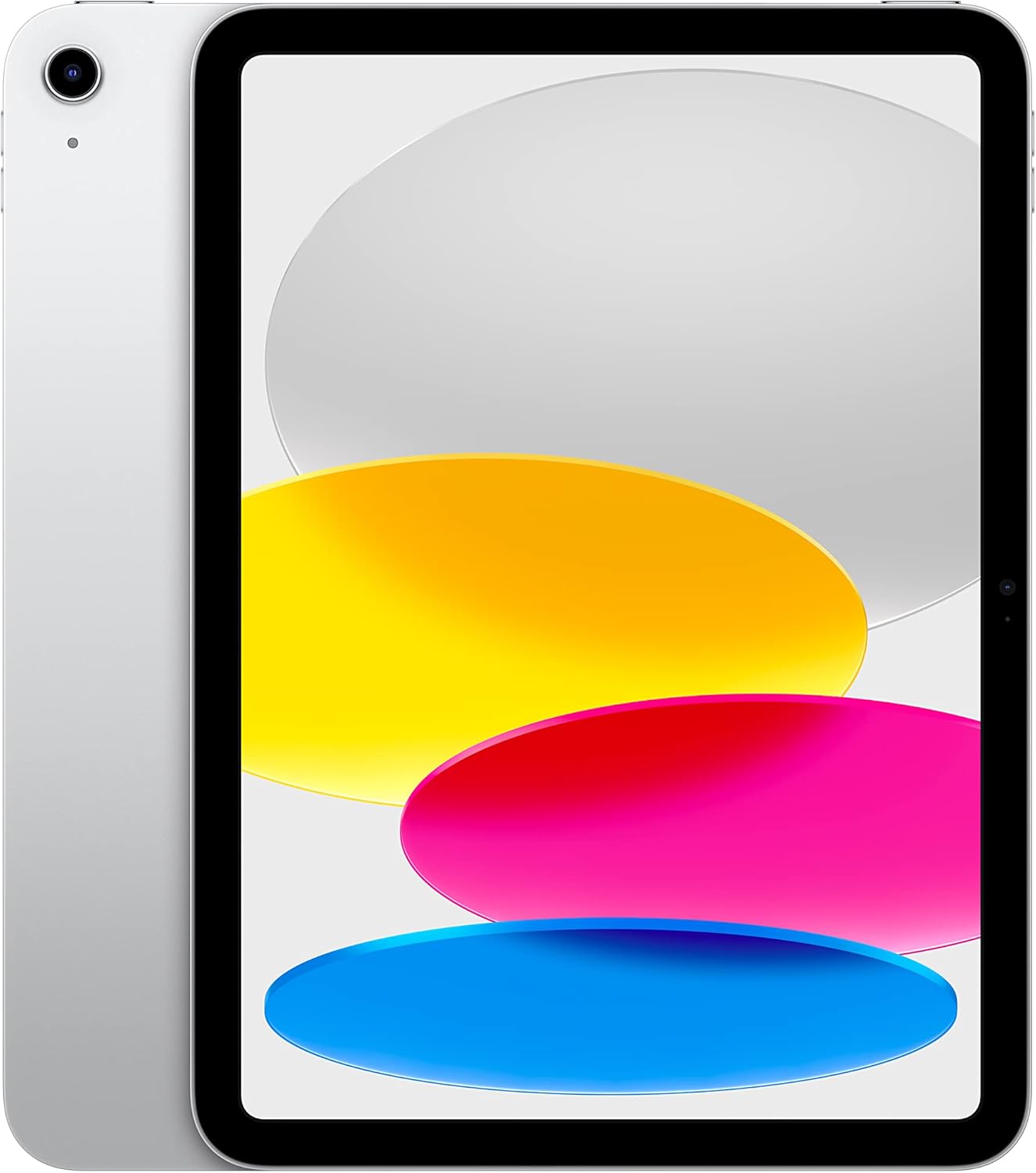
Apple iPad 10th Generation 64GB
iPad's 10.9-inch Liquid Retina display and A14 Bionic chip make it a capable tablet for everyday tasks, content consumption, and creative work. Wi-Fi 6 connectivity and all-day battery life keep you productive across work, school, and entertainment, while Touch ID adds convenient security. Best suited for users seeking a versatile, mainstream tablet experience with access to over a million apps.
Pros
- Bright, color-accurate 10.9-inch Liquid Retina display with True Tone for comfortable viewing in various lighting
- A14 Bionic chip handles multitasking, photo/video editing, and gaming without lag
- Wi-Fi 6 enables fast downloads and smooth streaming
- Touch ID integration for quick unlock and Apple Pay transactions
- Excellent rating of 4.8 stars from nearly 35,000 verified buyers
Cons
- 64GB base storage may fill quickly with apps, games, and media; 256GB option requires stepping up in cost
- Apple Pencil and Magic Keyboard Folio sold separately, adding significant expense for creative or productivity workflows
- No cellular option mentioned, limiting connectivity when away from Wi-Fi
TCL NXTPAPER 14 Paper-Like Android Tablet
A versatile 14.3-inch Android tablet designed for creators and note-takers, combining a paper-like display with stylus input and solid productivity features. The NXTPAPER 3.0 tech reduces eye strain through glare reduction and blue light filtering, while three display modes adapt to drawing, reading, and standard use. Best suited for artists, students, and professionals who prioritize screen comfort during extended work sessions.
Pros
- Paper-like display with NXTPAPER 3.0 technology reduces glare and filters blue light for comfortable extended viewing
- 4096-level T-PEN stylus and 3-in-1 display modes support creative work, note-taking, and digital reading
- Large 10,000mAh battery with 33W fast charging and reverse charging capability to power other devices
- Lightweight and thin design at 0.27 inches with included adjustable flip case for portability
- Multi-window and split-screen support with 256GB storage for productivity and creative applications
Cons
- Charger not included in the box, requiring separate purchase for fast charging functionality
- No microSD card slot limits storage expansion beyond the built-in 256GB
- MediaTek Helio G99 processor may not handle demanding gaming or heavy video editing compared to flagship tablets
Samsung Galaxy Tab A11+ 11-Inch Tablet
A family-friendly 11-inch tablet that balances everyday performance with a bright, fluid display and all-day battery life. The quad Dolby Atmos speakers and AI-assisted features make it versatile for streaming, schoolwork, and casual gaming, while expandable storage keeps costs reasonable for users who need extra space.
Pros
- Large 11-inch display with up to 90Hz refresh rate for smooth scrolling and media consumption
- Long-lasting 7,040mAh battery designed to handle full days of mixed use
- Quad speakers with Dolby Atmos deliver immersive audio for movies and music
- Expandable storage via microSD card allows flexible capacity without paying premium prices
- Lightweight and slim design makes it portable for family use across different rooms
Cons
- Lacks Galaxy AI features available on higher-end Tab S models
- IP52 water and dust protection is weaker than premium alternatives with IP68 rating
- Fast charging requires separate 25W wall charger purchase, not included in box
Samsung Galaxy Tab S10 Lite 10.9" with S Pen
A mid-range tablet built for content consumption and creative work, the Tab S10 Lite pairs a vivid 10.9-inch LCD display with Samsung's S Pen for note-taking and sketching. The Exynos 1380 processor handles everyday multitasking smoothly, while Galaxy AI features like Circle to Search and the AI Hot Key add practical intelligence. Best suited for users who want productivity and entertainment in one device without stepping up to pricier models.
Pros
- Responsive S Pen with natural-feeling precision for drawing and note-taking
- Long battery life rated up to 16 hours on video playback
- Expandable storage up to 2TB via microSD card for media-heavy users
- Galaxy AI integration including Circle to Search and trigonometric equation solving in Samsung Notes
- Seamless device continuity across Galaxy ecosystem for calls, notes and smart home control
Cons
- Exynos 1380 processor is entry-level compared to competitors like MediaTek Dimensity chips in higher-tier Tab S models
- 8,000mAh battery capacity is modest for a 10.9-inch tablet, relying on efficiency rather than raw capacity
- Some AI features require compatible apps or Samsung-specific software, limiting cross-platform functionality
Lenovo IdeaTab Pro 12.7" Student Tablet with Gemini AI
A 12.7-inch tablet built for students who need serious battery life and AI-assisted learning. The MediaTek Dimensity 8300 processor handles heavy media streaming and multitasking smoothly, while Google Gemini integration and Circle to Search offer practical study tools. Includes a stylus and case, making it ready to use out of the box.
Pros
- 11-hour video streaming battery life reduces charging anxiety during long study sessions
- 12.7" 3K LCD display with Low Blue Light certification and adjustable visual modes for extended reading comfort
- Quad JBL speakers with Dolby Atmos deliver quality audio for lectures and media consumption
- Included Tab Pen Plus and folio case add immediate productivity without extra purchases
- Google Gemini AI assistant and Circle to Search provide genuine learning and research shortcuts
Cons
- No user reviews available yet to validate real-world performance claims
- 360Hz touch sampling and 90fps gaming performance may not justify the tablet's primary student positioning
- Wi-Fi 6E connectivity requires compatible networks to realize speed advantages
URAO 10.1" Android 16 Tablet with 36GB RAM
A budget-friendly 10.1-inch tablet built around generous RAM and storage for multitasking and media consumption. The combination of Android 16, octa-core processor, and 36GB RAM handles app switching smoothly, while the 1280x800 IPS display delivers adequate brightness for daily use. Best suited for users prioritizing memory capacity and battery longevity over cutting-edge display resolution.
Pros
- Exceptional RAM allocation (36GB) ensures smooth multitasking and app performance without lag
- Long battery endurance up to 8 hours mixed use with 3-day standby, plus 18W fast charging in 1.5 hours
- Wi-Fi 6 and Bluetooth 5.4 provide modern connectivity with stable dual-band performance
- Expandable storage up to 1TB via microSD card for media-heavy users
- Low blue light display technology reduces eye strain during extended viewing
Cons
- 1280x800 resolution feels dated compared to current mid-range tablets offering 1440p or higher
- No GPS functionality limits navigation and location-based app capabilities
- Android 16 compatibility with iOS ecosystem is restricted, problematic for cross-platform users
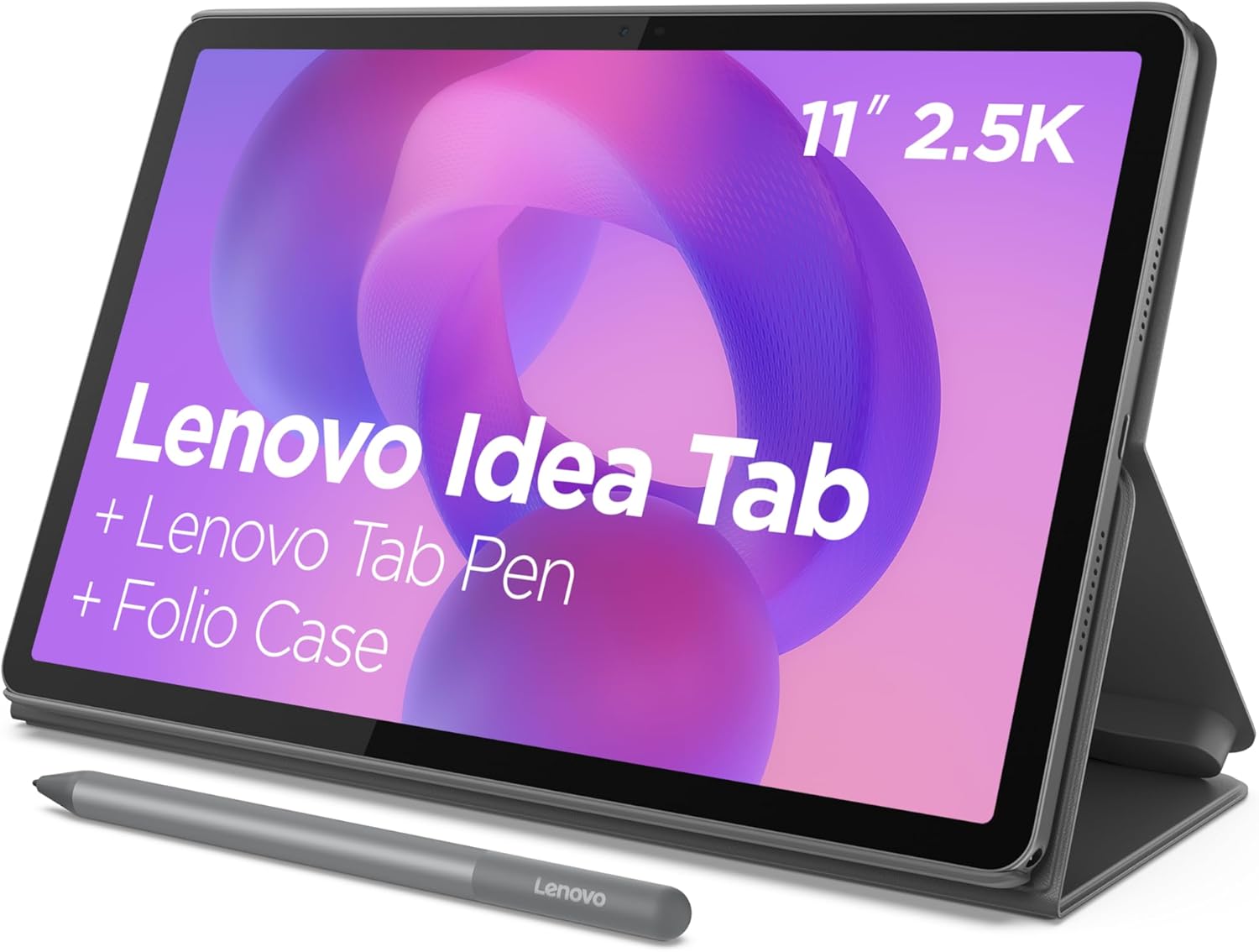
Lenovo IdeaTab 11 2.5K College Tablet
A student-focused 11-inch tablet pairing a MediaTek Dimensity 6300 processor with learning-specific software like Lenovo AI Note and Nebo for note-taking and sketching. The 2.5K IPS display with 90Hz refresh and quad Dolby Atmos speakers handles both study sessions and entertainment, while the included Tab Pen and folio case provide immediate productivity out of the box.
Pros
- Bundled Tab Pen and folio case eliminate extra purchases for students
- Purpose-built learning apps (Lenovo AI Note, Squid, Nebo, MyScript Calculator) streamline academic workflows
- 12-hour battery life sustains full study days and streaming sessions
- Circle to Search feature integrates instant search and translation without app switching
- Blue light filtering hardware reduces eye strain during extended study periods
Cons
- MediaTek Dimensity 6300 is mid-range; demanding creative apps or gaming may show performance limits
- No specifications provided for storage expandability or charging speed details beyond 20W charger mention
- 4.6-star rating suggests some user friction, though review count is solid at 611
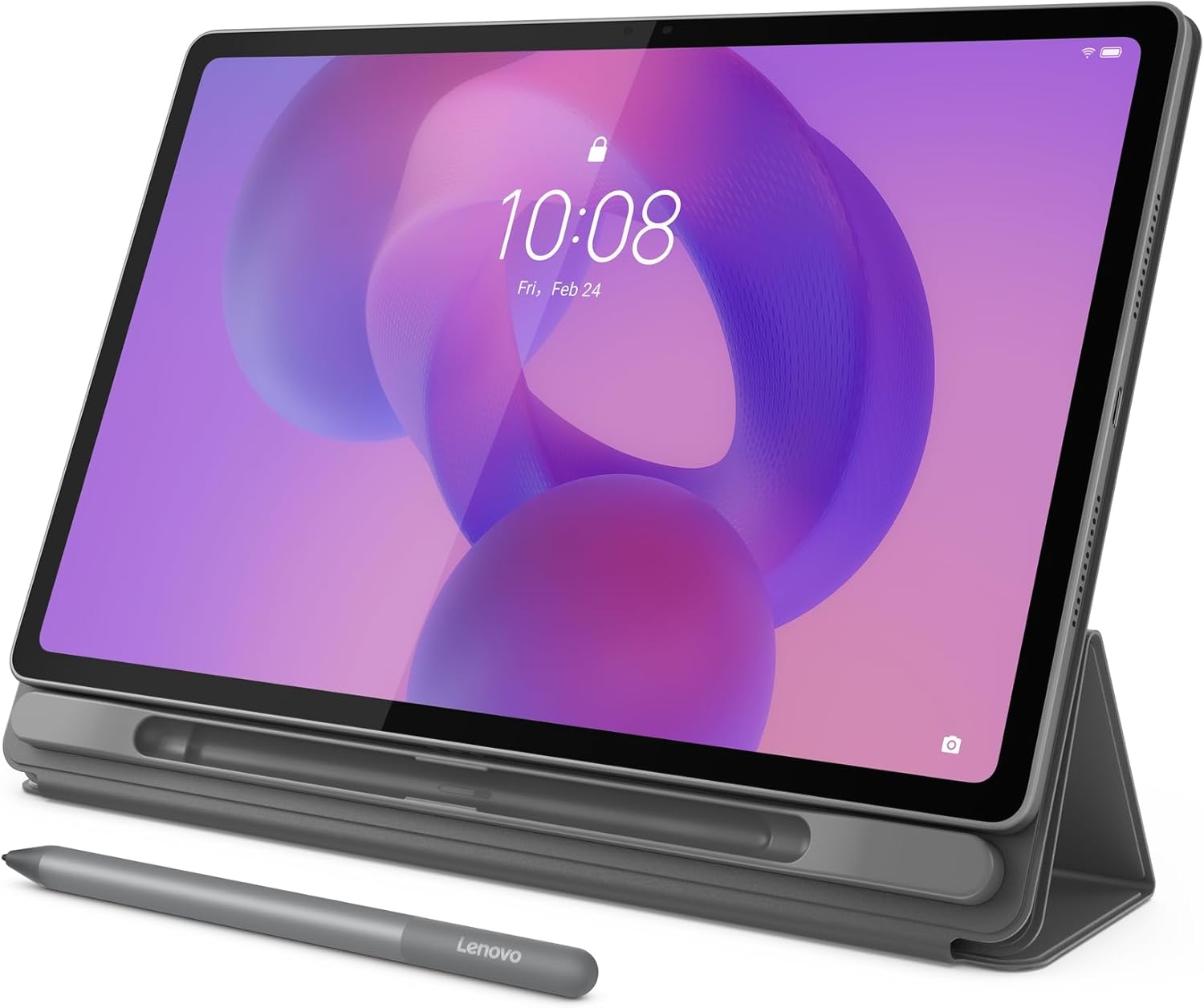
Lenovo IdeaTab Plus 12.1-inch 2.5K Tablet
A lightweight, portable tablet designed for students and creative professionals who need a capable device for note-taking, sketching, and media consumption. The 12.1-inch 2.5K display with 90Hz refresh rate and quad Dolby Atmos speakers deliver sharp visuals and immersive audio, while the included stylus and folio case add practical value. Battery life stretches to 13 hours, making it reliable for full-day use.
Pros
- Extremely portable at just over one pound with a slim profile that fits easily into bags and backpacks
- Sharp 12.1-inch 2.5K display with high brightness (800 nits) and 96% DCI-P3 color gamut for excellent clarity in various lighting conditions
- Included Lenovo Tab Pen and folio case with magnetic storage eliminate extra purchases and provide immediate productivity
- Quad Dolby Atmos speakers deliver rich, immersive audio for entertainment and learning
- Up to 13 hours of video playback battery life with 45W fast charging for extended usage without frequent recharging
- Google Circle to Search integration allows quick information lookup and translation without app switching
Cons
- MediaTek Dimensity 6400 processor is mid-range and may struggle with demanding gaming or intensive multitasking compared to flagship tablets
- 128GB storage is fixed with no expansion option, which limits flexibility for users with large media libraries
- No mention of water resistance or durability rating, which is relevant for a portable device intended for daily carry
Tablets Buying Guide
Picking the right tablet comes down to understanding which trade-offs actually matter for the way you plan to use it.
Screen quality, processor generation, storage headroom, stylus support, and battery endurance all interact differently depending on whether you are a student, a creative professional, or someone who mostly watches content on the couch.
The sections below walk through the key criteria we used to evaluate every model in this roundup, and explain what to prioritize for different use cases.
Display Quality and Size
The display is your primary interface, so it deserves serious scrutiny.
Panel technology matters enormously: AMOLED and Dynamic AMOLED 2X panels (found on the Samsung Galaxy Tab S-series) deliver true blacks, punchy contrast, and vibrant color saturation that LCD panels simply cannot match at equivalent brightness.
If you regularly watch films, edit photos, or use your tablet in dim rooms, an AMOLED panel is worth the premium.
For everyday reading, note-taking, and web browsing, a high-resolution IPS or LCD panel like the 3K display on the Lenovo Idea Tab Pro is more than sufficient and is often easier on the eyes in bright outdoor light.
Screen size shapes portability. An 11-inch display is the sweet spot for most users: large enough for split-screen multitasking but light enough to hold one-handed.
Stepping up to 12 or 14 inches, as on the Lenovo Idea Tab Plus or the TCL NXTPAPER 14, gives you more real estate for drawing, annotating PDFs, or side-by-side apps, but adds meaningful weight and bulk.
Refresh rate is another consideration: a 90Hz or 120Hz panel makes scrolling noticeably smoother and is increasingly common even outside flagship tiers, so treat 60Hz as a red flag on any device above an entry-level price point.
Resolution labels like 2K, 2.5K, and 3K are marketing shorthands, but pixel density relative to screen size is what actually determines sharpness.
A 2.5K resolution on an 11-inch panel looks crisp; that same resolution spread across a 14-inch display looks softer. Always cross-reference the listed resolution with the screen diagonal before drawing conclusions about text and image clarity.
Processor Performance and RAM

The chip inside your tablet determines how smoothly it handles demanding apps, whether it can run multiple windows simultaneously, and how long the device will remain relevant with software updates.
Flagship chips like Qualcomm’s Snapdragon 8 Gen 2 (Galaxy Tab S9) and Samsung’s 3nm MediaTek processor (Galaxy Tab S11) sit at the top of the performance ladder for Android, offering sustained performance in video editing apps, AI-assisted features, and graphic-intensive games.
Mid-range chips like the MediaTek Dimensity 8300 and Dimensity 6400 power the Lenovo Idea Tab Pro and Idea Tab Plus respectively, striking a practical balance for students and casual users who do not push their devices to the limit.
RAM pairing is equally important.
Eight gigabytes of RAM is the practical minimum for comfortable multitasking in 2026: it allows you to keep a browser with multiple tabs open alongside a note-taking app and a streaming service without the OS aggressively killing background processes.
Six gigabytes is workable for lighter use. If you plan to use productivity suites, split-screen workflows, or AI-assisted tools, prioritize models with 8 GB or more.
Tablets aimed at media consumption and simpler productivity tasks can get by with less, but the experience will feel more constrained over time.
Apple’s A14 Bionic chip in the iPad (10th Generation) deserves a separate mention: Apple’s chip architecture remains a generation ahead in raw efficiency and single-core speed, which translates to a snappier UI and stronger support for creative apps in the App Store.
The iOS and iPadOS ecosystem also tends to deliver longer software support cycles than most Android devices, which matters if you plan to keep your tablet for several years.
If you find yourself comparing tablets to laptops for everyday work, the iPad ecosystem’s app depth is often the deciding factor.
Storage, Expandability, and Software
Sixty-four gigabytes of internal storage is enough for a light user who streams most content and keeps few large apps, but it fills up faster than you expect once you factor in app updates, offline downloads, and photos.
One hundred twenty-eight gigabytes is a more comfortable starting point for most buyers, and 256 GB makes sense if you store large video files, high-resolution art projects, or offline media libraries locally.
Several models in this roundup, including the Samsung Galaxy Tab S10 FE and Tab S10 Lite, support microSD expansion, which is a meaningful advantage: it lets you add inexpensive storage later without committing to a pricier configuration upfront.
Software ecosystem shapes the long-term experience more than any single spec.
Android tablets have made significant strides with better split-screen support, desktop-mode windowing, and integration with AI tools like Circle to Search and Google Gemini, the latter of which is built into the Lenovo Idea Tab Pro.
Samsung’s DeX mode on the Tab S-series effectively turns supported tablets into a desktop-style environment when connected to an external display. iPadOS offers the most polished tablet-optimized app library and consistently receives the longest software support commitments of any platform in this roundup.
If your workflow depends on specific professional apps, check their tablet-optimized versions before committing to a platform.
Stylus and Keyboard Support

A bundled stylus transforms a tablet from a media device into a genuine productivity and creativity tool.
Samsung’s S Pen is the most polished stylus experience in the Android ecosystem: it uses electromagnetic resonance rather than a battery, delivers low latency, and supports 4,096 levels of pressure sensitivity on premium Tab S models.
The S Pen is included in the box with the Galaxy Tab S9, Tab S10 FE, Tab S10 Lite, Tab S11, and the Tab S10 FE bundle reviewed here, which represents strong value given that comparable styluses often cost extra.
Lenovo’s Tab Pen, included with the Idea Tab Pro, Idea Tab, and Idea Tab Plus, is a capable alternative for note-takers and students, offering 4,096 pressure levels at a more accessible price tier.
TCL’s NXTPAPER 14 stands out with a 4,096-level stylus paired with a matte, paper-like display surface specifically designed to reduce glare and simulate the feel of writing on paper.
This combination makes it one of the most compelling options for digital note-taking, journaling, and artists who prefer textured resistance over the slick glass feel of most displays.
If drawing tablets and e-ink-style displays are part of your consideration set, our drawing tablets category and the e-readers section cover adjacent options worth comparing.
Keyboard covers and folio cases are worth factoring into total cost of ownership. Several models in this roundup, including the Lenovo Idea Tab Pro, Idea Tab, and Idea Tab Plus, ship with a folio case included, which adds genuine value.
Samsung’s keyboard folio options are sold separately and add significantly to the overall spend. Apple’s Magic Keyboard and Smart Folio are similarly priced accessories that, combined with the iPad, push total cost into laptop territory.
If lightweight document editing is a primary use case, these accessories shift the total value equation considerably.
Battery Life and Charging

Tablet battery life is measured in daily use patterns more than raw milliamp-hour figures, because screen size, panel type, and chip efficiency all affect real-world drain.
OLED panels at moderate brightness can be more power-efficient than LCD panels pushed to maximum, but this varies significantly by workload.
The Samsung Galaxy Tab S10 FE advertises up to 20 hours of battery life, which aligns with verified buyer reports of comfortably lasting through a full work day and into an evening.
The TCL NXTPAPER 14’s 10,000 mAh battery is one of the largest in this roundup by capacity, which helps offset the power demands of its large 14.3-inch display.
Charging speed is increasingly relevant as tablets become primary work devices. Look for USB-C charging across the board at this point: proprietary charging ports are a red flag on any current-generation device.
Fast charging support (typically 25W to 45W on Samsung’s mid-range and flagship lineup) meaningfully reduces downtime compared to slower charging found on budget tiers.
For students and professionals who use their tablet away from a desk for hours at a time, battery longevity should rank alongside display and processor in the priority list.
Durability and Build Quality
Physical durability matters more for tablets than for devices that stay on a desk.
IP ratings indicate resistance to water and dust: the Samsung Galaxy Tab S9 and Tab S11 both carry IP68 certification, meaning they can withstand submersion beyond a brief splash, which is reassuring for outdoor use, kitchen counters, or accident-prone environments.
Most mid-range and budget tablets carry no official IP rating, so extra care is warranted. A good case helps, and the included folio cases on the Lenovo models provide meaningful screen protection without additional cost.
Weight and thickness affect how comfortable a tablet is to hold for extended sessions, particularly for reading, sketching, or video calls. Slim, lightweight designs like the Samsung Galaxy Tab A11+ prioritize portability and comfort.
Larger devices like the TCL NXTPAPER 14 and Lenovo Idea Tab Plus trade some portability for screen real estate.
If you plan to use your tablet as a supplementary screen alongside a work laptop, a lighter, thinner form factor usually makes more sense than maximum display size.
Why You Should Trust Us
REMOVU is an independent review publication. We have no manufacturer relationships that influence our rankings, and we do not accept payment from brands in exchange for placement or favorable scores.
Every tablet in this roundup was evaluated by our editorial team using a consistent, multi-factor methodology: we analyze published technical specifications, synthesize expert review consensus drawn from across the industry, and incorporate verified buyer feedback from confirmed purchasers to understand how each device performs in real, sustained use.
Each product receives a REMOVU Score on a scale of 0 to 10, reflecting its overall performance across the criteria outlined in this guide: display quality, processor capability, software ecosystem, stylus and accessory support, battery endurance, and value relative to the competition at its price tier.
We do not conduct our own product trials; our evaluations are grounded in research, published data, expert review consensus, and verified buyer feedback.
This approach lets us cover a broader range of products more consistently than any single reviewer’s hands-on experience could achieve alone.
REMOVU may earn a commission when you purchase through links in this article. That affiliate relationship has no bearing on our scores, rankings, or editorial recommendations. Products are ranked on merit, not on commission rates.
We do not handle sales, returns, warranties, or customer support for any product reviewed here.
Final Thoughts
The tablet market in 2026 offers genuinely strong options at every price tier, from capable budget slates to refined productivity powerhouses. After evaluating each model against our full scoring criteria, here are our top category picks:
- Best Overall: Samsung Galaxy Tab A11+ earns the highest REMOVU Score in this roundup with an impressive combination of optimized performance, Dolby Atmos speakers, AI Assist features, slim design, and a price that undercuts most of the competition in its performance tier.
- Best Premium Pick: Samsung Galaxy Tab S11 represents the pinnacle of the Android tablet experience with its Dynamic AMOLED 2X display, 3nm processor, IP68 rating, and Galaxy AI integration for users who want flagship-grade performance and are willing to pay for it.
- Best for Note-Taking and Drawing: TCL NXTPAPER 14 combines a genuinely differentiated paper-like matte display with a 4,096-level stylus, massive battery, and generous storage in a format that digital note-takers and sketching enthusiasts will find hard to beat at its price point.
- Best Mid-Range Value: Samsung Galaxy Tab S10 Lite delivers S Pen support, a solid LCD display, AI tools, and expandable storage at a mid-range price, making it one of the most well-rounded options for users who want Samsung quality without the flagship outlay.
- Best for Students: Lenovo Idea Tab bundles a sharp 2.5K display, a Tab Pen, a folio case, and 256 GB of storage into a highly competitive package, covering everything a college or secondary school student needs without requiring additional accessory purchases.
For buyers who are weighing a tablet against other portable devices, it is worth considering how a slate fits into your broader tech setup.
If your primary need is computing power and keyboard input, dedicated laptops for every budget or Chromebooks for kids may serve better.
If you are looking for a device primarily for a younger user, our kids tablets category covers ruggedized and age-appropriate options. For the full range of connected devices, our phones, tablets, and wearables hub is a useful starting point.
Frequently Asked Questions
What is the difference between an Android tablet and an iPad?
Android tablets, led by Samsung and Lenovo in this roundup, run Google’s Android OS and offer more hardware variety, wider price range flexibility, microSD expansion on many models, and tighter integration with Google services like Gemini AI. iPads run Apple’s iPadOS, which offers a more curated but consistently optimized app library, longer guaranteed software update cycles, and tighter hardware-software integration.
The choice often comes down to ecosystem preference: if you already use an iPhone and Mac, an iPad slots in seamlessly; if you use Android phones and Google services, an Android tablet will feel more natural.
Do I need a tablet with 5G, or is Wi-Fi only enough?
For most users, a Wi-Fi only tablet is sufficient. Tablets are typically used at home, at a desk, in a classroom, or in a location with available Wi-Fi.
A 5G model makes sense if you frequently travel to locations without reliable Wi-Fi and need consistent mobile connectivity, or if you use your tablet as a primary work device away from fixed internet.
Note that 5G models carry a price premium and require a data plan with a carrier. Every model in this roundup covers Wi-Fi configurations, which represent the majority of tablet purchases.
How much storage do I actually need in a tablet?
For light users who primarily stream content and use web-based apps, 64 GB covers basic needs but leaves limited headroom. Most buyers will be better served by 128 GB, which comfortably accommodates apps, offline media, photos, and documents without constant management.
Creative users, those who store large video files locally, or anyone who downloads extensive offline content should consider 256 GB or higher.
If your chosen model supports microSD expansion, a lower base storage tier is less of a concern, since you can add capacity inexpensively later.
Are budget tablets worth buying, or should I save up for a mid-range model?
Budget tablets like the URAO Tablet can handle basic web browsing, video playback, and light reading, but they typically compromise on display resolution, processor speed, build quality, and long-term software support.
If your needs are genuinely minimal and you plan to use the device infrequently, a budget option may suffice.
However, for anyone who plans to use a tablet daily or for productivity, stepping up to a mid-range model with a sharper display, more RAM, and a proven chipset delivers a meaningfully better experience that holds up over a longer ownership period.
The cost difference often pays for itself in daily usability.
Can a tablet replace a laptop for everyday work?
For some workflows, yes. Tablets with keyboard attachments, like the Samsung Galaxy Tab S-series with DeX mode or the iPad with a Magic Keyboard, can handle email, document editing, video conferencing, and light content creation effectively.
However, tablets still fall short of full laptops for tasks requiring complex software, multi-window desktop environments, precise file management, or specialized professional applications.
If your work leans heavily on desktop computing environments or specific Windows software, a tablet works best as a companion device rather than a full replacement.
Our guides to gaming laptops and work laptops can help clarify where each category excels.
What accessories should I budget for alongside a new tablet?
The three most impactful accessories are a stylus, a keyboard cover, and a protective case. Several models in this roundup, particularly from Lenovo and Samsung’s mid-range lineup, include a stylus and folio case in the box, which reduces additional spend.
If your chosen tablet does not bundle these items, factor accessory costs into your total budget before comparing prices between models.
A good pair of noise-cancelling headphones for focus work pairs well with any tablet for productivity sessions, and a fitness tracker or smartphone often completes a well-rounded mobile setup alongside a tablet.
About the author
Kelly is REMOVU's gaming desktop writer, comparing GPU power, cooling, and value across prebuilt towers. He helps players get high frame rates without the headache of building from scratch.