The 11 Best 4K Webcams
Sharp video starts with the right sensor. Our research-backed picks cover the best 4K webcams for video calls, streaming, and content creation at every budget.
 By Josephine Mason
Updated July 26, 2026
By Josephine Mason
Updated July 26, 2026
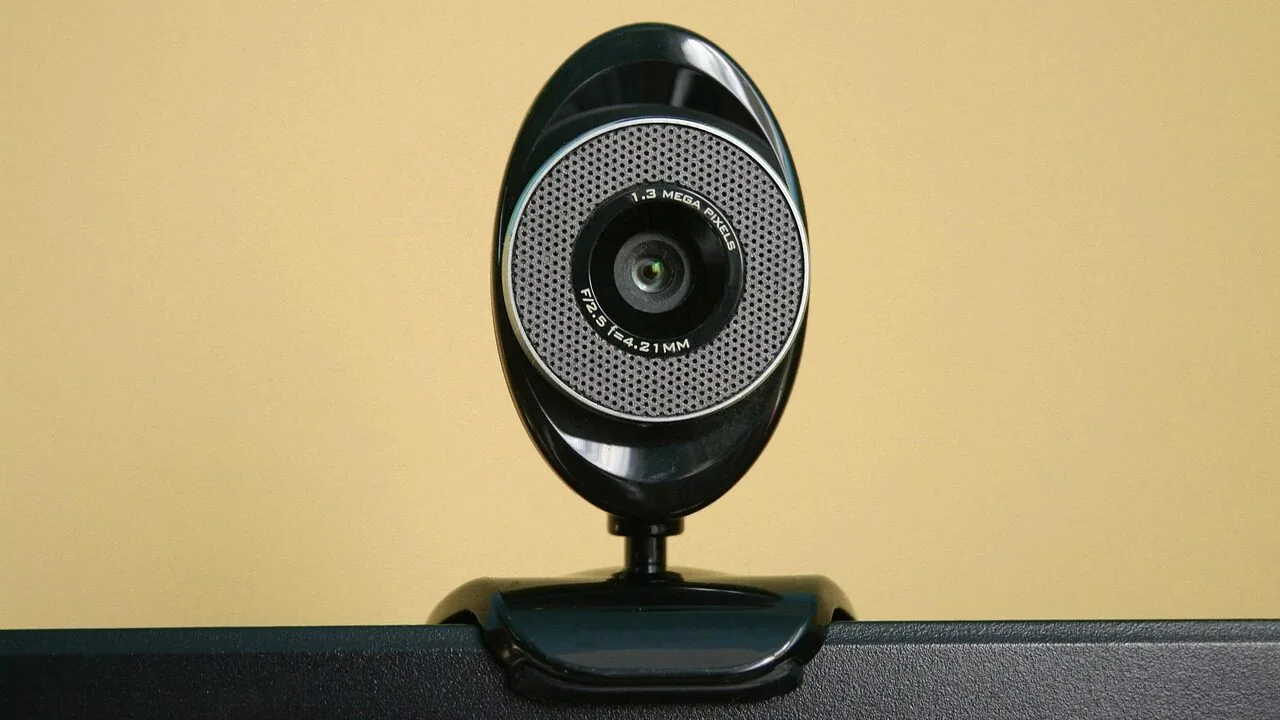
Upgrading to a 4K webcam is one of the most noticeable improvements you can make to your video presence, whether you are joining daily conference calls, streaming to an audience, or recording content for a channel.
At four times the pixel count of 1080p, a true 4K sensor delivers crisp facial detail, sharper text on whiteboards, and far more flexibility to crop or reframe in post without losing clarity.
The demand for high-resolution webcams has surged alongside the growth of hybrid work, live commerce, and creator culture, pushing manufacturers from established names like Logitech and Acer to emerging challengers like EMEET and YOLOLIV to compete aggressively on sensor quality, autofocus speed, and price.
At REMOVU, we researched the current market by analyzing published specifications, synthesizing expert review consensus across dozens of sources, and combing through verified buyer feedback to surface the options that genuinely deliver on their 4K promise.
Whether you need a plug-and-play solution for Microsoft Teams, a cinematic camera for live streaming, or the sharpest AI-tracking PTZ webcam available, our ranked picks below cover every major use case and budget.
Keep reading for the full buying guide, or jump straight into our top picks now.
| Award | Product | REMOVU Score About REMOVU ScoreThe REMOVU Score is our own rating from 0 to 10, based on performance, design and build, ease of use, and value. It reflects independent research and is never influenced by manufacturers, retailers, or affiliate commissions. Learn more › | Price | |
|---|---|---|---|---|
| Best Premium |
 Insta360 Link 2 Pro 4K PTZ Webcam
|
8.6/10 | Buy | |
 YOLOLIV YoloCam S3 4K Webcam with 1/1.3" Sensor
|
7.0/10 | Buy | ||
 Logitech 4K Webcam
|
7.2/10 | Buy | ||
| Best Overall |
 Acer 4K Webcam with Sony Sensor and PDAF
|
8.9/10 | Buy | |
| Best Budget |
 EMEET C960 4K Webcam
|
8.4/10 | Buy | |
| Best Value |
 EMEET S600 4K Webcam with PDAF Autofocus
|
8.1/10 | Buy | |
 UGREEN 4K Webcam with PDAF Autofocus
|
7.5/10 | Buy | ||
 EMEET NOVA 4K Webcam, 73° FOV, Dual Mics
|
7.1/10 | Buy | ||
 RUWBY 4K/30fps USB Webcam with Tripod
|
6.8/10 | Buy | ||
 Philips 4K Webcam with Privacy Shutter
|
6.5/10 | Buy | ||
 AOC 4K Webcam with 90° FOV and Privacy Cover
|
6.2/10 | Buy |
Insta360 Link 2 Pro 4K PTZ Webcam
A premium PTZ webcam built for creators and professionals who need sharp 4K video with intelligent framing. The large 1/1.3" sensor and dual directional mics handle low-light scenes and noisy environments well, while AI tracking keeps you centered during streams or calls. Physical pan-tilt capability and Stream Deck integration make it a solid choice for content creators juggling multiple platforms.
Pros
- Large 1/1.3" sensor delivers clean 4K video and strong low-light performance
- Dual directional microphones with AI noise canceling isolate voice effectively in busy spaces
- AI tracking physically follows movement, keeping subjects framed without software tricks
- Directional pickup mode and natural bokeh add professional polish to streams and meetings
- Stream Deck integration and gesture control streamline multi-camera workflows
Cons
- Not compatible with ARM-based Windows systems or Windows Hello Face Recognition
- Premium pricing reflects flagship status, may exceed needs for casual users
- Requires USB-C connection and dedicated Link Controller software for full feature access
YOLOLIV YoloCam S3 4K Webcam with 1/1.3" Sensor
A premium 4K streaming webcam built around an unusually large 1/1.3" sensor that delivers uncompressed video and DSLR-like manual controls. The fast autofocus, AI-enhanced low-light performance, and Picasso Resolve color grading make it a serious choice for content creators and streamers who prioritize image quality over simplicity.
Pros
- Exceptional 1/1.3" sensor size delivers noticeably clearer 4K/30fps and 1080p/60fps footage compared to standard webcams
- Fast PDAF autofocus maintains sharp focus with zero lag, keeping subjects crisp during movement
- Comprehensive manual controls for exposure, white balance, contrast, and saturation rival entry-level DSLR workflows
- AI-enhanced imaging produces 2.5x clearer faces in low light with automatic exposure and HDR optimization
- Aluminum chassis doubles as active heat sink, enabling stable 24/7 streaming without thermal throttling
- 4x digital zoom preserves 1080p clarity without visible blur or cropping
Cons
- No built-in microphone requires separate audio equipment, adding cost and complexity to setup
- Wired USB-C only, no wireless option limits placement flexibility compared to some competitors
- Picasso Resolve color grading currently Windows-exclusive, Mac users must wait for future update
Logitech 4K Webcam
A professional-grade webcam built for remote work and video collaboration, delivering 4K resolution with intelligent lighting adjustment and noise cancellation. Best suited for content creators and professionals who prioritize video quality during calls and streaming, though its discontinued status limits long-term support.
Pros
- 4K ultra HD resolution with 5x zoom for sharp, detailed video
- RightLight 3 HDR technology automatically adapts to low-light and backlit environments
- Dual omni-directional mics with noise cancellation for clear audio
- Flexible field of view presets (90°, 78°, 65°) via Logi Tune software
- High frame rate up to 90 fps for smooth streaming and recording
- Privacy shade and Windows Hello facial recognition for security
Cons
- Product is discontinued with no ongoing support or driver updates
- Compatibility limited to Windows, Mac, and ChromeOS only
- No user reviews available to verify real-world performance and reliability
Acer 4K Webcam with Sony Sensor and PDAF
This premium 4K webcam pairs a large Sony 1/2" sensor with Phase Detection Autofocus for sharp, detail-rich video in any lighting condition. Built from aerospace-grade aluminum with dual noise-canceling mics and magnetic privacy cover, it's designed for streamers, creators, and professionals who demand reliable performance across Zoom, Teams, and streaming platforms. Compact at 57 grams, it connects via single USB-C with zero setup required.
Pros
- Genuine Sony 1/2" CMOS sensor delivers balanced, true-to-life 4K visuals with strong low-light performance and HDR
- PDAF autofocus is faster and more stable than standard autofocus, keeping video crisp without blurriness
- Dual high-sensitivity digital mics capture clear audio from up to 2.5 meters while filtering wind and keyboard noise
- All-metal unibody design with aerospace-grade aluminum ensures durability and efficient heat dissipation for 24/7 use
- Plug-and-play USB-C connection with no drivers or apps needed; works across Windows, Mac, ChromeOS, and Switch 2
Cons
- No specifications table provided in product data, limiting detailed technical comparison with competitors
- Magnetic privacy cover is convenient but adds another small component to manage or potentially lose
- Dual mics are effective in most scenes, but performance in extremely loud environments not explicitly detailed
EMEET C960 4K Webcam
A genuine 4K webcam built for professionals who need clarity in video calls. The PDAF autofocus and auto light correction handle variable meeting conditions, while dual mics and plug-and-play setup make it straightforward to deploy across Zoom, Teams, and other platforms. Best suited for remote workers and educators prioritizing image quality over budget constraints.
Pros
- True 4K resolution without upscaling, delivering noticeably sharper visuals than 1080p alternatives
- PDAF autofocus and auto light correction adapt reliably to different lighting and movement scenarios
- Dual omnidirectional microphones capture clear audio for conference calls and remote teaching
- USB plug-and-play with no drivers or cloud dependencies, plus privacy cover included
- Wide platform compatibility spanning Windows, macOS, Android TV, and Linux with EMEETLINK software for custom adjustments
Cons
- Defaults to 1080p output, requiring manual switching to 4K via software or third-party apps like OBS
- Requires designating the webcam as default microphone in system settings for optimal mic performance
- 73-degree FOV is narrower than some competitors, limiting background context in framed shots
EMEET S600 4K Webcam with PDAF Autofocus
A 4K streaming camera built on a Sony 1/2.55" sensor that delivers flexible resolution options: 4K at 30FPS or 1080P at 60FPS. The PDAF autofocus system ensures faster, more precise focus in varied lighting, while dual noise-canceling mics and customizable FOV (40-73° at 1080P) make it well-suited for live commerce, gaming, and content creators. Built-in privacy cover and plug-and-play setup add practical appeal.
Pros
- Sony 1/2.55" sensor with true 4K capability at 30FPS, exceeding typical webcam standards
- PDAF autofocus offers faster, more stable focus compared to standard autofocus systems
- Dual microphones with proprietary noise-reduction algorithm enabled by default
- Customizable FOV from 40-73° at 1080P resolution for flexible framing
- Built-in privacy cover and durable, flexible design with secure mounting
Cons
- 4K resolution is fixed at 73° FOV, limiting framing flexibility at highest resolution
- Advanced customization requires separate EMEETLINK software; some users may prefer simpler operation
- Video resolution output depends on third-party software (OBS, PotPlayer) or built-in camera software compatibility
UGREEN 4K Webcam with PDAF Autofocus
This 4K/30fps webcam delivers studio-quality video with Phase Detection Autofocus and dual noise-canceling mics, making it solid for remote work and streaming. The built-in privacy cover and included USB-C adapter add practical convenience, though 4K performance depends on your system's full hardware and software support.
Pros
- 4K/30fps video with 8MP CMOS sensor and enhanced low-light performance for clear conferencing
- PDAF autofocus tracks subjects 0.33-16.4 ft away with minimal blur
- Dual microphones capture audio within 16.4 ft, ideal for group calls and streaming
- Plug-and-play setup with driver-free installation across Windows, Mac, Linux, and Android
- Includes privacy cover and USB-C adapter for broader device compatibility
Cons
- 4K recording requires both hardware and software support; defaults to 1080p/60fps if either is lacking
- Auto exposure and light correction may not match professional lighting setups for high-end production
- No tripod included despite tripod-mount capability
EMEET NOVA 4K Webcam, 73° FOV, Dual Mics
A 4K webcam built for video conferencing and streaming, the NOVA delivers sharp visuals at 30FPS with PDAF autofocus and dual omnidirectional microphones that pick up voices up to 8 feet away. Its plug-and-play USB 2.0 connection, privacy cover, and broad software compatibility make it practical for remote workers and content creators who prioritize video clarity without setup hassle.
Pros
- 4K resolution with PDAF autofocus ensures sharp, detailed video across a wide focus range (7.9-118 inches)
- Dual built-in microphones capture clear audio in typical office environments, rated for up to 8 feet
- Universal compatibility: works with Zoom, Teams, Google Meet, and Windows 10/11, macOS 10.14+, Android TV 7.0+
- Physical privacy cover and no WiFi/Bluetooth dependency eliminate wireless interception risks
- Flexible mounting with 360° horizontal rotation, 15° vertical tilt, and standard tripod thread for custom positioning
Cons
- Defaults to 1080P, users must manually switch to 4K via software (PotPlayer, OBS, or built-in settings), adding a setup step
- Fixed 73° field of view and no facial tracking or autofocus toggle limit customization for specific use cases
- Requires USB 2.0 Type-A port; USB-C or newer USB standards may not work, restricting compatibility with modern devices
RUWBY 4K/30fps USB Webcam with Tripod
RUWBY offers multiple resolution tiers from 1080p to 4K, letting you choose the specs that match your workflow and budget. Dual noise-cancelling mics, auto-focus, and low-light correction handle most professional video call scenarios, while the included adjustable tripod and monitor clip provide flexible mounting options. Solid 5-star average across verified purchases, though the 4K model caps out at 30fps.
Pros
- Flexible resolution options: 1080p, 2K, and 4K variants allow you to pick the right balance between quality and price
- Dual noise-cancelling microphones capture clear voice up to 10 feet with background noise filtering
- Auto-focus, low-light correction, and 90-degree wide-angle lens handle dynamic lighting and framing
- 360-degree rotation, privacy shutter, and included tripod with monitor clip provide versatile setup choices
- Plug-and-play compatibility across Windows, Mac, Chrome OS, and Linux; works with Zoom, Teams, OBS, Twitch, Discord, and major platforms
Cons
- 4K model locked at 30fps, which may feel sluggish compared to 2K at 60fps for fast-motion content
- 5-foot cable length may require extension for some desk setups
- 90-degree FOV is standard but narrower than ultra-wide alternatives if you need to show a large workspace
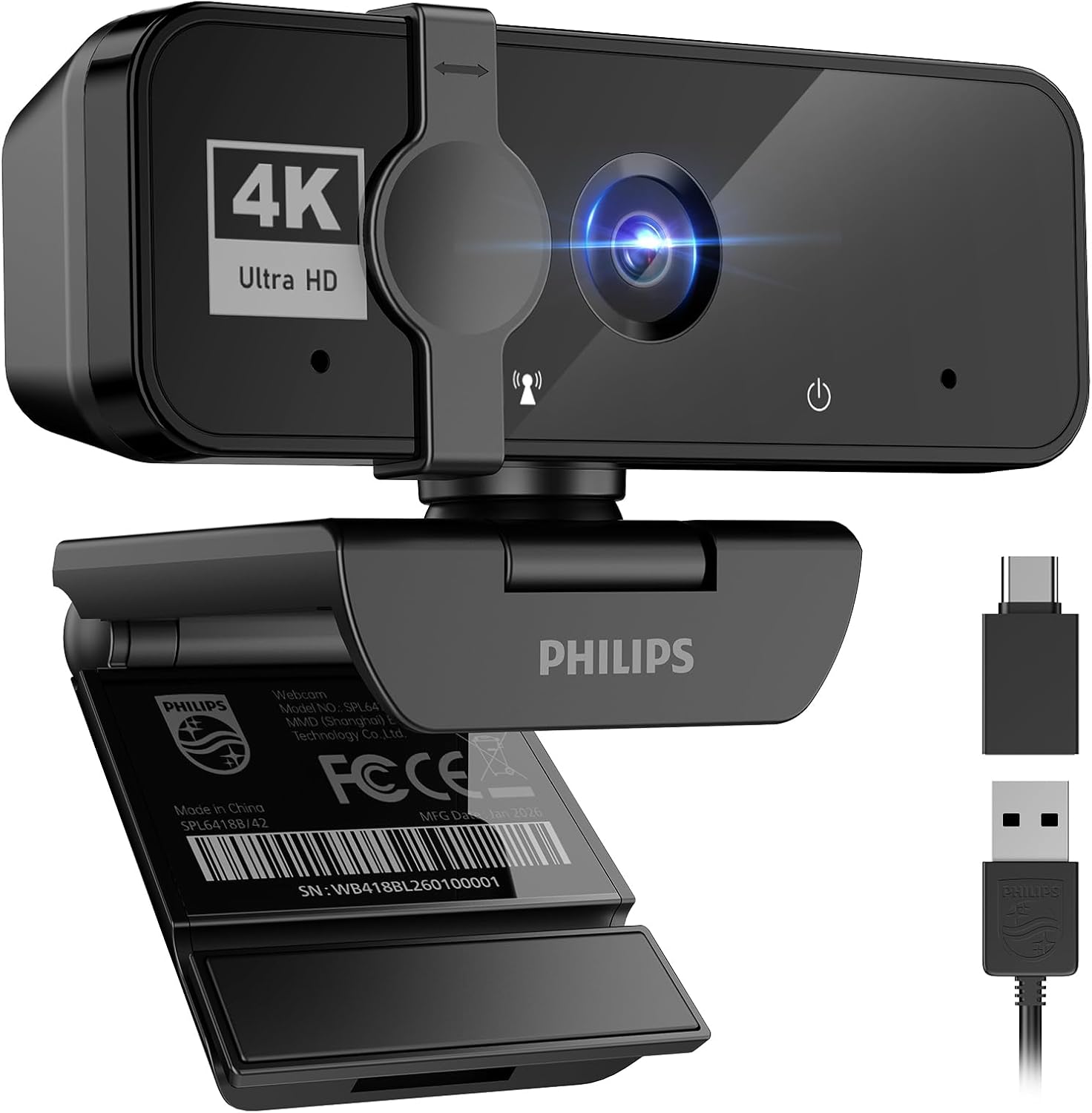
Philips 4K Webcam with Privacy Shutter
This 4K webcam delivers sharp, professional-grade video for remote work and virtual meetings without requiring separate audio equipment. The built-in microphone and physical privacy cover add practical value for home office setups, though it prioritizes video quality over advanced features.
Pros
- True 4K resolution provides crisp, detailed video suitable for professional presentations and business calls
- Integrated microphone eliminates the need for external audio gear, simplifying setup
- Physical privacy shutter offers mechanical protection beyond software controls
- Plug-and-play USB connection with no driver installation required
- Compatible with major platforms including Windows, macOS, and popular conferencing apps like Teams, Zoom, and Skype
Cons
- No advanced features like autofocus, zoom, or low-light correction mentioned in specifications
- Limited information on microphone quality or noise-cancellation capabilities
- No field-of-view specification provided, which matters for framing in video calls
AOC 4K Webcam with 90° FOV and Privacy Cover
AOC's 4K webcam delivers sharp video for professional calls and streaming, backed by a solid 4.5-star rating from nearly 600 users. The physical privacy cover and built-in noise-canceling mic address common security and audio concerns, while the wide 90-degree field of view works well for group conversations. Setup is genuinely plug-and-play with no driver installation required.
Pros
- 4K resolution provides crisp, detailed video quality suitable for professional video conferencing and content creation
- Physical sliding privacy cover offers tangible security without relying on software solutions
- True plug-and-play setup with no drivers needed; USB-A to USB-C adapter included for broad device compatibility
- 90-degree field of view and 360-degree swivel/180-degree tilt allow flexible framing for individual or small group calls
- Built-in noise-canceling microphone and automatic light correction reduce common setup friction
Cons
- Built-in microphone may pick up echo or background noise in certain room setups; a dedicated headset or external mic recommended for best audio
- Video quality depends heavily on adequate lighting; poor lighting conditions require manual adjustment despite automatic correction feature
- Wide field of view can show more background than some users prefer during professional calls
4K Webcams Buying Guide
Not every webcam that carries a “4K” label performs equally well in real-world conditions. Sensor size, autofocus technology, field of view, and microphone quality all interact to determine whether your video looks genuinely professional or merely technically compliant.
The sections below walk through the criteria that separate great 4K webcams from mediocre ones, so you can match the right model to your actual workflow rather than chasing spec-sheet numbers alone.
Sensor Size and Image Quality

Sensor size is arguably the single most important specification in any camera, and webcams are no exception.
A larger sensor captures more light per pixel, which translates directly into cleaner images in the dim home-office or bedroom-studio lighting that most users actually deal with.
Budget 4K webcams often use small 1/3-inch or 1/4-inch sensors that struggle the moment ambient light drops below ideal; premium options like the Insta360 Link 2 Pro and the YOLOLIV YoloCam S3 use 1/1.3-inch sensors that are considerably larger and produce noticeably better low-light performance and dynamic range.
Pay attention to how manufacturers describe their sensors.
A Sony-branded CMOS sensor, such as the one found in the Acer 4K Webcam and the EMEET S600, tends to signal higher quality because Sony’s sensor division supplies components to cinema cameras and professional equipment.
That said, sensor specs alone do not guarantee good output; the image signal processor (ISP) and lens quality also matter enormously.
When reading expert reviews, look specifically for comments about shadow detail, highlight rolloff, and color accuracy, not just sharpness at center frame.
If you pair your webcam with a well-designed studio lighting kit, even a mid-range sensor can produce results that rival larger sensors in controlled light.
Good lighting is often a more cost-effective upgrade than jumping to a top-tier webcam, so factor your room setup into the decision before spending more on sensor size alone.
Autofocus Technology
Phase-detection autofocus (PDAF) has become the gold standard for webcams in 2026, and for good reason.
Unlike slower contrast-detection systems, PDAF locks onto your face almost instantly and tracks motion without the hunting or pumping that used to plague webcam footage during head turns or when someone walks into frame.
Most of the higher-scoring picks in our list, including the EMEET C960, EMEET S600, Acer 4K Webcam, and Insta360 Link 2 Pro, all feature PDAF, which is a meaningful differentiator over budget models that rely on basic contrast autofocus.
AI-based subject tracking adds another layer.
The Insta360 Link 2 Pro, for instance, uses a motorized PTZ (pan-tilt-zoom) gimbal combined with AI tracking to physically follow you around the room, so you can stand up from your desk or walk to a whiteboard without going out of frame.
This is a fundamentally different capability from software-based zoom crops and is worth considering seriously if you present, teach, or produce content that requires freedom of movement.
Frame Rate and Resolution Modes
Advertised 4K resolution does not always mean 4K at a usable frame rate. Many webcams output 4K at 30 frames per second, which is perfectly acceptable for video calls and most streaming scenarios.
If you are a gaming streamer or produce fast-paced content where motion clarity matters, look for models that also offer 1080p at 60 fps, since the smoother motion at that mode is often preferable to 4K at 30 fps for action-heavy content.
The EMEET S600 and YOLOLIV YoloCam S3 both support 1080p at 60 fps alongside their 4K modes, giving you genuine flexibility.
Also consider whether the webcam outputs uncompressed or compressed video. Most USB webcams compress the signal before it reaches your computer, which can introduce artifacts.
The YOLOLIV YoloCam S3 is notable for advertising uncompressed video output, which is a significant advantage for professional broadcasters or creators who demand the cleanest possible signal for color grading downstream.
Casual users on video calls will likely not notice the difference, but creators editing footage will.
Field of View and Framing Flexibility
Field of view (FOV) determines how much of your environment the webcam captures. A narrow FOV around 65 to 75 degrees suits solo presenters who want a tight, professional portrait look with minimal background distraction.
Wider FOVs from 90 to 100 degrees are better for small-group meetings or shared desks where two people need to appear on screen simultaneously.
The AOC 4K Webcam stands out with a 99-degree FOV, making it one of the widest-angle options in this price range, which suits shared workspaces or anyone who wants their full desk setup visible during content creation.
Optical zoom and digital zoom are very different capabilities. Most webcams rely on digital zoom, which simply crops the sensor and reduces effective resolution.
True optical zoom, like the 4x zoom on the YOLOLIV YoloCam S3, preserves image quality at different focal lengths. For streamers who want flexibility in shot composition without repositioning the camera, optical or lossless digital zoom is worth prioritizing.
PTZ webcams like the Insta360 Link 2 Pro handle framing changes mechanically, which is the most elegant solution for dynamic shooting environments.
Microphone Quality and Noise Reduction

A 4K video feed means nothing if your audio sounds like it was recorded in a subway station.
The quality of built-in webcam microphones varies enormously, from basic stereo mics that pick up every keyboard click and HVAC hum to dual omnidirectional mics with hardware noise-reduction processing.
EMEET, in particular, has built a reputation for above-average built-in audio across its webcam lineup, with both the C960 and NOVA models featuring dual omnidirectional microphones tuned for voice clarity in office environments.
For creators or professionals who take audio seriously, a dedicated external microphone will always outperform any built-in webcam mic. Our guide to microphones for every budget covers a range of options that pair well with any webcam on this list.
That said, for the vast majority of video calls and casual streaming, a webcam with solid built-in noise cancellation is a practical convenience that reduces desk clutter and setup time.
The Insta360 Link 2 Pro goes further with directional noise-canceling microphones designed to suppress off-axis sound and focus on the speaker in front of the camera.
This is a meaningful upgrade over omnidirectional designs in louder environments like open-plan offices or home setups with active households.
Similarly, pairing any webcam with a good pair of wireless earbuds optimized for calls can eliminate echo and improve perceived audio quality on the receiving end without changing your microphone at all.
Connectivity, Compatibility, and Software

Most 4K webcams connect via USB-A or USB-C, and the majority are plug-and-play on Windows, macOS, and increasingly on ChromeOS. Plug-and-play simplicity is a genuine advantage for corporate users who cannot install third-party drivers on managed devices.
If you use Zoom, Microsoft Teams, Google Meet, or Skype, confirm that the webcam is certified or listed as compatible by the platform vendor, since some platforms apply different compression to non-certified devices that can noticeably degrade resolution.
Software ecosystems vary from nonexistent to powerful. The YOLOLIV YoloCam S3 offers DSLR-like manual controls over exposure, white balance, shutter speed, and cinematic effects through a companion app, which appeals strongly to creators who want granular control.
The Insta360 Link 2 Pro supports Stream Deck integration, a significant convenience for streamers who manage scenes and camera angles through Elgato’s hardware controller.
Budget picks from AOC and PHILIPS deliberately prioritize simplicity over software depth, which is a valid trade-off for users who just want to plug in and join a call.
If your setup involves a laptop configured for video editing, check that the webcam’s USB implementation does not compete excessively with other peripherals on the same bus.
High-bitrate 4K streams can saturate USB 2.0 connections, so USB 3.0 or USB-C with sufficient bandwidth headroom is preferable for uninterrupted capture alongside other devices.
Users building a more complete peripheral ecosystem may also find our monitors and peripherals hub useful for comparing complementary accessories.
Why You Should Trust Us
REMOVU is an independent review platform with no brand partnerships, no sponsored placements, and no manufacturer relationships that influence our rankings.
Every product in this guide was assessed using the REMOVU Score, a consistent 0 to 10 rating system applied across hundreds of product categories.
For each webcam, we evaluated published sensor specifications, autofocus technology, microphone design, software capabilities, compatibility data, and price-to-performance positioning.
Our assessments are built on a synthesis of expert review consensus drawn from credible technology publications, verified buyer feedback from confirmed purchasers, and manufacturer-published technical data.
We do not conduct our own product trials; our evaluations are grounded in research, published data, expert review consensus, and verified buyer feedback.
This methodology allows us to evaluate a broader range of products more consistently than any single reviewer with limited physical access could achieve, and it removes the variability introduced by individual evaluation conditions.
Transparency on affiliate relationships: REMOVU may earn a commission if you purchase a product through a link on this page.
That commercial relationship has no bearing on which products appear in this guide, how they are ranked, or what REMOVU Score they receive. Rankings are determined solely by our research and scoring methodology.
We do not accept payment for placement, and no brand can purchase a higher position in our lists.
Final Thoughts
The 4K webcam market in 2026 is genuinely competitive, with strong options available across every price tier from budget-friendly entry points to professional-grade PTZ cameras. After analyzing each model against our consistent scoring criteria, a few clear winners emerged for different needs.
- Best Overall: Insta360 Link 2 Pro earns the top REMOVU Score in this roundup thanks to its large 1/1.3-inch sensor, motorized AI tracking, HDR support, and directional noise-canceling microphones. It is the most complete 4K webcam currently available for creators and professionals who demand the highest-quality output.
- Best for Streaming and Cinematic Control: YOLOLIV YoloCam S3 offers uncompressed video, a large sensor, DSLR-like manual controls, and 4x optical zoom in a package built for serious streamers and content creators who want broadcast-level flexibility from a webcam form factor.
- Best Mid-Range Pick: EMEET C960 ties for the highest REMOVU Score among the mid-range options and delivers a compelling combination of PDAF autofocus, dual omnidirectional mics, and automatic light correction at a genuinely accessible price point.
- Best Value with Sony Sensor: Acer 4K Webcam pairs a Sony 1/2-inch sensor with PDAF and a premium all-metal build at a mid-range price, making it the smartest spec-per-dollar choice for professionals who want Sony sensor quality without a flagship price tag.
- Best Budget Pick: EMEET C960 and the AOC 4K Webcam represent the most affordable ways to get genuine 4K resolution into a video call setup, with the AOC model offering one of the widest fields of view in its class for shared workspaces or group desks.
If you are building out a complete home studio or content creation workspace, consider pairing your webcam choice with well-matched accessories.
A reliable compact tripod gives you precise camera positioning, while quality noise-cancelling headphones help you monitor your audio feed and reduce distractions during long sessions.
For creators who also shoot with interchangeable-lens cameras, our roundup of mirrorless cameras worth buying under a thousand dollars and our overview of camera lenses for Sony mirrorless shooters cover the broader imaging ecosystem in depth.
Whichever 4K webcam you choose from this list, you are making a meaningful upgrade over the built-in cameras found in nearly every laptop and monitor on the market today.
Frequently Asked Questions
Do I actually need a 4K webcam for video calls?
For most standard video calls on Zoom, Teams, or Google Meet, the platform itself caps streaming resolution well below 4K due to bandwidth limitations on typical internet connections.
However, a 4K sensor still provides a real benefit even in those situations: the extra resolution allows you to crop and reframe without losing sharpness, the larger sensors used in 4K models capture more light and produce better low-light performance, and the image processing pipelines on 4K webcams tend to be more sophisticated than those on older 1080p models.
If you also use your webcam for recording local content, streaming at higher qualities, or video production, 4K becomes far more valuable.
What is PDAF and why does it matter for webcams?
PDAF stands for phase-detection autofocus, the same technology used in modern smartphone and mirrorless cameras.
It works by comparing phase information from split pixels on the sensor to calculate focus distance almost instantaneously, rather than the slower trial-and-error approach of contrast-detection autofocus.
In practice, PDAF means your webcam snaps to sharp focus on your face when you sit down, stays sharp when you lean forward or turn your head, and recovers quickly if something passes in front of the lens.
For any use case involving movement or presentation, PDAF is a meaningful upgrade over basic autofocus systems.
Can I use a 4K webcam for gaming and streaming simultaneously?
Yes, and several models in this roundup are specifically designed for that use case. The key considerations are frame rate and CPU load.
A 4K webcam feeding into streaming software like OBS alongside a gaming session can put meaningful demand on your system, particularly on USB controller bandwidth and encoder resources.
Choosing a webcam that also supports 1080p at 60 fps gives you the option to drop resolution for smoother, higher-frame-rate camera footage during fast-paced gaming streams where motion clarity matters more than pixel count.
Pairing a capable webcam with a fast SSD for gaming and a well-matched motherboard helps ensure your system handles concurrent streaming and gaming workloads without bottlenecks.
Our guide to motherboards for Intel builds covers platform options that pair well with demanding multi-task workloads.
How important is the built-in microphone on a 4K webcam?
Built-in microphone quality ranges from barely acceptable to genuinely good depending on the model, and it matters more than many buyers expect. Dual-microphone configurations with hardware noise processing perform noticeably better in real-world environments than single-element mics without processing.
For casual calls and occasional streaming, a strong built-in mic like those found on EMEET models is entirely sufficient.
For regular content creation, podcasting, or professional presentations where audio quality directly affects your audience’s perception, a dedicated external microphone is worth the additional investment. Noise-cancelling headphones under a hundred dollars can also dramatically improve perceived call quality by eliminating echo on your end, regardless of which webcam mic you use.
Is a PTZ webcam worth the premium price?
PTZ (pan-tilt-zoom) webcams like the Insta360 Link 2 Pro command a premium because they solve a real problem: keeping a moving subject in frame without anyone manually adjusting the camera.
For teachers, fitness instructors, product demonstrators, or anyone who moves around during presentations or streams, AI-powered PTZ tracking is genuinely transformative.
For someone who sits in a fixed position at a desk for every call, the PTZ mechanism adds cost and complexity without proportional benefit, and a well-positioned fixed webcam with strong image quality will serve just as well.
Evaluate honestly how much you move during your typical use case before deciding whether the premium is justified.
What is the difference between a 4K webcam and using a mirrorless camera as a webcam?
A dedicated 4K webcam is optimized for plug-and-play convenience, consistent autofocus in webcam scenarios, and software compatibility with video conferencing platforms.
A compact vlogging camera or mirrorless camera used as a webcam via USB or capture card can produce superior image quality, shallower depth of field, and better low-light performance, but requires additional hardware (a capture card or compatible USB output), more complex setup, and a lens investment.
For most users, a high-scoring 4K webcam is the right answer because it is purpose-built for the job.
Creators who already own quality camera gear and want maximum image quality for streaming or high-production video calls may find the camera-as-webcam approach worth the added complexity.
About the author
Josephine covers mechanical keyboards for REMOVU, comparing switch feel, layout, and build quality for typing and gaming. She helps readers navigate a deeply personal choice with clear, practical advice.