The 11 Best Webcams Under $100
Sharp video and clear audio no longer require a big budget. These webcams cover everything from daily Zoom calls to live streaming, ranked by real-world performance and value.
 By Valerie Garcia
Updated July 26, 2026
By Valerie Garcia
Updated July 26, 2026

Finding a solid webcam without spending a fortune has never been more important.
Whether you’re jumping on daily video calls, streaming on the side, or finally upgrading from a blurry built-in laptop camera, a good webcam under a hundred dollars can genuinely transform how you look and sound on screen.
The market has grown crowded with options ranging from budget no-name clips to near-professional setups from brands like Logitech, EMEET, and AOC, making it harder than ever to separate the worthwhile picks from the disappointing ones.
At REMOVU, we cut through the noise by researching specifications, analyzing expert review consensus, and weighing verified buyer feedback across the entire category.
Every webcam on this list has been assessed against consistent criteria and scored using the REMOVU Score scale.
Whether you need rock-solid 1080p for business calls, a 4K upgrade for streaming, or just a reliable plug-and-play option for online classes, the ranked picks below give you a clear starting point.
| Award | Product | REMOVU Score About REMOVU ScoreThe REMOVU Score is our own rating from 0 to 10, based on performance, design and build, ease of use, and value. It reflects independent research and is never influenced by manufacturers, retailers, or affiliate commissions. Learn more › | Price | |
|---|---|---|---|---|
| Best Overall |
 Logitech C920x HD 1080p/30fps Webcam
|
8.5/10 | Buy | |
| Best Premium |
 Logitech C920S HD Pro Webcam 1080p
|
8.3/10 | Buy | |
 Logitech C920e HD 1080p Webcam
|
8.1/10 | Buy | ||
 EMEET NOVA 4K Webcam, 73° FOV, Dual Mics
|
7.1/10 | Buy | ||
 AOC 4K Webcam with 90° FOV and Privacy Cover
|
6.2/10 | Buy | ||
| Best Value |
 RUWBY W01 1080p Webcam with Dual Mics and Tripod
|
6.8/10 | Buy | |
 Acer WBC-0H01 1080p Webcam with Noise Cancellation
|
6.7/10 | Buy | ||
| Best Budget |
 UGREEN 2K Webcam 55721 with Dual Mics
|
6.5/10 | Buy | |
 Shcngqio TWC29 1080P HD Webcam with Noise-Canceling Mic
|
6.2/10 | Buy | ||
 Xweiryn K1 1080P HD USB Webcam
|
6.2/10 | Buy | ||
 EMEET C950 1080P USB Webcam
|
6.2/10 | Buy |
Logitech C920x HD 1080p/30fps Webcam
A straightforward Full HD webcam built for video calls and content creation. The C920x delivers crisp 1080p video with dual microphones for clear stereo audio, plus automatic light correction to handle dim environments. Best suited for professionals who need reliable video conferencing without paying for premium features.
Pros
- Full HD 1080p recording at 30fps with sharp five-element glass lens and autofocus
- Dual omni-directional microphones capture natural stereo audio from both sides
- RightLight 2 automatic light correction adjusts to low-light and harsh lighting conditions
- Includes 3-month XSplit VCam license for background removal, replacement, and blur effects
- Wide 78-degree field of view, compatible with Windows, Mac, Chrome OS, and Android
Cons
- Limited to 1080p/30fps output, no 4K or higher frame rate options for advanced streaming
- No privacy shutter included, requiring manual lens cover or software solutions
- RightLight 2 is older technology compared to newer models with RightLight 3+ or 5 with HDR
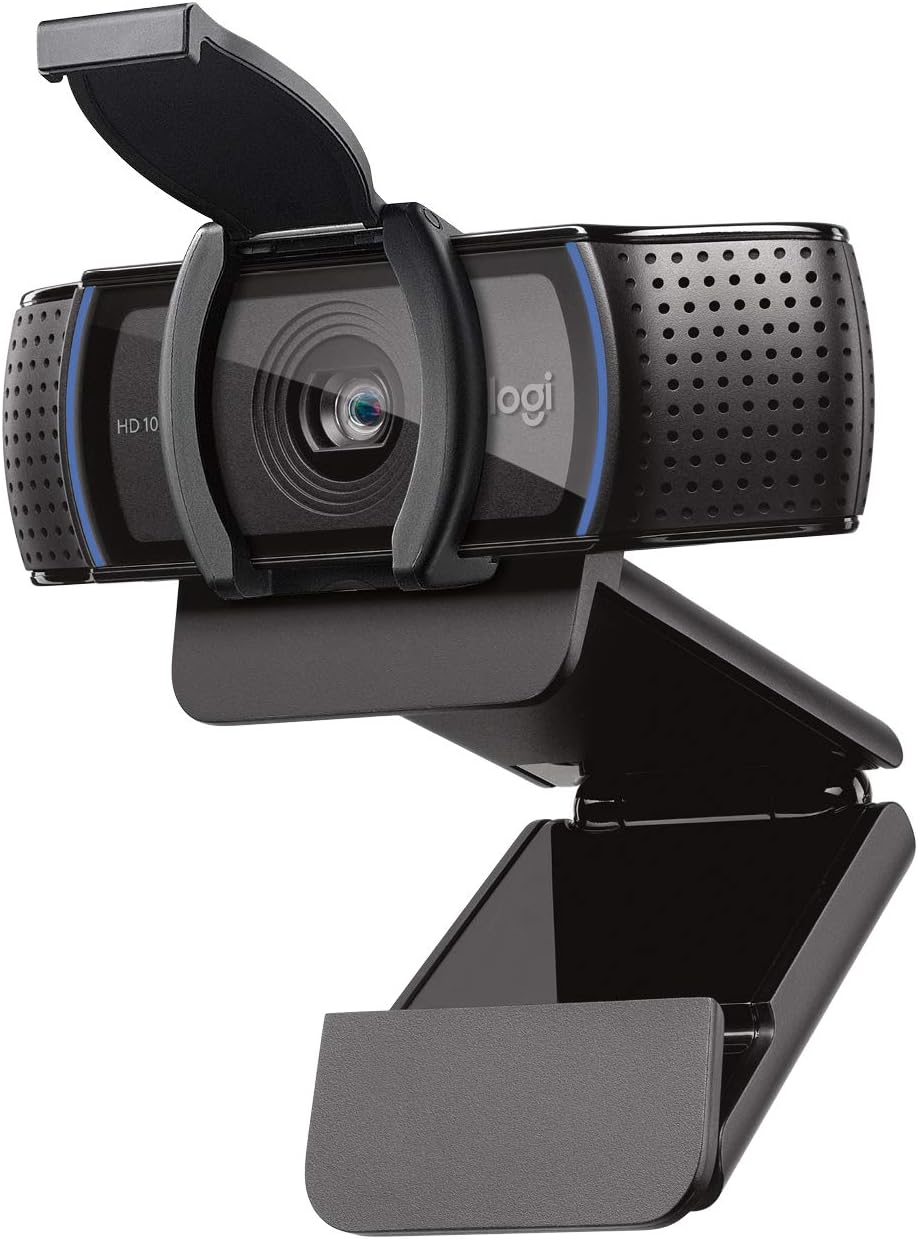
Logitech C920S HD Pro Webcam 1080p
A solid full HD webcam built for video calls and recording with sharp autofocus and dual-mic stereo audio. The privacy shutter adds a practical security layer. Best suited for professionals who need reliable video quality on Zoom, Skype, and other platforms without breaking the bank.
Pros
- Full HD 1080p video at 30fps delivers crisp, vibrant output for calls and recordings
- Dual microphones capture natural stereo audio during calls and video capture
- Autofocus and automatic light correction adapt to different environments
- Privacy shutter physically covers the lens when not in use
- Compatible across platforms: Windows, Mac, and major video conferencing apps
Cons
- No XSplit VCam license included despite being mentioned in some product materials
- Fixed 30fps frame rate limits performance for fast-motion content or gaming
- Limited information on low-light performance despite light correction feature
Logitech C920e HD 1080p Webcam
A straightforward 1080p webcam built for workplace video calls, with dual microphones and autofocus that outperform most laptop cameras. Certified for Zoom and compatible with Teams, Meet, and Webex, it's designed for organizations deploying devices at scale rather than power users seeking advanced features.
Pros
- Dual omnidirectional microphones capture clear audio up to one meter away
- HD autofocus and automatic light correction keep you sharp and well-lit in meetings
- Versatile mounting with sturdy clip for laptops, monitors, and tripod threads
- Physical privacy shutter provides visual confirmation lens is covered
- Works across Windows, macOS, and Chrome OS with plug-and-play USB-A connection
Cons
- Fixed 78-degree field of view is narrower than some competitors, limiting flexibility for different setups
- No zoom capability (1x only) means you cannot frame differently without repositioning the camera
- Lacks H.264 compression, which may consume more bandwidth on slower connections
- Attachable privacy shade must be manually flipped versus built-in shutters on pricier models
EMEET NOVA 4K Webcam, 73° FOV, Dual Mics
A 4K webcam built for video conferencing and streaming, the NOVA delivers sharp visuals at 30FPS with PDAF autofocus and dual omnidirectional microphones that pick up voices up to 8 feet away. Its plug-and-play USB 2.0 connection, privacy cover, and broad software compatibility make it practical for remote workers and content creators who prioritize video clarity without setup hassle.
Pros
- 4K resolution with PDAF autofocus ensures sharp, detailed video across a wide focus range (7.9-118 inches)
- Dual built-in microphones capture clear audio in typical office environments, rated for up to 8 feet
- Universal compatibility: works with Zoom, Teams, Google Meet, and Windows 10/11, macOS 10.14+, Android TV 7.0+
- Physical privacy cover and no WiFi/Bluetooth dependency eliminate wireless interception risks
- Flexible mounting with 360° horizontal rotation, 15° vertical tilt, and standard tripod thread for custom positioning
Cons
- Defaults to 1080P, users must manually switch to 4K via software (PotPlayer, OBS, or built-in settings), adding a setup step
- Fixed 73° field of view and no facial tracking or autofocus toggle limit customization for specific use cases
- Requires USB 2.0 Type-A port; USB-C or newer USB standards may not work, restricting compatibility with modern devices
AOC 4K Webcam with 90° FOV and Privacy Cover
AOC's 4K webcam delivers sharp video for professional calls and streaming, backed by a solid 4.5-star rating from nearly 600 users. The physical privacy cover and built-in noise-canceling mic address common security and audio concerns, while the wide 90-degree field of view works well for group conversations. Setup is genuinely plug-and-play with no driver installation required.
Pros
- 4K resolution provides crisp, detailed video quality suitable for professional video conferencing and content creation
- Physical sliding privacy cover offers tangible security without relying on software solutions
- True plug-and-play setup with no drivers needed; USB-A to USB-C adapter included for broad device compatibility
- 90-degree field of view and 360-degree swivel/180-degree tilt allow flexible framing for individual or small group calls
- Built-in noise-canceling microphone and automatic light correction reduce common setup friction
Cons
- Built-in microphone may pick up echo or background noise in certain room setups; a dedicated headset or external mic recommended for best audio
- Video quality depends heavily on adequate lighting; poor lighting conditions require manual adjustment despite automatic correction feature
- Wide field of view can show more background than some users prefer during professional calls
RUWBY W01 1080p Webcam with Dual Mics and Tripod
RUWBY's 1080p webcam delivers solid performance for video calls and content creation with dual noise-cancelling microphones, auto-focus, and a sturdy adjustable tripod. Available in multiple resolution and connector options, it's a plug-and-play solution for remote workers and streamers.
Pros
- Multiple resolution and connector options (USB-A and Type-C) to match different setups
- Dual noise-cancelling mics filter background noise effectively for clearer conversations
- Auto-focus and low-light correction handle dynamic video calls and dimly lit spaces
- Included telescopic tripod is portable and adjusts from 4 to 13.7 inches
- Driver-free plug-and-play setup works across Windows, Mac, Chrome OS, and Linux
Cons
- No actual user reviews available despite 4.5-star rating, so real-world performance feedback is unavailable
- 30fps capture on 1080p and 4K models may feel choppy for fast-motion content compared to 60fps alternatives
- 5-foot cable length may require extension for some desk setups or monitor placements
Acer WBC-0H01 1080p Webcam with Noise Cancellation
A straightforward 1080p webcam designed for remote work and online meetings, featuring dual noise-reduction microphones and a privacy cover. Plug-and-play setup with no drivers required makes it accessible for users who want quick installation without technical hassle.
Pros
- No driver setup required, instant plug-and-play across Windows and Mac devices
- Dual noise-canceling microphones deliver clearer voice audio during calls
- Physical privacy cover provides tangible security assurance for remote workers
- Automatic low-light correction ensures usable video in various lighting conditions
- 360-degree rotation and tripod compatibility offer flexible positioning options
Cons
- Fixed focus design limits ability to adjust sharpness at different distances
- USB 2.0 connection may have bandwidth limitations for higher-resolution future upgrades
- No zoom capability, requiring users to position themselves within the fixed 100-degree field of view
UGREEN 2K Webcam 55721 with Dual Mics
A straightforward 2K webcam built for video calls, meetings, and streaming with dual microphones and auto light correction. Fixed focus and 95-degree field of view suit most desk setups, though users expecting advanced focusing or 4K will need to look elsewhere.
Pros
- Clear video output with minimal motion blur, verified by multiple buyers
- Solid build quality and excellent monitor/tripod mounting flexibility with 360-degree rotation
- Truly driver-free installation works across Windows, Mac, and Linux systems without configuration
- Includes privacy cover and versatile mounting options for different setups
- Affordable price point relative to 2K resolution and dual microphone feature
Cons
- Fixed focus design with 2-foot minimum focus distance, no manual or autofocus adjustment available
- Only available in space gray color, limiting aesthetic matching for different desktop setups
- No companion software for video settings adjustment or advanced controls beyond OS defaults
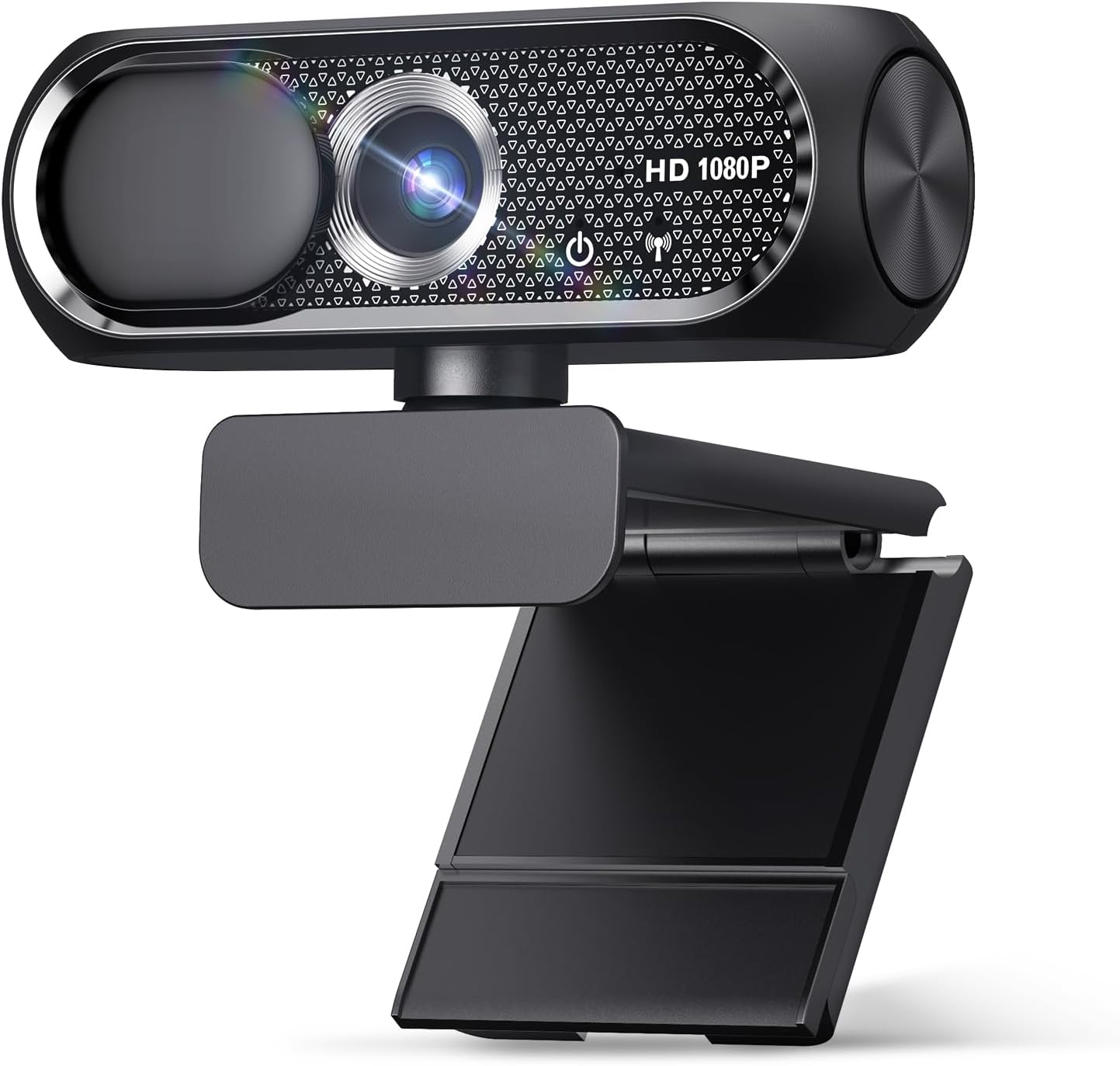
Shcngqio TWC29 1080P HD Webcam with Noise-Canceling Mic
A budget-friendly 1080p webcam with practical features for video calls, streaming, and content creation. Wide-angle lens, automatic light correction, and built-in noise-canceling microphone handle most use cases, though the fixed focus and lack of verified reviews limit confidence in real-world performance.
Pros
- Automatic light correction adapts to various lighting conditions without manual adjustment
- Noise-canceling microphone ensures clear voice transmission in professional or noisy settings
- Wide-angle lens captures more of your surroundings, useful for group calls or streaming
- Privacy cover provides simple, effective lens protection when idle
- True plug-and-play with no driver installation needed across multiple platforms
Cons
- Fixed focus design may not suit users needing adjustable focus for specific distances
- No verified buyer reviews available yet, making real-world performance assessment difficult
- 90-day warranty is relatively short compared to some competitors in the category
Xweiryn K1 1080P HD USB Webcam
A budget-friendly 1080p webcam that delivers clear video for video calls, online classes, and streaming without requiring driver installation. Plug-and-play setup and built-in microphone make it accessible for most users, though lighting conditions and clip compatibility may require workarounds.
Pros
- True plug-and-play setup with no driver installation needed
- Clear 1080p video at 30fps across Windows and Mac platforms
- Built-in microphone and automatic low-light adjustment
- Compact design with adjustable clip and 1.5-meter braided cable
- Solid 4.6-star rating from 173 verified buyers
Cons
- Clip may not fit thick monitor bezels and requires awkward angles for some setups
- Video can appear darker in certain lighting conditions, limiting natural low-light performance despite stated adjustment features
- Fixed focal length with no zoom controls, which some users find limiting
EMEET C950 1080P USB Webcam
A budget-friendly 1080p webcam with solid video quality, omnidirectional mic, and auto light correction that handles video calls and online classes well. The 70-degree field of view keeps focus on you without exposing too much background, making it practical for remote work and learning.
Pros
- Sharp 1080p video at a competitive price, with buyers noting clear feeds that rival pricier competitors
- Auto light correction handles variable lighting without manual adjustment
- Truly instant plug and play setup directly to USB with wide platform support
- Omnidirectional mic captures voice clearly with minimal background noise in typical desk environments
- 70-degree field of view provides good framing for personal use without exposing entire room
Cons
- Privacy cover is reported as flimsy and prone to popping off, and some users did not receive it despite product description
- Monitor mount design struggles with curved or non-rectangular monitor backs, causing stability issues
- Microphone quality is adequate for calls but not ideal for high-fidelity audio capture, as one reviewer noted they would not rely on it as primary mic
Webcams Under $100 Buying Guide
Not every webcam is built for the same job. A model that shines in a well-lit home office can look washed out in a dimly lit bedroom studio.
Before you commit to any pick, understanding the key variables below will help you match the right camera to your specific setup, rather than simply buying the one with the most marketing on the box.
Resolution and Frame Rate
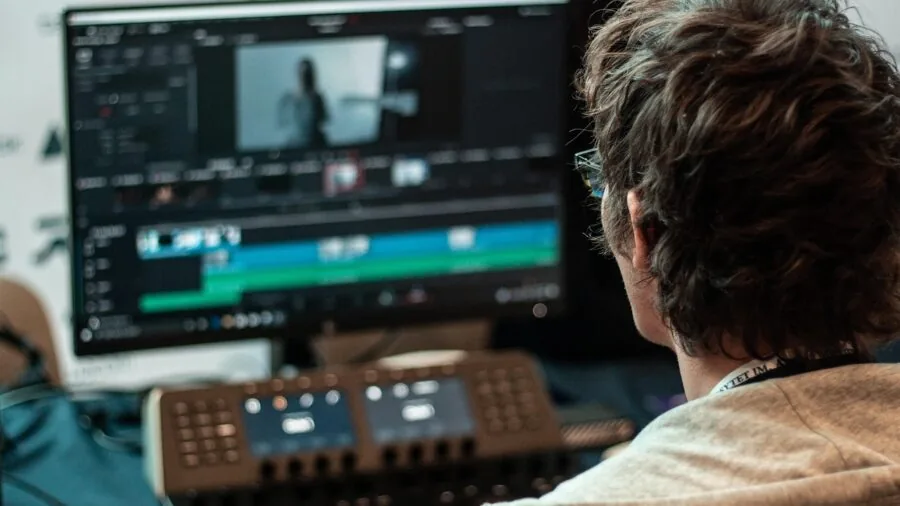
Resolution is the most advertised spec, but it only tells part of the story. Full 1080p at 30fps remains the standard for smooth, professional-looking video calls and is more than sufficient for most remote work and online education scenarios.
If you plan to stream or record content, stepping up to a 2K or 4K sensor gives you noticeably more detail and more cropping flexibility in post-production software.
Frame rate matters more for motion clarity. Most webcams in this price range cap at 30fps, which is fine for talking-head calls but can look slightly choppy during animated presentations or fast movement.
A handful of models push to 60fps at lower resolutions, which is worth looking for if smooth motion is a priority.
Pay attention to whether the advertised resolution is native or software-interpolated, since interpolated footage rarely looks as clean as genuine native output.
Autofocus and Low-Light Performance
Fixed-focus webcams save cost but require you to sit at a fixed distance from the camera. Autofocus models, particularly those using phase-detection autofocus (PDAF), adapt as you move, lean forward, or shift your seating position.
This is especially relevant for anyone who gestures a lot on calls or uses a standing desk setup.
Low-light correction, whether handled in hardware or via software processing, separates average webcams from genuinely useful ones. Look for mentions of larger sensor apertures or dedicated auto light correction algorithms in the spec sheet.
For demanding lighting environments, you might also consider pairing a webcam with a studio lighting kit to take the burden off the camera’s processing entirely, which makes a larger difference than upgrading to a more expensive webcam alone.
Microphone Quality
Built-in microphones are one of the most underrated differentiators in this category. Most webcams include at least one microphone, but quality varies enormously. Omnidirectional microphones pick up sound from all directions, which can amplify room noise.
Dual or array microphones with noise-cancellation processing do a much better job of isolating your voice in typical home environments.
For anyone primarily using a webcam for video calls rather than recording, a clear microphone with decent background-noise rejection can matter more day-to-day than an extra bump in video resolution.
Read verified buyer reviews specifically about audio before finalizing a pick, since microphone performance is notoriously difficult to gauge from spec sheets alone.
Field of View

Field of view (FOV) determines how much of the scene the camera captures. Narrower angles around 65 to 78 degrees work well for solo users sitting directly in front of the camera, keeping the background less prominent and the face more centered.
Wider angles of 90 degrees and above are better suited for group calls, large desk setups, or anyone who moves around during calls.
Be aware that ultra-wide lenses can introduce edge distortion, making your face appear slightly stretched if you sit close to the camera. The sweet spot for most users is somewhere in the 70 to 90 degree range, which balances context without significant barrel distortion.
Connectivity and Compatibility
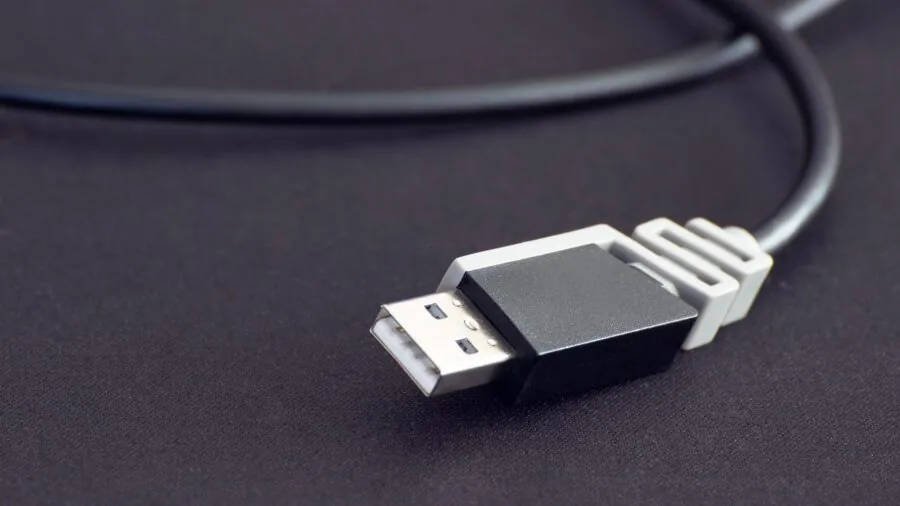
The vast majority of webcams in this price range connect via USB-A, which is compatible with almost every desktop and laptop.
A growing number include a USB-C adapter or native USB-C cable, which is useful for modern ultrabooks and devices like the Nintendo Switch 2.
Plug-and-play UVC (USB Video Class) compliance means no driver installation is needed on Windows, macOS, and Linux, which is a practical convenience that most products in this range do support.
Platform certification is worth checking if you rely heavily on a specific app. Some Logitech models, for example, carry official certification for Zoom and Microsoft Teams, which can simplify setup and ensure features like auto-framing work correctly within those platforms.
If your video calls are central to your workflow, pairing your webcam choice with one of the best laptops for college students or a reliable peripherals setup makes the entire experience significantly smoother.
Privacy Cover and Build Quality

A physical privacy cover is a small but genuinely useful feature, giving you a hard block over the lens when the camera is not in use. This is particularly valuable for webcams attached to shared or public-facing machines.
Many budget options now include this by default, so its absence at any price point above the absolute entry level is a notable omission.
Build quality affects long-term durability and mounting flexibility. A sturdy clip mechanism that grips monitors securely, a tripod thread for desk or stand mounting, and a braided or reinforced cable all signal better longevity.
Budget webcams often cut corners on the clip or cable, which are the parts most likely to wear out first with daily use.
Check verified buyer feedback specifically for comments about clip grip strength and cable durability before buying in the lower price tiers.
Why You Should Trust Us
REMOVU is an independent review platform. We evaluate every product using a consistent, structured research methodology: we analyze manufacturer specifications, cross-reference expert review consensus from credible published sources, and weigh verified buyer feedback to understand real-world performance patterns.
Each webcam on this list receives a REMOVU Score on a 0 to 10 scale, reflecting how well it performs against criteria such as image quality, audio, ease of setup, build quality, and overall value for money.
We do not conduct our own product trials; our evaluations are grounded in research, published data, expert review consensus, and verified buyer feedback.
This approach allows us to cover a broad range of products consistently and transparently, without the conflicts of interest that can arise from manufacturer loan programs or sponsored review arrangements.
REMOVU may earn a commission if you purchase through links on this page. That affiliate relationship has no influence on our rankings, scores, or product selection.
Products are ranked on merit as reflected by the REMOVU Score, not by commission rates. We do not sell products, handle orders, or offer customer support for any item listed here.
Final Thoughts
The webcam market under a hundred dollars has matured considerably, and there are genuinely strong picks at multiple price points.
Whether your priority is crystal-clear 1080p for business calls, a 4K sensor for streaming, or simply a reliable no-fuss upgrade from a laptop’s built-in camera, the options reviewed here cover the full range of needs.
Here are our standout picks by use case, each linked to the product detail for easy comparison.
- Best Overall: Logitech C920x HD Pro Webcam earns the top REMOVU Score in this roundup thanks to its consistent 1080p/30fps output, reliable light correction, broad platform compatibility including Teams, Meet, and Zoom, and a proven track record with verified buyers across a wide range of setups.
- Best for Business Calls: Logitech C920e stands out for professionals who need guaranteed compatibility, carrying official Zoom certification and Microsoft Teams support alongside TAA compliance for enterprise environments.
- Best Upgrade Pick: EMEET NOVA 4K Webcam offers genuine 4K resolution with PDAF autofocus and dual omnidirectional microphones at a mid-range price, making it the most capable option for streamers and creators who want to step up without breaking the budget.
- Best Budget Pick: AOC 4K Webcam delivers a wide 99-degree field of view and noise-cancellation microphone at one of the lowest prices in this group, making it a surprisingly capable entry point for users who want broad coverage at minimal cost.
- Best for Remote Work on a Tight Budget: UGREEN 2K Webcam punches above its price tier with a 2K sensor and physical privacy cover, offering a meaningful resolution step up from basic 1080p at a very accessible price point.
If your work or studies involve extended screen time, pairing a quality webcam with a lightweight laptop or a portable monitor can round out a genuinely productive remote setup.
For those building a full streaming station, a streaming-ready PC alongside a capable webcam covers most of what you need to go live with confidence.
Frequently Asked Questions
Is 1080p enough for video calls, or do I need 4K?
For most video conferencing platforms including Zoom, Microsoft Teams, and Google Meet, 1080p at 30fps is more than sufficient.
The platform itself often limits streaming resolution, meaning a 4K webcam may not display at full resolution on the receiving end anyway.
That said, 4K becomes genuinely useful if you are recording content locally, streaming at high quality, or want the flexibility to crop and zoom in post without losing detail.
Do webcams work with both Windows and Mac?
Most modern webcams that are UVC-compliant are plug-and-play on both Windows and macOS without requiring any driver installation.
Some advanced features, such as auto-framing, background replacement, or fine-grained exposure control, may only be accessible through a companion app that is Windows-only.
Always check the product listing for macOS compatibility if you are on Apple hardware, and note that video editing laptops running macOS may benefit from webcams with native USB-C support.
Are budget webcams from lesser-known brands worth buying?
Some are, but they require more scrutiny. Brands like EMEET and UGREEN have built a solid track record with verified buyers and ship products that perform close to their advertised specs.
Ultra-budget options from unfamiliar brands tend to cut corners on sensor quality, microphone clarity, and build durability.
Checking verified buyer reviews for consistent mentions of image softness, audio distortion, or fragile clips is the most reliable way to vet a lesser-known option before buying.
Can I use a webcam as a camera for streaming on Twitch or YouTube?
Yes, and many streamers do exactly that. A 1080p webcam with good low-light performance and a clean built-in microphone is a practical starting point for face-cam streaming.
For a more polished setup, pairing the webcam with a dedicated studio lighting kit and a responsive keyboard can elevate your stream quality noticeably.
If you eventually want to step up to interchangeable-lens image quality, mirrorless cameras with capture card setups are the natural next step, though at a considerably higher investment.
What is the difference between fixed focus and autofocus on a webcam?
Fixed-focus webcams are calibrated to be sharp at a standard desk distance, typically around 50 to 80 centimeters from the lens. They are simple and reliable as long as you stay in that zone.
Autofocus models continuously adjust focus as you move, which is helpful for dynamic environments or users who shift position frequently.
Phase-detection autofocus (PDAF), found in higher-end options like the EMEET NOVA 4K, is faster and more accurate than older contrast-detection systems, producing fewer soft-focus moments during rapid movement.
Should I care about the field of view number?
Yes, especially for your specific use case. A 65 to 78 degree FOV keeps the background tighter and the face more prominent, which is ideal for one-on-one calls.
A 90 degree or wider FOV is better for group settings or presentations where you want to show a wider scene.
If you frequently move between solo calls and group setups, look for a model with a digital zoom feature or adjustable FOV controls in its companion software, which gives you flexibility without having to physically reposition the camera each time.
About the author
Valerie writes about tripods and gimbals for REMOVU, comparing stability, payload, and value for sharp photos and smooth video. She helps creators build a steady base for any shot.