The 12 Best 4K Webcams for Streaming
Sharp video starts with the right sensor. We researched 4K webcams from Logitech, EMEET, Insta360, OBSBOT, and more to find the best options for streamers at every level.
 By Catherine Shaw
Updated July 26, 2026
By Catherine Shaw
Updated July 26, 2026
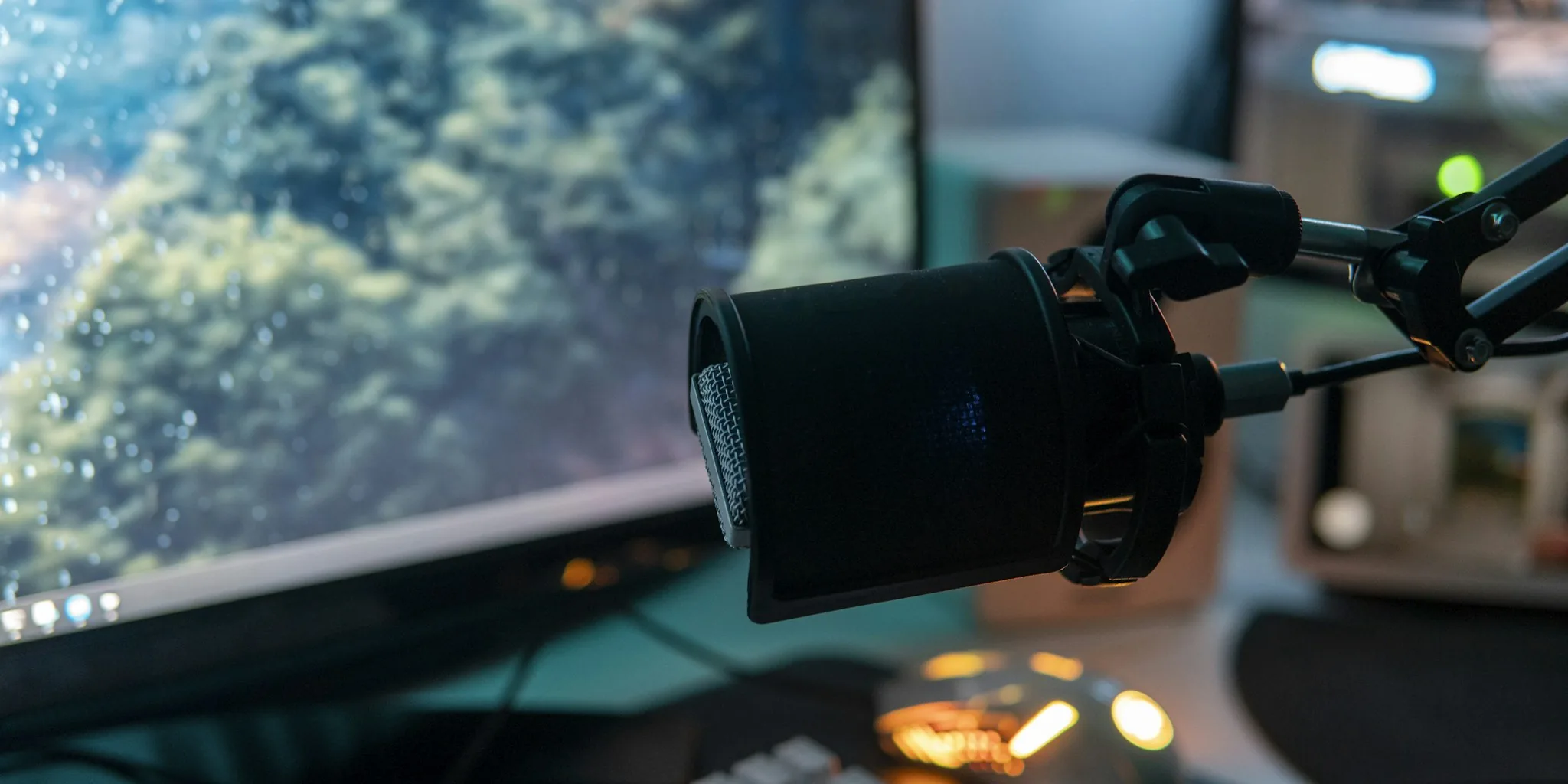
Upgrading to a 4K webcam for streaming is one of the fastest ways to stand out in an increasingly crowded landscape of content creators, remote professionals, and live commerce sellers.
Where standard 1080p cameras flatten your image and struggle in mixed lighting, a well-chosen 4K webcam delivers sharper detail, better dynamic range, and the kind of image quality that keeps viewers engaged rather than clicking away.
The difference is especially noticeable on large monitors and platform thumbnails where clarity matters most.
If you have ever wondered why some streamers look like they are broadcasting from a professional studio, the answer is often the camera sitting on top of their monitor.
This guide covers the best 4K webcams for streaming based on REMOVU’s research process, which combines published specifications, expert review consensus across the industry, and verified buyer feedback to surface the picks that genuinely deliver.
We evaluated options from Logitech, EMEET, OBSBOT, Insta360, YOLOLIV, and AOC across a range of budgets and use cases, from budget-friendly plug-and-play models to flagship AI-powered PTZ cameras.
Whether you are setting up your first streaming rig or upgrading an existing setup, the ranked list below gives you a clear starting point.
| Award | Product | REMOVU Score About REMOVU ScoreThe REMOVU Score is our own rating from 0 to 10, based on performance, design and build, ease of use, and value. It reflects independent research and is never influenced by manufacturers, retailers, or affiliate commissions. Learn more › | Price | |
|---|---|---|---|---|
| Best Overall |
 Logitech MX Brio 4K Webcam with AI Enhancement
|
8.9/10 | Buy | |
| Best Premium |
 Insta360 Link 2 Pro 4K PTZ Webcam
|
8.6/10 | Buy | |
 Insta360 Link 2C Pro 4K Webcam
|
8.5/10 | Buy | ||
| Best Budget |
 EMEET C960 4K Webcam
|
8.4/10 | Buy | |
| Best Value |
 Logitech Brio 4K Webcam with Dual Mics
|
8.3/10 | Buy | |
 Insta360 Link 2C 4K Webcam
|
8.2/10 | Buy | ||
 EMEET S600 4K Webcam with PDAF Autofocus
|
8.1/10 | Buy | ||
 OBSBOT Meet 2 4K Webcam with AI Framing
|
7.5/10 | Buy | ||
 Logitech 4K Webcam
|
7.2/10 | Buy | ||
 EMEET NOVA 4K Webcam, 73° FOV, Dual Mics
|
7.1/10 | Buy | ||
 YOLOLIV YoloCam S3 4K Webcam with 1/1.3" Sensor
|
7.0/10 | Buy | ||
 AOC 4K Webcam with 90° FOV and Privacy Cover
|
6.2/10 | Buy |
Logitech MX Brio 4K Webcam with AI Enhancement
A premium 4K webcam designed for professionals who need sharp video quality in variable lighting and clear audio during calls. The MX Brio combines 4K resolution at 30fps with AI-enhanced image processing, dual noise-canceling mics, and manual controls for lighting adjustment, making it suited for serious streamers and remote workers.
Pros
- 4K resolution with high pixel density delivers sharp detail, especially in poor lighting
- AI-enhanced features (autofocus, white balance, exposure) reduce manual setup time
- Dual mics with noise reduction and beam formation ensure clear audio in noisy environments
- Show Mode enables practical desk-sharing without needing a second camera
- Manual controls (ISO, shutter speed, tone) give advanced users fine-grained adjustment
Cons
- No 4K at 60fps option, limited to 4K at 30fps which may not suit high-motion content
- Sparse user review data (0 verified reviews) limits real-world feedback on reliability
- Premium positioning likely commands higher price relative to basic 1080p alternatives
Insta360 Link 2 Pro 4K PTZ Webcam
A premium PTZ webcam built for creators and professionals who need sharp 4K video with intelligent framing. The large 1/1.3" sensor and dual directional mics handle low-light scenes and noisy environments well, while AI tracking keeps you centered during streams or calls. Physical pan-tilt capability and Stream Deck integration make it a solid choice for content creators juggling multiple platforms.
Pros
- Large 1/1.3" sensor delivers clean 4K video and strong low-light performance
- Dual directional microphones with AI noise canceling isolate voice effectively in busy spaces
- AI tracking physically follows movement, keeping subjects framed without software tricks
- Directional pickup mode and natural bokeh add professional polish to streams and meetings
- Stream Deck integration and gesture control streamline multi-camera workflows
Cons
- Not compatible with ARM-based Windows systems or Windows Hello Face Recognition
- Premium pricing reflects flagship status, may exceed needs for casual users
- Requires USB-C connection and dedicated Link Controller software for full feature access
Insta360 Link 2C Pro 4K Webcam
A 1/1.3-inch sensor webcam delivering sharp 4K video with standout low-light performance and dual directional microphones, paired with useful smart features like auto framing and gesture control. Best suited for streamers and remote workers who prioritize image quality over budget constraints.
Pros
- Excellent low-light performance and 4K clarity with large 1/1.3" sensor
- Dual directional microphones with AI noise canceling for clearer voice isolation
- Fast, reliable autofocus and smooth auto framing that adapts to movement
- Magnetic mount enables quick repositioning and flexible desk setup
- Intuitive software with practical features like natural bokeh, gesture control, and Stream Deck integration
Cons
- Color accuracy can shift to red/magenta under mixed lighting, requiring manual adjustment
- Not compatible with Windows Hello face recognition or ARM-based Windows systems
- Premium pricing at MSRP, though discounts improve value proposition
EMEET C960 4K Webcam
A genuine 4K webcam built for professionals who need clarity in video calls. The PDAF autofocus and auto light correction handle variable meeting conditions, while dual mics and plug-and-play setup make it straightforward to deploy across Zoom, Teams, and other platforms. Best suited for remote workers and educators prioritizing image quality over budget constraints.
Pros
- True 4K resolution without upscaling, delivering noticeably sharper visuals than 1080p alternatives
- PDAF autofocus and auto light correction adapt reliably to different lighting and movement scenarios
- Dual omnidirectional microphones capture clear audio for conference calls and remote teaching
- USB plug-and-play with no drivers or cloud dependencies, plus privacy cover included
- Wide platform compatibility spanning Windows, macOS, Android TV, and Linux with EMEETLINK software for custom adjustments
Cons
- Defaults to 1080p output, requiring manual switching to 4K via software or third-party apps like OBS
- Requires designating the webcam as default microphone in system settings for optimal mic performance
- 73-degree FOV is narrower than some competitors, limiting background context in framed shots
Logitech Brio 4K Webcam with Dual Mics
Premium 4K webcam built for video professionals and serious remote workers. RightLight 3 and HDR tech keep you looking sharp regardless of lighting, while dual noise-canceling mics ensure clear audio in busy environments. The adjustable field of view and Logi Options+ app give you granular control over framing and video settings.
Pros
- 4K resolution at 30 fps with up to 90 fps frame rate for smooth streaming and slow-motion recording
- RightLight 3 plus HDR auto-adjusts lighting across low-light, direct sunlight, and high-contrast scenarios
- Three diagonal field-of-view presets (65°, 78°, 90°) let you customize framing from tight headshots to wider room views
- Dual omnidirectional mics with noise-canceling capture clear audio from up to 1.2 meters away
- Windows Hello facial recognition support for secure, passwordless login
- Attachable privacy shade and flexible mounting options (clip or tripod-compatible)
Cons
- Requires Logi Options+ app for advanced customization features like pan, zoom, and color adjustments
- Premium pricing compared to Logitech's 1080p alternatives (C920x, C922x)
- Cable length (7.2 ft) shorter than some competing 4K webcams, potentially limiting desk setup flexibility
Insta360 Link 2C 4K Webcam
A premium 4K webcam built for content creators and professionals who demand sharp visuals and clear audio. The 1/2-inch sensor delivers true-to-life colors with HDR performance in variable lighting, while AI noise-canceling and gesture control streamline streaming workflows. Best suited for streamers, video conferencing power users, and anyone seeking DSLR-quality depth of field on a desktop setup.
Pros
- 4K resolution with 1/2-inch sensor captures detailed, color-accurate video in HDR and low-light conditions
- AI noise-canceling mic filters background noise effectively for professional-grade audio in busy environments
- Auto Framing and gesture control eliminate manual adjustments during streams or calls
- Phase Detection Auto Focus ensures instant, crisp focus without blur
- DeskView and Whiteboard modes add versatility for education, presentations, and creative work
- Works seamlessly with Zoom, Teams, Twitch, and other major platforms
Cons
- Not compatible with ARM-based Windows systems or Windows Hello Face Recognition, limiting some user options
- Premium positioning means higher cost compared to standard 1080p webcams
- Requires free Link Controller software to access advanced features like natural bokeh and specialized modes
EMEET S600 4K Webcam with PDAF Autofocus
A 4K streaming camera built on a Sony 1/2.55" sensor that delivers flexible resolution options: 4K at 30FPS or 1080P at 60FPS. The PDAF autofocus system ensures faster, more precise focus in varied lighting, while dual noise-canceling mics and customizable FOV (40-73° at 1080P) make it well-suited for live commerce, gaming, and content creators. Built-in privacy cover and plug-and-play setup add practical appeal.
Pros
- Sony 1/2.55" sensor with true 4K capability at 30FPS, exceeding typical webcam standards
- PDAF autofocus offers faster, more stable focus compared to standard autofocus systems
- Dual microphones with proprietary noise-reduction algorithm enabled by default
- Customizable FOV from 40-73° at 1080P resolution for flexible framing
- Built-in privacy cover and durable, flexible design with secure mounting
Cons
- 4K resolution is fixed at 73° FOV, limiting framing flexibility at highest resolution
- Advanced customization requires separate EMEETLINK software; some users may prefer simpler operation
- Video resolution output depends on third-party software (OBS, PotPlayer) or built-in camera software compatibility
OBSBOT Meet 2 4K Webcam with AI Framing
A compact 4K webcam designed for streamers and remote workers who want intelligent framing without the bulk. The Meet 2 combines a 1/2" CMOS sensor with AI-powered auto-focus and gesture control, all in a 40.5-gram form factor. Best suited for creators prioritizing portability and hands-free operation over advanced zoom capabilities.
Pros
- 4K resolution at 30 FPS with larger 1/2" sensor improves light capture and image clarity compared to smaller sensors
- AI auto-framing and phase detection autofocus keep subjects in frame automatically during solo or group calls
- Dual noise-canceling microphones filter ambient noise like keyboard typing and wind
- Gesture control eliminates manual tweaking: hand signals toggle framing and zoom
- Extremely lightweight at 40.5 grams with USB-C plug-and-play setup requires no drivers
Cons
- Limited to 4x digital zoom versus optical zoom options on pricier OBSBOT models
- Device may heat up during extended use, which some users report as a normal but notable characteristic
- 4K recording capped at 30 FPS, while 1080p maxes out at 60 FPS, limiting slow-motion flexibility
Logitech 4K Webcam
A professional-grade webcam built for remote work and video collaboration, delivering 4K resolution with intelligent lighting adjustment and noise cancellation. Best suited for content creators and professionals who prioritize video quality during calls and streaming, though its discontinued status limits long-term support.
Pros
- 4K ultra HD resolution with 5x zoom for sharp, detailed video
- RightLight 3 HDR technology automatically adapts to low-light and backlit environments
- Dual omni-directional mics with noise cancellation for clear audio
- Flexible field of view presets (90°, 78°, 65°) via Logi Tune software
- High frame rate up to 90 fps for smooth streaming and recording
- Privacy shade and Windows Hello facial recognition for security
Cons
- Product is discontinued with no ongoing support or driver updates
- Compatibility limited to Windows, Mac, and ChromeOS only
- No user reviews available to verify real-world performance and reliability
EMEET NOVA 4K Webcam, 73° FOV, Dual Mics
A 4K webcam built for video conferencing and streaming, the NOVA delivers sharp visuals at 30FPS with PDAF autofocus and dual omnidirectional microphones that pick up voices up to 8 feet away. Its plug-and-play USB 2.0 connection, privacy cover, and broad software compatibility make it practical for remote workers and content creators who prioritize video clarity without setup hassle.
Pros
- 4K resolution with PDAF autofocus ensures sharp, detailed video across a wide focus range (7.9-118 inches)
- Dual built-in microphones capture clear audio in typical office environments, rated for up to 8 feet
- Universal compatibility: works with Zoom, Teams, Google Meet, and Windows 10/11, macOS 10.14+, Android TV 7.0+
- Physical privacy cover and no WiFi/Bluetooth dependency eliminate wireless interception risks
- Flexible mounting with 360° horizontal rotation, 15° vertical tilt, and standard tripod thread for custom positioning
Cons
- Defaults to 1080P, users must manually switch to 4K via software (PotPlayer, OBS, or built-in settings), adding a setup step
- Fixed 73° field of view and no facial tracking or autofocus toggle limit customization for specific use cases
- Requires USB 2.0 Type-A port; USB-C or newer USB standards may not work, restricting compatibility with modern devices
YOLOLIV YoloCam S3 4K Webcam with 1/1.3" Sensor
A premium 4K streaming webcam built around an unusually large 1/1.3" sensor that delivers uncompressed video and DSLR-like manual controls. The fast autofocus, AI-enhanced low-light performance, and Picasso Resolve color grading make it a serious choice for content creators and streamers who prioritize image quality over simplicity.
Pros
- Exceptional 1/1.3" sensor size delivers noticeably clearer 4K/30fps and 1080p/60fps footage compared to standard webcams
- Fast PDAF autofocus maintains sharp focus with zero lag, keeping subjects crisp during movement
- Comprehensive manual controls for exposure, white balance, contrast, and saturation rival entry-level DSLR workflows
- AI-enhanced imaging produces 2.5x clearer faces in low light with automatic exposure and HDR optimization
- Aluminum chassis doubles as active heat sink, enabling stable 24/7 streaming without thermal throttling
- 4x digital zoom preserves 1080p clarity without visible blur or cropping
Cons
- No built-in microphone requires separate audio equipment, adding cost and complexity to setup
- Wired USB-C only, no wireless option limits placement flexibility compared to some competitors
- Picasso Resolve color grading currently Windows-exclusive, Mac users must wait for future update
AOC 4K Webcam with 90° FOV and Privacy Cover
AOC's 4K webcam delivers sharp video for professional calls and streaming, backed by a solid 4.5-star rating from nearly 600 users. The physical privacy cover and built-in noise-canceling mic address common security and audio concerns, while the wide 90-degree field of view works well for group conversations. Setup is genuinely plug-and-play with no driver installation required.
Pros
- 4K resolution provides crisp, detailed video quality suitable for professional video conferencing and content creation
- Physical sliding privacy cover offers tangible security without relying on software solutions
- True plug-and-play setup with no drivers needed; USB-A to USB-C adapter included for broad device compatibility
- 90-degree field of view and 360-degree swivel/180-degree tilt allow flexible framing for individual or small group calls
- Built-in noise-canceling microphone and automatic light correction reduce common setup friction
Cons
- Built-in microphone may pick up echo or background noise in certain room setups; a dedicated headset or external mic recommended for best audio
- Video quality depends heavily on adequate lighting; poor lighting conditions require manual adjustment despite automatic correction feature
- Wide field of view can show more background than some users prefer during professional calls
4K Webcams for Streaming Buying Guide
Not every 4K webcam is built with streamers in mind.
Some are optimised for daytime video calls in controlled office lighting, while others are engineered for the variable conditions of a gaming room, a ring-lit beauty desk, or a live commerce set.
The six criteria below reflect what consistently separates good streaming cameras from great ones, based on the specifications and performance patterns we assessed across this field.
Sensor Size and Image Quality
Sensor size is the single most important factor in determining how a webcam performs when conditions are less than ideal.
Larger sensors gather more light, which translates directly into lower noise in dim environments and better dynamic range when you have a bright window behind you.
Most consumer webcams use a 1/4-inch or smaller sensor, which is adequate for brightly lit setups but starts to fall apart in mixed or low lighting.
The step up to a 1/2-inch or larger sensor is meaningful for streamers.
Models using a 1/2.55-inch Sony sensor or the even more capable 1/1.3-inch sensors found in some flagship cameras produce noticeably richer images with less grain at equivalent light levels.
If your streaming environment is not perfectly lit, prioritising sensor size over headline resolution is nearly always the right trade-off. Pairing a larger-sensor webcam with even a basic streaming-focused camera setup makes a significant combined difference to output quality.
Glass lens construction is another quality marker worth checking. Premium optical elements reduce chromatic aberration and edge softness that are common in plastic-lens budget webcams, keeping faces sharp even when framed off-centre.
Autofocus System

Contrast-detection autofocus, the older standard in most budget webcams, works by hunting for the sharpest edge in the frame.
It is reliable when nothing is moving, but it can visibly pump in and out when you lean forward, turn your head, or gesture during a stream.
For a creator who is animated or frequently moves around their desk, this hunting behaviour becomes a distraction that viewers quickly notice.
Phase-detection autofocus (PDAF) is the current standard to look for in streaming-grade cameras. PDAF locks onto a subject nearly instantly and tracks smoothly without the hunting artefact.
Several of the models in this list, including picks from EMEET and Insta360, use PDAF specifically because it produces a more cinematic, settled image during live sessions.
If you demonstrate products, cook, or do anything that takes you in and out of your primary focus distance, PDAF is worth the additional investment.
Frame Rate and Resolution Options
True 4K at 30 frames per second is the baseline expectation in this category, but the picture is more nuanced than the headline spec suggests.
Many streaming platforms cap ingest at 1080p or 1440p regardless of your output resolution, which means the real benefit of a 4K sensor is often the ability to downscale to a sharper 1080p image rather than streaming at full 4K.
Frame rate becomes more important for content where motion smoothness matters, such as gaming reaction streams, product demonstrations with rapid hand movement, or beauty channels where gestures are a core part of the content.
A webcam capable of 1080p at 60 frames per second gives you a visually smoother stream than one locked to 30fps, even at a lower resolution.
Look for cameras that offer both 4K/30fps and 1080p/60fps modes so you can optimise based on what the platform or the content demands.
Uncompressed video output over USB is a more advanced consideration worth noting. Some cameras compress the video signal before sending it to the host machine, which can introduce compression artefacts.
Models that output uncompressed or minimally compressed streams give video editing software and streaming encoders more information to work with.
Microphone Quality and Noise Handling
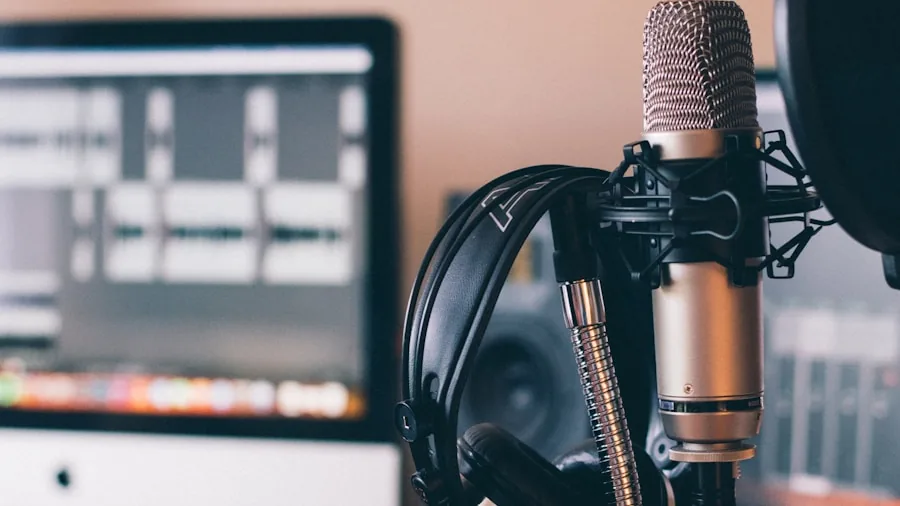
Built-in microphones on webcams have improved considerably, but they are rarely a full replacement for a dedicated external microphone in a serious streaming setup.
That said, the quality differential between webcam mics matters enormously for creators who are not yet ready to invest in a separate audio chain, and even for those who are, a good built-in mic serves as a useful backup.
Dual omnidirectional or directional microphone arrays provide better stereo separation and more natural voice reproduction than single-mic designs.
AI-driven noise cancellation, now found on several models in this lineup, actively filters keyboard noise, fan hum, and ambient room sounds rather than simply applying a high-pass filter.
Verified buyer feedback consistently flags microphone quality as a decisive purchase factor second only to image quality, which is why it carries significant weight in our assessments.
If audio is a priority alongside video, our overview of webcams for YouTube creators covers this trade-off in more depth.
AI Features and Framing Technology
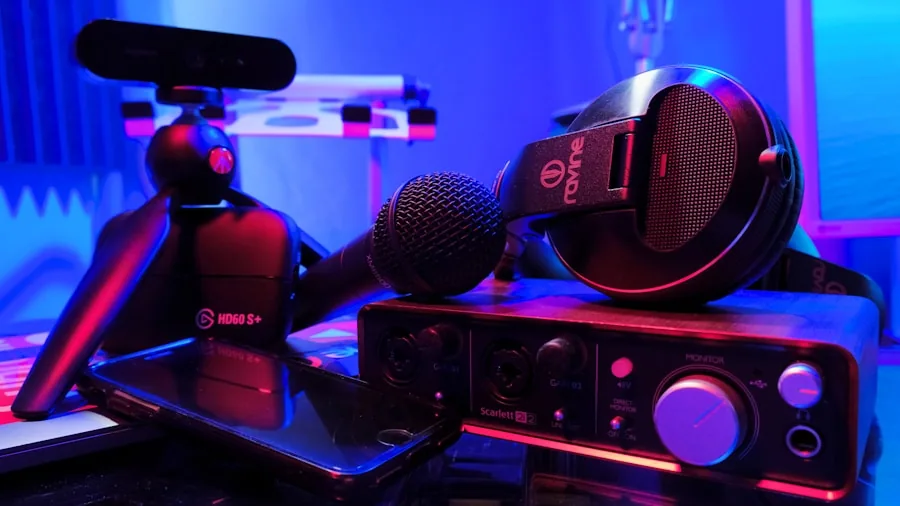
AI-powered framing and tracking have moved from novelty to practical tool for streamers who work without a camera operator.
Auto-framing keeps your face centred in the shot when you move to pick something up, point at a second screen, or shift position during a long session.
On PTZ (pan-tilt-zoom) models, the physical gimbal moves the entire camera to track movement, which produces a smoother result than digital crop-and-pan.
Gesture control is a related feature that lets you trigger zoom, framing presets, or recording functions with a hand gesture rather than touching the keyboard.
It sounds like a convenience feature, but for solo creators managing their own stream layout mid-broadcast, it removes a genuine friction point.
HDR modes and background blur also fall into this category, with HDR being particularly useful in rooms where windows create harsh contrast that standard cameras cannot handle cleanly.
Not every streamer needs a full AI feature set. If your camera position is fixed and your lighting is controlled, a simpler camera with a better sensor may outperform a feature-heavy model in real-world image quality.
Think carefully about whether you would actually use these features before paying a premium for them. You can also compare options across a wider budget range in our guide to 4K webcams for work, streaming, and calls.
Connectivity, Compatibility, and Software
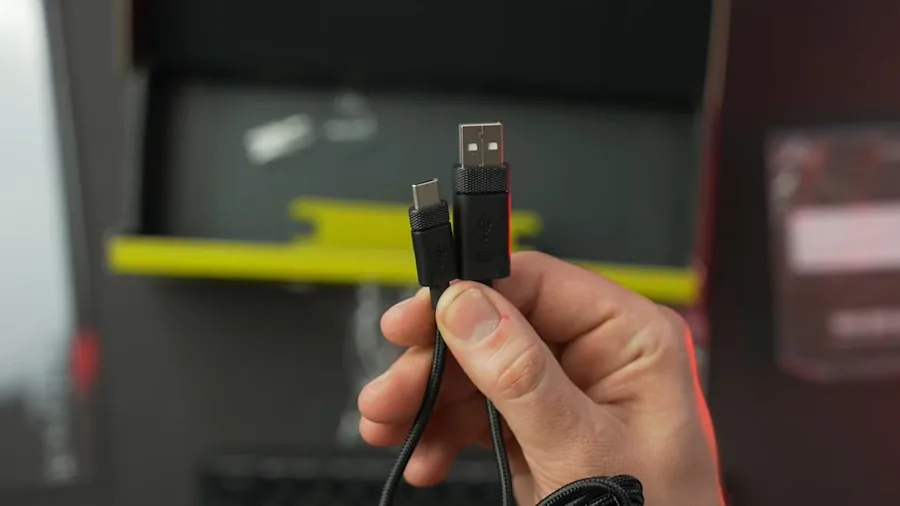
USB-C is the modern standard for high-bandwidth webcam connections and is particularly important for cameras outputting uncompressed 4K signals, since USB 3.0 bandwidth is necessary to sustain that data rate without dropping frames.
If your streaming PC or laptop only has USB-A ports, check whether the included cable or an adapter supports the required speed before purchasing.
Plug-and-play compatibility is a non-negotiable baseline. Every model in this list works without driver installation on modern Windows and macOS systems and is compatible with major platforms including Zoom, Teams, OBS Studio, Streamlabs, and Twitch.
Some cameras also integrate with hardware like Stream Deck for scene-switching and preset control, which is worth noting if you are building a more elaborate streaming workflow.
Companion software is a variable quality factor. Some manufacturers provide full-featured desktop apps for adjusting exposure, white balance, zoom level, and AI settings. Others offer minimal or no software, relying on the host platform to handle adjustments.
If granular manual control matters to you, check what the companion app actually offers before committing.
A privacy cover or shutter is a small but meaningful detail that consistently earns positive mentions in verified buyer feedback, particularly for cameras used in home offices that double as streaming setups.
For a broader overview of the peripheral ecosystem around a streaming desk, the monitors and peripherals category is a useful reference.
Why You Should Trust Us
REMOVU is an independent review publication. We have no affiliation with any manufacturer, retailer, or platform featured in this guide.
Every product in this list was assessed using the REMOVU Score, a 0 to 10 rating scale applied consistently across a defined set of criteria that includes image quality, autofocus performance, audio capability, AI feature usefulness, build quality, and value relative to the competition in its price tier.
We do not conduct our own product trials; our evaluations are grounded in research, published data, expert review consensus, and verified buyer feedback.
For cameras in this category, that means cross-referencing published sensor specifications and manufacturer data, analysing consensus from professional imaging and streaming communities, and weighing patterns in verified purchaser feedback to identify recurring strengths and failure modes that single reviews often miss.
REMOVU may earn a commission if you purchase through links in this article. That relationship does not influence rankings, scores, or which products appear in our lists.
Products are selected and ordered entirely on the basis of their assessed quality and suitability for the audience, not on commercial arrangements.
We include budget picks alongside premium options because the right camera depends on your specific setup and goals, not on which product generates the highest margin.
If you want to explore options below the 4K tier, our guide to webcams under $100 covers strong performers at a lower price point.
Final Thoughts
The 4K webcam market in 2026 spans a genuinely wide range, from capable budget options that punch above their price to sophisticated AI-driven cameras that rival dedicated mirrorless setups for streaming purposes.
The right choice depends on how controlled your environment is, how much you move during a stream, and whether built-in intelligence features will genuinely improve your workflow or simply add complexity you do not need.
Below are our top picks from this list, each earning a distinct recommendation based on specific strengths identified through our research and scoring process.
- Best Overall: Logitech MX Brio Ultra HD 4K Webcam earns the top spot with the highest REMOVU Score in this field, combining AI-enhanced image processing, noise-reducing microphones, a premium glass lens, and USB-C connectivity into the most well-rounded package available from a proven manufacturer.
- Best PTZ for Active Streamers: Insta360 Link 2 Pro is the standout choice for creators who move around during sessions. Its physical pan-tilt-zoom gimbal and AI tracking deliver genuinely smooth subject following that digital crop-and-pan alternatives cannot replicate, backed by a large 1/1.3-inch sensor and directional noise-canceling microphones.
- Best Value for Image Quality: EMEET C960 4K Webcam consistently earns high marks relative to its affordable price point. PDAF autofocus, a capable CMOS sensor, dual omnidirectional microphones, and a privacy cover make it one of the most complete budget-tier streaming cameras available, and it holds one of the stronger REMOVU Scores in the sub-premium tier.
- Best Mid-Range Pick: Insta360 Link 2C sits in a practical middle ground, offering a 1/2-inch sensor, HDR, AI noise-canceling audio, and gesture control at a mid-range price. It is the logical step up for creators who want AI framing without committing to a flagship budget.
- Best for Beauty and Commerce Streaming: EMEET S600 4K Webcam pairs a Sony 1/2.55-inch sensor with 1080p at 60 frames per second and a beauty-optimised processing mode, making it a well-targeted choice for live commerce sellers and beauty creators where smooth motion and skin rendering are priorities.
If none of these quite fit your specific situation, our broader guide to webcams for every setup and budget covers the full category including 1080p and budget-tier options worth considering.
Frequently Asked Questions
Do I actually need a 4K webcam for streaming if most platforms cap at 1080p?
Most major streaming platforms do cap live ingest at 1080p, which means you will rarely be broadcasting a true 4K signal to your audience.
However, a 4K sensor still benefits your stream because the camera downsamples from a higher-resolution image, producing a noticeably sharper and more detailed 1080p output compared to a native 1080p sensor.
You also gain flexibility for recording locally in full 4K for edited content, YouTube uploads, or future-proofing as platform standards evolve.
What is the difference between PTZ and standard 4K webcams for streaming?
A standard webcam has a fixed lens that captures whatever falls within its field of view. A PTZ (pan-tilt-zoom) webcam, like the Insta360 Link 2 Pro, uses a physical motorised gimbal to physically rotate and zoom the camera module.
This produces smoother subject tracking compared to the digital zoom-and-crop approach used by non-PTZ cameras with AI framing. For streamers who move around frequently or want a more cinematic camera motion, PTZ models justify their higher price.
For those with a fixed sitting position and controlled lighting, a standard fixed-lens model will often produce superior image quality per dollar spent.
How important is the built-in microphone on a 4K streaming webcam?
Built-in microphones on webcams have improved significantly, but audio quality for serious streaming generally benefits from a dedicated external microphone.
That said, the microphones on higher-end models in this list, particularly those featuring AI noise cancellation and dual-array designs, are capable enough for casual to intermediate streaming without additional hardware.
Verified buyer feedback consistently shows that microphone performance is one of the top deciding factors after image quality, so it is worth checking the specific audio implementation rather than assuming all built-in mics are equivalent.
Pairing any webcam with quality monitoring headphones also helps you catch audio issues during a live session before your audience does.
Is a 4K webcam compatible with OBS Studio and Streamlabs?
Yes. Every model in this roundup is plug-and-play compatible with OBS Studio and Streamlabs on both Windows and macOS. No additional drivers are required in most cases.
Within OBS, you can select the webcam as a video capture source and manually adjust resolution, frame rate, and encoding settings to match your streaming profile.
Some cameras, particularly those with companion desktop software, offer additional controls for exposure, white balance, and zoom that can be adjusted independently from within the camera app while OBS handles the stream output.
What field of view should I look for in a streaming webcam?
Most streamers do best with a field of view between 65 degrees and 90 degrees. A narrower angle, around 65 to 75 degrees, keeps the background tight and the face large in the frame, which is ideal for talking-head formats and gaming commentary.
Wider angles, at 90 degrees or above, capture more of the room, which works well for desk tour content, multi-person calls, or setups where the streamer moves laterally.
Models with a fixed 73-degree FOV, like several of the EMEET options here, are a practical all-rounder choice.
If you are uncertain which configuration suits your space, the guide to webcams for YouTube creators breaks down framing considerations in more detail.
Can I use a 4K streaming webcam for professional video calls as well?
Absolutely. Every camera in this list is certified or verified compatible with Zoom, Microsoft Teams, and Google Meet.
Models that earn certification for Teams and Zoom, such as the Logitech Brio Ultra 4K, have been validated to work reliably within those platforms including Windows Hello facial recognition support.
The image quality advantage of a 4K sensor is arguably more visible in a small video call grid than on a streaming platform, since call software renders your feed at a consistent size that makes sharpness differences obvious.
A single camera purchase can genuinely serve both use cases without compromise.
About the author
Catherine is REMOVU's camera drone writer, comparing image quality, flight time, and obstacle avoidance across beginner and pro models. She focuses on which drones capture keeper footage without risking a crash.