The 11 Best Webcams
Sharp video, clear audio, and reliable autofocus matter more than ever on calls and streams. Here are the webcams that consistently deliver on all three.
 By Rene Coleman
Updated July 26, 2026
By Rene Coleman
Updated July 26, 2026
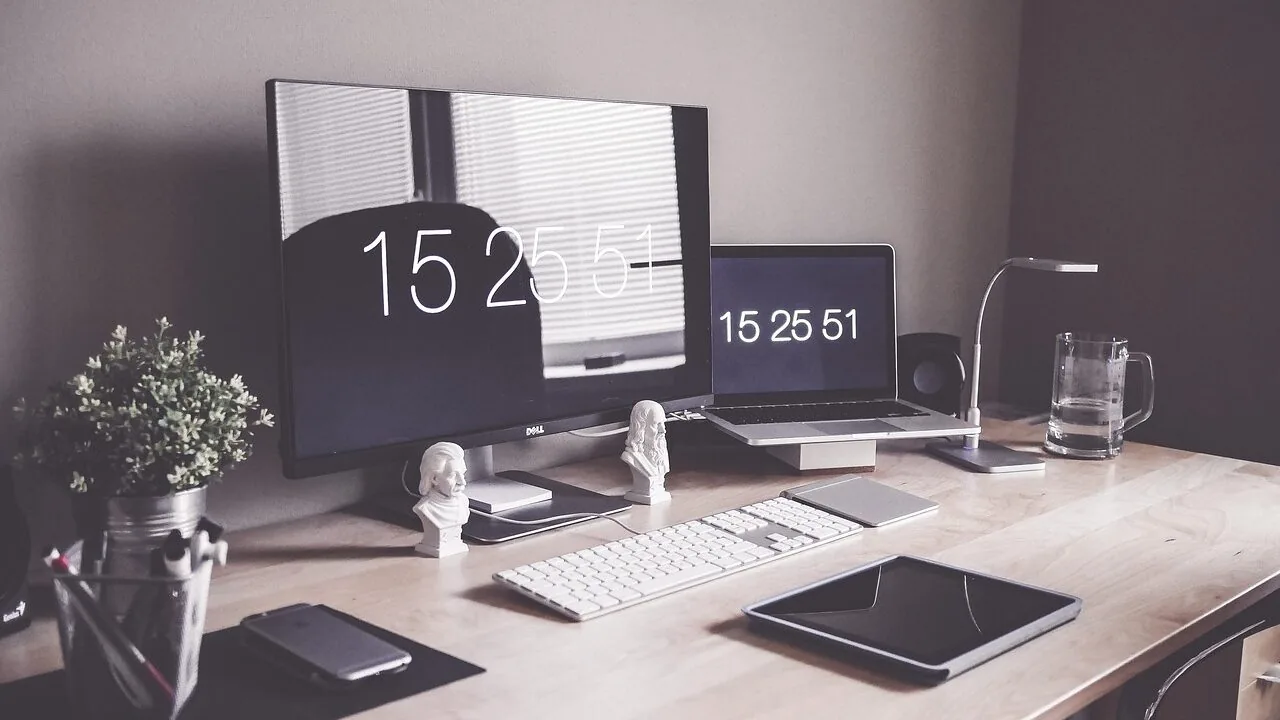
A good webcam can be the difference between looking professional on a video call and appearing like a blurry afterthought.
Whether you’re joining daily stand-ups from a home office, streaming to an audience on Twitch, or recording content for YouTube, the built-in camera on most laptops simply does not cut it.
Dedicated webcams offer sharper resolution, better low-light handling, wider fields of view, and microphone quality that keeps your voice clear without a separate recording setup. Paired with a decent studio lighting kit, even a mid-range webcam can produce broadcast-quality results.
This guide covers the best webcams available right now, spanning everything from budget-friendly 1080p options to flagship 4K PTZ cameras with AI-powered tracking.
REMOVU researched this category by analyzing manufacturer specifications, synthesizing expert review consensus from across the web, and weighing verified buyer feedback to surface the picks most likely to serve real-world needs. Our top-ranked picks are listed just below.
| Award | Product | REMOVU Score About REMOVU ScoreThe REMOVU Score is our own rating from 0 to 10, based on performance, design and build, ease of use, and value. It reflects independent research and is never influenced by manufacturers, retailers, or affiliate commissions. Learn more › | Price | |
|---|---|---|---|---|
| Best Premium |
 Insta360 Link 2 Pro 4K PTZ Webcam
|
8.6/10 | Buy | |
 Logitech Brio 4K Webcam with Dual Mics
|
8.3/10 | Buy | ||
 Insta360 Link 2C 4K Webcam
|
8.2/10 | Buy | ||
| Best Budget |
 EMEET C960 4K Webcam
|
8.4/10 | Buy | |
| Best Overall |
 Acer 4K Webcam with Sony Sensor and PDAF
|
8.9/10 | Buy | |
 EMEET S600 4K Webcam with PDAF Autofocus
|
8.1/10 | Buy | ||
 Logitech C920x HD 1080p/30fps Webcam
|
8.5/10 | Buy | ||
| Best Value |
 Logitech C920S HD Pro Webcam 1080p
|
8.3/10 | Buy | |
 Logitech Brio 101 1080p Webcam
|
8.3/10 | Buy | ||
 EMEET NOVA 4K Webcam, 73° FOV, Dual Mics
|
7.1/10 | Buy | ||
 Logitech C920 HD Pro Webcam 1080p
|
7.2/10 | Buy |
Insta360 Link 2 Pro 4K PTZ Webcam
A premium PTZ webcam built for creators and professionals who need sharp 4K video with intelligent framing. The large 1/1.3" sensor and dual directional mics handle low-light scenes and noisy environments well, while AI tracking keeps you centered during streams or calls. Physical pan-tilt capability and Stream Deck integration make it a solid choice for content creators juggling multiple platforms.
Pros
- Large 1/1.3" sensor delivers clean 4K video and strong low-light performance
- Dual directional microphones with AI noise canceling isolate voice effectively in busy spaces
- AI tracking physically follows movement, keeping subjects framed without software tricks
- Directional pickup mode and natural bokeh add professional polish to streams and meetings
- Stream Deck integration and gesture control streamline multi-camera workflows
Cons
- Not compatible with ARM-based Windows systems or Windows Hello Face Recognition
- Premium pricing reflects flagship status, may exceed needs for casual users
- Requires USB-C connection and dedicated Link Controller software for full feature access
Logitech Brio 4K Webcam with Dual Mics
Premium 4K webcam built for video professionals and serious remote workers. RightLight 3 and HDR tech keep you looking sharp regardless of lighting, while dual noise-canceling mics ensure clear audio in busy environments. The adjustable field of view and Logi Options+ app give you granular control over framing and video settings.
Pros
- 4K resolution at 30 fps with up to 90 fps frame rate for smooth streaming and slow-motion recording
- RightLight 3 plus HDR auto-adjusts lighting across low-light, direct sunlight, and high-contrast scenarios
- Three diagonal field-of-view presets (65°, 78°, 90°) let you customize framing from tight headshots to wider room views
- Dual omnidirectional mics with noise-canceling capture clear audio from up to 1.2 meters away
- Windows Hello facial recognition support for secure, passwordless login
- Attachable privacy shade and flexible mounting options (clip or tripod-compatible)
Cons
- Requires Logi Options+ app for advanced customization features like pan, zoom, and color adjustments
- Premium pricing compared to Logitech's 1080p alternatives (C920x, C922x)
- Cable length (7.2 ft) shorter than some competing 4K webcams, potentially limiting desk setup flexibility
Insta360 Link 2C 4K Webcam
A premium 4K webcam built for content creators and professionals who demand sharp visuals and clear audio. The 1/2-inch sensor delivers true-to-life colors with HDR performance in variable lighting, while AI noise-canceling and gesture control streamline streaming workflows. Best suited for streamers, video conferencing power users, and anyone seeking DSLR-quality depth of field on a desktop setup.
Pros
- 4K resolution with 1/2-inch sensor captures detailed, color-accurate video in HDR and low-light conditions
- AI noise-canceling mic filters background noise effectively for professional-grade audio in busy environments
- Auto Framing and gesture control eliminate manual adjustments during streams or calls
- Phase Detection Auto Focus ensures instant, crisp focus without blur
- DeskView and Whiteboard modes add versatility for education, presentations, and creative work
- Works seamlessly with Zoom, Teams, Twitch, and other major platforms
Cons
- Not compatible with ARM-based Windows systems or Windows Hello Face Recognition, limiting some user options
- Premium positioning means higher cost compared to standard 1080p webcams
- Requires free Link Controller software to access advanced features like natural bokeh and specialized modes
EMEET C960 4K Webcam
A genuine 4K webcam built for professionals who need clarity in video calls. The PDAF autofocus and auto light correction handle variable meeting conditions, while dual mics and plug-and-play setup make it straightforward to deploy across Zoom, Teams, and other platforms. Best suited for remote workers and educators prioritizing image quality over budget constraints.
Pros
- True 4K resolution without upscaling, delivering noticeably sharper visuals than 1080p alternatives
- PDAF autofocus and auto light correction adapt reliably to different lighting and movement scenarios
- Dual omnidirectional microphones capture clear audio for conference calls and remote teaching
- USB plug-and-play with no drivers or cloud dependencies, plus privacy cover included
- Wide platform compatibility spanning Windows, macOS, Android TV, and Linux with EMEETLINK software for custom adjustments
Cons
- Defaults to 1080p output, requiring manual switching to 4K via software or third-party apps like OBS
- Requires designating the webcam as default microphone in system settings for optimal mic performance
- 73-degree FOV is narrower than some competitors, limiting background context in framed shots
Acer 4K Webcam with Sony Sensor and PDAF
This premium 4K webcam pairs a large Sony 1/2" sensor with Phase Detection Autofocus for sharp, detail-rich video in any lighting condition. Built from aerospace-grade aluminum with dual noise-canceling mics and magnetic privacy cover, it's designed for streamers, creators, and professionals who demand reliable performance across Zoom, Teams, and streaming platforms. Compact at 57 grams, it connects via single USB-C with zero setup required.
Pros
- Genuine Sony 1/2" CMOS sensor delivers balanced, true-to-life 4K visuals with strong low-light performance and HDR
- PDAF autofocus is faster and more stable than standard autofocus, keeping video crisp without blurriness
- Dual high-sensitivity digital mics capture clear audio from up to 2.5 meters while filtering wind and keyboard noise
- All-metal unibody design with aerospace-grade aluminum ensures durability and efficient heat dissipation for 24/7 use
- Plug-and-play USB-C connection with no drivers or apps needed; works across Windows, Mac, ChromeOS, and Switch 2
Cons
- No specifications table provided in product data, limiting detailed technical comparison with competitors
- Magnetic privacy cover is convenient but adds another small component to manage or potentially lose
- Dual mics are effective in most scenes, but performance in extremely loud environments not explicitly detailed
EMEET S600 4K Webcam with PDAF Autofocus
A 4K streaming camera built on a Sony 1/2.55" sensor that delivers flexible resolution options: 4K at 30FPS or 1080P at 60FPS. The PDAF autofocus system ensures faster, more precise focus in varied lighting, while dual noise-canceling mics and customizable FOV (40-73° at 1080P) make it well-suited for live commerce, gaming, and content creators. Built-in privacy cover and plug-and-play setup add practical appeal.
Pros
- Sony 1/2.55" sensor with true 4K capability at 30FPS, exceeding typical webcam standards
- PDAF autofocus offers faster, more stable focus compared to standard autofocus systems
- Dual microphones with proprietary noise-reduction algorithm enabled by default
- Customizable FOV from 40-73° at 1080P resolution for flexible framing
- Built-in privacy cover and durable, flexible design with secure mounting
Cons
- 4K resolution is fixed at 73° FOV, limiting framing flexibility at highest resolution
- Advanced customization requires separate EMEETLINK software; some users may prefer simpler operation
- Video resolution output depends on third-party software (OBS, PotPlayer) or built-in camera software compatibility
Logitech C920x HD 1080p/30fps Webcam
A straightforward Full HD webcam built for video calls and content creation. The C920x delivers crisp 1080p video with dual microphones for clear stereo audio, plus automatic light correction to handle dim environments. Best suited for professionals who need reliable video conferencing without paying for premium features.
Pros
- Full HD 1080p recording at 30fps with sharp five-element glass lens and autofocus
- Dual omni-directional microphones capture natural stereo audio from both sides
- RightLight 2 automatic light correction adjusts to low-light and harsh lighting conditions
- Includes 3-month XSplit VCam license for background removal, replacement, and blur effects
- Wide 78-degree field of view, compatible with Windows, Mac, Chrome OS, and Android
Cons
- Limited to 1080p/30fps output, no 4K or higher frame rate options for advanced streaming
- No privacy shutter included, requiring manual lens cover or software solutions
- RightLight 2 is older technology compared to newer models with RightLight 3+ or 5 with HDR
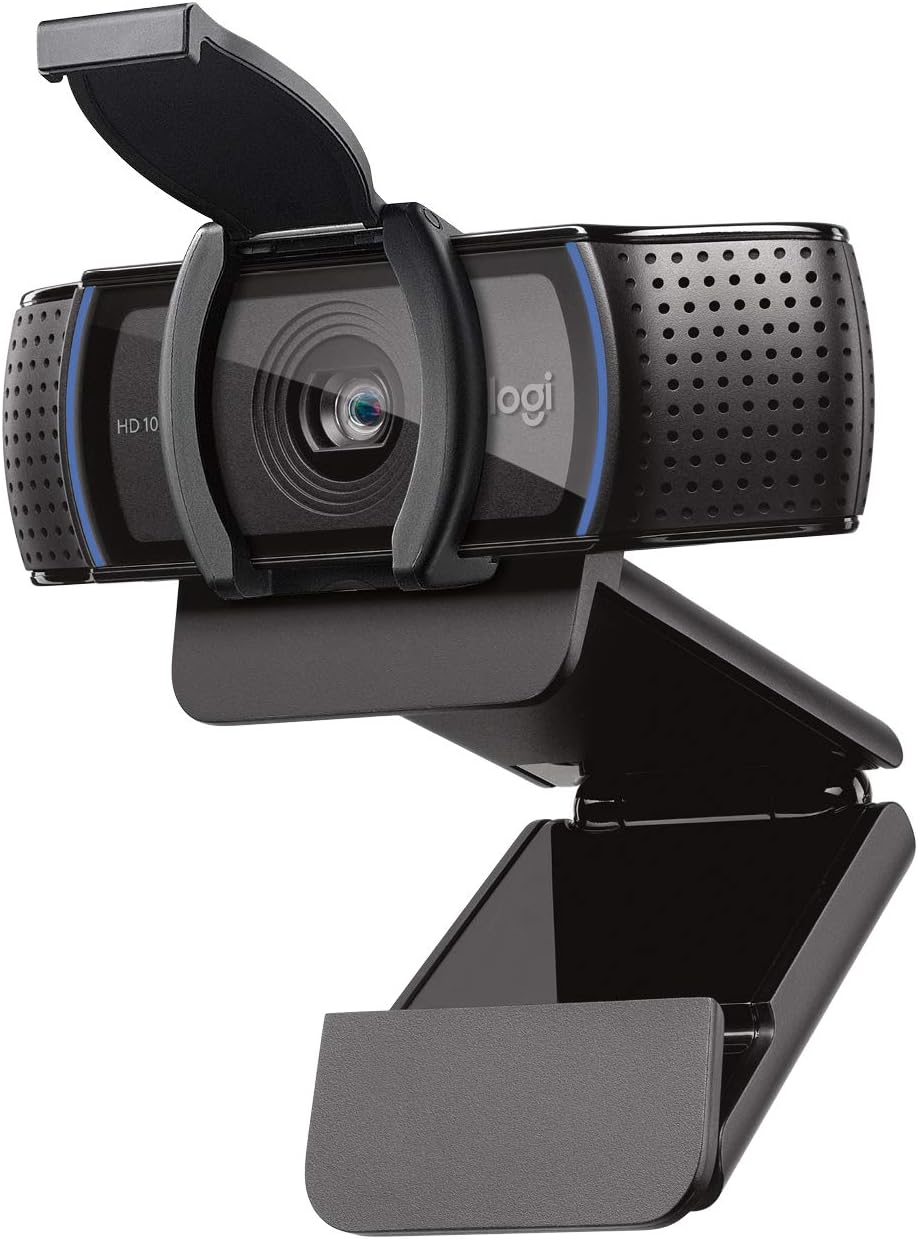
Logitech C920S HD Pro Webcam 1080p
A solid full HD webcam built for video calls and recording with sharp autofocus and dual-mic stereo audio. The privacy shutter adds a practical security layer. Best suited for professionals who need reliable video quality on Zoom, Skype, and other platforms without breaking the bank.
Pros
- Full HD 1080p video at 30fps delivers crisp, vibrant output for calls and recordings
- Dual microphones capture natural stereo audio during calls and video capture
- Autofocus and automatic light correction adapt to different environments
- Privacy shutter physically covers the lens when not in use
- Compatible across platforms: Windows, Mac, and major video conferencing apps
Cons
- No XSplit VCam license included despite being mentioned in some product materials
- Fixed 30fps frame rate limits performance for fast-motion content or gaming
- Limited information on low-light performance despite light correction feature
Logitech Brio 101 1080p Webcam
A straightforward 1080p webcam built for everyday video calls and streaming. RightLight 2 auto-brightness correction keeps you looking sharp even in dim lighting, while the sliding privacy shutter and built-in mic handle the essentials without fuss. Works seamlessly across Teams, Zoom, and Google Meet on Windows, Mac, and Chrome OS.
Pros
- RightLight 2 boosts brightness up to 50 percent, effectively reducing shadows in low-light conditions
- Physical privacy shutter provides reliable protection when camera isn't in use
- Built-in omnidirectional microphone captures clear audio for calls
- Plug-and-play compatibility across major platforms with no driver hassle
- Made with minimum 77 percent post-consumer recycled plastic
- Logi Options+ app enables easy customization of zoom, framing, and other settings
Cons
- Fixed focus only, no autofocus capability unlike higher-end Logitech models
- Narrower 58-degree field of view compared to competitors in the same price range
- Single microphone without active noise cancellation, which may pick up background sounds during calls
EMEET NOVA 4K Webcam, 73° FOV, Dual Mics
A 4K webcam built for video conferencing and streaming, the NOVA delivers sharp visuals at 30FPS with PDAF autofocus and dual omnidirectional microphones that pick up voices up to 8 feet away. Its plug-and-play USB 2.0 connection, privacy cover, and broad software compatibility make it practical for remote workers and content creators who prioritize video clarity without setup hassle.
Pros
- 4K resolution with PDAF autofocus ensures sharp, detailed video across a wide focus range (7.9-118 inches)
- Dual built-in microphones capture clear audio in typical office environments, rated for up to 8 feet
- Universal compatibility: works with Zoom, Teams, Google Meet, and Windows 10/11, macOS 10.14+, Android TV 7.0+
- Physical privacy cover and no WiFi/Bluetooth dependency eliminate wireless interception risks
- Flexible mounting with 360° horizontal rotation, 15° vertical tilt, and standard tripod thread for custom positioning
Cons
- Defaults to 1080P, users must manually switch to 4K via software (PotPlayer, OBS, or built-in settings), adding a setup step
- Fixed 73° field of view and no facial tracking or autofocus toggle limit customization for specific use cases
- Requires USB 2.0 Type-A port; USB-C or newer USB standards may not work, restricting compatibility with modern devices
Logitech C920 HD Pro Webcam 1080p
A reliable Full HD webcam that delivers 1080p clarity for video calls and recording, backed by Logitech's optical engineering and dual microphones with noise reduction. Well-suited for professionals and content creators who need consistent video quality across Skype, Google Hangouts, and other platforms without demanding much from their system.
Pros
- Full HD 1080p video calling and recording with H.264 compression for smooth performance
- Five-element glass lens with autofocus ensures sharp, detailed video in various lighting
- Dual microphones with automatic noise reduction capture natural stereo audio
- Broad compatibility across Windows, Mac, Android, and Chrome OS platforms
- Automatic low light correction adapts to different environments
Cons
- Limited to 720p on FaceTime for Mac, not full 1080p like Skype on Windows
- No built-in privacy shutter, requiring separate covers for camera protection
- Fixed focal length may not suit users who frequently shift between close-up and wide-angle framing
Best Webcams Buying Guide
Shopping for a webcam in 2026 is more nuanced than it used to be. Sensor size, autofocus technology, field of view, and microphone design all interact in ways that make a single spec sheet difficult to interpret.
The subsections below break down the factors that matter most so you can match the right camera to your actual use case, whether that’s a one-person home office or a dedicated streaming station.
Resolution and Frame Rate
Resolution is the most advertised webcam spec, and for good reason.
A 1080p (Full HD) image contains roughly four times more detail than a 720p frame, which means sharper edges on your face, more legible text on a whiteboard behind you, and a more professional overall impression.
For most remote workers and students, 1080p at 30fps is more than sufficient, and it keeps bandwidth demands manageable on slower home networks.
If you stream, create video content, or participate in high-stakes presentations, 4K resolution becomes worthwhile. A 4K feed can be downscaled to 1080p for streaming platforms, which produces a noticeably crisper image than a natively 1080p camera.
Frame rate matters too: 30fps is the standard for video calls, but a camera capable of 60fps at 1080p will look smoother and more cinematic for gaming streams or live commerce.
Look for webcams that explicitly state 1080p@60fps if frame smoothness is a priority.
Keep in mind that advertised 4K at 30fps is the most common high-res configuration, and that your PC’s USB bandwidth and video-conferencing platform must support the resolution you intend to use.
Running a 4K webcam on a machine with a congested USB controller can cause dropped frames, so check your port availability alongside the camera’s stated requirements.
Sensor Size and Low-Light Performance

Sensor size is arguably the single most important factor that determines real-world image quality, yet it rarely makes it onto the marketing headline.
A larger sensor captures more light per pixel, which means less grain and better color fidelity in dim rooms, evening calls, or spaces without dedicated lighting.
Budget webcams typically use tiny 1/4-inch or 1/3-inch sensors, while premium models push to 1/2-inch or even 1/1.3-inch sensors that approach the light-gathering capability of compact cameras.
Auto light correction (sometimes called HDR or tone-mapping) can partially compensate for a small sensor by brightening shadows and taming highlights in software. This helps when you’re backlit by a bright window, a common home-office scenario.
However, aggressive software correction introduces processing artifacts, so a camera with a larger sensor plus modest software correction will almost always outperform a small-sensor camera with heavy processing.
If your workspace lighting is inconsistent or you work across multiple time zones, prioritize sensor size over raw resolution numbers. A well-lit 1080p image from a large-sensor camera will look better than a dim 4K image from a small-sensor one.
Users who already have a dedicated studio lighting setup can afford to deprioritize sensor size slightly and focus on resolution and autofocus.
Autofocus Technology
Webcam autofocus comes in two main flavors: contrast-detection autofocus (CDAF) and phase-detection autofocus (PDAF). Contrast-detection is slower and tends to “hunt” when you shift position, causing distracting focus breathing during a live call.
PDAF, borrowed from smartphone and mirrorless camera technology, locks on almost instantly and tracks subject movement smoothly without hunting. If you move around frequently during calls or tend to gesture with your hands, PDAF makes a meaningful difference.
AI-assisted autofocus goes a step further by identifying faces and keeping them sharp even when the subject moves toward the edge of the frame.
PTZ (pan-tilt-zoom) cameras combine autofocus with motorized lens movement, allowing the camera to physically track you across a room.
This is genuinely useful for standing desks, whiteboard presentations, or large home-office setups where you don’t want to stay glued to one spot. The trade-off is higher cost and a small amount of mechanical latency as the motor repositions.
Field of View

Field of view (FOV) determines how much of your environment appears in the frame. A narrow FOV (around 60 to 70 degrees) keeps the background blurred and draws attention squarely to your face, which suits solo video calls and professional presentations.
A wide FOV (90 degrees or more) fits more of the room into the shot, making it useful for conference rooms, collaborative setups, or streamers who want to show their battlestation.
Most of the webcams in this guide sit around 73 degrees, which is a practical middle ground that frames a single person naturally without showing too much of a messy background.
Some models allow you to adjust FOV digitally, cropping in or out in software. This flexibility is worth seeking out if your use case varies between solo meetings and group calls from the same desk.
Built-In Microphone Quality
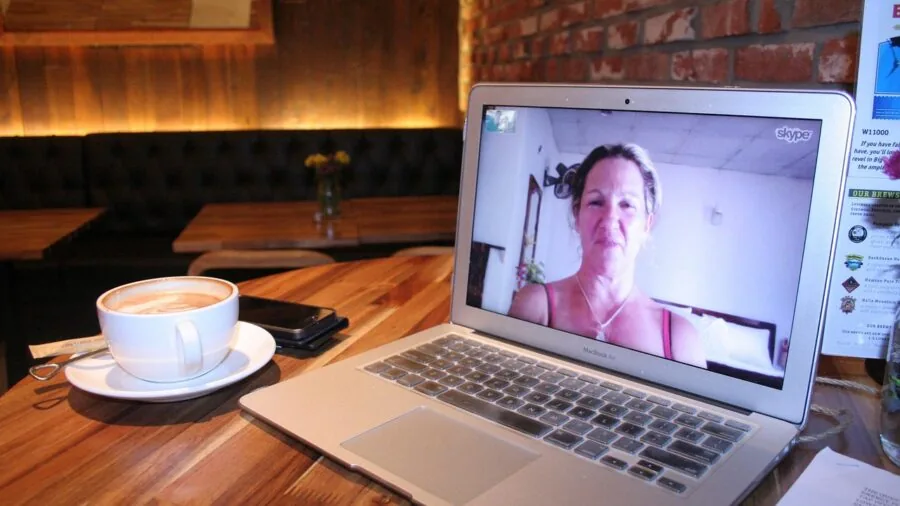
Most webcam microphones are passable for casual calls but falter in noisy environments or large rooms. Single omnidirectional mics pick up keyboard clicks, HVAC hum, and room echo alongside your voice.
Dual-microphone arrays with noise reduction do a better job of isolating your voice and suppressing background sound, which is especially important if you’re using the webcam for meetings where audio clarity directly affects how you’re perceived.
For podcasters and vocalists who prioritize audio above all else, a dedicated external microphone will always outperform any webcam’s built-in solution. Our podcasting microphone roundup covers standalone options that pair well with any webcam here.
For everyone else, a webcam with dual noise-reduction mics handles the majority of meeting and streaming scenarios without requiring an additional purchase.
Connectivity, Compatibility, and Extras
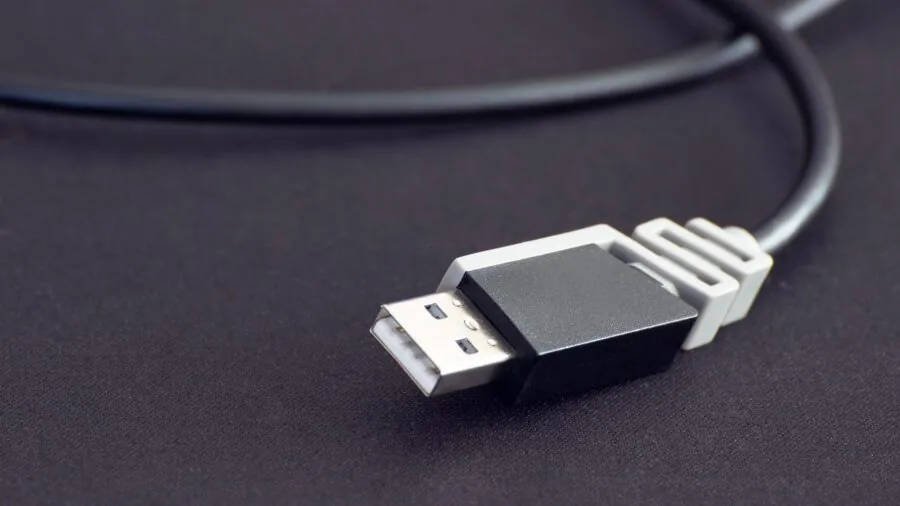
Nearly every webcam in this price range connects via USB, but there are important distinctions between USB-A and USB-C cables, and between webcams that rely on USB bandwidth versus those with onboard processing.
USB-C is increasingly standard and transfers data faster, but if your machine only has USB-A ports you’ll need an adapter. Check the included cable type before buying.
Platform certification matters for corporate users. Cameras certified for Microsoft Teams or Zoom have been validated to work without driver conflicts, which saves IT headaches.
Windows Hello compatibility enables facial-recognition login on compatible Windows PCs, a useful security bonus on shared machines.
Privacy shutters, a feature now common across the price spectrum, physically block the lens when not in use, removing any software-based privacy concerns entirely.
If you’re building out a full creative or productivity desk, a solid adjustable tripod can position your webcam at eye level independently of your monitor, which produces a far more natural on-camera angle than a camera perched on a thin laptop lid.
Similarly, pairing your webcam with quality monitors and peripherals completes a home-office or streaming setup worth being proud of.
Why You Should Trust Us
REMOVU is an independent review publication. We do not accept payment from brands to influence rankings, and we have no affiliation with any retailer or manufacturer featured in this guide.
Every product in this article was assessed using the REMOVU Score, a structured 0-to-10 rating system applied consistently across every model we evaluate in the webcam category.
Our REMOVU Score for each webcam is built from a synthesis of manufacturer-published specifications, expert review consensus drawn from credible sources across the photography and tech press, and verified buyer feedback from confirmed purchasers.
We do not conduct our own product trials; our evaluations are grounded in research, published data, expert review consensus, and verified buyer feedback.
This approach allows us to cover a broad range of products with consistent methodology and without the conflicts of interest that can arise when a publication accepts review units from the same brands it ranks.
REMOVU may earn a commission if you purchase through a link in this article. That relationship does not influence which products appear, how they are ranked, or what score they receive. Our editorial team’s only obligation is to readers looking for reliable, well-researched guidance.
Final Thoughts
The webcam market in 2026 is genuinely competitive at every price tier, from capable budget options under forty dollars to sophisticated AI-tracking cameras at the premium end.
After weighing specifications, expert review consensus, and verified buyer feedback across all eleven models in this guide, a few standouts deserve particular recognition.
- Best Overall: Insta360 Link 2 Pro earns the top spot with the highest REMOVU Score in the group. Its 1/1.3-inch sensor, motorized PTZ tracking, directional noise-canceling microphones, and HDR capability represent the most complete feature set available in a desktop webcam right now. It is a premium investment, but it justifies every dollar for serious streamers, creators, and executives who spend hours on camera daily.
- Best 4K Budget Pick: EMEET C960 and the Acer 4K Webcam share an outstanding REMOVU Score and both deliver genuine 4K resolution with PDAF autofocus at a price that undercuts most of the competition significantly. The Acer’s all-metal build and Sony 1/2-inch sensor give it an imaging edge; the EMEET C960’s dual omnidirectional mics make it the stronger choice for call-heavy users.
- Best for Streaming: EMEET S600 is purpose-built for live streaming and content creation, combining a Sony 1/2.55-inch sensor, 1080p@60fps capability, and PDAF autofocus in a package priced in the mid-range. Its smooth frame rate and sharp optics translate directly to a more polished on-screen presence for gaming or live-commerce broadcasts.
- Best Plug-and-Play for Meetings: Logitech C920x has accumulated years of verified buyer trust for a reason. It requires no setup, works reliably across Teams, Zoom, Google Meet, and Nintendo Switch 2, and produces consistently clean 1080p footage with effective automatic light correction. It is the webcam to recommend to a colleague who simply wants something that works without fuss.
- Best Value Under Fifty Dollars: Logitech Brio 101 delivers 1080p resolution, auto-light correction, a built-in privacy shutter, and plug-and-play USB-A connectivity at one of the lowest prices in this roundup. It strips out extras but keeps everything a first-time webcam buyer actually needs.
Whatever your budget or use case, upgrading from a built-in laptop camera to any dedicated webcam in this list will produce a noticeable improvement.
If you want to build a more complete desk setup around your new camera, exploring external monitors, mechanical keyboards, and quality vocal microphones can elevate your workspace further.
Frequently Asked Questions
What resolution webcam do I actually need for video calls?
For standard business video calls on Zoom, Teams, or Google Meet, 1080p at 30fps is the sweet spot. It looks noticeably sharper than 720p, streams smoothly on average home broadband, and is supported natively by every major conferencing platform.
Most platforms cap their output stream below 4K anyway, so 4K resolution only provides a meaningful benefit if you’re recording locally or streaming to platforms that accept 4K inputs, such as YouTube Live.
Is a 4K webcam worth the extra cost?
It depends on your use case. For video calls alone, most viewers will not perceive a difference between a well-exposed 1080p feed and a 4K one at typical window sizes.
Where 4K earns its price premium is in content creation: local recordings retain far more detail for editing, and downscaling a 4K signal to 1080p for streaming produces a cleaner, aliasing-free image than a native 1080p capture.
Streamers, YouTubers, and anyone who archives meetings for future reference will find 4K worth paying for.
Can I use a webcam with a Nintendo Switch 2?
Yes, several webcams in this guide explicitly list Nintendo Switch 2 compatibility, including the Logitech C920x and the Logitech Brio 101. These connect via USB and work without additional drivers or adapters.
If Switch 2 compatibility is a priority, confirm the webcam lists it in the specifications before purchasing, as not every USB camera is recognized by the console’s firmware.
Do I need a separate microphone if my webcam has built-in mics?
For everyday video calls, a webcam with dual noise-reduction microphones, like the EMEET C960 or the Acer 4K Webcam, handles voice pickup well enough that a standalone mic is optional.
Where a separate microphone becomes worthwhile is in podcasting, voice-over work, music recording, or any scenario where audio is the primary deliverable rather than a supporting element.
If that describes your workflow, dedicated podcasting microphones offer a significant step up in clarity and control.
What is PTZ and do I need it?
PTZ stands for pan, tilt, and zoom, referring to a camera’s ability to physically move its lens to follow a subject.
AI-powered PTZ webcams like the Insta360 Link 2 Pro use facial tracking to keep you centered in the frame even as you move around the room. This is genuinely useful for standing-desk users, whiteboard presenters, and anyone who moves while speaking.
For someone who sits in a fixed position during calls, a standard webcam with a wide field of view achieves a similar result without the added cost and mechanical complexity.
How do I get the best image quality from a webcam without expensive lighting?
Position yourself facing a window rather than sitting with a window behind you. Natural front-facing light is the single biggest free improvement you can make to webcam image quality.
If your schedule means you’re often on calls after dark, a simple ring light or a dedicated key light from a studio lighting kit costs much less than upgrading to a higher-tier camera and produces a bigger visual improvement.
A desktop tripod that positions the webcam at eye level, rather than below your chin, also dramatically improves how you appear on screen.
About the author
Rene covers portable power stations for REMOVU, comparing battery capacity, output ports, and value for camping and outages. He helps readers keep devices and appliances running off-grid.