The 8 Best Portable Monitors for Laptops
Portable monitors have become essential gear for remote workers, travelers, and on-the-go gamers. Here are the models worth buying, ranked by display quality, connectivity, and real-world portability.
 By Carmen Kuhn
Updated July 26, 2026
By Carmen Kuhn
Updated July 26, 2026
A portable monitor can genuinely change how you work, travel, and game.
Whether you are a remote professional juggling spreadsheets in a coffee shop, a developer who needs a second screen on the road, or a console gamer who wants a compact display anywhere, the right portable monitor gives you desktop-level flexibility without the bulk.
The market has grown dramatically, with options spanning budget-friendly panels to premium IPS displays with USB-C power delivery, and it can be genuinely difficult to separate the ones worth buying from the ones that disappoint after a few weeks of real use.
To cut through the noise, our team at REMOVU analyzed specifications, synthesized expert review consensus, and cross-referenced verified buyer feedback for every model on this list.
If you are also shopping for a capable laptop to pair with your new display, our roundup of laptops for work in every budget is a natural next step.
Here are our top picks for the best portable monitors for laptops right now.
| Award | Product | REMOVU Score About REMOVU ScoreThe REMOVU Score is our own rating from 0 to 10, based on performance, design and build, ease of use, and value. It reflects independent research and is never influenced by manufacturers, retailers, or affiliate commissions. Learn more › | Price | |
|---|---|---|---|---|
| Best Overall |
 Dell Pro 14 Plus P1425 Portable Monitor
|
8.4/10 | Buy | |
| Best Premium |
 ASUS ZenScreen MB16ACE 15.6" Portable USB Monitor
|
7.8/10 | Buy | |
 VisionOwl 18.5-inch Portable Monitor, 100Hz IPS
|
6.8/10 | Buy | ||
| Best Value |
 Cocopar 15.6-Inch Portable Monitor 1080P
|
7.5/10 | Buy | |
 Acer PM191Q 18.5" Portable Monitor
|
7.3/10 | Buy | ||
| Best Budget |
 MSI PRO MP165 E6 15.6" Portable Monitor
|
8.1/10 | Buy | |
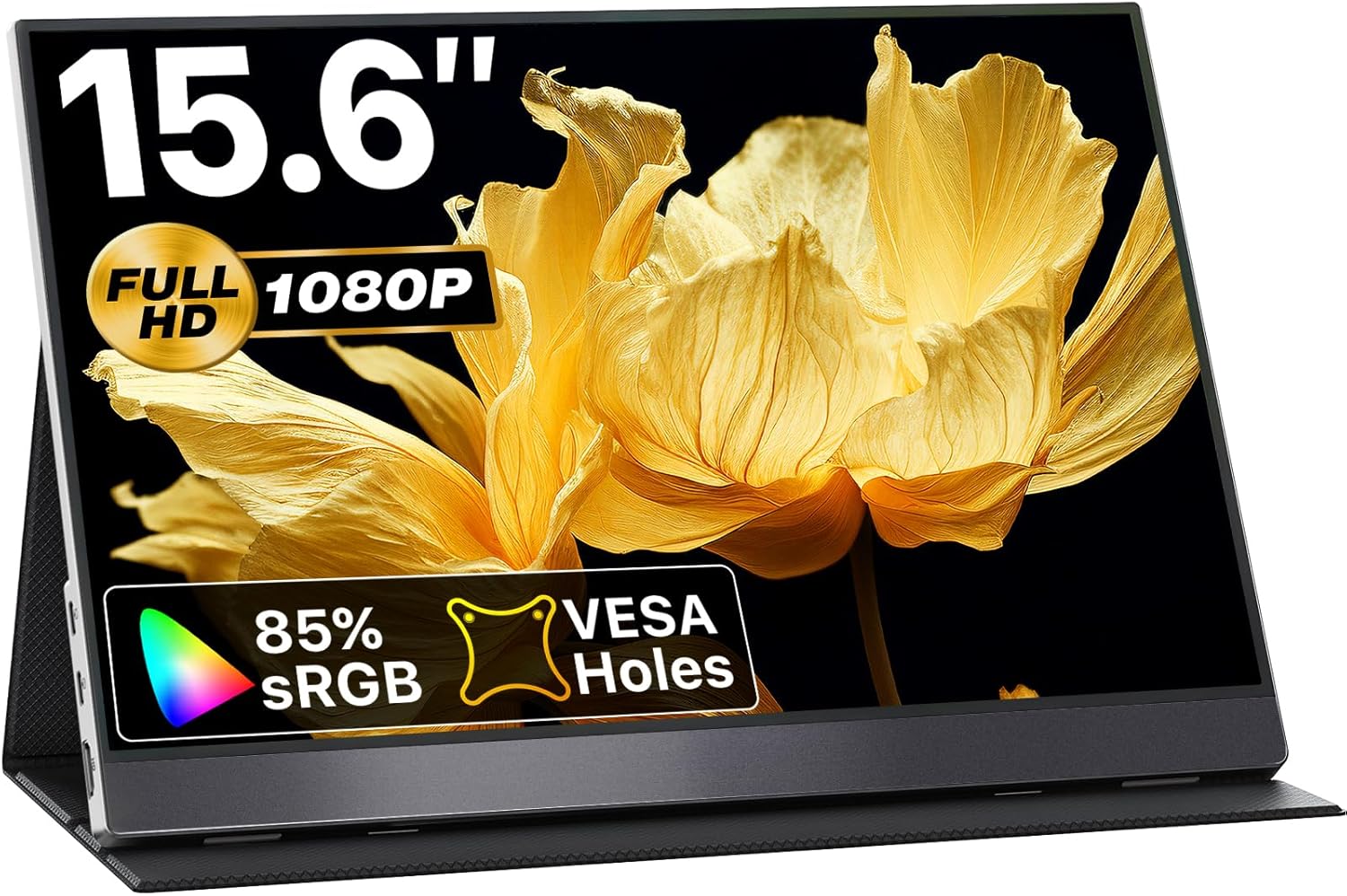 VisionOwl 15.6" Portable Monitor 1080P USB-C
|
6.4/10 | Buy | ||
 InnoView 15.6" 1080P Portable Monitor with Stand
|
6.3/10 | Buy |
Dell Pro 14 Plus P1425 Portable Monitor
A 14-inch portable monitor built for professionals who need dual-screen setup on the move. The FHD+ IPS panel delivers solid color accuracy across wide angles, while the adjustable stand and compact form factor make it practical for hot-desking and travel. Best suited for content creators and remote workers who prioritize screen real estate over ultra-portability.
Pros
- Adjustable tilt stand spans 10 to 90 degrees, plus VESA mount compatibility for flexible positioning
- FHD+ (1920 x 1200) IPS panel with consistent color reproduction at wide viewing angles
- Included sleeve with cable storage compartment keeps everything organized during transport
- Quick-access brightness buttons for easy adjustment in varying lighting conditions
- Lightweight and ultrathin design suitable for productivity on the go
Cons
- 7ms response time may not satisfy competitive gamers or fast-action workflows
- No specifications provided on connectivity ports, power requirements, or exact weight
- Limited to FHD+ resolution, which some professionals may find constraining for detailed design work
ASUS ZenScreen MB16ACE 15.6" Portable USB Monitor
A lightweight 15.6-inch portable display that connects via single USB cable, making it practical for remote workers and frequent travelers. The hybrid USB Type-C and Type-A support means broad laptop compatibility, while the foldable smart case doubles as a stand for flexible setup in portrait or landscape mode.
Pros
- Single USB connection handles both power and video transmission, eliminating cable clutter
- Weighs just 0.71kg with 8mm ultra-slim profile, genuinely pocketable for travel
- IPS panel with 1920x1080 resolution delivers solid color accuracy and wide viewing angles
- Auto-rotation feature and foldable case adapt to portrait or landscape work instantly
- ASUS Eye Care certification (flicker-free, low blue light) reduces eye strain on extended use
Cons
- Requires driver installation for USB Type-A compatibility, adding setup friction for some users
- 15.6-inch size is modest for detailed design or spreadsheet work compared to larger external monitors
- No built-in speakers, so audio still depends on laptop or external headphones
VisionOwl 18.5-inch Portable Monitor, 100Hz IPS
A lightweight 18.5-inch travel monitor with 1080p IPS display and 100Hz refresh rate, designed for MacBooks, laptops, and gaming consoles. Dual USB-C and HDMI connectivity offer flexibility, though connection compatibility depends on your device's specific ports and capabilities.
Pros
- Compact and portable at 2.7 lbs with thin profile, ideal for travelers and remote workers
- 100Hz refresh rate with 125% sRGB color accuracy suits both productivity and light gaming
- Multiple connectivity options: two USB-C ports and HDMI port work with MacBooks, PCs, PS5, and Xbox
- Built-in kickstand and VESA mounting support provide display flexibility
- Metal construction and integrated stand offer durability
Cons
- USB-C connectivity requires Thunderbolt 3/4/5 or full-featured USB-C port; standard charging cables won't work for video
- Limited smartphone compatibility, only select Samsung models work via USB-C cable, others need HDMI adapter
- No verified buyer reviews available to assess real-world reliability and long-term performance
Cocopar 15.6-Inch Portable Monitor 1080P
A lightweight 15.6-inch portable display designed for laptop users and remote workers who need a secondary screen on the go. Connects via single USB-C cable with power pass-through, includes built-in speaker, and comes with a protective stand case. Best suited for those with USB-C or HDMI-equipped devices seeking mobility without sacrificing screen real estate.
Pros
- Ultra-portable at 1.5 lbs without case, just 4mm thin at thinnest point, ideal for travel and remote work setups
- Plug-and-play USB-C connectivity with single-cable power and video delivery (Thunderbolt 3/4/5 or USB 3.1 DP Alt-Mode required)
- 1080P FHD resolution with 85% sRGB color gamut, 178-degree viewing angle, and HDR support for decent color accuracy
- VESA mountable with landscape and portrait orientation options for flexible workspace configurations
- Dual USB-C ports plus HDMI input for broad device compatibility across laptops, consoles, and select phones
Cons
- USB-C video support limited to specific devices: requires Thunderbolt 3/4/5 ports or compatible DP Alt-Mode, and only certain Samsung phones work natively without adapters
- 60Hz refresh rate and 1080P resolution modest for gaming or high-demand creative work compared to larger desktop monitors
- Requires original USB-C cable and power adapter for proper function; third-party cables may not support video output, and some devices need additional adapters (mini-DP to HDMI, Lightning adapter)
Acer PM191Q 18.5" Portable Monitor
Acer's PM191Q is a lightweight portable display built for professionals and students who need a secondary screen on the move. At 2.49 lbs with a 0.54" profile, it fits easily into laptop bags while delivering Full HD clarity through an IPS panel. Single USB-C cable powers and displays simultaneously, though you'll want to verify compatibility with your specific devices.
Pros
- Extremely portable: weighs under 2.5 lbs and measures just 0.54 inches thin
- Single USB-C power and data solution eliminates cable clutter for supported devices
- 100Hz refresh rate with Adaptive-Sync (FreeSync) reduces motion blur and tearing
- Full HD 1920x1080 IPS display with wide viewing angles and accurate color reproduction
- Dual connectivity: USB-C and HDMI 1.4 ports for flexible device pairing
Cons
- USB-C power delivery limited to 15W, may require additional adapter for some laptops
- 18.5-inch size is relatively small for extended work sessions as primary monitor
- No built-in battery; requires continuous cable connection to function
MSI PRO MP165 E6 15.6" Portable Monitor
A lightweight 15.6-inch Full HD portable display weighing just 0.78kg, designed for professionals and travelers needing a second screen on the move. Single USB Type-C connection handles both power and video, while the foldable stand and tripod mount provide flexible positioning for work, gaming, or presentations across laptops, phones, and consoles.
Pros
- Ultra-portable at 0.78kg with 1.38cm slim profile, fits easily into laptop bags
- Single USB Type-C cable delivers power and DisplayPort signal simultaneously, eliminating cable clutter
- IPS panel with 178-degree viewing angles provides consistent color and brightness from multiple perspectives
- TUV-certified Low Blue Light and Flicker-Free technology reduces eye strain during extended use
- 1/4-inch tripod mount and VESA compatibility offer flexible setup options for travel, desk, or fixed installations
Cons
- 60Hz refresh rate limits responsiveness for fast-paced gaming compared to higher-refresh portable monitors
- Built-in speakers are functional but modest in output, likely requiring external audio for presentations or immersive content
- No USB hub or additional ports beyond video input, so connectivity is limited to display signal and power only
VisionOwl 15.6" Portable Monitor 1080P USB-C
A lightweight 1.4-pound portable display built for remote work and travel, offering 1080P clarity with USB-C plug-and-play connectivity on compatible laptops. The aluminum chassis and included smart cover stand make it practical for dual-screen setups, though connection compatibility depends on your device's specific ports and capabilities.
Pros
- True one-cable USB-C solution with simultaneous power and video transmission for supported devices
- Lightweight aluminum build (1.4 lbs) with magnetic cover stand, designed for portability
- Dual USB-C ports and HDMI input provide flexible connectivity across laptops, gaming consoles, and mobile devices
- VESA mountable (75x75mm) with portrait and landscape orientation support for varied workflows
- Built-in stereo speakers and HDR support enhance multimedia use
Cons
- USB-C connectivity requires Thunderbolt 3/4/5 or DisplayPort Alt Mode support, limiting compatibility with older or certain laptop models
- Android phone compatibility restricted to specific Samsung models; most other devices need HDMI adapter
- 1080P resolution and 15.6-inch screen may feel limiting for detailed design or spreadsheet work compared to larger, higher-resolution alternatives
InnoView 15.6" 1080P Portable Monitor with Stand
A lightweight 1080P portable display built for remote work and gaming, weighing just 1.5 pounds with an integrated 90-degree stand. Connects via USB-C or HDMI to laptops, phones, and gaming consoles, though it may require external power to avoid flickering depending on your host device.
Pros
- Ultra-portable at 1.5 pounds with slim 0.25-inch profile, fits easily into backpacks
- IPS A+ panel with 1200:1 contrast ratio, HDR, and low blue light technology for clear visuals
- Dual USB-C ports plus HDMI for flexible connectivity across laptops, phones, tablets, and gaming devices
- Includes protective carrying sleeve and adjustable stand for convenient setup
- Strong 4.5-star rating from 2,179 verified reviews
Cons
- Requires external 15W+ power adapter in many cases to prevent screen flickering or restarts
- Limited to 60Hz refresh rate, not ideal for competitive gaming
- Needs host device with USB 3.1 Type-C DP Alt-Mode or Thunderbolt 3.0/4.0 support for full functionality
Portable Monitors for Laptops Buying Guide
Buying a portable monitor involves more trade-offs than a standard desktop display. You are balancing size, weight, connection options, brightness, color accuracy, and price in a way that rarely requires compromise when buying a full-size panel.
The sections below walk through the most important criteria so you can match a monitor to your actual workflow rather than simply buying the most popular option.
Panel Type and Display Quality
Almost every reputable portable monitor sold today uses an IPS (In-Plane Switching) panel, and for good reason.
IPS technology delivers accurate color reproduction, wide viewing angles, and consistent brightness across the screen, all of which matter when you are using a monitor in unpredictable environments like coffee shops or airplane trays.
If the spec sheet simply says “LCD” without specifying IPS, that is a yellow flag worth investigating before purchasing.
Color gamut coverage is expressed as a percentage of sRGB. For general productivity, 72 percent sRGB is adequate. For photo editing, graphic design, or any color-sensitive work, look for monitors claiming 85 percent sRGB or higher.
Several picks on this list hit that threshold, which is why they appeal to creative professionals beyond everyday office use.
If color accuracy is central to your work, you may also want to read our guide to laptops for photo editing in every budget to ensure your full workflow is covered.
Anti-glare surface treatments matter more on a portable monitor than a desktop panel because you cannot always control ambient lighting.
A matte anti-glare coating reduces distracting reflections without sacrificing too much sharpness, whereas a glossy surface looks vivid indoors but becomes nearly unusable in bright outdoor environments.
Resolution and Screen Size
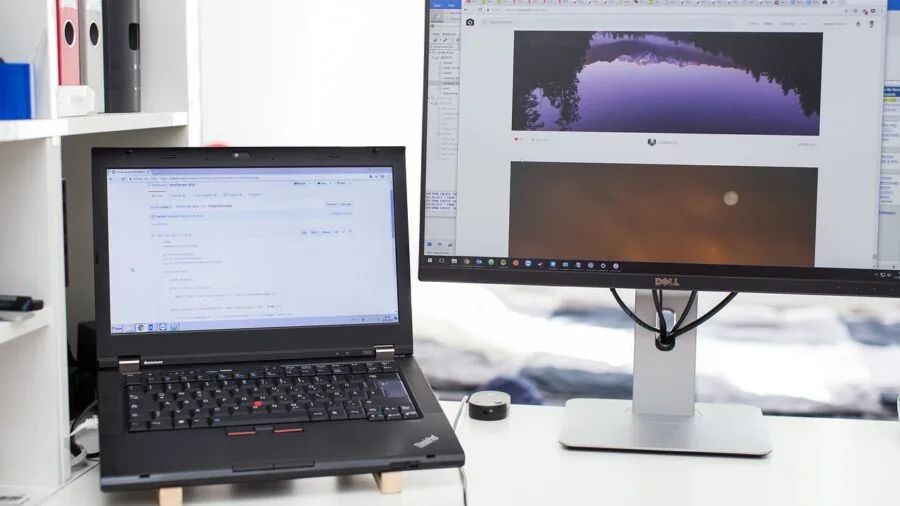
The sweet spot for portable monitors is 15.6 inches at 1080p Full HD resolution.
This combination gives you enough screen real estate to comfortably run two windows side by side without making the panel so large that it defeats the purpose of portability.
Anything below 1080p will look noticeably soft on a modern IPS panel, and buyers frequently cite blurry text as one of their top disappointments with budget portable monitors.
Larger formats, such as the 18.5-inch options on this list, are worth considering if you primarily use your portable monitor at a fixed secondary location like a hotel desk or a client office.
They offer meaningfully more workspace but add weight and require a larger bag or sleeve. Think carefully about how often you will genuinely move the monitor versus simply transporting it occasionally.
Refresh Rate and Adaptive Sync
For productivity and creative work, a standard 60 Hz refresh rate is completely sufficient.
However, if you plan to use your portable monitor for gaming, whether with a laptop GPU, a console like PS5 or Xbox, or even a Nintendo Switch, refresh rate becomes a meaningful differentiator.
Displays running at 100 Hz or higher make motion noticeably smoother and more responsive.
Adaptive sync technologies such as FreeSync (also marketed as Adaptive-Sync) eliminate screen tearing by synchronizing the display’s refresh rate with the GPU’s output frame rate. Not every portable monitor includes this feature, so gamers should check the specification carefully.
Pairing a FreeSync-capable portable monitor with a gaming-grade display setup can dramatically improve visual smoothness during fast-paced sessions.
If you plan to build or upgrade your gaming rig alongside your portable display purchase, our coverage of RAM for every desktop build may also be useful context.
Connectivity: USB-C, HDMI, and Power Delivery

Connectivity is arguably the single most important practical consideration when buying a portable monitor.
A USB-C port that supports both video signal and power delivery (often called “single-cable solution”) means you can drive the display and charge your laptop with just one cable plugged into your host device.
This is an enormous convenience advantage over monitors that require a separate power adapter or two cables to function.
HDMI input is the fallback standard that ensures compatibility with virtually every device, including gaming consoles, older laptops without USB-C video output, and streaming sticks.
A monitor that offers both USB-C and HDMI gives you the most flexibility across different host devices.
Check whether the USB-C ports are USB 3.1 or later; older USB 3.0 implementations sometimes limit bandwidth in ways that affect image quality at higher refresh rates.
If your laptop lacks sufficient ports, you might also want to consider a docking station to centralize all your connections cleanly.
Some monitors include built-in speakers. While portable monitor speakers are rarely audiophile-grade, their presence removes the need to carry a separate Bluetooth speaker for basic video calls or casual media consumption.
Verify whether the speakers are driven by the USB-C connection or require HDMI, as some models only activate audio over certain inputs.
Stand, Kickstand, and VESA Mounting
How a portable monitor stands up on a desk defines how comfortable it is to use for extended sessions. Many models bundle a folding cover that doubles as an adjustable stand.
Quality varies significantly: some covers prop the monitor at a single fixed angle, while better implementations allow a range of tilt adjustments from roughly 20 to 75 degrees.
Look specifically for covers or built-in kickstands that lock at multiple angles rather than relying on friction, which tends to loosen over time.
VESA mounting compatibility (typically 75 x 75 mm on portable monitors) is a bonus feature that lets you attach the display to a monitor arm or tripod mount when you want a more permanent or ergonomic setup.
Several models on this list include VESA support, which meaningfully extends their usefulness beyond purely travel scenarios. For photographers and videographers who already carry a tripod, this feature turns a portable monitor into a field monitor at no extra cost.
Speaking of which, our guide to tripods for every photographer and videographer covers mounting hardware worth knowing about.
Weight, Portability, and Build Quality

A portable monitor that lives in your bag every day needs to be genuinely lightweight and durable. Most 15.6-inch 1080p IPS panels land between 700 g and 1.1 kg.
Models that approach or exceed 1.2 kg start to feel like a burden on longer commutes, especially when paired with a laptop, charger, and accessories.
Metal chassis designs command a slight premium but resist flexing and cosmetic damage far better than all-plastic builds.
A protective sleeve or cover case bundled in the box is a genuine value add, not a marketing afterthought. Without protection, a portable monitor’s screen is vulnerable to scratches from keys, cables, and other bag contents.
Verified buyer feedback on models that include a quality sleeve consistently reflects higher long-term satisfaction than those shipped with minimal or no protection.
Build quality correlates strongly with brand reputation, so established names in the monitor space carry a meaningful reliability advantage that is worth factoring into your decision.
Why You Should Trust Us
REMOVU is an independent review publication. We do not accept payments from manufacturers to influence rankings, and we do not conduct our own product trials; our evaluations are grounded in research, published data, expert review consensus, and verified buyer feedback.
Every product in this roundup was assessed against a consistent set of criteria covering display quality, connectivity, portability, build, and value, then scored on our 0 to 10 REMOVU Score scale.
Products are ranked by REMOVU Score from highest to lowest, with no editorial exceptions for commercial reasons.
Our research methodology draws on publicly available specifications, aggregated expert reviews from the broader technology press, and large-sample verified buyer feedback from confirmed purchasers.
When expert consensus and buyer experience diverge, we weigh both sources and note the discrepancy in our analysis rather than defaulting to manufacturer claims.
This approach allows us to surface real-world reliability and usability patterns that specification sheets alone cannot capture.
Transparency about affiliate relationships: REMOVU may earn a commission if you purchase through links on this page. That affiliate relationship has no bearing on product selection, ranking order, or REMOVU Score.
Products are included because our research indicates they are worth recommending, not because they generate higher commissions. We cover the full range of monitors across every category with the same methodology applied consistently.
Final Thoughts
The portable monitor category has matured considerably, and the eight models on this list represent genuinely strong choices across a range of budgets, screen sizes, and use cases. Here is how we would summarize the standout picks based on REMOVU Score and specific strengths.
- Best Overall: Dell Pro 14 Plus Portable Monitor P1425 earns the highest REMOVU Score on this list. It reflects Dell’s enterprise-grade build standards, reliable color accuracy, and a connectivity package that works seamlessly across modern laptops and mobile workstations. It sits at a premium price point, but buyers who need a daily-carry display that will not let them down appreciate every aspect of the build.
- Best Value for Everyday Use: MSI Pro MP165 E6 punches well above its budget-friendly price with an ultra-slim metal chassis, a solid IPS panel, and both USB-C and HDMI connectivity. Its REMOVU Score reflects strong performance relative to cost, making it the easiest recommendation for users who want quality without a premium outlay.
- Best for Professionals and Creative Workers: ASUS ZenScreen MB16ACE combines ASUS’s reputation for display quality with a thoughtful portable design and a three-year warranty that is rare in this category. Its IPS panel and eye care features make it well suited for writers, designers, and analysts who spend long hours in front of a screen. It pairs naturally with convertible and 2-in-1 laptops that are equally optimized for mobile productivity.
- Best Large-Screen Option: VisionOwl 18.5 Inch Portable Monitor is the right choice if screen real estate matters more than compact dimensions. The larger panel gives you genuine desktop-like workspace on the road, and the built-in kickstand and VESA compatibility add setup flexibility that smaller models cannot match.
- Best for Gaming on the Go: Acer PM191Q Portable Monitor stands out with its 100 Hz refresh rate and Adaptive-Sync support, making it the clearest choice for users who want a responsive gaming display that also handles productivity comfortably. Gamers who want a complete portable setup might also consider exploring compact mini PCs as an alternative host device to a full laptop.
Whichever model fits your needs, a portable monitor is one of the highest-impact peripheral upgrades you can make to a mobile work or gaming setup.
The difference between managing everything on a single laptop screen and having a properly sized second display is immediately noticeable in both productivity and comfort.
Browse our full monitors and peripherals coverage for related picks, and consider rounding out your workspace with a quality mechanical keyboard or wireless mouse to complete the portable office experience.
Frequently Asked Questions
Do I need a special laptop to use a portable monitor?
No special laptop is required. Any laptop with a USB-C port that supports DisplayPort Alt Mode, or a standard HDMI output, can drive a portable monitor.
Most modern laptops manufactured in the last several years support at least one of these connection standards. If your laptop lacks USB-C video output, the HDMI port on most portable monitors serves as a reliable fallback.
Check your laptop’s specifications page to confirm which video output standards are supported before purchasing.
Can I use a portable monitor with a gaming console like PS5 or Xbox?
Yes, provided the monitor includes an HDMI input, which all models on this list do. HDMI is the standard video output on PS5, Xbox Series X and S, and Nintendo Switch (via dock).
For console gaming specifically, a higher refresh rate (100 Hz or above) and Adaptive-Sync support are worth prioritizing.
You will also need a separate power source for the monitor when using it with a console, since there is no laptop to supply USB-C power delivery in that scenario.
How bright should a portable monitor be for outdoor or travel use?
For indoor environments and shaded outdoor settings, 250 to 300 nits of peak brightness is generally sufficient. Genuine outdoor use in direct sunlight requires 400 nits or higher, and most portable monitors at typical price points do not reach that threshold.
If you regularly work outdoors, prioritize monitors with higher brightness specifications and an anti-glare matte coating, which significantly reduces glare-induced eye strain even when brightness is moderate.
Verified buyer feedback consistently flags low brightness as a significant complaint for portable monitors used in bright environments.
Is a portable monitor worth it for photo and video editing?
A portable monitor can absolutely support photo and video editing workflows, provided you select one with 85 percent sRGB coverage or higher and a properly calibrated IPS panel.
The key caveat is that portable monitors vary widely in factory color calibration quality. For critical color grading work, a desktop-class monitor in a controlled environment will always outperform a portable display.
However, for on-location reviews, client presentations, or travel editing sessions, a well-chosen portable monitor is a practical and capable tool. Pair it with one of the photo editing laptops we recommend for a complete mobile creative setup.
What is the difference between USB-C and USB-C with Power Delivery on portable monitors?
A USB-C port on a monitor can carry video signal, data, and power in various combinations depending on the port’s implementation.
USB-C with Power Delivery (PD) means the connection can simultaneously deliver video from the monitor to your laptop and charge the laptop from an external power source, all through a single cable.
This “single-cable” setup is extremely convenient for a clean desk and fast setup. Not all USB-C ports on monitors support full PD passthrough, so check the specification sheet carefully.
A port labeled simply “USB-C” may only carry video signal without charging capability.
How do I choose between a 15.6-inch and an 18.5-inch portable monitor?
The choice comes down to how you primarily use and transport the display. A 15.6-inch model fits into most laptop bags alongside your laptop with minimal added bulk and is genuinely portable in the everyday sense.
An 18.5-inch model offers meaningfully more screen real estate, which is valuable for multitasking or media consumption, but it adds weight and requires a larger carry bag.
If you travel several days per week and the monitor goes everywhere with you, the 15.6-inch form factor is almost always the better practical choice.
If the monitor mainly moves between a home office and occasional travel, the larger size may be worth the trade-off.
Those who want maximum desk flexibility at home might also explore our picks for mini PCs for home theater as a complementary setup.
About the author
Carmen writes about cable modems for REMOVU, matching DOCSIS support and speed tiers to real internet plans so readers can drop monthly rental fees. She flags which models are worth buying and which quietly bottleneck a connection.