The 12 Best Desktop Computers
From compact SFF towers to powerful business workstations, picking the right desktop means matching specs to your workflow. Here are the top-ranked picks across every budget.
 By Enrique Sullivan
Updated July 26, 2026
By Enrique Sullivan
Updated July 26, 2026
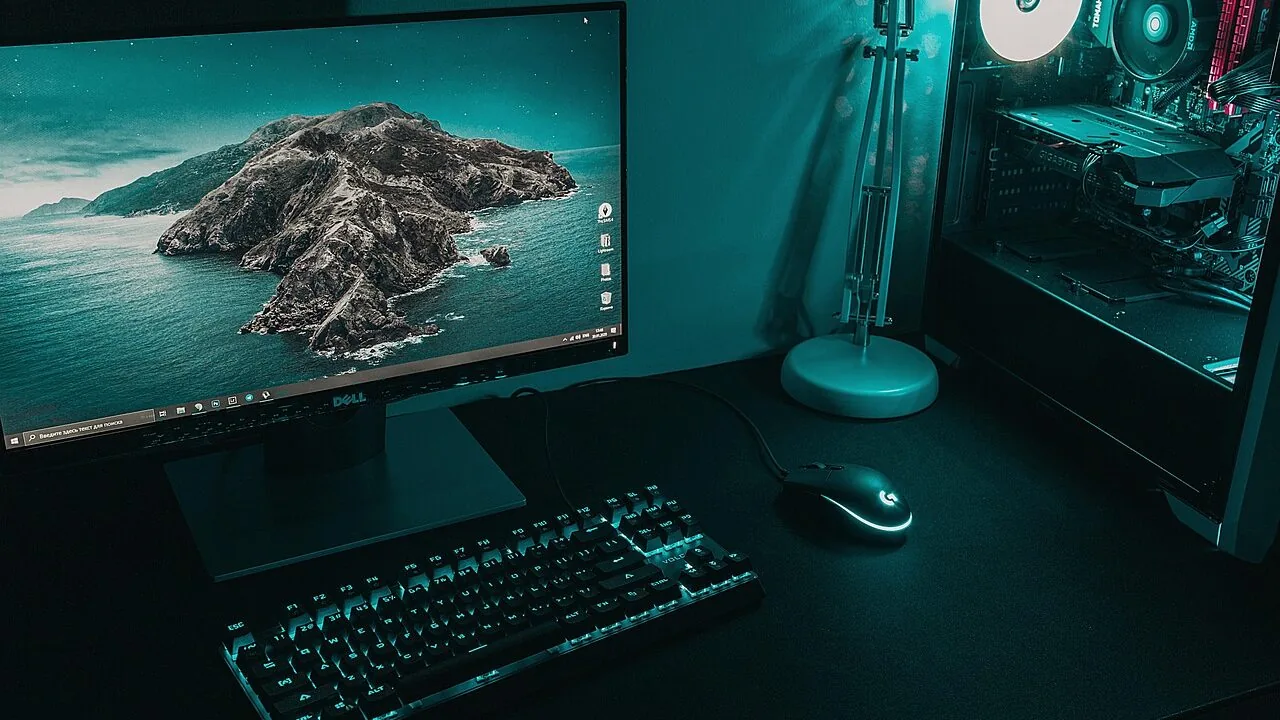
Choosing a desktop computer in 2026 is more nuanced than it looks. The market spans everything from compact small-form-factor towers aimed at office productivity to powerful all-in-one machines that double as a centrepiece for your home workspace.
Unlike laptops, desktops let you prioritise raw performance, long-term upgradeability, and value per dollar in ways a portable machine simply cannot match.
Whether you are building a home office, setting up a creative workstation, or replacing an ageing family PC, the right desktop can serve you for years without compromise.
At REMOVU, we evaluated each model in this list through comprehensive research, synthesising published specifications, expert review consensus, and verified buyer feedback to score every pick on our 0-to-10 REMOVU Score scale.
The result is a shortlist drawn from brands including ASUS, Dell, and HP, covering a range of budgets and use cases, from entry-level home computing to business-grade workstations. Read on and you will find our top-ranked picks waiting right below.

HP ProDesk 400 G9 SFF with Intel i7-14700
A compact business desktop built around Intel's 14th-gen i7-14700, offering 20 cores and 28 threads in a small form factor chassis. The 16GB DDR5 RAM and 1.5TB storage handle professional workloads and multitasking efficiently, while Windows 11 Pro provides enterprise-grade security. Best suited for offices where desk space is limited but processing power remains essential.
Pros
- Powerful 20-core/28-thread processor handles demanding business applications and multitasking without compromise
- Compact SFF design saves desk space while maintaining full performance, ideal for modern office environments
- Dual display support via HDMI and DisplayPort with multiple USB ports for flexible peripheral connectivity
- Windows 11 Pro included with advanced security and remote management capabilities for enterprise deployments
- 5-star rating from verified reviews indicates strong reliability and user satisfaction
Cons
- 16GB DDR5 RAM is entry-level for a processor this powerful; upgrading to 32GB may be necessary for heavy workloads
- 260W power supply limits future GPU upgrade options if graphics acceleration becomes needed
- Integrated Intel UHD Graphics 770 only, no discrete GPU for graphics-intensive tasks

Dell ECT1250 Tower with Intel Core i9-12900K
A high-performance business desktop built around Intel's flagship Core i9-12900K processor, offering 16 cores and up to 5.2 GHz for demanding multitasking and professional workloads. The system ships with 32GB DDR5 memory, 1TB SSD storage, and comprehensive connectivity including Wi-Fi 6, multiple USB ports, and DisplayPort for dual 4K monitor setups. Best suited for professionals running resource-intensive applications, content creation, or power users who need reliable enterprise-grade performance out of the box.
Pros
- Intel Core i9-12900K delivers exceptional single and multi-threaded performance with 16 cores and 24 threads
- Configurable up to 64GB DDR5 memory and 4TB SSD for future-proofing and handling large datasets
- Rich port selection including USB 3.2 Gen 2, USB-C, HDMI, DisplayPort, SD card reader, and Ethernet
- Windows 11 Professional with TPM 2.0 security chip provides enterprise-grade encryption and data protection
- Includes keyboard and mouse, reducing additional purchase needs for immediate productivity
Cons
- No integrated webcam, requiring separate purchase for video conferencing
- Integrated Intel UHD 770 graphics limits performance for demanding 3D gaming or GPU-accelerated tasks without discrete graphics
- Limited customer reviews (only 2 reviews) provide minimal real-world usage feedback
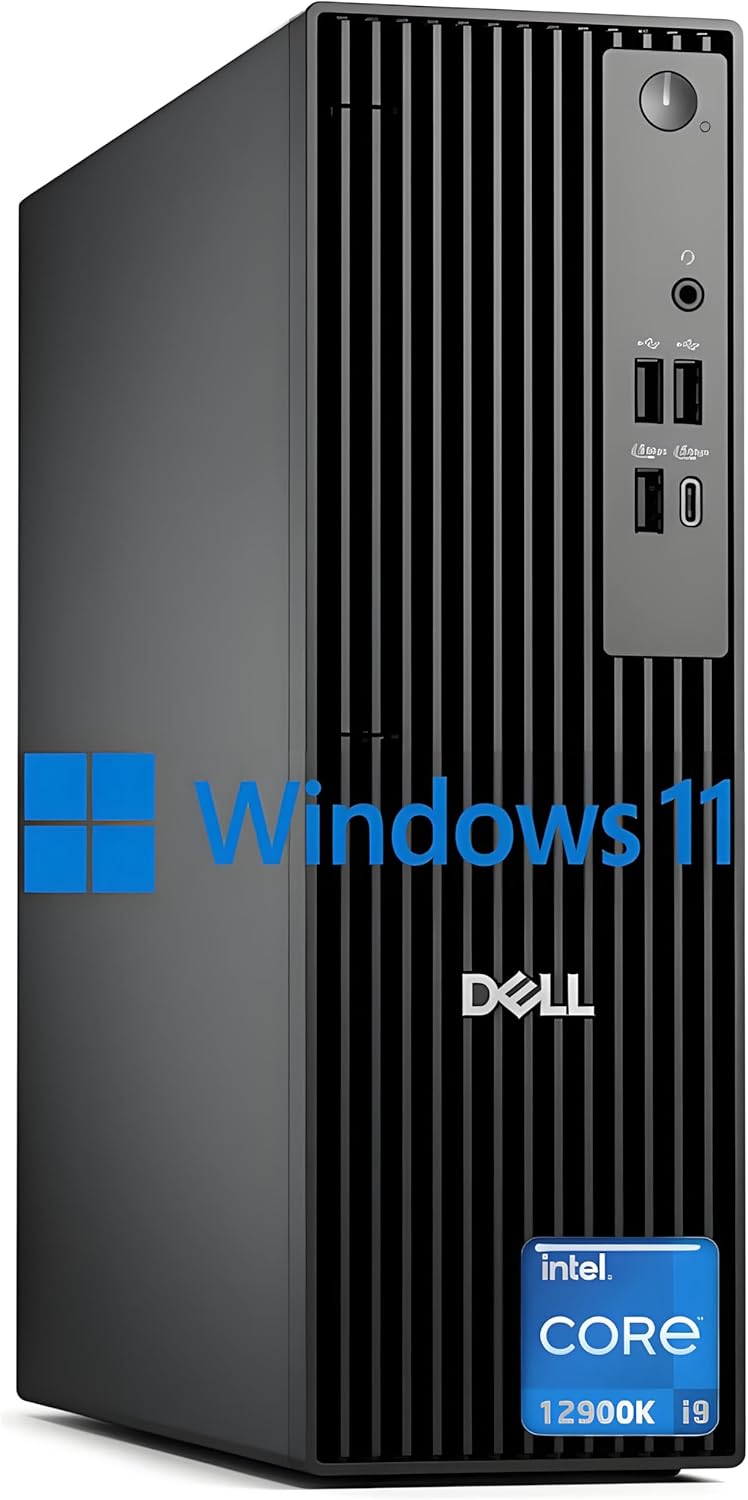
Dell 2025 i9-12900K Business Desktop, 32GB DDR5
A compact business tower built around Intel's high-core-count i9-12900K processor, paired with DDR5 RAM and fast PCIe SSD storage. Designed for professionals handling demanding multitasking, video editing, or data-intensive workflows who value a slim footprint and built-in security features like TPM and cable lock slots.
Pros
- Powerful 16-core, 24-thread processor with up to 5.2 GHz boost for heavy workloads
- Extensive port selection including USB 3.0, DisplayPort, HDMI, and Ethernet for flexible connectivity
- Configurable up to 64GB DDR5 RAM and 2TB+ PCIe SSD for future-proofing
- Windows 11 Pro with hardware TPM security chip and physical lock provisions for business environments
- Compact slim form factor (11.95" width) fits tight desk setups without sacrificing performance
- Includes keyboard and mouse, reducing additional purchase costs
Cons
- No integrated webcam, requiring separate purchase for video conferencing
- Integrated graphics only; no discrete GPU limits video rendering and gaming capability
- 180W power supply may constrain future GPU upgrades if workload expands
- No Wi-Fi 6 or Bluetooth listed in core specs despite marketing mention, relying on wired Ethernet

HP OmniDesk Core Ultra 7 265 Desktop with Docking Station
A mid-range desktop built around Intel's Core Ultra 7 265 processor, designed for productivity and light creative work. The 16GB DDR5 RAM and 1TB SSD handle multitasking smoothly, while the included docking station adds practical connectivity. Dark wood finish appeals to professionals seeking a desktop that blends into a home office aesthetic rather than dominating it.
Pros
- Intel Core Ultra 7 265 delivers efficient performance for multitasking and productivity workflows
- 16GB DDR5 RAM and 1TB SSD provide adequate speed and storage for most professional use cases
- Docking station included, reducing the need for separate peripherals and cable management
- Windows 11 Pro pre-installed with security and business-focused features
- Dark wood design integrates well into home office and professional environments
Cons
- No specifications array provided limits detailed assessment of expandability, cooling, or exact component quality
- Zero verified buyer reviews makes real-world reliability and long-term performance difficult to evaluate
- Storage capacity (1TB) may require external drives for users working with large media files or datasets

Dell Pro Tower i5-14500 vPro 16GB DDR5
A compact business desktop built around Intel's 14th-gen i5-14500 vPro, delivering solid multi-core performance for professional workflows without breaking office space constraints. The 16GB DDR5 and 512GB SSD handle productivity tasks smoothly, while dual 4K monitor support via HDMI and DisplayPort makes it appealing for data-heavy roles like financial analysis or project management.
Pros
- 14-core i5-14500 vPro with hardware-based security and remote manageability suited for enterprise IT environments
- 16GB DDR5 RAM and 512GB PCIe SSD enable fast multitasking and near-instant application loading
- Dual 4K display capability (HDMI 2.1 and DisplayPort 1.4a) at 60Hz for extended workspace setups
- Windows 11 Pro with BitLocker encryption and vPro integration for data protection
- Compact 11.5-inch chassis fits standard office desks without sacrificing performance
Cons
- No integrated wireless LAN card, requiring wired Ethernet connection only
- 180W power supply limits future GPU or storage expansion options
- Intel UHD 770 graphics insufficient for demanding creative work or gaming beyond light use

HP OmniDesk Ryzen 7 8700G Desktop PC
This compact desktop pairs a capable Ryzen 7 8700G processor with 32GB DDR5 memory and integrated Radeon 780M graphics, making it well-suited for everyday productivity, light content creation, and casual gaming. The eco-conscious design uses recycled materials and earns ENERGY STAR certification, while the included keyboard and mouse bundle adds practical value. Best for users prioritizing a balance of performance, sustainability, and a space-saving form factor.
Pros
- Strong CPU and integrated GPU combo handles multitasking, office work, and light gaming without a dedicated graphics card
- 32GB DDR5 memory supports smooth multitasking and future-proofs for demanding applications
- Compact footprint (12.4" x 6.1" x 13.27") fits easily on desks without sacrificing performance
- EPEAT Gold and ENERGY STAR certified with recycled materials for environmentally conscious buyers
- Includes wireless keyboard and mouse, reducing additional purchase costs
Cons
- Integrated Radeon 780M graphics limits performance for serious gaming or professional GPU-intensive work like 3D rendering
- No dedicated storage expansion details provided, and upgrading storage may require technical knowledge
- Mid-range processor means it won't compete with higher-end Ryzen or Intel chips for demanding workloads

ASUS V500 Tower with Intel i7-13620H & 32GB DDR5
A business-focused desktop pairing a 10-core Intel i7-13620H with 32GB DDR5 RAM and 1TB SSD for smooth multitasking and productivity workflows. Multi-display support via HDMI and DisplayPort makes it suitable for office setups, while Windows 11 Pro adds enterprise-grade security and management features. Includes a wired keyboard, mouse, and 64GB USB drive.
Pros
- Strong multi-core CPU performance (10 cores, 16 threads) handles demanding applications and heavy multitasking
- 32GB DDR5 RAM and 1TB SSD provide responsive system performance and adequate storage for business use
- Dual video outputs (HDMI 1.4 and DisplayPort 1.4) support multi-monitor workstation setups
- Windows 11 Pro includes advanced security, BitLocker encryption, and remote desktop capabilities
- Includes keyboard, mouse, and 64GB USB drive in the bundle
Cons
- Upgraded components carry only 1-year warranty from PCOnline US, not original manufacturer coverage
- Integrated Intel UHD graphics limits gaming and GPU-intensive creative work; no discrete graphics option mentioned
- USB 2.0 ports on rear (4x) are slower than modern standards, though front ports offer USB 3.2 speeds

Dell Pro Tower Plus with Core Ultra 5 235
A compact business desktop built for multitasking and multi-monitor setups. The Core Ultra 5 235 processor with 14 cores, 32GB DDR5 RAM, and 1TB SSD handle office workflows and development work smoothly. Wired-only connectivity and no Wi-Fi limit flexibility for mobile or shared spaces.
Pros
- 14-core Intel Core Ultra 5 processor with 13 TOPS NPU for responsive multitasking and productivity tasks
- 32GB DDR5 memory and 1TB SSD provide fast boot times and smooth performance for business applications
- Supports up to 4 displays at 4K via three DisplayPort 1.4a connections, ideal for multi-monitor productivity setups
- Comprehensive port selection with USB 3.2 Gen 2 Type-C, multiple USB 3.2 Gen 1, and Gigabit Ethernet
- Windows 11 Pro, discrete TPM, and chassis intrusion switch offer enterprise-grade security for professional workstations
Cons
- No Wi-Fi or Bluetooth connectivity, requiring wired Ethernet only for network access
- 260W Bronze PSU may limit future upgrades to power-hungry graphics cards or storage expansion
- Integrated graphics suitable for office work but not designed for gaming or GPU-intensive applications

Dell Slim Desktop, Core Ultra 5-225, 16GB DDR5
A compact desktop that prioritizes workspace efficiency without sacrificing performance. Built on Intel Core Ultra 5-225 with 16GB DDR5 memory and 512GB SSD, it handles productivity tasks and light creative work while fitting snugly into small offices or home setups. The tool-less upgradability and multi-monitor support make it practical for professionals who need flexibility.
Pros
- Compact form factor ideal for space-constrained environments
- Tool-less side panel and removable components simplify upgrades and maintenance
- Supports up to four FHD or two 4K monitors via DisplayPort 1.4a and HDMI 2.1
- 8 USB ports (including front-facing options) plus SD card reader for seamless connectivity
- Hardware TPM chip and physical security features (Kensington lock slot, padlock loop) for business use
- Built-in AI capabilities via Intel Core Ultra processor
Cons
- 512GB SSD may require expansion for users with large media libraries or demanding workflows
- Single 16GB DDR5 module limits upgrade path compared to dual-channel configurations
- 1Gbps Ethernet limits throughput for intensive network tasks; no Wi-Fi 6 explicitly confirmed in connectivity specs despite title mention

HP ProDesk 400 G7 SFF Desktop, 16GB RAM, 1.5TB Storage
A compact business desktop built for everyday office work, email, and web browsing. The Intel Celeron G5905 processor paired with 16GB RAM and dual storage (1TB HDD + 512GB SSD) handles routine productivity tasks smoothly. Its small footprint and included peripherals make it practical for tight workspaces, though it's positioned for light-duty tasks rather than demanding applications.
Pros
- Compact SFF design saves desk space while maintaining connectivity options
- Dual storage setup combines fast SSD boot-up with larger HDD capacity
- Windows 11 Pro with TPM 2.0 and HP Wolf Security for business-grade protection
- Extensive port selection including USB 3.0, DisplayPort, HDMI, and Ethernet
- Includes wired keyboard and mouse, reducing setup costs
Cons
- Intel Celeron G5905 is entry-level; not suitable for multitasking-heavy workflows or creative applications
- No USB Type-C support despite modern positioning
- Single 5-star review limits verified user feedback on real-world reliability
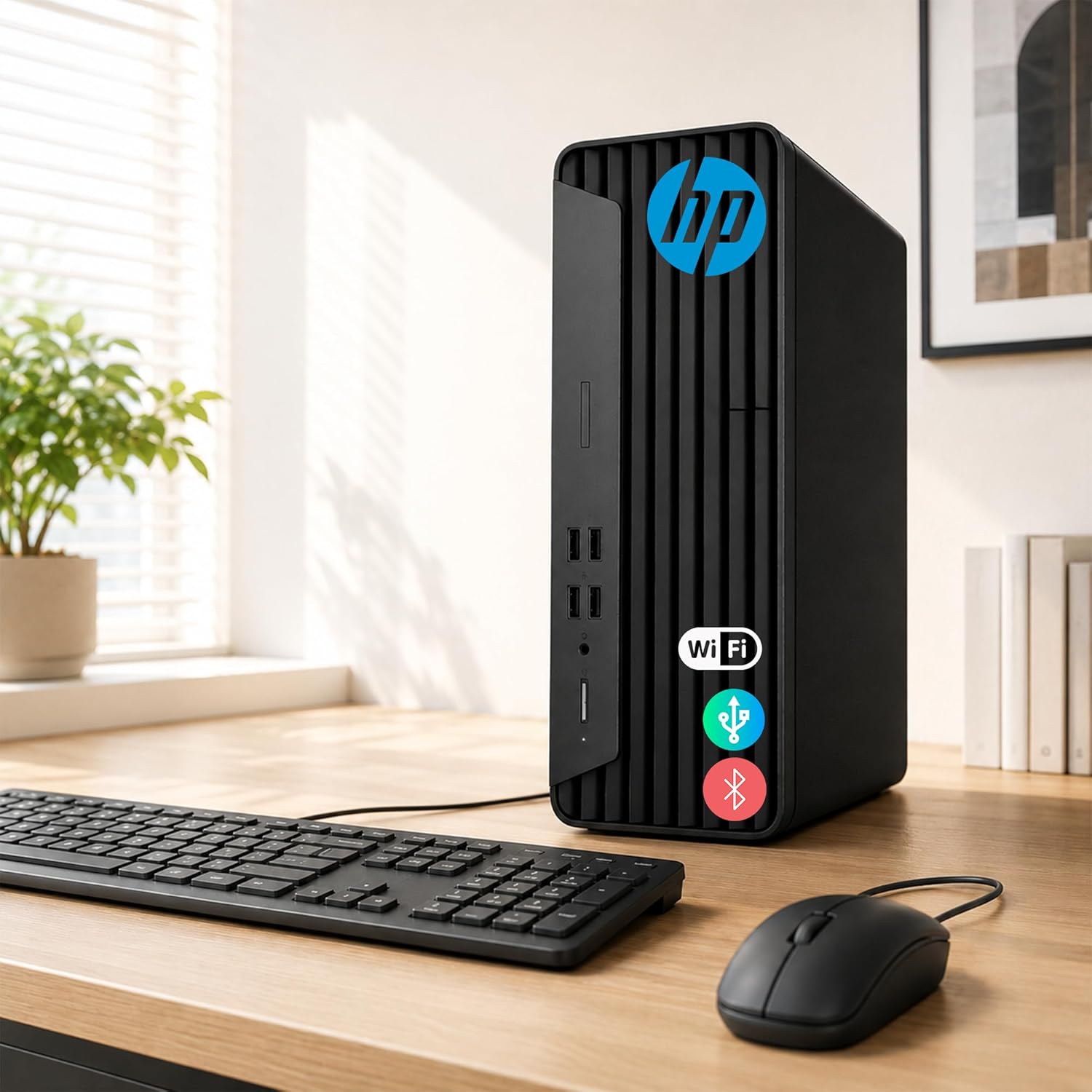
HP ProDesk G7 SFF Desktop, Intel Celeron, 16GB RAM
A compact business desktop built for everyday productivity, with Windows 11 Pro, upgradeable memory up to 64GB, and solid port selection including DisplayPort and HDMI for dual 4K displays. Its small form factor and enterprise-grade build make it practical for office work and home use, though the entry-level Intel Celeron processor limits performance for demanding tasks.
Pros
- Highly upgradeable: supports up to 64GB DDR4 RAM and 2TB PCIe SSD for future-proofing
- Compact design at 11.9 x 10.6 x 3.7 inches, weighing under 9 lbs, ideal for space-constrained environments
- Dual 4K display support via HDMI and DisplayPort for flexible multi-monitor setups
- Rich port connectivity: multiple USB 3.2 and 2.0 ports, RJ-45, headphone/microphone combo, and audio-out
- Windows 11 Pro with integrated Wi-Fi and Bluetooth for business and personal productivity
Cons
- Intel Celeron G5905 is entry-level; adequate for office tasks but insufficient for video editing, 3D work, or gaming
- No dedicated graphics; relies on Intel UHD Graphics 730 integrated solution
- Includes wired keyboard and mouse only; no wireless peripherals despite having Bluetooth capability

Dell 24 All-in-One FHD with Intel Core 3 100U
This 24-inch all-in-one combines a vibrant FHD IPS display with practical everyday performance, making it well-suited for home offices and light productivity work. The narrow-border design and blue-light reduction features prioritize eye comfort during extended use, while the integrated 5MP camera and Dolby Atmos speakers handle video calls and media smoothly. It's a space-conscious choice that doesn't demand much from your desktop real estate.
Pros
- 99% sRGB color accuracy and 50% higher contrast for sharp, true-to-life visuals on FHD IPS panel
- Thoughtful eye-comfort features: ComfortView Plus blue-light reduction and flicker-free display for long work sessions
- Versatile connectivity with WiFi 6E, five USB ports, HDMI-in/out, and SD card reader for flexible peripheral support
- Dual 5W speakers with Dolby Atmos spatial audio deliver clear, immersive sound for video calls and media
- Compact footprint with innovative stand design that includes keyboard parking space to minimize clutter
Cons
- Intel Core 3 100U and 8GB DDR5 RAM limit multitasking and demanding software performance compared to higher-tier processors
- 512GB SSD storage may feel tight for users with large media libraries or multiple applications
- FHD resolution on a 24-inch screen means less screen real estate than higher-resolution alternatives at similar sizes
Desktop Computers Buying Guide
Picking the right desktop comes down to matching the machine’s strengths to your actual workflow, not just chasing the highest spec sheet.
The guide below walks through the six factors that matter most, drawing on the same criteria our research team used to score every pick in our list.
If you are also evaluating laptops or all-in-one PCs as alternatives, those category pages can help you compare form factors side by side.
Processor Generation and Core Count

The CPU is the single biggest determinant of day-to-day speed and future-proofing. In 2026, Intel’s 12th- through 14th-generation Core processors and AMD’s Ryzen 7000 and 8000 series represent the mainstream sweet spot.
For general home and office use, a 10-core or 12-core processor handles multitasking, video calls, and light content creation without breaking a sweat.
For professional workloads such as video rendering, data analysis, or large spreadsheets, stepping up to a 20-core-plus chip pays dividends.
Pay attention to the processor variant suffix. Intel’s “H” mobile chips (found in some compact tower designs) trade a little peak throughput for lower heat output, which is a sensible trade-off in a small chassis.
Desktop-class “K” and “F” chips deliver higher sustained performance when thermal headroom is not a constraint. AMD’s integrated Radeon graphics on the Ryzen 8000G series are worth considering if you want capable light-gaming performance without a discrete GPU.
If you plan to pair your desktop with a capable gaming-oriented build later, confirm the motherboard has an available PCIe slot for a discrete graphics card. Upgradeability here is a real differentiator between standard towers and sealed slim-form-factor designs.
RAM Capacity and Memory Type

DDR5 RAM is now the standard on any machine built around 12th-generation Intel or later AMD Ryzen 7000/8000 platforms. The practical benefit is higher memory bandwidth, which matters for tasks like image editing, browser-heavy multitasking, and running virtual machines.
For everyday use, 16 GB is the sensible floor; 32 GB is worth the modest premium if you keep dozens of browser tabs open or work with large files regularly.
Always verify how many DIMM slots the system has and whether any are occupied.
A machine shipping with one 16 GB stick is cheaper to expand later than one that ships with two 8 GB sticks in a dual-channel configuration that requires replacing both.
Our dedicated page on DDR5 RAM kits can help if you plan to upgrade after purchase.
Storage Configuration
NVMe PCIe SSDs have become the baseline expectation for any desktop released in the last two years, and for good reason: boot times, application launches, and file transfers are dramatically faster than traditional spinning hard drives.
Look for at least 512 GB of NVMe storage for a primary drive. If the machine also ships with a mechanical HDD, treat that as bulk archive space rather than the drive where your OS and apps live.
For creative professionals and anyone who works with video or large datasets, 1 TB of fast NVMe storage is a more comfortable starting point.
Confirm whether the chassis has a spare M.2 slot or 2.5-inch bay, because adding storage internally is almost always cheaper than relying on external drives long term.
Form Factor and Physical Footprint

Desktop computers in 2026 come in three practical shapes: standard towers, small-form-factor (SFF) towers, and all-in-ones.
Standard towers offer the most upgrade room and typically support full-size GPU installations, making them the default choice for anyone who might want to add discrete graphics or additional storage down the line.
SFF machines trade that headroom for a smaller footprint, which works well for tidy desk setups and corporate environments where space is at a premium.
All-in-one designs fold the entire computer behind the display, eliminating most cable clutter at the cost of repairability and upgrade flexibility. They suit reception desks, kitchen counters, and shared family computers well.
If portability or a hybrid work setup is a priority, it may also be worth comparing options from our work laptop picks or 2-in-1 laptop roundup before committing to a fixed desktop.
Display Output and Connectivity

Dual 4K monitor support is increasingly common even on mid-range towers, typically via a combination of DisplayPort and HDMI outputs.
Check the specific port configuration before purchasing, particularly if you run a multi-monitor setup for trading, content creation, or software development. Not all integrated graphics solutions drive two 4K displays simultaneously at 60 Hz without compromise.
USB-C and Thunderbolt ports are becoming more common on business-class towers. A front-panel USB-C port is genuinely convenient for docking high-speed peripherals and modern storage drives without reaching around to the back of the machine.
Wi-Fi 6 or Wi-Fi 6E built in is worth having for flexibility, even if you plan to run an Ethernet cable most of the time.
For display setups, pairing your new machine with one of our recommended OLED screens can deliver a significant visual upgrade for both work and entertainment.
Business vs. Consumer Platforms and Long-Term Support

Business-class platforms, typically Dell’s OptiPlex and Vostro lines or HP’s ProDesk and EliteDesk family, offer several advantages over consumer equivalents: longer manufacturing lifecycles, ISV-certified drivers, Intel vPro support for remote management, and generally stronger firmware update cadences.
If you are deploying multiple machines or need dependable driver stability for specialised software, these platforms reduce long-term IT overhead.
Consumer desktops from the same brands trade some of that enterprise infrastructure for more aggressive pricing and occasionally better out-of-the-box multimedia features.
For a home user or small-business owner who does not need fleet management tools, the consumer tier often represents better value per dollar.
Windows 11 Pro (as opposed to Home) is worth the premium for anyone who needs BitLocker encryption, Remote Desktop hosting, or Hyper-V virtualisation.
Finally, consider what peripherals you already own. Many desktop bundles ship with a wired keyboard and mouse. If you plan to connect a quality speaker system or a high-fidelity headset, verify the rear audio output quality.
Our coverage of bookshelf speakers and over-ear headphones can help you round out a well-equipped home office or creative station.
Why You Should Trust Us
REMOVU is an independent review platform with no manufacturer affiliations. Every product in this list was evaluated against a consistent set of criteria covering processor generation, memory configuration, storage speed, connectivity, form factor, and value relative to comparable machines.
We do not conduct our own product trials; our evaluations are grounded in research, published data, expert review consensus, and verified buyer feedback.
Each machine receives a REMOVU Score on a 0-to-10 scale, calculated from weighted sub-scores across those criteria, so you can compare picks at a glance without wading through marketing claims.
In the interest of full transparency: REMOVU may earn a commission if you purchase through a link on this page. That affiliate relationship has no influence on which products are included, how they are ranked, or the scores they receive.
Our editorial decisions are driven entirely by research quality and consumer relevance. If a product scores poorly, it does not make the list, regardless of commercial considerations.
You can explore our broader computers coverage or browse related categories such as mini PCs and gaming laptops using the links in our navigation.
Final Thoughts
The desktop market in 2026 is genuinely strong across every price tier, and each of the picks in our list earns its place for different reasons. Here are our standout awards based on REMOVU Score and overall research findings:
- Best Overall: ASUS V500 Home & Business Tower Desktop earns the top REMOVU Score in this roundup thanks to its combination of a 10-core Intel Core i7 processor, 32 GB of DDR5 RAM, 1 TB SSD, Wi-Fi 6, and DisplayPort output in a well-rounded package that serves both home and professional users equally well.
- Best Premium Business Tower: Dell ECT1250 Business Tower Desktop is the pick for organisations that need a dependable OptiPlex-class platform with Intel Core i9 performance, 30 MB Smart Cache, and dual 4K monitor support. Its REMOVU Score reflects strong expert consensus on build quality and long-term reliability.
- Best for AI-Ready Productivity: HP OmniDesk Desktop with Intel Core Ultra 7 265 stands out for integrating Intel’s latest neural processing architecture into a sleek, wood-accented chassis with a dockstation included, making it a forward-looking choice for professionals who anticipate AI-accelerated workloads.
- Best for Business on a Mid-Range Budget: Dell Pro Tower Business Desktop with Core i5-14500 vPro delivers 14-core vPro-certified performance with DDR5 memory and PCIe SSD storage at a price point that makes it practical for small business fleets without sacrificing enterprise-grade manageability.
- Best Budget Pick: HP ProDesk 400 SFF Business Desktop offers dual 4K display support, 16 GB of RAM, a hybrid SSD plus HDD storage configuration, and a compact footprint at a highly accessible price, making it the sensible starting point for budget-conscious home or office buyers.
Whichever model you choose, pairing it with a quality monitor, a comfortable keyboard, and the right audio setup will make the biggest difference to your daily experience.
Our guides to student-friendly computing options and college laptop picks are worth a read if this desktop is for someone heading into higher education and portability may become a priority later.
Frequently Asked Questions
How much RAM do I actually need in a desktop computer?
For most home and office users, 16 GB of DDR5 RAM is the practical minimum in 2026, comfortably handling web browsing, office applications, video calls, and light photo editing simultaneously.
If you regularly work with large spreadsheets, run virtual machines, or edit high-resolution video, 32 GB is the smarter long-term investment. Power users doing 3D rendering or professional video production should look at 64 GB configurations.
Check whether the system ships with RAM in a dual-channel configuration (two sticks) rather than a single stick, as dual-channel delivers noticeably better memory bandwidth for graphics-intensive tasks, including integrated GPU workloads.
Is a tower desktop or an all-in-one better for home use?
Towers offer greater upgradeability, stronger sustained performance from full-wattage desktop processors, and more port options at equivalent price points. All-in-ones win on desk tidiness and are ideal for shared spaces where cable management matters.
For most home users who want the machine to last five or more years without major maintenance, a tower is the more future-proof choice because you can swap out RAM, add storage, or install a discrete GPU as needs evolve.
All-in-one designs make most sense when desk space is genuinely constrained or when the machine will be used primarily for browsing, streaming, and light productivity. Our all-in-one PC category has dedicated picks if that form factor fits your situation better.
Do I need a discrete GPU in a desktop computer for everyday tasks?
No. Modern integrated graphics from Intel (UHD 770 and Intel Arc integrated solutions) and AMD (Radeon 780M on the Ryzen 8000G series) handle 4K video playback, light photo editing, and even some older games without issue.
A discrete GPU becomes necessary for 3D gaming at high frame rates, GPU-accelerated video encoding in DaVinci Resolve or Adobe Premiere, machine learning workloads, and CAD rendering.
If you think you might want dedicated graphics later, prioritise a tower with a spare PCIe x16 slot and an adequate power supply. Sealed slim-form-factor desktops and all-in-ones generally cannot accept a discrete GPU after purchase.
What is the difference between Windows 11 Home and Windows 11 Pro on a desktop?
Windows 11 Pro adds BitLocker drive encryption, the ability to join a corporate Active Directory domain, Remote Desktop hosting (so you can access your machine remotely), Hyper-V virtualisation for running virtual machines, and Windows Sandbox for safely running untrusted software.
For a home user doing general computing, Windows 11 Home covers all the essentials. For a small business, a remote worker who needs to access the machine from another location, or anyone handling sensitive data, Pro is worth the premium.
How long should a desktop computer last before needing replacement?
A well-specified desktop from a reputable brand, properly maintained, should serve most users for five to eight years for general productivity use.
Business-class platforms from Dell and HP are designed with longer support lifecycles, and driver and firmware updates tend to be available for a longer window than consumer equivalents.
The primary bottleneck over time is usually RAM capacity and storage space rather than the processor itself, so choosing a machine with expandable memory slots extends that useful life considerably.
For households or businesses that also use shared computing devices, it is worth exploring Chromebooks as a lower-maintenance companion device for lighter tasks, freeing the main desktop for more demanding work.
About the author
Enrique writes about projectors for REMOVU, weighing brightness, resolution, and throw distance for home and portable use. He helps readers get a true big-screen experience that no TV matches.