The 12 Best Desktop Computers for Students
Picking a desktop for college means balancing power, desk space, and budget. This guide covers the strongest tower and all-in-one options for students in 2026.
 By Jim Harvey
Updated July 26, 2026
By Jim Harvey
Updated July 26, 2026

Choosing the right desktop computer as a student is more consequential than it might seem.
A well-matched machine can handle everything from writing papers and video calls to running simulation software, creative suites, and even light gaming, without slowing you down at the worst possible moment.
Unlike laptops, desktops deliver significantly more computing power per dollar, and options like all-in-one PCs keep desk clutter minimal in a small dorm room.
With popular configurations from Dell, HP, Lenovo, and Acer all competing in this space, the range of specs and price points can feel overwhelming.
This guide cuts through the noise. REMOVU’s editorial team evaluated each model using a rigorous research process that draws on verified buyer feedback, manufacturer specifications, and expert review consensus from across the industry.
Whether you need a budget-friendly tower to power through coursework or a capable all-in-one that doubles as an entertainment hub, the picks below represent the strongest options across every major student use case. Read on for our top-ranked selections.

Dell 24 All-in-One FHD with Intel Core 3 100U
This 24-inch all-in-one combines a vibrant FHD IPS display with practical everyday performance, making it well-suited for home offices and light productivity work. The narrow-border design and blue-light reduction features prioritize eye comfort during extended use, while the integrated 5MP camera and Dolby Atmos speakers handle video calls and media smoothly. It's a space-conscious choice that doesn't demand much from your desktop real estate.
Pros
- 99% sRGB color accuracy and 50% higher contrast for sharp, true-to-life visuals on FHD IPS panel
- Thoughtful eye-comfort features: ComfortView Plus blue-light reduction and flicker-free display for long work sessions
- Versatile connectivity with WiFi 6E, five USB ports, HDMI-in/out, and SD card reader for flexible peripheral support
- Dual 5W speakers with Dolby Atmos spatial audio deliver clear, immersive sound for video calls and media
- Compact footprint with innovative stand design that includes keyboard parking space to minimize clutter
Cons
- Intel Core 3 100U and 8GB DDR5 RAM limit multitasking and demanding software performance compared to higher-tier processors
- 512GB SSD storage may feel tight for users with large media libraries or multiple applications
- FHD resolution on a 24-inch screen means less screen real estate than higher-resolution alternatives at similar sizes

HP OmniDesk Core Ultra 7 265 Desktop with Docking Station
A mid-range desktop built around Intel's Core Ultra 7 265 processor, designed for productivity and light creative work. The 16GB DDR5 RAM and 1TB SSD handle multitasking smoothly, while the included docking station adds practical connectivity. Dark wood finish appeals to professionals seeking a desktop that blends into a home office aesthetic rather than dominating it.
Pros
- Intel Core Ultra 7 265 delivers efficient performance for multitasking and productivity workflows
- 16GB DDR5 RAM and 1TB SSD provide adequate speed and storage for most professional use cases
- Docking station included, reducing the need for separate peripherals and cable management
- Windows 11 Pro pre-installed with security and business-focused features
- Dark wood design integrates well into home office and professional environments
Cons
- No specifications array provided limits detailed assessment of expandability, cooling, or exact component quality
- Zero verified buyer reviews makes real-world reliability and long-term performance difficult to evaluate
- Storage capacity (1TB) may require external drives for users working with large media files or datasets

Lenovo IdeaCentre Tower with Intel Core Ultra 5 225
A compact desktop tower built around Intel's 10-core Ultra 5 225 processor, paired with 16GB DDR5 RAM and 512GB SSD storage. It handles everyday productivity, office work, and light multitasking without breaking a sweat, and ships with Windows 11, keyboard, and mouse included. Best suited for home office users and students who need reliable performance at a reasonable price point.
Pros
- Intel Core Ultra 5 225 delivers solid performance for office tasks, web browsing, and multitasking with 10 cores and up to 4.9GHz turbo frequency
- DDR5 RAM and NVMe SSD support scalability up to 64GB and 4TB respectively, future-proofing your investment
- Wi-Fi 6E and Bluetooth 5.1 provide fast wireless connectivity; dual HDMI and VGA ports enable multi-monitor setup
- Includes wired keyboard and mouse plus Windows 11 Home, reducing immediate accessory purchases
- Compact tower form factor (6.7 x 10.98 x 14.8 inches) fits tight desk spaces
Cons
- Stock configuration offers only 16GB RAM and 512GB storage, which may feel limiting for power users without upgrading
- Intel integrated graphics suitable for productivity only; not designed for gaming or GPU-intensive creative work
- Wired keyboard and mouse included are basic peripherals; no wireless convenience out of the box
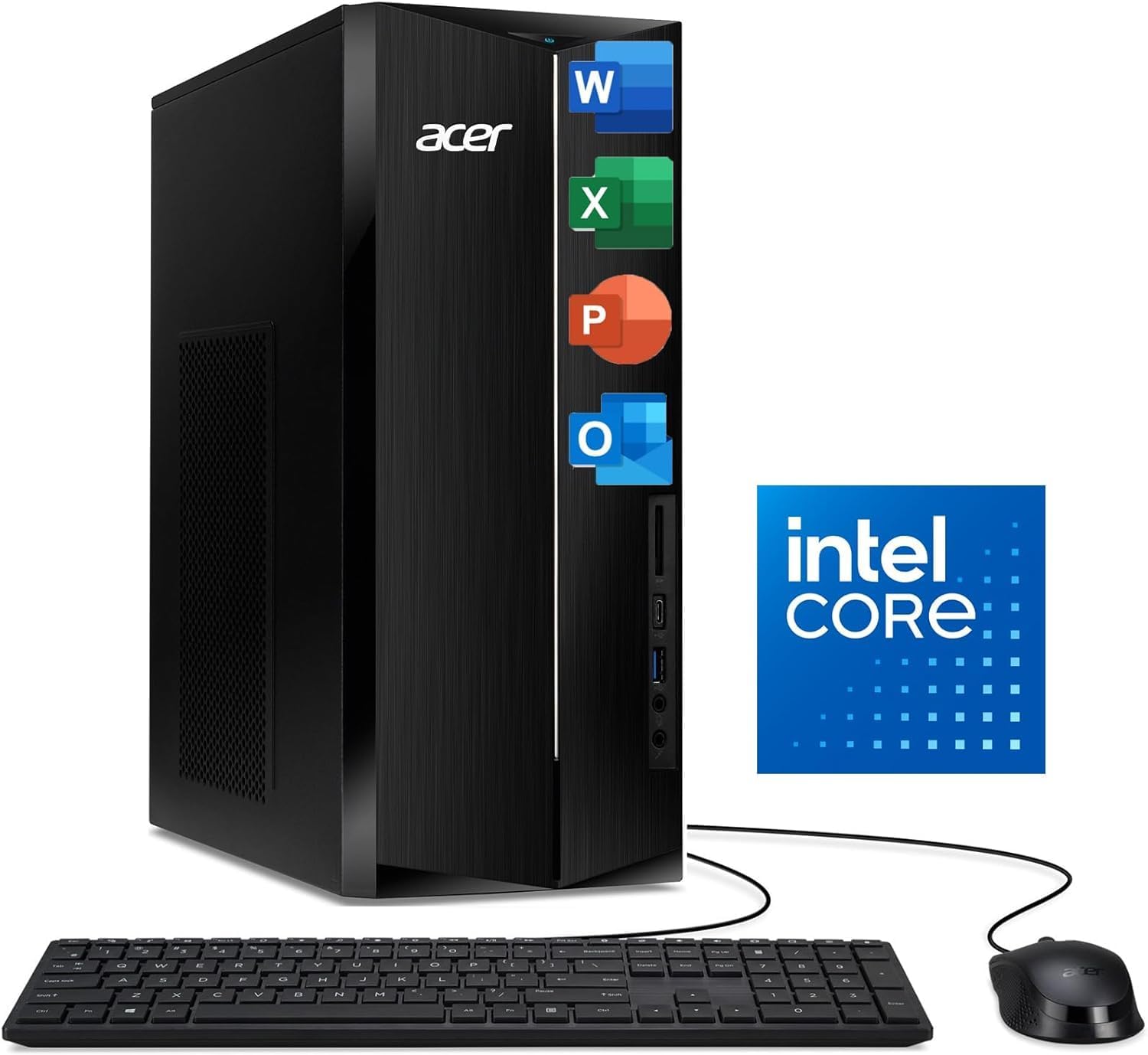
Acer Aspire Tower i5-14400 with DDR5 and Wi-Fi 6E
A capable desktop for home office and student work, built on Intel's 14th-gen Core i5 with 16GB DDR5 memory and dual storage (512GB SSD plus 1TB HDD). Modern connectivity via Wi-Fi 6E and Bluetooth 5.3 keeps you linked to peripherals and networks, while the included keyboard and mouse let you start immediately after unboxing.
Pros
- 10-core Intel Core i5-14400 handles multitasking and everyday applications smoothly
- Fast DDR5 memory and PCIe Gen 4 SSD combination delivers quick boot and app launch times
- Hybrid storage setup (512GB SSD + 1TB HDD) balances speed and capacity for files and media
- Wi-Fi 6E and Bluetooth 5.3 provide modern wireless connectivity for devices and networks
- Complete bundle includes Windows 11, keyboard, and mouse, ready to use out of the box
- Dual HDMI outputs and multiple USB ports (including Type-C) cover most peripheral needs
Cons
- Integrated Intel UHD Graphics 730 limits gaming and GPU-intensive creative work to lighter titles
- 300W power supply is modest and leaves little headroom for future upgrades or add-on cards
- Only one review available, so long-term reliability and real-world user experience remain unclear

Dell Optiplex 3060 i5-8500 Desktop (Renewed)
A refurbished business-class desktop built for productivity and multitasking. The Intel i5-8500 processor pairs with 32GB RAM and 1TB SSD to handle everyday office work, streaming, and light creative tasks smoothly. Best suited for users seeking reliable performance on a budget, backed by Microsoft-authorized refurbishment and professional renewal processes.
Pros
- Strong multitasking performance with 6-core i5-8500 and 32GB DDR4 RAM for office and creative workflows
- Generous 1TB SSD storage eliminates slow boot times and file loading delays
- Built-in WiFi and Bluetooth reduce cable clutter and simplify connectivity
- Windows 11 Professional preinstalled with fresh system validation and stress-evaluation by certified refurbisher
- RGB side panel lighting adds customization appeal with 13 selectable modes
Cons
- Renewed/refurbished unit rather than new hardware, which may show cosmetic wear despite professional restoration
- Intel i5-8500 is a 2018-generation processor, limiting future software compatibility and performance ceiling compared to current-gen chips
- Desktop form factor requires dedicated desk space and separate peripherals (monitor, keyboard, mouse not included)
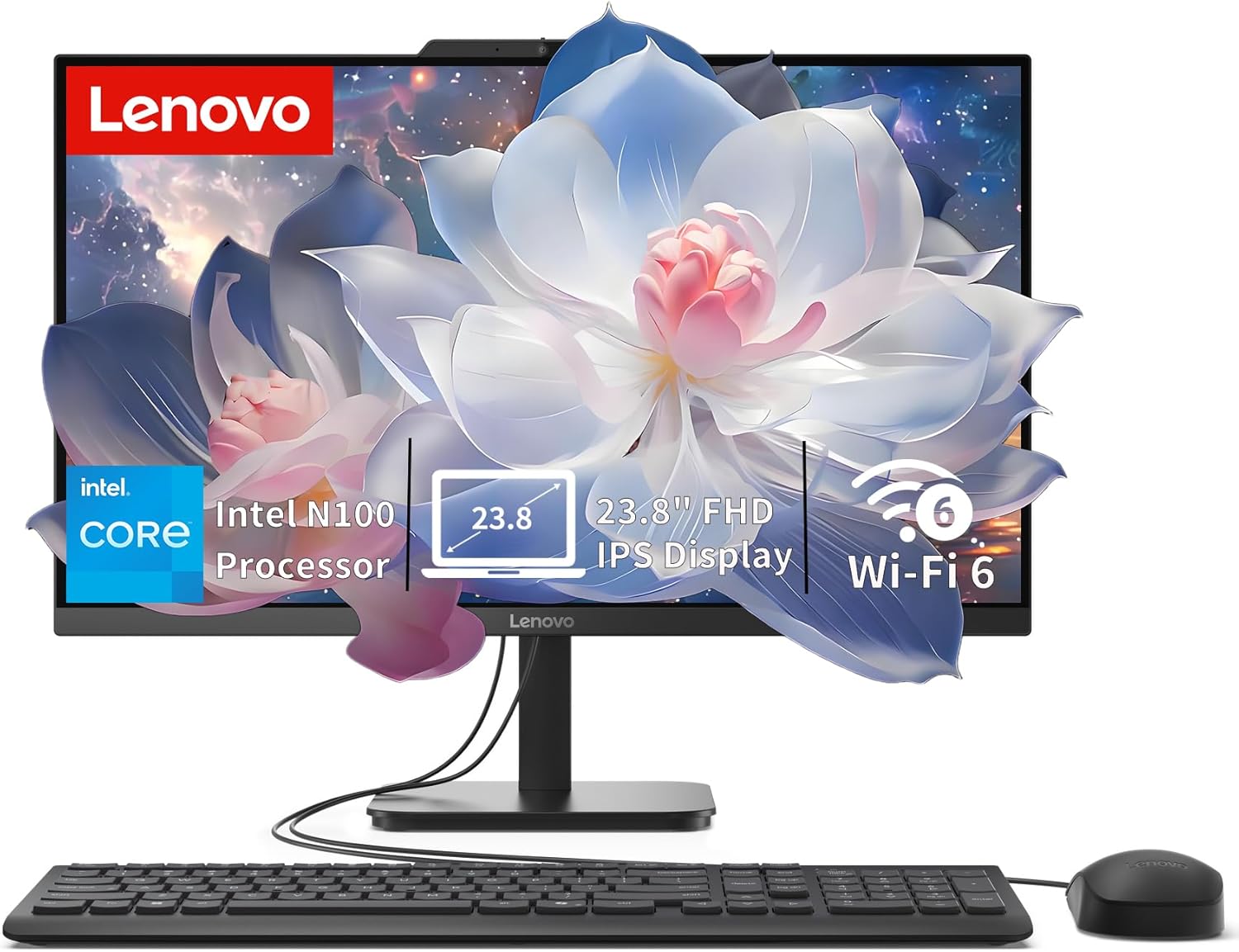
Lenovo IdeaCentre 24" All-in-One with Intel N100
A compact all-in-one desktop built for everyday productivity, home office, and student work. The 24-inch FHD display with anti-glare coating and the space-saving design make it practical for desk setups where room is tight. Intel N100 processor and 8GB RAM handle routine tasks smoothly, though it's not aimed at demanding creative work or gaming.
Pros
- Slim, space-saving all-in-one form factor fits easily on desks and in small offices
- 23.8-inch FHD IPS anti-glare display with 99% sRGB and 250 nits brightness is sharp and comfortable for extended use
- Fast 512GB PCIe SSD ensures quick boot times and responsive app launches
- Modern connectivity with Wi-Fi 6, Bluetooth 5.2, and multiple USB ports including 10Gbps USB 3.2
- Upgradeable to 32GB RAM and expandable storage via M.2 slot for future-proofing
Cons
- Intel N100 processor is entry-level, limiting performance for multitasking with heavy applications or video editing
- Integrated graphics are adequate for everyday tasks but not suitable for gaming or 3D work
- No touchscreen, optical drive, or card reader included

HP Desktop Tower with Intel i5-12500 & 512GB SSD
A straightforward desktop built for remote work, small business, and student use. The 6-core Intel i5-12500 handles multitasking smoothly across video calls, documents, and browser tabs, while 8GB RAM and 512GB SSD storage keep things responsive. Comes fully equipped with keyboard, mouse, WiFi, and Windows 11 Home, making it ready to use out of the box.
Pros
- Capable 6-core processor and 8GB RAM handle multitasking without lag for typical office and academic workloads
- Fast 512GB NVMe SSD provides quick boot times and file access for business documents and coursework
- Complete setup includes keyboard, mouse, WiFi, and Bluetooth, eliminating the need for extra purchases
- Windows 11 Home pre-installed with built-in security features suitable for business and remote work
- 4.4-star rating from 165 verified buyers reflects consistent reliability and value
Cons
- 8GB RAM is entry-level for heavy multitasking or memory-intensive applications; no upgrade path mentioned
- Intel UHD Graphics 770 integrated graphics limits performance for gaming or professional video editing
- No optical drive included, which matters only for users needing disc compatibility
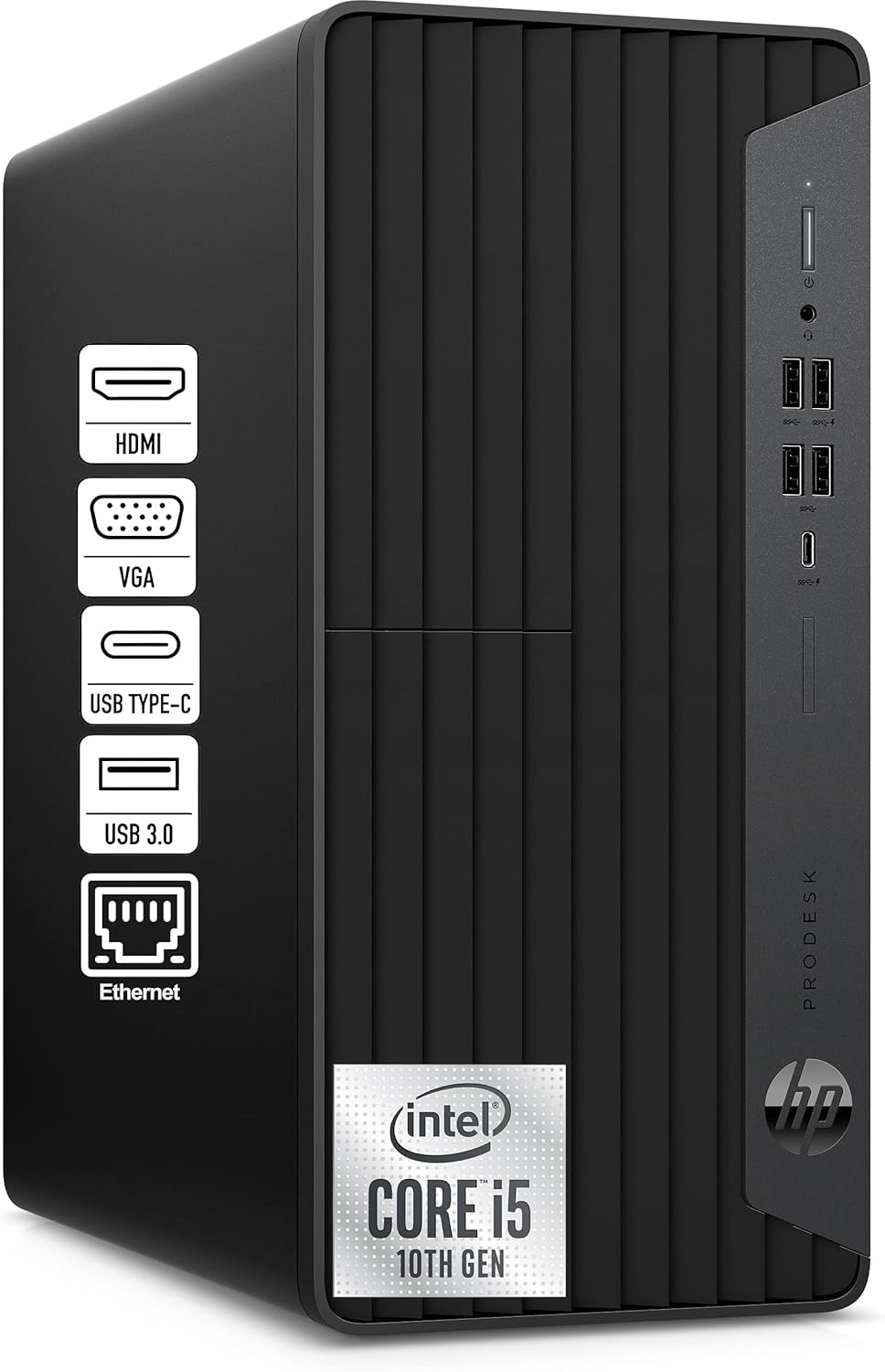
HP ProDesk 600 Microtower with i5-10400F & 16GB RAM
A straightforward family desktop built around Intel's 6-core i5-10400F and 16GB RAM, designed to handle homework, streaming, and light photo editing without fuss. Arrives with keyboard and mouse included, runs Windows 11 Pro, and keeps noise levels down for shared home spaces. Best suited for households needing reliable everyday computing rather than demanding workloads.
Pros
- Intel i5-10400F with 16GB RAM handles simultaneous multitasking across multiple users smoothly
- 512GB PCIe SSD provides fast boot times and ample storage for family files and media
- Complete out-of-box setup with Windows 11 Pro, keyboard, mouse, and WiFi adapter included
- Compact microtower design fits desks and entertainment centers without dominating space
- GeForce GT 610 graphics card supports multiple monitor connections and light gaming
Cons
- GT 610 graphics card is entry-level, limiting capability for serious gaming or video production work
- Intel i5-10400F is a previous-generation processor, not the latest architecture
- Limited upgrade path in a microtower form factor compared to standard tower cases

HP ProDesk 600 G6 SFF Business Desktop
Compact business workstation built around Intel's 10th-gen i5-10400F with 16GB RAM and 256GB SSD, designed for professionals who need reliable daily performance without taking up desk space. Dual monitor support via HDMI and DVI makes it suitable for data-heavy workflows, while Windows 11 Pro and included keyboard, mouse, and WiFi adapter provide a complete out-of-the-box setup for office or home workspace.
Pros
- Powerful 6-core processor with strong multitasking and application performance for business workloads
- Dual monitor capability with dedicated graphics enables expanded workspace for traders, analysts, and creative professionals
- Small form factor design saves significant desk space while maintaining full desktop capabilities
- Complete accessory bundle included: keyboard, mouse, WiFi adapter, and Windows 11 Pro pre-installed
- Robust connectivity with USB-C 10Gbps, multiple USB ports, Gigabit Ethernet, and audio jack for professional environments
Cons
- GeForce GT 610 is entry-level graphics with limited capability for demanding design or gaming applications
- 80W power adapter is modest for future upgrades or heavy sustained workloads
- 256GB storage may require expansion for users managing large files or media libraries
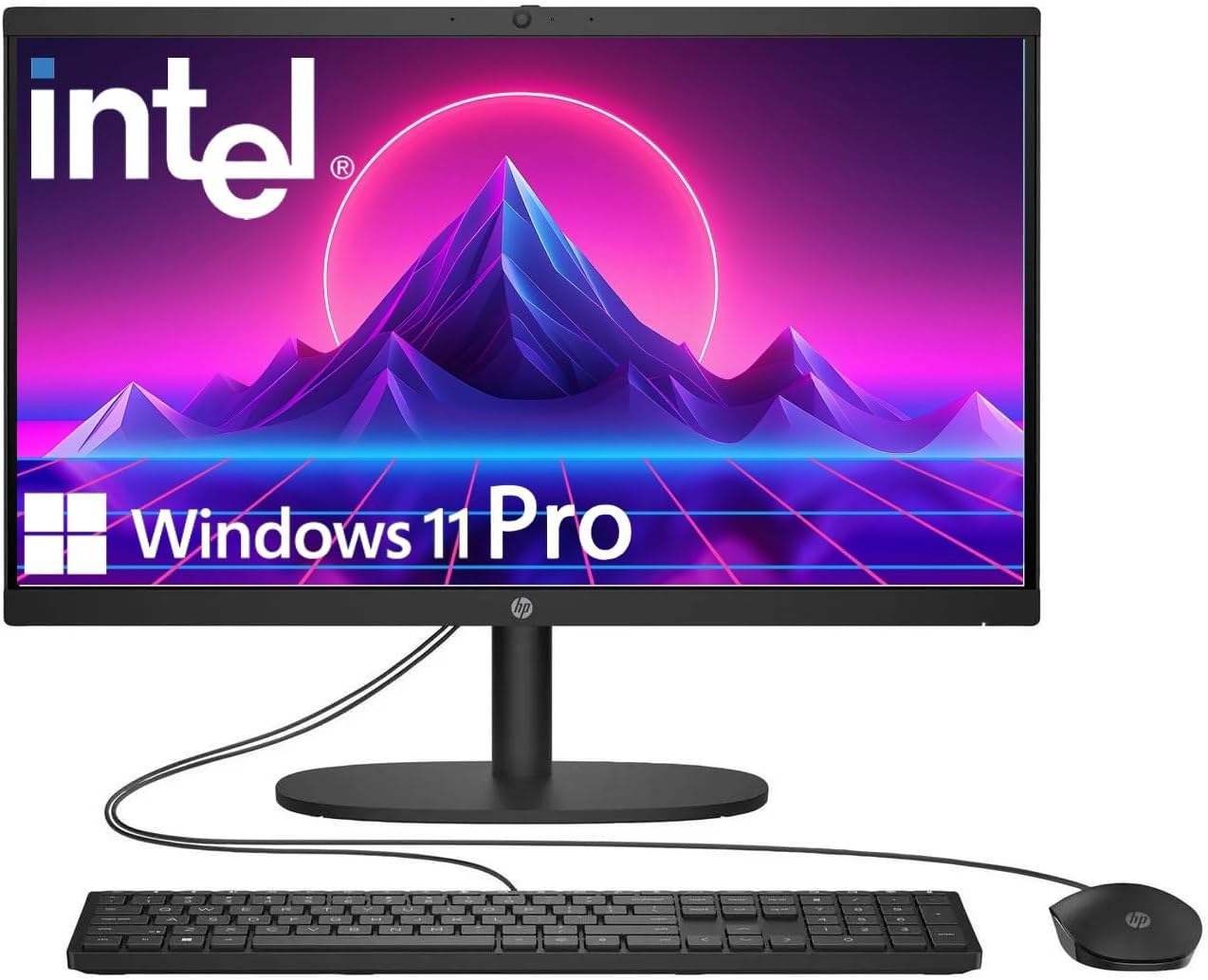
HP 22" FHD All-in-One with Intel N100
A compact all-in-one desktop built for everyday productivity, featuring a 13th Gen Intel N100 processor, 8GB DDR5 RAM, and Windows 11 Pro. The 21.5-inch Full HD display with anti-glare coating suits office work and casual browsing, while integrated WiFi 6 and multiple connectivity ports keep you linked across devices.
Pros
- Windows 11 Pro pre-installed with business-grade security and remote desktop support
- Fast DDR5 RAM and 128GB SSD for responsive multitasking and quick boot times
- Built-in HD webcam with privacy shutter and dual stereo speakers for video conferencing
- Comprehensive ports including USB Type-C, USB 3.0, Ethernet, and HDMI for flexible connectivity
- Anti-glare Full HD display reduces eye strain during extended work sessions
Cons
- Intel N100 is an entry-level processor, limiting performance for heavy video editing or gaming
- 128GB storage may require external drives for large media libraries or software collections
- USB Type-C limited to data transfer only, not charging or video output

HP 21.5" FHD All-in-One with Intel N100
A compact all-in-one desktop built for everyday office work and light multitasking. The 21.5-inch FHD display pairs with an Intel N100 processor and 8GB RAM to handle document editing, browsing, and video calls without strain. Comes bundled with keyboard, mouse, and an 8-in-1 docking hub, making it a ready-to-use solution for home offices or small workspaces.
Pros
- Complete package with peripherals and docking station included, reducing setup friction
- Adjustable stand with tilt range (-6° to 21°) allows personalized viewing comfort
- Anti-glare VA display delivers sharp text and images for prolonged work sessions
- Multiple connectivity options: USB-C 3.1, USB-A ports, HDMI, Ethernet, Wi-Fi 6, and Bluetooth
- Windows 11 Home with front-facing 720p camera suitable for video conferencing
Cons
- Intel N100 is an entry-level processor; not designed for heavy video editing, 3D rendering, or demanding software
- 8GB RAM is adequate for basic multitasking but may feel limiting when running many applications simultaneously
- Storage expansion relies on external docking station SD card slot rather than internal upgrade paths

HP 2026 Pro Tower i3-13100 Desktop
A straightforward business desktop built around Intel's 13th-gen i3 quad-core processor, 8GB RAM, and 256GB SSD. Designed for remote work, small offices, and students who need reliable everyday computing without paying for excess power. Comes fully assembled with keyboard, mouse, and Windows 11 Home already installed.
Pros
- 13th-gen Intel Core i3-13100 with Turbo Boost to 4.5GHz handles multitasking and productivity apps smoothly
- 256GB PCIe SSD delivers fast boot times and file access compared to older hard drive systems
- Complete out-of-box setup: includes keyboard, mouse, Windows 11 Home, and 8 USB ports plus HDMI/VGA/Ethernet
- Compact tower form factor fits home offices and dorm rooms without dominating desk space
- Intel UHD Graphics 730 adequate for HD video and light graphics work
Cons
- 8GB RAM is baseline for modern multitasking; heavy workloads or many browser tabs may require upgrade
- 256GB storage fills quickly with large media files or software libraries, limiting long-term flexibility
- No discrete graphics card limits performance for gaming or professional 3D work beyond casual use
Desktop Computers for Students Buying Guide
Shopping for a desktop computer as a student involves trade-offs that are different from those an office professional or gamer would face. Space, budget, portability of peripherals, and the ability to grow with your academic workload all factor in.
The six criteria below cover what actually separates a frustrating purchase from a machine that serves you through graduation and beyond.
Form Factor: Tower vs. All-in-One

The first decision is physical. A traditional tower PC separates the computer from the display, which means you can upgrade the monitor independently, connect a second screen later, or replace components like RAM and storage as your needs evolve.
Towers generally offer better long-term value if you’re in a larger room or share a desk with a monitor you already own.
All-in-one PCs integrate everything into a single unit and are far tidier in tight dorm spaces. They also tend to produce less cable mess and can look more polished on a shared desk.
The trade-off is that most all-in-ones are harder to upgrade, and you’re buying the display and computer together, meaning you can’t swap out either independently without replacing the whole unit.
If desk space is your primary constraint, our all-in-one PCs category is worth exploring alongside this guide.
Students in STEM fields or those who plan to run compute-heavy software should lean toward towers, where cooling is better and hardware headroom is higher. Students focused on writing, research, video calls, and media consumption will find an all-in-one more than sufficient.
Processor Generation and Core Count

The CPU is the single most important specification for a student desktop because it determines how quickly the machine handles multitasking, browser tabs, productivity software, and coding environments.
For general academic use, a modern quad-core or six-core processor from Intel’s 12th generation onward, or AMD’s Ryzen 5000 series and newer, is a reliable baseline. These chips handle spreadsheets, web research, and video streaming without breaking a sweat.
If your coursework involves data science, video editing, 3D modeling, or engineering simulations, step up to a six-core or eight-core chip.
Intel’s Core Ultra series and 13th and 14th generation Core i5 and i7 processors offer a meaningful performance uplift for processor-intensive workflows without pushing the price into workstation territory.
Checking the generation number, not just the model name, is essential because an older Core i7 can actually underperform a newer Core i5 in real-world tasks.
RAM Capacity and Speed
For students, 8 GB of RAM is the practical minimum in 2026, but it can feel constrained if you habitually keep many browser tabs open alongside a video call and a word processor simultaneously.
16 GB is the sweet spot for most academic workloads and future-proofs the machine considerably. Students working with large datasets, virtual machines, or video timelines should prioritize 16 GB or higher from the start.
RAM type also matters. DDR5 memory, found in newer platforms like Intel’s 12th generation and above, offers faster throughput and is more power-efficient than DDR4.
If you’re comparing two otherwise similar machines, the one running DDR5 will generally handle memory-intensive tasks with less latency. Pairing ample RAM with a fast SSD, covered next, is what makes a desktop feel genuinely snappy day to day.
If you ever plan to upgrade your system’s memory yourself, our guide to 32GB RAM kits for desktop builds explains what to look for.
Storage: SSD Type and Capacity

Never buy a desktop with a spinning hard drive as its primary boot drive in 2026. An NVMe PCIe SSD is now standard on quality student desktops and delivers Windows boot times measured in seconds rather than minutes.
A 512 GB SSD covers the operating system, applications, and a reasonable library of coursework files, while a 1 TB drive gives comfortable breathing room for larger media projects or game installs.
Some configurations pair a smaller SSD with a larger mechanical hard drive, which is a sensible compromise: keep the OS and active projects on the SSD for speed, and offload archives or media to the HDD.
If the configuration you’re considering ships with only a hard drive or a SATA SSD rather than a PCIe NVMe drive, factor in the cost of an upgrade. The performance difference in daily use is immediately noticeable.
Display Quality and Connectivity (for All-in-Ones)

For all-in-one buyers, the integrated display is a major part of what you’re paying for. A Full HD (1920×1080) IPS panel at 21 to 24 inches is a solid baseline for text-heavy work, web browsing, and casual media.
IPS technology provides wider viewing angles and more accurate color than older TN panels, which matters when you’re working with charts, presentations, or design assets.
Anti-glare coatings deserve attention if your workspace faces a window. Glossy panels look vivid in a darkened room but become difficult to read under direct light.
Check whether the all-in-one includes a built-in webcam and microphone, because video calls are a constant in student life, and an integrated HD webcam is meaningfully more convenient than adding a peripheral.
HDMI output on an all-in-one is also worth confirming if you want the option of extending to a second display later.
Wireless Connectivity and Port Selection

Wi-Fi 6 and Wi-Fi 6E have become standard on current-generation student desktops and provide noticeably better performance on busy campus networks compared with older Wi-Fi 5 adapters.
If your student housing has a congested wireless environment, a desktop with Wi-Fi 6E support and dual-band or tri-band capability will deliver more consistent speeds.
Bluetooth 5.0 or newer is worth checking as well, since it enables clean wireless connections to headphones, keyboards, and mice without a dongle.
Port variety matters more on a desktop used for years than on a laptop you carry daily.
USB-A ports for legacy peripherals, at least one USB-C port for modern accessories and fast data transfer, an HDMI output for monitors or projectors, and a headphone jack cover the bases for most students.
Verify that the front-panel ports are accessible without reaching behind the tower, a small usability detail that becomes important when you’re connecting devices daily.
Students who pair their desktop with a portable 2-in-1 laptop for classes may also want a desktop with solid Bluetooth performance to share peripherals seamlessly between devices.
Why You Should Trust Us
REMOVU is an independent review publication. We do not accept payment for placement, and manufacturers have no influence over our rankings or written analysis.
Every desktop in this guide was assessed using the REMOVU Score, our proprietary 0 to 10 rating system that evaluates each product consistently across the same set of criteria: processor performance tier, memory configuration, storage type and capacity, display quality where applicable, connectivity, build quality, and overall value relative to competing options at a similar price point.
We do not conduct our own product trials; our evaluations are grounded in research, published data, expert review consensus, and verified buyer feedback. Scores reflect the weight of available evidence across these sources, not the opinion of a single reviewer.
When expert consensus and verified buyer feedback diverge, we note the discrepancy and weight our score accordingly.
REMOVU may earn an affiliate commission if you purchase through a link in this guide. That relationship does not influence which products we recommend, how we rank them, or what scores they receive.
Our rankings are determined solely by the REMOVU Score. We are not affiliated with any retailer or manufacturer listed here, and we do not provide purchase support, warranty assistance, or returns processing.
Final Thoughts
The desktop market for students is genuinely strong right now, with capable machines available across a wide budget range. After evaluating all twelve options in this guide, a few stand out clearly from the rest based on their REMOVU Scores and overall value proposition.
- Best Overall: Dell Optiplex 3060 Desktop (Renewed) earns the top REMOVU Score in this roundup by delivering a proven business-class platform with a strong Intel Core i5 processor, generous 32 GB of RAM, and a 1 TB SSD at a price that undercuts most new alternatives. It is the most performance-per-dollar option in the group.
- Best Premium Tower: HP OmniDesk Desktop Computer is the most forward-looking tower in the guide, pairing Intel Core Ultra 7 performance with DDR5 memory, a 1 TB SSD, and an included docking station in a distinctive design. It scores among the highest in the roundup and suits students who want an AI-ready, professionally styled workstation.
- Best for Everyday Student Use: Lenovo IdeaCentre Tower Desktop hits a reliable balance of modern Intel Ultra 5 processing, DDR5 memory, Wi-Fi 6E, and Office 365 web access bundled in. Its REMOVU Score reflects strong consensus among buyers and reviewers who value dependable multitasking without overpaying.
- Best Value All-in-One: Lenovo IdeaCentre All-in-One Desktop stands out among the all-in-one options with a 24-inch FHD anti-glare IPS display, 512 GB PCIe SSD, Wi-Fi 6, and a clean modern design at a mid-range price. For students who prioritize a tidy desk setup, it earns the highest all-in-one REMOVU Score in this guide.
- Best for Heavy Coursework Loads: Acer Aspire Tower Desktop brings 14th Gen Intel Core i5 muscle, 16 GB of DDR5 RAM, and a generous 1.5 TB of combined storage to the table. It scores well for students whose workloads include large project files, data sets, or multimedia coursework that benefit from both fast primary storage and bulk capacity.
If you are also comparing desktops against portable options, our roundup of laptops for college students covers the top notebook picks using the same evaluation framework.
Students considering a flexible device that doubles as a tablet may want to look at 2-in-1 laptops as a complementary option.
And if you are building out a full study setup, pairing a strong desktop with the right audio matters too, particularly noise-cancelling headphones for focused study sessions in shared spaces.
Frequently Asked Questions
Is a desktop computer better than a laptop for a student?
It depends on your workflow. A desktop delivers more processing power and storage for the same budget, and it is generally more comfortable for long writing or coding sessions thanks to a full keyboard and larger display.
However, it stays at home. If you attend lectures, study in libraries, or frequently work away from your room, a laptop or a dedicated laptop is more practical.
Many students benefit from owning both: a capable desktop as a home base and a lightweight laptop for mobility.
How much RAM do I actually need for college coursework?
For most general academic tasks, including word processing, web research, video calls, and streaming, 8 GB of RAM is functional but can feel tight if you multitask heavily.
16 GB is the recommended starting point in 2026 because it handles nearly every standard student workflow without slowdown and leaves headroom for future software demands.
Students in engineering, design, data science, or video production should consider 32 GB to avoid bottlenecks in resource-intensive applications.
What is the difference between a tower PC and an all-in-one for students?
A tower separates the computer from the monitor, giving you flexibility to upgrade components, add a second display, or replace individual parts over time.
All-in-one PCs bundle everything into a single unit that takes up less desk space and produces fewer cables, making them popular in small rooms.
The trade-off is that all-in-ones are harder to upgrade and require replacing the entire unit if the display or internals become obsolete. Towers offer better long-term value for students who plan to keep their machine for more than three years.
Do I need a dedicated graphics card in a student desktop?
For most academic tasks, integrated graphics built into modern Intel and AMD processors handle everything comfortably, including video playback, presentations, and casual gaming.
A discrete GPU becomes worthwhile if you work with 3D modeling software, video rendering, machine learning frameworks, or want to play graphically demanding games.
The picks in this guide are focused on productivity and everyday student use, so they prioritize CPU and RAM over discrete graphics.
Students who want light gaming on the side should look at our gaming desktops category for options that balance academic and gaming performance.
Should I buy a new or renewed desktop for college?
Certified renewed or refurbished desktops from reputable sources can offer excellent value, particularly business-grade machines that were built to tighter tolerances than consumer-tier equivalents.
The key is to verify that the renewal certification covers inspection, component replacement, and a meaningful warranty. A renewed Dell OptiPlex or HP ProDesk with strong specs at a budget price point can outperform a cheaper new machine.
If warranty coverage is a priority, a new desktop provides greater peace of mind, especially for students who depend on the machine for time-sensitive coursework.
What should I look for in terms of software and connectivity for a student desktop?
Windows 11 Home or Pro is the standard operating system for student desktops and provides broad compatibility with academic software, institutional VPNs, and productivity suites.
Wi-Fi 6 or Wi-Fi 6E is increasingly important on campus networks, where dozens of devices compete for bandwidth simultaneously. A built-in webcam matters if you select an all-in-one and want to avoid adding a peripheral for lectures or group calls.
For tower buyers, check that the front I/O panel includes easy-access USB ports, and confirm HDMI output supports the monitor resolution you plan to use.
Students who also use a portable device for class may find it useful to pair their setup with quality wireless earbuds for seamless audio across both machines.
About the author
Jim covers internal hard drives for REMOVU, comparing capacity, reliability, and value for mass storage and NAS builds. He helps readers store more for less without sacrificing dependability.