The 5 Best Desktop Computers Under $500
Powerful renewed towers and sleek all-in-ones from Dell, HP, and Lenovo make sub-$500 desktops more capable than ever. Here are the picks worth your money.
 By Beverly Morrison
Updated July 26, 2026
By Beverly Morrison
Updated July 26, 2026

Finding a capable desktop computer without stretching your budget used to mean settling for sluggish performance and outdated hardware. That’s no longer the case.
The renewed PC market has matured significantly, and today you can find machines from Dell, HP, and Lenovo with powerful multi-core processors, generous RAM, and fast SSD storage at price points that would have seemed impossible just a few years ago.
Whether you need a reliable workhorse for remote work, a family PC for homework and streaming, or a compact all-in-one for a tidy desk setup, there are genuinely strong options available without spending a fortune.
If your needs are more demanding and your budget allows more room, our guide to desktop computers under $1,000 covers higher-tier configurations worth considering.
At REMOVU, we researched this segment by analyzing published specifications, synthesizing expert review consensus across the industry, and weighing verified buyer feedback from confirmed purchasers.
Every pick below was scored using our consistent REMOVU Score framework so you can compare them at a glance.
Read on for our top-ranked picks, followed by a practical buying guide to help you choose the right machine for your situation.
| Award | Product | REMOVU Score About REMOVU ScoreThe REMOVU Score is our own rating from 0 to 10, based on performance, design and build, ease of use, and value. It reflects independent research and is never influenced by manufacturers, retailers, or affiliate commissions. Learn more › | Price | |
|---|---|---|---|---|
| Best Overall |
 Dell Optiplex 3060 i5-8500 Desktop (Renewed)
|
8.9/10 | Buy | |
| Best Budget |
 Dell OptiPlex 7060 i7-8700 Desktop (Renewed)
|
8.6/10 | Buy | |
| Best Value |
 Dell OptiPlex 7050 SFF i7-7700 32GB DDR4
|
7.3/10 | Buy | |
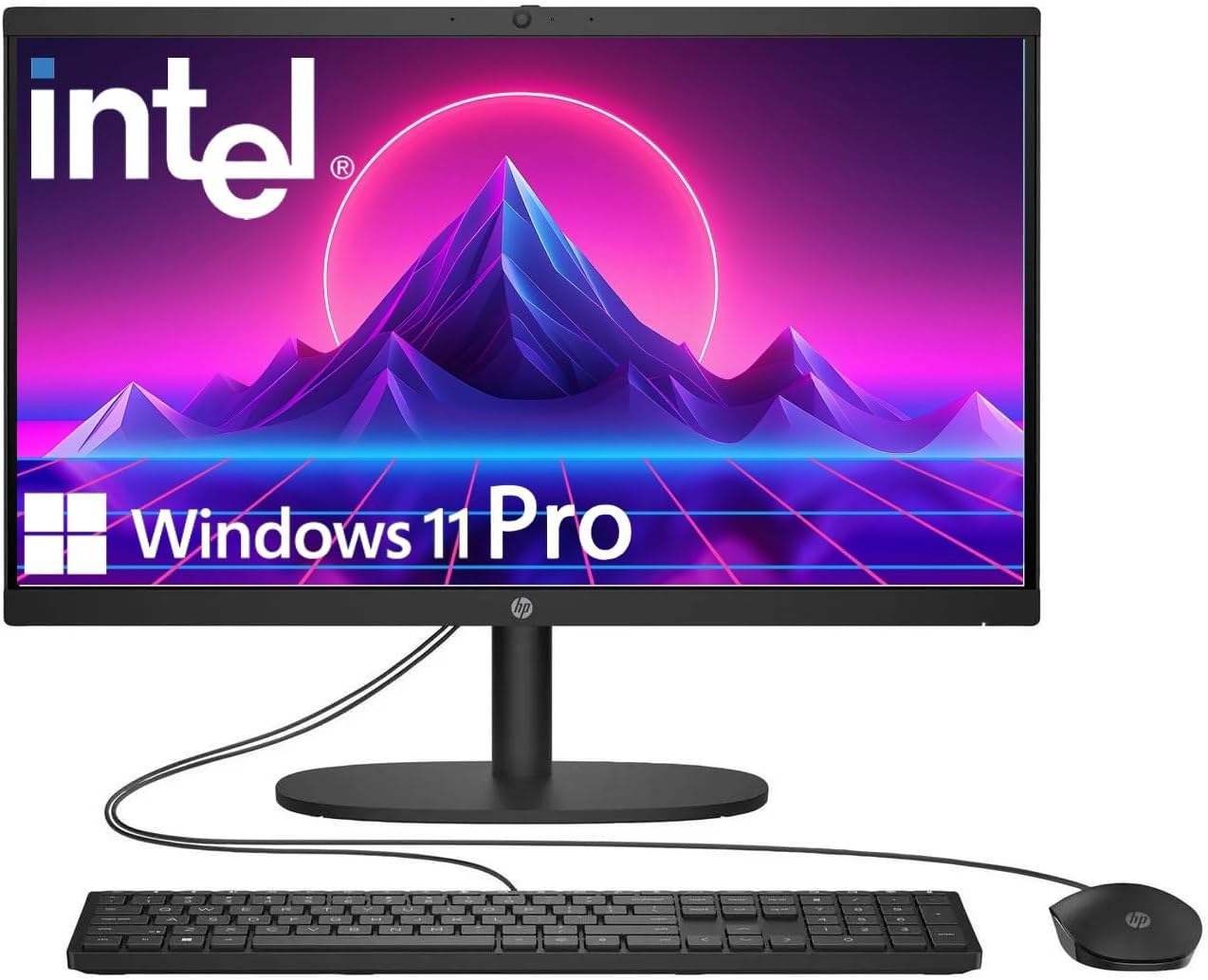 HP 22" FHD All-in-One with Intel N100
|
6.2/10 | Buy | ||
| Best Premium |
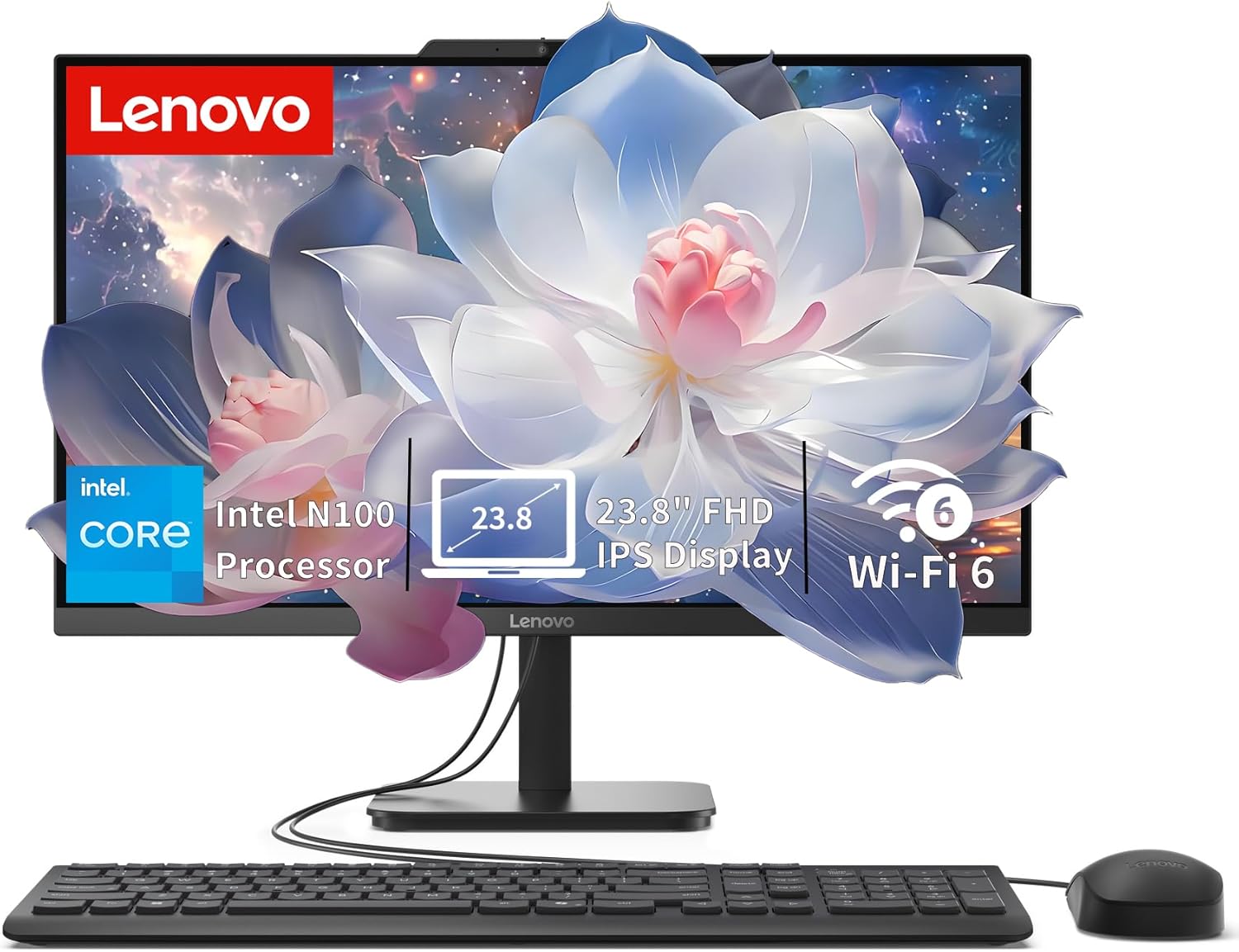 Lenovo IdeaCentre 24" All-in-One with Intel N100
|
6.7/10 | Buy |
Dell Optiplex 3060 i5-8500 Desktop (Renewed)
A refurbished business-class desktop built for productivity and multitasking. The Intel i5-8500 processor pairs with 32GB RAM and 1TB SSD to handle everyday office work, streaming, and light creative tasks smoothly. Best suited for users seeking reliable performance on a budget, backed by Microsoft-authorized refurbishment and professional renewal processes.
Pros
- Strong multitasking performance with 6-core i5-8500 and 32GB DDR4 RAM for office and creative workflows
- Generous 1TB SSD storage eliminates slow boot times and file loading delays
- Built-in WiFi and Bluetooth reduce cable clutter and simplify connectivity
- Windows 11 Professional preinstalled with fresh system validation and stress-evaluation by certified refurbisher
- RGB side panel lighting adds customization appeal with 13 selectable modes
Cons
- Renewed/refurbished unit rather than new hardware, which may show cosmetic wear despite professional restoration
- Intel i5-8500 is a 2018-generation processor, limiting future software compatibility and performance ceiling compared to current-gen chips
- Desktop form factor requires dedicated desk space and separate peripherals (monitor, keyboard, mouse not included)
Dell OptiPlex 7060 i7-8700 Desktop (Renewed)
A refurbished business desktop built around Intel's 8th-gen 6-core processor and backed by 32GB RAM plus fast NVMe storage. Windows 11 Pro and dual-monitor support make it viable for home offices and small business setups. Comes as renewed stock, so condition varies by unit.
Pros
- Strong multi-core performance from i7-8700 (up to 4.6 GHz) handles productivity tasks and light creative work without strain
- 512GB NVMe SSD delivers noticeably faster boot and file access compared to traditional hard drives
- 32GB DDR4 RAM enables smooth multitasking across many applications simultaneously
- Windows 11 Pro pre-installed with dual DisplayPort support for multi-monitor workflows
- Includes wireless keyboard and mouse; built-in WiFi and Bluetooth reduce cable clutter
- Small form factor design suits desk space constraints while allowing future hardware upgrades
Cons
- Renewed/refurbished status means cosmetic wear and variable condition; return policies differ from new units
- 8th-gen Intel chip is several generations old, limiting longevity for demanding future software
- No discrete GPU specified, so graphics-heavy tasks or gaming performance will be limited to integrated graphics
Dell OptiPlex 7050 SFF i7-7700 32GB DDR4
A compact desktop built on the OptiPlex 7050 platform with a seventh-gen Intel i7 processor, 32GB RAM, and 1TB SSD. Designed for office work, light content creation, or productivity tasks, this renewed unit comes professionally certified with a 90-day warranty. The small form factor makes it suitable for space-constrained setups.
Pros
- Solid multitasking performance with 32GB DDR4 and quad-core i7-7700
- Fast storage and boot times via 1TB SSD
- Dual monitor support through HDMI and DisplayPort
- Includes keyboard, mouse, WiFi adapter, and Windows 11 Pro
- Compact SFF chassis fits tight desk spaces
Cons
- Seventh-gen Intel processor is aging; newer models offer better efficiency and performance
- Renewed/refurbished unit; not new condition despite excellent state
- Limited upgrade paths due to older platform constraints
HP 22" FHD All-in-One with Intel N100
A compact all-in-one desktop built for everyday productivity, featuring a 13th Gen Intel N100 processor, 8GB DDR5 RAM, and Windows 11 Pro. The 21.5-inch Full HD display with anti-glare coating suits office work and casual browsing, while integrated WiFi 6 and multiple connectivity ports keep you linked across devices.
Pros
- Windows 11 Pro pre-installed with business-grade security and remote desktop support
- Fast DDR5 RAM and 128GB SSD for responsive multitasking and quick boot times
- Built-in HD webcam with privacy shutter and dual stereo speakers for video conferencing
- Comprehensive ports including USB Type-C, USB 3.0, Ethernet, and HDMI for flexible connectivity
- Anti-glare Full HD display reduces eye strain during extended work sessions
Cons
- Intel N100 is an entry-level processor, limiting performance for heavy video editing or gaming
- 128GB storage may require external drives for large media libraries or software collections
- USB Type-C limited to data transfer only, not charging or video output
Lenovo IdeaCentre 24" All-in-One with Intel N100
A compact all-in-one desktop built for everyday productivity, home office, and student work. The 24-inch FHD display with anti-glare coating and the space-saving design make it practical for desk setups where room is tight. Intel N100 processor and 8GB RAM handle routine tasks smoothly, though it's not aimed at demanding creative work or gaming.
Pros
- Slim, space-saving all-in-one form factor fits easily on desks and in small offices
- 23.8-inch FHD IPS anti-glare display with 99% sRGB and 250 nits brightness is sharp and comfortable for extended use
- Fast 512GB PCIe SSD ensures quick boot times and responsive app launches
- Modern connectivity with Wi-Fi 6, Bluetooth 5.2, and multiple USB ports including 10Gbps USB 3.2
- Upgradeable to 32GB RAM and expandable storage via M.2 slot for future-proofing
Cons
- Intel N100 processor is entry-level, limiting performance for multitasking with heavy applications or video editing
- Integrated graphics are adequate for everyday tasks but not suitable for gaming or 3D work
- No touchscreen, optical drive, or card reader included
Desktop Computers Under $500 Buying Guide
Shopping for a desktop computer in this price range means making smart trade-offs.
Knowing which specifications actually affect day-to-day performance, and which are less important at this budget, will help you avoid overpaying for features you don’t need, or inadvertently choosing a machine that bottlenecks your workflow.
The criteria below reflect what matters most for buyers spending around this budget, whether they are choosing a compact tower or a space-saving all-in-one PC.
Processor Generation and Core Count

The CPU is the single most important component in a desktop computer at this price tier, because unlike RAM or storage, it cannot be upgraded after purchase on most consumer platforms.
In the sub-$499.99 segment, you will encounter a mix of Intel 7th, 8th, and 13th generation processors depending on whether you are buying renewed or new hardware.
Generally, more recent generations offer better performance-per-watt and support for newer technologies, but an 8th-generation Intel Core i7 with six cores still handles productivity workloads, video calls, light photo editing, and multitasking without breaking a sweat.
For everyday home office use, a quad-core processor is a reasonable floor, while a six-core chip gives you meaningful headroom for multitasking.
If you are purchasing for a student or a household with multiple browser tabs, video conferencing, and document work happening simultaneously, prioritize core count over raw clock speed.
Our roundup of desktop computers for students also explores student-specific considerations worth reading alongside this guide.
RAM Capacity and Speed

RAM is one of the most immediately noticeable factors in how responsive a desktop feels during daily use.
At this budget, 16GB of DDR4 RAM is a reasonable baseline for general computing, while 32GB is a genuine advantage for users who keep many applications open simultaneously or work with large spreadsheets, browser-heavy research sessions, or light creative software.
The good news is that many renewed business-class desktops in this price range ship with 32GB already installed, which is a specification you would typically expect to pay significantly more for in a new machine.
DDR5 memory is increasingly appearing in newer all-in-one systems at this price point, offering improved bandwidth compared to DDR4.
If you want to understand more about memory standards before buying, our overview of DDR5 RAM for desktop builds explains the practical differences. For most users doing productivity tasks and web browsing, DDR4 at 32GB remains highly capable.
Storage Type and Capacity
If there is one specification that most dramatically separates a fast-feeling computer from a slow one, it is whether the machine boots from an SSD or a traditional spinning hard drive.
Every machine worth recommending in 2026 at this price tier should ship with an NVMe M.2 SSD or at minimum a SATA SSD.
An NVMe drive delivers boot times and application launch speeds that make daily use feel genuinely snappy, while a traditional HDD would make even a powerful CPU feel sluggish.
Capacity matters too. A 512GB SSD is workable for most users who store media in the cloud, but 1TB gives you substantially more local storage for documents, photos, and installed applications without constant management.
When evaluating the options in this roundup, consider both the storage medium and the capacity together rather than treating them as separate factors.
Form Factor: Tower vs. All-in-One

The choice between a tower desktop and an all-in-one comes down to how you prioritize desk space, upgradeability, and display flexibility.
Compact SFF (small form factor) towers like the Dell Optiplex family are typically easier to upgrade, repair, and expand over time. They also allow you to pair the computer with any monitor you prefer, including high-refresh-rate panels or ultrawide displays.
You can explore all computer categories to see how towers compare to other compact form factors in the broader market.
All-in-one PCs integrate the display and computer into a single chassis, which creates a cleaner desk setup and reduces cable clutter. The trade-off is that you cannot upgrade the display independently, and internal access for upgrades is generally more limited.
At the $499.99 ceiling, all-in-ones typically arrive with Full HD IPS displays, which are appropriate for productivity, streaming, and casual use.
If you primarily do office work from home and value a clean aesthetic, an all-in-one is a sensible choice, and pairing it with a good home network makes the experience complete.
Connectivity: Ports, Wi-Fi, and Bluetooth

Before purchasing any desktop in this segment, audit the connectivity on offer.
Business-class SFF desktops in this price range typically include a generous array of USB-A ports, HDMI or DisplayPort outputs, and onboard Wi-Fi and Bluetooth, making them easy to integrate into a home office setup without needing extra hubs or adapters.
Confirm that the Wi-Fi standard is at minimum Wi-Fi 5 (802.11ac); newer models featuring Wi-Fi 6 deliver better range and stability on congested networks.
For all-in-one buyers, look for USB-C ports in addition to standard USB-A, as these allow connection to newer peripherals and external storage with a single cable.
HDMI output on an all-in-one is also worth verifying if you plan to connect a second display for extended screen real estate.
Dual-monitor support is common among the SFF tower options in this roundup and meaningfully expands your working surface for home office work, a topic explored in depth in our guide to desktop computers for the home office.
New vs. Renewed: What to Know

A significant portion of the strongest value in this price range comes from Amazon Renewed products, which are professionally refurbished business desktops that have been inspected, cleaned, and certified to work like new.
For buyers unfamiliar with the renewed market, this can initially feel like a risk, but Amazon’s renewed guarantee and the reputation of the sellers involved meaningfully reduce that concern.
Renewed business-grade desktops from Dell in particular are well-regarded in verified buyer feedback for reliability and build quality that exceeds what new consumer hardware at the same price typically offers.
The key distinction to understand is that renewed desktops come with pre-installed Windows 11 Pro licenses, which adds genuine value over consumer Windows 11 Home for users who want features like BitLocker encryption, Remote Desktop, and more granular system management.
If you are comparing renewed and new options at similar prices, weigh the generation of the processor and the included software license as part of the total value equation, not just the headline hardware specifications.
Why You Should Trust Us
REMOVU is an independent review publication with no manufacturer relationships that influence our rankings.
Every product in this roundup was assessed using a consistent, multi-source research framework: we analyze published specifications, synthesize expert review consensus from across the industry, and weight verified buyer feedback from confirmed purchasers.
We do not conduct our own product trials; our evaluations are grounded in research, published data, expert review consensus, and verified buyer feedback.
Each product in this guide was scored using the REMOVU Score, our proprietary 0 to 10 rating scale that weighs performance value, build quality, connectivity, software experience, and buyer satisfaction in proportion to what matters most at this price tier.
The scores are calculated independently of pricing, promotions, or affiliate relationships. REMOVU may earn a commission if you purchase through a link in this article, but that relationship has no bearing on our rankings, scores, or product selections.
Our editorial recommendations are determined solely by the quality of our research and evaluation criteria.
Final Thoughts
This segment of the desktop market punches well above its weight, particularly thanks to the renewed business PC ecosystem.
Across the five options we researched and scored, there is a clear spread from outstanding value to more modest propositions, and the right choice depends heavily on your priorities around form factor, storage, and intended use.
Here is how we would summarize each pick:
- Best Overall: Dell Optiplex 3060 Desktop Computer (Renewed) earns the top REMOVU Score in this roundup by delivering an exceptional combination of a capable Intel Core i5-8500, a full 32GB of DDR4 RAM, a 1TB SSD, and built-in Wi-Fi and Bluetooth in a compact and proven chassis. It represents the strongest all-around value for home office users and families alike.
- Best for Power Users: DELL Optiplex 7060 SFF Desktop Computer (Renewed) steps up to a six-core Intel i7-8700, making it the pick for users who run demanding productivity applications, work with multiple virtual desktops, or want additional processing headroom. The second-highest REMOVU Score in the group reflects its strong performance profile.
- Best All-in-One for Everyday Use: Lenovo IdeaCentre All-in-One Desktop stands out among the all-in-one options with its 24-inch FHD anti-glare IPS display, Wi-Fi 6, Bluetooth 5.2, and a 512GB PCIe SSD. It earns a higher REMOVU Score than the competing all-in-one in this roundup and suits users who want a clean, modern setup without tower clutter.
- Best Budget All-in-One: HP 2025 22-Inch FHD All-in-One Desktop Computer enters the roundup as the only brand-new all-in-one option featuring 13th Gen Intel CPU technology and DDR5 memory, making it relevant for buyers who specifically want new-generation hardware in an all-in-one footprint, despite a more modest overall REMOVU Score.
For buyers who want even more capability and can stretch their budget further, our guide to desktop computers for work covers higher-performance options suited to professional workflows. And if you are open to the smallest possible footprint, mini PCs offer another compact alternative worth exploring.
Frequently Asked Questions
Are renewed desktop computers reliable?
Generally, yes, particularly when purchased from reputable sellers through programs like Amazon Renewed. Business-grade desktops from Dell such as the Optiplex line were built to commercial durability standards and often see less intensive use in office environments before being refurbished.
Verified buyers consistently report strong reliability from these units, and the Amazon Renewed guarantee provides additional purchase protection. The trade-off is cosmetic wear rather than functional compromise, which makes them excellent value for buyers who prioritize performance over appearance.
Can I upgrade a desktop computer in this price range?
SFF tower desktops like the Dell Optiplex series are generally more upgradeable than all-in-ones, with accessible RAM and storage slots that allow you to expand capacity over time.
Many of the towers in this roundup already arrive with 32GB of RAM and fast NVMe SSDs, so immediate upgrades are rarely necessary.
All-in-one PCs are more difficult to upgrade internally due to their compact, integrated design, so buyers who anticipate wanting to expand capabilities over time are better served by a tower form factor.
If you plan to add a gaming desktop to your consideration set, note that gaming-specific towers offer more expansion capacity for discrete graphics.
Is Windows 11 Pro worth it compared to Windows 11 Home?
For most home users, the practical difference is modest, but Windows 11 Pro offers features that matter in certain contexts. BitLocker full-disk encryption is useful for securing sensitive data on a home office machine.
Remote Desktop lets you access the PC from another device on your network without third-party software. Group Policy management and Hyper-V virtualization are relevant for power users and IT enthusiasts.
The renewed Dell desktops in this roundup ship with Windows 11 Pro pre-installed, which adds real value relative to consumer-grade systems that typically come with Windows 11 Home.
What peripherals do I need to budget for alongside a desktop tower?
Unlike all-in-one PCs, tower desktops require a separate monitor, keyboard, and mouse. Some of the renewed options in this roundup include a wireless keyboard and mouse bundle, which covers the input peripherals.
A monitor is typically a separate purchase unless you already own one.
Keep in mind that a quality display meaningfully affects the overall experience, so factor that into your total budget when comparing towers against all-in-ones at the same price point.
For buyers also considering portable computing options, laptop options and 2-in-1 laptops present flexible alternatives for users who need mobility alongside their desktop setup.
How does a desktop computer in this budget compare to a mini PC?
Mini PCs occupy a similar price range and offer an even smaller footprint, but they typically trade off some connectivity and upgradeability for their compact size.
Full SFF tower desktops like the Optiplex models in this roundup tend to offer more internal expansion and a wider variety of ports, making them more versatile for connecting peripherals and extending their useful life.
If desk space is your primary constraint and you do not need to expand internally, mini PCs for home theater are worth considering as an alternative.
For a broader view of the market across all budgets and form factors, our comprehensive guide to desktop computers for every budget provides additional context.
About the author
Beverly covers robot vacuums and mops for REMOVU, weighing cleaning power, smart mapping, and low-fuss maintenance. She helps readers find a model that earns its keep.