The 9 Best RAM for Laptops
Upgrading laptop RAM can transform system responsiveness. Our research covers DDR4 and DDR5 SO-DIMMs from Crucial, Samsung, Corsair, and G.Skill to help you pick the right kit.
 By Maxine Hansen
Updated July 26, 2026
By Maxine Hansen
Updated July 26, 2026
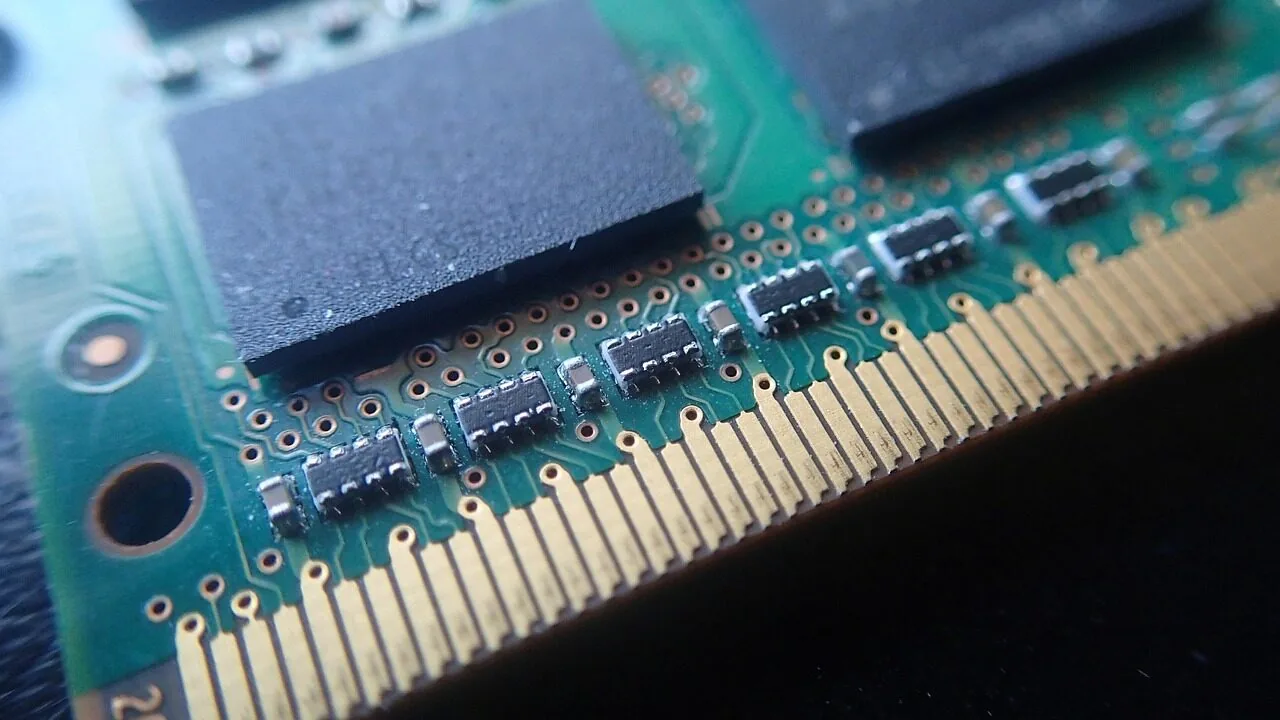
Upgrading your laptop’s RAM is one of the most cost-effective ways to breathe new life into an aging machine or future-proof a new one.
Whether you’re juggling dozens of browser tabs, running virtual machines, editing photos, or pushing through demanding workloads, the right memory kit can meaningfully close the gap between sluggish and snappy.
With so many DDR4 and DDR5 options flooding the market, from budget-friendly single sticks to high-speed dual-channel kits, picking the wrong module wastes both money and potential.
This guide cuts through the noise. Our team at REMOVU researched dozens of laptop memory modules, analyzing manufacturer specifications, synthesizing expert review consensus, and weighing verified buyer feedback to surface the most reliable picks across every budget and use case.
We’ve organized our findings into a ranked list so you can match your needs quickly. If you’re also building or upgrading a desktop, our guides to desktop RAM for every build and DDR5 RAM kits are worth a look.
Read on for our top picks for laptop RAM right now.
| Award | Product | REMOVU Score About REMOVU ScoreThe REMOVU Score is our own rating from 0 to 10, based on performance, design and build, ease of use, and value. It reflects independent research and is never influenced by manufacturers, retailers, or affiliate commissions. Learn more › | Price | |
|---|---|---|---|---|
 Crucial 32GB DDR5 SODIMM 5600MHz Laptop Kit
|
6.8/10 | Buy | ||
| Best Overall |
Crucial 32GB DDR5 SODIMM 4800MHz
|
8.9/10 | Buy | |
| Best Budget |
 Crucial 16GB DDR4 3200MHz SODIMM Laptop RAM
|
8.2/10 | Buy | |
 Corsair Vengeance SODIMM DDR4 16GB 3200MHz
|
7.9/10 | Buy | ||
| Best Premium |
 Samsung 32GB DDR4-3200 SO-DIMM Laptop RAM Kit
|
7.7/10 | Buy | |
| Best Value |
 G.SKILL Ripjaws DDR4 SO-DIMM 32GB Kit 3200MT/s
|
7.6/10 | Buy | |
 Gigastone 32GB DDR4-3200 Laptop RAM Kit
|
7.3/10 | Buy | ||
 Timetec DDR4 2666MHz 32GB (2x16GB) SODIMM
|
6.8/10 | Buy | ||
 Samsung 8GB DDR4 3200MHz SO-DIMM Laptop RAM
|
6.2/10 | Buy |
Crucial 32GB DDR5 SODIMM 5600MHz Laptop Kit
A high-capacity DDR5 upgrade for modern laptops that balances speed and versatility across Intel 12th/13th Gen and AMD Ryzen 7000 systems. The kit supports multiple frequency profiles (5600MHz, 5200MHz, 4800MHz) and both Intel XMP 3.0 and AMD EXPO on the same modules, making it a flexible choice for gamers, creators, and power users handling memory-intensive workloads.
Pros
- Flexible speed profiles allow downclocking to match system requirements without purchasing multiple kits
- Single module supports both Intel XMP 3.0 and AMD EXPO, eliminating guesswork for compatibility
- 32GB capacity handles multitasking and demanding applications like 4K video editing without slowdowns
- Backed by Micron's 42-year memory expertise with rigorous component and module-level quality control
- 1.75x faster data rates compared to DDR4, delivering noticeable performance gains in system responsiveness
Cons
- Limited to 12th Gen Intel Core and AMD Ryzen 7000 Series, incompatible with older or newer processor generations
- Non-ECC memory means no error correction, which may be a limitation for mission-critical workloads
- CAS Latency of 40 is higher than some competing DDR5 modules, potentially impacting latency-sensitive applications
Crucial 32GB DDR5 SODIMM 4800MHz
A 32GB DDR5 laptop memory kit built on Micron's proven reliability, delivering 4800MHz speeds with CAS Latency 40 for multitasking and content creation workloads. Supports both Intel XMP 3.0 and AMD EXPO on the same module, making it flexible across modern platforms. Best suited for 12th Gen Intel and Ryzen 7000 Series systems where DDR5 is native.
Pros
- High capacity and speed: 32GB at 4800MHz handles heavy multitasking, 4K video editing, and gaming without bottlenecking
- Dual-standard support: Works with both Intel XMP 3.0 and AMD EXPO, reducing platform lock-in concerns
- Energy efficient: Lower voltage (1.1V) than DDR4, contributing to longer battery life on laptops
- Strong reliability track record: Backed by 42 years of Micron memory expertise and rigorous quality control
- High user satisfaction: 4.8-star rating across 7,000+ reviews reflects real-world dependability
Cons
- CAS Latency 40 is relatively high for DDR5, meaning slightly higher latency compared to tighter-tuned alternatives
- Limited to SODIMM form factor, so only compatible with laptops and small-form-factor systems, not desktops
- Requires compatible 12th Gen Intel or AMD Ryzen 7000 Series platform; older systems cannot use this memory
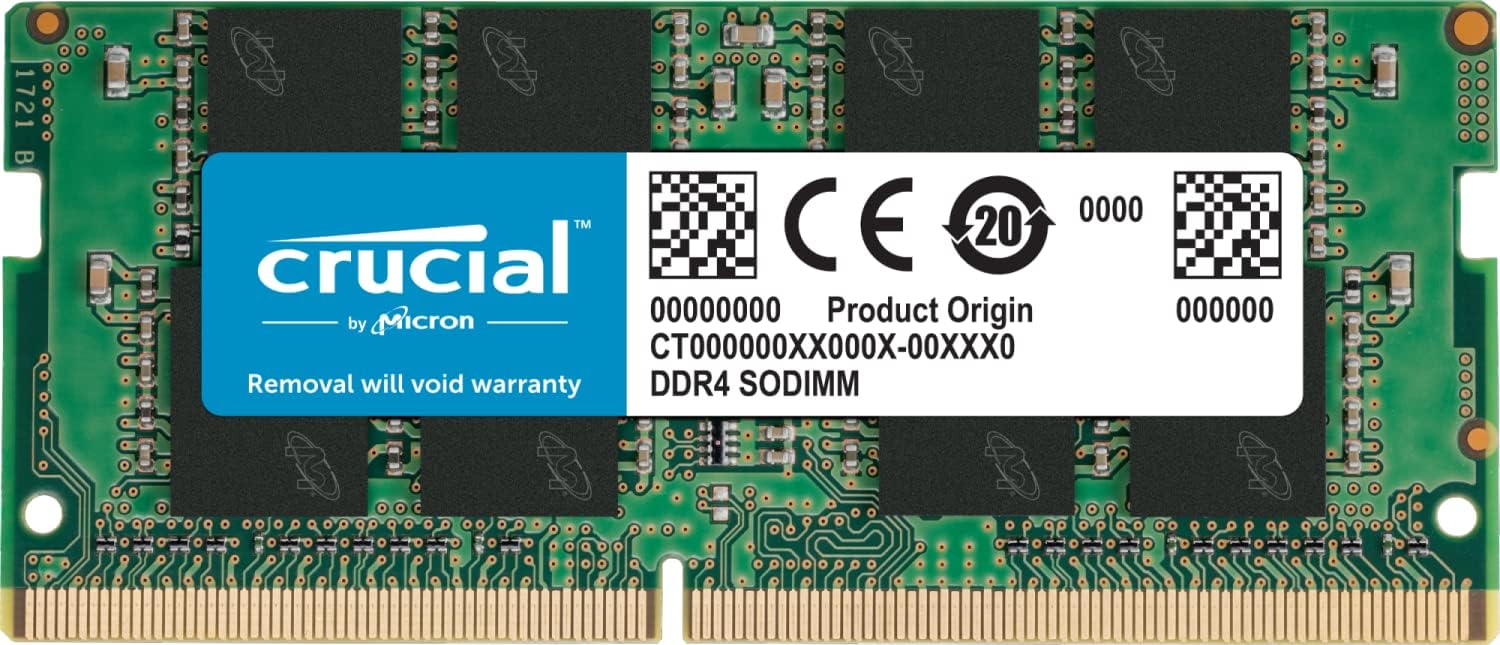
Crucial 16GB DDR4 3200MHz SODIMM Laptop RAM
A straightforward memory upgrade for laptops needing better multitasking performance. This 16GB DDR4 module runs at 3200MHz and installs without special tools or skills, making it accessible for everyday users looking to breathe new life into aging systems. Backed by Micron's manufacturing heritage and consistently praised by verified buyers, it delivers solid reliability at a reasonable price point.
Pros
- Fast installation with no technical expertise required, just a screwdriver and step-by-step guidance
- Energy-efficient design helps extend battery life while improving data transfer speeds
- Broad compatibility across DDR4 laptops, with Crucial's System Scanner tool for verification
- High user satisfaction with 4.8-star rating from over 17,000 reviews
- Backed by 42 years of Micron memory manufacturing expertise and rigorous evaluation
Cons
- Limited to DDR4 systems; not compatible with newer DDR5 laptops
- Operates at 1.2V standard voltage with no overclocking headroom for enthusiasts
- CL22 latency is moderate compared to lower-latency gaming-focused alternatives
Corsair Vengeance SODIMM DDR4 16GB 3200MHz
A straightforward laptop memory upgrade for users with 11th Gen Intel systems seeking plug-and-play performance gains. The module's slim profile fits standard notebook form factors, and Corsair's quality DRAM selection supports reliable daily use without requiring manual BIOS tweaking for compatible systems.
Pros
- Auto-overclocking support on compatible laptops eliminates need for BIOS configuration
- Slim design ensures physical fit in standard laptop slots and Intel NUC systems
- Backed by Corsair's limited lifetime warranty for peace of mind
- Carefully selected DRAM components prioritize system stability
- Single 16GB module provides straightforward upgrade path without matching pairs
Cons
- Maximum 3200MHz speed requires compatible hardware and may need manual adjustments on some systems despite marketing claims
- CL22 latency is conservative compared to faster DDR4 modules, limiting performance ceiling for demanding workloads
- Limited to 11th Gen Intel Core compatibility, reducing flexibility for older or newer platform upgrades
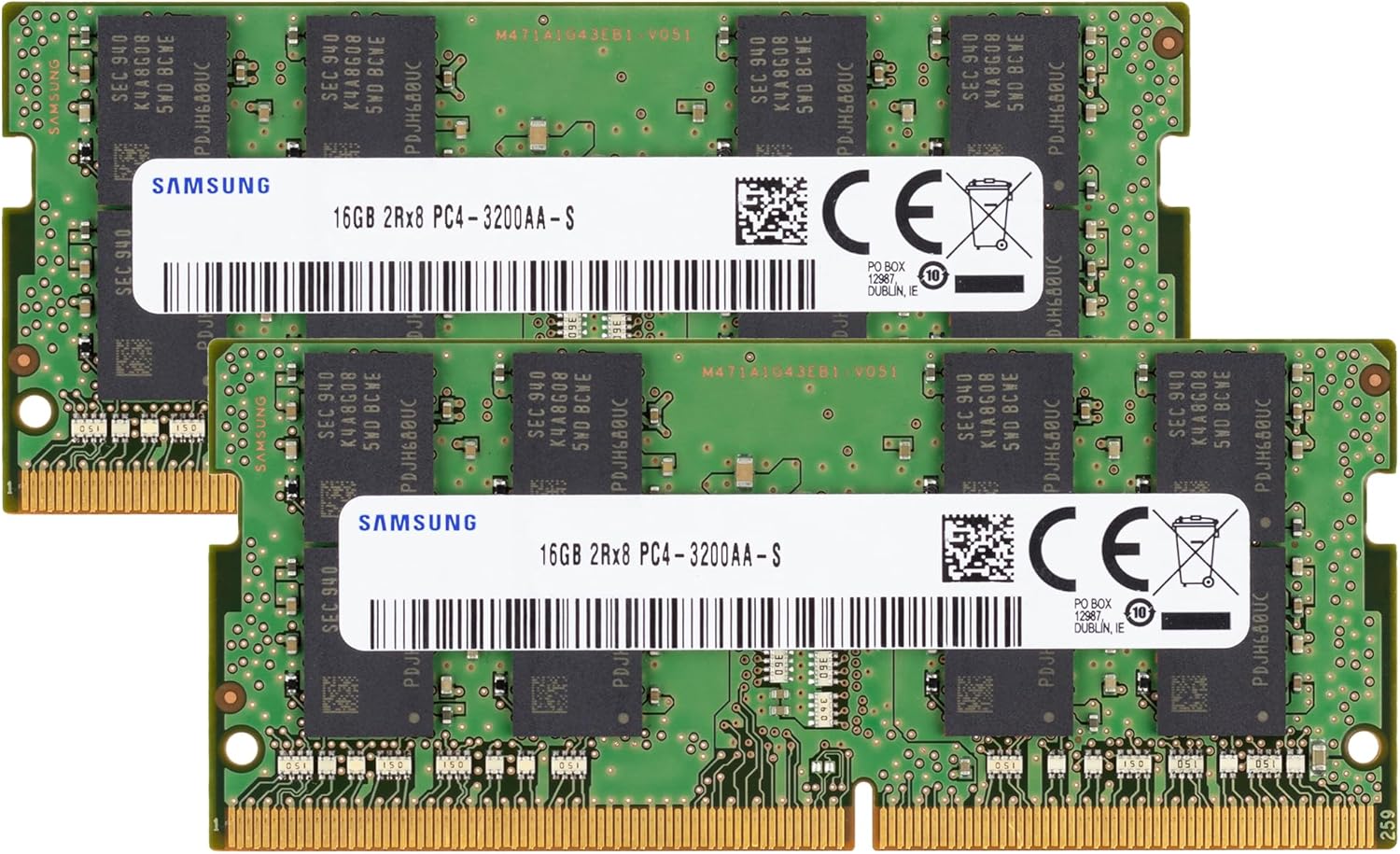
Samsung 32GB DDR4-3200 SO-DIMM Laptop RAM Kit
A genuine Samsung DDR4 kit delivering 32GB across two 16GB modules at 3200MHz speeds, designed for laptop and notebook systems. The dual-rank configuration and JEDEC standard 1.2V operation make it a reliable upgrade path for users seeking to expand memory capacity without compatibility headaches. Best suited for those with DDR4-compatible laptops looking for a branded, verified solution.
Pros
- Genuine Samsung OEM parts with proven reliability across verified buyer feedback (4.8 rating from 17 reviews)
- 32GB total capacity in a compact SO-DIMM form factor, ideal for laptop memory constraints
- 3200MHz speed aligns with modern DDR4 standards, supporting smooth multitasking and workload handling
- Non-ECC unbuffered design matches standard DDR4 laptop specifications, ensuring broad compatibility
- Dual 16GB module configuration allows flexible future upgrades or replacements
Cons
- Limited to DDR4 systems; incompatible with DDR5 laptops or older DDR3 platforms
- Requires manual verification of laptop model compatibility against part numbers M471A2K43EB1-CWE or M471A2K43DB1-CWE before purchase
- No performance advantage over competing DDR4-3200 kits at the same speed tier
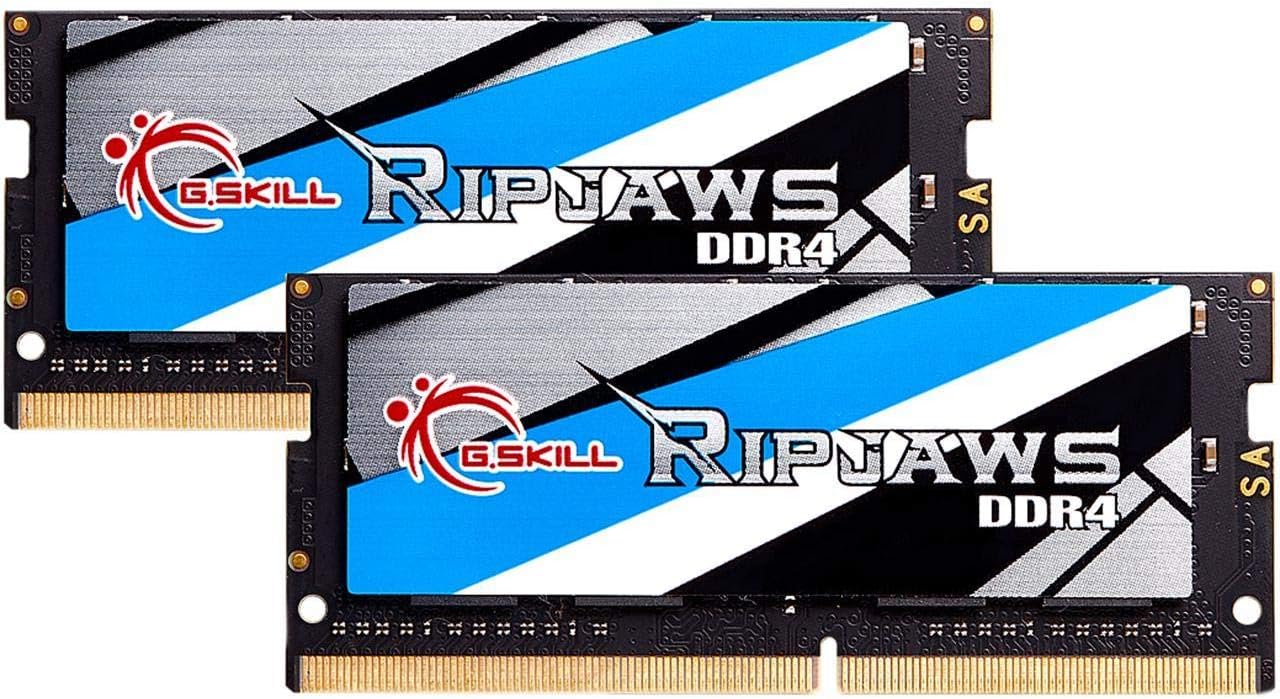
G.SKILL Ripjaws DDR4 SO-DIMM 32GB Kit 3200MT/s
A matched 32GB DDR4 SO-DIMM kit built for compact systems and ultrabooks that demand reliable memory. Runs at JEDEC defaults out of the box and carries strong user confidence with a 4.7-star rating across 853 reviews. Best suited for laptop upgrades and small form factor PC builds where standard DIMM slots aren't available.
Pros
- 32GB capacity in dual 16GB modules covers demanding multitasking and content creation on laptops
- Ships with JEDEC default profile, ensuring compatibility without manual BIOS tuning on supported hardware
- DDR4-3200 MT/s speed balances modern performance needs with power efficiency at 1.20V
- High user satisfaction rating reflects real-world reliability across diverse laptop platforms
- SO-DIMM form factor fits ultrabooks, NUCs, and compact systems where full-size DIMMs won't work
Cons
- CAS latency of CL22 is higher than high-performance desktop DDR4 kits, trading speed for stability
- Requires checking G.SKILL QVL or configurator tool before purchase, as compatibility varies by laptop model
- Mixing with other memory kits risks instability, limiting flexibility for future upgrades
Gigastone 32GB DDR4-3200 Laptop RAM Kit
A 32GB dual-channel memory upgrade designed specifically for laptops and all-in-one computers. This kit pairs solid DDR4-3200MHz performance with low 1.2V power consumption, making it suitable for users looking to boost multitasking capacity without excessive heat generation. Best suited for content creators and power users running memory-intensive applications on portable systems.
Pros
- 32GB total capacity (2x16GB) addresses heavy multitasking and creative workflows
- DDR4-3200MHz speed with backward compatibility to DDR4-2933MHz and DDR4-2666MHz ensures broad device support
- Low 1.2V voltage specification reduces power draw and heat output on battery-dependent laptops
- Standard SODIMM 260-pin form factor fits most modern laptops and AIO systems
- CL22 latency is reasonable for non-ECC consumer memory
Cons
- No ECC support limits reliability for mission-critical or server-grade workloads
- No user reviews available yet, making real-world compatibility feedback unavailable
- CL22 latency is slightly higher than premium DDR4-3200 alternatives, which may impact performance-sensitive applications
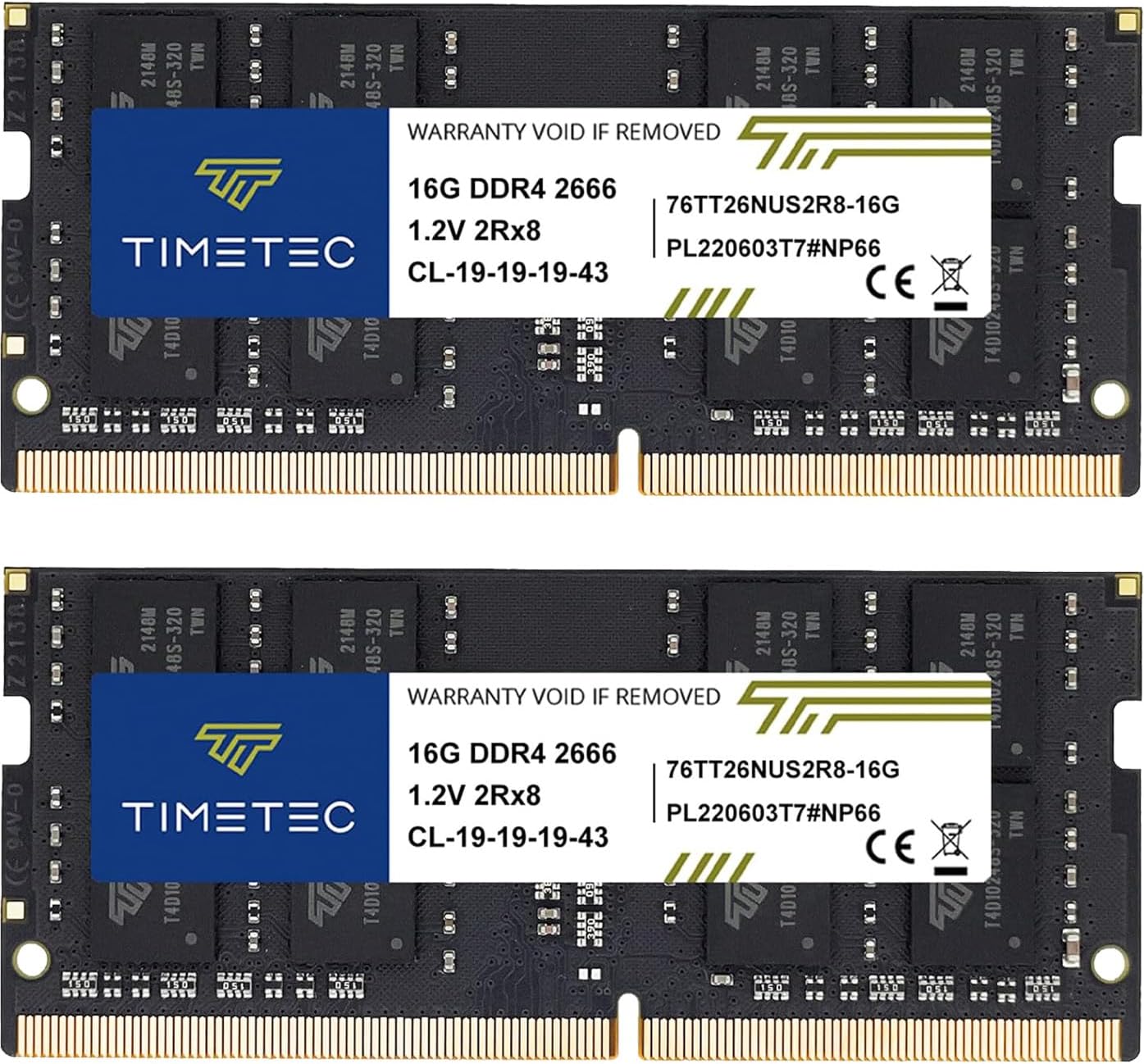
Timetec DDR4 2666MHz 32GB (2x16GB) SODIMM
A dual-channel laptop RAM upgrade that delivers solid performance gains for everyday multitasking and productivity work. The 32GB capacity suits users running memory-intensive applications, while the 2666MHz speed offers a good balance between performance and compatibility across older and newer DDR4 systems. Installation is straightforward, and the lifetime warranty provides long-term peace of mind.
Pros
- Large 32GB capacity in a single kit reduces upgrade complexity and cost compared to buying modules separately
- CL19 latency and 2666MHz frequency strike a practical middle ground for broad DDR4 laptop compatibility
- Plug-and-play installation requires no technical expertise or special tools
- Backed by lifetime warranty with US-based technical support
- Strong verified buyer satisfaction with 4.8-star rating across 796 reviews
Cons
- 2666MHz speed is moderate by current standards; faster DDR4 3200MHz options available at similar price points
- Compatibility limited to DDR4 SODIMM slots only; not compatible with older DDR3 systems or desktop DIMM motherboards
- PCB color and rank may vary between production batches, though performance consistency is maintained
Samsung 8GB DDR4 3200MHz SO-DIMM Laptop RAM
A genuine Samsung DDR4 memory module built for laptop and notebook upgrades, delivering 3200MHz performance with standard 1.2V efficiency. The single 8GB capacity suits users looking to expand existing systems without full replacement, backed by strong user satisfaction across 90 reviews.
Pros
- Genuine Samsung component with verified part number compatibility (M471A1G44CB0-CWE and equivalents)
- 3200MHz speed meets modern DDR4 standards for responsive multitasking and moderate workloads
- Non-ECC unbuffered design keeps costs reasonable while maintaining reliability for consumer laptops
- Single module format allows incremental upgrades without removing existing RAM
- 4.8-star rating reflects consistent performance and compatibility across diverse laptop models
Cons
- 8GB capacity alone may feel limiting for heavy video editing, 3D rendering, or demanding virtualization tasks
- Compatibility limited to select DDR4 systems, requiring users to verify their laptop model beforehand
- No ECC protection means less fault tolerance compared to workstation-grade memory
Best RAM for Laptops Buying Guide
Choosing the right laptop RAM is more nuanced than simply grabbing the highest-speed kit you can find.
Laptops impose tighter constraints than desktops: physical slot counts are limited (most have just two SO-DIMM slots), many modern thin-and-light machines have memory soldered directly to the board, and motherboard compatibility can restrict which speeds actually run.
Below, we break down the factors that matter most when evaluating laptop memory.
DDR4 vs. DDR5: Which Generation Do You Need?

The single most important compatibility check before buying any laptop RAM is confirming which memory generation your machine supports. DDR4 and DDR5 use different physical connectors (260-pin SO-DIMM for DDR4 vs.
262-pin SO-DIMM for DDR5) and cannot be swapped between platforms. Trying to install a DDR5 kit in a DDR4 slot, or vice versa, is not possible physically and will cause no damage, but the module simply won’t fit or function.
DDR4 remains the dominant standard across a huge installed base of laptops and continues to offer excellent real-world performance for most everyday and productivity workloads.
It is also significantly more affordable per gigabyte than DDR5 at this point in the technology cycle. DDR5, meanwhile, is standard on platforms using Intel 12th Gen processors and newer, as well as AMD Ryzen 7000 series laptops.
It offers higher peak bandwidth and better power efficiency at the module level, which matters for thin-and-light designs. Check your laptop’s official spec sheet or the manufacturer’s memory upgrade compatibility page before purchasing anything.
For desktop builders curious about the DDR5 generational leap in a different context, our 32GB RAM kit roundup covers dual-channel desktop options in depth.
Capacity: How Much RAM Does Your Laptop Actually Need?

For everyday use including web browsing, streaming, email, and light office work, 8GB remains functional but increasingly feels tight in 2026, especially as browser engines and operating systems claim more overhead.
A 16GB configuration is the practical sweet spot for most users, handling multitasking, light photo editing, and gaming without constant page-file swapping.
Creative professionals, developers running local servers or containers, and gamers pushing titles at high settings will benefit noticeably from 32GB kits.
Dual-channel configuration deserves special attention here. Running two matched sticks (for example, 2x16GB) in both SO-DIMM slots unlocks dual-channel mode, which effectively doubles the memory bandwidth available to the CPU and integrated GPU compared to a single-stick setup.
For laptops using integrated graphics, such as AMD Ryzen APUs or Intel Iris Xe, this bandwidth improvement can translate to meaningful gains in graphics-intensive tasks and gaming.
If your laptop supports two slots and you’re buying for performance, prioritize a matched kit over a single large stick.
Speed and Latency: What the Numbers Actually Mean
RAM speed is expressed in megatransfers per second (MT/s) or equivalently in MHz on most product listings. For DDR4 laptop modules, 2666MHz and 3200MHz are the two most common tiers.
Most modern platforms officially support up to 3200MHz on DDR4, and the performance gap between 2666MHz and 3200MHz is measurable in bandwidth-sensitive workloads but modest in general desktop use.
DDR5 modules in the laptop space start at 4800MHz and scale up to 5600MHz and beyond, though the platform’s supported maximum always caps the effective speed.
CAS latency (the CL number in a module’s spec, such as CL22) reflects the number of clock cycles the memory controller must wait before data is available. Lower CL numbers at the same frequency mean tighter, more responsive memory.
In practice, for a laptop running productivity software and games, the difference between CL22 and CL20 at 3200MHz is rarely perceptible day-to-day. Focus on matching your platform’s rated speed first, and treat latency as a tiebreaker between otherwise similar kits.
Enthusiasts pairing memory with a powerful CPU for gaming-focused machines should also consider how their memory choice interacts with broader system performance, much as they would when selecting a capable laptop processor.
Brand Reliability and Warranty Coverage

Laptop RAM from established names like Crucial, Samsung, G.Skill, Corsair, and Kingston has a long track record of compatibility and stability across major laptop platforms.
Crucial modules in particular are frequently sourced from or validated against Micron DRAM, which underpins many OEM memory configurations shipped directly from laptop manufacturers.
Samsung’s own-brand SO-DIMMs similarly carry strong reputations for consistency and are often the reference chips found inside laptops at the factory level.
Lesser-known brands can offer genuine value, but verified buyer feedback and return rates become more important quality signals when evaluating them.
Warranty length varies considerably across the category: premium brands typically offer lifetime limited warranties on their SO-DIMM products, while value-oriented brands may offer shorter coverage.
Always verify the seller’s return window and the manufacturer’s direct warranty policy before purchasing, particularly for higher-capacity kits where replacement costs are substantial.
Thermal and Voltage Considerations for Laptop Environments

Desktop enthusiast RAM often ships with bulky aluminum heatspreaders and runs at 1.35V or higher for XMP overclocked profiles.
Laptop SO-DIMMs operate in a fundamentally different thermal envelope: the modules are tucked beneath keyboards or behind display assemblies with minimal airflow, and the standard operating voltage is 1.2V for DDR4 and DDR5 at rated spec.
Running higher-voltage modules in a laptop that wasn’t designed for them can contribute to heat buildup and potential instability over time.
Stick to modules rated at 1.2V for DDR4 and verify that DDR5 modules comply with JEDEC standards at their rated speeds.
SO-DIMMs designed specifically for laptop use, labeled as unbuffered and non-ECC (which all modules in our list are), are the correct form factor.
Low-profile physical dimensions are also inherent to SO-DIMMs, so heatspreader bulk is not a concern here the way it is with desktop DIMM builds.
Gamers who want to understand the full thermal picture of a powerful laptop setup can also explore our coverage of gaming laptops under $1000 and gaming laptops under $1500.
Verifying Compatibility Before You Buy

Even the highest-rated RAM kit is useless if it is incompatible with your specific laptop. Crucial and Kingston both maintain online compatibility tools where you enter your laptop’s make and model to get a curated list of verified upgrade options.
These tools cross-reference the memory controller specifications published by Intel and AMD against real-world installation reports, making them reliable first stops before purchasing.
Samsung’s own-brand modules are slightly more generic in their compatibility listings but tend to work broadly across platforms at their rated JEDEC speeds.
Also confirm whether your laptop’s memory slots are accessible before ordering. Many ultra-thin designs and Apple Silicon MacBooks have memory soldered to the system board and cannot be upgraded at all.
On Windows laptops, a quick check of your service manual or a search of iFixit’s teardown database for your model will confirm slot accessibility.
Upgrading the M.2 SSD at the same time as memory is a common pairing that maximizes the performance uplift from a single disassembly session.
Why You Should Trust Us
REMOVU is an independent review platform. We have no financial relationship with any laptop memory manufacturer, and none of the brands featured in this guide have any editorial influence over our rankings or recommendations.
Every product in this guide is evaluated and scored using the REMOVU Score, our 0 to 10 rating scale built on a consistent, multi-source research methodology.
We assess each module against the same set of criteria: published specifications, platform compatibility data, expert review consensus drawn from credible technical sources, and verified buyer feedback from confirmed purchasers.
We do not conduct our own product trials; our evaluations are grounded in research, published data, expert review consensus, and verified buyer feedback.
This approach lets us cover a wide range of products systematically and flag patterns of quality or failure that single-unit reviews can miss.
We may earn a commission if you purchase through links in this article. That affiliate relationship does not influence which products we recommend, how we rank them, or what scores they receive.
Our picks are determined entirely by research quality and how well each product serves reader needs.
Final Thoughts
After analyzing every module in this roundup against a consistent set of criteria, a clear picture emerges across budget tiers and memory generations. Here are our standout picks and the roles they fill best:
- Best Overall: Crucial 32GB DDR5 RAM Kit (2x16GB), 4800MHz earns the top REMOVU Score in this roundup. It combines the bandwidth advantages of DDR5 with Crucial’s proven reliability, broad platform compatibility, and strong support for Intel 12th Gen and AMD processors, making it the most well-rounded upgrade option available right now.
- Best DDR4 Pick: Crucial 16GB DDR4 RAM, 3200MHz is the standout choice for DDR4 platforms. It scores at the top of the DDR4 tier in this guide, offers wide compatibility spanning 13th Gen Intel and AMD Ryzen systems, and represents outstanding value for users who don’t yet need to move to DDR5.
- Best for Performance Enthusiasts: Corsair Vengeance SODIMM DDR4 16GB, 3200MHz brings Corsair’s quality control and brand reliability to the SO-DIMM category, earning a strong REMOVU Score among DDR4 single-stick options and appealing to users who prioritize name-brand assurance.
- Best Dual-Channel DDR4 Kit: Samsung 32GB (2x16GB) DDR4 3200MHz Kit benefits from Samsung’s first-party DRAM manufacturing, offering exceptional consistency and stability in a matched dual-channel configuration that maximizes bandwidth for integrated graphics workloads.
- Best Budget Entry: Samsung 8GB DDR4 3200MHz is the most affordable entry in this roundup, suited to basic upgrades on budget laptops where cost matters most and workloads are light.
Whichever module you choose, pairing a RAM upgrade with a fast solid state drive will deliver the most noticeable overall system responsiveness improvement.
For users evaluating a full laptop replacement rather than an upgrade, our roundups of esports-focused gaming laptops and Chromebooks for every kind of user cover purpose-built options worth considering alongside DIY upgrades.
Frequently Asked Questions
How Do I Know If My Laptop RAM Is Upgradeable?
The most reliable way to confirm upgradability is to check your laptop’s service manual or the manufacturer’s official product page, which will specify whether memory is soldered or socketed.
Many mid-range and business laptops still use accessible SO-DIMM slots, while most ultrabooks and all Apple Silicon Macs have soldered memory that cannot be changed after purchase.
Crucial’s and Kingston’s online compatibility checkers are also useful tools: enter your laptop’s exact model number and they will show you which upgrades are verified to work.
Is It Better to Use One Large Stick or Two Smaller Sticks?
Two matched sticks running in dual-channel mode will outperform a single stick of equivalent total capacity in any bandwidth-sensitive workload, including gaming with integrated graphics, video encoding, and memory-intensive productivity applications.
The bandwidth available to the CPU effectively doubles in dual-channel mode. If your laptop has two SO-DIMM slots and your primary goal is performance, a matched kit such as 2x16GB is preferable to a single 32GB module.
If you only have one slot available or are buying for a machine where one slot is already occupied by a soldered module, a single stick is your only practical option.
Can I Mix RAM Brands or Speeds in My Laptop?
Technically possible but generally not recommended. Mixing modules of different speeds forces the system to run both sticks at the lower speed, negating any advantage from the faster module.
Mixing brands introduces a risk of instability if the chips have subtly different timing characteristics, even when both modules are rated to the same spec.
If you are adding a second stick to an existing single-stick configuration, the safest approach is to purchase an identical module (same manufacturer, same speed, same capacity, same part number) or to replace both sticks with a matched kit at the same time.
Refer to our guide on RAM for gaming builds for more context on how memory configuration affects system stability.
Does Faster RAM Actually Improve Laptop Gaming Performance?
For laptops using dedicated discrete GPUs, the impact of RAM speed on gaming frame rates is generally modest because the discrete GPU has its own video memory (VRAM) for rendering.
However, for laptops relying on integrated graphics (AMD Radeon iGPUs, Intel Iris Xe), memory bandwidth has a direct and meaningful effect on frame rates, because the iGPU shares the system’s RAM as its framebuffer.
In this scenario, faster RAM in dual-channel mode can produce a significant framerate improvement in lighter games.
Going from 8GB single-channel to 16GB or 32GB dual-channel is a more impactful upgrade in the integrated graphics use case than simply chasing higher frequency alone.
What Is the Difference Between DDR4 and DDR5 in Practice for Laptops?
DDR5 offers higher theoretical bandwidth and improved power efficiency at the module level, with laptop modules starting at 4800MHz compared to DDR4’s typical 3200MHz ceiling.
In day-to-day productivity use, the real-world performance difference between DDR4 3200MHz and DDR5 4800MHz is noticeable in highly parallel, memory-bandwidth-intensive tasks like video transcoding or large dataset processing, but less dramatic for browsing, office work, or lighter gaming.
The more meaningful consideration is platform compatibility: DDR5 is required for Intel 12th Gen and newer as well as AMD Ryzen 7000 laptops, so the choice is largely made for you by your laptop’s architecture rather than personal preference.
How Much RAM Do I Need for Everyday Laptop Use in 2026?
For light use including email, web browsing, video streaming, and document editing, 8GB remains workable but can feel constrained as operating system overhead grows.
A 16GB configuration is the current recommended baseline for a comfortable everyday experience with meaningful multitasking headroom. Users running heavier workloads including photo or video editing, local development environments, or more demanding games should target 32GB.
If your laptop’s workflow intersects with audio production, you might also find it useful to explore peripherals like quality microphones for vocals or noise cancelling headphones to complete a productive mobile setup.
About the author
Maxine is REMOVU's TV writer, comparing OLED, QLED, and LED sets on picture quality, gaming features, and value. She helps readers cut through a crowded field to the right screen.