The 7 Best Mechanical Keyboards Under $100
Hot-swap sockets, gasket mounts, and wireless connectivity have all hit accessible price points. Here are the best mechanical keyboards under $79.99 across layouts and switch types.
 By Lisa Nelson
Updated July 26, 2026
By Lisa Nelson
Updated July 26, 2026

Mechanical keyboards have become a staple for anyone who spends serious time at a desk, whether you are gaming, coding, writing, or just tired of mushy membrane keys.
The appeal is real: tactile feedback, durability measured in tens of millions of keystrokes, and a level of customisation that flat chiclet boards simply cannot match.
The challenge is that the market has exploded, and sorting genuinely well-built boards from flashy-but-hollow options takes real research.
Thankfully, the under-$79.99 segment has never been stronger, with hot-swap sockets, gasket mounts, and premium PBT keycaps now appearing at price points that would have seemed impossible a few years ago.
This guide covers the best mechanical keyboards you can buy without breaking the bank, drawing on manufacturer specifications, expert review consensus, and verified buyer feedback gathered across thousands of real-world purchases.
Our picks span brands including AULA, Womier, RK Royal Kludge, SOLAKAKA, YUNZII, and Logitech, covering layouts from 75% compact to full-size, wired and wireless, and a range of switch types.
Whether you want the most versatile all-rounder or a budget-friendly first mechanical keyboard, the ranked list below is your starting point.
If you also want to think about the rest of your setup, our roundup of gaming monitors and our guide to gaming headsets are worth reading alongside this one.
| Award | Product | REMOVU Score About REMOVU ScoreThe REMOVU Score is our own rating from 0 to 10, based on performance, design and build, ease of use, and value. It reflects independent research and is never influenced by manufacturers, retailers, or affiliate commissions. Learn more › | Price | |
|---|---|---|---|---|
 AULA F75 Pro 75% Wireless Mechanical Keyboard
|
7.3/10 | Buy | ||
| Best Overall |
 AULA F99 96% Tri-Mode Mechanical Keyboard
|
8.1/10 | Buy | |
| Best Budget |
 RK Royal Kludge R98 Pro 98-Key Mechanical Keyboard
|
7.4/10 | Buy | |
| Best Premium |
 YUNZII C75 75% Wireless Mechanical Keyboard
|
7.5/10 | Buy | |
 Womier SK80 75% Mechanical Keyboard with Display
|
7.1/10 | Buy | ||
| Best Value |
 SOLAKAKA KI99 Pro 96% Wireless Mechanical Keyboard
|
7.1/10 | Buy | |
 Logitech G413 SE Full-Size Mechanical Gaming Keyboard
|
6.8/10 | Buy |
AULA F75 Pro 75% Wireless Mechanical Keyboard
A compact 75% mechanical keyboard built for gamers and professionals who want flexibility without sacrificing desk space. The tri-mode connectivity (Bluetooth, 2.4GHz, USB-C) lets you jump between five devices seamlessly, while the hot-swappable design and pre-lubed Reaper switches deliver smooth, creamy typing right out of the box. The multi-function knob and programmable keys add practical control for gaming and office work alike.
Pros
- Tri-mode connectivity with five-device pairing simplifies switching between PC, laptop, tablet, and phone
- Hot-swappable socket supports both 3-pin and 5-pin switches for easy customization without soldering
- Pre-lubricated stabilizers and Reaper switches provide smooth keystroke feel with minimal rattle
- 4000mAh battery delivers extended wireless runtime on a single charge
- Side-printed PBT keycaps resist fading and sweat, with gradient finish that complements RGB lighting
- Multi-function knob controls brightness and media in one tactile control
Cons
- 75% layout removes numpad and some function keys, which may inconvenience heavy spreadsheet users
- RGB customization requires driver software installation for full macro and lighting effect access
- Limited information on actual battery life duration under typical use conditions
AULA F99 96% Tri-Mode Mechanical Keyboard
A compact mechanical keyboard built for gamers and office workers who value flexibility. The F99 connects across three modes (Bluetooth 5.0, 2.4GHz, USB-C) and supports up to five devices, making it practical for multi-device setups. Hot-swappable switches, pre-lubed linear keys, and customizable macros deliver solid gaming performance, though the compact layout may require adjustment for users accustomed to full-size boards.
Pros
- Tri-mode connectivity with seamless device switching simplifies work-to-gaming transitions
- Hot-swappable design with included puller tools lets you swap switches and keycaps without soldering
- Pre-lubed linear switches provide smooth, responsive typing with reduced noise from gasket structure and five-layer silencing pads
- 8000mAh battery offers extended wireless use, and double-shot PBT keycaps resist fading
- Macro customization and 16 RGB effects with music rhythm lighting add personalization
Cons
- 96% compact layout omits some keys full-size users may expect, potentially slowing workflow adjustments
- Limited RGB lighting options compared to premium gaming keyboards, with only 16 preset effects
- No mention of wireless range specifications or battery life duration in hours, making real-world endurance unclear
RK Royal Kludge R98 Pro 98-Key Mechanical Keyboard
A compact mechanical keyboard that retains the numpad and arrow keys in a 96% layout, featuring hot-swappable pre-lubed cream switches and gasket mounting for a smooth, creamy typing feel. The MDA profile PBT keycaps and programmable RGB lighting appeal to both gamers and productivity users, backed by a 4.6-star rating from over 680 verified buyers.
Pros
- Gasket mount structure with five-layer sound-absorbing foam reduces noise by 50% while delivering a satisfying thocky keystroke
- Hot-swappable design supports 3/5-pin switches, allowing easy customization with included spare cream switches
- MDA profile PBT keycaps provide ergonomic wrapping feel and resist fading with matte, wear-resistant finish
- Detachable volume knob and four indicator lights (Num/Caps/Win Lock, Mac Mode) for quick control and status visibility
- Programmable online driver for key remapping, macros, and RGB customization on Windows and macOS
Cons
- Wired-only connection via USB-C limits flexibility compared to wireless alternatives
- Gasket mount and foam layers add weight and may not suit users preferring lighter, more direct typing feedback
- Driver dependency for full customization features means less functionality without software installation
YUNZII C75 75% Wireless Mechanical Keyboard
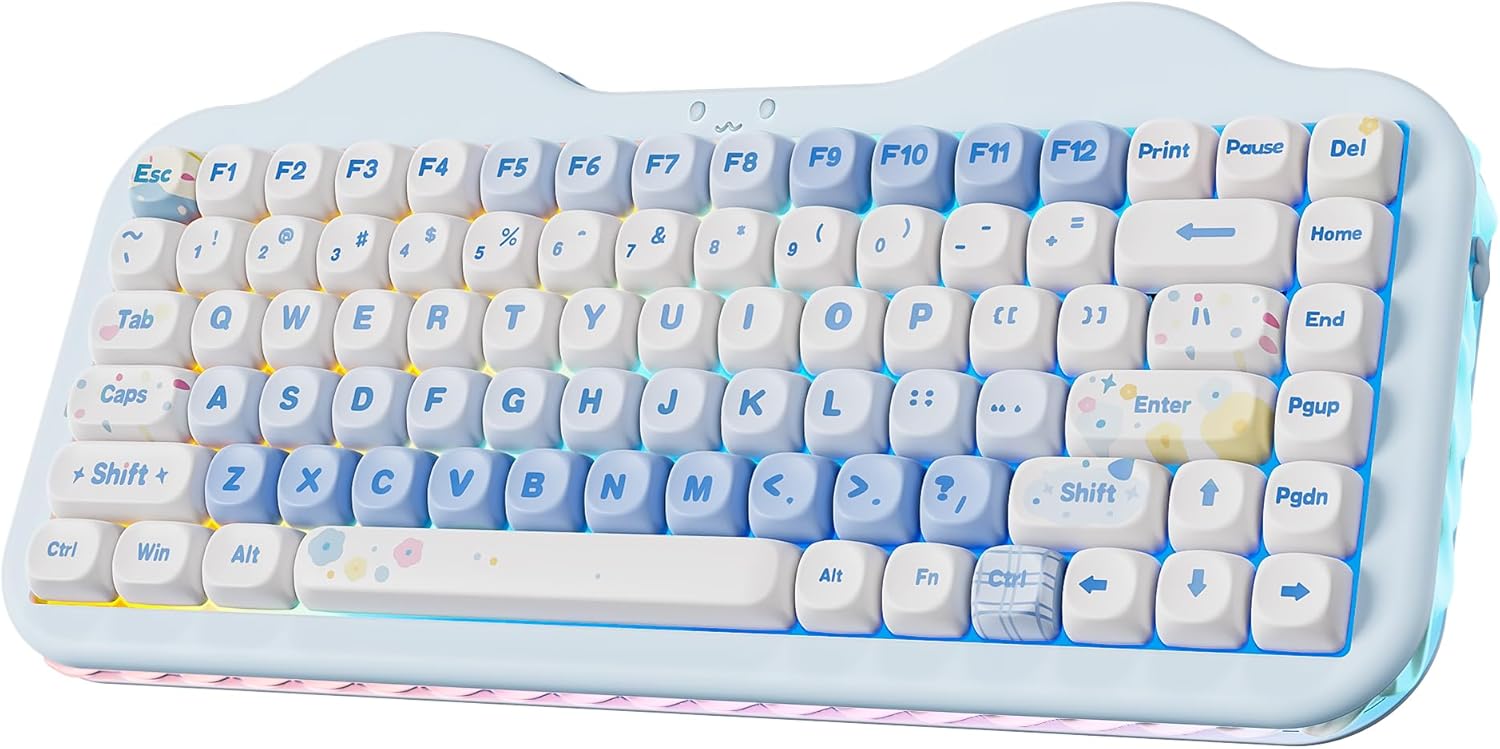
A compact 75% wireless keyboard with hot-swappable switches, tri-mode connectivity, and a distinctive cute cake design. The gasket structure and pre-lubed linear switches deliver a creamy typing experience, while the 5500mAh battery provides solid endurance for work and gaming across multiple devices.
Pros
- Hot-swappable PCB supports both 3-pin and 5-pin switches for easy customization without soldering
- Tri-mode connectivity (BT 5.0, 2.4GHz, USB-C) with seamless switching between up to 5 devices and multiple OS (Win, Mac, Android, iOS)
- Gasket structure with sound-absorbing materials and pre-lubed switches create smooth, quiet keystrokes
- 3-zone RGB lighting with independent control for backlight, side underglow, and smiley face emblem
- 5500mAh battery capacity outperforms most competitors in the 75% wireless category
Cons
- No TFT screen or physical knob for quick adjustments, unlike some higher-end YUNZII models
- Programmable software limited to web driver for customization, requiring online access
- Plastic and silicone construction feels less premium compared to full plastic bodies on other YUNZII keyboards
Womier SK80 75% Mechanical Keyboard with Display
A compact 75% gaming keyboard that stands out with its built-in color multimedia screen for customizable GIF animations and system info. The gasket-mounted design with pre-lubed linear switches delivers a smooth, creamy typing feel out of the box, while extensive RGB lighting and macro software give gamers plenty of personalization options. Best suited for users who value compact layouts without sacrificing features.
Pros
- Unique multimedia display screen with customizable GIF animations and system status indicators
- Hot-swappable PCB compatible with both 3-pin and 5-pin switches for easy customization
- Pre-lubed linear switches provide smooth keystroke feel with minimal setup required
- Gasket mounting design reduces noise and enhances stability
- 19 RGB lighting effects with adjustable brightness and music syncing mode
- Compatible with both Mac and Windows systems
Cons
- Display screen has delicate internal wiring that can be easily damaged if keyboard is disassembled
- Wired connection only (no wireless option despite some product line variants offering Bluetooth/2.4G)
- Gasket mounting and display screen design may limit deep customization compared to standard mechanical keyboards
SOLAKAKA KI99 Pro 96% Wireless Mechanical Keyboard
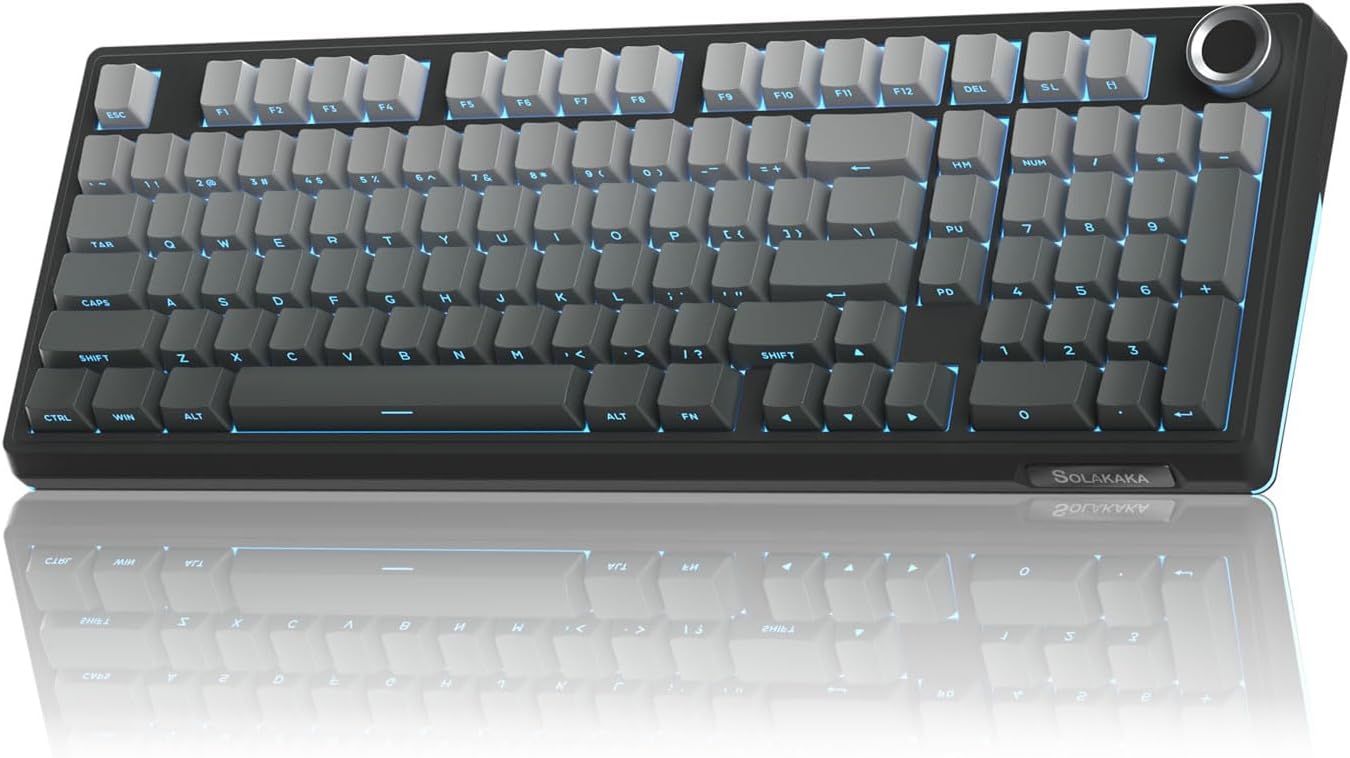
A compact 96% mechanical keyboard balancing desk space efficiency with full-size functionality. Triple connectivity (Bluetooth, 2.4GHz, wired) and a 10,000mAh battery make it versatile for work and gaming, while the gasket structure with noise-dampening layers delivers a smooth, creamy typing feel.
Pros
- Hot-swappable 3/5-pin switches for easy customization without soldering
- Triple-mode connectivity with 10M stable signal range, compatible with PC, Mac, phones, and tablets
- Gasket structure with five-layer noise reduction minimizes vibration and delivers smooth typing experience
- Multifunctional knob for volume, media, and brightness control
- High-capacity 10,000mAh battery reduces charging frequency
- PBT keycaps with dual-color injection molding resist wear and fading
Cons
- Driver software Windows-only, limiting customization for Mac users despite Mac compatibility
- 96% layout omits some full-size keys, requiring function key combinations for certain operations
- RGB lighting south-facing position may reduce side visibility in some setups
Logitech G413 SE Full-Size Mechanical Gaming Keyboard
A full-size mechanical gaming keyboard built around durability and competitive performance. The G413 SE combines tactile mechanical switches with PBT keycaps and a brushed aluminum frame, making it a solid choice for players seeking a no-frills, reliable input device that won't flex under intense sessions.
Pros
- PBT keycaps deliver superior heat and wear resistance compared to standard ABS plastic
- 6-key rollover anti-ghosting ensures reliable simultaneous key registration during gameplay
- Aluminum-magnesium alloy top case provides structural rigidity with minimal flex
- Twelve programmable FN media controls for volume, playback, and lighting adjustment
- Full-size layout plus compact tenkeyless option available for different desk setups
Cons
- Wired USB connection only, no wireless option for cable-free setup
- White LED lighting is fixed and non-customizable compared to RGB alternatives
- No information provided on switch type specifications or actuation force details
Mechanical Keyboards Under $100 Buying Guide
Picking a mechanical keyboard involves more variables than most peripherals. The sections below walk through the criteria that matter most, so you can match a board to how you actually type and play rather than just chasing the highest spec sheet.
Layout and Size

Keyboard layout is the first decision to lock in because it affects every other trade-off. Full-size boards (100%) include a dedicated numpad, which matters for data entry, spreadsheet work, or accountants who live in Excel.
96% layouts like the RK Royal Kludge R98 Pro keep the numpad while dramatically reducing horizontal footprint by tightening the gaps between key clusters.
75% layouts, represented by the AULA F75 Pro and the YUNZII C75, drop the numpad and function row in favour of a far more desk-friendly form factor without sacrificing the navigation cluster that most users rely on daily.
Think honestly about whether you use the numpad. Many buyers switch to a 75% or 96% layout and never look back because the reduced footprint frees up room for a wider mouse pad and a more ergonomic arm position.
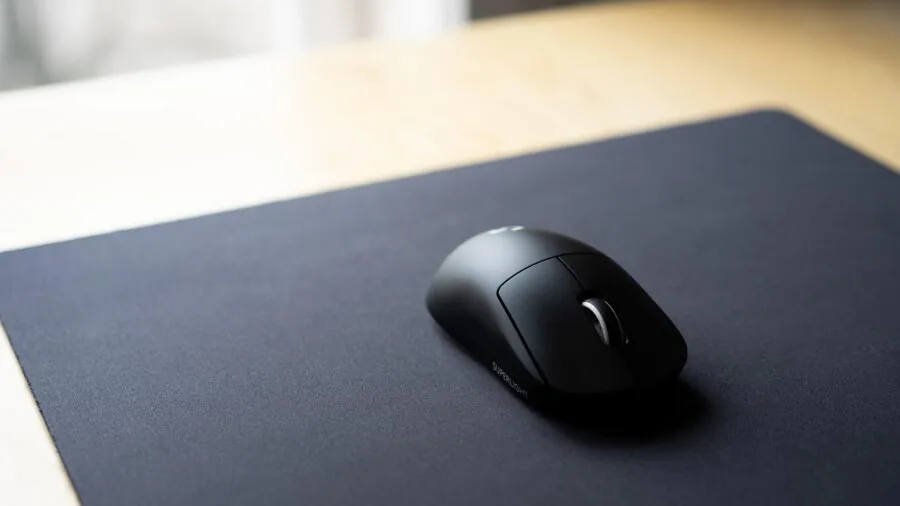
If you pair your keyboard with a high-performance mouse on a compact desk, the extra space matters. For a complete peripheral setup, wireless mice are worth considering alongside your keyboard choice.
Also consider whether you want a layout with a volume knob. Both the AULA F75 Pro and the RK Royal Kludge R98 Pro include a physical rotary encoder, which provides genuinely useful quick access to volume and sometimes media controls without a software detour.
Switch Type and Feel

The switch is the heart of any mechanical keyboard, and the tactile experience it delivers is entirely personal.
Linear switches travel smoothly from top to bottom with no bump or click, making them popular for gaming because keystrokes register quickly and quietly.
The AULA F75 Pro ships with Reaper switches and the RK Royal Kludge R98 Pro with pre-lubed linear switches, both targeting that smooth, low-resistance feel.
Tactile switches add a noticeable bump at the actuation point, giving typing feedback without audible clicking. Clicky switches introduce an audible sound alongside the tactile bump and are beloved by touch typists but divisive in shared spaces.
Pre-lubed switches, now standard on several picks in this guide including the Womier SK80 and the AULA F99, reduce friction and rattle straight out of the box. This used to require manual lubing, a hobby in itself.
Buyers who want to explore further can swap in different switches on any hot-swappable board, which covers every single keyboard in this roundup.
That flexibility is one of the strongest reasons to spend a little more and choose a hot-swap board over a soldered one.
Hot-Swap Capability and Customisation
Hot-swap sockets let you pull out switches and plug in new ones without a soldering iron. This used to be a premium feature reserved for custom boards costing several times the price of the keyboards in this guide.
Today every pick here offers hot-swap capability, meaning your keyboard can evolve as your preferences change.
You might start with the linear switches that ship in the box, then swap to a heavier tactile switch months later once you have a clearer sense of what you like.
Customisation extends beyond switches. Keycap compatibility is important: most boards here use standard or near-standard layouts that accept widely available aftermarket keycaps in PBT or other materials.
The YUNZII C75 uses MOA profile keycaps and ships in a distinctive cake-themed colourway, appealing to buyers who want a keyboard that doubles as a desk aesthetic statement.
If you enjoy personalising your workspace, a hot-swappable board with a replaceable keycap set gives you a genuinely modular peripheral.
Pairing that kind of desk setup with a quality desktop monitor and thoughtful accessories makes a real difference to daily comfort.
Connectivity: Wired, Wireless, and Multi-Device
Wired USB-C connections offer the lowest latency and the simplest setup. For competitive gaming or anyone who does not want to think about battery levels, a wired board is still the most reliable choice.
The RK Royal Kludge R98 Pro is wired-only, which keeps its price competitive and its performance consistent.
Wireless models have matured significantly.
Tri-mode connectivity, available on the AULA F99, AULA F75 Pro, SOLAKAKA KI99 Pro, and YUNZII C75, means you can connect via 2.4 GHz USB dongle for near-wired latency at the desk, via Bluetooth 5.0 to a tablet or secondary device, or via USB-C when you need to charge.
For someone who switches between a desktop, a laptop, and maybe a tablet throughout the day, that flexibility is genuinely useful.
Many users also find that pairing a wireless keyboard with a portable monitor creates a very capable travel or dual-setup configuration.
Battery life on wireless boards in this price range typically spans several weeks of regular use at moderate RGB brightness, or considerably longer with RGB switched off. If you leave RGB at full brightness constantly, expect to charge more frequently.
Build Quality: Gasket Mount, Case Materials, and Sound Profile

The gasket mount has become the benchmark construction method for keyboards chasing a premium typing feel. Rather than the PCB mounting rigidly to the case, gaskets suspend the internal assembly, absorbing shock and dampening sound.
The result is a softer, more cushioned keystroke and a lower, thockier acoustic signature that many typists strongly prefer over the sharp clack of traditional tray-mount designs.
The RK Royal Kludge R98 Pro, AULA F75 Pro, SOLAKAKA KI99 Pro, and YUNZII C75 all use gasket-mount structures. At this price tier that is a meaningful differentiator.
Case material affects both feel and durability. The Logitech G413 SE uses an aluminium top case, which adds rigidity and a premium feel compared to all-plastic alternatives.
Most other boards here use polycarbonate or ABS plastic cases, which are lighter and allow for RGB light diffusion but flex slightly more under heavy keystroke pressure.
Pre-lubed stabilisers, present on several picks here, address the rattle common on the spacebar and larger modifier keys, contributing to the overall sound profile.
Software, RGB, and macOS Compatibility

RGB backlighting is essentially universal at this price point and ranges from basic single-colour to per-key addressable lighting with dozens of effects. The more meaningful differentiator is whether you can control it without proprietary software.
Some boards allow full customisation directly through onboard key combinations, which is ideal if you dislike installing extra applications. Others require a companion app for remapping and advanced lighting control.
macOS compatibility has improved across the category. The Logitech G413 SE explicitly supports both Windows and macOS, and several other picks here include Mac-compatible keycaps or keycap legends.
If you primarily use a Mac, verify that the board you choose either ships with Mac keycaps or has them available separately.
For anyone building a capable Mac-centric desk setup, pairing your keyboard with a well-chosen docking station can simplify connectivity considerably.
Buyers putting together a full computer build alongside their keyboard may also want to look at our coverage of prebuilt gaming PCs and all-in-one computers for context on pairing choices.
Why You Should Trust Us
REMOVU is an independent review platform. We do not sell products, accept review units in exchange for coverage, or take direction from brands or retailers on how to rank their products.
Every keyboard in this guide was evaluated using a consistent multi-criteria framework: we assess build quality and materials, switch and typing characteristics, connectivity options, layout practicality, software experience, and verified buyer satisfaction signals.
Each product receives a REMOVU Score on a scale of 0 to 10, reflecting its overall standing relative to comparable options in its price tier.
We do not conduct our own product trials; our evaluations are grounded in research, published data, expert review consensus, and verified buyer feedback. Sources include manufacturer specifications, aggregated purchaser reviews from verified buyers, and published assessments from credible technology outlets.
Where expert opinion diverges, we note the tension and weight the majority position alongside real-world buyer experience, since the two do not always agree.
REMOVU may earn a commission when you purchase through links in this article. That affiliate relationship has no influence on rankings, scores, or which products are included or excluded.
Our editorial independence is non-negotiable: recommendations are based solely on research merit. We have no affiliation with any brand featured here and cannot assist with orders, returns, or warranty claims; those are handled directly by the retailer or manufacturer.
Final Thoughts
The mechanical keyboard segment under $79.99 is genuinely competitive right now, with several standout options that punch well above their price. After analysing specifications, expert consensus, and verified buyer feedback, here are our top picks by use case.
- Best Overall: AULA F75 Pro Wireless Mechanical Keyboard. The highest REMOVU Score in this roundup. It earns that position through an exceptional combination of tri-mode wireless connectivity, hot-swappable pre-lubed Reaper switches, a compact 75% layout with volume knob, and side-printed PBT keycaps, all in one cohesive package at a mid-range price.
- Best Wireless Value: AULA F99 Wireless Mechanical Keyboard. Another strong score, the F99 earns its place through reliable tri-mode connectivity, solid pre-lubed linear switches, and broad platform compatibility spanning PC, tablet, PS, and Xbox, making it one of the most versatile wireless boards in the group.
- Best Wired Pick for Compact Desks: RK Royal Kludge R98 Pro. A 96% layout that retains a numpad in a surprisingly tight footprint, with gasket mounting and MDA profile PBT keycaps delivering a premium typing feel at a budget-friendly price. An excellent entry point for anyone exploring gasket-mount construction for the first time.
- Best for Desk Aesthetics: YUNZII C75 Wireless Mechanical Keyboard. The standout for buyers who want personality at their desk. Its dye-sublimated MOA keycaps in the cake colourway are genuinely distinctive, and the gasket-mount structure with NKRO and tri-mode wireless means it does not sacrifice substance for style.
- Best Full-Size Option: Logitech G413 SE. The only full-size board in the group, with an aluminium top case and explicit macOS support. A dependable choice for users who need a numpad and want brand-name reliability. For users completing a full desk build, a capable desktop computer pairs naturally with a full-size keyboard like this one.
Whichever board you choose, the picks in this guide represent a strong cross-section of what the market offers at accessible prices.
Hot-swap capability, gasket mounting, and multi-device wireless connectivity are no longer luxuries reserved for enthusiast custom builds; they are real features you can get today without spending beyond your budget.
Building a complete setup around your keyboard of choice is easier than ever, whether you are adding a new webcam for remote work or rounding out your gaming station with quality portable computing options.
Frequently Asked Questions
Are Mechanical Keyboards Actually Better Than Membrane Keyboards?
For most users who type or game for extended periods, yes. Mechanical switches provide consistent actuation forces, precise tactile or auditory feedback, and rated lifespans that typically far exceed those of membrane domes.
They also allow you to replace individual switches when worn rather than discarding the entire board. The trade-off is that quality mechanical keyboards cost more upfront, though the durability usually makes them more cost-effective over time.
That said, membrane keyboards remain adequate for casual or light-use scenarios where spend is the primary concern.
What Is the Difference Between Linear, Tactile, and Clicky Switches?
Linear switches move straight down with uniform resistance and no feedback bump, making them smooth and quiet. They are popular with gamers who value rapid keystrokes and dislike noise.
Tactile switches add a physical bump at the actuation point, giving your fingers confirmation that a key has registered without any audible click.
Clicky switches combine a tactile bump with a deliberate click sound, which many typists find satisfying but which can be disruptive in shared offices or open-plan spaces.
All three types are available in the hot-swappable boards featured here, meaning you can experiment after purchase.
Is a 75% Keyboard Enough, or Do I Need Full Size?
It depends on your workflow. If you regularly work with numbers, financial data, or applications that use numpad shortcuts, a full-size or 96% layout is worth the extra footprint.
If you primarily type prose, code, or game, a 75% layout like those on the AULA F75 Pro or YUNZII C75 is usually sufficient and noticeably more comfortable on a compact desk.
Many users are surprised to find that they do not miss the numpad after a short adjustment period. If you are unsure, a 96% layout like the RK Royal Kludge R98 Pro is a sensible middle ground.
Do Wireless Mechanical Keyboards Have Noticeable Input Lag?
Modern 2.4 GHz wireless connections are fast enough that input lag is imperceptible for all but the highest level of competitive gaming. All the wireless picks in this guide support 2.4 GHz USB dongle connectivity alongside Bluetooth.
For everyday gaming and typing, the wireless experience is effectively indistinguishable from wired.
Bluetooth connections do carry slightly more latency, so if you are chasing every millisecond in competitive play, connecting via the 2.4 GHz dongle or USB-C cable is the safer call.
Gamers focused on low-latency setups might also want to consider how their graphics card and monitor refresh rate factor into the full input chain.
What Does Hot-Swappable Mean and Why Does It Matter?
Hot-swappable means the switch sockets on the PCB accept switches that can be inserted and removed without soldering. You simply use a switch puller to extract an existing switch and press a new one into the socket.
This matters because switch preference is personal and often develops after you have spent real time typing. A hot-swap board lets you change your switch feel at any point, extending the useful life of the keyboard considerably.
Every board in this guide is hot-swappable, which is one of the primary reasons they were selected. For anyone building a more complete PC peripheral setup, it is also worth checking out our coverage of monitors and peripherals more broadly.
Which Keyboard in This Guide Works Best with a Mac?
The Logitech G413 SE is the most explicitly macOS-compatible option, with declared support for both Windows and macOS right out of the box.
Several other boards, including the AULA F75 Pro, AULA F99, and YUNZII C75, also indicate Mac compatibility and include or support Mac keycap layouts.
If you are using a MacBook with an external display, pairing your setup with a capable lightweight portable device or a well-chosen monitor from our monitors category can complete a clean, minimal desk arrangement.
About the author
Lisa is REMOVU's smart thermostat writer, weighing energy savings, features, and system compatibility. She helps readers add comfort and remote control while trimming their bills.