The 11 Best Mechanical Keyboards for Typing
Switch type, layout, and build quality all shape how comfortable a keyboard feels over hours of typing. These picks cover the strongest options across full-size, compact, wired, and wireless categories.
 By Irene Hopkins
Updated July 26, 2026
By Irene Hopkins
Updated July 26, 2026
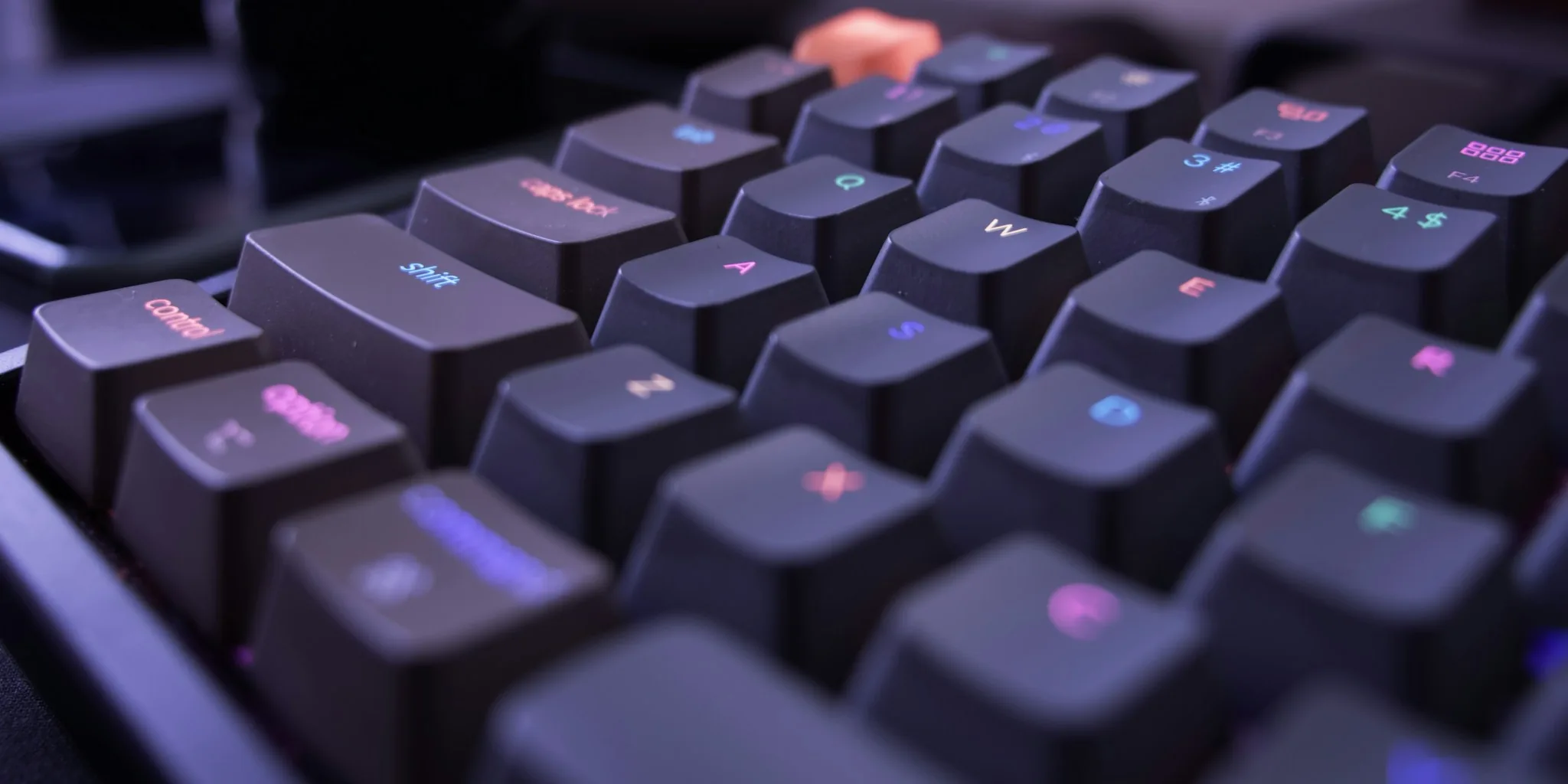
Finding the right mechanical keyboard for typing isn’t as straightforward as picking the one with the prettiest keycaps.
Switch type, layout, build quality, and sound profile all play significant roles in whether a keyboard helps you type faster and more comfortably, or leaves your fingers fatigued after a long session.
Whether you’re a writer putting in long hours, a programmer who lives in the terminal, or a remote worker juggling spreadsheets, the keyboard beneath your fingers matters more than most desk accessories.
If you’re also shopping on a budget, our roundup of mechanical keyboards under $100 covers strong options across that price range.
At REMOVU, we research each product through a structured process that combines published specifications, expert review consensus from across the industry, and verified buyer feedback.
We do not conduct our own product trials; every pick is evaluated against consistent criteria and assigned a REMOVU Score on a 0 to 10 scale.
The keyboards listed below represent our top picks across full-size, compact, wired, and wireless categories, drawn from brands including Keychron, Logitech, AULA, ASUS ROG, Kisnt, Redragon, and RK Royal Kludge.
Read on for our ranked selections, followed by a detailed buying guide.

Keychron K10 Max Wireless Mechanical Keyboard
A full-size wireless mechanical keyboard built for productivity and gaming, the K10 Max combines QMK customization with multi-device Bluetooth 5.1 connectivity. Its hot-swappable switches, acoustic foam dampening, and 1000 Hz polling rate deliver a satisfying typing experience across Mac, Windows, and Linux without requiring soldering expertise.
Pros
- Fully programmable via QMK firmware and Keychron Launcher web app with drag-and-drop key remapping
- Triple device connectivity via Bluetooth 5.1 plus 2.4 GHz wireless and wired options for seamless multitasking
- Hot-swappable MX-compatible switches with no soldering required, plus PCB-mounted stabilizers for smooth spacebar and modifier keys
- Advanced IXPE and EPDM acoustic foams with steel plate deliver responsive feedback and reduced typing noise
- OSA profile PBT keycaps with double-shot construction resist oils and wear over extended use
Cons
- Full-size 108-key layout takes up considerable desk space compared to compact alternatives
- Limited to pre-lubed red linear switches included by default, requiring separate purchase for other switch types
- Requires cable connection to Keychron Launcher web app for remapping, limiting customization flexibility on-the-go

Logitech MX Mechanical Wireless Keyboard
A premium wireless mechanical keyboard with quiet tactile switches and smart backlighting that adapts to ambient light. Supports multi-device pairing across Windows, macOS, Linux, iOS, and Android, making it ideal for professionals managing multiple workstations. The low-profile design balances mechanical feel with ergonomic comfort.
Pros
- Tactile Quiet switches deliver mechanical typing feedback with minimal noise, reducing distraction in shared spaces
- Smart backlit keys automatically adjust brightness based on lighting conditions and hand proximity
- Seamless multi-device connectivity via Bluetooth or USB-C receiver, with up to 15 days battery life per charge
- Customizable through Logi Options+ for Fn key remapping, backlighting effects, and Flow cross-computer control
- Full-size layout with low-profile mechanical switches provides better ergonomics than traditional mechanical boards
Cons
- Renewed condition means it may show cosmetic wear or come with limited packaging, despite full functionality
- Limited switch options compared to enthusiast mechanical keyboards, though Clicky and Linear variants are available
- No information on warranty coverage typical of renewed products, which may affect long-term support

ASUS ROG Strix Scope II X Full-Size Mechanical Keyboard
A premium wired gaming keyboard built for customization, featuring hot-swappable pre-lubed ROG NX Snow V2 switches and durable PBT doubleshot keycaps. The aluminum construction, sound-dampening foam, and included wrist rest make it comfortable for extended gaming and work sessions. Best suited for enthusiasts who want to fine-tune their setup without breaking the bank on connectivity options.
Pros
- Hot-swappable switches let you swap between ROG NX Snow linear or Storm clicky types to match your preference
- Pre-lubed V2 switches with dust-proof design deliver smooth, consistent keystrokes out of the box
- PBT doubleshot keycaps resist shine and wear better than standard ABS alternatives
- Integrated sound-dampening foam and stabilizer tuning reduce pinging and echo for cleaner acoustics
- Detachable wrist rest and three-angle adjustment accommodate different hand positions for comfort
- Pre-programmed hotkeys for Xbox Game Bar and recording, plus fully programmable macros via Armoury Crate
Cons
- Wired USB-C only, no wireless or Bluetooth option for desk flexibility
- Full-size layout takes up significant desk real estate compared to compact alternatives
- Premium pricing reflects the customization features, which may not justify the cost for casual users

Keychron K4 96% Mechanical Keyboard with Bluetooth 5.1
A compact 100-key mechanical keyboard that bridges productivity and light gaming with dual wireless and wired connectivity. The Keychron Super Brown switches deliver tactile feedback across 50 million keystrokes, while the 4000mAh battery stretches to 240 hours between charges. Mac and Windows users both get dedicated layouts with included keycaps, making this a practical choice for multi-device setups.
Pros
- Connects to 3 devices simultaneously via Bluetooth 5.1 with easy switching between Mac, Windows, iOS, and Android
- Exceptional battery life up to 240 hours with backlight off, among the largest capacity in mechanical keyboards
- Durable Keychron Super Brown switches rated for 50 million keystrokes with tactile responsiveness
- Includes both Mac and Windows keycap sets plus cable and puller in the box
- Compact 96% layout keeps a number pad without taking full-size desk space
Cons
- Not hot-swappable, so switch replacements require soldering skills
- Wireless mode limited to 6-key rollover versus full NKRO in wired mode, restricting simultaneous key presses for competitive gaming
- White LED backlight only, no RGB customization options available

AULA F99 96% Tri-Mode Mechanical Keyboard
A compact mechanical keyboard built for gamers and office workers who value flexibility. The F99 connects across three modes (Bluetooth 5.0, 2.4GHz, USB-C) and supports up to five devices, making it practical for multi-device setups. Hot-swappable switches, pre-lubed linear keys, and customizable macros deliver solid gaming performance, though the compact layout may require adjustment for users accustomed to full-size boards.
Pros
- Tri-mode connectivity with seamless device switching simplifies work-to-gaming transitions
- Hot-swappable design with included puller tools lets you swap switches and keycaps without soldering
- Pre-lubed linear switches provide smooth, responsive typing with reduced noise from gasket structure and five-layer silencing pads
- 8000mAh battery offers extended wireless use, and double-shot PBT keycaps resist fading
- Macro customization and 16 RGB effects with music rhythm lighting add personalization
Cons
- 96% compact layout omits some keys full-size users may expect, potentially slowing workflow adjustments
- Limited RGB lighting options compared to premium gaming keyboards, with only 16 preset effects
- No mention of wireless range specifications or battery life duration in hours, making real-world endurance unclear

Keychron C2 Full Size Wired Mechanical Keyboard
A full-size 104-key wired keyboard with tactile Keychron Brown switches and a Mac-optimized layout that also works with Windows. The retro ABS keycaps and adjustable feet deliver solid typing comfort, while the braided USB-C cable ensures reliable connection for both productivity and light gaming without requiring drivers.
Pros
- Full 104-key layout with dedicated number pad, ideal for users who need comprehensive key access
- Dual Mac and Windows compatibility with extra keycaps for both operating systems
- Keychron Brown switches offer tactile feedback with 50 million keystroke durability
- Adjustable feet with two incline levels (6° and 9°) for ergonomic typing positions
- Plug-and-play wired connection with braided USB-C cable, no driver installation needed
Cons
- Non-backlit design limits visibility in low-light environments compared to RGB alternatives
- Wired-only connectivity means less desk flexibility than wireless options
- Heavier and larger footprint than compact or tenkeyless keyboard alternatives

RK Royal Kludge R98 Pro 98-Key Mechanical Keyboard
A compact mechanical keyboard that retains the numpad and arrow keys in a 96% layout, featuring hot-swappable pre-lubed cream switches and gasket mounting for a smooth, creamy typing feel. The MDA profile PBT keycaps and programmable RGB lighting appeal to both gamers and productivity users, backed by a 4.6-star rating from over 680 verified buyers.
Pros
- Gasket mount structure with five-layer sound-absorbing foam reduces noise by 50% while delivering a satisfying thocky keystroke
- Hot-swappable design supports 3/5-pin switches, allowing easy customization with included spare cream switches
- MDA profile PBT keycaps provide ergonomic wrapping feel and resist fading with matte, wear-resistant finish
- Detachable volume knob and four indicator lights (Num/Caps/Win Lock, Mac Mode) for quick control and status visibility
- Programmable online driver for key remapping, macros, and RGB customization on Windows and macOS
Cons
- Wired-only connection via USB-C limits flexibility compared to wireless alternatives
- Gasket mount and foam layers add weight and may not suit users preferring lighter, more direct typing feedback
- Driver dependency for full customization features means less functionality without software installation
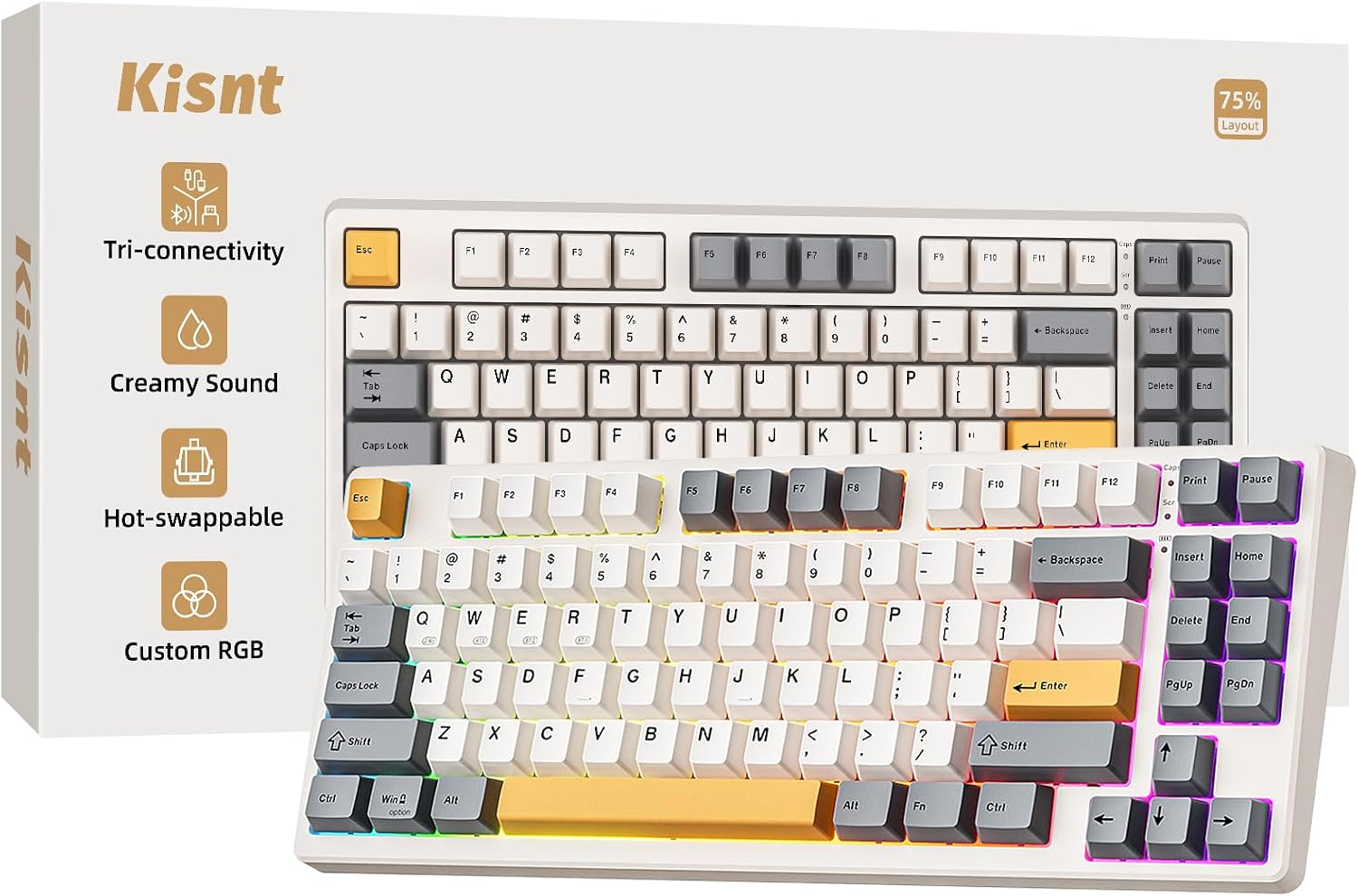
Kisnt KN85 75% Mechanical Keyboard, Tri-mode
A compact 75% mechanical keyboard that balances desk real estate with essential keys, making it practical for writers, coders, and gamers alike. The tri-mode connectivity (USB-C, 2.4GHz, Bluetooth) and 4000mAh battery offer flexibility across devices, while gasket mounting and pre-lubed linear switches deliver the deeper, creamy typing sound keyboard enthusiasts prefer over traditional clacky feedback.
Pros
- Space-efficient 75% layout frees up desk space without sacrificing function keys, arrow keys, or shortcuts
- Tri-mode connectivity with low latency across USB-C (2ms), 2.4GHz (5ms), and Bluetooth (11ms) supports seamless switching between PC, Mac, tablet, and mobile
- Hot-swappable design with 3/5 pin compatibility lets you customize switches without soldering
- Gasket-mounted construction with five foam layers produces a deeper, marbly sound profile that reduces distracting clack
- Programmable keys via Windows software enable macro editing and remapping for productivity and gaming
Cons
- Software support is Windows-only; Mac and mobile users cannot remap keys or access full RGB customization
- Not a silent keyboard, while creamy and less clacky than traditional mechs, it still produces audible keystroke sound
- Bluetooth battery drain is notable with animated RGB effects; static modes recommended for extended wireless use

Redragon K689 108-Key Hot-Swap Gaming Keyboard
A full-size wired gaming keyboard built for customization with hot-swappable switches, gasket-mounted construction, and four programmable hotkeys. The cushioned typing feel and music-sync RGB lighting appeal to gamers wanting a tactile, personalized board without breaking the bank.
Pros
- Hot-swap socket accepts both 3-pin and 5-pin switches for easy upgrades
- Gasket-mounted with 3-layer noise dampening for a creamy, soft typing feel
- Four customizable hotkeys plus 19 RGB preset modes with music-sync capability
- Pro software allows macro programming and custom lighting effect design
- Mixed-color keycaps provide visual distinction out of the box
Cons
- Wired-only connection limits desk flexibility compared to wireless alternatives
- No reviews yet on this model to verify real-world durability and switch compatibility consistency
- Full-size 108-key layout takes up significant desk space for users preferring compact boards

Logitech G413 SE Full-Size Mechanical Gaming Keyboard
A full-size mechanical gaming keyboard built around durability and competitive performance. The G413 SE combines tactile mechanical switches with PBT keycaps and a brushed aluminum frame, making it a solid choice for players seeking a no-frills, reliable input device that won't flex under intense sessions.
Pros
- PBT keycaps deliver superior heat and wear resistance compared to standard ABS plastic
- 6-key rollover anti-ghosting ensures reliable simultaneous key registration during gameplay
- Aluminum-magnesium alloy top case provides structural rigidity with minimal flex
- Twelve programmable FN media controls for volume, playback, and lighting adjustment
- Full-size layout plus compact tenkeyless option available for different desk setups
Cons
- Wired USB connection only, no wireless option for cable-free setup
- White LED lighting is fixed and non-customizable compared to RGB alternatives
- No information provided on switch type specifications or actuation force details

AULA F2088 Mechanical Gaming Keyboard with Blue Switches
A full-size mechanical keyboard that blends retro typewriter aesthetics with modern gaming functionality. The dual-mode knob handles both media control and 19 lighting effects, while blue switches deliver crisp tactile feedback suitable for both gaming and office work. Metal construction and removable wrist rest add durability and comfort for extended sessions.
Pros
- Versatile dual-mode knob controls media volume and 19 customizable lighting effects without menu diving
- Sturdy aluminum alloy metal panel with matte finish resists scratches and feels premium
- Blue mechanical switches provide quick response and satisfying click feedback for gaming and typing
- Anti-ghosting technology ensures simultaneous keystrokes register correctly during intense gameplay
- Plug-and-play USB connection with broad OS compatibility (Windows, Mac, Linux) requires no driver installation
- Ergonomic removable wrist rest and stepped keycap design reduce hand fatigue during long sessions
Cons
- No wireless option available; fixed 1.8m USB cable limits desk setup flexibility
- Blue switches produce audible clicking that may disturb others in shared spaces
- Macro programming capability mentioned but lacks detail on ease of use or software requirements in available specs
Mechanical Keyboards for Typing Buying Guide
Typing-focused mechanical keyboards share some common priorities with keyboards built for programming, but there are key distinctions worth understanding before you spend. Below we break down the six most important criteria to evaluate when choosing a mechanical keyboard optimized for sustained, comfortable typing.
Switch Type and Actuation Feel

The switch is the single most important factor in a typing keyboard. For most typists, tactile switches, which provide a physical bump partway through the keystroke without an audible click, offer the best balance of feedback and noise.
Brown-style switches (like those in the Keychron C2 and K4) are among the most widely used tactile options for office and home typing environments.
Linear switches, which travel smoothly from top to bottom, are favored by those who prefer a quieter, faster keystroke, and they’re particularly common in premium options like the Logitech MX Mechanical with its Tactile Quiet variant.
Clicky switches, which produce an audible snap at the actuation point, remain popular with writers who find the audio feedback helpful for rhythm and accuracy, but they’re generally not suitable for shared office spaces.
If you’re unsure which switch family suits you, most reputable keyboard vendors sell sampler packs, and many newer boards feature hot-swap sockets so you can experiment without soldering.
Hot-swappable keyboards appear across multiple picks in this list, from budget to premium tiers, making them especially good long-term investments for typists who may want to tune their feel over time.
Actuation force and pre-travel distance matter as well. A lighter switch (around 45g actuation) reduces finger fatigue during marathon sessions, while a heavier switch (55g and above) helps prevent accidental keypresses.
If you type quickly and lightly, lean toward lighter actuations; if you tend to bottom out keys, a slightly heavier switch with a pronounced tactile bump gives useful resistance.
Layout and Key Count

Layout choice directly affects both desk ergonomics and typing workflow. Full-size boards (100 to 104 keys) include a dedicated numpad and function row, making them ideal for data entry, accounting work, or anyone who regularly inputs numbers.
The Keychron K10 Max and ASUS ROG Strix Scope II X are both full-size options in this list that don’t sacrifice typing quality for gaming credentials.
If numpad access matters to your daily workflow, a full-size layout is the practical choice.
96% and tenkeyless (TKL) layouts offer a middle ground, retaining a numpad or function row while reducing overall footprint and allowing a more natural mouse position.
Compact 75% keyboards like the Kisnt KN85 are appealing for minimalist desks or those who prefer keeping hands closer together, which can actually reduce shoulder strain during long typing sessions.
If you’re considering a dedicated compact layout, our guide to compact mechanical keyboards is worth reading alongside this one.
Keycap Material and Profile
Keycap material affects both how the keys feel under your fingers and how long they last.
PBT (polybutylene terephthalate) keycaps are widely preferred for typing-focused boards because they resist shine, feel slightly textured, and produce a crisper, higher-pitched sound compared to ABS. Double-shot or dye-sublimated PBT legends won’t fade even after years of heavy use.
ABS keycaps are less expensive but develop a greasy sheen on the most-used keys within a few months of regular typing.
Keycap profile, which refers to the height and angle of each row of keys, shapes the ergonomics of your typing posture. OEM and Cherry profiles are the most common and are compatible with the widest range of aftermarket keycap sets.
SA and MT3 profiles are taller and more sculpted, favored by those who prefer a vintage typewriter feel.
MDA profile, as seen on the RK Royal Kludge R98 Pro, is a flatter spherical design that suits both touch typers and those who look at their keys.
Cherry profile remains a safe starting point if you’ve never consciously thought about keycap height before.
Connectivity and Compatibility

Wireless connectivity has become a genuine necessity for many typists who work across multiple devices or simply want a cleaner desk. Bluetooth 5.0 or 5.1, combined with a 2.4 GHz USB dongle option, is the current standard for flexible multidevice use.
Boards like the Keychron K10 Max offer tri-mode connectivity (Bluetooth 5.1, 2.4 GHz, and USB-C), while the Logitech MX Mechanical emphasizes low-latency wireless performance across macOS, Windows, and Linux.
Operating system compatibility is especially relevant for Mac users: keyboards that ship with dedicated Mac and Windows key layouts, or that offer easy-toggle switching, save significant frustration. Keychron is particularly well regarded in this regard.
If your primary machine is an Apple device, our dedicated roundup of mechanical keyboards for Mac covers the nuances in more depth.
USB-C braided cables are now standard on most quality wired options and are worth checking for, as they’re far more durable than legacy Micro-USB.
Sound Profile and Acoustic Tuning

Sound matters far more for typing keyboards than most buyers anticipate before purchase. A keyboard that produces a deep, low-pitched “thock” is generally preferable for long sessions because it’s less fatiguing than a sharp, high-pitched clatter.
Several factors influence the acoustic output: case material (polycarbonate and aluminum ring differently), internal dampening foam, switch lubrication, and stabilizer quality all contribute.
Pre-lubed switches, which appear in picks like the AULA F99 and RK R98 Pro, reduce friction-related noise and smooth out the keystroke from the factory.
Gasket mount construction, used in the RK R98 Pro, decouples the switch plate from the outer case using flexible gaskets.
This softens the impact of each keypress and contributes to a bouncier, quieter feel that many typists prefer over the stiffer top-mount or tray-mount designs found in budget boards.
If typing noise in a shared space is a concern, prioritizing a board with internal foam dampening, pre-lubed linear switches, and quality stabilizers will make a meaningful difference without requiring any DIY modifications.
Build Quality and Long-Term Value
The case material sets the baseline for feel and durability. Aluminum-bodied boards feel premium and resist flex, but add weight. Polycarbonate and ABS plastic cases are lighter and can produce a slightly softer, less reverberant sound.
For a typing-primary use case, a board with minimal flex, well-fitted stabilizers, and a solid USB-C connector is more important than RGB lighting brightness or gaming-oriented macros.
Programmability and software support extend the long-term value of a board significantly.
QMK/VIA compatibility, as found on the Keychron K10 Max, means you can remap every key, create layers, and adjust lighting without proprietary software, and those customizations remain stored in the keyboard’s onboard memory.
For writers and productivity users, the ability to assign custom macros to underused keys can add genuine workflow benefit over time.
Long-term reliability also ties back to switch socket quality on hot-swap boards; a well-engineered hot-swap PCB tolerates dozens of switch changes without damaging the contacts.
Why You Should Trust Us
REMOVU is an independent review publication with no manufacturer affiliations.
Every product on this list was evaluated using our structured research methodology: we analyze published specifications, synthesize expert review consensus from across the industry, and weigh verified buyer feedback to form a balanced picture of real-world performance.
We do not conduct our own product trials; our evaluations are grounded in research, published data, expert review consensus, and verified buyer feedback.
Each product receives a REMOVU Score on a scale from 0 to 10, reflecting how well it performs across the criteria most relevant to its category.
For typing keyboards, those criteria include switch quality, build construction, keycap material, connectivity, acoustic profile, and overall value relative to price tier. Products are ranked by REMOVU Score, with the highest-scoring options appearing at the top of the list.
REMOVU may earn a commission if you purchase through links on this page. That affiliate relationship has no influence on our rankings, scores, or editorial choices.
We recommend what we genuinely assess as the strongest options available; the order reflects merit, not margin. If you want to explore more options beyond this list, our overview of the best mechanical keyboards covers a broader selection across categories.
Final Thoughts
The mechanical keyboards in this list span a wide range of budgets and use cases, from compact daily drivers to full-size wireless productivity powerhouses. Below are our standout picks by category, each reflecting a REMOVU Score that places them among the strongest options we evaluated.
- Best Overall: Logitech MX Mechanical Wireless Illuminated Performance Keyboard (Renewed) earns the top position with the highest REMOVU Score in this roundup, combining refined Tactile Quiet switches, reliable cross-platform wireless, and a productivity-first design that translates well to all-day typing across macOS, Windows, and Linux.
- Best Full-Size Wireless: Keychron K10 Max is the pick for typists who need a complete layout with QMK programmability, tri-mode connectivity, and hot-swappable sockets in a single package. Its combination of flexibility and build quality makes it a strong long-term investment.
- Best Wired Value: Keychron C2 Full Size delivers a reliable full-size typing experience at a budget-friendly price point, with a USB-C braided cable, tactile Brown switches, and broad Mac and Windows compatibility that most boards in its class can’t match.
- Best Full-Size Gaming Crossover: ASUS ROG Strix Scope II X stands out for typists who also game, offering hot-swappable pre-lubed linear switches, PBT keycaps, and a full 100% layout in a polished build backed by one of the more respected names in gaming keyboards.
- Best Budget Wireless: AULA F99 Wireless punches above its weight with tri-mode connectivity, pre-lubed linear switches, and a hot-swappable PCB at a mid-range price, making it the most feature-dense option for shoppers prioritizing wireless flexibility without premium pricing.
Whether your priority is wireless freedom, a specific layout size, or acoustic comfort in a shared space, each of the picks above represents a well-researched starting point.
Pairing your new keyboard with a quality ergonomic desk setup and a well-positioned monitor can further reduce fatigue during long typing sessions.
For those building out a full workstation, a complete peripherals setup including monitor, mouse, and desk accessories is worth considering together.
Frequently Asked Questions
What Switch Is Best for Typing All Day?
Tactile switches, particularly those in the 45g to 55g actuation range, are most commonly recommended for sustained typing because they provide clear feedback without requiring you to bottom out every keystroke.
Brown-style tactile switches remain the most widely used option in productivity-oriented keyboards. Linear switches with light actuation forces are a strong alternative for typists who prefer a quieter, smoother feel, especially in shared work environments.
Is a Full-Size or Compact Layout Better for Typing?
It depends on your workflow. Full-size layouts are ideal if you regularly use a numpad or need dedicated function keys without a secondary layer.
Compact layouts like 75% and tenkeyless designs reduce desk footprint and can position your mouse closer to center, which benefits shoulder posture during long sessions.
If you’re leaning toward a smaller form factor, our guide to compact mechanical keyboards walks through the trade-offs in detail.
Does a Wireless Mechanical Keyboard Affect Typing Performance?
For typing, wireless latency is essentially imperceptible. Modern Bluetooth 5.0 and 5.1 connections introduce single-digit millisecond delays that have no practical effect on typing accuracy or speed.
A 2.4 GHz USB dongle connection, used by boards like the AULA F99, reduces even that minimal latency further. Wireless keyboards are a practical choice for most typists and are especially useful for multi-device setups or cleaner desk arrangements.
Are PBT Keycaps Worth It over ABS?
For typists who use their keyboard several hours a day, PBT keycaps are meaningfully better in the long run.
They resist the oily sheen that forms on ABS caps within months of heavy use, they feel slightly more textured and secure under the fingers, and double-shot or dye-sublimated legends stay legible for years.
The sound profile with PBT is also slightly crisper, which many typists prefer. Most boards in the mid-range and above now ship with PBT as standard.
Can I Use a Mechanical Typing Keyboard for Gaming Too?
Yes, and several picks on this list do double duty well. Hot-swappable keyboards let you install gaming-optimized linear switches while keeping tactile switches on hand for writing sessions.
Boards with N-key rollover, like the Keychron K4, ensure every simultaneous keypress registers correctly, which matters during fast-paced gameplay.
Our dedicated roundup of mechanical keyboards for gaming covers the gaming-specific criteria in more depth if that’s a priority alongside typing performance.
How Much Should I Spend on a Mechanical Keyboard for Typing?
The mid-range tier, roughly the price band covered in our mechanical keyboards under $100 guide, represents the best value for most typists. Boards in this tier typically include PBT keycaps, quality tactile or linear switches, USB-C connectivity, and solid build construction.
Spending more gets you wireless reliability, QMK programmability, premium gasket mounting, or aluminum casework.
Budget options from brands like Keychron’s C2 line and AULA can deliver a strong typing experience for those with tighter budgets, though they may compromise on keycap quality or wireless features.
About the author
Irene reviews desktop PCs for REMOVU, balancing performance, upgradability, and value for home and office use. She helps readers choose a tower that delivers more per dollar than a laptop and lasts through easy upgrades.