The 11 Best Mechanical Keyboards for Programming
Switch feel, layout efficiency, and firmware flexibility separate a good coding keyboard from a great one. Here are the top mechanical keyboards programmers actually want at their desks.
 By Michelle Mendoza
Updated July 26, 2026
By Michelle Mendoza
Updated July 26, 2026
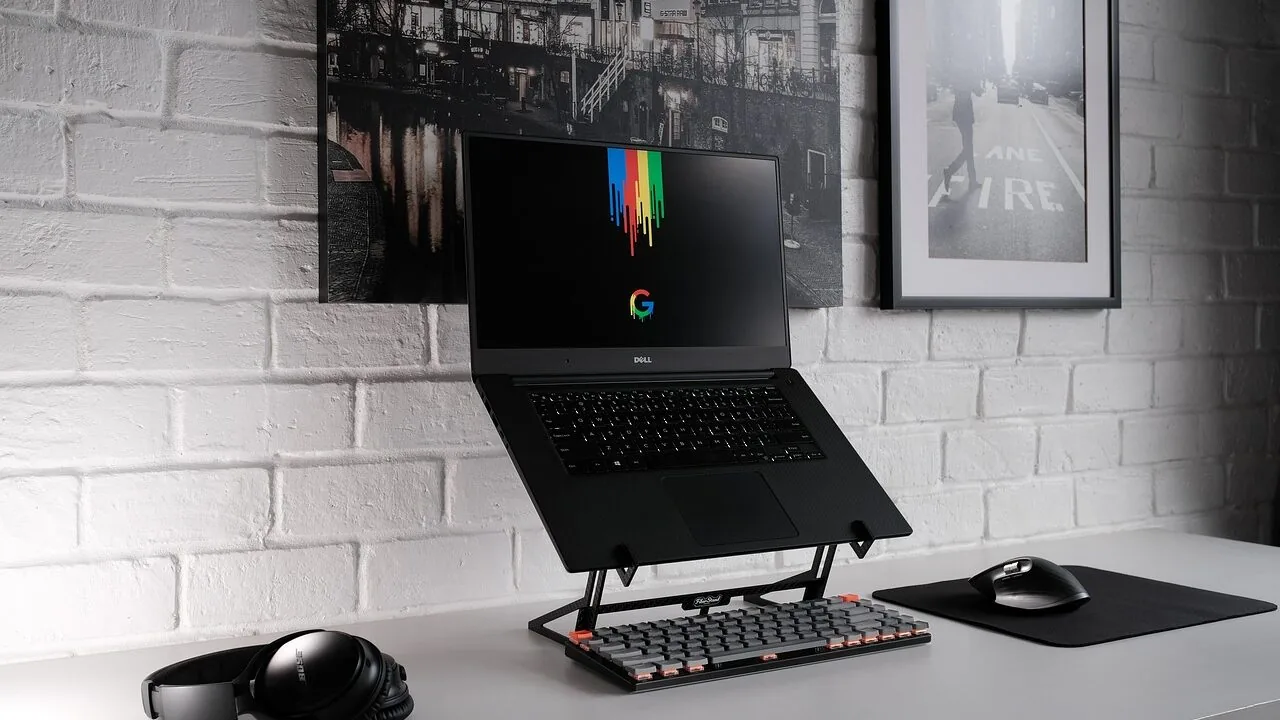
Choosing the right keyboard is one of the most consequential decisions a programmer can make.
Unlike gaming peripherals that prioritize flashy macros, the best mechanical keyboards for programming demand a different set of virtues: consistent actuation, low fatigue over marathon coding sessions, reliable customization, and a layout that keeps your hands where they belong.
Whether you write Python on a Mac, debug C++ on Linux, or juggle multiple languages across different machines, your keyboard is the single input device you interact with for every single line of code.
We researched dozens of options, cross-referencing manufacturer specifications, expert review consensus across major tech publications, and verified buyer feedback from programmers who spend eight or more hours a day at a keyboard.
The picks below span a wide range of budgets and form factors, from full-size boards loaded with customization tools to compact wireless options that travel well. Scroll down to see our top picks ranked by REMOVU Score.

AULA F75 Pro 75% Wireless Mechanical Keyboard
A compact 75% mechanical keyboard built for gamers and professionals who want flexibility without sacrificing desk space. The tri-mode connectivity (Bluetooth, 2.4GHz, USB-C) lets you jump between five devices seamlessly, while the hot-swappable design and pre-lubed Reaper switches deliver smooth, creamy typing right out of the box. The multi-function knob and programmable keys add practical control for gaming and office work alike.
Pros
- Tri-mode connectivity with five-device pairing simplifies switching between PC, laptop, tablet, and phone
- Hot-swappable socket supports both 3-pin and 5-pin switches for easy customization without soldering
- Pre-lubricated stabilizers and Reaper switches provide smooth keystroke feel with minimal rattle
- 4000mAh battery delivers extended wireless runtime on a single charge
- Side-printed PBT keycaps resist fading and sweat, with gradient finish that complements RGB lighting
- Multi-function knob controls brightness and media in one tactile control
Cons
- 75% layout removes numpad and some function keys, which may inconvenience heavy spreadsheet users
- RGB customization requires driver software installation for full macro and lighting effect access
- Limited information on actual battery life duration under typical use conditions

AULA F99 96% Tri-Mode Mechanical Keyboard
A compact mechanical keyboard built for gamers and office workers who value flexibility. The F99 connects across three modes (Bluetooth 5.0, 2.4GHz, USB-C) and supports up to five devices, making it practical for multi-device setups. Hot-swappable switches, pre-lubed linear keys, and customizable macros deliver solid gaming performance, though the compact layout may require adjustment for users accustomed to full-size boards.
Pros
- Tri-mode connectivity with seamless device switching simplifies work-to-gaming transitions
- Hot-swappable design with included puller tools lets you swap switches and keycaps without soldering
- Pre-lubed linear switches provide smooth, responsive typing with reduced noise from gasket structure and five-layer silencing pads
- 8000mAh battery offers extended wireless use, and double-shot PBT keycaps resist fading
- Macro customization and 16 RGB effects with music rhythm lighting add personalization
Cons
- 96% compact layout omits some keys full-size users may expect, potentially slowing workflow adjustments
- Limited RGB lighting options compared to premium gaming keyboards, with only 16 preset effects
- No mention of wireless range specifications or battery life duration in hours, making real-world endurance unclear

Keychron V6 Full-Size Mechanical Keyboard with Knob
A fully programmable full-size mechanical keyboard that lets you remap every key and create macros through VIA software without touching code. The hot-swappable design and screw-in stabilizers make it easy to customize switches and components, while the wired connection ensures zero lag for typing and gaming. Best suited for enthusiasts who want deep customization without soldering.
Pros
- Hot-swappable design supports most MX-compatible switches (Cherry, Gateron, Kailh, etc.) without soldering
- QMK/VIA support enables intuitive key remapping and macro programming via drag-and-drop interface
- Screw-in PCB stabilizers reduce wobble on large keys and allow easy swaps with third-party options
- Double-shot PBT keycaps with OSA profile and south-facing RGB minimize interference with alternative keycaps
- Pre-lubed K Pro switches deliver tactile feedback with 50 million keystroke durability
- 1000 Hz polling rate and NKRO wired connection provide responsive performance for typing and gaming
Cons
- Wired-only connectivity limits desk flexibility compared to wireless alternatives
- Requires direct USB connection to device (avoid hubs) and may need backlight disabled on tablets for stable power
- Full-size layout takes up significant desk space; no compact variants available
- Steeper learning curve for QMK/VIA customization compared to plug-and-play keyboards

Keychron K10 Max Wireless Mechanical Keyboard
A full-size wireless mechanical keyboard built for productivity and gaming, the K10 Max combines QMK customization with multi-device Bluetooth 5.1 connectivity. Its hot-swappable switches, acoustic foam dampening, and 1000 Hz polling rate deliver a satisfying typing experience across Mac, Windows, and Linux without requiring soldering expertise.
Pros
- Fully programmable via QMK firmware and Keychron Launcher web app with drag-and-drop key remapping
- Triple device connectivity via Bluetooth 5.1 plus 2.4 GHz wireless and wired options for seamless multitasking
- Hot-swappable MX-compatible switches with no soldering required, plus PCB-mounted stabilizers for smooth spacebar and modifier keys
- Advanced IXPE and EPDM acoustic foams with steel plate deliver responsive feedback and reduced typing noise
- OSA profile PBT keycaps with double-shot construction resist oils and wear over extended use
Cons
- Full-size 108-key layout takes up considerable desk space compared to compact alternatives
- Limited to pre-lubed red linear switches included by default, requiring separate purchase for other switch types
- Requires cable connection to Keychron Launcher web app for remapping, limiting customization flexibility on-the-go

AULA S98 Pro Wireless Mechanical Keyboard with LCD Screen
This tri-mode mechanical keyboard stands out for its integrated smart LCD screen and customizable knob, letting you control connection mode, RGB effects, and system info without software. Pre-lubed linear switches and five-layer sound dampening deliver a smooth, creamy typing feel, while hot-swappable design enables easy switch and keycap customization. Best suited for users who want feature-rich wireless connectivity across multiple devices and devices with a premium build.
Pros
- Smart LCD screen displays date, time, battery level, and connection status; knob provides tactile control without relying on software
- Tri-mode connectivity (BT5.0, 2.4GHz, USB-C) with five-device memory for seamless multi-device switching
- Hot-swappable 3-pin/5-pin compatibility and pre-lubed stabilizers enable easy customization and smooth typing out of the box
- Advanced construction with five sound-dampening layers and silicone pads reduces cavity noise for refined mechanical sound
- 5000mAh battery supports extended use; PBT double-injection keycaps resist wear and sweat
Cons
- Driver software only supports Windows in wired mode; Mac, iOS, and Android lack full customization features like GIF display and RGB macro programming
- Screen customization (date/time sync, custom GIF upload) requires Windows PC and wired connection, limiting wireless-only users
- Charging restricted to computer USB ports; incompatible with standard phone fast chargers, reducing convenience

Keychron K4 96% Mechanical Keyboard with Bluetooth 5.1
A compact 100-key mechanical keyboard that bridges productivity and light gaming with dual wireless and wired connectivity. The Keychron Super Brown switches deliver tactile feedback across 50 million keystrokes, while the 4000mAh battery stretches to 240 hours between charges. Mac and Windows users both get dedicated layouts with included keycaps, making this a practical choice for multi-device setups.
Pros
- Connects to 3 devices simultaneously via Bluetooth 5.1 with easy switching between Mac, Windows, iOS, and Android
- Exceptional battery life up to 240 hours with backlight off, among the largest capacity in mechanical keyboards
- Durable Keychron Super Brown switches rated for 50 million keystrokes with tactile responsiveness
- Includes both Mac and Windows keycap sets plus cable and puller in the box
- Compact 96% layout keeps a number pad without taking full-size desk space
Cons
- Not hot-swappable, so switch replacements require soldering skills
- Wireless mode limited to 6-key rollover versus full NKRO in wired mode, restricting simultaneous key presses for competitive gaming
- White LED backlight only, no RGB customization options available

Corsair K70 PRO TKL Mechanical Gaming Keyboard
A tenkeyless mechanical keyboard built for competitive gaming, featuring pre-lubed magnetic switches with adjustable actuation points from 0.4mm to 3.6mm and Rapid Trigger technology. The 8,000Hz hyper-polling delivers sub-0.125ms response times, making it ideal for fast-paced shooters and fighting games where input speed matters.
Pros
- Adjustable per-key actuation distance (0.4mm-3.6mm) in 0.1mm increments for personalized switch feel
- 8,000Hz polling rate with 0.125ms response time minimizes input lag
- Rapid Trigger enables faster reset points for quicker directional changes and combos
- Pre-lubed MGX Hyperdrive switches with 150-million-keystroke durability and low wobble design
- Compact tenkeyless layout preserves mouse space without sacrificing key count
Cons
- Premium pricing typical of high-end gaming keyboards may not suit casual players
- Function keys use MLX switches instead of MGX, creating inconsistency across the board
- Requires CORSAIR iCUE software for customization, adding software dependency

MechLands Aula F75 MAX Wireless Mechanical Keyboard with Screen
A compact 75% wireless gaming keyboard that stands out with its built-in smart display and multi-function knob for intuitive volume and RGB control. The creamy gasket mount and hot-swappable design deliver a smooth, satisfying typing feel while supporting tri-mode connectivity across Windows, Mac, and Linux. Best suited for gamers and professionals who value space-saving layouts without sacrificing functionality.
Pros
- Integrated smart screen displays battery status, connection mode, and RGB settings in real time, plus supports custom GIFs
- Dual-function knob enables precise volume adjustment and menu navigation with one hand; customizable via driver software
- Creamy gasket structure with flex-cut PCB and five sound-dampening layers reduces bottom-out noise and finger fatigue
- Hot-swappable PCB accepts 3-pin or 5-pin switches with no soldering required; comes pre-lubricated for smooth keystroke out of box
- Tri-mode connectivity (Bluetooth 5.0, 2.4GHz wireless, USB-C wired) with 4000mAh battery lasting up to 80 hours with RGB off
Cons
- Mac keycaps not included despite Mac OS compatibility, requiring users to either relabel or accept Windows key legends
- Bluetooth polling rate drops to 125Hz compared to 1000Hz on USB and 2.4GHz modes, potentially impacting competitive gaming latency
- Screen and knob customization requires downloading driver software from MechLands website; no native OS-level integration

Keychron C2 Pro Full-Size Mechanical Keyboard
A full-size wired mechanical keyboard built for programmers and power users who value customization. It combines QMK/VIA open-source firmware support with premium PBT keycaps, south-facing RGB backlighting, and cross-platform compatibility (Mac, Windows, Linux). The pre-lubed Keychron K Pro switches and adjustable typing angles make it suitable for extended work sessions.
Pros
- Full QMK/VIA programmability lets you remap keys and create custom macros across all operating systems
- High-quality PBT double-shot keycaps resist shine and oil buildup better than standard ABS alternatives
- Pre-lubed K Pro switches with 50 million keystroke lifespan provide smooth, responsive typing with minimal wobble
- Three adjustable typing angles (4.8°, 8.5°, 10.7°) and OEM-profile keycaps support ergonomic comfort during long sessions
- South-facing RGB LEDs with 22+ lighting effects work well with non-shine-through keycaps and won't interfere with Cherry-profile alternatives
Cons
- Wired USB-C connection only, no wireless option for flexible desk setup
- ABS plastic frame may feel less premium compared to aluminum alternatives at this price point
- Full-size layout takes up significant desk space, not ideal for compact or portable workflows

Logitech G413 SE Full-Size Mechanical Gaming Keyboard
A full-size mechanical gaming keyboard built around durability and competitive performance. The G413 SE combines tactile mechanical switches with PBT keycaps and a brushed aluminum frame, making it a solid choice for players seeking a no-frills, reliable input device that won't flex under intense sessions.
Pros
- PBT keycaps deliver superior heat and wear resistance compared to standard ABS plastic
- 6-key rollover anti-ghosting ensures reliable simultaneous key registration during gameplay
- Aluminum-magnesium alloy top case provides structural rigidity with minimal flex
- Twelve programmable FN media controls for volume, playback, and lighting adjustment
- Full-size layout plus compact tenkeyless option available for different desk setups
Cons
- Wired USB connection only, no wireless option for cable-free setup
- White LED lighting is fixed and non-customizable compared to RGB alternatives
- No information provided on switch type specifications or actuation force details
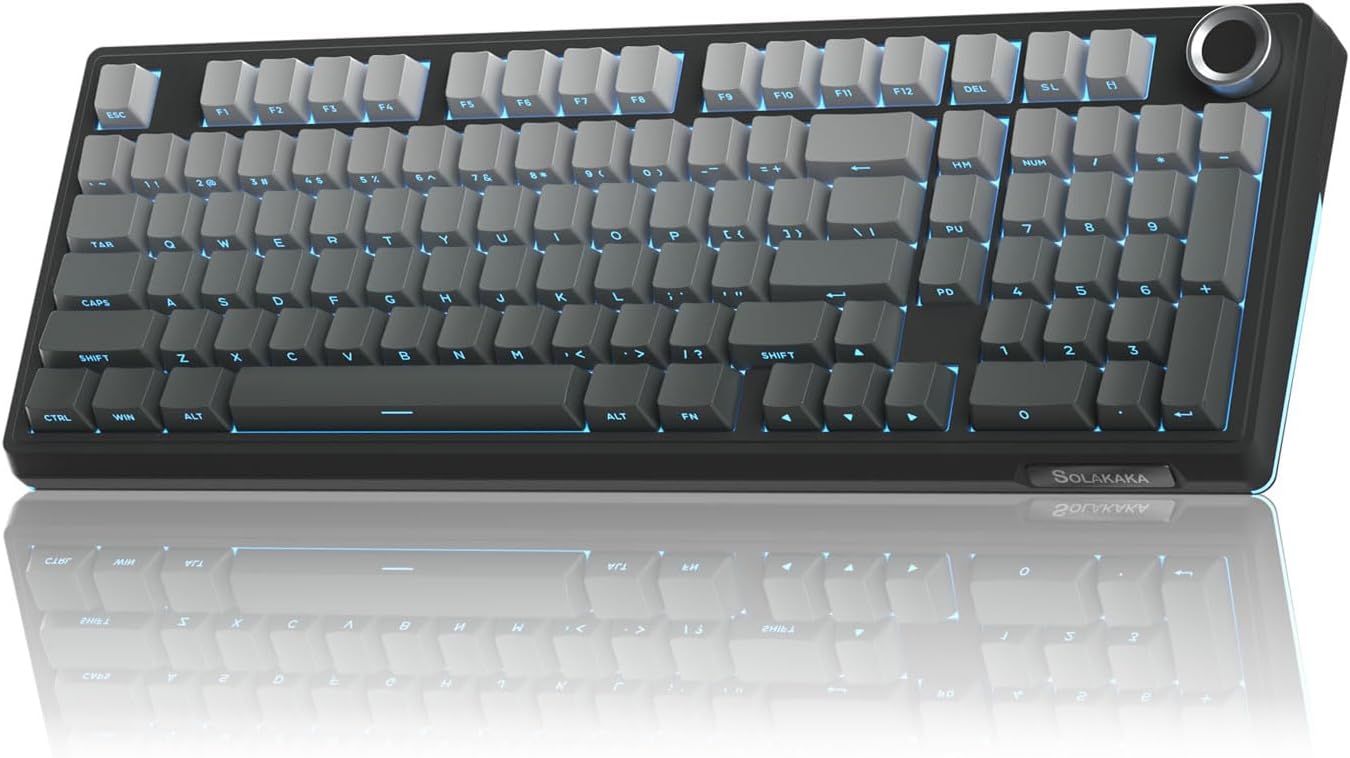
SOLAKAKA KI99 Pro 96% Wireless Mechanical Keyboard
A compact 96% mechanical keyboard balancing desk space efficiency with full-size functionality. Triple connectivity (Bluetooth, 2.4GHz, wired) and a 10,000mAh battery make it versatile for work and gaming, while the gasket structure with noise-dampening layers delivers a smooth, creamy typing feel.
Pros
- Hot-swappable 3/5-pin switches for easy customization without soldering
- Triple-mode connectivity with 10M stable signal range, compatible with PC, Mac, phones, and tablets
- Gasket structure with five-layer noise reduction minimizes vibration and delivers smooth typing experience
- Multifunctional knob for volume, media, and brightness control
- High-capacity 10,000mAh battery reduces charging frequency
- PBT keycaps with dual-color injection molding resist wear and fading
Cons
- Driver software Windows-only, limiting customization for Mac users despite Mac compatibility
- 96% layout omits some full-size keys, requiring function key combinations for certain operations
- RGB lighting south-facing position may reduce side visibility in some setups
Mechanical Keyboards for Programming Buying Guide
Buying a mechanical keyboard for programming is not the same as buying one for gaming.
Actuation force, travel distance, noise profile, layout efficiency, and software customization all weigh differently when your workload is writing and editing code rather than executing rapid key presses in a shooter.
The criteria below reflect what actually matters across a full working day, based on patterns from programmer communities, ergonomics research, and published switch data.
Switch Type and Actuation Feel

The switch is the single biggest variable in a mechanical keyboard purchase.
For programming, tactile switches are the most recommended category in expert consensus because the bump gives you physical confirmation of a successful keystroke without requiring you to bottom out the key every time.
This reduces finger fatigue significantly over a long session.
Brown switches, such as the Keychron K Pro Brown used in several picks in this list, are a popular tactile entry point because they offer a noticeable bump without the loud click of a blue-style switch that makes open offices uncomfortable.
Linear switches, such as the K Pro Red variants used in the Keychron C2 Pro and some AULA options, actuate smoothly with no tactile bump.
Some developers prefer them for their lighter, faster feel, especially when typing in short rapid bursts.
If you value quiet operation in shared spaces, pre-lubed linears, which are factory-lubricated to reduce scratchiness, deliver a noticeably smoother and quieter experience than unlubricated linears.
Many of the newer boards in this roundup, including options from AULA and MechLands, ship with pre-lubed switches already installed.
Hot-swappable PCBs are increasingly common in this price range and are worth prioritizing if you are unsure which switch feel suits you.
Hot-swap lets you pull out and replace individual switches without soldering, so you can experiment with different actuation profiles after you buy.
This is a genuine quality-of-life feature for programmers who discover over time that their preferred switch changes as their typing style evolves.
Layout and Form Factor

Layout choice shapes your entire typing posture.
A full-size board with a numpad is useful if your work involves entering numerical data frequently, such as configuration values, timestamps, or financial data.
However, the numpad pushes your mouse further to the right, which extends shoulder reach and can contribute to discomfort over time.
Many developers in ergonomics-focused communities shift toward 75%, 96%, or tenkeyless (TKL) layouts precisely to bring the mouse closer without sacrificing function keys and navigation clusters entirely.
The 75% layout in particular has become a developer favorite because it fits function row, arrow keys, and a compact navigation cluster into a surprisingly small footprint.
The AULA F75 Pro and the MechLands Aula F75 MAX both use this layout, and reviewers consistently note how well it balances desk space efficiency with coding practicality.
If you regularly work across multiple devices or travel with your laptop, a compact wireless board is worth prioritizing.
Pairing a compact keyboard with a quality external monitor is one of the easiest ways to turn a laptop workstation into a productive programming setup.
Full-size and 96% layouts like the Keychron K4 and Keychron K10 Max retain the numpad in a denser arrangement, which appeals to programmers who want every key at hand without stretching to a wider board.
The 96% layout removes only a small amount of spacing between the main cluster and the numpad, keeping the footprint tighter than a traditional full-size board.
Wireless Connectivity and Multi-Device Support
For developers who switch between a desktop and a laptop, or between a work machine and a personal computer, multi-device wireless support is a major productivity feature.
Boards that support both Bluetooth and a dedicated 2.4 GHz USB receiver give you the flexibility to stay wireless without sacrificing the near-zero latency of a wired dongle connection when it matters.
Tri-mode connectivity, meaning Bluetooth 5.0, 2.4 GHz wireless, and USB-C wired, appears across much of this list, including the AULA F99, AULA F75 Pro, AULA S98 Pro, and the Keychron K10 Max.
Battery life is a practical concern as well. Most keyboards in this range advertise multi-week battery life under normal use without backlighting, which drops substantially when RGB is enabled.
If you keep RGB on while working, check real-world battery reports from verified buyers rather than relying solely on manufacturer specifications.
Many experienced users simply run their wireless board in USB-C wired mode during the day and switch to wireless at a standing desk or a secondary position.
QMK, VIA, and Programmability

For programmers specifically, keyboard firmware matters in a way it does not for casual users.
QMK is an open-source firmware that gives you full control over every keycode, macro, layer, and RGB behavior at the hardware level, without relying on proprietary software that may not be available on Linux or may change behavior after an update.
VIA is a graphical frontend for QMK that allows real-time remapping without reflashing firmware.
Both the Keychron V6 and the Keychron C2 Pro in this list are QMK/VIA-compatible, which puts them among the most customizable options available at their respective price points.
If cross-platform compatibility is essential to your workflow, especially across macOS, Windows, and Linux, QMK/VIA support effectively eliminates driver dependencies. You configure once at the hardware layer and the settings follow the board to any machine.
This matters to developers who work in containerized environments, use multiple operating systems, or frequently reinstall their OS.
Build Quality and Typing Sound

The structural feel of a keyboard affects both perceived quality and long-term reliability.
Gasket-mounted construction, where the PCB is suspended inside the case rather than rigidly fixed, absorbs keystroke energy and produces a softer, more cushioned sound profile that many developers describe as more pleasant to type on for extended periods.
The SOLAKAKA KI99 Pro and the MechLands Aula F75 MAX both use gasket structures, and this is a meaningful differentiator in their price class.
Material quality affects longevity as well. Aluminum or aluminum-top cases resist flex and wear better than fully plastic designs.
Key legends fade faster on ABS keycaps under constant typing pressure, while PBT keycaps, which appear on several boards in this list, are denser and resist shine more effectively over years of daily use.
Double-shot PBT keycaps, where the legend is molded from a second layer of plastic rather than printed on, offer the most durable legends available. This is not a minor detail for programmers who are notoriously heavy typists.
Sound dampening features, such as foam layers between the PCB and the case plate, also affect the acoustic profile significantly.
Boards with internal foam tend to produce a deeper, less hollow sound on each keystroke, which is generally preferred in reviews from developers who care about the typing experience beyond raw functionality.
If you share a workspace or sit in calls, the distinction between a dampened board and an undampened one is noticeable to everyone in the room.
Keycap Profile and Compatibility

Keycap profile determines the shape and angle of each key row.
OEM profile, which is slightly sculpted and taller, is the most common default and feels familiar to anyone who grew up on standard office keyboards.
Cherry profile is shorter and has become a preferred ergonomic choice among enthusiast communities because it reduces the distance fingers travel.
Uniform profiles like XDA or DSA allow keycaps to be placed in any row without height mismatch, which is useful for custom layouts and remapping-heavy setups.
Standard layouts with Cherry-compatible stems open the door to aftermarket keycap sets, which is a meaningful upgrade path if you want better legends, a specific colorway, or a profile change down the road.
Boards in this roundup that use standard layouts with MX-compatible stems support a broad ecosystem of third-party keycaps, which effectively extends the value of the base board over time.
Think of it similarly to how choosing a platform with an open ecosystem, like a Linux-friendly peripheral stack, gives you more options and reduces vendor lock-in long term.
Why You Should Trust Us
REMOVU is an independent review publication.
We do not manufacture, sell, or distribute any of the products we cover, and we have no relationship with any retailer beyond standard affiliate partnerships disclosed below.
Every keyboard in this roundup was evaluated using a consistent, documented research methodology: we assess each model against manufacturer specifications, expert review consensus drawn from multiple credible sources, verified buyer feedback from confirmed purchasers, and published benchmark or teardown data where available.
We do not conduct our own product trials; our evaluations are grounded in research, published data, expert review consensus, and verified buyer feedback.
Each product receives a REMOVU Score on a scale of 0 to 10. This score synthesizes performance across the criteria most relevant to the product category: in this case, switch quality, build construction, firmware flexibility, layout efficiency, connectivity options, and value.
Products are ranked in order of REMOVU Score, with the highest-scoring option listed first. Score differences of less than 0.5 points reflect close competition and should be weighed alongside your personal priorities rather than treated as absolute rankings.
Transparency on affiliate relationships: REMOVU may earn a commission if you purchase through links in this article. This commercial relationship does not influence our rankings, scores, or editorial selections in any way.
Products are included because they merit inclusion based on research quality, not because of commission rates.
We update our research periodically to account for new releases, firmware changes, and shifts in pricing.
Final Thoughts
Across this roundup, the strongest options for programming workflows share a few common traits: hot-swappable switches, durable PBT keycaps, multi-platform compatibility, and meaningful build quality at their respective price points.
The gap between a budget board and a premium one has narrowed considerably at this level of the market, particularly with brands like AULA, Keychron, and SOLAKAKA bringing gasket mounts and pre-lubed switches to more accessible price tiers.
Here is how we summarize the standout picks from this list based on REMOVU Score and use case:
- Best Overall: AULA F75 Pro Wireless Mechanical Keyboard earns the top spot with the highest REMOVU Score in the group. Its 75% hot-swappable layout, tri-mode wireless, pre-lubed switches, and side-printed PBT keycaps cover the most important bases for a programming-focused keyboard at a mid-range price point.
- Best Full-Size QMK Board: Keychron V6 Wired Custom Mechanical Keyboard is the pick for developers who want deep hardware-level programmability. Full QMK/VIA support and hot-swap compatibility make it one of the most flexible full-size boards in this roundup, and its score reflects that capability.
- Best for Wireless Desk Setups: MechLands Aula F75 MAX Wireless Gaming Keyboard stands out for its gasket construction paired with a screen and knob, delivering a premium typing feel in a compact 75% wireless package that suits multi-device workflows well.
- Best Budget Entry Point: Keychron C2 Pro Wired QMK/VIA Mechanical Keyboard offers QMK/VIA programmability and double-shot PBT keycaps at a lower price than most boards with similar firmware flexibility, making it a strong recommendation for developers who want software control without a large outlay.
- Best for Multi-Device Developers: Keychron K10 Max Wireless Custom Mechanical Keyboard pairs a full-size layout with QMK firmware, 2.4 GHz wireless, and Bluetooth in a single package, which is relatively rare. Developers who need a numpad and seamless device switching will find very few direct competitors at this score level.
Whatever your preference in layout or switch feel, a quality mechanical keyboard pays dividends in reduced fatigue and greater typing accuracy over years of daily use.
Pairing your keyboard with a well-matched wireless mouse and a capable high-refresh-rate monitor rounds out a workstation that genuinely supports long coding sessions.
If you are also planning a hardware upgrade cycle, a fast laptop SSD is one of the highest-impact upgrades you can make alongside a new keyboard.
Frequently Asked Questions
Are mechanical keyboards actually better for programming than membrane keyboards?
For most programmers, yes. Mechanical switches provide a more consistent actuation point and tactile feedback that membrane keyboards cannot replicate.
Over a full working day, the physical confirmation of each keystroke reduces the tendency to bottom out keys unnecessarily, which lowers finger fatigue.
Expert consensus from ergonomics researchers and developer communities consistently identifies consistent actuation force as a meaningful factor in long-session typing comfort. That said, the right keyboard is the one that matches your specific typing style, switch preference, and workspace context.
What switch type is recommended for coding?
Tactile switches are the most recommended category for programming based on widespread expert and community consensus.
The tactile bump gives physical feedback at the actuation point without requiring a full key press, which supports faster and more accurate typing over time.
Brown-style switches are the most popular tactile option because they are quieter than clicky blues, making them suitable for shared office environments.
Linear switches are a valid alternative if you prefer a smooth, consistent feel without any bump, and pre-lubed linears in particular are appreciated for their quiet, refined stroke.
Does keyboard layout matter for a programming workflow?
Yes, and more than most buyers initially expect. Full-size layouts with a numpad are useful for data entry but push the mouse further right, which affects shoulder posture during long sessions.
The 75% layout retains function keys and navigation keys while keeping the board compact enough to bring the mouse into a more natural position. Tenkeyless layouts offer a similar benefit with slightly more space.
Many experienced developers eventually migrate toward compact layouts after noticing the ergonomic difference, particularly when pairing their keyboard with an ultrawide or larger monitor that requires more mouse travel.
What is QMK and why does it matter for developers?
QMK is open-source keyboard firmware that gives you complete control over every key at the hardware level. You can remap any key, create multi-layer shortcuts, program macros, and configure RGB behavior without any proprietary software.
This is particularly valuable for programmers because it works identically on macOS, Windows, and Linux with no driver installation required.
VIA is a companion tool that provides a graphical interface for real-time QMK remapping, making the process accessible without touching firmware files directly.
If you work across multiple operating systems or value a software-independent setup, QMK/VIA support is worth prioritizing when choosing your board.
Is wireless reliable enough for daily programming use?
For most programming tasks, yes. Modern 2.4 GHz wireless connections, used by boards like the AULA F75 Pro and the Keychron K10 Max, offer latency low enough that the difference from wired is imperceptible during typing.
Bluetooth introduces slightly more latency and can occasionally experience interference in crowded wireless environments, but for writing and editing code, this is rarely a meaningful issue.
Developers who want complete certainty can run a tri-mode board in USB-C wired mode during intensive sessions and switch to wireless at a secondary workstation.
The combination of a reliable wireless keyboard with a fast capable desktop PC or a well-specced laptop creates a genuinely portable and productive development environment.
How important are PBT keycaps compared to ABS?
PBT keycaps are meaningfully better for heavy typists. PBT plastic is denser and more resistant to the shine that develops on ABS keycaps after months of daily use.
The legends on PBT keycaps also tend to stay crisp longer, especially on double-shot versions where the legend is a separate molded layer rather than a print that can wear away.
For a keyboard you plan to use for several years, PBT keycaps are worth seeking out.
Most of the higher-scoring boards in this roundup include PBT or double-shot PBT keycaps as a standard feature, which reflects how much the market has improved at this price tier.
Investing in a durable keyboard that pairs well with an ergonomic peripheral setup pays off over a multi-year development career.
About the author
Michelle covers soundbars for REMOVU, comparing clarity, bass, and Atmos support across single bars and full systems. She helps readers fix thin TV audio at any budget.