The 9 Best Monitors for Programming
Picking a monitor for coding means balancing resolution, text clarity, ergonomics, and connectivity. This guide covers developer-focused picks from BenQ, Dell, LG, and Samsung at every budget.
 By Jerry Daniels
Updated July 26, 2026
By Jerry Daniels
Updated July 26, 2026
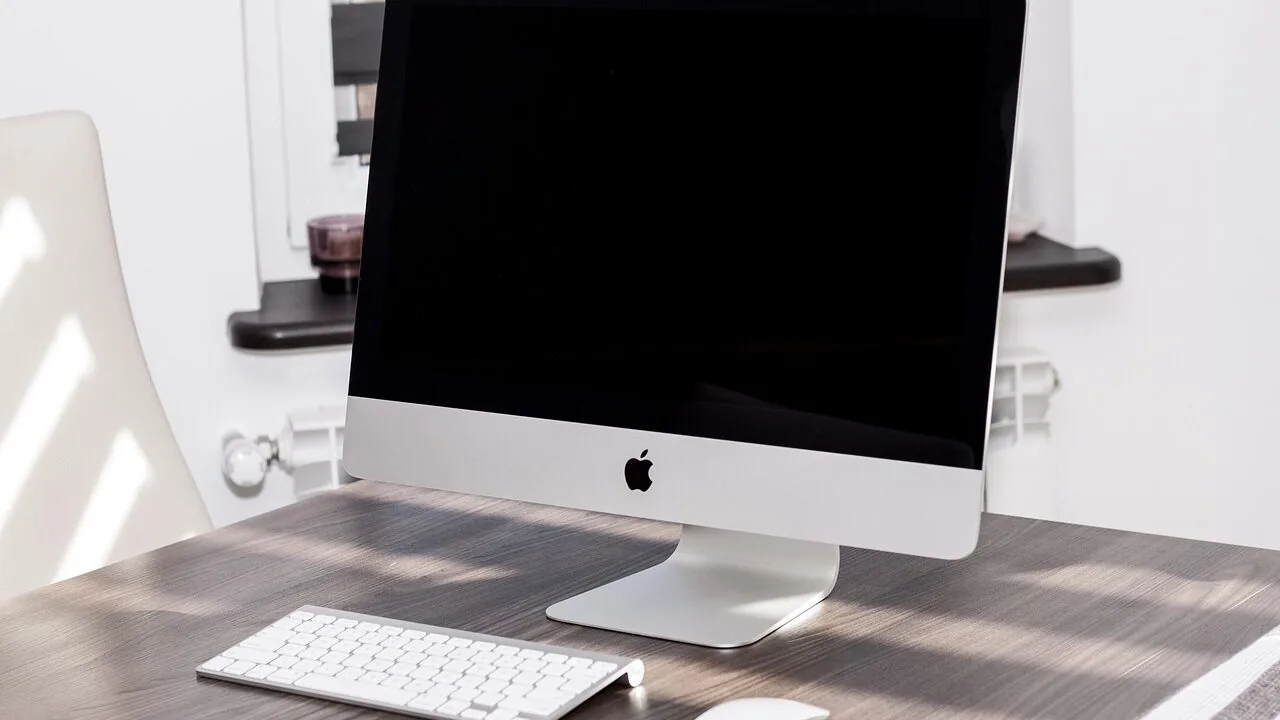
Choosing the right monitor for programming is one of the most impactful decisions a developer can make for their daily workflow.
Unlike gaming or graphic design, coding demands a display that prioritizes crisp text rendering, comfortable viewing over long hours, sufficient screen real estate for multitasking, and connectivity that fits a modern desk setup.
With a market flooded with panels spanning wildly different resolutions, sizes, panel types, and price points, narrowing down the field without wasting time on unsuitable options is harder than it sounds.
This guide focuses specifically on monitors suited to developers, whether you write code on a budget workstation, a compact mini PC, or a full-featured desktop rig.
Our team at REMOVU researched specifications, synthesized consensus from expert sources, and analyzed verified buyer feedback to surface the options that genuinely deliver in real coding environments.
We cover picks from BenQ, Dell, Samsung, and LG across a range of budgets, so you can find the right fit without overspending. Scroll down to see our ranked top picks.
| Award | Product | REMOVU Score About REMOVU ScoreThe REMOVU Score is our own rating from 0 to 10, based on performance, design and build, ease of use, and value. It reflects independent research and is never influenced by manufacturers, retailers, or affiliate commissions. Learn more › | Price | |
|---|---|---|---|---|
| Best Overall |
 BenQ RD280U 28.2" 4K Programming Monitor
|
8.6/10 | Buy | |
| Best Value |
 Dell S2725DSM 27-inch QHD 144Hz Monitor
|
8.4/10 | Buy | |
| Best Premium |
 Dell S3425DW 34-Inch Ultrawide 120Hz Monitor
|
7.6/10 | Buy | |
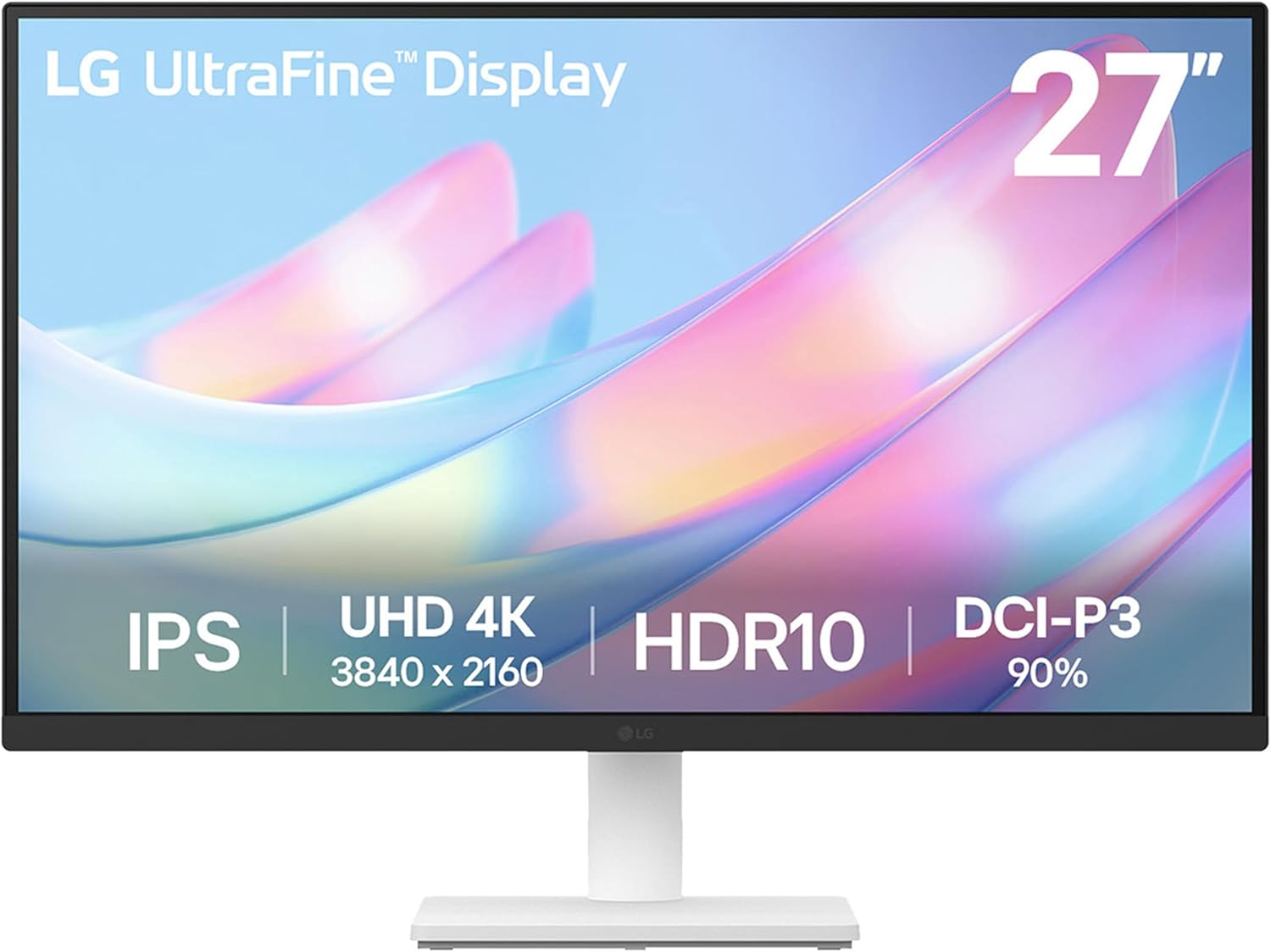 LG 27US500-W 27-Inch 4K UltraFine Monitor
|
7.2/10 | Buy | ||
 Samsung 27" S36GD Curved Monitor 100Hz
|
6.4/10 | Buy | ||
| Best Budget |
 Dell S2725HSM 27-inch 144Hz FHD Monitor
|
8.3/10 | Buy | |
 Samsung 49" Viewfinity S9 Dual QHD Curved Ultrawide
|
6.3/10 | Buy | ||
 Dell SE2426H 24-inch 144Hz IPS Monitor
|
6.7/10 | Buy | ||
 Samsung S30B 32" FHD Monitor with 75Hz and FreeSync
|
6.2/10 | Buy |
BenQ RD280U 28.2" 4K Programming Monitor
A 4K display engineered specifically for developers, featuring BenQ's Nano Matte panel to reduce glare and specialized coding modes that enhance syntax highlighting. The MoonHalo backlight and eye-care features target long coding sessions, though this is a renewed unit and carries the trade-offs that come with refurbished electronics.
Pros
- Nano Matte anti-glare panel reduces eye strain during extended programming work
- Advanced coding modes improve code differentiation and readability
- MoonHalo ambient backlight provides focused, comfortable illumination
- Eye-care features including Night Hours Protection and Brightness Intelligence Gen2
- 3:2 aspect ratio and 4K resolution suited for side-by-side code windows
- 90W USB-C with KVM for streamlined developer workflows
Cons
- Renewed/refurbished unit means potential cosmetic wear and shorter warranty coverage
- Niche 3:2 aspect ratio limits general-purpose use compared to standard 16:9 monitors
- Premium positioning makes it a significant investment even in renewed condition
Dell S2725DSM 27-inch QHD 144Hz Monitor
This 27-inch Dell monitor delivers sharp QHD visuals paired with a 144Hz refresh rate and 1ms response time, making it suitable for both content consumption and gaming. Built-in dual speakers and extensive ergonomic adjustments add practical value, while TÜV 4-star certification addresses eye strain concerns for extended viewing sessions.
Pros
- 144Hz refresh rate with 1ms MPRT response time for smooth motion and reduced ghosting
- QHD resolution (2560x1440) with 1500:1 contrast ratio provides crisp details and vivid colors
- Comprehensive ergonomic adjustments: tilt, swivel, pivot, and 110mm height adjustment for personalized comfort
- Integrated dual 3W speakers with five preset sound profiles eliminate need for external audio
- TÜV 4-star certification with blue light reduction technology supports eye comfort during extended use
- AMD FreeSync support minimizes screen tearing for AMD graphics card users
- ENERGY STAR certified with sustainable materials (up to 95% recycled plastic in chassis)
Cons
- Dual 3W speakers are modest in power and not ideal for serious audio work or large rooms
- 1500:1 contrast ratio is standard for IPS panels, not exceptional compared to VA alternatives
- No USB-C or Thunderbolt connectivity, limiting modern docking capabilities
Dell S3425DW 34-Inch Ultrawide 120Hz Monitor
This 34-inch ultrawide VA monitor bridges productivity and entertainment with a 120Hz refresh rate, 0.03ms response time, and vibrant color coverage (99% sRGB, 95% DCI-P3). Built-in speakers and USB-C with 65W power delivery streamline desk setup, while ComfortView Plus reduces blue light for extended viewing comfort.
Pros
- Ultrawide 34-inch format ideal for multitasking and content creation workflows
- Strong color accuracy with 99% sRGB and 95% DCI-P3 coverage plus 3000:1 contrast ratio
- Single USB-C connectivity with 65W power delivery eliminates cable clutter
- 120Hz refresh rate with FreeSync Premium for smooth gaming and scrolling
- Blue light reduction (≤35%) maintains color accuracy while reducing eye strain
Cons
- 120Hz refresh rate is modest compared to high-refresh gaming monitors, limiting appeal for competitive gamers
- VA panel technology typically has slower pixel transitions than IPS at extreme angles, though 0.03ms response time mitigates this for most use cases
- No USB-C dock functionality mentioned; power delivery is limited to 65W, adequate for laptops but not all workstations
LG 27US500-W 27-Inch 4K UltraFine Monitor
A solid 4K monitor built for creative work, delivering 3840x2160 resolution with HDR10 support and 90% DCI-P3 color coverage on an IPS panel. The ergonomic tilt stand and LG Switch app for workspace customization make it practical for professionals, though the 60Hz refresh rate and basic stand adjustment limit its appeal beyond stationary creative setups.
Pros
- 4K UHD resolution with 1000:1 contrast ratio for detailed imagery and deeper blacks
- HDR10 with up to 90% DCI-P3 color gamut for accurate color reproduction
- IPS panel with wide viewing angles, ideal for collaborative work environments
- LG Switch app enables easy display splitting and monitor settings customization
- Includes HDMI cable and power adapter in the box; budget-friendly entry point for 4K creative work
Cons
- 60Hz refresh rate limits responsiveness for motion-heavy workflows
- Stand offers only tilt adjustment, no height, swivel, or pivot options compared to higher-end UltraFine models
- 5ms response time is slower than gaming or fast-paced editing monitors
Samsung 27" S36GD Curved Monitor 100Hz
This 27-inch curved display brings immersive gaming and everyday computing to a budget-friendly package. The 1800R curve and 100Hz refresh rate work together to reduce motion blur and enhance depth perception, while TÜV-certified eye comfort features help minimize strain during extended sessions. Best suited for casual gamers and office workers who value screen real estate without breaking the bank.
Pros
- 1800R curved panel enhances immersion and reduces peripheral distractions
- 100Hz refresh rate delivers smoother motion for gaming and video playback
- Advanced eye comfort technology with blue light reduction and flicker control certified by TÜV
- Game Mode optimizes color and contrast for better visibility in dark scenes
- Dual connectivity with HDMI and D-Sub for flexible device compatibility
Cons
- FHD resolution on a 27-inch screen results in lower pixel density compared to 1440p alternatives
- Default refresh rate set to 60Hz, requires manual adjustment in settings to unlock 100Hz capability
- VA panel technology may have narrower viewing angles than IPS alternatives in the comparison lineup
Dell S2725HSM 27-inch 144Hz FHD Monitor
This 27-inch Dell display targets competitive gamers and content creators seeking smooth motion without breaking the bank. The 144Hz refresh rate paired with 1ms response time delivers fluid visuals, while dual 3W speakers and extensive ergonomic adjustments (height, tilt, pivot, swivel) make it versatile for both gaming marathons and daily productivity work. TÜV 4-star eye comfort certification and blue light reduction add practical value for extended viewing sessions.
Pros
- 144Hz refresh rate with 1ms MPRT response time ensures smooth, tear-free gameplay and fast-motion content
- Comprehensive ergonomic adjustment options: height, tilt, pivot, and swivel for personalized comfort throughout the day
- Built-in dual 3W speakers with five customizable sound profiles eliminate the need for external audio
- TÜV 4-star eye comfort certification with blue light reduction maintains visual quality while reducing strain
- AMD FreeSync support minimizes screen tearing for AMD graphics card users
- ENERGY STAR certified with 100% renewable packaging materials
Cons
- FHD resolution (1920x1080) on a 27-inch panel results in lower pixel density compared to 1440p alternatives at this size
- Limited to HDMI 1.4 connectivity, which may restrict future scalability with newer display standards
- 3W speakers deliver adequate range but lack the depth and power of dedicated external audio systems
Samsung 49" Viewfinity S9 Dual QHD Curved Ultrawide
This 49-inch ultrawide monitor delivers panoramic screen real estate with a 32:9 aspect ratio and 1000R curve designed to match your natural field of view. The dual QHD resolution, 120Hz refresh rate, and USB-C docking capabilities make it a productivity powerhouse for multitaskers and creative professionals, though the premium positioning and niche form factor limit its mainstream appeal.
Pros
- Expansive 49-inch curved display eliminates bezels between dual monitors and reduces head movement
- USB-C with 90W charging transforms the monitor into a docking station, cutting cable clutter
- 120Hz refresh rate and DisplayHDR 400 support deliver smooth motion and richer color depth
- Built-in dual 5W speakers and KVM switch enable control of two devices from one monitor
- Height-adjustable stand and TÜV-certified eye care features support comfortable extended use
Cons
- Steep premium pricing positions this as an enterprise or high-end creative tool, not a mainstream monitor
- 120Hz refresh rate unavailable in picture-by-picture mode, limiting gaming flexibility when multitasking
- Niche 32:9 aspect ratio requires software optimization and may not suit all workflows or gaming libraries
Dell SE2426H 24-inch 144Hz IPS Monitor
This Dell 24-inch display pairs a 144Hz refresh rate with IPS color accuracy, making it a solid choice for both gaming and creative work. The 1ms response time and AMD FreeSync support deliver smooth motion, while TÜV Rheinland 3-star certification prioritizes eye comfort without sacrificing color quality.
Pros
- 144Hz refresh rate with 1ms MPRT response time for fluid, tear-free motion
- IPS panel ensures excellent color accuracy and 178-degree viewing angles
- TÜV Rheinland 3-star eye comfort certification reduces blue light exposure
- Ultra-thin bezels maximize screen real estate
- AMD FreeSync support eliminates screen tearing for AMD GPU users
Cons
- Limited to 1920x1080 resolution on a 24-inch screen, resulting in moderate pixel density
- No USB-C or DisplayPort connectivity mentioned, only HDMI inputs
- 144Hz performance optimized for gaming, less relevant for static work or office use
Samsung S30B 32" FHD Monitor with 75Hz and FreeSync
This 32-inch Samsung monitor delivers a spacious display with a clean three-sided borderless design, making it ideal for multitasking and immersive viewing. AMD FreeSync and 75Hz refresh rate keep motion smooth for everyday computing and casual gaming, while built-in eye care features help reduce strain during long work sessions.
Pros
- Large 32-inch screen with borderless design for seamless multi-monitor setups
- AMD FreeSync eliminates screen tearing for smoother gaming and video playback
- Advanced eye care technology including Flicker-Free and Eye Saver Mode reduces strain
- Includes both HDMI and DisplayPort connectivity for flexible device pairing
- Game Mode optimizes color contrast and detail visibility
Cons
- 75Hz refresh rate is lower than competing 24-27" models at the same price point, which offer 100Hz
- FHD resolution on a 32-inch panel results in lower pixel density compared to smaller screens
- VA panel technology may have narrower viewing angles than IPS alternatives in Samsung's lineup
Best Monitors for Programming Buying Guide
Buying a monitor for coding is not the same as buying one for gaming or media consumption. The priorities shift toward text clarity, ergonomics, panel consistency, and workflow flexibility.
Below are the six factors that matter most when evaluating a programming monitor, drawn from the same criteria our team uses to score every product in this roundup.
Panel Type and Text Rendering

For developers spending eight or more hours reading code, panel type has an outsized effect on comfort and legibility.
IPS (In-Plane Switching) panels are widely regarded as the gold standard for programming: they deliver accurate colors, wide viewing angles, and consistently sharp text rendering without the color shifting common in TN panels.
VA panels offer deeper contrast ratios, which can help text pop against a dark background, but some VA panels exhibit response-time artifacts or slight blurring at sub-pixel level that developers with sensitive eyes notice over long sessions.
BenQ’s RD280U, for example, is purpose-built for developers and uses a nano matte IPS-type panel specifically tuned to reduce reflections and enhance text sharpness, making it a standout choice for those who prioritize legibility above all else.
If you are pairing your monitor with a MacBook or other USB-C laptop, also check whether the panel supports proper scaling modes to avoid blurry font rendering at non-native resolutions.
Matte coatings are almost universally preferred over glossy in office and desk environments because they dramatically cut down on glare from overhead lighting, a factor that becomes critical during extended coding sessions.
Most of the monitors in our roundup feature anti-glare or matte finishes for this reason.
Resolution and Screen Real Estate
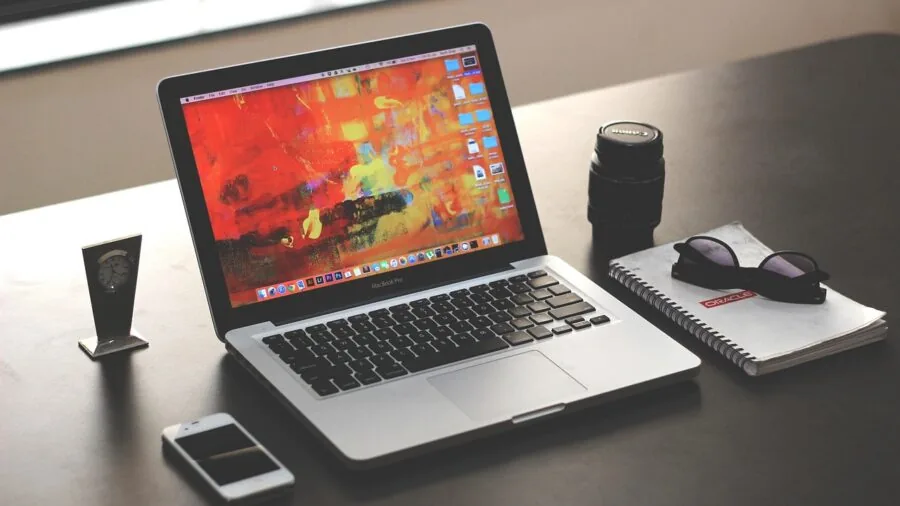
Resolution is arguably the single most important specification for programming monitors.
Higher pixel density means more characters fit on screen without scrolling, more terminal windows can tile side by side, and documentation can sit next to an IDE without feeling cramped.
For a 27-inch monitor, QHD (2560×1440) represents a significant upgrade in usable workspace compared with Full HD (1920×1080), and the difference is immediately noticeable when running multiple panes in VS Code or a split-terminal setup.
4K UHD panels on 27-inch screens offer even greater pixel density, which pairs especially well with HiDPI or Retina-style scaling on macOS and modern Linux desktop environments.
The LG 27US500-W and BenQ RD280U in our roundup represent this tier.
On larger ultrawide displays like the Samsung 49-inch, the equivalent of two QHD screens side by side provides a canvas wide enough to eliminate the need for a second monitor entirely, though it requires a desk deep enough to maintain a comfortable viewing distance.
At 24 inches and below, Full HD is often sufficient and keeps costs low, making it a sensible starting point for developers who are building their first workstation or supplementing a primary display.
The aspect ratio also matters: the BenQ RD280U’s 3:2 format is specifically designed to show more vertical content, which aligns naturally with how code is structured in most editors.
Ergonomics and Adjustability
A monitor that cannot be positioned correctly is a monitor that will cause neck or back strain regardless of how good its panel is.
For programming, height adjustment is critical because developers range widely in height and chair preference, and the ability to raise or lower the display to eye level is non-negotiable for long-term comfort.
Tilt, swivel, and pivot (portrait rotation) capabilities are strong secondary features: portrait mode is particularly useful for reading long documents, reviewing pull requests, or working with vertical code structures.
Several monitors in this roundup, including the Dell S2725DSM and S2725HSM, ship with stands that support height, tilt, pivot, and swivel adjustments at a price point that does not penalize you for wanting proper ergonomics.
If a monitor you are considering has a fixed stand, factor in the additional cost of a VESA arm or third-party stand before comparing prices. Most monitors here include VESA mount compatibility, giving you that flexibility if needed.
Good ergonomics pair naturally with a well-organized desk: a quality mechanical keyboard and a reliable wireless mouse complete the picture for an ergonomic coding station.
Eye care technologies, including low blue light modes, flicker-free backlights, and ambient light sensors, are worth attention here as well. Developers often work in varying lighting conditions and late into the evening.
Features like BenQ’s MoonHalo backlight system or Samsung’s Advanced Eye Care are genuine comfort additions, not just marketing language, particularly when combined with a dark editor theme.
Connectivity and USB-C Power Delivery
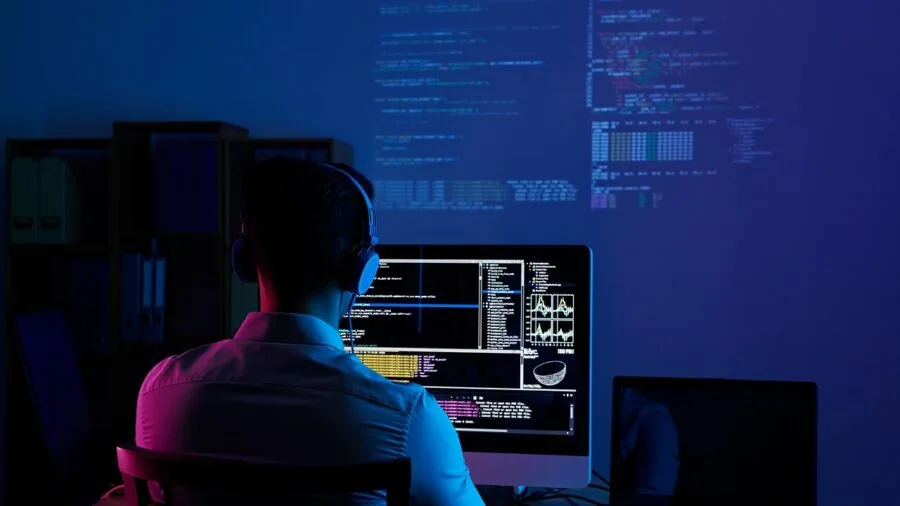
For modern developers, connectivity can make or break a monitor’s practicality.
USB-C with Power Delivery has become one of the most requested features in the programming monitor category because it allows a single cable to carry video, data, and power from a laptop, eliminating the need for a separate charger and a tangle of cables on the desk.
The BenQ RD280U offers 90W USB-C Power Delivery and a built-in KVM switch, which means you can control two machines from one keyboard and mouse through the monitor, a genuinely useful feature for developers who work across a laptop and a desktop.
HDMI and DisplayPort inputs remain important for desktop setups, and having both options provides flexibility as GPU or docking station configurations evolve.
If you regularly connect multiple devices, look for monitors with at least two video inputs plus USB-A downstream ports for peripherals.
The Dell S3425DW ultrawide and the Samsung 49-inch business display both include USB-C alongside traditional inputs, which covers most connection scenarios without requiring a dedicated docking station.
Refresh rate is less critical for coding than for gaming, but 75Hz or higher eliminates the perceptible flicker of older 60Hz panels during fast scrolling, which many developers notice during rapid navigation through large codebases.
The monitors in this roundup that feature 100Hz or 120Hz panels deliver a noticeably smoother scrolling experience in editors and terminals, which reduces eye fatigue over time.
If you also use your monitor for light gaming sessions, see our category page for gaming monitors for displays that balance both use cases.
Coding-Specific Display Modes and Software
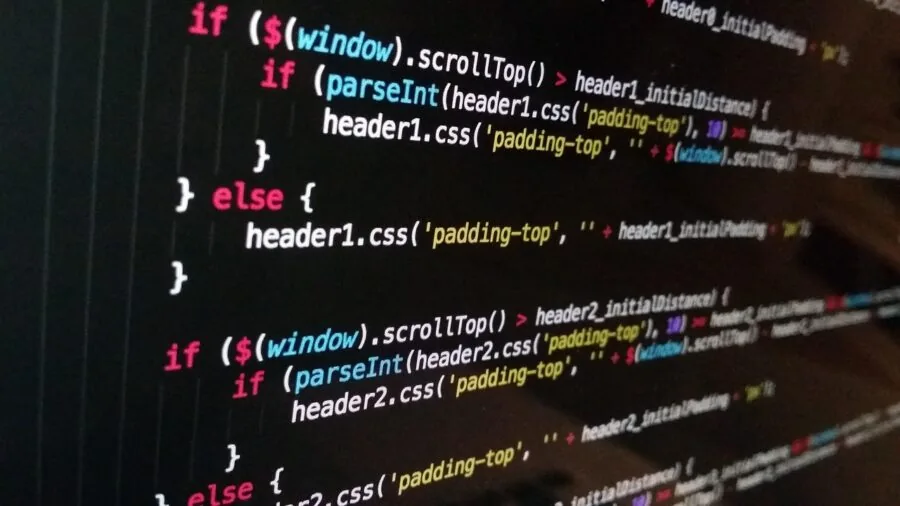
A growing number of monitors now ship with preset display modes specifically tuned for developers.
BenQ’s RD280U is the clearest example in this roundup, featuring dedicated Coding Modes that optimize color temperature, contrast, and tone mapping to reduce eye strain while reading code.
These are not gimmicks in this case: verified buyer feedback consistently mentions that the coding presets make a tangible difference during late-night work sessions.
LG’s Reader Mode and Samsung’s Game Mode (which, despite its name, can improve text contrast in SDR environments) are lighter implementations of the same concept.
For developers who spend significant time in documentation, PDF review, or e-reading between coding tasks, having a one-button toggle between color profiles is a small but meaningful quality-of-life feature.
Look for monitors that expose these modes through physical buttons or a joystick control rather than requiring OSD menu navigation every time you switch.
Size Format and Desk Fit

The right size for a programming monitor depends heavily on your desk depth, your seating distance, and whether you prefer a single-monitor or dual-monitor setup.
For most developers at a standard desk, 27 inches at QHD is a widely recommended sweet spot: it provides generous workspace without requiring you to move your head frequently.
The 27-inch picks from Dell and LG in this roundup hit that target at various price tiers.
Ultrawide formats (34-inch 21:9 and especially 49-inch 32:9) are increasingly popular among developers who want to keep everything on a single screen: code on the left, browser and documentation in the center, and a terminal on the right, all without a bezel gap.
The Dell S3425DW at 34 inches is the more desk-friendly entry point into ultrawide for coding, while the Samsung 49-inch business display is a productivity powerhouse for those with the desk space and budget to support it.
Smaller 24-inch Full HD monitors remain valid choices for secondary displays, budget-first setups, or developers working in space-constrained home offices.
They also pair well with a portable monitor when you need to expand screen real estate for travel or client visits.
Keep in mind that at 24 inches and Full HD, text is slightly larger than on higher-density panels, which some developers actually prefer for readability without scaling.
Why You Should Trust Us
REMOVU is an independent review publication with no manufacturer affiliations. Every monitor in this roundup is evaluated against a consistent set of criteria and assigned a REMOVU Score on a 0 to 10 scale.
That score reflects an aggregated assessment of panel quality, resolution, ergonomics, connectivity, software features, and value relative to competing options at the same price tier.
We do not conduct our own product trials; our evaluations are grounded in research, published data, expert review consensus, and verified buyer feedback.
Our research process involves analyzing manufacturer-published specifications, synthesizing assessments from independent display experts, and weighting verified purchaser feedback on long-term real-world use, particularly for factors like build quality, eye comfort over extended sessions, and software reliability that are difficult to capture from spec sheets alone.
REMOVU may earn a commission if you purchase through a link in this article. That affiliate relationship has no influence on scores, rankings, or which products are included. Our recommendations are determined solely by research quality and product merit.
We include products across a wide range of price points and brands, and we do not favor higher-margin items in our scoring. For further context on how we approach display and peripheral categories, browse our full Monitors and Peripherals coverage.
Final Thoughts
The monitors in this roundup span a wide range of sizes, resolutions, and budgets, and each earns its place for a distinct reason. Here is how our top picks break down by use case, each tied to its REMOVU Score performance in the category:
- Best Overall: BenQ RD280U 28.2-inch 4K Programming Monitor earns the top REMOVU Score in this roundup thanks to its purpose-built developer feature set, including dedicated Coding Modes, a nano matte panel tuned for text sharpness, 90W USB-C Power Delivery, and a built-in KVM switch. No other monitor in this list addresses the specific needs of programmers as comprehensively.
- Best Value QHD Pick: Dell 27 Plus QHD Monitor S2725DSM delivers a compelling combination of QHD resolution, 144Hz refresh rate, full ergonomic adjustability, and reliable Dell build quality at a mid-range price, making it the strongest all-around value in the 27-inch QHD segment for developers on a sensible budget.
- Best Ultrawide for Productivity: Dell 34 Monitor S3425DW provides the wide-format canvas that developers who want to eliminate a second monitor will appreciate, with WQHD resolution, USB-C connectivity, and strong color coverage in a manageable 34-inch footprint.
- Best 4K Budget Option: LG 27US500-W Ultrafine 4K Monitor makes 4K UHD accessible at a competitive price, with an IPS borderless design, HDR10 support, and LG’s Reader Mode for extended work sessions, representing solid value for developers who prioritize pixel density over premium extras.
- Best Budget Entry: Dell 27 Plus Monitor S2725HSM stands out as a well-rounded Full HD option with full ergonomic adjustability, a fast 144Hz panel, and Dell’s reputation for consistent display quality, all at an accessible price that makes it a smart first or secondary monitor for developers just building out their workspace. Pairing it with a capable mini PC or a Chromebook-style compact machine creates a tidy, productive desk setup without a large investment.
For developers building out a complete workstation, the display is only one piece of the puzzle.
Consider pairing your monitor with quality mechanical keyboards for tactile feedback during long typing sessions, and check our roundup of DDR5 RAM kits if you are also upgrading your desktop build.
A well-chosen monitor, combined with the right peripherals, transforms a standard desk into a genuinely productive development environment.
Frequently Asked Questions
Is 4K Worth It for Programming Monitors?
For most developers, 4K on a 27-inch screen offers noticeably sharper text at native resolution, particularly beneficial on macOS with HiDPI scaling or on Linux desktops with fractional scaling enabled.
At QHD (2560×1440), the pixel density is already significantly higher than Full HD and provides excellent text sharpness at a lower cost.
Whether 4K is worth the premium depends on your operating system’s scaling support and how much time you spend reading small text in editors or documentation.
Do Programmers Need a High Refresh Rate Monitor?
A high refresh rate is not a primary requirement for coding the way it is for gaming, but it does provide a tangibly smoother scrolling experience in text editors and terminals.
Developers who also use their monitor for gaming, video playback, or frequent window management will notice the difference between 75Hz and 144Hz during fast scrolling through large files.
For pure coding use, any panel at 75Hz or above eliminates the flicker that can cause fatigue on older 60Hz displays. Browse our gaming monitors category if you need a display that genuinely prioritizes high refresh rates above all else.
What Screen Size Is Best for a Coding Setup?
Twenty-seven inches is the most commonly recommended size for programming: it is large enough to display multiple panes comfortably, but small enough that your eyes do not need to travel far between windows.
At 24 inches, Full HD works well for secondary displays or budget builds. Ultrawide monitors at 34 inches and above offer the ability to tile three or more application windows simultaneously without bezels, effectively replacing a dual-monitor setup.
The best choice ultimately depends on your desk depth, budget, and how you prefer to organize your workspace.
Is USB-C Important for a Programming Monitor?
USB-C with Power Delivery is increasingly important for laptop-based developers because a single cable can carry video signal, data, and enough power to charge the host machine simultaneously.
This simplifies cable management significantly and makes it easy to connect and disconnect a laptop without juggling multiple cables.
For developers who work exclusively on a desktop PC, USB-C is less critical, though it is still useful for connecting mobile devices or external drives.
Check that the USB-C Power Delivery wattage (ideally 65W or higher) matches your laptop’s charging requirements before purchasing.
Are Curved Monitors Good for Programming?
Curved monitors are most beneficial on ultrawide formats where the added curve reduces the eye movement required to scan from one edge of the screen to the other.
On standard 27-inch flat monitors, curvature provides limited benefit for coding and some developers find it slightly distracting for reading straight lines of code.
The Samsung 49-inch business display and Samsung 27-inch curved model in this roundup both include curvature, which works naturally at those sizes.
For 27-inch and smaller displays, a flat IPS panel is generally preferred among developers for its consistent geometry and text rendering.
What Other Peripherals Should I Consider With a Programming Monitor?
Beyond the display itself, the peripherals surrounding it have a significant impact on daily comfort and productivity. A quality mechanical keyboard reduces fatigue during heavy typing sessions, while a precise wireless mouse improves desk cleanliness.
If you participate in code reviews, stand-ups, or remote pair programming sessions, a good webcam and a clear microphone round out a professional remote setup.
For developers who prefer audio while working, a pair of wired over-ear headphones or closed-back headphones can help maintain focus in open-plan or shared environments.
About the author
Jerry covers camcorders for REMOVU, weighing zoom range, stabilization, and battery endurance for events and long-form video. He helps families and creators pick a dedicated recorder that outlasts a phone.