The 12 Best Atx PC Cases
Airflow, clearances, cable routing, and front-panel I/O all come down to the case you choose. Here are the ATX enclosures that consistently satisfy builders at every budget.
 By Lucy Gardner
Updated July 26, 2026
By Lucy Gardner
Updated July 26, 2026
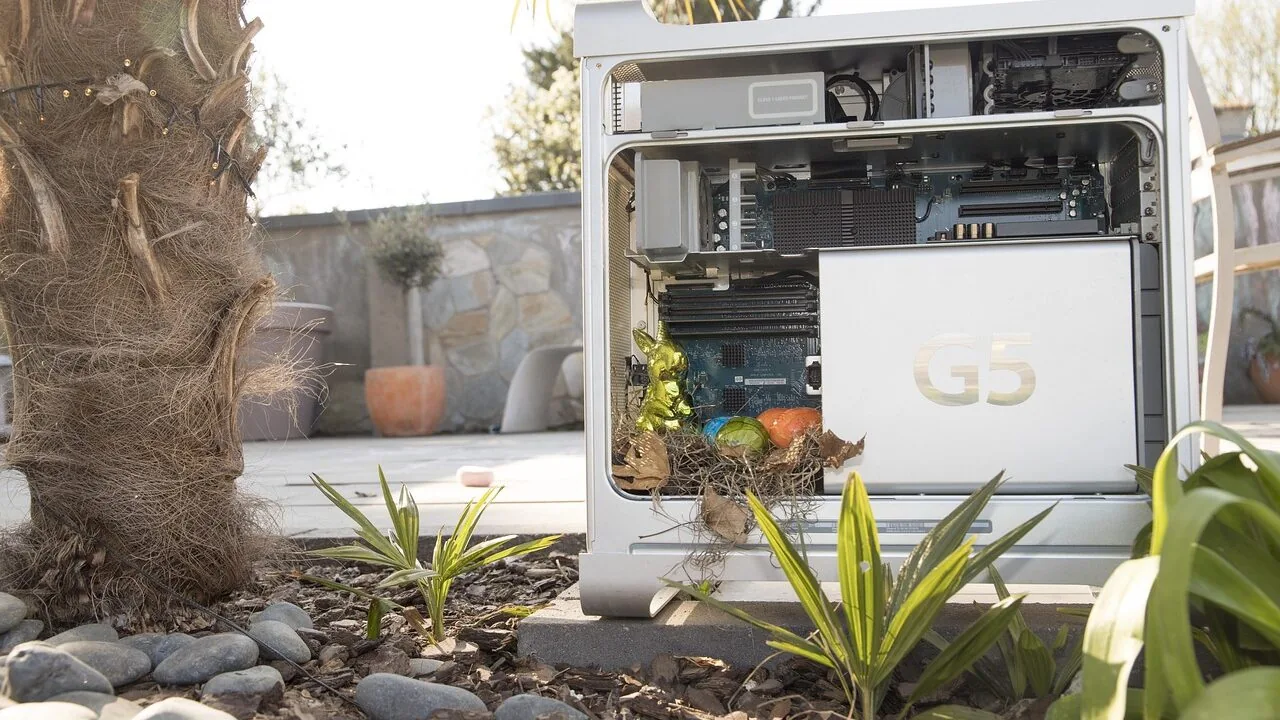
Picking the right ATX case shapes every aspect of a PC build: cooling headroom, cable tidiness, upgrade flexibility, and the way the system looks on your desk for years to come.
With GPU lengths pushing past 400 mm, 360 mm radiator support becoming the new baseline, and back-connect motherboard designs gaining traction, the stakes for choosing the right enclosure have never been higher.
A poor choice can bottleneck airflow, complicate future upgrades, and leave you wrestling with spaghetti cables every time you need to swap a drive.
Whether you are assembling your first gaming rig or upgrading a workstation, the enclosure deserves as much thought as the processor or graphics card going inside it.
For this guide, REMOVU’s editorial team synthesized manufacturer specifications, expert review consensus from the enthusiast community, and verified buyer feedback across dozens of mid-tower and full-tower ATX enclosures to surface the options that genuinely earn their asking price.
The field spans everything from budget-friendly mesh towers to premium dual-chamber flagships and design-forward cases with genuine wood paneling. Our picks range from wallet-friendly starting points to high-end showpieces, covering the full spectrum of builder priorities.
Scroll down to see our ranked top picks.
| Award | Product | REMOVU Score About REMOVU ScoreThe REMOVU Score is our own rating from 0 to 10, based on performance, design and build, ease of use, and value. It reflects independent research and is never influenced by manufacturers, retailers, or affiliate commissions. Learn more › | Price | |
|---|---|---|---|---|
| Best Value |
 Corsair Frame 4000D RS ARGB Mid-Tower Case
|
8.2/10 | Buy | |
| Best Budget |
 NZXT H5 Flow Mid-Tower ATX Case
|
7.8/10 | Buy | |
| Best Premium |
 Corsair 7000D Airflow Full-Tower Case
|
8.6/10 | Buy | |
 Corsair Frame 4000X RGB Mid-Tower Case
|
8.2/10 | Buy | ||
 NZXT H9 Flow ATX Mid-Tower Case
|
8.1/10 | Buy | ||
 Fractal Design North Mid Tower Case with Walnut Wood
|
7.2/10 | Buy | ||
 MUSETEX K2 ATX Mid Tower with 7 ARGB Fans
|
7.3/10 | Buy | ||
 Lian Li Vector V100 ATX Mid-Tower Case
|
7.4/10 | Buy | ||
 MONTECH XR Panoramic ATX Case with 360mm Radiator Support
|
7.5/10 | Buy | ||
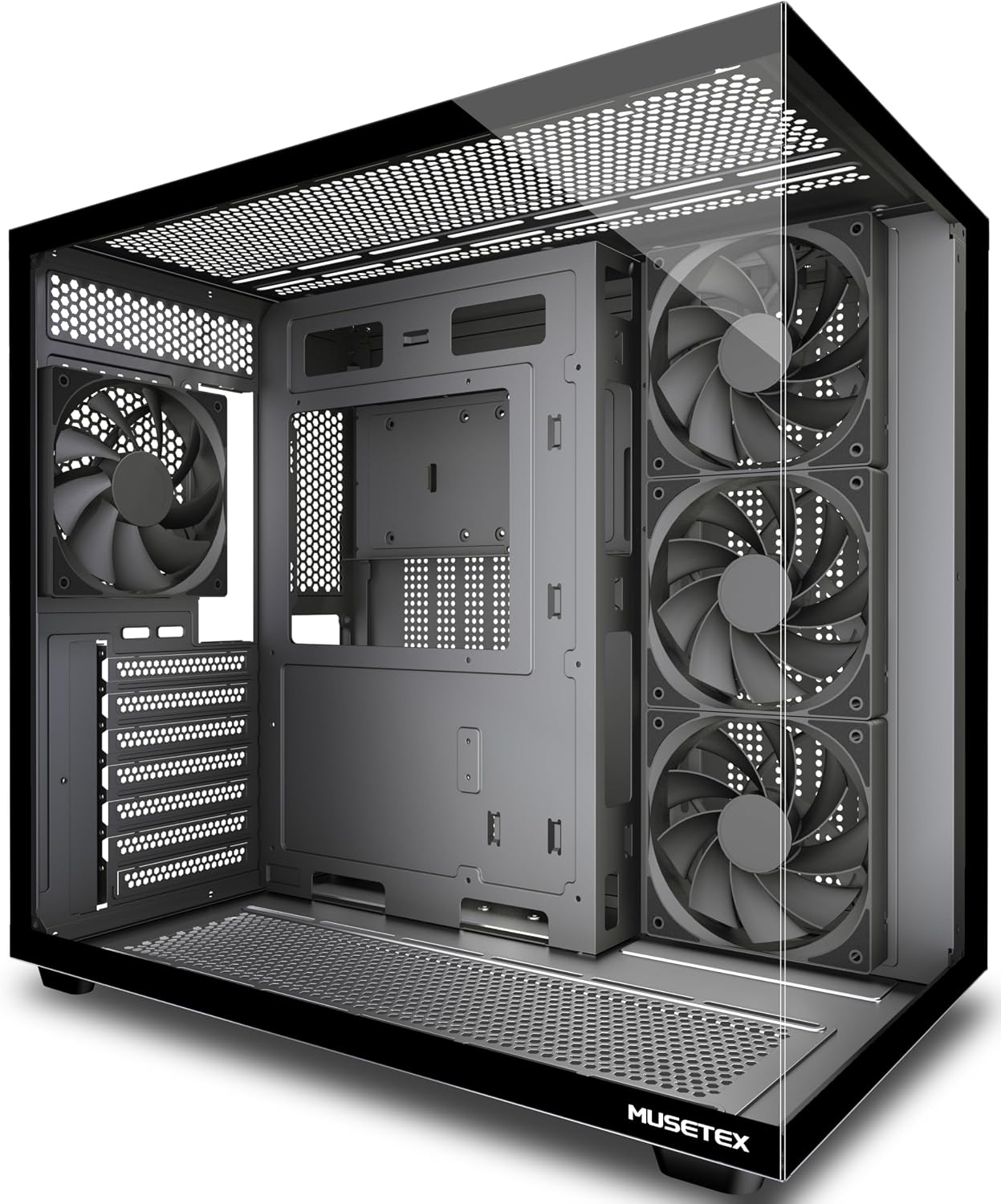 MUSETEX Y6 ATX Mid Tower with 270° Tempered Glass
|
6.4/10 | Buy | ||
 MUSETEX NN8 ATX Mid-Tower with 6 PWM ARGB Fans
|
6.2/10 | Buy | ||
| Best Overall |
 Lian Li LANCOOL 217 ATX Mid-Tower Case with 5 Fans
|
9.8/10 | Buy |
Corsair Frame 4000D RS ARGB Mid-Tower Case
A modular mid-tower case built around customization, featuring the InfiniRail mounting system that lets you position fans flexibly and three pre-installed RS ARGB fans for solid airflow. The frame-based design means you can swap components like the motherboard tray or I/O panel as your build evolves, though this modularity comes at the cost of a less traditional setup experience.
Pros
- Modular FRAME system allows upgrading and swapping internal components without replacing the entire case
- InfiniRail mounting offers flexible fan placement with support for dual 360mm radiators
- Three pre-installed RS ARGB fans with daisy-chainable connectors and Zero RPM mode for quiet operation
- 3D Y-Pattern airflow panel optimizes cooling efficiency with minimal air restriction
- Supports next-gen high-end GPUs (430mm length, 158mm width with 90° cables)
Cons
- Modular design may require learning curve compared to conventional case builds
- Limited motherboard compatibility due to frame-specific mounting requirements
- Higher cost compared to standard mid-tower alternatives at this capacity level
NZXT H5 Flow Mid-Tower ATX Case
A compact mid-tower built for builders prioritizing airflow and expandability. The dual 120mm pre-installed fans and perforated PSU shroud deliver solid cooling out of the box, while support for up to 360mm front and 240mm top radiators opens the door to liquid cooling upgrades. Ultra-fine mesh panels across top, front, and sides balance intake with dust filtration.
Pros
- Two 120mm fans pre-installed for immediate use without additional purchase
- Generous radiator support (360mm front, 240mm top) enables future liquid cooling builds
- Perforated PSU shroud optimizes GPU airflow intake
- Ultra-fine mesh design across multiple panels maximizes airflow while filtering dust
- Wide cable management channels and straps simplify routing and concealment
Cons
- Compact mid-tower form factor limits drive bays and expansion slots compared to full-size cases
- Additional 120mm fans required for optimal two-fan intake setup (not included)
- Limited internal space may challenge cable management with certain motherboard layouts or large power supplies
Corsair 7000D Airflow Full-Tower Case
A spacious full-tower case designed for high-performance builds with serious cooling ambitions. The optimized steel front panel and included 140mm fans deliver strong airflow, while the RapidRoute cable management system keeps the interior organized. Best suited for builders planning multiple radiators or extensive cooling solutions.
Pros
- Exceptional cooling capacity supports up to three 360mm radiators or extensive fan configurations for custom loops
- High-airflow front panel design maximizes intake with anti-vortex fan technology for concentrated cooling
- Thoughtful cable management via RapidRoute system with 30mm rear space keeps builds clean and accessible
- Tempered glass side panel and customizable PSU shroud with vertical GPU mount provide good aesthetics
- Generous interior accommodates up to ten storage drives and offers flexible mounting options
Cons
- Full-tower size demands significant desk or floor space, making it impractical for compact setups
- Steep learning curve for first-time builders despite cable management features due to sheer internal complexity
- Premium positioning means higher cost compared to mid-tower alternatives with similar cooling performance
Corsair Frame 4000X RGB Mid-Tower Case
A modular ATX case built for high-airflow builds with a striking illuminated front panel and flexible InfiniRail fan mounting system. Ships with four RS120 PWM fans pre-installed, making it ready to support large GPUs and multi-radiator liquid cooling setups right out of the box.
Pros
- Exceptional fan mounting flexibility with InfiniRail system on front and top, accommodating up to 13x 120mm and 5x 140mm fans
- Modular design allows future upgrades to motherboard tray, front panel, and PSU shroud without replacing the entire case
- Four RS120 PWM fans included with daisy-chain support and Zero RPM mode for low-noise operation
- Spacious interior supports oversized GPUs and offers three 360mm radiator mounting locations
- Ventilated RGB front panel delivers both aesthetic appeal and practical airflow
Cons
- No user reviews available yet, limiting real-world performance and build feedback
- Modular upgrade components sold separately, adding to overall system cost
- Large footprint and extensive fan support may be overkill for basic or compact builds
NZXT H9 Flow ATX Mid-Tower Case
A spacious dual-chamber ATX case designed to balance cooling performance with showcase aesthetics. The wraparound tempered glass and perforated mesh panels let you display your build while the separated chamber layout keeps heat-generating components isolated for better thermal management. Best suited for high-end gaming and workstation builders who want both performance and visual appeal.
Pros
- Dual-chamber design separates PSU and storage from main components, improving airflow and simplifying cable management
- Includes four pre-installed fans and supports up to ten fans total with 420mm radiator mounting on top and front panels
- Panoramic wraparound tempered glass provides an unobstructed view of your entire build
- Accommodates large graphics cards up to 435mm and includes Velcro straps plus wide cable channels for clean routing
- Compatible with back-connect motherboards like ASUS BTF and MSI Project Zero for a cable-free aesthetic
Cons
- Dual-chamber layout takes up more physical space, making it less ideal for compact desk setups
- Pre-installed fans are 3-pin DC only, which may limit compatibility with some RGB or PWM-only fan headers
- Extensive glass paneling requires more frequent cleaning to maintain the showcase look
Fractal Design North Mid Tower Case with Walnut Wood
A Scandinavian-designed mid tower that prioritizes aesthetics alongside cooling performance, featuring sustainably sourced walnut or oak wood panels paired with brass accents. The case accommodates ATX, mATX, and ITX builds with an intuitive interior layout and includes two 140mm PWM fans out of the box. Best suited for builders who want their PC to complement modern living spaces rather than dominate them.
Pros
- Natural wood front panels (walnut or oak) create a distinctive, furniture-quality appearance that integrates into home decor
- Fine-patterned mesh ventilation combined with open front design balances airflow with visual appeal
- Tempered glass side panel offers clear component visibility with scratch resistance
- Includes two 140mm Aspect PWM fans, reducing initial build costs
- Flexible motherboard support (ATX, mATX, ITX) with seven bridgeless expansion slots and generous GPU clearance (355mm standard, 300mm with 360mm radiator)
Cons
- Premium materials and Scandinavian design positioning suggest higher pricing than standard mid towers
- Wood panels require care to maintain appearance and may not suit all aesthetic preferences
- Limited information on cable management solutions relative to conventional gaming cases
MUSETEX K2 ATX Mid Tower with 7 ARGB Fans
A spacious ATX mid-tower that prioritizes both aesthetics and airflow, featuring a distinctive 270-degree panoramic glass view and seven pre-installed PWM ARGB fans. The case supports mainstream components well, with thoughtful cooling channel design and quick-release panels for easy builds. Best suited for builders who want strong cooling performance without breaking the budget.
Pros
- Seven pre-installed ARGB fans with motherboard RGB sync capability, expandable to 10 total for customizable lighting
- 270-degree dual tempered glass panoramic design offers exceptional component visibility compared to standard cases
- Reverse-blade front intake fans conceal brackets and cables while cooling key components effectively
- Multiple cooling channels including independent PSU space and bottom GPU cooling area for optimized thermal performance
- Supports full-size ATX boards plus Micro-ATX and Mini-ITX, with solid compatibility for GPUs up to 415mm and 360mm radiators
Cons
- ARGB fan control requires motherboard with 5V3PIN RGB header; older boards may need additional RGB converter
- Smaller PSU support capacity (156mm) compared to some competitors, limiting power supply options
- Build quality and cable management feedback would benefit from more detailed owner documentation
Lian Li Vector V100 ATX Mid-Tower Case
A spacious mid-tower designed for high-end builds, the Vector V100 ships with four pre-installed ARGB fans and an integrated LED strip for straightforward lighting setup. It accommodates large GPUs up to 420mm and 360mm radiators, making it well-suited for enthusiasts balancing performance cooling with aesthetic customization.
Pros
- Four pre-installed 120mm ARGB PWM fans with daisy-chain connectivity eliminate extra fan purchases and simplify initial setup
- Tool-less side panels enable quick internal access without tools, streamlining component installation and maintenance
- Supports GPUs up to 420mm and 360mm top-mounted radiators, offering flexibility for high-end cooling and graphics hardware
- Integrated 26-LED ARGB strip with full spectrum control and motherboard software sync enhances visibility and aesthetics
- Broad motherboard compatibility including ATX, Micro-ATX, Mini-ITX, and back-connect layouts for flexible build options
Cons
- Pre-installed fans operate at 26.5-30.8 dB at max speed, which may be audible during heavy workloads in quiet environments
- Requires motherboard with PWM and ARGB headers for full fan and lighting control; non-RGB motherboards cannot synchronize aesthetics
MONTECH XR Panoramic ATX Case with 360mm Radiator Support
A mid-size ATX case designed for high-performance builds, the XR combines wood grain aesthetics with practical cooling capacity. It fits 360mm radiators and supports flagship GPUs, making it suitable for enthusiasts balancing style with thermal performance.
Pros
- Supports up to 9 fans total with 3 pre-installed ARGB PWM fans for extensive cooling customization
- Accommodates 360mm radiators at the top and GPUs up to 420mm, enabling modern high-end hardware
- Comprehensive magnetic dust filtration on top, bottom, and side panels for easy maintenance
- Dual tempered glass panels and wood grain I/O design for aesthetic appeal
- High user satisfaction with 4.7-star rating from 737 reviews
Cons
- Pre-installed fans max out at 1500 RPM, which may limit cooling performance under heavy loads compared to aftermarket alternatives
- Compact ATX form factor could present cable management challenges despite good compatibility claims
- Wood grain design aesthetic is niche and may not suit all workspace styles
MUSETEX Y6 ATX Mid Tower with 270° Tempered Glass
A budget-friendly ATX mid tower that prioritizes airflow and visibility over RGB flash. The dual-chamber design with four pre-installed non-LED fans and reverse-blade intake setup keeps thermals in check, while the expansive 270-degree tempered glass panel gives a clear view of your build. Best suited for builders who value practical cooling and cable management over lighting aesthetics.
Pros
- Reverse-blade side intake fans conceal brackets and cables while cooling key components
- Dual-chamber layout with independent PSU ventilation channel improves thermal performance
- 270-degree tempered glass provides wider visibility than typical mid towers
- Magnetic dust filters on top and bottom reduce maintenance hassle
- Supports mainstream components: ATX/Micro-ATX/Mini-ITX, 410mm GPU, 160mm CPU cooler, 360mm liquid radiator
Cons
- Four non-LED fans included, so RGB customization requires separate purchase
- PSU support limited to 230mm, excluding some larger modular units
- Drive bay capacity modest at 2x 2.5-inch SSD and 1x 3.5-inch HDD
MUSETEX NN8 ATX Mid-Tower with 6 PWM ARGB Fans
This mid-tower case ships with six pre-installed PWM ARGB fans that sync with your motherboard for customizable lighting and speed control, paired with a magnetic tempered glass side panel for easy access and better airflow. The diamond mesh front panel and spacious interior accommodate most standard ATX builds, making it a practical choice for gamers prioritizing both cooling performance and RGB aesthetics without premium pricing.
Pros
- Six PWM ARGB fans pre-installed, offering 16.8 million color options and automatic speed adjustment for thermal management
- Tool-free magnetic tempered glass side panel with metal pull ring opens for 76% better heat dissipation than sealed cases
- Generous internal layout supports ATX/Micro-ATX/Mini-ITX boards, up to 320mm GPUs, and flexible drive configurations (up to 5 SSDs plus 1 HDD)
- Supports vertical GPU mounting to showcase high-end graphics cards through the transparent side panel
- Radiator compatibility for 120/240/280mm top and 120mm rear liquid cooling solutions
Cons
- Requires motherboard with 3-pin RGB header and brand-specific ARGB software to unlock full lighting control; default effects display without software
- Tempered glass panel requires careful handling despite corner guards, adding fragility compared to solid metal panels
- Limited to 2 USB 3.0 ports on I/O panel, no USB Type-C connectivity on this NN8 model variant
Lian Li LANCOOL 217 ATX Mid-Tower Case with 5 Fans
This mid-tower case combines practical cooling performance with distinctive wood panel aesthetics. Five pre-installed fans handle airflow across CPU and GPU workloads, while toolless fan mounting and dual PSU configurations offer flexibility for different build layouts. Best suited for builders who want solid thermals without sacrificing visual appeal.
Pros
- Five pre-installed fans provide out-of-box cooling capability for both CPU and GPU-focused setups
- Adjustable fan positioning allows 170mm front fans to shift into CPU-optimized mode when needed
- Genuine wood accents in walnut or beech finishes differentiate the aesthetic from standard cases
- Dual PSU mounting orientations and back-connect motherboard support simplify cable management
- Dual power buttons accommodate different desk placement scenarios
Cons
- Real wood panels may require more careful handling and maintenance compared to all-metal designs
- Five pre-installed fans add cost but may be unnecessary for users with existing cooling solutions
- Limited specification details available regarding maximum GPU length, drive bays, and exact interior dimensions
ATX PC Cases Buying Guide
Choosing an ATX case is not simply about picking a shape you like. The enclosure governs thermal behavior, dictates which components fit, and determines how pleasant future upgrades will be.
The subsections below walk through every criterion that materially affects build satisfaction over the long run.
Form Factor and Interior Clearances

ATX is a broad standard.
A compact mid-tower like the NZXT H5 Flow has a noticeably tighter interior than a full-tower like the CORSAIR 7000D Airflow, and those differences translate directly into what components will fit and how easily you can maneuver during assembly.
Before committing, check GPU length clearance (ideally 400 mm or more for modern flagship cards), CPU cooler height (165 mm is the safe minimum for large air coolers), and PSU shroud depth.
Also consider whether the case supports radiators where you actually want to mount them. Top-mounted 360 mm support matters if you plan an all-in-one liquid cooler, while front-mount 360 mm clearance is critical for push-pull configurations.
Cases with dual-chamber layouts, like the NZXT H9 Flow, physically separate the motherboard zone from PSU and storage, which simplifies cable routing and keeps hot air from cycling back over components.
Pair a spacious enclosure with a well-matched motherboard and the build process becomes considerably smoother.
If you are working with a back-connect or BTF-style motherboard, confirm compatibility explicitly.
Newer cases such as the CORSAIR 4000D RS and CORSAIR Frame 4000X RS are engineered around InfiniRail mounting systems and explicit BTF/Zero/Stealth support, which eliminates the front-panel cable clutter entirely on compatible boards.
Airflow Design and Fan Ecosystem

Airflow architecture is arguably the single most important specification for long-term performance. Cases fall broadly into two camps: mesh-forward designs that prioritize unrestricted intake, and tempered-glass-forward designs that trade some thermal headroom for aesthetics.
For demanding builds with high-TDP CPUs and flagship GPUs, a mesh front panel is strongly preferred. The CORSAIR 7000D Airflow and MONTECH XR Panoramic are archetypal examples of this philosophy.
Pay close attention to included fans. Pre-installed fans vary wildly in quality.
PWM control is the minimum bar; look for whether the case includes a PWM fan hub or repeater (CORSAIR’s AirGuide fans with PWM repeater are a good example of bundled value).
ARGB fans add visual interest, but ARGB without adequate static pressure on intake positions is cosmetic rather than functional. Reverse-blade fan designs, as seen on the MONTECH XR Panoramic, direct airflow more efficiently and are increasingly common in value-oriented cases.
Also factor in expansion headroom. A case that ships with three 140 mm fans but supports nine total gives you a clear upgrade path.
Magnetic dust filters on all intake points are a quality-of-life feature that pays dividends over time, especially in pet-owning households. Pair your case choice with an appropriate CPU cooler that fits within the stated clearances and matches your airflow direction.
Cable Management Infrastructure
A case with generous cable routing channels, multiple velcro strap anchor points, and at least 25 mm of space behind the motherboard tray will produce a cleaner build with better airflow and easier future maintenance.
Thin or absent grommets, shallow cable channels, and a PSU shroud that does not fully conceal the power supply area all make the finished build look less polished and complicate upgrades.
Modular cable management systems, such as the InfiniRail mounting found in CORSAIR’s recent Frame lineup, represent a step forward because they eliminate fixed fan mounting points and let you position intake fans precisely relative to your GPU and radiator.
When comparing cases in the same price tier, cable management quality is often the differentiator that determines long-term owner satisfaction. Good cable management also directly benefits power supply cable routing, which is frequently the messiest part of any build.
I/O Panel and Connectivity
Front-panel I/O is easy to overlook during the buying process and easy to regret afterward.
USB-C on the front panel, ideally USB 3.2 Gen 2 or better, has shifted from a premium feature to a practical necessity for connecting modern peripherals, external SSDs, and smartphones quickly.
Verify that your chosen motherboard has the internal USB-C header to support it, because not all boards at the mid-range tier do.
A dual USB 3.0 Type-A setup is standard and sufficient for most users. Cases that include a USB 2.0 header alongside the main ports offer flexibility for legacy peripherals.
Audio jack placement (front versus top) is a personal preference, but a recessed or shrouded audio jack is more durable over time.
If you rely heavily on external USB microphones or audio interfaces plugged into the front, easy access to the I/O panel matters more than it might seem during the build phase.
Materials, Build Quality, and Aesthetics

Most ATX cases in the mid-range tier use steel chassis with tempered glass side panels, and steel thickness varies. Thicker steel (0.8 mm or more) resists flex and reduces vibration resonance from fans.
Tempered glass thickness also varies: 4 mm panels are standard, while thinner glass feels less premium and can vibrate at high fan speeds.
Cases like the Fractal Design North and Lian Li LANCOOL 217 stand apart by incorporating genuine walnut wood front panels, offering a warmth and tactile quality that steel and plastic cannot replicate.
Panoramic or full-view tempered glass designs, as seen on the Lian Li Vector V100 and MUSETEX K2, maximize component visibility from multiple angles.
This is appealing if your build uses ARGB lighting as a visual centerpiece, but these designs can restrict top airflow compared to cases with mesh top panels.
Decide early whether airflow or aesthetics takes priority, because the two goals are genuinely in tension in this product category.
If you are complementing a high-visibility build with premium peripherals, a quality gaming headset displayed on your desk completes the setup.
Storage and Expandability
Modern builds lean heavily on M.2 SSDs, but 2.5-inch SATA drive bays remain relevant for bulk storage and secondary drives. Confirm that the case includes enough 2.5-inch trays for your current and planned drives.
Full-tower cases like the CORSAIR 7000D Airflow tend to include substantially more drive mounting points than compact mid-towers.
PSU mounting flexibility also falls under expandability. Most cases use a fixed bottom-mounted PSU position, but some designs, like the Lian Li LANCOOL 217, offer flexible PSU mounting to accommodate different build orientations.
If you are planning a high-capacity build with multiple solid-state drives and a large PSU, verify total internal volume and drive cage compatibility before purchasing.
Similarly, ensure the case supports enough RAM clearance for tall heatspreaders; mismatches between cooler and DDR5 RAM kits with tall heatspreaders are a common fitment issue.
Why You Should Trust Us
REMOVU is an independent review publication with no manufacturer relationships that influence rankings. Every product in this guide was evaluated by our editorial team using a consistent, multi-factor research methodology.
We assess each enclosure against standardized criteria covering airflow design, interior clearances, cable management infrastructure, I/O panel quality, build materials, and long-term owner satisfaction signals drawn from verified buyer feedback.
Each product receives a REMOVU Score on a 0 to 10 scale reflecting its overall performance against those criteria relative to its price tier.
We do not conduct our own product trials; our evaluations are grounded in research, published data, expert review consensus, and verified buyer feedback.
Our sources include manufacturer-published specifications, in-depth assessments from experienced PC hardware reviewers, and aggregated purchaser sentiment from verified ownership pools. This synthesis approach allows us to evaluate a broader field of products more consistently than any single-reviewer assessment could achieve.
REMOVU may earn a commission if you purchase through links in this article. That affiliate relationship has no bearing on REMOVU Scores, product rankings, or editorial selection. Products are ranked on merit.
We do not accept payment for favorable placement, and we do not sell, fulfill, or support orders. For returns or warranty matters, contact the retailer or manufacturer directly.
Final Thoughts
The ATX case market in 2026 is healthier and more competitive than it has been in years.
Budget builders have access to feature-packed mesh towers that would have cost significantly more just two generations ago, while enthusiasts can choose from genuinely innovative designs with dual-chamber layouts, natural wood accents, and back-connect motherboard compatibility.
Below are our standout awards from this guide, each linked directly to the product for easy reference.
- Best Overall: Lian Li LANCOOL 217 earns the top REMOVU Score in this roundup through a rare combination of thoughtful engineering, genuine wood panel aesthetics, an exceptional pre-installed fan package with five PWM fans spanning multiple sizes, back-connect motherboard readiness, and flexible PSU mounting that few competitors at any price offer.
- Best Full-Tower for Power Builders: CORSAIR 7000D Airflow is the definitive choice for builders who prioritize maximum component volume, high-airflow front panel design, and spacious cable management. Its REMOVU Score reflects a premium enclosure that lives up to its full-tower ambitions.
- Best for RGB Showcase Builds: CORSAIR Frame 4000X RS combines a striking RGB front panel, four included RS120 PWM fans, and the InfiniRail mounting system in a mid-tower package that rewards builders who want a visually compelling system without compromising on thermal performance.
- Best Dual-Chamber Flagship: NZXT H9 Flow brings wraparound tempered glass and a true dual-chamber layout to the mid-tower segment, with four included fans and 420 mm radiator support at both the top and front. It earns its REMOVU Score through an unusually refined user experience.
- Best Budget Airflow Pick: MONTECH XR Panoramic delivers panoramic dual tempered glass, three ARGB PWM fans with reverse-blade design, magnetic dust filters, and 420 mm GPU support at a price point that makes strong airflow accessible for first-time builders and budget-conscious upgrades alike.
Whichever enclosure you choose from this list, pair it thoughtfully with the right RAM, a compatible power supply, and storage that matches your workload. A great case is the foundation; the components you place inside determine what it can achieve.
Frequently Asked Questions
What Is the Difference Between a Mid-Tower and Full-Tower ATX Case?
Both mid-tower and full-tower cases support standard ATX motherboards, but full-tower enclosures offer considerably more vertical and horizontal interior space.
That extra room translates into more drive bays, more fan mounting positions, easier cable management behind taller components, and generally better support for multiple radiators simultaneously.
Mid-towers are the right choice for the vast majority of builds because they balance usable space with a manageable desk or floor footprint.
Full-towers make the most sense for workstation configurations with many hard drives, multi-radiator liquid cooling loops, or builders who simply prefer the additional interior breathing room.
How Many Fans Do I Actually Need in an ATX Case?
For a typical gaming build, three to four fans striking a balance between intake and exhaust is sufficient to maintain healthy thermals.
A common configuration is two or three 120 mm or 140 mm fans at the front as intake and one or two at the rear and top as exhaust.
Cases that ship with three or more pre-installed fans, like the CORSAIR 4000D RS and MONTECH XR Panoramic, give you a solid starting point without additional purchases.
High-TDP configurations benefit from adding front intake fans to bring cool air directly to the GPU. Avoid over-indexing on fan count at the expense of fan quality; two good PWM fans outperform four cheap fixed-speed units in noise and efficiency.
Check out our CPU cooler category for compatible cooling solutions.
Are Tempered Glass Cases Bad for Airflow?
Not necessarily, but it depends on where the glass is placed.
A solid glass front panel with no perforation restricts intake airflow significantly, which is why most modern glass-forward cases use mesh front panels combined with a glass side panel rather than glass on all four visible faces.
Panoramic designs with glass on the side and top can restrict top exhaust, which matters more in configurations with top-mounted radiators.
If your priority is maximum thermal headroom, choose a case with a mesh front panel and a glass side panel only.
If aesthetics are equally important, look for designs that use glass on the side while keeping the front and top vented.
What Should I Look for If I Am Building Around a Back-Connect Motherboard?
Back-connect motherboard designs, such as ASUS BTF, MSI Zero, and Gigabyte Stealth, route all power and data connectors through the rear of the board, leaving the front of the motherboard completely cable-free.
To take full advantage of this, your case needs a matching cutout pattern on the motherboard tray and ideally a purpose-designed cable routing zone behind the tray. Cases like the CORSAIR 4000D RS explicitly list BTF, Zero, and Stealth compatibility.
Using a back-connect board in a case not designed for it is possible but sacrifices much of the aesthetic benefit.
If you are planning a back-connect build, confirm case compatibility in the manufacturer specifications before purchasing, and verify that your chosen motherboard and storage layout will work within the revised tray cutout positions.
Is It Worth Spending More on a Premium ATX Case?
Yes, within reason. A well-built case is one of the few PC components you are likely to keep across multiple CPU and GPU generations.
Premium cases typically offer thicker steel, better-dampened panels, more thoughtful cable management infrastructure, higher-quality included fans, and superior front-panel I/O.
Budget cases can be excellent for first builds, as the MUSETEX options in this guide demonstrate, but they often require more patience during assembly and may offer fewer upgrade paths.
If you are planning to reuse the enclosure for your next build cycle, the per-year cost of a premium case often works out favorably.
Think of it the same way you would approach choosing quality PC components: the case is infrastructure, and infrastructure quality compounds over time.
Do Wooden Panel Cases Require Special Care?
Genuine walnut wood panels, as found on the Fractal Design North and Lian Li LANCOOL 217, are sealed and treated for durability under normal indoor conditions. They do not require any special maintenance beyond occasional light dusting.
Direct sunlight over extended periods can cause gradual color shift, so placing the case away from south- or west-facing windows is advisable if color consistency matters to you.
The wood panels are purely decorative and do not contact high-heat zones inside the case, so thermal concerns are minimal.
These designs appeal to builders who want a piece that reads more like considered furniture than a conventional gaming tower, and verified buyer feedback consistently highlights the material quality as a major long-term satisfaction driver.
About the author
Lucy covers subwoofers for REMOVU, weighing output, control, and room fit for sealed and ported models. She helps readers add the deep bass most speakers and soundbars miss.