The 9 Best PC Cases for Water Cooling
Water cooling demands more from a case than standard builds. These picks offer the radiator clearance, airflow design, and build ergonomics to support serious liquid cooling setups.
 By Enrique Sullivan
Updated July 26, 2026
By Enrique Sullivan
Updated July 26, 2026
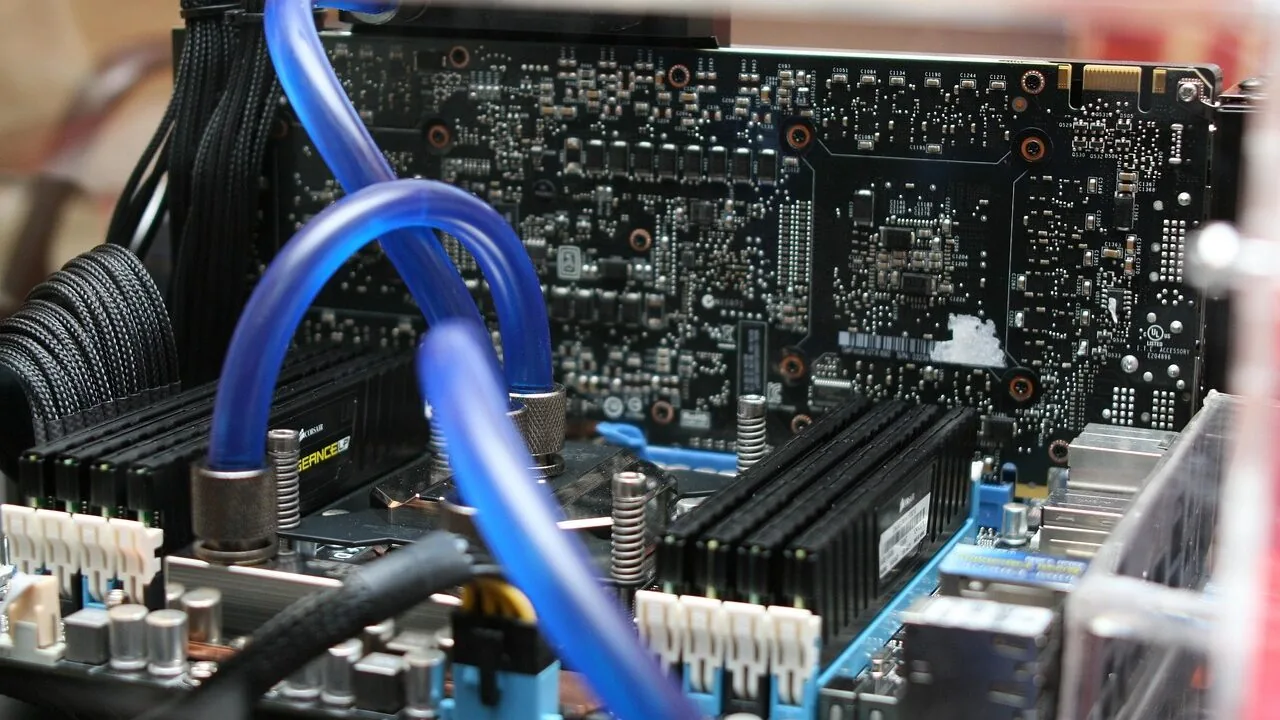
Water cooling transforms a high-end PC build, pulling heat away from demanding processors and GPUs far more effectively than air alone, which means quieter operation, more consistent boost clocks, and a finished system that actually looks as good as it performs.
The problem is that not every case is built with liquid cooling in mind.
Radiator clearance, pump reservoir mounting positions, tube routing space, and front-panel airflow all vary wildly between models, and picking the wrong chassis can leave you with a beautiful cooler that simply does not fit.
REMOVU researched the PC case market by cross-referencing published specifications, CPU cooler compatibility data, expert review consensus, and verified buyer feedback to surface the builds most worth recommending.
Every pick below was evaluated and scored on the REMOVU 0 to 10 scale using consistent, category-specific criteria.
Whether you are planning a compact 240 mm all-in-one loop or an ambitious custom 420 mm setup, the ranked list below gives you the clearest starting point available.
| Award | Product | REMOVU Score About REMOVU ScoreThe REMOVU Score is our own rating from 0 to 10, based on performance, design and build, ease of use, and value. It reflects independent research and is never influenced by manufacturers, retailers, or affiliate commissions. Learn more › | Price | |
|---|---|---|---|---|
| Best Overall |
 NZXT H9 Flow ATX Dual-Chamber Case
|
8.9/10 | Buy | |
 Lian Li Vector V100 ATX Mid-Tower Case
|
7.4/10 | Buy | ||
| Best Value |
 Corsair Frame 4000D RS ARGB Mid-Tower Case
|
8.2/10 | Buy | |
| Best Premium |
 MSI MAG PANO 100L Mid-Tower Case with 270-Degree Glass
|
7.1/10 | Buy | |
| Best Budget |
 NZXT H5 Flow Mid-Tower ATX Case
|
7.8/10 | Buy | |
 MUSETEX K2 ATX Mid Tower with 7 ARGB Fans
|
7.3/10 | Buy | ||
 Cooler Master Q300L V1 Micro-ATX Case
|
6.2/10 | Buy | ||
 MUSETEX Y6 ATX Case with 7 ARGB Fans
|
7.6/10 | Buy | ||
 FOIFKIN F600 ATX Mid-Tower with 7 ARGB Fans
|
6.2/10 | Buy |
NZXT H9 Flow ATX Dual-Chamber Case
A spacious mid-tower designed for builders prioritizing both cooling and cable management. The dual-chamber layout separates heat-generating components from the PSU, while wraparound tempered glass and extensive radiator support make it ideal for high-performance or custom water-cooled builds.
Pros
- Dual-chamber design improves thermal performance and simplifies cable routing with dedicated chambers
- Generous cooling capacity: supports up to 10 fans and 420mm radiators on top and front panels
- Four pre-installed fans included, reducing additional purchase needs
- Panoramic tempered glass provides uninterrupted view of components
- Compatible with back-connect motherboards (ASUS BTF, MSI Project Zero) for cable-free aesthetics
- Excellent cable management with extra-wide channels, Velcro straps, and tie-down points
Cons
- Dual-chamber design adds bulk, making it less suitable for compact or smaller desk setups
- Pre-installed fans are 3-pin DC only, limiting compatibility with some RGB or PWM-only systems
- Requires careful planning for optimal fan configuration to fully leverage 10-fan capacity
Lian Li Vector V100 ATX Mid-Tower Case
A spacious mid-tower designed for high-end builds, the Vector V100 ships with four pre-installed ARGB fans and an integrated LED strip for straightforward lighting setup. It accommodates large GPUs up to 420mm and 360mm radiators, making it well-suited for enthusiasts balancing performance cooling with aesthetic customization.
Pros
- Four pre-installed 120mm ARGB PWM fans with daisy-chain connectivity eliminate extra fan purchases and simplify initial setup
- Tool-less side panels enable quick internal access without tools, streamlining component installation and maintenance
- Supports GPUs up to 420mm and 360mm top-mounted radiators, offering flexibility for high-end cooling and graphics hardware
- Integrated 26-LED ARGB strip with full spectrum control and motherboard software sync enhances visibility and aesthetics
- Broad motherboard compatibility including ATX, Micro-ATX, Mini-ITX, and back-connect layouts for flexible build options
Cons
- Pre-installed fans operate at 26.5-30.8 dB at max speed, which may be audible during heavy workloads in quiet environments
- Requires motherboard with PWM and ARGB headers for full fan and lighting control; non-RGB motherboards cannot synchronize aesthetics
Corsair Frame 4000D RS ARGB Mid-Tower Case
A modular mid-tower case built around customization, featuring the InfiniRail mounting system that lets you position fans flexibly and three pre-installed RS ARGB fans for solid airflow. The frame-based design means you can swap components like the motherboard tray or I/O panel as your build evolves, though this modularity comes at the cost of a less traditional setup experience.
Pros
- Modular FRAME system allows upgrading and swapping internal components without replacing the entire case
- InfiniRail mounting offers flexible fan placement with support for dual 360mm radiators
- Three pre-installed RS ARGB fans with daisy-chainable connectors and Zero RPM mode for quiet operation
- 3D Y-Pattern airflow panel optimizes cooling efficiency with minimal air restriction
- Supports next-gen high-end GPUs (430mm length, 158mm width with 90° cables)
Cons
- Modular design may require learning curve compared to conventional case builds
- Limited motherboard compatibility due to frame-specific mounting requirements
- Higher cost compared to standard mid-tower alternatives at this capacity level
MSI MAG PANO 100L Mid-Tower Case with 270-Degree Glass
This mid-tower gaming case prioritizes visual showcase with its distinctive 270-degree panoramic tempered glass panel and dual-chamber layout for streamlined cable management. The removable front panel and back-connect motherboard support simplify installation, while the GPU support stand with level indicator prevents sagging. Best suited for builders who value aesthetics and ease of assembly over maximum cooling capacity.
Pros
- 270-degree panoramic glass display creates an impressive showcase for RGB builds and custom components
- Dual-chamber design with 90mm cable routing space simplifies cable management and organization
- Removable front and side panels enable straightforward installation of radiators and fans
- Back-connect motherboard support streamlines the build process and reduces cable-related mistakes
- GPU support stand with magnetic base and level indicator prevents graphics card sagging
Cons
- No pre-installed fans, requiring additional investment for cooling setup
- Limited to 360mm radiator support, which may restrict liquid cooling options for high-end systems
- Panoramic design prioritizes aesthetics over maximum airflow and cooling performance
NZXT H5 Flow Mid-Tower ATX Case
A compact mid-tower built for builders prioritizing airflow and expandability. The dual 120mm pre-installed fans and perforated PSU shroud deliver solid cooling out of the box, while support for up to 360mm front and 240mm top radiators opens the door to liquid cooling upgrades. Ultra-fine mesh panels across top, front, and sides balance intake with dust filtration.
Pros
- Two 120mm fans pre-installed for immediate use without additional purchase
- Generous radiator support (360mm front, 240mm top) enables future liquid cooling builds
- Perforated PSU shroud optimizes GPU airflow intake
- Ultra-fine mesh design across multiple panels maximizes airflow while filtering dust
- Wide cable management channels and straps simplify routing and concealment
Cons
- Compact mid-tower form factor limits drive bays and expansion slots compared to full-size cases
- Additional 120mm fans required for optimal two-fan intake setup (not included)
- Limited internal space may challenge cable management with certain motherboard layouts or large power supplies
MUSETEX K2 ATX Mid Tower with 7 ARGB Fans
A spacious ATX mid-tower that prioritizes both aesthetics and airflow, featuring a distinctive 270-degree panoramic glass view and seven pre-installed PWM ARGB fans. The case supports mainstream components well, with thoughtful cooling channel design and quick-release panels for easy builds. Best suited for builders who want strong cooling performance without breaking the budget.
Pros
- Seven pre-installed ARGB fans with motherboard RGB sync capability, expandable to 10 total for customizable lighting
- 270-degree dual tempered glass panoramic design offers exceptional component visibility compared to standard cases
- Reverse-blade front intake fans conceal brackets and cables while cooling key components effectively
- Multiple cooling channels including independent PSU space and bottom GPU cooling area for optimized thermal performance
- Supports full-size ATX boards plus Micro-ATX and Mini-ITX, with solid compatibility for GPUs up to 415mm and 360mm radiators
Cons
- ARGB fan control requires motherboard with 5V3PIN RGB header; older boards may need additional RGB converter
- Smaller PSU support capacity (156mm) compared to some competitors, limiting power supply options
- Build quality and cable management feedback would benefit from more detailed owner documentation
Cooler Master Q300L V1 Micro-ATX Case
A compact cube-shaped chassis that punches above its weight for small-form-factor builds. Supports up to 360mm graphics cards and 240mm liquid coolers despite its Micro-ATX footprint, with a modular I/O panel that adapts to six different positions. The transparent side panel and magnetic dust filters deliver both visibility and distinctive aesthetics.
Pros
- Exceptional GPU clearance (415mm) and 240mm AIO support for a Micro-ATX case
- Modular I/O panel with six positioning options for flexible cable management
- Magnetic dust filters with distinctive pattern design reduce maintenance hassle
- Perforated design on all sides optimizes airflow and thermal dissipation
- Supports standard ATX PSU despite compact dimensions
Cons
- Comes with only one 120mm fan, requiring additional fan purchases for optimal cooling
- CPU cooler height limited to 159mm, restricting high-end tower cooler options
- Compact interior space may challenge cable routing with larger power supplies or multiple storage drives
MUSETEX Y6 ATX Case with 7 ARGB Fans
This mid-tower ATX case ships with seven pre-installed Infinity Mirror ARGB fans featuring gradient rainbow lighting, making it a solid choice for builders prioritizing aesthetics alongside airflow. The 270-degree dual tempered glass panels offer excellent visibility for showcasing components, while the thoughtful internal layout with reverse-blade side intake fans keeps cables hidden. Best suited for gamers wanting RGB appeal without extensive fan sourcing.
Pros
- Seven PWM ARGB fans pre-installed with customizable lighting via motherboard software
- 270-degree dual tempered glass provides wider viewing angles than typical ATX cases
- Reverse-blade side intake design conceals brackets and cables while maintaining cooling efficiency
- Supports mainstream hardware: up to 410mm GPU, 160mm CPU cooler, 360mm liquid radiators
- Magnetic dust filters on top and bottom reduce maintenance burden
Cons
- ARGB fans require 5V/3-pin motherboard header; older boards may need converter adapters
- Limited to 230mm PSU support, which excludes some high-wattage power supplies
- Reverse intake fans are proprietary design, making future fan replacements less flexible
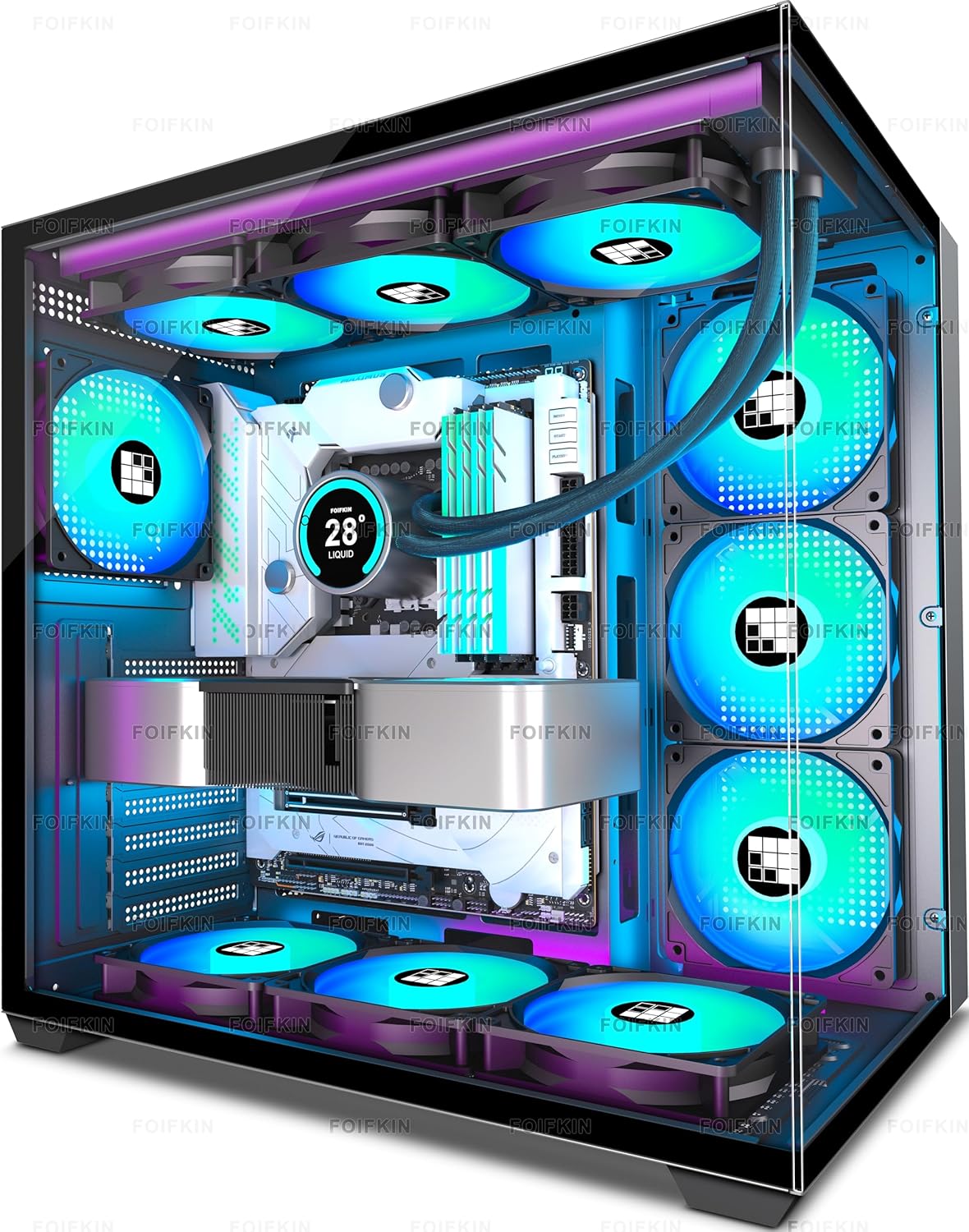
FOIFKIN F600 ATX Mid-Tower with 7 ARGB Fans
A spacious mid-tower case built around dual-chamber design and pre-installed cooling. The 270-degree panoramic glass and seven PWM ARGB fans make it visually striking for RGB-focused builds, while the dual-chamber layout and support for three 360mm radiators appeal to enthusiasts prioritizing thermal management and cable organization.
Pros
- Seven pre-installed 120mm ARGB PWM fans eliminate additional fan purchases for many builders
- Dual-chamber design separates power supply and drives from main hardware, improving airflow and cable management
- Panoramic 270-degree tempered glass provides expansive view of internal components
- Generous compatibility: supports ATX/M-ATX/ITX boards, GPUs up to 400mm, and accommodates three 360mm radiators simultaneously
- Strong user rating of 4.5 stars from 745 verified reviews indicates reliable build quality
Cons
- Relatively large footprint (420x285x430mm) may challenge space-limited desk setups
- Limited storage flexibility with only one HDD and two SSD slots for users with extensive storage needs
- Heavy reliance on ARGB aesthetics may not appeal to minimalist or non-RGB-focused builders
PC Cases for Water Cooling Buying Guide
Choosing a water-cooling-ready case involves more than finding one with a radiator cutout. The decisions you make here will shape every other component decision downstream, from which motherboard fits to how your tubing routes around the GPU.
The six criteria below cover everything that separates a genuinely water-cooling-friendly chassis from one that merely claims to be.
Radiator Size and Mounting Positions

Radiator support is the single most important specification to verify before buying. Cases list support in millimetres: 120 mm, 240 mm, 280 mm, 360 mm, and 420 mm are the common sizes, and each corresponds to the total fin area available for heat dissipation.
A 360 mm radiator (three 120 mm fans) provides meaningfully more surface area than a 240 mm unit, which matters if you are cooling both a high-TDP processor and a flagship graphics card simultaneously.
Pay close attention to which mounting positions support larger radiators. A case may quote 360 mm front support and 240 mm top support, but the top position might physically conflict with tall DDR5 memory modules once a radiator is installed.
Verify clearance dimensions, not just the headline radiator size. Cases that support 420 mm radiators in the top or front position, like the NZXT H9 Flow, are in a separate tier for custom loop builders who want maximum cooling headroom.
Also check whether the case requires you to remove the top panel entirely to mount a radiator, or whether it ships with a bracket system.
Removable panels that slide out cleanly make the build process far less frustrating and reduce the risk of scratched glass or stripped thumbscrews.
Internal Volume and Component Clearance

Water cooling hardware takes up real estate inside the chassis.
A 360 mm front radiator with 30 mm thick fans adds roughly 60 mm of depth inside the front of the case, which directly compresses the space available for your power supply cables and front-panel connectors on the motherboard.
Cases with dual-chamber designs, like the NZXT H9 Flow, solve this by routing cables and the PSU into a separate rear chamber, keeping the primary zone uncluttered.
GPU clearance is equally important. Modern graphics cards have grown dramatically in physical size, and a case advertising 360 mm GPU support might still leave only millimetres between the card and the front radiator.
Look for at least 380 mm of GPU length support in any mid-tower you are considering for a high-end single GPU build, and add extra margin if your GPU uses an oversized triple-fan cooler.
Airflow Design and Fan Configuration
A water-cooling loop handles heat transfer from the source to the radiator, but the radiator still depends on fans and case airflow to reject that heat into the surrounding air.
Cases with mesh front panels allow intake air to reach a front-mounted radiator directly, which is the most efficient configuration. Solid or tempered glass front panels look striking but restrict intake airflow, which can raise coolant temperatures under sustained load.
The number and quality of pre-installed fans matters too. Cases like the CORSAIR 4000D RS ARGB and several NZXT options ship with multiple fans already mounted, which saves money and simplifies the build.
Look for PWM-controlled fans rated for reasonable static pressure, since radiator fins require more pressure than open-air intake points.
Cases shipping with ARGB fans add visual appeal, but always verify that the controller or headers on your motherboard are compatible before assuming seamless software control.
If you are also interested in how airflow design translates across case types, our roundup of PC cases built for airflow covers the broader picture.
Form Factor and Motherboard Compatibility
Most water-cooling builds use ATX motherboards because they offer the most SATA and M.2 expansion alongside full-size VRM heatsinks that pair well with aggressive cooling.
A full ATX mid-tower gives the most internal flexibility, but Micro-ATX cases like the Cooler Master Q300L V1 can still accommodate 240 mm AIOs and remain a viable option for builders prioritising a smaller desk footprint over maximum loop size.
If you are building into a compact form factor and considering a Micro-ATX or even Mini-ITX chassis, bear in mind that radiator support drops sharply as volume shrinks.
Most Mini-ITX cases cap out at a 240 mm radiator and require careful planning around pump and reservoir placement. Our guide to Mini-ITX PC cases explores those trade-offs in detail.
For builders who want the full range of ATX options, ATX PC cases covers the wider market including non-water-cooling-focused designs.
Cable Management and Build Ergonomics

Water-cooling builds are inherently complex, and a case that fights you during the build process adds hours of frustration.
Look for wide cable routing channels behind the motherboard tray (at least 25 mm of depth), Velcro straps or cable tie anchors throughout the rear chamber, and a PSU shroud that hides modular cable runs.
Cases with removable drive cages offer extra flexibility for routing soft tubing without sharp bends.
Front I/O panel quality is also worth checking. A USB-C port on the front panel is increasingly expected in a mid-range or premium case, and its absence feels like a design oversight in 2026.
The location of the power button and I/O cluster matters if your case will be positioned low on a desk.
Modular I/O designs like those seen on some Cooler Master cases let you reposition the port cluster to whichever panel suits your setup best.
Tempered Glass and Visual Design

Water cooling loops are largely chosen for aesthetics as well as performance, which is why panoramic tempered glass panels have become standard in this segment.
Full side panels, wraparound 270-degree glass designs, and dual-chamber layouts with front-facing glass all serve to showcase radiators, fittings, and tubing as part of the finished build.
Cases like the MSI MAG PANO 100L PZ and the FOIFKIN F600 lean heavily into this with expansive glass coverage on multiple sides.
Keep in mind that large glass panels add weight and can make the case harder to move once built. Tinted glass softens harsh RGB output for a more premium look, while clear glass maximises visibility.
Magnetic dust filters on intake points are a practical necessity in a glass-heavy case since the interior is always on display.
For a broader look at what the market offers across budget tiers, our overview of PC cases for every build and budget is a useful companion reference, and capable gaming PC builds show how these cases come together as complete systems.
Why You Should Trust Us
REMOVU is an independent review publication. We do not manufacture, stock, or sell any of the products we cover, and we have no relationship with any retailer or brand that could influence our conclusions.
Every product in this article was assessed using the REMOVU Score system, a structured 0 to 10 scale that evaluates each model against a consistent set of category-specific criteria applied uniformly across the entire comparison set.
Our methodology is built on synthesis rather than single-source opinion. We analyse published manufacturer specifications, cross-reference expert review consensus from multiple independent sources, incorporate verified buyer feedback from confirmed purchasers, and ground every claim in publicly available data.
We do not conduct our own product trials; our evaluations are grounded in research, published data, expert review consensus, and verified buyer feedback.
REMOVU may earn a commission if you purchase through links on this page. That relationship does not affect product selection, ranking order, or REMOVU Score assignments in any way. Products are ranked solely on the merit of our evaluation criteria.
We disclose this affiliation in the interest of full transparency, consistent with our editorial independence policy.
Final Thoughts
The cases in this lineup span a wide range of budgets, form factors, and cooling ambitions, from a budget-friendly Micro-ATX option to a dual-chamber flagship designed for serious custom loops.
Here is how we have categorised the standout picks by use case, each linked to the relevant product and grounded in our research findings.
- Best Overall: NZXT H9 Flow earns the top position with the highest REMOVU Score in this group, combining a dual-chamber ATX layout, wraparound tempered glass, four included fans, and support for both 420 mm top and 420 mm front radiators, a combination that gives custom loop builders exceptional flexibility in a single chassis.
- Best Mid-Range Pick: CORSAIR 4000D RS ARGB Frame earns its high REMOVU Score through a modular InfiniRail mounting system, three pre-installed RS ARGB fans, and broad compatibility with modern motherboard ecosystems including ASUS BTF and MSI Zero connector standards, making it an outstanding choice for builders who want flexibility without the flagship price.
- Best Compact Option: NZXT H5 Flow is the pick for builders who want genuine airflow performance and 360 mm front radiator support in a smaller mid-tower footprint, earning a strong REMOVU Score that reflects its approachability for first-time water-cooling builds.
- Best Value for RGB Builds: MUSETEX Y6 packs seven infinity mirror ARGB fans, a 270-degree full-view tempered glass design, and front USB-C into a competitively priced package, with a solid REMOVU Score that reflects good performance per dollar in the mid-budget segment.
- Best Budget-Conscious Entry: Cooler Master Q300L V1 remains a practical starting point for Micro-ATX builders on a tighter budget who still want 240 mm AIO support, magnetic dust filters, and a modular I/O panel, even if its REMOVU Score reflects the compromises made at that price tier.
Whichever chassis you choose, pairing it with well-matched processors and quality RAM will let the cooling loop perform as intended.
If you are still deciding on the overall system, our guide to gaming PCs built for VR walks through complete build considerations where thermal headroom is especially critical.
Frequently Asked Questions
What radiator size do I need for water cooling a CPU and GPU simultaneously?
For a dual-component custom loop, most builders recommend a minimum of 360 mm total radiator surface, and ideally more. A common approach is a 360 mm front radiator for the primary heat rejection and a 240 mm top radiator as a secondary.
Cases like the NZXT H9 Flow support 420 mm radiators in both positions, which gives serious headroom for high-TDP components.
All-in-one coolers typically handle only the CPU, so a 240 mm or 360 mm AIO paired with an air-cooled GPU is a simpler and still effective configuration for most mid-range builds.
Is a mesh front panel better than tempered glass for water cooling?
From a thermal standpoint, yes. A mesh front panel allows air to flow directly into a front-mounted radiator without restriction, which typically results in lower coolant temperatures under sustained load.
Tempered glass front panels restrict intake airflow, which can raise temperatures by several degrees Celsius during demanding workloads. That said, the difference matters most at the extremes.
For moderate gaming loads with a quality 360 mm AIO, a glass-fronted case may still perform within acceptable thresholds. If thermal efficiency is the priority, a mesh or perforated front is the practical choice.
Can I use a Micro-ATX case for water cooling?
Yes, with caveats. Micro-ATX cases like the Cooler Master Q300L V1 can accommodate 240 mm AIOs and work well for single-component cooling loops.
Where they fall short is in custom loop builds that require reservoir and pump space, longer radiator support, or complex tube routing.
If you are planning anything beyond a 240 mm AIO, a standard ATX mid-tower gives significantly more flexibility and is usually the better long-term investment.
Do pre-installed fans in a case work well on a radiator?
It depends on the fans. Not all stock fans are optimised for the static pressure demands of pushing air through a dense radiator fin stack.
Higher-end cases like the CORSAIR 4000D RS ARGB ship with fans specifically rated for higher static pressure performance, which makes them genuinely useful on a radiator. Budget case fans are often balanced more towards open-air intake than radiator duty.
Checking the fan static pressure rating (measured in mmH₂O) gives a quick indication of radiator suitability. Replacing stock fans with dedicated radiator fans is always an option if cooling performance becomes a priority later.
How do I know if my GPU will fit once a front radiator is installed?
The key measurement is the clearance between the front radiator and the motherboard tray after accounting for fan thickness. A 30 mm radiator plus two 25 mm fans adds 80 mm of depth from the front panel inward.
Subtract that from the case’s total internal width to find actual GPU clearance. Always check the manufacturer’s GPU clearance specification for your specific radiator and fan combination, not just the headline GPU length figure.
Many builders also include an SSD mounted behind the motherboard tray to free up additional space in the main chamber, which is worth planning for during the layout phase.
About the author
Enrique writes about projectors for REMOVU, weighing brightness, resolution, and throw distance for home and portable use. He helps readers get a true big-screen experience that no TV matches.