The 5 Best PC Cases Under $100
Tight budgets don't mean compromising on airflow, build quality, or style. These are the top-ranked PC cases under $100 for builders who want real performance without overspending.
 By Lucy Gardner
Updated July 26, 2026
By Lucy Gardner
Updated July 26, 2026

A great PC case does more than hold your components together. It shapes airflow, dictates how much hardware you can fit, determines how easy the build process will be, and sets the visual tone of your entire setup.
The good news is that the sub-$89.99 segment has never been more competitive: builders today can find cases with pre-installed ARGB fans, tempered glass panels, USB-C front I/O, and thoughtful cable management channels without spending a premium.
Whether you are putting together a first gaming rig, upgrading an aging enclosure, or building a clean workstation on a tight budget, there are genuinely strong options available from brands like Corsair, Lian Li, and MUSETEX.
At REMOVU, we researched the crowded PC case market by analyzing manufacturer specifications, synthesizing expert review consensus from across the enthusiast community, and weighing verified buyer feedback to surface the options that consistently deliver on airflow, build quality, and long-term usability.
Every pick in this roundup represents the best balance of value and capability we found in the budget segment. Scroll down to see our ranked top picks.
| Award | Product | REMOVU Score About REMOVU ScoreThe REMOVU Score is our own rating from 0 to 10, based on performance, design and build, ease of use, and value. It reflects independent research and is never influenced by manufacturers, retailers, or affiliate commissions. Learn more › | Price | |
|---|---|---|---|---|
| Best Overall |
 Corsair Frame 4000D RS ARGB Mid-Tower Case
|
8.2/10 | Buy | |
| Best Value |
 MUSETEX Y6 ATX Case with 7 ARGB Fans
|
7.6/10 | Buy | |
| Best Premium |
 MUSETEX K2 ATX Mid Tower with 7 ARGB Fans
|
7.3/10 | Buy | |
| Best Budget |
 Lian Li Vector V100 ATX Mid-Tower Case
|
7.4/10 | Buy | |
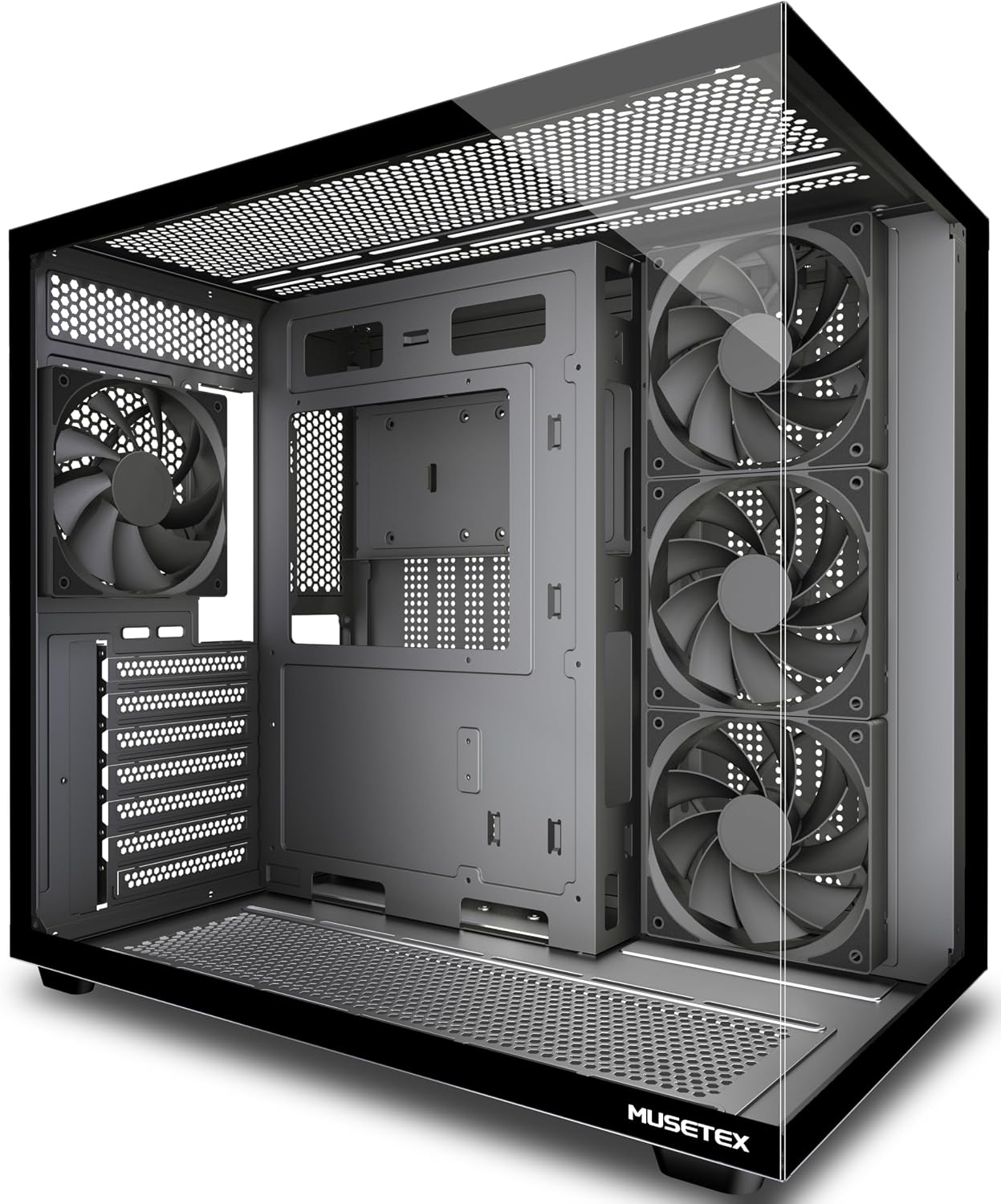 MUSETEX Y6 ATX Mid Tower with 270° Tempered Glass
|
6.4/10 | Buy |
Corsair Frame 4000D RS ARGB Mid-Tower Case
A modular mid-tower case built around customization, featuring the InfiniRail mounting system that lets you position fans flexibly and three pre-installed RS ARGB fans for solid airflow. The frame-based design means you can swap components like the motherboard tray or I/O panel as your build evolves, though this modularity comes at the cost of a less traditional setup experience.
Pros
- Modular FRAME system allows upgrading and swapping internal components without replacing the entire case
- InfiniRail mounting offers flexible fan placement with support for dual 360mm radiators
- Three pre-installed RS ARGB fans with daisy-chainable connectors and Zero RPM mode for quiet operation
- 3D Y-Pattern airflow panel optimizes cooling efficiency with minimal air restriction
- Supports next-gen high-end GPUs (430mm length, 158mm width with 90° cables)
Cons
- Modular design may require learning curve compared to conventional case builds
- Limited motherboard compatibility due to frame-specific mounting requirements
- Higher cost compared to standard mid-tower alternatives at this capacity level
MUSETEX Y6 ATX Case with 7 ARGB Fans
This mid-tower ATX case ships with seven pre-installed Infinity Mirror ARGB fans featuring gradient rainbow lighting, making it a solid choice for builders prioritizing aesthetics alongside airflow. The 270-degree dual tempered glass panels offer excellent visibility for showcasing components, while the thoughtful internal layout with reverse-blade side intake fans keeps cables hidden. Best suited for gamers wanting RGB appeal without extensive fan sourcing.
Pros
- Seven PWM ARGB fans pre-installed with customizable lighting via motherboard software
- 270-degree dual tempered glass provides wider viewing angles than typical ATX cases
- Reverse-blade side intake design conceals brackets and cables while maintaining cooling efficiency
- Supports mainstream hardware: up to 410mm GPU, 160mm CPU cooler, 360mm liquid radiators
- Magnetic dust filters on top and bottom reduce maintenance burden
Cons
- ARGB fans require 5V/3-pin motherboard header; older boards may need converter adapters
- Limited to 230mm PSU support, which excludes some high-wattage power supplies
- Reverse intake fans are proprietary design, making future fan replacements less flexible
MUSETEX K2 ATX Mid Tower with 7 ARGB Fans
A spacious ATX mid-tower that prioritizes both aesthetics and airflow, featuring a distinctive 270-degree panoramic glass view and seven pre-installed PWM ARGB fans. The case supports mainstream components well, with thoughtful cooling channel design and quick-release panels for easy builds. Best suited for builders who want strong cooling performance without breaking the budget.
Pros
- Seven pre-installed ARGB fans with motherboard RGB sync capability, expandable to 10 total for customizable lighting
- 270-degree dual tempered glass panoramic design offers exceptional component visibility compared to standard cases
- Reverse-blade front intake fans conceal brackets and cables while cooling key components effectively
- Multiple cooling channels including independent PSU space and bottom GPU cooling area for optimized thermal performance
- Supports full-size ATX boards plus Micro-ATX and Mini-ITX, with solid compatibility for GPUs up to 415mm and 360mm radiators
Cons
- ARGB fan control requires motherboard with 5V3PIN RGB header; older boards may need additional RGB converter
- Smaller PSU support capacity (156mm) compared to some competitors, limiting power supply options
- Build quality and cable management feedback would benefit from more detailed owner documentation
Lian Li Vector V100 ATX Mid-Tower Case
A spacious mid-tower designed for high-end builds, the Vector V100 ships with four pre-installed ARGB fans and an integrated LED strip for straightforward lighting setup. It accommodates large GPUs up to 420mm and 360mm radiators, making it well-suited for enthusiasts balancing performance cooling with aesthetic customization.
Pros
- Four pre-installed 120mm ARGB PWM fans with daisy-chain connectivity eliminate extra fan purchases and simplify initial setup
- Tool-less side panels enable quick internal access without tools, streamlining component installation and maintenance
- Supports GPUs up to 420mm and 360mm top-mounted radiators, offering flexibility for high-end cooling and graphics hardware
- Integrated 26-LED ARGB strip with full spectrum control and motherboard software sync enhances visibility and aesthetics
- Broad motherboard compatibility including ATX, Micro-ATX, Mini-ITX, and back-connect layouts for flexible build options
Cons
- Pre-installed fans operate at 26.5-30.8 dB at max speed, which may be audible during heavy workloads in quiet environments
- Requires motherboard with PWM and ARGB headers for full fan and lighting control; non-RGB motherboards cannot synchronize aesthetics
MUSETEX Y6 ATX Mid Tower with 270° Tempered Glass
A budget-friendly ATX mid tower that prioritizes airflow and visibility over RGB flash. The dual-chamber design with four pre-installed non-LED fans and reverse-blade intake setup keeps thermals in check, while the expansive 270-degree tempered glass panel gives a clear view of your build. Best suited for builders who value practical cooling and cable management over lighting aesthetics.
Pros
- Reverse-blade side intake fans conceal brackets and cables while cooling key components
- Dual-chamber layout with independent PSU ventilation channel improves thermal performance
- 270-degree tempered glass provides wider visibility than typical mid towers
- Magnetic dust filters on top and bottom reduce maintenance hassle
- Supports mainstream components: ATX/Micro-ATX/Mini-ITX, 410mm GPU, 160mm CPU cooler, 360mm liquid radiator
Cons
- Four non-LED fans included, so RGB customization requires separate purchase
- PSU support limited to 230mm, excluding some larger modular units
- Drive bay capacity modest at 2x 2.5-inch SSD and 1x 3.5-inch HDD
PC Cases Under $100 Buying Guide
Choosing the right PC case at this price tier means balancing several competing priorities. A case that looks stunning in photos can frustrate you during the build if cable routing is cramped or fan mounts are poorly positioned.
The sections below cover the criteria that matter most, drawn from the specifications and builder experiences we evaluated across every model in this roundup.
If you want a broader view of the market beyond the budget segment, our guide to PC cases for every build and budget is a useful starting point.
Form Factor and Motherboard Compatibility

Every case in this roundup is an ATX mid-tower, which is the most versatile form factor for the overwhelming majority of desktop builds.
ATX mid-towers support standard ATX motherboards as well as the smaller Micro-ATX and Mini-ITX form factors, giving you flexibility if you decide to downsize your motherboard in the future.
If you already know you want a compact build, a Mini-ITX case may serve you better, but for most builders an ATX mid-tower is the safest and most future-proof choice.
Before committing to any case, verify that your motherboard standoff layout matches. Most ATX mid-towers include pre-installed standoffs for ATX boards and provide tools or guides for repositioning them for smaller form factors.
Check the product page for the specific form factors supported and whether the manufacturer includes the hardware needed for each configuration.
Airflow and Fan Configuration
Airflow is arguably the single most important performance factor in a PC case. A case with poor airflow will raise component temperatures, which reduces performance and longevity of your CPU and GPU.
Look for cases with a mesh or perforated front panel rather than a solid acrylic or steel front, as mesh panels allow significantly more intake air to reach your components.
The Corsair 4000D RS ARGB is a standout example of a case engineered specifically around high-airflow principles at this price point.
Pay close attention to how many fans come pre-installed and where they are positioned. Front intake fans and rear exhaust fans create a straightforward positive-pressure or balanced airflow path.
Cases like the MUSETEX Y6 with seven pre-installed ARGB fans offer impressive out-of-the-box airflow without requiring additional fan purchases. Also check how many additional fan mounts are available if you want to add a radiator later.
For a deeper look at how airflow rankings shake out across all price tiers, see our roundup of PC cases built for airflow.
GPU Clearance and Radiator Support
Modern graphics cards have grown substantially in both length and thickness. A case that cannot accommodate a long or triple-slot GPU will force you into frustrating compromises. Check the manufacturer-listed maximum GPU length for any case you consider.
The Lian Li Vector V100, for instance, supports GPUs up to 420 mm in length, which covers virtually every current consumer card.
Many cases in this segment also include a GPU support bracket to prevent GPU sag, which is a welcome inclusion that is not always present at this price.
Radiator support matters if you plan to use or upgrade to an all-in-one liquid cooler. Cases that support 360 mm radiators in the front or top give you the most flexibility for cooling a high-core-count CPU.
If your build will rely on a large air cooler instead, check the maximum CPU cooler height the case supports, as some compact mid-towers cap clearance below what larger tower coolers require.
Pairing a spacious case with a capable CPU cooler is one of the most effective ways to keep thermals in check.
Cable Management and Storage

A tidy build is not just aesthetic: good cable routing actually improves airflow and makes future upgrades far less painful.
Look for cases that offer a dedicated PSU shroud, multiple cable routing cutouts with rubber grommets, and a generous amount of space behind the motherboard tray (typically 20 mm or more).
Velcro straps, cable tie mounts, and pre-routed paths for 24-pin and CPU power cables are small features that add up to a much smoother build experience.
Storage compatibility is worth checking if you have multiple drives. Most cases in this segment support at least two 3.5-inch drive bays and two or more 2.5-inch mounts.
If you are building a storage-heavy system or plan to add drives over time, prioritize cases with at least three or four total drive mounting points. Budget for your SSDs and hard drives accordingly when planning your layout.
Front Panel I/O and Connectivity
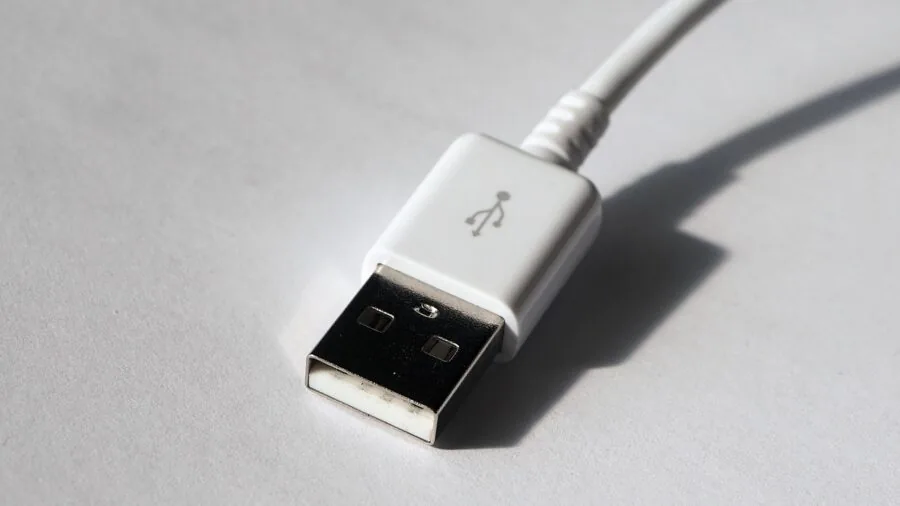
Front panel connectivity is easy to overlook until you need it.
USB-C on the front panel has become an increasingly common and genuinely useful feature, particularly for connecting modern peripherals, external drives, and smartphones quickly without reaching around to the back of the case.
All five models in this roundup include USB-C front I/O, which was a key consideration in our selection. Make sure your motherboard has the corresponding USB-C header if you want to use this port.
Beyond USB-C, look for at least two USB-A 3.0 ports and a combined audio/microphone jack.
Some cases in this price range include a dedicated display or LED control button on the front panel, which can be a convenient alternative to software-based RGB control.
Confirm that the power button and LED headers match your motherboard’s layout before finalizing your choice.
Tempered Glass and Build Quality

Tempered glass side panels have become a standard feature even at budget price points, and the cases in this roundup reflect that shift.
The key differentiator is panel coverage: some cases offer a single side panel window, while others like the MUSETEX Y6 provide a 270-degree full-view design that exposes the top, front, and side of the build simultaneously.
Full-view panels create a more dramatic showcase effect but can also highlight messy cable runs, so clean cable management becomes even more important.
Steel gauge and panel fitment quality vary noticeably at this price tier. Thicker steel (typically 0.8 mm or above) reduces flex and produces a more solid feel when closing panels.
Hinged side panels and tool-free access are convenient quality-of-life features that experienced builders appreciate. Dust filters on intake areas are another practical consideration, particularly for setups in dustier environments.
Look for removable, washable filters at the front, bottom, and top vents.
Why You Should Trust Us
REMOVU is an independent review publication. We do not sell products, fulfill orders, or handle returns.
Every product in this roundup was evaluated using our structured research methodology: we analyze manufacturer specifications, synthesize expert review consensus from the enthusiast builder community, and assess verified buyer feedback to identify patterns in real-world satisfaction and recurring issues.
We do not conduct our own product trials; our evaluations are grounded in research, published data, expert review consensus, and verified buyer feedback.
Each product receives a REMOVU Score on a scale of 0 to 10, assigned after evaluating it against a consistent set of criteria including airflow design, build quality, hardware compatibility, value for money, and user experience.
The score reflects how well a product performs across all criteria relative to its competition, not any single standout feature. Products are ranked in order of their REMOVU Score, with the highest-scoring option listed first.
REMOVU may earn a commission if you purchase through links in this article. That affiliate relationship has no influence on our rankings, scores, or editorial selections.
Products are chosen because they represent the best options for the reader, not because of commission rates.
We aim to surface options across a range of price points and use cases so you can make the decision that fits your specific build.
Final Thoughts
The budget PC case segment in 2026 is genuinely competitive, and every pick in this roundup offers meaningful value for builders who want a capable enclosure without overspending.
Whether you prioritize maximum airflow, a dramatic full-view aesthetic, or the most pre-installed fans per dollar, there is a strong option here.
Pairing any of these cases with quality power supplies and well-matched RAM will help you get the most out of your build. Here are our top awards from this roundup:
- Best Overall: CORSAIR 4000D RS ARGB Frame Modular Mid-Tower ATX PC Case. The highest REMOVU Score in this group reflects Corsair’s combination of serious airflow engineering, the innovative InfiniRail mounting system for flexible fan and radiator placement, and broad compatibility with next-generation motherboard ecosystems including ASUS BTF, MSI Zero, and Gigabyte Stealth. It is the most well-rounded choice for builders who want a case that performs as good as it looks.
- Best Fan Value: MUSETEX Y6 PC Case with 7 Infinity Mirror PWM ARGB Fans. Seven pre-installed ARGB fans with an infinity mirror effect and a 270-degree tempered glass panel make this the most visually impactful option in the group. It earns its strong REMOVU Score by delivering a feature set that would cost significantly more if purchased separately.
- Best for Compatibility and Storage: Lian Li Vector V100 ATX Mid-Tower PC Case. Lian Li’s reputation for precision engineering carries through to this budget-friendly model. Support for 420 mm GPUs and a 360 mm radiator, combined with an included GPU bracket and a clean internal layout, makes it the most hardware-friendly pick for builders planning demanding configurations.
- Best Budget Pick: MUSETEX Y6 PC Case with 4 Non-LED Fans. For builders who want the striking 270-degree full-view tempered glass design without paying for RGB lighting, this non-LED variant delivers the same spacious layout and USB-C front I/O at the most accessible price in the roundup.
If your build extends beyond the case itself, our guides to ATX PC cases for every kind of builder and the broader PC components category can help you plan the rest of your system with the same level of detail.
Frequently Asked Questions
Do I need to buy additional fans for these cases?
Most cases in this roundup come with three to seven pre-installed fans, which is sufficient for a standard gaming or productivity build. The MUSETEX models are particularly generous in this regard.
If you plan to add a large radiator or push high-end components hard, you may want to add one or two extra fans to additional mount positions, but out of the box these cases are ready to use without immediate fan upgrades.
Are these cases compatible with liquid cooling?
Yes, all five cases support at least a 240 mm radiator, and several support up to 360 mm.
The Lian Li Vector V100 and the Corsair 4000D RS ARGB offer the most flexible radiator mounting options, accommodating 360 mm radiators in the front position, which is ideal for high-performance all-in-one coolers.
Always cross-reference the case specifications with your cooler’s mounting requirements before purchasing.
What is the difference between a mesh front panel and a glass front panel?
A mesh or perforated front panel allows significantly more air to pass through to front-mounted intake fans, which results in lower component temperatures under load.
A solid glass or acrylic front panel restricts airflow and can cause temperatures to rise noticeably in demanding workloads. If thermal performance is a priority, a mesh front case like the Corsair 4000D RS ARGB is the better choice.
If you prefer a cleaner aesthetic and your build is not heavily loaded, a glass front panel is a reasonable trade-off.
Can I use a full-size ATX power supply in these cases?
All five cases in this roundup support standard ATX power supplies. Each case includes a PSU shroud that conceals the power supply and associated cabling for a cleaner interior appearance.
Check the maximum PSU length listed in the specifications if you are using an extended ATX or modular power supply with thick cables, as very long units can occasionally conflict with cable routing in some mid-tower layouts.
Our category page on power supplies can help you find a compatible unit.
How important is USB-C on the front panel?
USB-C on the front panel is increasingly useful as more peripherals, portable SSDs, and smartphones adopt the connector. All five cases here include a front USB-C port, which sets them apart from older budget models.
To use the port, your motherboard needs a USB-C (USB 3.2 Gen 1 or Gen 2) internal header. Check your motherboard’s specification sheet before assuming the port will be functional out of the box.
A compatible ATX board will almost always include this header in the current generation.
Are budget PC cases difficult to build in?
Build experience varies more by design than by price. Some budget cases include thoughtful features like tool-free drive trays, pre-routed cable channels, and hinged side panels that make the process smooth even for first-time builders.
Others cut costs in ways that create frustration, such as sharp interior edges, limited cable management space, or awkward fan connector placement.
Reading verified buyer reviews specifically about the build process, rather than just the finished look, is one of the most reliable ways to gauge how builder-friendly a case actually is in practice.
About the author
Lucy covers subwoofers for REMOVU, weighing output, control, and room fit for sealed and ported models. She helps readers add the deep bass most speakers and soundbars miss.